This Pomodoro timer combines focus and break intervals with a small record of completed sessions. Focus Garden offers Korean controls, study and meditation presets, custom durations and a garden that gains a plant after a completed focus. This guide explains the interface in English and shows what happened in our actual short test.
Verified 9 November 2026 in desktop Chrome and a fresh 390-pixel mobile viewport. We completed one real 1-minute custom focus and one 1-minute break, with a pause during the break. This was a functional test, not a 25-minute productivity trial or an independent timing-precision benchmark.
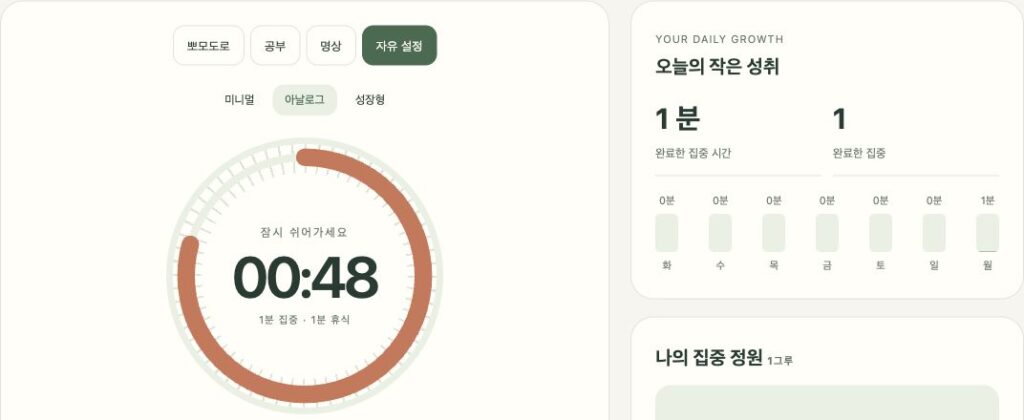
Use Focus Garden’s Korean controls with an English guide. Our real one-minute focus and break tests explain manual transitions, completion records, reload, pause, sharing and alarm limits.
- Brand
- Focus Garden
- Tool languages
- ko
- Verified date
- 2026-11-09
Table of Contents
Key takeaways
- The verified source interface is Korean. This English article includes a control glossary; it does not claim the tool has an English-language mode.
- Pomodoro selected 25-minute focus and 5-minute break; Study selected 50/10. Meditation showed 5, 10 and 20-minute shortcuts. Custom settings accepted a 1/1-minute test.
- A completed focus added 1 minute, 1 completed session and 1 plant. A completed break added none of those records.
- At each completion the next interval waited for a manual start. The tested behavior was not an automatically running chain of work and rest periods.
- A running countdown survived reload. A pause held at 00: 48, and a shared duration link overrode different local settings. Screen-lock alarms, audible playback and cloud synchronization were not verified.
What this Pomodoro timer does
The official name is Focus Garden. Its main purpose is to give one task a visible time boundary, followed by a separate break. The workspace places a countdown beside today’s completed minutes, a completed-focus count, a seven-day chart and a garden of session plants. It also exposes an end-sound checkbox, background-sound menu and volume control.
The useful distinction is between running a countdown and recording a finished focus. During our first one-minute interval, the display was counting down while today’s records stayed at zero. Only completion changed the ledger to 1 minute and 1 session. If you want a record of every minute spent at a desk, including interruptions and unfinished work, this completion-based ledger answers a different question.
No registration was required for the tested timer use. The source describes browser-local storage for settings, running state, records and garden. Its FAQ says records do not synchronize to another device. We verified continuation in the same browser; we did not test a second physical device or a recovery procedure after clearing site data.
English guide to the Korean controls
There was no English selector in the inspected interface. The site has English decorative headings, but the operational labels are Korean. Use the following map to distinguish the timer type, current phase and main action. The article and the Korean introduction describe the same tested behavior; they are separate guides rather than evidence of two source-tool languages.
| Korean label | English meaning | How to use it |
|---|---|---|
| 뽀모도로 / 공부 / 명상 / 자유 설정 | Pomodoro / Study / Meditation / Custom | Choose a duration family |
| 미니멀 / 아날로그 / 성장형 | Minimal / Analog / Growth | Choose how the countdown is illustrated |
| 집중 / 휴식 | Focus / Break | Check which phase is selected |
| 집중 시작 / 휴식 시작 | Start focus / Start break | Start or continue the selected phase |
| 일시정지 | Pause | Hold the remaining countdown |
| 타이머 초기화 | Reset timer | Discard the current incomplete interval |
| 시간 적용 | Apply durations | Apply the focus and break inputs |
| 설정 공유 | Share settings | Copy a link containing duration parameters |
A paused break still used the 휴식 시작 label in our test. It resumed the remaining 48 seconds rather than demanding a separate English Resume button. Read the remaining time and the status line together. Likewise, a generic encouraging sentence is not a reliable substitute for the numeric completion ledger when checking what has been recorded.
Choose a duration and a visual mode
| Timer choice | Observed duration controls | Practical role |
|---|---|---|
| Pomodoro | 25 minutes focus /5 minutes break | A predefined work-and-rest starting point |
| Study | 50/10 minutes | A longer preset for a larger uninterrupted task |
| Meditation | 10/5 on entry, plus 5/10/20-minute focus buttons | A short timed interval; no therapeutic outcome established |
| Custom | Focus input 1–180; break input 1–60 minutes | Choose your own interval lengths within the displayed ranges |
The Custom button initially retained the values from the previously selected mode in our inspection. Do not assume it always opens at a universal default. Enter the two values you intend to use, press 시간 적용 and read the displayed focus/break summary before starting. The input ranges are visible control limits; we did not exhaustively test every invalid or fractional input.
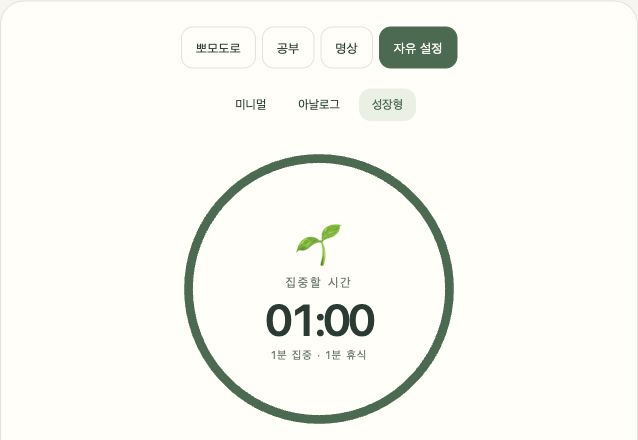
The visual buttons are separate from the duration family. Minimal is a simpler countdown, Analog adds clock-like marks and Growth adds a plant illustration. We selected all three. Changing the visual presentation during the break did not prevent that break from completing in our test. The garden ledger is a record of completions, while the plant inside the current countdown is part of the visual mode.
Use the Pomodoro timer in 7 steps
1. Give the interval one clear task
Write down a concrete unit such as drafting one section, reading a chapter or reviewing a small set of questions. That task is your own plan; the timer does not verify its quality or completion. A visible countdown can mark a boundary without measuring whether the work inside it was effective. Keep that distinction when interpreting the garden afterward.
2. Choose a preset or apply custom minutes
Select 뽀모도로 for 25/5 or choose another duration family. For a quick functional check we used 자유 설정, entered 1 minute in each field and pressed 시간 적용. That tiny test is useful for checking the controls, not a recommendation to replace your work plan with repeated one-minute sessions merely to increase the plant count.
3. Check the phase and the sound choices
Make sure 집중 is selected before beginning work. Check the displayed remaining time and the summary beneath it. We left background sound off and unchecked the end bell for our completion test. If audible notification matters to you, test it in your actual device environment separately; this review did not establish that a sound will be heard while the screen is locked.
4. Start, pause and resume deliberately
Press 집중 시작 to begin. The main action changed to 일시정지 while running. During the break we paused at 00: 48, performed other page actions and later observed the same 00: 48. Pressing 휴식 시작 resumed the remainder. Pause preserves time for continuation; reset is a different action that restarts the selected interval without crediting the unfinished focus.
5. Let the focus finish and inspect the ledger
Our 1-minute focus completed in real time. Today’s completed minutes rose from 0 to 1, completed focus from 0 to 1 and garden plants from 0 to 1. The timer selected a full 1-minute break and waited at its start button. Read those separate outcomes rather than assuming that seeing a break label means the break has already begun running.
6. Start the break yourself
Press 휴식 시작 when ready. We let the break finish after the pause/resume check. It returned to a ready focus display at 01: 00 and waited for 집중 시작. The completion ledger stayed at 1 minute, 1 focus and 1 plant. The tool therefore supported a manual transition in both directions during this short sequence.
7. Keep the distinction between settings and history
Use 설정 공유 to copy a duration link if another person needs the same interval lengths. Preserve your own record in the same browser if you want continuity. We verified a link containing 2-minute focus and 3-minute break after changing the local settings back to 1/1. Opening the copied link restored 2/3. That is a settings test, not proof that the recipient receives your private garden or completed work.
What our real one-minute test showed
All rows below describe actual interface observations on 9 November 2026. We did not accelerate the browser clock or invent a completed interval. The break included a pause, so the total wall-clock time of the test was longer than two uninterrupted minutes. We did not benchmark second-level accuracy against an independent reference clock.
| Action | Observed result | What it establishes |
|---|---|---|
| One custom 1-minute focus | 0→1 minute; 0→1 focus; 0→1 plant | Completion produced a record |
| Reload while focus was running | Running display returned at 00: 09 with a pause action | Active countdown state was restored in this browser |
| Focus ended | Break ready at 01: 00, awaiting manual start | The next phase was prepared but not auto-started |
| Pause during break | 00: 48 remained 00: 48 across other actions | The remaining time held while paused |
| Break completed after resume | Focus ready at 01: 00; ledger still 1/1/1 | Rest did not create another focus record |
| Incomplete mobile focus reset | Ledger still 1/1/1 | The short discarded attempt was not recorded |
| Open copied 2/3 link after local 1/1 | 02: 00 and 2-minute focus /3-minute break | The URL applied its duration settings |
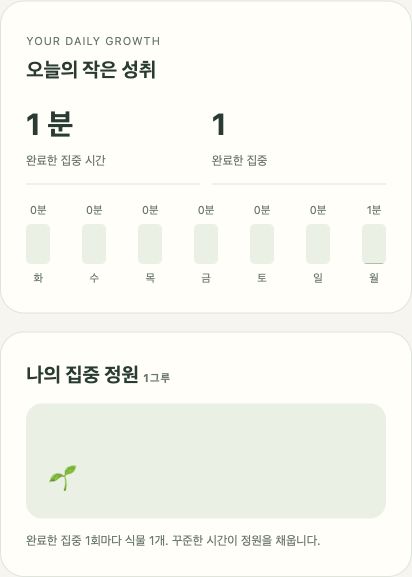
The seven-day chart showed 1 minute on the current Monday and zero on the other displayed days. That confirms one recorded day in the current view. It does not validate chart behavior across seven actual days, timezone changes or long-term data migration. The date attached to the plant was 9 November 2026 in the tested environment.
Read completed minutes and the garden correctly
A completed-focus count and completed minutes answer different questions. The source says each completed focus creates one plant, and our one-minute completion did create one. A plant is therefore not evidence of a standardized 25-minute block. When comparing your own days, read minutes alongside session count rather than treating every plant as an equal amount of time.
The records are also not a task-quality score. A session can reach zero while you are distracted, and a valuable interrupted task may be reset before completion. The page cannot determine whether a chapter was understood or a paragraph was finished. Use the numbers as a log of completed timer intervals and keep a separate note about what you actually worked on.
The one-minute session in our screenshots was a software test. It should not be interpreted as evidence that we studied productively, improved attention or measured a health benefit. The source itself does not promise medical or therapeutic results. This review focuses on the controls, transitions and record changes that could be directly observed.
Plan a workable focus and break routine
For a simple work plan, decide whether the task fits a 25-minute block or needs to be divided. Start with the task boundary rather than selecting the longest available timer automatically. If you choose several blocks, write the sequence down because the tested workflow waited for each manual start. We did not verify a preset that automatically adds a long break after a set number of Pomodoros.
As a planning example, four 25-minute focus blocks contain 100 minutes of focus. Adding three 5-minute breaks between them gives 115 minutes before any final break. That arithmetic is a proposed schedule, not an automated Focus Garden routine or a tested 115-minute session. Account separately for pauses, interruptions and time spent deciding what comes next.
When an interruption occurs, choose whether you want to continue the remaining interval or discard it. Pause can preserve the remainder; reset did not add a record in our incomplete test. If a different task takes over, note that change yourself. The timer has no verified task-title ledger in the interface we inspected, so the garden alone cannot reconstruct what each interval was for.
Minimal, Analog and Growth are useful presentation choices for different preferences, not different evidence-based treatment modes. Select a display that lets you read the time easily without making the interface itself the task. If background sound is distracting, the menu includes Off. No particular sound or visual style was validated as improving performance in this review.
Reload, pause and settings links
The FAQ says the countdown uses a planned finishing timestamp and saves its running state. Our running reload test is consistent with that explanation: the timer returned with nine seconds remaining and then completed normally. We do not generalize one short reload into a guarantee for every browser suspension, operating-system sleep or device shutdown.
The pause check was separate from reload. A stopped 00: 48 remained visible during other interactions, and the same Start break action resumed it. This is why the words on the button should be interpreted with the current state. Repeatedly pressing reset while trying to resume would change the interval you intended to preserve.
The copied settings link exposed only focus and break duration parameters in the URL we inspected. Our 2/3 test overrode different local 1/1 values. The new tab also showed the already-existing one-session garden because it was the same browser. That is not evidence of history transfer in the link. Cross-device opening was not tested, and the source explicitly describes records as local rather than synchronized.
We closed the auxiliary sharing tab after the test. Simultaneous editing of a live session in multiple tabs was not evaluated. For a clear workflow, use one active timer tab and check its phase before starting. A settings link is useful for agreeing on durations; it is not a verified group timer, synchronized meeting countdown or attendance record.
Sound, mobile use and privacy limits
The background menu offered rain, brown noise and white noise, plus Off. The FAQ describes these as sounds synthesized in the browser rather than recorded natural soundtracks. Volume was initially 25 and an alarm-preview button was present. We did not verify audible playback or the end bell; they remained outside our successful countdown and record tests.
The source warns that power saving and screen locking can restrict browser alarms. A normal reload and some navigation during our short test do not establish lock-screen notification reliability. If a reminder is important, the page itself recommends using the device’s native timer alongside it. Focus Garden is a browser workspace, and we did not verify a background-notification permission flow or operating-system alarm service.
At 390 pixels wide, the source page had no horizontal overflow. We started, paused and reset an incomplete focus using the mobile layout; the completion ledger stayed unchanged. This was a fresh viewport reload, not a physical-phone battery, performance or touch-target study. Advertising overlays and an interstitial appeared during research and could require dismissal before reading a page section.
The privacy page says settings, running state, completed records and garden are held in browser local storage and that the timer does not send name, email or focus records to a separate server. Those are source statements, not findings of a full network audit. Google Blogger hosts the site, and Google and advertising partners may process cookies and access information. Do not turn local timer storage into a claim that the whole page is tracking-free or fully offline.
The FAQ says deleting site data removes local records and that they do not synchronize across devices. We did not delete the saved record to test recovery. There was no verified portable garden-backup or history-export workflow in this review. Keep that limitation in mind before treating the garden as your only long-term work log.
Related tools for a sound-based workspace
If sound choice is your main task, see our published SoundFit noise mixer guide. It covers a separate sound workspace with its own tested controls and limitations. Focus Garden’s central feature is its focus/break countdown and local completion garden. There is no verified shared history or synchronized timer between the sites. Start with the simpler tool that matches the activity you want to perform.
Frequently asked questions
Is Focus Garden available in English?
The inspected operational interface was Korean and had no English selector. This article supplies an English control glossary. English decorative headings on the source page do not establish a complete English-language interface.
Does the break start automatically?
Not in our completed 1/1-minute test. Focus ended with a ready break, then the break ended with a ready focus. Both next intervals waited for a manual Start action.
Does a paused or reset attempt earn a plant?
Our completed focus earned one. The incomplete mobile attempt and its reset added no record. The source says unfinished resets and breaks are excluded from completion records.
Will the alarm work with the screen locked?
That was not verified. The source warns that device and browser conditions can restrict sound. Our test used the end bell unchecked and background sound off.
Does a settings link share my garden?
The inspected URL contained duration parameters. It restored 2/3 minutes after local settings had been changed to 1/1. The source says it does not include personal records or garden data; same-browser history appearing in a new tab is not proof of transfer.
Did this review test a full 25-minute Pomodoro?
No. It verified the 25/5 preset and completed a real 1-minute custom focus plus a 1-minute break. Longer intervals, clock precision, sleep behavior and long-term charts remain outside the test.
Start with a small, clear task
Choose one task, set the interval and check whether Focus or Break is selected. Let a small test confirm the controls before relying on the routine. Use the garden to remember completed timer intervals, and use your own task notes to remember what those intervals accomplished.
A RELEVANT NEXT STEP
Tools with a useful connection
SoundFit / 소리핏
SoundFit: 7 Essential Noise Mixer Tips for Better Sessions
SoundFit mixes brown, pink and white noise with focus timers and a tone lab. Read our playback, saved-setting and mobile tests before building a background sound routine.
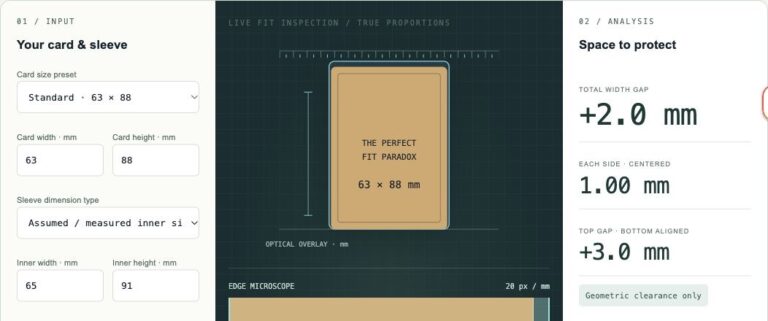
CARD SLEEVE FIT GUIDE
Card Sleeve Fit Guide: 7 Smart Checks Before Buying
Compare card sleeve inner clearance, calculate one-option pack quantities and estimate deck height. Actual tests explain stock, double sleeves, sharing and fit limits.
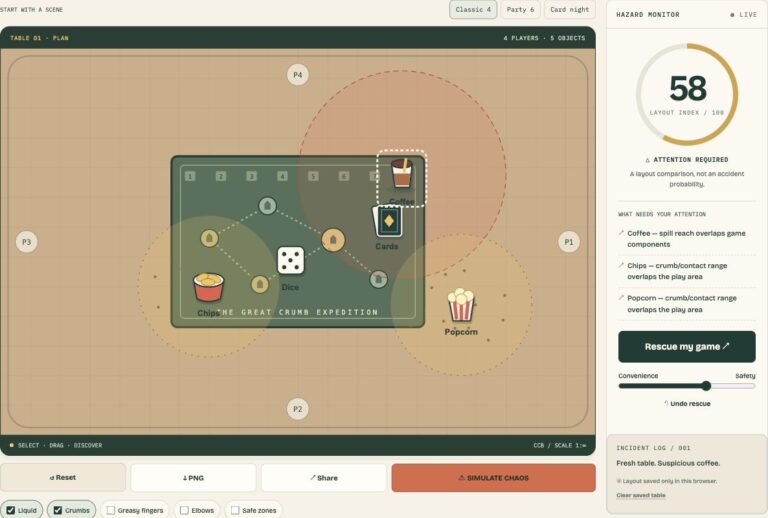
SNACK HAZARD ZONE
Board Game Snacks: 7 Smart Snack Hazard Zone Checks
Plan board game snacks with a schematic table, exposure overlays and rescue. Actual tests explain indices, mobile controls, local saving, sharing and model limits.