SoundFit is a free browser noise mixer for building a small background sound routine. It combines brown, pink and white noise, a focus timer, saved settings and an educational tone lab. Choose a purpose, adjust the layers and press Play sound yourself. The Korean interface calls the tool 소리핏.
We tested the English and Korean pages on November 7, 2026 (Asia/Seoul). Playback controls, a progressing countdown and an actively running browser Web Audio context were verified. We did not conduct listening evaluations, speaker-output measurements or studies of concentration, sleep or health effects. This guide separates the controls we used from the benefits a reader would need to judge personally.
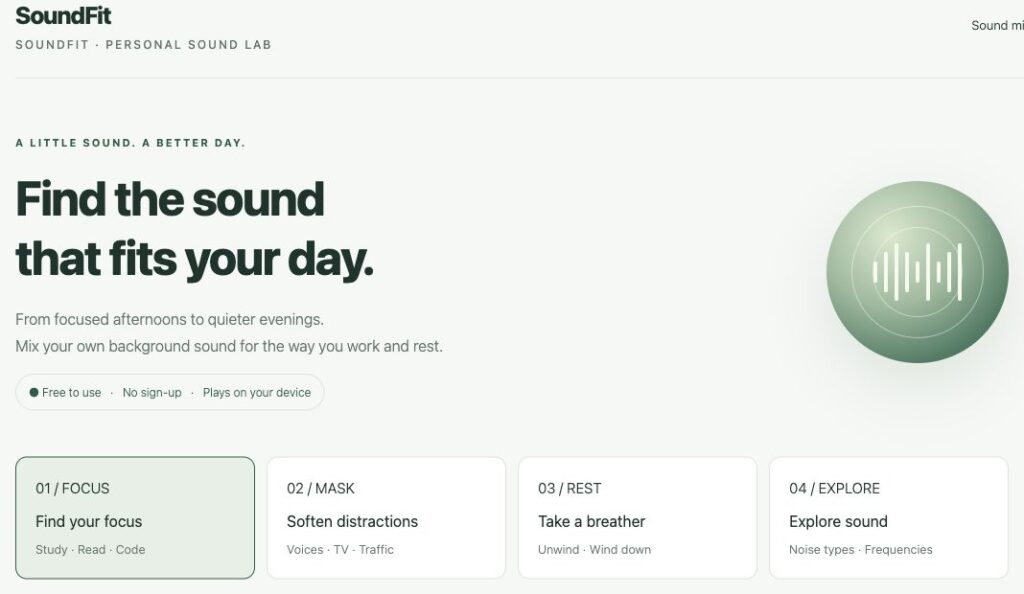
SoundFit mixes brown, pink and white noise with focus timers and a tone lab. Read our playback, saved-setting and mobile tests before building a background sound routine.
- Brand
- SoundFit / 소리핏
- Tool languages
- en, ko
- Verified date
- 2026-11-07
Key takeaways
- The three noise sliders are independent layers. Their values are not a percentage recipe that must add to 100, and the master control is not a calibrated decibel reading.
- Focus, Mask, Rest and Explore supply different starting points. Mask adds background sound; it does not remove the noise around you.
- Our custom mix 65/30/0 with master 5 survived saving, reloading and switching to English in the same browser. Loading it reset the timer to 25:00 rather than resuming 24:47.
- The tone lab offers 40–2,000 Hz, 432/528 Hz buttons and sine/triangle choices. The source explicitly does not guarantee healing effects.
- A 390px browser emulation handled slider changes and play/pause without document overflow. Physical-phone, screen-lock and full-duration timer behavior remain untested.
On this page
When this noise mixer is useful
Imagine a shared home office where intermittent conversation draws your attention away from a paragraph. A playlist may add another thing to choose, while a fixed recording gives little control over the balance. SoundFit lets you try a steady background layer and change its amount without choosing songs. Whether that makes the task easier is your decision; the mixer does not measure your attention or the room.
Another useful situation is a short study block: choose one page to summarize, prepare your notes, then use one countdown to define a stopping point. The tool can organize the sound and timing around that task. It cannot decide whether you learned the material. Review what you actually produced before deciding to repeat the arrangement.
SoundFit is also an approachable place to inspect the difference between noise controls and a tone control. Noise layers and a frequency number answer different questions. A noise slider changes the contribution of a broad sound layer; the lab sets the frequency of a generated tone. Neither route analyzes an uploaded recording, measures a loudspeaker or checks your hearing.
Prepare the task, browser and volume
- Name one outcome before starting: one paragraph, one worked example or one set of reading notes. Keep that goal outside the mixer so the timer does not become the work itself.
- Use a browser where sound playback is allowed. Keep the tab available, and plan to press the actual Play sound button; a loaded saved mix does not mean sound has started.
- Lower your device volume and the master control before a trial. Our 5% master setting was a deliberately low test value, not a universal recommendation or a known sound-pressure level.
- Keep necessary environmental sounds audible. The source advises against increasing the level to drown out the surroundings and says to stop if listening becomes uncomfortable.
- For settings you want again, use the same browser context. Saving a mix is convenient, but it is not an account, cloud backup or transferable audio file.
Start with one layer and change one control at a time. If you change three layers, the master level and your headphones together, you lose the ability to tell which change mattered. A simple written note such as “brown only, low master, reading notes” is often more useful than trying to preserve an elaborate first mix.
Seven steps to a repeatable SoundFit session
1. Choose a goal. Focus, Mask, Rest and Explore are purpose buttons near the top. Our fresh Focus selection showed brown 70, pink 20 and white 0 with a 25-minute timer. Previously saved settings can replace that starting mix on a later visit, so read the visible values instead of assuming every visit begins with the defaults.
2. Inspect the layers before playback. Brown, pink and white each have a labeled slider and a visible percentage. In our custom test we reduced brown to 65 and increased pink to 30 while leaving white at 0. The value 95 from adding those layer numbers has no established relationship to a measured output level. The controls are separate, and Mask itself uses values whose total exceeds 100.
3. Set master volume conservatively. Master volume controls the overall level in addition to each layer. Our test kept it at 5 before starting. A quiet setting on one device can behave differently on another because the operating system, speakers and headphones also affect output. Do not copy the number as a safety threshold or as a prescribed listening level.
4. Select a duration. The buttons offer 25,50 and 90 minutes or Unlimited. A checkbox offers a repeating 25-minute focus plus 5-minute break routine. We verified the duration controls and short countdown operation, not an entire cycle. Choose a duration you can monitor, particularly before relying on a long resting session or a device that may suspend its browser.
5. Press Play sound and check the state. Our button changed to Pause, the status indicated playback and the timer moved from 25:00 to 24:56. Browser diagnostics independently showed a realtime audio context changing from suspended to running and accumulating render time. That is stronger evidence than a decorative animation, but still does not certify audible output, acoustic fidelity or benefit.
6. Pause before evaluating a change. Our pause left 24:47 on the desktop timer, and it remained there while we adjusted the mix and saved. A separate mobile emulation paused at 24:56. Use this pause control when a call starts or the sound gets in the way. The source also provides Reset timer; read the displayed time after changing modes or recalling settings rather than expecting every action to preserve a countdown.
7. Save the setting you actually intend to reuse. Save my mix produced a saved message. After selecting Mask, Load saved mix returned our 65/30/0 layers and master 5. The countdown returned to 25:00. A reload and the English page recovered the same settings and requested a new Play action. Treat this as a saved configuration, not a promise to restore an interrupted live session.
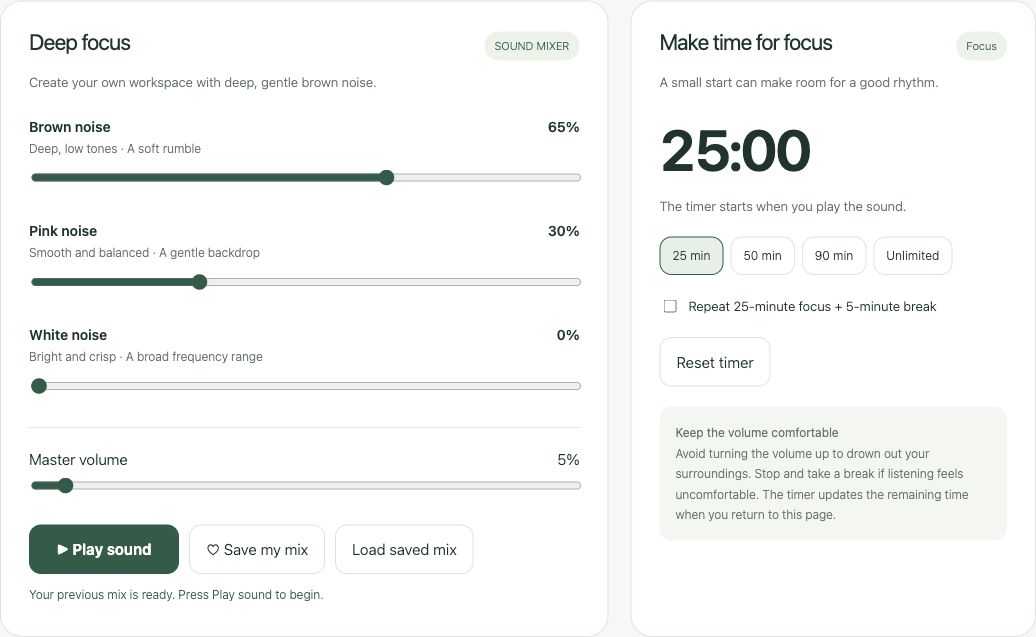
Preset values and our direct results
The following observations make it easier to spot an unexpected state. Layer values are listed in brown/pink/white order. The master remained 5 during our later mode selections; choosing a different purpose did not silently require us to use the original 20 master value.
| Action | Observed screen | Useful distinction |
|---|---|---|
| Select Focus | 70 /20 /0;25:00 | A starting point, not a tested productivity recipe |
| Select Mask | 30 /65 /25;∞ | Independent layer values can total more than 100 |
| Select Rest | 55 /30 /0;50:00 | We did not wait 50 minutes for automatic stopping |
| Select Explore | 0 /0 /0;432 Hz; tone 15;∞ | Noise layers and tone controls are separate |
| Start and pause | 25:00→24:56; desktop pause 24:47 | Short control test, not long-duration accuracy |
| Save, recall, reload | 65 /30 /0, master 5;25:00 | Settings persisted; elapsed time did not resume |
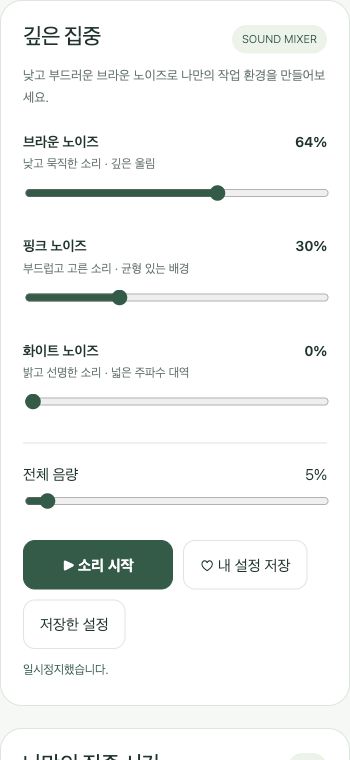
| 390px browser emulation | Brown 65→64; play/pause 24:56 | Document width 390px; no physical-phone test |
The 20-second comparison displayed white, then pink, then brown, and finished with three choice buttons plus a repeat option. We verified that sequence and the completed choice screen. We did not rank the sounds by listening or verify every choice button’s application behavior. A reader can use the sequence as a short personal comparison, then inspect the mixer after choosing.
Explore the tone lab without making health claims
Explore opened Sound lab with all three noise layers at 0. The frequency input exposed a minimum 40 and maximum 2,000 Hz. We used the 528 Hz button and read 528 in the input; we also selected Triangle in the Korean interface. Sine and Triangle were both available. The screenshot below shows the English 528 Hz Sine state, with tone level 15 and an unlimited timer.
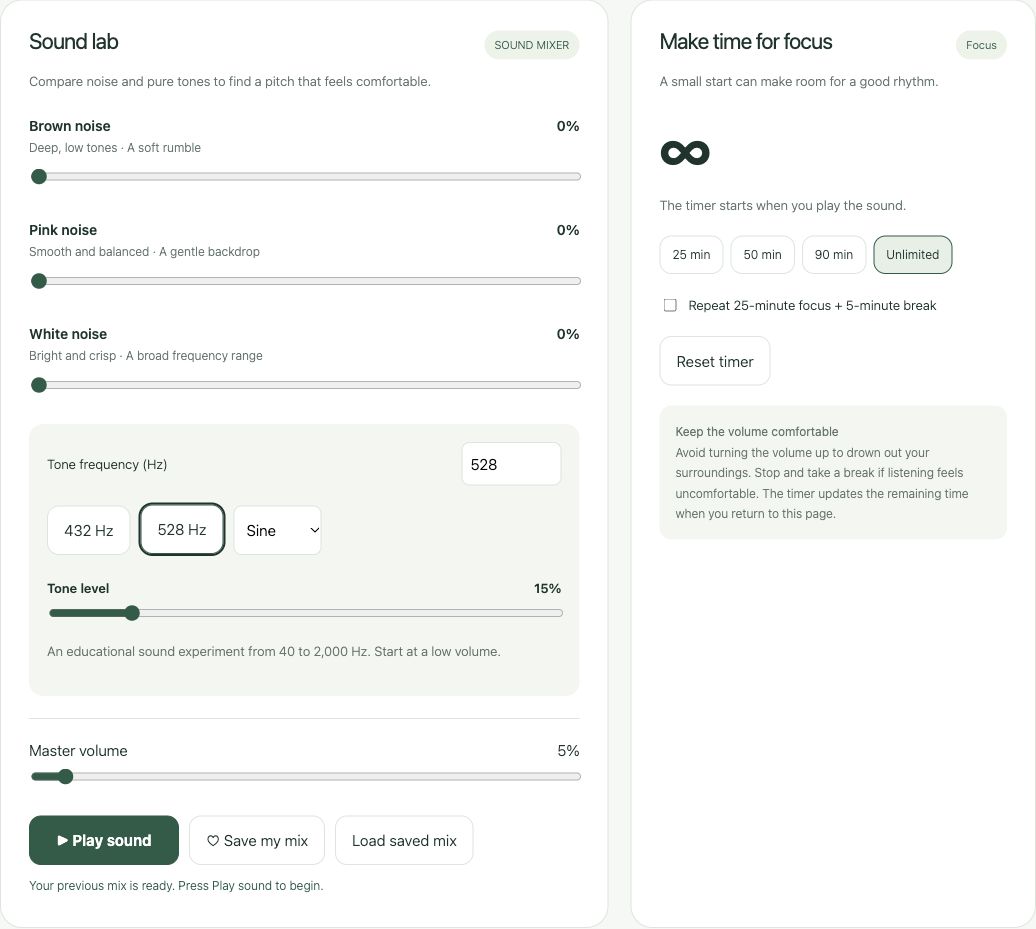
To make a useful comparison, keep the noise layers at 0, lower the master control and change only the frequency or waveform. Then stop and consider whether you want a tone at all during the task. A number such as 432 or 528 is a selectable parameter here. It does not turn the page into a treatment, a diagnostic instrument or a calibrated signal generator.
The stated frequency range is a control range, not a measurement of the sound that reaches your ears. We did not test out-of-range entry handling, speaker frequency response, waveform purity or exported audio. No audio-download route was used. If your actual objective requires measured sound levels, instrument calibration or medical assessment, these verified controls do not establish that capability.
A practical writing session and better comparison notes
Here is a suggested workflow, rather than a measured result: prepare a three-sentence answer to one reader question. Open the draft first, then choose a simple layer in SoundFit. Use one timer to bound the session and finish by reading the sentences aloud or silently. The outcome is the text you can review, not the fact that a countdown ran.
For a fairer personal trial, keep the task type and output device stable. Try a short quiet session and a later session with one low background layer, recording only useful observations: Did you repeatedly reach for the controls? Did the layer distract you? Did you complete the intended paragraph? This is a personal decision aid, not a controlled experiment or proof that a noise color improves performance.
Avoid judging a saved mix solely by its name or yesterday’s preference. Conversation, room noise and the work itself may differ. Start from the simplest setting that is comfortable today. If sound makes the task harder, pause it and continue in quiet. The tool is useful when it removes setup friction; constantly tuning it can become another interruption.
Privacy, mobile limits and common mistakes
The source says sound is generated through Web Audio in the visitor’s browser, without streaming audio files or using the microphone. It says saved volume, mixer, frequency and timer settings use localStorage. Our realtime-context inspection and successful same-browser recall support execution and persistence, respectively. They do not constitute a comprehensive source-code, network or privacy audit.
The same source warns that ordinary access logs may exist and that Google and other advertising providers may use cookies. Ads and an interstitial were visible during our visit. Browser-generated sound therefore does not mean the page makes no third-party requests or stores no other visit-related data. Read the SoundFit privacy policy for the site’s stated terms.
- Silent after reload: inspect Play sound, device mute, tab audio permissions and master/layer values. Saved settings are not automatic playback.
- Unexpected timer value: selecting a purpose or loading a saved configuration can change the duration. Our saved mix returned to 25:00; do not assume the old remaining time survived.
- Sound stops in the background: the source warns that browser and mobile operating system behavior varies. Test your own device before relying on a long session.
- Settings disappear: the source says clearing browser data removes the locally saved configuration. No account-based recovery was verified.
- Too many controls changing at once: return to one layer and a low master value. The percentages do not describe calibrated dB or a normalized mixing recipe.
- Treating masks as noise cancellation: SoundFit adds sound. It does not physically remove nearby voices, traffic or other noise.
Our mobile check used a fresh 390px load. The document width remained 390px; the mixer stacked vertically, a slider changed 65 to 64, and play/pause advanced and held the timer. We did not test a physical handset, locked screen, every mobile browser or an entire 25/5 cycle. Those practical limits matter more than assuming a desktop playback result covers every phone.
Alternatives and a related tool route
Choose the simplest method that fits your purpose. A recording or playlist can provide a familiar sound without learning a mixer, while a dedicated timer can mark a work block without any audio. SoundFit’s distinction is the close placement of three adjustable noise layers, goal presets, timing and a small tone lab. This comparison concerns workflow, not benchmarked sound quality.
For a writing task, our published FinishDraft guide supplies a useful next step: define a small draft, work through manual finish checks and export a readable copy. Keep the draft in FinishDraft and the background sound in SoundFit as separate tabs. There is no verified automatic integration between them. Choose one timer so two different countdowns do not compete for your attention.
A quiet room is also a valid choice. If the task needs careful listening to speech, music or recorded evidence, an added noise layer may get in the way. Use the pause control before reviewing that material. A tool with more adjustable parameters is not automatically a better match for every activity.
Frequently asked questions
Is SoundFit free and available in English? The source advertises free use without sign-up, and our tested controls required no account. English is available at /en/ and Korean at the root. This is an observed access statement, not a guarantee that future terms cannot change.
Must the sliders add up to 100? Our Mask preset showed 30/65/25. Treat them as independent layer controls. Their sum and the master percentage are not calibrated output measurements.
Can I save my remaining work time? Saving and recalling our custom mix preserved the settings but returned the timer from paused 24:47 to 25:00. We verified configuration persistence, not live-session recovery or cross-device sync.
Does 528 Hz have a verified healing effect here? The site explicitly declines to guarantee therapeutic effects. Our test verified the input and available waveform controls, not health outcomes or acoustic accuracy.
Can I leave it running overnight? We did not test that. The source warns that locking a phone or backgrounding the browser can interrupt playback. The longest completed test here was a short control check, not an overnight or full-duration run.
Does browser processing make the whole visit private? No such conclusion follows from local audio generation. The source separately mentions access logs and advertising cookies. Use the privacy policy and your own browser choices when deciding whether to visit.
Verification record and final action
Checked November 7, 2026 in Asia/Seoul; the corresponding administration log uses November 6 UTC. Evidence consists of actual English/Korean interface observations, screenshots, saved-setting recall, a short timer run, browser Web Audio execution diagnostics and a 390px fresh-load check. Sound impressions, measured frequencies, noise-reduction effectiveness, full timer completion, phone lock behavior and health benefits were not verified.
Begin with one task, one layer and a low master control. Press Play yourself, keep the surroundings audible, and save only a mix you intend to use again. Judge the session by the work and comfort you can actually assess.
A RELEVANT NEXT STEP
Tools with a useful connection
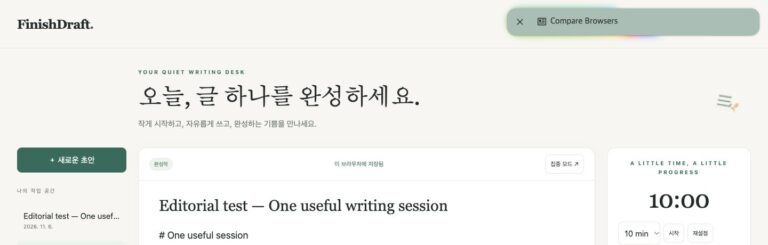
FinishDraft Studio
FinishDraft: 7 Essential Steps for a Better Writing Session
FinishDraft Studio helps you finish a small draft with local saving, writing prompts and timed sprints. See tested counters, finish checks, exports and the important difference between draft export and full backup.
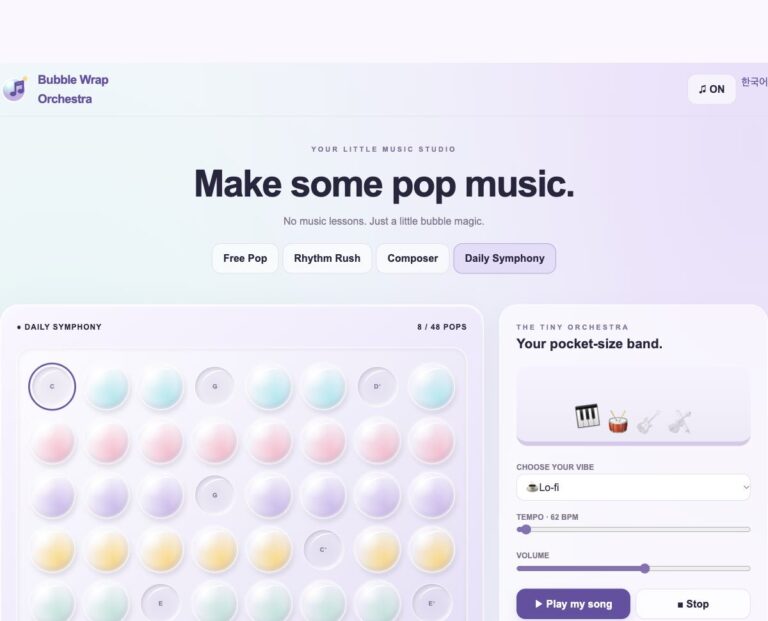
Bubble Wrap Orchestra
Bubble Music Maker: 7 Essential Pattern Checks
Create eight-beat bubble patterns in Bubble Wrap Orchestra. Tested Composer toggles, Lo-fi62 BPM link restoration,100-point Rhythm Rush and daily edits, with clear audio and export limits.
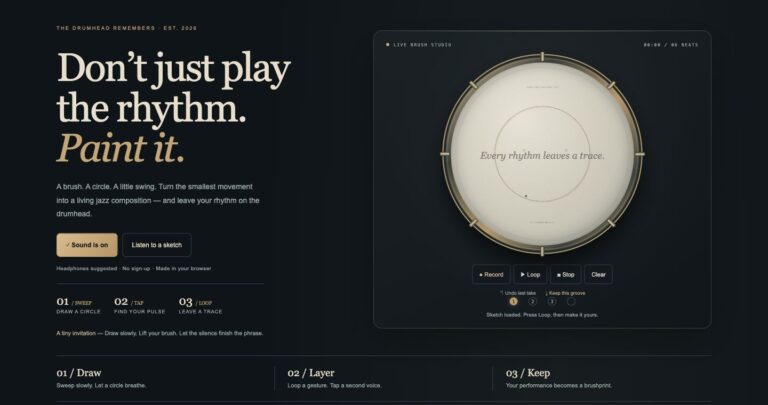
Jazz Brush Canvas
Jazz Brush Canvas: 7 Smart Checks for Better Groove Loops
Draw and overdub jazz brush gestures in Jazz Brush Canvas. Tested event recovery, waltz beat counts and browser restoration explain the timeline and the limits of PNG, WAV and JSON preservation.