FinishDraft is a browser writing desk for the moment when a small piece needs an ending, a saved copy and a clear next step. The site calls itself FinishDraft Studio. It combines a plain draft area, local saving, prewritten rescue questions, a sprint timer and a checklist you review yourself. Its value is the short route from a blank page to an export you can inspect.
We tested the English and Korean interfaces on November 6, 2026, using our own clearly labeled editorial samples. This guide explains what actually happened to the text, counts, completion status and downloaded files. It also covers an easy-to-miss recovery detail: restoring our earlier backup created a separate copy alongside the edited original. A reassuring saved message is useful, but a recoverable file still deserves its own check.
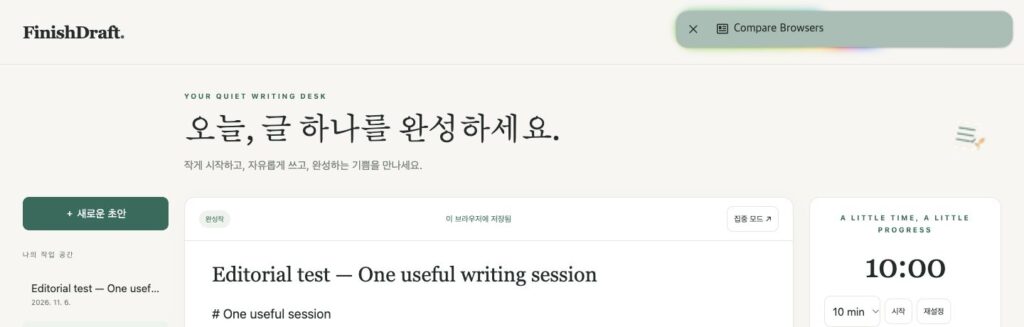
FinishDraft Studio helps you finish a small draft with local saving, writing prompts and timed sprints. See tested counters, finish checks, exports and the important difference between draft export and full backup.
- Brand
- FinishDraft Studio
- Tool languages
- en, ko
- Verified date
- 2026-11-06
Key takeaways
- FinishDraft’s hints are prewritten questions, not AI-generated continuations. The finish checklist is a manual review, not proofreading or source verification.
- Our mixed input “안녕 hello world 123” displayed 15 non-whitespace characters and 2 English words. A Korean count is not an English word target.
- Completing all three checks let our sample become one finished work. Editing it returned it to draft and the finished count to zero.
- TXT, Markdown and HTML export one draft. JSON is the separate full-backup route; we inspected both the files and a same-browser restore.
- The source describes local storage without accounts or cloud sync. Advertising was visible, so local draft processing is not a claim that the visit has no third-party requests.
On this page
When this writing desk is a good fit
A useful session can be deliberately small: answer one reader question, preserve one journal observation, or end a scene with a character’s decision. The hard part is often choosing the boundary of that piece. FinishDraft puts the writing area, timing and finish decision close together so you can make that boundary explicit. It does not need a project database before you can type.
Choose it when you want a lightweight drafting session and are comfortable keeping your own backups. A plain text editor can also hold the words; FinishDraft adds questions, a countdown, a small activity garden and a completion ritual. Those features organize a session. They do not establish that the resulting article is accurate, original, publishable or more productive than work in another editor.
It is a poor match for a workflow that requires simultaneous co-editing, an institutional audit trail or verified cloud recovery. The source explicitly says there are no accounts or cloud synchronization. We did not test an automated publishing integration, an AI writing endpoint or file-format round trips with every external editor. Use the observed controls as the boundary of the recommendation.
Prepare an outcome, a source note and a backup destination
- Define one deliverable. “A paragraph answering why I chose this method” is easier to finish than “work on the whole blog.” Decide who will read it and what an adequate ending would do.
- Keep facts separate from prompts. Bring the notes or references you need. A helpful question does not supply evidence for your answer, and a checked source box does not validate a link.
- Choose a browser context you can return to. The source warns that clearing browser data or ending a private session may remove drafts. Do not make that context your only copy of important work.
- Know where exports land. Your browser’s download location is separate from the application’s saved drafts. After exporting, find and open the file before assuming you have a usable backup.
For a first trial, use non-sensitive sample text and a recognizable title. Keep the sample separate from a real submission. Our title began “Editorial test” so that the activity garden and downloaded files could not be mistaken for a published article or a measured productivity result. The same discipline helps when teaching the tool to someone else.
Seven steps from a blank page to a checked copy
1. Create or select the intended draft. Use New draft, then enter the title and body. Existing drafts appear in the left list on the desktop layout. A title is a useful identifier, but our restore test produced two entries with the same title, so also inspect the body and status before editing. We did not establish a title-based deduplication rule.
2. Select the kind of writing. The menu offers Blog post, Essay / journal and Short story. This changes the questions and finish criteria, not the language of your existing sentences. In our short-story selection, the checklist asked about character and setting, something happening or changing, and an ending. Returning to Blog post restored reader-question, sources and next-step checks.
3. Ask for a nudge, then write the answer yourself. Help me continue, New prompt and Next hint are visible controls. We used the help and new-prompt route, changed to Short story with the Focused style, and saw “A lost key opens an unexpected door.” Our body stayed intact. The source says these are prewritten questions matched to writing type, not text sent to an external AI service.
4. Use time as a boundary. Sprint options are 5, 10, 15 and 25 minutes. We selected five, started at 05:00, paused at 04:53 and reset to 05:00 without losing the sample. This confirms start, countdown, pause and reset in that short run. It does not establish exact long-session timing, background-tab accuracy or what happens after every timer reaches zero.
5. Reduce the interface when useful. Focus mode hid the side panels and larger guide content while keeping the writing area and export controls. We entered and exited it with the sample preserved. This is an interface view, not a guarantee that browser notifications, the operating system or advertising can never interrupt you. We observed ads during the visit.
6. Review before marking complete. With the three blog checks unchecked, Finish this draft returned “Review and check all three finish items.” After we checked them, the sample became FINISHED WORK, the list gained a check mark and the garden showed one finished work. The questions are a self-review contract: you must actually examine the reader question, facts and ending.
7. Export the piece and back up the workspace. Choose a draft format and download it, then separately make a JSON backup if you want the application’s draft records. Open the output and check title, paragraph breaks and symbols. We inspected all three text formats and the JSON. Do this before switching environments, clearing data or treating the browser as the only archive.
What our direct tests showed
These were browser-interface tests with invented editorial input, not a study of writing speed or a claim that a real article was published from the tool. The character counter excludes whitespace according to the on-page FAQ; English words use alphabetic groups and can differ from another editor’s convention.
| Action or input | Observed result | Practical implication |
|---|---|---|
| 안녕 hello world 123 | 15 characters; 2 English words | Korean text and digits contribute to characters, not the same English-word count |
| Our three-paragraph English sample | 102 characters; 21 English words | A title and body should be reviewed separately; do not assume a submission counter matches this one |
| Finish with all three checks unchecked | Review-all-three message; not completed | The completion flow has a manual checklist gate |
| Check all three, then finish | Finished work; count 1 | This is a status you declared after self-review |
| Append “Revision test.” to completed body | Draft again; finished count 0; 115 characters/23 words | Editing reopens the finish decision |
| Five-minute sprint start/pause/reset | 05:00 → 04:53 → 05:00 | Short countdown controls worked without deleting the draft |
| Reload and switch to Korean in the same browser | Our edited title and body remained | Observed local continuity, not cross-device cloud sync |
| Restore the earlier JSON | Edited original plus separate completed copy | Inspect imported entries; repeated recovery may create confusing copies |
| Korean 390px direct input | 22 characters; 2 English words; document width 390px | Narrow-screen text entry worked in browser emulation |
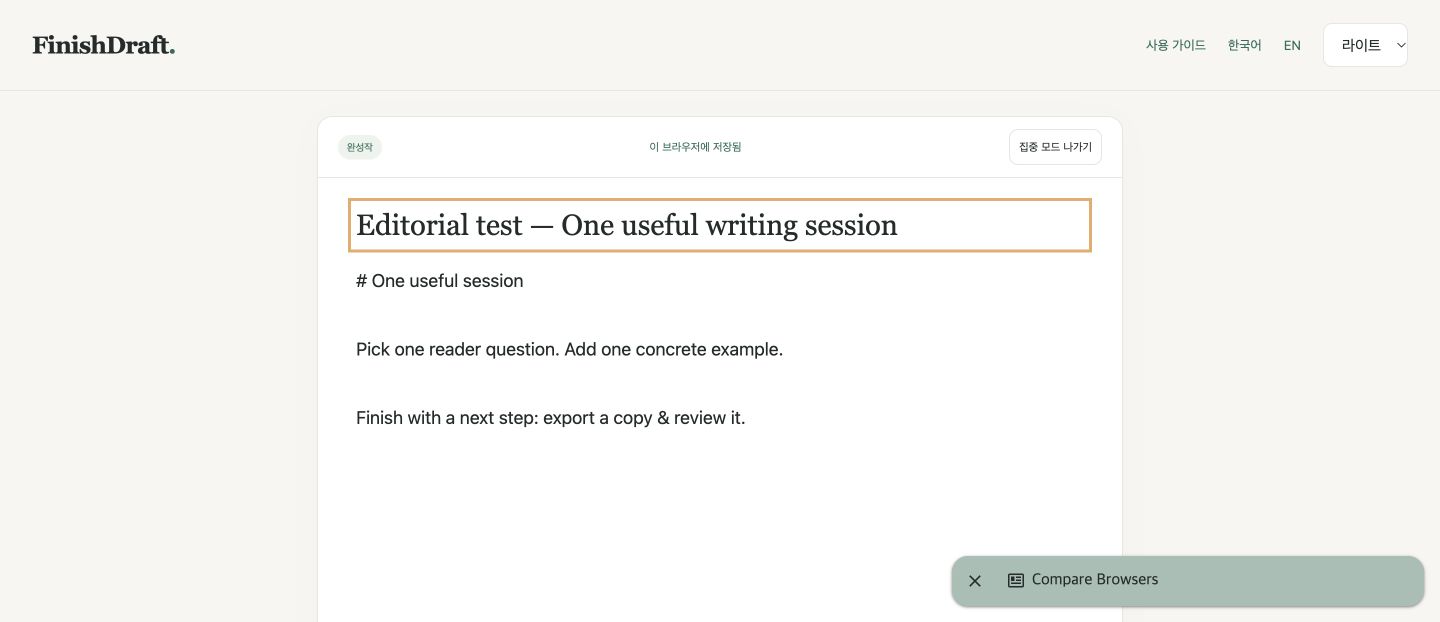
The short English sample deliberately included a literal “# One useful session” line and an ampersand in its ending. That makes export differences visible with little text. A large document can hide a formatting assumption; a small diagnostic example tells you whether the destination is interpreting markup or simply preserving the characters you typed.
Focus, prompts and a realistic finish decision
A rescue question is most useful when you can answer it with something specific. If the prompt asks what a reader should remember, write the answer first and build the introduction around it later. If a story prompt suggests an unexpected door, decide whose choice matters before expanding the scene. These are suggested writing techniques, not output quality measured by the application.
Keep your finish criterion tied to the intended piece. A journal observation may be complete when the important moment and why it matters are clear. A practical blog answer needs enough evidence and a usable next step. A check mark can help you stop revising indefinitely, but it cannot determine whether your evidence is sufficient. The interface explicitly warns that it is not automatic proofreading.
The finished-work total also has a narrower meaning than a lifetime achievement total. Editing our one completed entry reduced the displayed count to zero while the writing day remained. After restoring a completed copy, one finished work appeared again. We only tested the current day; seven-day history, rest-day behavior and weekly goals over time were read in the guide, not observed across a week.
Choose the right export for the next destination
| Format we opened | What the file contained | Useful next check |
|---|---|---|
| TXT | Title, a blank line and the draft body | Open it as text and inspect encoding and paragraphs |
| Markdown (.md) | # plus the draft title, then the original body | Check whether your destination treats your own # lines as extra headings |
| HTML | Document title, an h2 title and body paragraphs; & escaped to & | Our body # remained a paragraph, so this is not a full Markdown-to-HTML conversion |
| JSON backup | App/version fields and draft records with text, type, checks, completion and activity/timing data | Use the Restore route for application records; keep text exports for readable copies |
In the HTML file, the application escaped our ampersand as an entity and kept the literal # inside a paragraph. That is the exact behavior we inspected, not an assurance about every possible HTML input or sanitization boundary. If the destination expects rich headings, apply them there and preview the result. A clean-looking source file and a correctly displayed published page are different checks.
The Print / PDF control points to the browser printing route described in the guide. We did not complete a saved-PDF inspection, so we cannot report verified pagination, embedded fonts or a successful PDF export. Likewise, we did not test every receiving editor. Choose a format based on the next tool and inspect the first small transfer before moving a valuable manuscript.
Backup and restore without confusing the copies
Our JSON was an actual downloaded file, not a screen label. It identified the app as FinishDraft, version 1, and included the sample’s title, full body, writing type, three checked values, finished state, completion time, seconds and writing-day list. The file was created while the sample was finished. We later added a revision to the browser copy, which returned that copy to draft status.
Restoring the earlier file in the same browser did not replace the edited entry in our test. It added a completed copy and selected it, while the revised draft remained in the list. The two titles were identical; the body and check mark distinguished them. This supports a practical precaution: save a current backup before restoring an older one, then inspect the imported entries rather than assuming the app merged the newest text.
Name backup files with a date and retain a readable export of important work as well. A JSON record preserves application fields, while a text file can be opened without reconstructing the workspace. We did not clear browser storage, test corrupt imports, verify large-backup limits or perform a second-device recovery. Same-browser restoration is useful evidence, but not proof of every migration path.
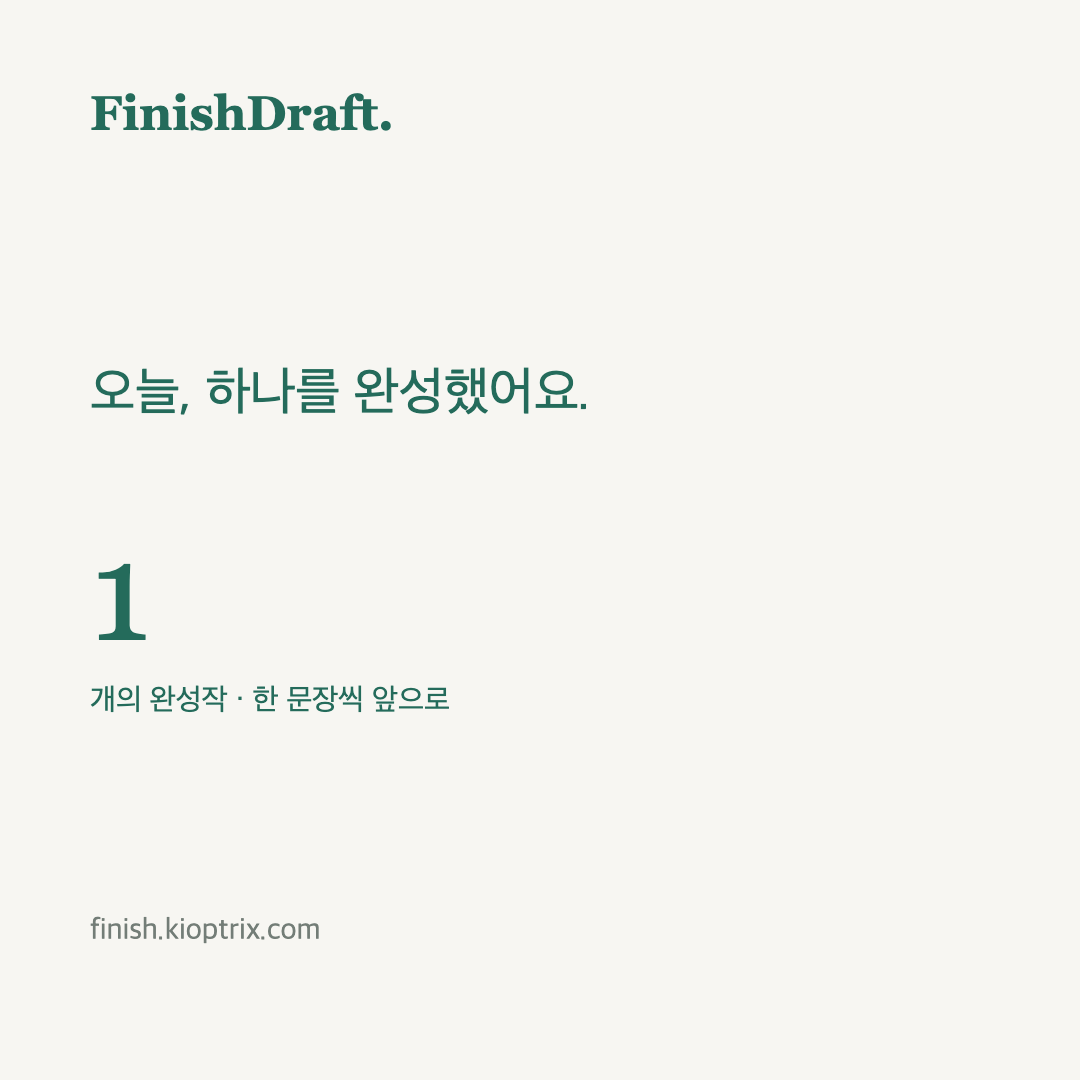
The achievement card downloaded as a PNG and reported one completed work in our Korean test. It is a shareable illustration of the tool’s status. It is not a backup of the prose and should not replace the TXT or JSON files. Keep a record of what the number represents before using such an image in a public progress update.
Korean input, mobile use and privacy boundaries
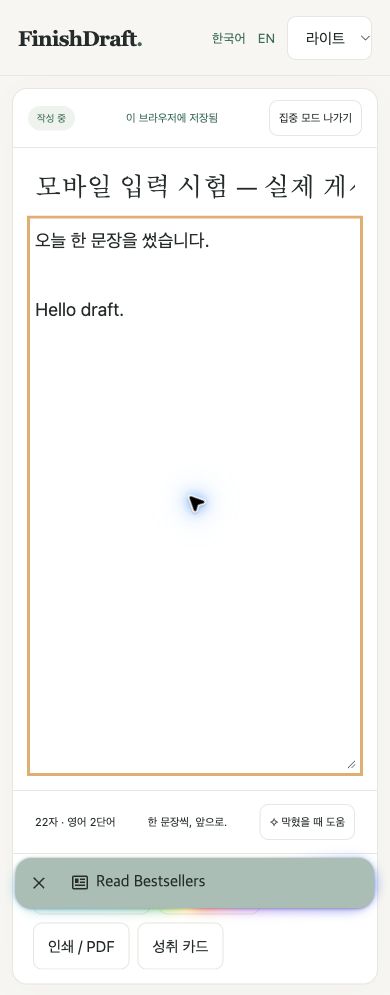
On the Korean page at a 390px viewport, we created a new sample titled as a mobile input test and typed “오늘 한 문장을 썼습니다.” followed by “Hello draft.” The interface showed 22 characters and 2 English words. The document width was 390px with no horizontal overflow in the inspected layout. We also entered focus mode. This was browser emulation, not a physical-phone keyboard or every-device test.
The on-page FAQ describes IndexedDB with local storage as a fallback, no accounts and no cloud synchronization. It states that drafts and activity stay in the browser and are not uploaded by the app. Our reload and language-switch tests confirmed continuity for these samples in the same browser; we did not independently trace every network request or audit the storage implementation.
Advertising providers may process cookies and device data under their own policies, as the page discloses. We saw banners, injected advertising links and an interstitial during language navigation. Local drafting should therefore not be read as an ad-free or network-isolated visit. Use an appropriate approved environment for confidential material and avoid placing unnecessary sensitive information into a public tool.
Alternatives and a related publishing workflow
For words alone, a plain text editor is sufficient. For shared comments, version administration or an organization’s retention requirements, a document system with those verified capabilities may fit better. FinishDraft’s distinctive combination is the session boundary, predefined questions, completion checks and local activity view. This is a role comparison, not a benchmark against named commercial products.
After finishing the source, our published VoiceCraft Studio content package guide is a relevant next step if you want editable blog, social, short-extract and checklist starting points from your notes. Transfer the text deliberately and review each output. We did not test an automatic FinishDraft-to-VoiceCraft connection. Both are the creator’s projects introduced on KIOPTRIX; this link is not independent third-party endorsement.
A useful handoff has three checks: keep the original export, identify which version you pasted, and inspect the destination before publishing. Neither a FinishDraft completion mark nor a template package establishes factual accuracy. Keep source review, language editing and final publication approval as explicit parts of your own workflow.
Frequently asked questions
Does FinishDraft write the next paragraph for me? The source says the hints are prewritten questions. In our tested help and prompt path, the draft remained our own text. Do not expect an AI continuation or a translation of the manuscript when you change the interface language.
Is a saved draft backed up to an account? No account or cloud sync is described. The app’s saved message refers to this browser. Download a JSON backup and inspect a readable export; do not treat browser storage as your only archive.
Why do completed works decrease after I edit? Our completed sample returned to draft as soon as we changed its body. Review the revised version and finish it again when appropriate. The count is a current status view, not proof that earlier writing never happened.
Can I use its counter for a submission limit? Confirm the receiving service’s rule. FinishDraft separates non-whitespace characters from English alphabetic word groups. A Korean character requirement or another editor’s word count may use a different convention.
Will HTML render my Markdown headings? In our exported HTML, the literal # line was a paragraph. Open and preview the output rather than assuming that choosing HTML performs full Markdown conversion.
Does a restore merge the newest version? Our earlier backup was added as a separate completed copy alongside the revised original. That result is not a deduplication or conflict-resolution guarantee. Compare titles, bodies and status after recovery.
Verification record and final action
Checked November 6, 2026: English and Korean navigation; typed mixed-language counters; help/new-prompt interaction; writing-type checklist changes; five-minute start/pause/reset; focus entry/exit; incomplete and completed finish flows; editing a finished entry; reload preservation; TXT/Markdown/HTML and JSON file contents; same-browser JSON restore; generated achievement PNG; Korean 390px input. Timer completion, the 30-second break, PDF output, long-term history, cross-device recovery and security were not comprehensively tested.
The original FinishDraft page provides the controls and storage disclosures. Start with one small piece, make its ending explicit, then open the exported file and keep a separate backup. Open FinishDraft and finish a small draft →
A RELEVANT NEXT STEP
Tools with a useful connection
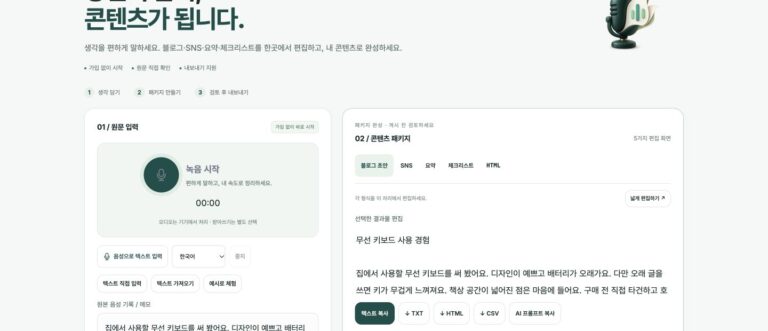
VoiceCraft Studio
Content Package Generator: 7 Smart VoiceCraft Checks
Use VoiceCraft Studio as a content package generator for editable blog, social, summary, checklist and HTML drafts. See actual text tests and SourceGuard’s limits.
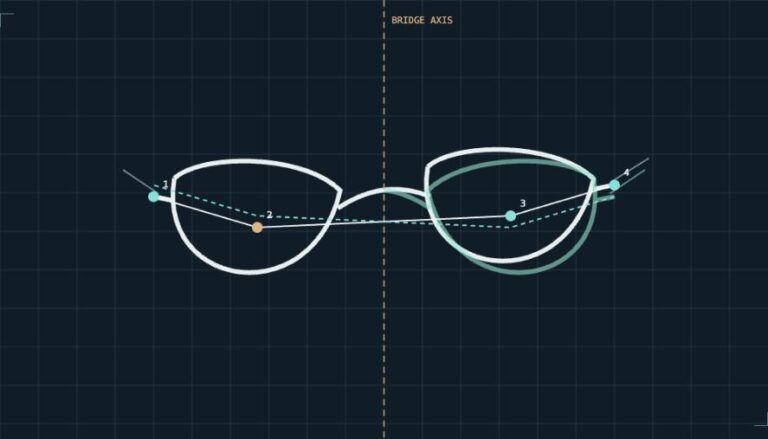
FRAMEGHOST — The Optical Forensics Studio
Glasses Symmetry Checker: 7 Smart Checks for Better Photos
Compare reflected glasses images with manual anchors and an adjustable axis. Actual illustration-upload, coordinate and session tests explain canvas pixels, temporary records and the limits of physical conclusions.
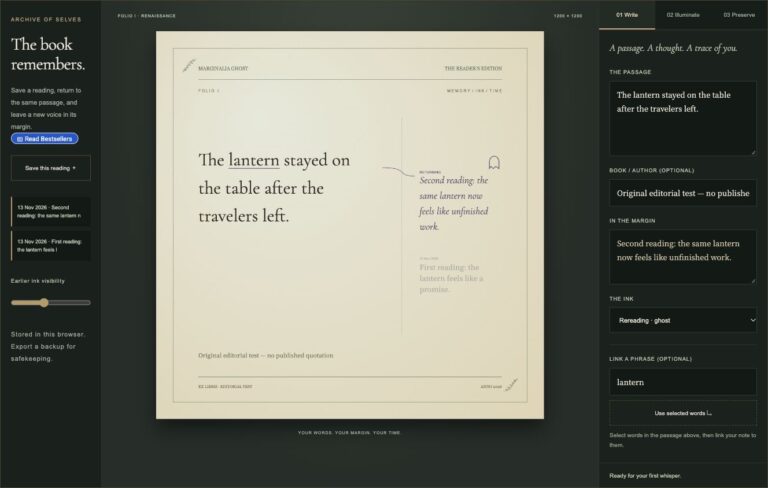
MARGINALIA GHOST
Marginalia: 7 Essential Checks for Better Reading Notes
Create a marginalia image with your passage and reading response. Real tests examine matching-passage history, ink visibility, mobile writing and the difference between images and project backups.