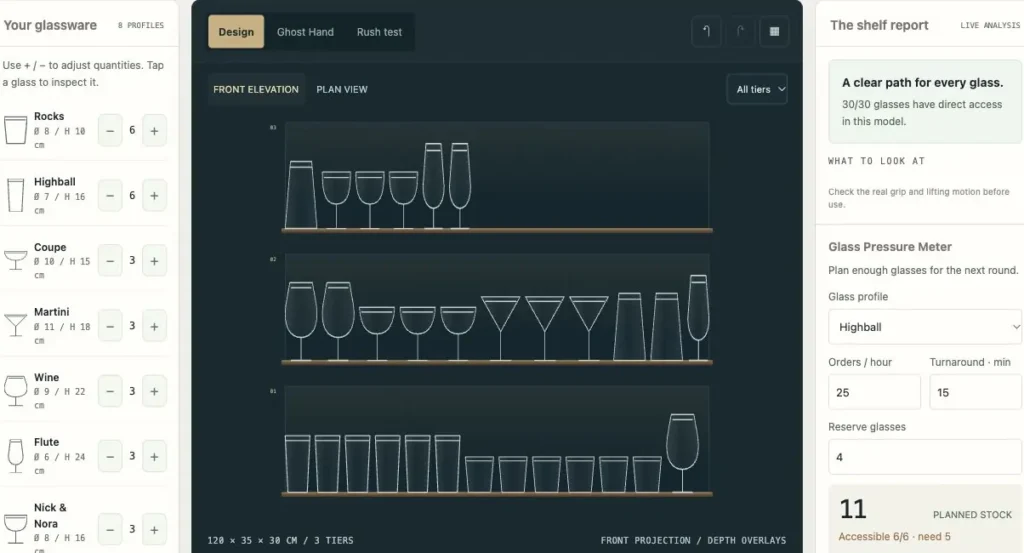
Plan a glassware shelf with measured dimensions, straight retrieval paths and stock assumptions. Actual GlassFlow tests explain weighted reach, blocked glasses, ten-order trials and JSON recovery.
- Brand
- GlassFlow
- Tool languages
- en,ko
- Verified date
- 2026-11-18
GlassFlow is a glassware shelf planner for bars, cafés and home bars. Enter the usable shelf dimensions, edit glass diameters and heights, and check whether each glass has a straight path toward the service edge. The useful question is whether a stored glass can be retrieved, rather than how many circles can fit in a drawing.
Verified 18 November 2026, KST. We tested a 30-glass layout, a blocked retrieval path, frequency weighting, lift clearance, stock rounding, reference comparisons, Undo/Redo, Fastest service optimization and JSON restoration. SVG and PNG files were downloaded and inspected. Korean stock inputs were tested at 390×844. All tests were digital; no real glasses, shelving or bar service were tested.
On this page
Key takeaways
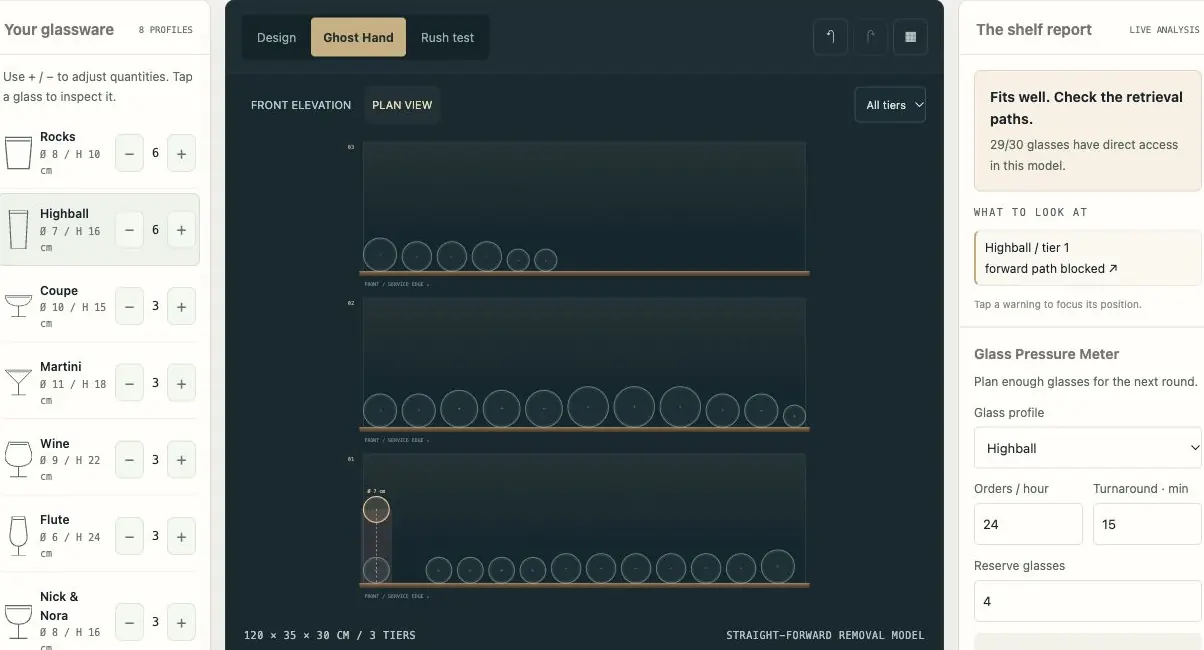
An arrangement can have no fit or gap issues and still contain an inaccessible glass. Moving one Highball behind another changed direct access from 30/30 to 29/30 while area use stayed at 13% and the fit/gap issue count stayed at zero. The weighted reach headline dropped to 95%. This is the main reason to inspect paths after checking dimensions.
Keep three different questions separate: physical footprint, modeled retrieval and required service stock. A 30-glass collection contained only six Highballs. At 25 orders per hour, 15 minutes turnaround and four reserve glasses, the stock calculator planned eleven Highballs. A fully accessible six was still five short of that input-based plan. Other glass types did not cover the shortfall automatically.
What this glassware shelf planner does
The official tool name is GlassFlow, branded Shelf Atelier. Its visual workbench combines a glass library, front elevation, plan view, Ghost Hand retrieval inspection, a shelf report, an optimizer and a glass circulation calculator. English and Korean pages are available. No account was needed in the inspected workflow; the page reports device-local saving.
The eight library profiles are Rocks, Highball, Coupe, Martini, Wine, Flute, Nick & Nora and Beer. Each has editable example dimensions and a use weight. For example, the opening Highballs were 7 cm in diameter and 16 cm high. Those defaults are not universal glassware specifications. Measure the widest part of the actual product, including a projecting rim, bowl, base or handle where relevant.
Shelf width, depth, height per tier and number of tiers are configurable. Presets include Home bar 120×35 cm, Cocktail bar 90×40 cm and Café 100×30 cm, plus Custom. Gap and lifting allowances apply to the model. A selected glass has its own center coordinates, tier, size and use frequency; the library also offers quantity controls. This makes it possible to study an existing collection rather than only a generic illustration.
Measure before drawing the shelf
Measure the usable interior space between supports and beneath the next shelf. External furniture dimensions can include frames, lips and brackets that cannot hold a glass. Note the service edge before recording positions. In the exported plan, FRONT / SERVICE EDGE is explicitly marked with a downward arrow. Use that orientation consistently when explaining a blocked path to someone else.
Prepare a count by glass type and a measured diameter and height for each different size. A product name is not enough: two Highballs can have different rim widths or heights. If you apply one size to every glass of a type, check that the real collection is actually uniform. The circle model uses the widest diameter; a small foot does not make a wide bowl fit between neighboring glasses.
Also prepare realistic orders per hour, a turnaround interval and a reserve count for the selected profile. Turnaround is an input assumption about glasses returning to use; it is not measured by this app. Include your own operational reasoning about washing and peak periods. Avoid changing both service assumptions and geometry when the purpose is to compare two arrangements fairly.
7 essential shelf planning checks
1. Preserve the current shelf before experiments
Download JSON before changing an arrangement that matters. Our initial workspace already contained thirty glasses and a device-restored status, so we preserved that state rather than calling it a fresh reset. Save the current layout as a reference as well. JSON and reference comparison serve different purposes; the layout file is not a complete record of every panel and trial.
2. Enter usable shelf dimensions
Set width, depth, height per tier and tiers, then apply the shelf settings. Our controlled study used 120×35×30 cm and three tiers, with a 1.5 cm gap and 3 cm lift allowance. These are test inputs, not recommended furniture dimensions. A successful drawing does not establish a shelf’s permitted load or anchoring.
3. Match the glass collection to reality
Use the type quantities and inspect individual size fields. The tested collection had six Rocks, six Highballs and three of each of the other six profiles. Select the intended glass from the canvas before changing coordinates. When identical profiles repeat, confirm the selected position instead of assuming the first matching name is the object you meant.
4. Inspect both elevation and plan
Front elevation helps compare heights and tiers; plan view makes front-to-back obstruction easier to see. Switch to Ghost Hand and read the report for the selected glass. The front projection can overlap objects at different depths, so a tidy-looking elevation is not sufficient evidence that every frontward path is open.
5. Change one retrieval condition
Move a selected glass or edit its coordinates, then apply the change. In our controlled example, a second Highball moved from X12/Y31.5 cm to X3.5/Y15 cm behind the first at X3.5/Y31.5. No circle overlap was introduced, but the back glass lost its straight retrieval path. Keep the gap and collection unchanged while studying this effect.
6. Compare and optimize deliberately
Read the reference differences before and after an adjustment. Fastest service optimization restored 30/30 direct access in our example. Other offered priorities are Maximum capacity, Extra clearance and Grouped showcase; we did not test their outcomes. The optimizer is a heuristic, so the result is a candidate arrangement to inspect, not proof of the best possible plan.
7. Check stock, export and verify physically
Choose the glass profile in the circulation calculator, enter service assumptions and compare planned quantity with accessible stock. Download the intended layout and plan image. Check the exported version before sending it onward, then compare the plan with the actual shelf and retrieval motion. The app does not certify gripping clearance, load capacity or breakage risk.
Actual tests: fit is different from reach
| Controlled condition | Observed result | How to interpret it |
|---|---|---|
| Opening 30-glass arrangement | 13% area; 100% weighted reach; 30/30 direct; 0 fit issues | A baseline for comparison |
| Second Highball at X3.5/Y15 | 95% weighted reach; 29/30 direct; 0 fit issues | A clear footprint can have a blocked path |
| Blocked glass use weight 10 → 1 | 99% weighted reach; still 29/30 direct | The headline changes without fixing geometry |
| Selected height 16 → 28 cm; lift 3 cm | Not enough lift space; fit issues still 0 | Fitting beneath 30 cm is different from lifting |
| Fastest service optimization | 30/30 direct; 100% weighted reach; 0 issues | Tested candidate restored modeled access |
| Import the blocked JSON | 95%; 29/30 direct; 0 issues restored | Layout restoration verified |
The 28 cm height test was performed on the glass that already had a blocked path. It produced a lifting warning, but did not create a second inaccessible glass or increase the fit/gap issue count. Treating this as “one fit error” would misreport the actual output. We used Undo to restore the height and also verified Undo/Redo of the coordinate change.
Why 95% does not mean 95% of the glasses
The reach percentage is weighted by the frequency values assigned to the glasses. It is not simply accessible count divided by inventory. The baseline layout JSON contained total use weight 198. Blocking one weight-10 Highball left 188 accessible weight: 188/198 is about 94.95%, displayed as 95%. Meanwhile 29/30 glasses is about 96.7%, a different quantity.
Changing only that blocked glass to weight one left 188 accessible weight out of 189 total, approximately 99.47%, displayed as 99%. The same glass remained inaccessible. Use weights to represent actual priorities before comparing arrangements; lowering a blocked item’s priority merely changes the question the metric answers. It does not open a passage or remove a real obstacle.
For discussion with a colleague, record both the weighted headline and the count. “99%, with one blocked Highball” is clearer than “almost perfect.” If that glass matters for the next order, inspect its selected-glass warning and its exact location. A rounded percentage is a summary of assumptions, and a high value can conceal a low-priority item that still needs attention.
Plan glass stock separately from shelf space
The displayed formula is ceil(orders per hour × turnaround minutes / 60) + reserve. At 24/hour and fifteen minutes, six are in circulation; adding four reserve gives ten. At 25/hour, the circulation estimate is 6.25, rounded upward to seven before adding four, giving eleven. We observed this 10→11 change in English and on the Korean mobile page.
With all six Highballs accessible, the eleven-glass plan showed “need 5.” With one blocked, accessible stock was 5/6 and the same plan showed “need 6.” That distinction is operationally useful: a stored glass that cannot be retrieved directly is not treated like an accessible one. The tool does not count all thirty mixed-profile glasses as interchangeable stock for the selected order type.
The calculation assumes the rate and turnaround you enter are appropriate. It does not simulate uneven arrivals, batch washing, losses or changing drink mixes. Buying five glasses is not automatically the right response to a displayed shortfall: first review the assumptions and whether an adjusted placement makes existing stock accessible. Extra stock also needs a real storage and handling plan.
What the ten-order rush test really measures
The Friday Night Rush presented the same ten orders: Martini, Highball, Rocks, Wine, Coupe, Highball, Rocks, Flute, Nick & Nora and Beer. Selecting a matching glass for each ticket in our baseline trial produced 10/10 direct picks and 41.5 cm of modeled forward travel. This number describes that sequence and those selected objects, not measured human travel or elapsed service time.
Glasses return after each pick. Therefore, the test does not deplete stock, reproduce washing queues or establish how many consecutive orders six Highballs can support. It is useful as a repeatable retrieval exercise when comparing placements with the same ticket sequence. We did not run a completed blocked-layout rush comparison and do not claim a measured speed improvement after optimization.
Keep a fair reference for layout comparisons
Save a reference before changing geometry if you want a meaningful before/after result. Blocking the Highball showed a reach difference of −5.1 percentage points, fit count 0→0 and accessible count 30→29. The headline percentage is rounded, while the comparison retains a decimal; the difference need not equal a subtraction of the two whole-number headline labels.
Changing the use weight produced a message that the shelf or glass collection had changed and that a new reference was needed for a fair comparison. This is appropriate: frequency weights alter the denominator and the evaluation priority. Record a new baseline for a new service brief, and retain the old brief separately if it matters. Do not describe an incompatible comparison as a demonstrated layout improvement.
JSON recovery and inspected plan exports
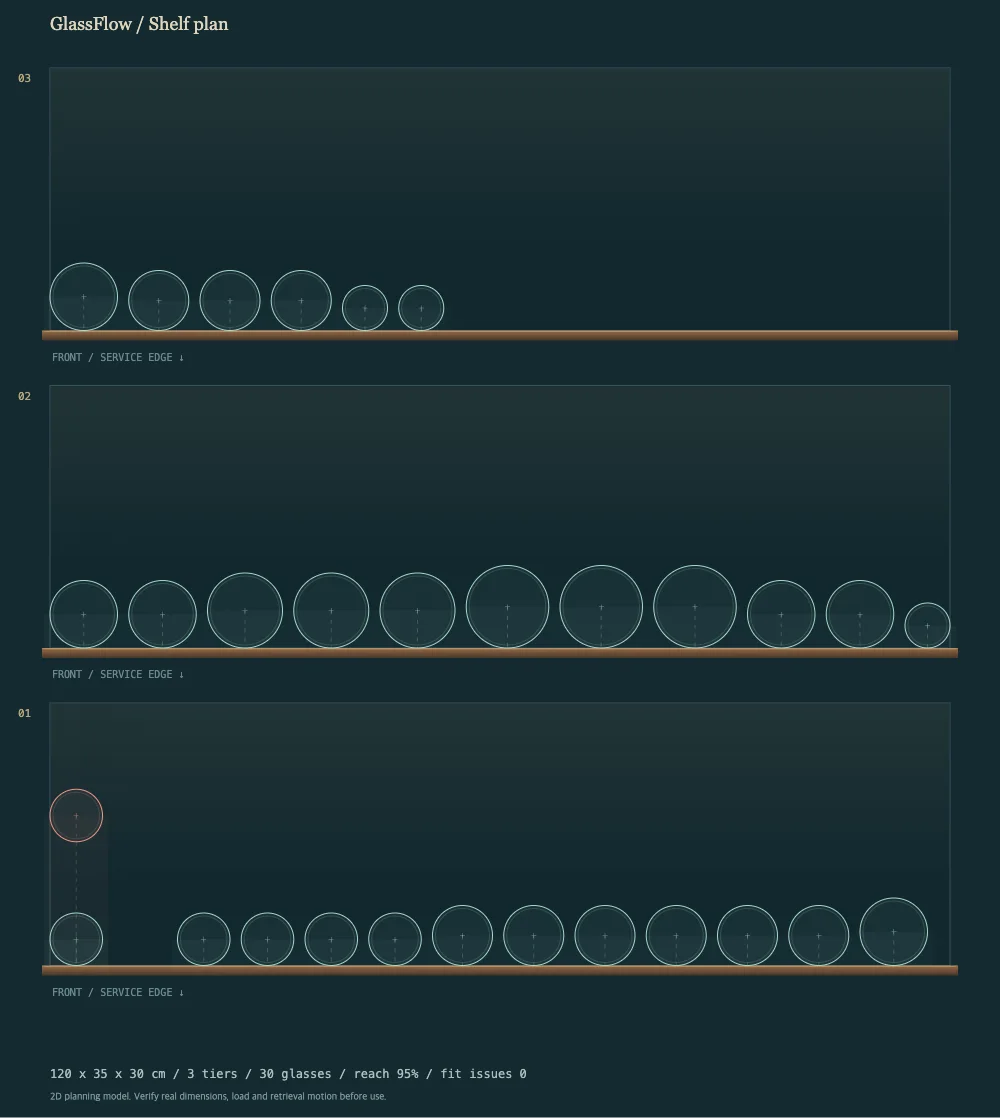
We exported the blocked arrangement, optimized it, and then imported that JSON through the file chooser. The blocked geometry returned with thirty glasses, 95% weighted reach, 29/30 direct access and zero fit/gap issues. The inspected version-2 file stores shelf width, depth, tier height and count, gap, lift and individual glass entries including type, diameter, height, frequency, tier and coordinates.
That file did not contain the reference, rush results or stock-calculator inputs. Our 25/hour stock value remained after import; it was not restored from the JSON. Keep a separate note of the service assumptions and comparison results if you need to reproduce the whole study. Use descriptive filenames and open the imported layout to verify it before relying on it as a backup.
The downloaded PNG was 1000×1118 pixels; the SVG declared a 1000×1117.5 viewBox. Both represented a plan with three tiers, a marked service edge and the tested 95% reach/zero-issue state. Print / PDF is offered but was not verified. Image exports communicate a plan; JSON supports the tested editing round trip. Neither should be described as a load-certified construction drawing.
Mobile operation and keyboard alternatives
At a fresh 390×844 Korean viewport, Shelf, Glasses/Dimensions and Analysis/Save controls switched the workspace panels. We opened Analysis/Save, changed orders per hour from 24 to 25 and observed planned stock rise from ten to eleven, with accessible 6/6 and five needed. Document width stayed at 390 pixels, with no page-wide horizontal overflow in that test.
Numeric coordinates and labeled controls provide an alternative to precise dragging. The interface also exposes 5 mm directional moves for a selected object, plus Undo/Redo. We did not evaluate every keyboard action, physical touch behavior or assistive-technology combination. On a narrow screen, check which panel is active and return to the shelf view to inspect the geometry after editing numbers.
Limits, privacy and physical verification
The model represents each glass by a circular widest-diameter footprint and height. It checks straight movement toward the front with gap and lift allowances. It does not reproduce a full hand grip, rotation, a tilted removal path, irregular handles, stacked or hanging storage, shelf deflection, anchoring or breakage probability. Check actual product instructions and real handling separately before using a proposed arrangement.
The source describes layouts and references as saved on the device and says layouts are not uploaded. It separately discloses Blogger/Google advertising data practices; an interstitial advertisement appeared during testing. We did not audit network traffic, storage lifetime, security or offline behavior. Device-local layout handling does not mean the entire website has no third-party services. Export important layouts before clearing browser data.
Related tools for a bar preparation workflow
For a cocktail preparation brief, the published Garnish Spiral Studio introduction explains how to compare a ribbon garnish in a glass or plate context. Decide the presentation concept there, identify the actual serving glass, and enter its measured widest diameter and height here. This is a manual workflow; no automatic model or file transfer between the tools was verified.
Browse the Food & Kitchen tools for other preparation questions. A garnish preview does not establish shelf clearance, and a shelf drawing does not establish whether produce can hold a decorative shape. Keeping the assumptions separate makes the connection useful for a bar or café brief without treating two illustrative models as a validated production system.
Frequently asked questions
Why can a glass fit but remain inaccessible?
The footprint and height can stay within bounds while another glass blocks its straight path to the front. Our Highball test produced exactly this condition: zero fit/gap issues and only 29/30 direct access. Inspect the plan and selected-glass warning.
Does 100% reach certify safe storage?
No. It means all assigned use weight is accessible under the modeled rules. Load, mounting, grip and real removal motion still need separate checks. No physical shelf trial was performed in this review.
Why did lowering frequency improve the score?
The blocked glass contributed less weight. Its location did not change. The headline rose from 95% to 99% while the accessible count stayed 29/30. Set priorities honestly before evaluating the arrangement.
Is the rush result a service speed benchmark?
No. The trial counts modeled direct picks and forward travel for ten repeated orders. Glasses return after each pick. It does not time a bartender or simulate stock depletion and washing.
Can I restore the complete project from JSON?
We verified restoration of the exported layout geometry and glass entries. The inspected file had no reference, stock assumptions or rush results, so preserve those separately. Other browsers and all possible files were not tested.
Which languages are supported?
English and Korean pages are linked from the source. We tested the English workbench and the Korean stock calculator on a narrow viewport. No additional language support was verified.
Start with one measurable shelf question
Start with a measured shelf and a small question: can the Highball at the back be retrieved directly? Preserve the layout, keep the service assumptions stable and compare the path as well as the percentage. Use the exported plan as a discussion aid, then check it with the actual shelf and glasses.
A RELEVANT NEXT STEP
Tools with a useful connection
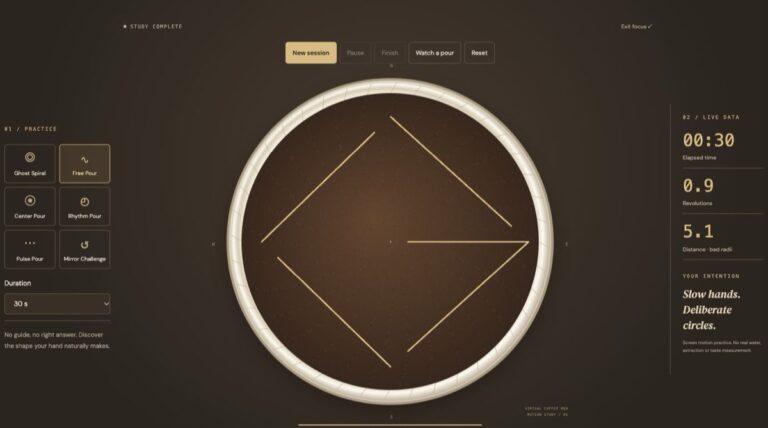
Coffee Pour Spiral
Pour-Over Practice: 7 Essential Checks for Better Studies
Practise screen-based pour-over motion with Coffee Pour Spiral. Actual center and free-input tests explain dwell maps, timing, speed variation and local-save limits.
Garnish Spiral Studio
Garnish Designer: 7 Essential Spiral Studio Checks
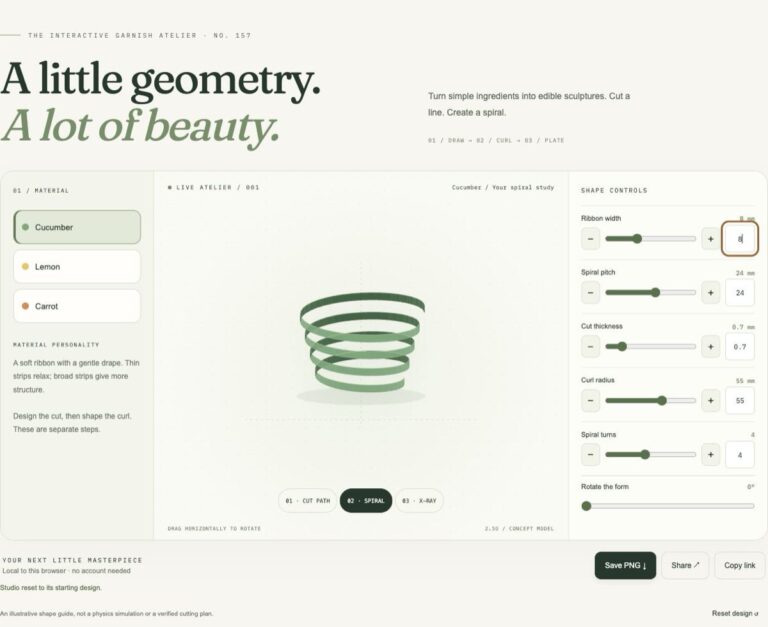
Compare cucumber, lemon and carrot ribbon concepts, X-Ray cut paths and plating in Garnish Spiral Studio. Seven tested checks explain links, working state and manual saves.
Cheese Board Composer
Cheese Board Planner: 7 Essential Composer Checks
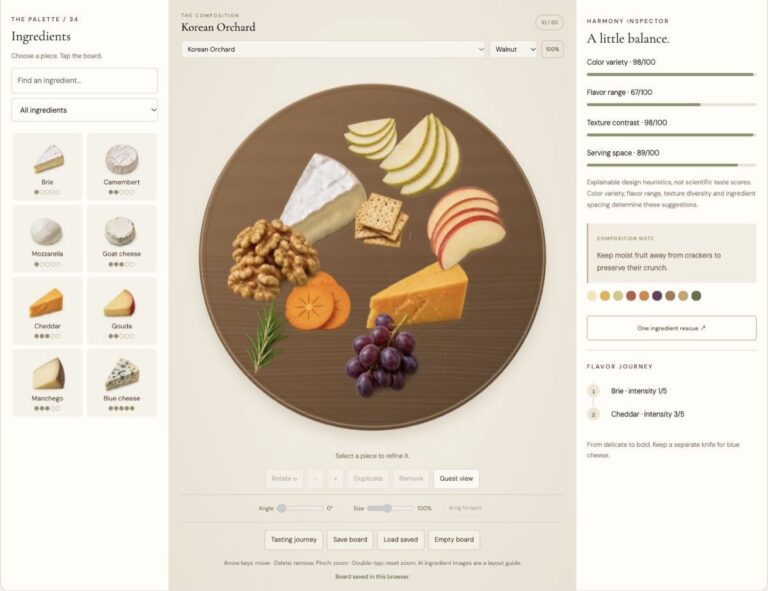
Arrange a cheese board and check guest-based shopping quantities in Cheese Board Composer. Seven actual tests explain piece counts, budget caps and the serving inputs a saved board leaves behind.