Compare stem thickness, spiral direction and estimated grip size in Bouquet Grip Lab. Tested examples, export checks and practical limits for hand-tied bouquet planning.
- Brand
- Bouquet Grip Lab
- Tool languages
- English, 한국어
- Verified date
- 2026-11-18
Bouquet Grip Lab is a bouquet grip simulator for exploring stem direction, binding position and an area-based estimate of the gathered stems. Add or edit stems, compare front, top and grip views, then save an illustrated recipe. Its purpose is making a structure easier to discuss before practicing with real flowers; the drawing does not measure hand comfort, pressure or stem damage.
Verified 18 November 2026, KST. We tested alignment, Undo/Redo, stem thickness, binding and hand-reference controls, views, the 20-stem challenge, parallel mode, the 60-stem limit, deletion and local reload. SVG and PNG recipe cards were downloaded and inspected. Korean controls were tested at 390×844. All arrangements were digital examples: no flowers were handled. A generated share-URL field was observed, but reopening that recipe link was not verified.
On this page
Key takeaways
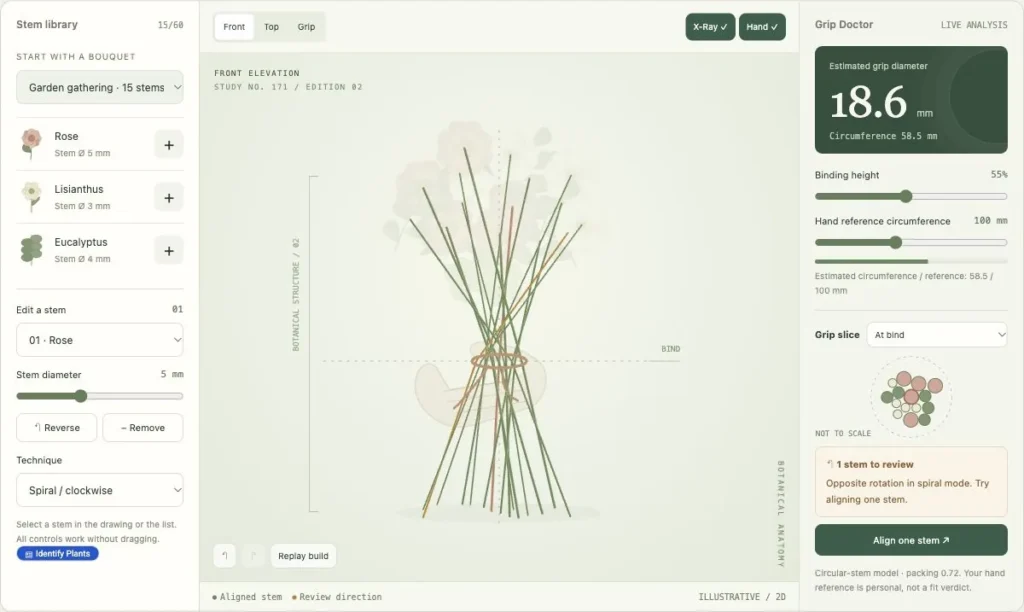
The first 15-stem example showed an equivalent grip diameter of 18.6 mm and circumference of 58.5 mm, with one stem to review and 93% aligned. Align one stem removed the direction flag without changing either dimension. The action corrects a direction in the selected model; it does not reduce the total cross-sectional area or certify a real bouquet’s quality.
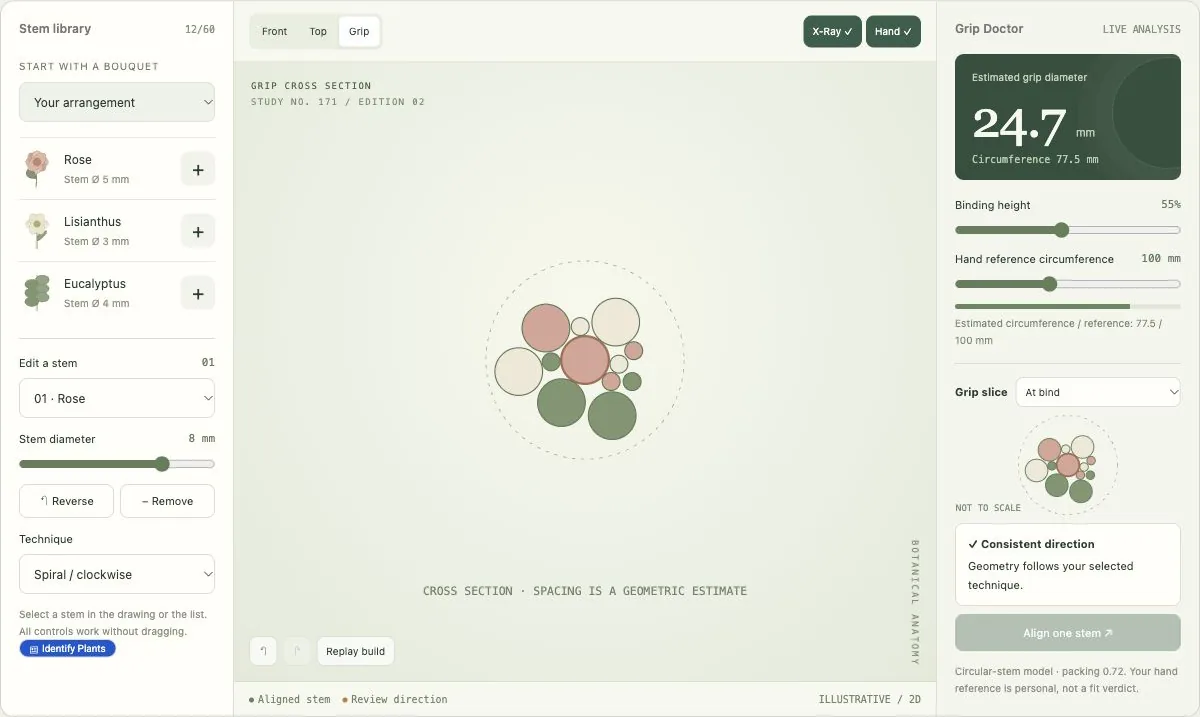
For a controlled 12-stem comparison, six 8 mm stems plus six 3 mm stems gave 24.7 mm estimated diameter. Editing all twelve to 3 mm gave 12.2 mm. Count alone therefore missed a large change in the input area. Moving the bind changed the visual geometry while leaving the area-based estimate unchanged when diameters and count stayed fixed.
What this bouquet grip simulator does
The official name is Bouquet Grip Lab, with Botanical Engineering Studio branding. The English root and dedicated English page provide the workbench; a Korean page is linked from the navigation. It is an independent educational studio using a simplified 2D structure. No account was needed for the inspected workflow, and the source describes recipes as saved on the device.
The library offers Rose, Lisianthus and Eucalyptus additions with example diameters of 5, 3 and 4 mm. Those are editable defaults, not species specifications. Presets include Garden gathering with 15 stems, Soft bridal with 18 and Green study with 12. A selected-stem list, diameter slider, Reverse, Remove and technique selector allow changes without dragging. The source caps the arrangement at 60 stems.
Front, Top and Grip buttons change the drawing. X-Ray emphasizes the underlying structure, and Hand toggles a personal visual reference. Grip Doctor shows estimated diameter and circumference, binding height, reference circumference, a slice selector and direction feedback. Experiments start a 20-stem challenge, a thickness study and a binding study. Replay build, sharing and two card-download controls are also present; replay animation was not independently evaluated in this review.
Prepare a meaningful structure study
Decide what question you want to compare. For a thickness study, keep stem count, technique and reference settings stable while changing diameters. For a direction study, keep the sizes fixed. Comparing two presets changes the composition as well as the count, so it does not isolate the effect of adding flowers. Write down the input that changed before interpreting the visual result.
Use measured stem diameters if the study is intended to resemble your real material, while remembering that stems are not perfect circles. The UI exposes 2–10 mm diameter values in 0.5 mm steps, binding height 40–72% and hand reference circumference 65–150 mm. These are interface ranges, not verified ergonomic limits or botanical recommendations. The percentage is a model control rather than a measured distance along your real stems.
Choose a consistent orientation when discussing a stem’s direction. A crossing in the front drawing is not automatically a mistake: spiral construction naturally contains crossings. Grip Doctor evaluates direction against the selected technique. A 100% aligned label is therefore narrower than “a successful hand-tied bouquet,” and neither the label nor a polished illustration replaces practice with the actual flowers.
7 essential bouquet structure checks
1. Choose a starting bouquet composition
Use a preset or add the available stem types. Garden gathering displayed fifteen stems in the first study. Later Soft bridal produced eighteen stems with an estimated diameter of 18.8 mm and circumference 59.0 mm. Read the actual bouquet composition rather than assuming an eighteen-stem preset is a scaled copy of a fifteen-stem design.
2. Select the exact stem before editing
Use the numbered Selected stem list when several lines overlap. Editing one stem changes only that entry’s diameter. In the twelve-stem thickness experiment, we inspected each entry and found alternating 8 and 3 mm values across the list. The species names did not override those edited values. The current slider, not the library default label, describes the selected item.
3. Inspect direction under the intended technique
Spiral / clockwise and Parallel stems apply different rules. The 20-stem challenge showed three stems to review in spiral mode. Parallel mode showed consistent direction without changing the estimated dimensions, and switching back restored the three flags. Changing the rule is not the same as correcting three stems in the original spiral arrangement.
4. Compare the bouquet views and slices
Front shows the elevation, Top the flower crown and Grip a sampled cross-section. We switched views, enabled X-Ray and selected an Above bind slice. The model presents spacing from the same underlying stem geometry. The section is labeled not to scale; a screen distance is not a physical clearance to use when tying flowers.
5. Move the bouquet bind and read what stays fixed
Changing binding height from 55 to 72% changed the structure view while diameter stayed at 18.6 mm for the unchanged fifteen-stem set. The source explicitly distinguishes geometry from the area estimate. If the question is whether the gathered stems become thinner, first check whether count or diameters actually changed.
6. Use the hand reference as context
We changed the reference from 100 to 65 mm and saw the comparison text update, while the model’s own circumference stayed 58.5 mm. This is a personal reference, not a pass/fail assessment of hand size. The interface does not measure grip force, fatigue or comfortable use, and a smaller or larger reference should not be presented as a diagnosis.
7. Save and inspect the intended output
Blueprint SVG and Save DNA card generated downloadable files in our test. Both contained the eighteen-stem recipe and an estimated-dimension label. Check the selected view and settings before exporting: our card showed the grip cross-section, not a flower photograph. Keep a received file separate from an editable recipe or a local session that may later change.
Actual input and output tests
| Test | Observed output |
|---|---|
| First 15-stem study: five each at 5, 3 and 4 mm | Diameter 18.6 mm; circumference 58.5 mm; one reversed stem, 93% aligned. |
| Align one stem, then Undo/Redo | Stem 12 aligned; dimensions unchanged; Undo restored the review flag and Redo removed it. |
| Bind 55→72%, reference 100→65 mm, views and Above bind slice | Diameter/circumference remained 18.6/58.5 mm for the unchanged stems. |
| Twelve-stem experiment: six 8 mm plus six 3 mm | Diameter 24.7 mm; circumference 77.5 mm. |
| Same twelve stems all manually edited to 3 mm | Diameter 12.2 mm; circumference 38.5 mm. |
| 20-stem challenge / spiral | 21.5 mm diameter; 67.7 mm circumference; three review stems. Parallel showed consistent direction; returning to spiral restored three flags. |
| Add 40 Roses to the corrected 20-stem set | 60 stems; 43.0 mm diameter; 135.2 mm circumference. Another Add stayed at 60 with a maximum message. Undo/Redo gave 59/60. |
| Soft bridal preset and local reload | 18 stems, 18.8/59.0 mm. Reload retained the recipe, bind 55% and reference 65 mm; view returned to Front and X-Ray was off. |
| Remove the selected 8 mm stem from the thick twelve | 11 stems; 22.8 mm diameter; 71.6 mm circumference. Undo restored twelve. |
| Korean 390 px: selected 8→7.5 mm, bind 55→56% | Diameter 24.4 mm, circumference 76.8 mm; bind change left both unchanged; document width 390 px. |
These are actual browser outputs from digital input changes. We did not validate them against a measured physical bouquet. The 60-stem Add button remained usable, but another click produced a maximum-count message without adding a sixty-first entry. This is a count limit enforced by the app, not an instruction that sixty stems are comfortable or suitable for one hand.
Why stem thickness matters more than count alone
The source’s formula is D = √(Σd² / 0.72). Each entered diameter contributes its square, and 0.72 is the model’s packing assumption. For the default fifteen stems, five each at 5, 3 and 4 mm gives Σd² = 5×(25+9+16) = 250. The formula gives about 18.63 mm and circumference πD about 58.54 mm, consistent with the displayed 18.6 and 58.5.
The twelve-stem comparison isolates thickness. Six 8 mm and six 3 mm entries contribute 6×64+6×9 = 438, giving about 24.66 mm. Twelve 3 mm entries contribute 108, giving about 12.25 mm. These are independent calculations from observed inputs. They explain the app’s output; they do not measure the packing efficiency of real compressed stems.
The Soft bridal card also illustrates why preset count is insufficient. Its inspected list had four Roses at 5 mm, ten Lisianthus at 3 mm and four Eucalyptus at 4 mm. The squared-diameter sum is 254, close to the fifteen-stem study’s 250 despite three extra entries. The similar 18.8 mm estimate reflects that mix. Do not generalize it into a claim that adding three flowers hardly changes every real bouquet.
If all diameters and packing were identical, doubling the count would scale this formula’s diameter by √2, about 1.41, rather than two. This is a consequence of the area model, not an additional physical trial. When comparing studies, state whether count, individual thickness or the arrangement geometry changed. That prevents a visually larger crown from being confused with a larger equivalent grip number.
Direction flags are not crossing counts
The first example deliberately included a reversed stem. Align one stem selected and aligned stem 12 and displayed a message that flower count and the area estimate were unchanged. Undo brought the warning back, and Redo removed it. That is a useful controlled test: the direction criterion changes independently from the total squared-diameter input.
In the 20-stem challenge, switching to Parallel produced consistent direction, but returning to Spiral brought the same three warnings back. We then used Align one stem three times before the later addition test. The mode change should not be described as a repair to the spiral technique. A different construction can legitimately have a different criterion; it should be compared as a different study.
Use direction feedback to ask which stem deserves attention, not to count every crossing as a fault. The source’s FAQ explicitly separates crossings from direction. A real bouquet can involve bends, uneven stems and tying choices absent from the drawing. This review does not establish that every aligned digital design can be built or held as illustrated.
Binding position and grip slices
Binding height affects the visible fan and lower-stem spread. The above/below slice selector samples a different location along that geometry. The area-based diameter deliberately remains unchanged if the list of stem sizes remains unchanged. A different-looking slice and a constant diameter can therefore both be correct within the app’s definitions.
Read the labels with any exported figure. A Grip image is not a top-down picture of the flower crown, and an Above bind slice is not necessarily the location where a real hand holds the stems. We tested the controls and displayed state, not a physical tie. Avoid measuring millimetres from the not-to-scale illustration or treating the dotted hand reference as a calibrated template.
Read the hand reference without a fit verdict
The reference circumference is an entered comparison value. At the first study’s 58.5 mm estimated circumference, changing the reference from 100 to 65 mm altered the comparison text but not the stems. The source states that this is personal context rather than a clinical hand-fit threshold. Neither a ratio below one nor a consistent-direction label establishes comfort.
For a practical discussion, keep the digital recipe and actual handling observations separate. A reference might help explain why someone wants to compare thinner input stems, but it cannot determine pressure, damage, strain or endurance. We did not conduct an ergonomic trial. Species names and illustrated flower heads also do not establish the size or behavior of your purchased materials.
Recipe cards, sharing and local recovery
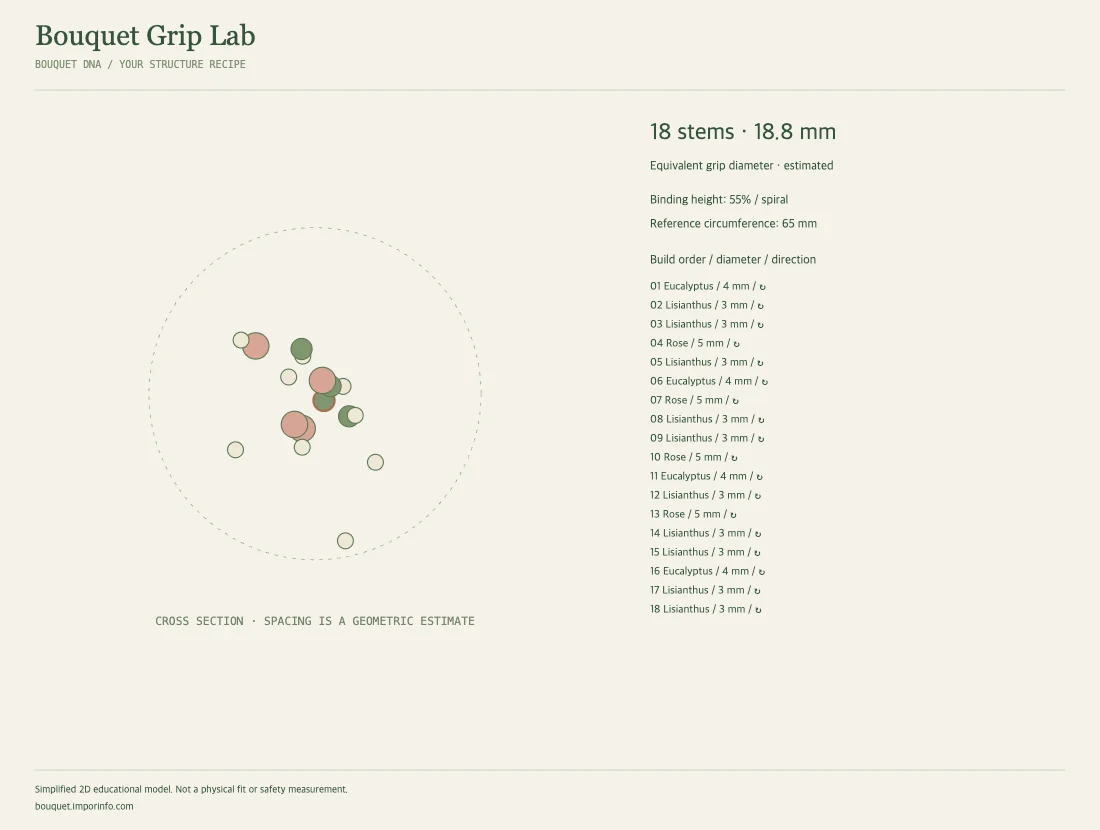
The inspected card recorded eighteen stems, 18.8 mm equivalent diameter, binding height 55%, spiral technique and a 65 mm reference circumference. Its numbered list included type, diameter and direction for each entry. The SVG also contained the cross-section drawing and an explicit statement that the result was not a physical fit or safety measurement. The card is an illustrated recipe, not a 1:1 construction pattern.
Our local reload retained the stem recipe, binding value and hand reference while returning the drawing to Front with X-Ray off. Undo and Redo were unavailable immediately after that reload. Treat a saved recipe and the temporary view/history as separate concerns. The source describes device storage, but we did not test its lifetime, browser-data deletion or recovery on another device.
Share recipe displayed a text field containing a recipe URL and a message explaining that settings were included. The clipboard observation did not yield that new URL, and reopening the generated link was not completed in this environment. We therefore report URL generation, not a verified share round trip or a broken-link diagnosis. Copy and inspect the displayed field yourself before relying on it for an important handoff.
Our file inspection covered an eighteen-stem output. Readability and completeness of every other count or view, including the sixty-stem limit, were not tested. Open any received export and confirm that its entries and selected drawing match the intended revision. A card that looks polished can still describe an older recipe.
Mobile and keyboard operation
The Korean interface at 390×844 uses Stem selection and Structure diagnosis controls to switch side panels. It loaded our saved twelve-stem thickness study. We reduced the selected first stem from 8 to 7.5 mm with the keyboard, opened diagnosis and saw 24.4 mm diameter and 76.8 mm circumference. Moving binding height from 55 to 56% left those area-based figures unchanged.
Document width remained 390 px without page-level horizontal overflow. This was a desktop browser viewport test, not a real-phone touch or complete screen-reader audit. The numbered selection list and labeled sliders offer a way to make the tested changes without dragging overlapping lines. Our results do not establish that every interaction is accessible in every browser or assistive technology.
Limits and privacy
Bouquet Grip Lab omits real bending, compression, irregular stem sections, pressure, breakage and comfort. Its packing factor and editable species defaults are assumptions. A front illustration and an equivalent circle do not reconstruct a real 3D arrangement. We handled no flowers and made no claim that a particular recipe is physically suitable for a particular person.
The source says processing occurs in the browser, recipes stay on the device and shared links contain the recipe. It also discloses Blogger/Google advertising cookies, and an interstitial advertisement appeared during our testing. We did not audit network traffic, security, offline operation or cross-device behavior. Review any included recipe settings before sharing a URL or card; local processing does not mean the entire page lacks external services.
Related tools for the next floristry step
The published StemCut Studio flower stem calculator addresses retained length and vase proportions. Bouquet Grip Lab explores a different question: the listed stems’ gathering geometry and direction. Keep actual stem lengths, diameters and tie location as separate measurements. No automatic exchange between the two tools was tested.
After assembling a real bouquet, Florist Ribbon Tail can plan continuous ribbon cuts and whole-roll quantities. Its tie-circumference input should come from the actual bundle, not an unverified transfer of Bouquet Grip Lab’s equivalent circle. The mathematical millimetre-to-centimetre conversion is easy; proving that the model describes the real tie location is a separate task.
Frequently asked questions
Does the simulator measure whether my hand can hold the bouquet?
No. The hand circumference is a user reference. The source does not measure pressure or comfort and gives no clinical fit verdict. Test actual handling separately; an estimated circle is not a personal recommendation.
Why did aligning a stem leave the diameter unchanged?
The size estimate uses the count and squared input diameters, not direction flags. Our stem-12 alignment changed review status without changing 18.6/58.5 mm. It corrects a model criterion, not total material area.
Will raising the bind make the grip thinner?
The model changes its visible geometry and sampled spacing, but its area-based diameter remains constant when count and diameters do. We verified that behavior; a thinner real bundle was not tested.
Are Rose 5 mm and Lisianthus 3 mm fixed botanical facts?
No. They are editable example defaults. Our thick-stem experiment assigned 8 and 3 mm across alternating entries regardless of the species label. Read the selected diameter and measure your real material when appropriate.
Can I add more than sixty stems?
Another Add click at sixty kept the count at sixty and showed a maximum message. The button was still enabled. This is the observed software limit, not a statement about a suitable physical bouquet size.
Did sharing and exports both work end to end?
SVG and PNG downloads were received and inspected for the eighteen-stem card. The share control displayed a recipe-URL field, but reopening that link was not verified. These are different verification outcomes.
Build a small, checked bouquet study
Choose a small composition, change one meaningful input and read both the geometry and its assumptions. Save a checked recipe, preserve the selected view’s context and compare the idea with real materials before making decisions about holding or tying. Bouquet Grip Lab is most useful when it turns an invisible structural question into a clear, limited experiment.
A RELEVANT NEXT STEP
Tools with a useful connection
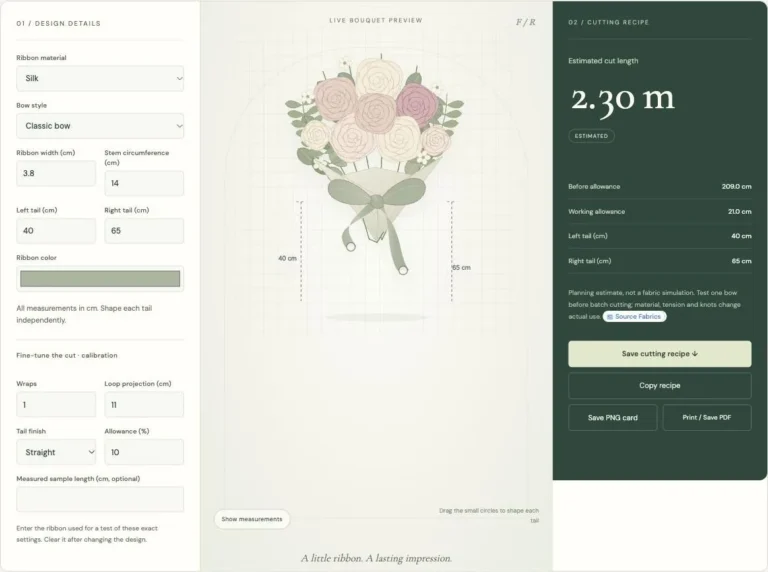
Florist Ribbon Tail
Bouquet Ribbon Calculator: 7 Essential Checks for Better Cuts
Estimate continuous bouquet ribbon cuts, compare asymmetric tails and count whole pieces per roll. Actual tests cover sample calibration, Wedding silk, sharing and downloaded SVG/PNG recipes.
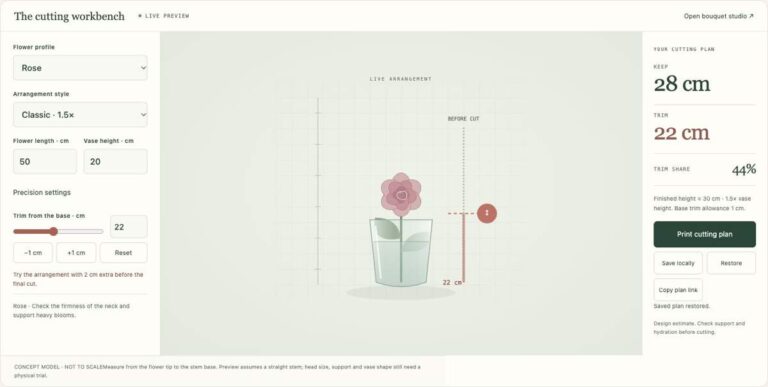
StemCut Studio
Flower Stem Calculator: 7 Essential StemCut Checks
Estimate retained flower length, trim and finished height, compare vases and assign whole stems to arrangement slots. Includes real geometry and batch-priority tests.
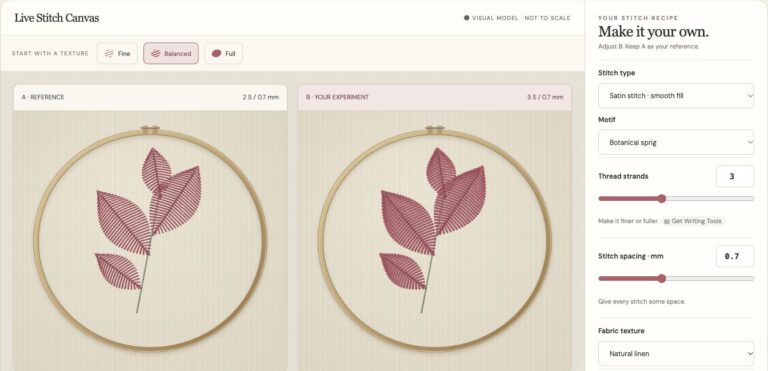
StrandSpace
Embroidery Simulator: 7 Essential Steps for Better Swatches
Compare embroidery strands, spacing and mixed colors in StrandSpace. Our A/B, local-save and share-link tests explain what the visual model can show and what still needs a real fabric swatch.