LaunchCheck Studio is an HTML checker for reviewing pasted code and local HTML or ZIP projects before a publishing handoff. It groups basic structure, metadata, accessibility patterns and local path findings beside a static preview. You can compare a proposed metadata fix before applying it to the working copy. Live URL audits and public hosting are unavailable.
Key takeaways: a pass is a narrow rule result, the preview does not run your scripts, and an AI prompt can contain your complete source. Keep your original separately. Verified in Chrome on November 11, 2026 using the built-in sample and clearly marked synthetic HTML/ZIP fixtures. No customer project or deployed site was evaluated. This library and the original tool share a creator.
In this guide
Inspect HTML and ZIP projects with LaunchCheck Studio. Actual sample, synthetic-code and missing-file tests explain findings, reversible metadata fixes, static previews and AI prompt privacy.
- Brand
- LaunchCheck Studio
- Tool languages
- en,ko
- Verified date
- 2026-11-11
What this HTML checker is useful for
A small page can look finished while still containing an absent image, a link to a section that does not exist or a form field without a useful label. Opening the file in a browser may not make those omissions obvious. LaunchCheck Studio provides a compact first inspection: import the source, read prioritized findings and connect an issue to a source location and illustration of the page.
The useful unit is a fix you can explain, not a launch score. In our sample test the dashboard showed zero errors while seven items still needed review. That is a reason to read the middle column, rather than interpret the first green-looking result as permission to deploy. Some findings are heuristics; others need the project assets before they can establish whether a file is present.
The tool supports Korean at the root address and English on a separate linked page. We used both without account creation or payment. Its source describes free local checks, not a hosted website service. The workspace includes findings filters, source location, preview sizes of 375, 768 and 1440 pixels plus Fit, a fix assistant, session history and output controls.
Prepare a project that the checker can understand
Keep a dated original in your project folder before importing anything. A working browser session is not your source repository or a recovery plan. The source states that project data and history live in browser memory; our reload test returned to an empty workspace. Switching to another language page should therefore be treated as navigation away from unsaved work, not assumed to transfer the project.
Choose the input based on the question. Pasted HTML is convenient for checking a small document. A standalone HTML file cannot supply the images and stylesheets it references. For local path checks, include the relevant assets in a ZIP with their relative folders intact. Our ZIP contained index.html and assets/ok.svg; the page also referred to assets/missing.svg, deliberately absent.
| Input choice | What to prepare and what remains uncertain |
|---|---|
| Pasted HTML | A complete small document; referenced local files are not supplied by the text. |
| HTML file | A copy of the document; asset existence still requires the assets. |
| ZIP project | HTML and relative assets, with folder names preserved. Not proof that a public server will route them the same way. |
| Built-in sample | A safe way to learn the interface; its findings are not findings about your own website. |
The interface advertises a 10MB input maximum and an extracted ZIP limit of 30MB or 200 files. We used a tiny two-file archive and did not test the limits, archive edge cases or large-project performance. Reduce a larger project to the page and supporting files needed for the question, without silently removing dependencies that could change the result.
7 checks from import to a reviewed handoff
1. Choose the right language and import route
Open the English page, then choose Try a sample, paste HTML and choose Check this code, or use Choose a file. An imported project can collapse the source section; expand its heading when you want to change input. For a ZIP, check the selected HTML filename before interpreting the findings. A result for index.html is not evidence that every page in an archive has been reviewed.
2. Read all three finding groups
Review Errors, Needs review and Passed, then select a specific finding. Our deliberately missing ZIP image appeared as an error, while missing alternative text in pasted code appeared as a review item. The classification is the tool’s workflow, not a severity standard. Use the filters to focus your work, and return to All before deciding what remains.
3. Follow the finding to its source
Read the filename, line marker and excerpt in the fix assistant. Show source location is available for inspecting the relevant source. A compact one-line file naturally produces many L1 findings, so do not assume the line label identifies a unique semantic location. Use the excerpt and element identity together; then verify that the proposed edit addresses the intended content.
4. Inspect the page at a useful size
Choose a preview size, and look for text, image and layout concerns. Our source inspection confirmed a sandboxed static document with restrictive content policy; scripts were removed from the preview version. A button that does nothing in this preview may depend on deliberately disabled JavaScript. Investigate that behavior separately in your controlled development environment.
5. Compare basic metadata changes before approving
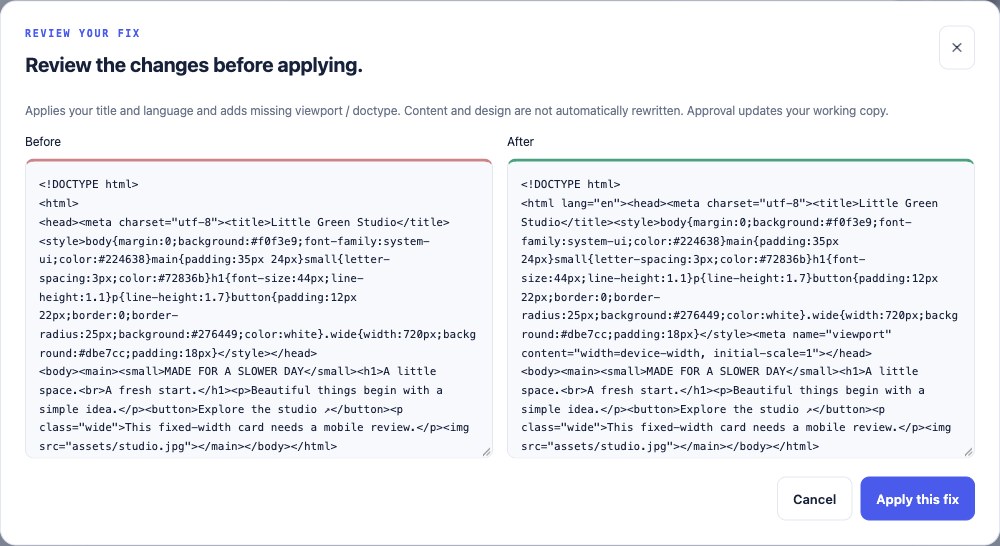
Review the Page title and Document language inputs. The language selector offers Korean and English. Choose the language of the document, which may differ from the interface language. Preview proposed fix shows Before and After. In the sample it added a language attribute and missing viewport, while preserving the fixed 720px rule and missing image reference. It did not rewrite the design or supply meaningful image descriptions.
6. Apply, recheck and retain a way back
Apply the reviewed fix to the working copy. The sample changed from 0 errors, 7 reviews and 11 passes to 0, 5 and 13, with 2 of 7 initial findings resolved. Undo restored the original counts in our Korean test. This is useful evidence of a reversible edit in that session; it does not prove that every future edit or multi-file project will be restored correctly.
7. Choose an output and verify its separate job
Use the report, AI instruction, embed or HTML/ZIP save control according to the handoff you need. We inspected generated instructions and the WordPress embed text. We did not install an embed, deploy exported source or confirm a completed saved-file receipt. Keep that distinction when documenting your own work: clicking a save button is not the same as opening and checking the received file.
Actual tests: sample, pasted HTML and ZIP
| Actual test | Observed result and scope |
|---|---|
| Built-in sample | 0 errors / 7 reviews / 11 passes. A small intentionally imperfect sample, not a customer page. |
| Approve language and viewport | 0 / 5 / 13; progress 2 of 7 resolved. The fixed-width rule and missing image remained. |
| Undo in Korean | Returned to 0 / 7 / 11. No disk original was edited by this browser test. |
| Synthetic pasted HTML | 0 / 9 / 10. Missing alt, field label, button name, anchor target and duplicate ID were surfaced, alongside fixed width, script, local references and manual review. |
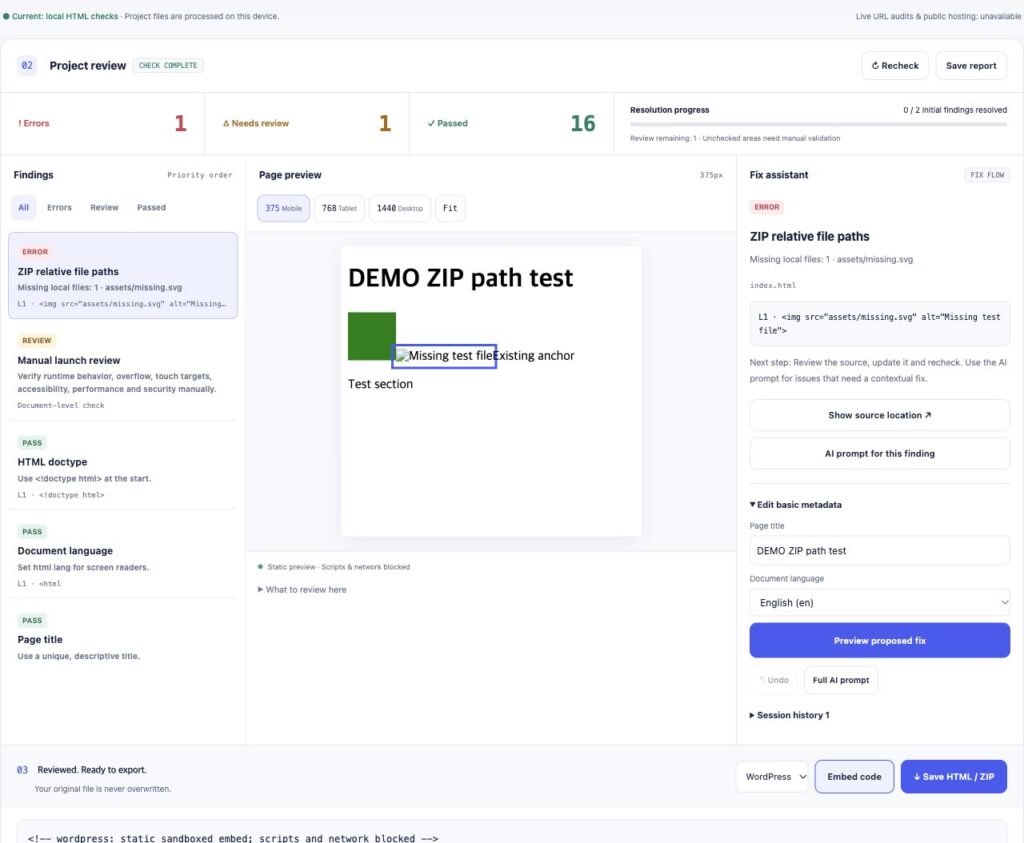
| Two-file synthetic ZIP | 1 error / 1 review / 16 passes. assets/missing.svg was absent; the packaged green assets/ok.svg rendered. |
| Generated WordPress embed | Static sandboxed iframe text; its preview version removed the anchor href and omitted the missing image source. Not installed in WordPress. |
| Reload and narrow screen | Reload cleared the English project. Fresh 390px Korean sample used Problems, Preview and Fix tabs without whole-page overflow. |
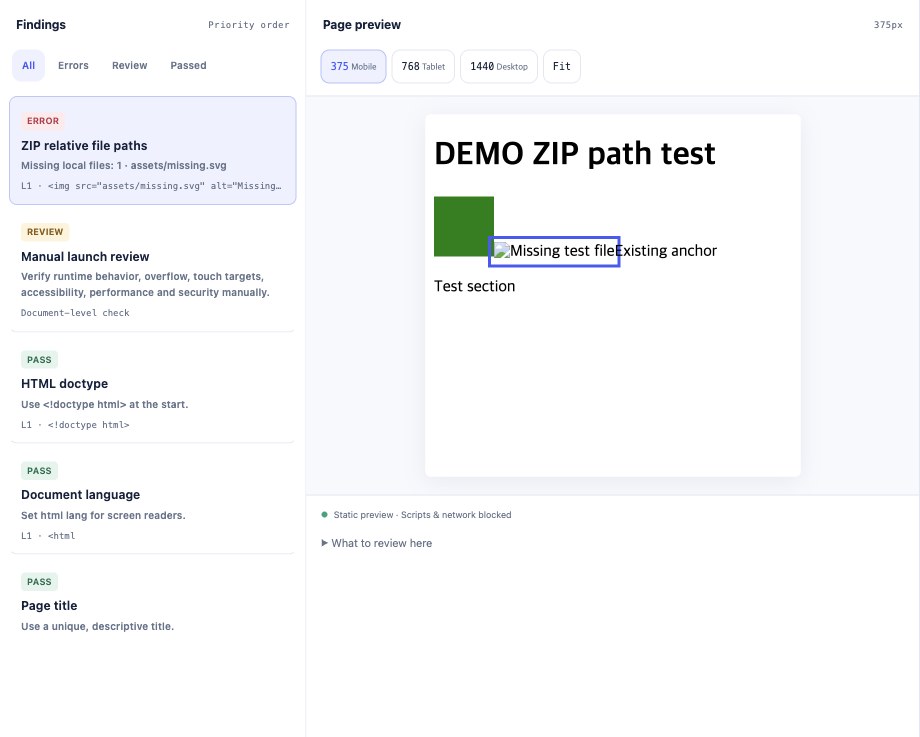
The pasted fixture was designed to make several rules observable. It included an unnamed button, an input with no label, an image with no alt attribute, two elements sharing an ID, a link to #missing, a 720px paragraph and a script. Finding those examples establishes behavior for those inputs. It does not measure detection accuracy across arbitrary websites or establish that all accessibility and security problems are caught.
Read errors, reviews and passes correctly
Treat each pass as a statement about its specific test. The ZIP test marked image alternatives as present because both images had alt attributes. It still found a missing file. An attribute can exist while its wording is unhelpful, and an asset can exist while showing the wrong content. Neither question can be settled by counting passes.
Resolution progress tracks initial findings, not a stable measure of website quality. A new import changes the baseline and can change the total number of rules. Compare a before-and-after run on the same source for a specific edit. Keep notes of issues accepted for a reason, such as a decorative image with intentionally empty alternative text, instead of inventing text solely to eliminate a warning.
The fixed-width check explicitly calls itself a heuristic for widths of 400px or more. A 720px value may deserve inspection, but this warning is not a measured overflow test. Likewise a missing HTTP warning is not a certificate that destinations are safe or reachable. The tool states that external link availability is not tested.
A static preview is a different document
There are two documents to distinguish: your working source and the tool’s sanitized preview. In our pasted test the preview iframe had an empty sandbox attribute, a policy blocking scripts and connections, and no original script element. In the ZIP embed output, a normal internal anchor’s href was absent. Those are useful inspection observations; they also explain why the preview cannot reproduce a production application.
External styling, fonts, images and JavaScript may therefore differ or be unavailable. Our packaged SVG did render as a data resource. We did not test every file type, stylesheet reference, nested folder or browser. Do not interpret a stripped resource in the isolated view as proof that the source server is broken, and do not add permissions to make the isolated preview behave like a deployment.
For the platform background, MDN’s iframe reference explains sandbox restrictions. Here the practical implication is simple: inspect basic structure in the isolated view, then test intended interactions, keyboard use and network-dependent content in the actual destination. We did not conduct a comprehensive sandbox or network security audit.
AI prompts, embeds and saved files
AI prompt for this finding produced text containing the selected issue, a request to validate the heuristic and the complete current HTML. It did not open an AI service or apply a model-generated repair in our test. Review that output before copying it elsewhere: source can contain private draft text, identifiers or credentials even when the selected issue concerns only one image. We sent no project to an outside AI service.
Embed platform offered Blogger, WordPress and iframe. Our inspected WordPress output was an iframe with sandbox, no-referrer policy and a static srcdoc document. Selecting WordPress does not log into a site, create a post or publish a working web application. Destination editors can also alter or reject iframe markup, so review a permitted staging preview before relying on an embed.
Save report was enabled after inspection, but our automated download wait timed out. We cannot claim to have opened a saved report. The HTML/ZIP save control was visible, but completed artifact contents and round-trip reopening were not verified. This is a limit of the observed test, not proof that downloads fail for every user. Before leaving, verify your own received file and retain the original separately.
Memory, privacy and mobile use
The privacy notice states that HTML and ZIP projects are not uploaded to the operator, that source/history clear on refresh and that only theme preference is stored locally. It also says ZIP support loads JSZip from jsDelivr and Google advertisements may use cookies and connection information. Our visible reload and preview inspection support specific behaviors, not a universal claim of no network activity.
At 390px, the freshly loaded Korean tool stacked the workflow into Problems, Preview and Fix tabs. We ran the sample, switched through those tabs and measured no whole-page horizontal overflow. The preview iframe was 375px wide. This checks the tool’s narrow-screen interface, not the responsiveness of every imported page or behavior on a physical phone. Code-heavy revisions remain easier to review on a larger display.
Advertisements were visible and an interstitial interrupted a file-selection attempt. We closed the advertisement without opening its destination and then completed the ZIP import using the actual Choose a file button. Keep app controls and advertising controls distinct. No install, external account or public hosting step was required for our local checks.
A practical handoff for a small website
Consider a freelancer handing a small informational page to a site owner. First, collect a copy of the HTML and actual local images. Run a baseline and record the filename and concrete findings. Fix one meaningful issue, such as a missing document language, and inspect the diff. The reviewer should be able to explain why the language describes the content, not merely point to a green status.
Next, correct missing files in the project folder rather than replacing every broken source with a decorative placeholder. Rebuild the ZIP and run the same page again. Review headings, labels and image meaning with the intended reader in mind. Finally, test the actual deployed page’s links, forms, scripts and layout. This handoff scenario is an editorial workflow, not a deployment experiment we performed.
A useful review note has four parts: source filename, observed issue, chosen change and remaining check. For example: “index.html refers to assets/missing.svg; the file is absent from the package; provide the intended asset; verify the deployed resource path.” That note is more actionable than forwarding a total count or calling the page launch-ready because a metadata warning disappeared.
Limits and alternatives
LaunchCheck Studio is a first-pass helper for local content. It does not provide server Lighthouse audits, external link availability tests, collaboration, payments or public file hosting. It does not certify full accessibility, security or runtime behavior. The sample and fixture results are narrow observations, and advertised file limits were not stress-tested.
For a separate markup-validation route, the Nu Html Checker documentation describes checking HTML, CSS and SVG and offers command-line and service workflows. That is a different kind of validation from a friendly issue-and-fix workspace. We did not run a comparative benchmark. Pick the next tool by the unanswered question, and review what data a remote service would receive before using it.
Related tools with a real purpose
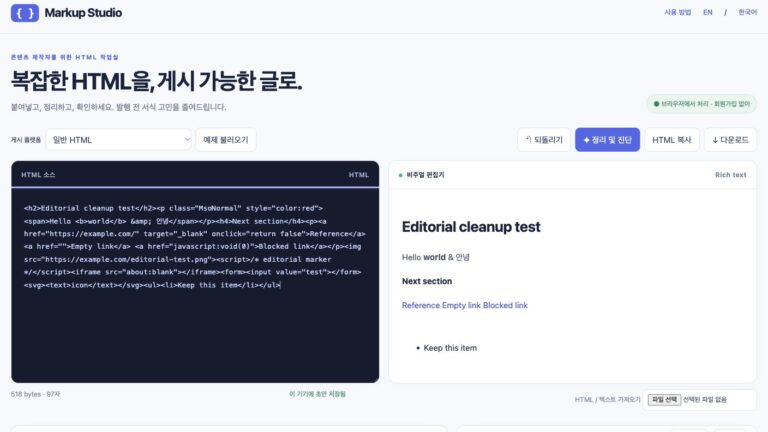
If you are cleaning article markup copied from another editor, the published Markup Studio guide explains formatting cleanup, platform-specific copy output and local draft limits. That is a useful earlier step for an article fragment, though removing page styling can be inappropriate for a complete website. No direct integration or combined round trip was tested.
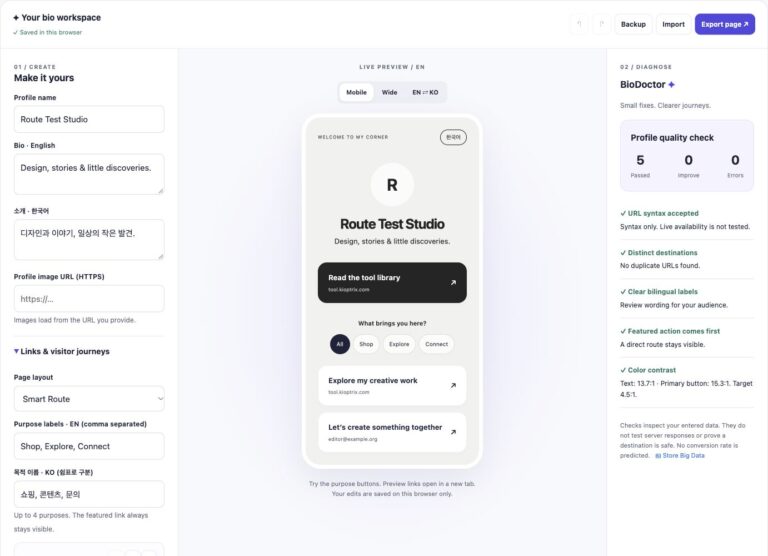
If your starting point is a small profile page, the BioRoute Studio guide explains bilingual routes and the distinction between HTML output, JSON backup and public hosting. LaunchCheck can be a later local-source review when you actually have the HTML. Neither guide turns the checker’s static embed into a hosted profile or a live link audit.
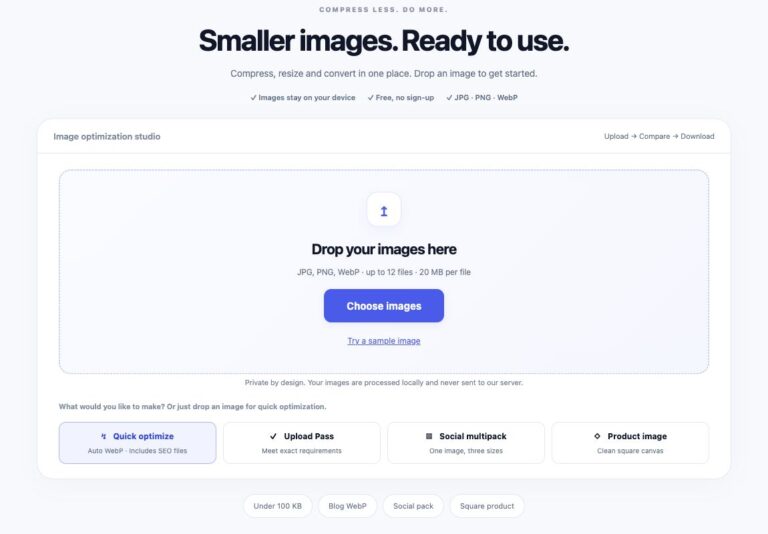
When the missing resource needs to be prepared rather than merely located, the PixelFit Studio image preparation guide explains dimensions, crop and format checks. Preserve a readable original, then place the intended output at the path used by your project. Resizing alone does not repair a missing filename, and no automatic transfer between these tools was tested.
Frequently asked questions
Can I check a public website URL?
This version states that live URL audits are unavailable. Import HTML or ZIP, paste code or use the sample. Local path findings do not test public HTTP responses.
Does zero errors mean I can publish?
No. Our sample had zero errors and seven reviews. Manual launch review remained even in the simple ZIP. Complete the checks relevant to the actual destination and reader.
Will the metadata fix repair my mobile layout?
The sample gained viewport and language declarations while its fixed 720px rule remained. Review the actual CSS and rendered destination; metadata changes are not a responsive redesign.
Does the AI button send my project to a model?
We observed generated instructions in an output field, including full HTML. No outside AI request or model response was tested. Copying that output to another service is a separate data-sharing decision.
Can I recover work after refresh?
Our English reload returned to an empty project and the source says source/history are memory-only. Verify your saved files before leaving; session history is not an external backup.
Run one small check first
Start with the built-in sample and follow one review item through Before, After and Undo. Then import a copy of your own small page with the assets needed for its path checks. Use the HTML checker to make the next edit understandable, keep the working source separate from the static preview and finish the unanswered checks in the real destination.
A RELEVANT NEXT STEP
Tools with a useful connection
Markup Studio
Markup Studio: 7 Essential Checks for Better HTML
Markup Studio cleans copied HTML and checks basic issues before publishing. See our 52→68→100 test, WordPress/Blogger/Shopify copy differences, component builder and local-draft limits.
BioRoute Studio
Link in Bio: 7 Smart BioRoute Studio Checks
Build an English/Korean link in bio page with BioRoute Studio. Real tests explain purpose filters, URL diagnosis, UTM edits, HTML export and JSON backup without confusing editing with public hosting.
PixelFit Studio
Image Upload Optimizer: 7 Essential PixelFit Checks
Prepare exact upload dimensions and file-size conditions with PixelFit Studio. Actual sample and JPEG tests explain PASS/CHECK, crop versus contain, social totals, copied HTML and the limits of unverified file receipt.