BioRoute Studio is a link in bio builder for creating a bilingual profile page, checking its inputs and taking the finished HTML to your own publishing destination. Use one featured action and purpose filters to help visitors choose between shopping, reading and getting in touch. You supply the destinations; hosting the result remains a separate job.
Hands-on review: 8 November 2026. We tested English and Korean editing, purpose filters, invalid and duplicate addresses, a future start date, UTM changes, Undo, reload persistence, JSON restoration and actual HTML/JSON downloads. We also freshly loaded the Korean editor at 390px. Screenshots show our synthetic Route Test Studio profile. The library and original tool share a creator. We did not deploy the exported page, install a Blogger gadget or audit network traffic.
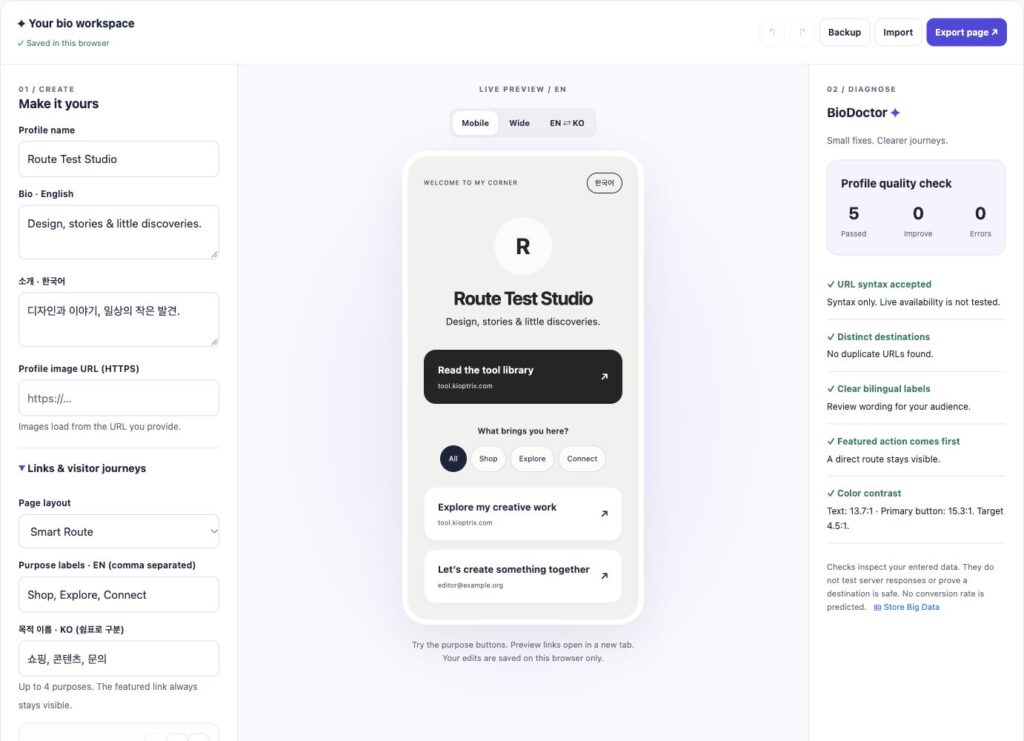
Build an English/Korean link in bio page with BioRoute Studio. Real tests explain purpose filters, URL diagnosis, UTM edits, HTML export and JSON backup without confusing editing with public hosting.
- Brand
- BioRoute Studio
- Tool languages
- en, ko
- Verified date
- 2026-11-08
Table of Contents
Key takeaways for a useful link in bio page
- BioRoute Studio provides an English/Korean editor and bilingual visitor preview without a sign-up in our test. It does not automatically issue a public profile URL.
- Smart Route filters ordinary links by purpose while keeping a featured action visible. “All links” provides a simpler alternative.
- BioDoctor checks the data you enter. An accepted address is not a successful server request, a security verdict or a conversion forecast.
- HTML is the visitor-facing deliverable; JSON is the editable backup. Keep both and distinguish their jobs.
- Local draft persistence is convenient but not a cross-device backup. Remote images and the Blogger/advertising environment have separate privacy implications.
When a link in bio builder solves the right problem
A single social-profile field often has to represent several different intentions. A visitor may want your current collection, a useful article or a way to commission work. A long undifferentiated list makes those people interpret your internal priorities before acting. BioRoute gives you a small place to define a primary action and group the remaining choices.
The best starting point is a question, not a theme: what should a first-time visitor be able to do in ten seconds? For a maker, the answer might be “view the current collection.” Supporting routes could be care instructions and wholesale enquiries. For a freelancer, the main action could be viewing selected work, with process notes and contact as secondary choices. These are editorial scenarios, not measured conversion improvements.
This tool fits someone willing to manage an HTML file or a Blogger HTML/JavaScript gadget. If you need a service to supply a hosted address, collect enquiries in a built-in form or report clicks immediately, those requirements remain outside the functions we verified. Do not treat a mailto link as an embedded contact form or the campaign builder as an analytics dashboard.
Prepare destinations, translations and a publishing plan
Collect the final web addresses before editing. Use public destinations you control or have checked, a short profile name, one sentence in each language and a clear main action. You can leave the image address blank: our tests used the initial-letter avatar, so no external profile-image host was needed. If you add an image, the field asks for an HTTPS URL and the page says it loads from that source.
Create a small route sheet outside the app. Give each destination a purpose, an English action label, a Korean action label and an owner who can update it. “See the autumn collection” is more informative than “Click here.” Translate the task rather than matching sentence length. A label that sounds natural in English may need a shorter Korean verb phrase to remain readable on a phone.
Decide where the finished page will live before spending time on decoration. The source offers standalone HTML and a Blogger snippet, but neither option is a public hosting account. Keep the editor URL, the future published profile address and each destination URL separate in your notes. Confusing these three addresses is a common cause of publishing the studio itself as your supposed personal page.
How to use BioRoute Studio: 7 essential checks
1. Write a profile that makes the next action obvious
Enter Profile name, Bio · English and 소개 · 한국어. Preview both languages early. In our test, changing the name to Route Test Studio updated the preview; the name remained after a reload and after navigation to the Korean interface. We later restored the same name from the downloaded JSON backup after temporarily changing it. Those are specific persistence tests, not a promise that browser storage can never fail.
2. Give every link a purpose and a meaningful label
Edit the English and Korean title fields and enter the destination. The interface has add, remove and move controls for each row. Assign the visitor purpose, then select a featured link. Purpose labels are comma-separated and the interface allows up to four. Start with only the groups your audience needs; an empty or ambiguous group adds a decision without adding a useful destination.
Keep the two language labels attached to the same intended action. Switching the preview language changed the displayed introduction, labels and purpose buttons in our test; it did not transform the destination into a translated URL. If your English and Korean readers need different destination pages, inspect how you will represent those separate links rather than assuming the language switch rewrites URLs for you.
3. Try the actual visitor routes
Choose Smart Route and press a purpose button inside the preview. With Explore selected, our featured library link remained visible, the portfolio link stayed and the contact link disappeared. In Korean, selecting 콘텐츠 kept the representative action and the portfolio link. This is useful progressive selection, but it can also hide a secondary link from someone who chooses the wrong purpose. Use labels visitors understand without a tutorial.
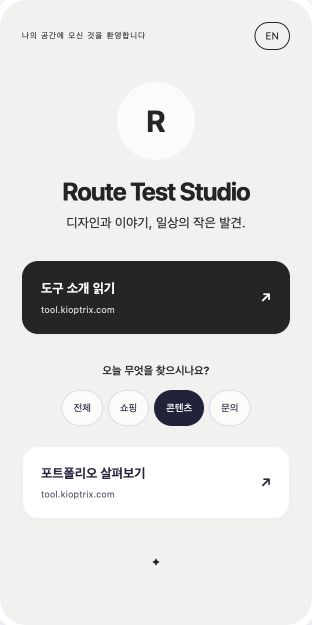
Compare the result with All links if your list is already short. A two-link page may not need three purpose buttons. Our recommendation is to choose the layout that exposes the next useful action with the least interpretation; we did not run an A/B test or measure a conversion lift.
4. Resolve BioDoctor warnings without overreading them
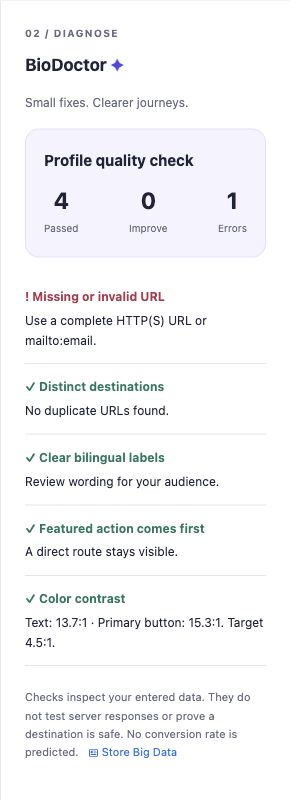
Read each finding, not just the totals. Reusing the exact library homepage URL in two rows produced “1 duplicate link(s). Review before removing.” Entering the literal text “not a url” produced a missing-or-invalid-URL error. In the captured theme, the panel showed four passed checks, zero improvements and one error. Restoring a complete HTTPS address removed that particular syntax failure.
Our corrected profile showed five passed checks with no improvements or errors. The initial template had an improvement warning for example destinations. These counts describe our current entered data and theme, not a universal quality score. A structurally valid link can still lead to the wrong page, a sign-in barrier or an unavailable server. Visit real destinations separately before launch.
5. Treat campaign tags as URL edits
Open Campaign URL builder and enter utm_source, utm_medium and utm_campaign. We used instagram, social and november_test, then selected Apply to web links. Both HTTPS destinations acquired those three parameters, while mailto:editor@example.org stayed unchanged. Undo restored the previous web addresses. Record the original URLs before applying a campaign across your list.
The resulting homepage address contained utm_source=instagram, utm_medium=social and utm_campaign=november_test. This is a reproducible input/output example using our test destinations, not a traffic result. The source says no analytics is installed in exported pages. Google’s campaign URL guidance explains the role of these tags in identifying referral campaigns. Reports still depend on a separately configured measurement system at the destination.
6. Review design and visibility separately
Selecting the Portfolio Pro visual theme preserved our profile name and link content while changing its appearance. Theme changes and starter-content replacement are different actions in the interface. Make a backup before experimenting with a starter structure. BioDoctor also reports text and primary-button contrast, but its checks do not certify the accessibility of your final hosted page.
For an optional schedule, we set a non-featured link’s start to 1 January 2027 at 12:00 local time while reviewing on 8 November 2026. The link disappeared from the currently visible preview; clearing that start restored it. The source says times are stored as absolute timestamps, evaluated using the visitor’s clock and rechecked once a minute. We did not wait through a real start/end boundary. Visibility scheduling is unsuitable as a sale-deadline enforcement mechanism or access restriction.
7. Export the page and preserve an editable backup
Choose Export page to open the output panel. The interface offers HTML download and a Blogger HTML gadget snippet. We actually downloaded a standalone HTML file and a JSON backup, then inspected both as files. The HTML contained the profile data and visitor runtime; the JSON contained the name, bilingual text, groups, appearance, links and schedule fields. Download success and file inspection do not establish that an arbitrary host will render every function correctly.
Use Backup before leaving and Import when you need to resume on another browser. Import asked whether to replace the current draft and stated that Undo was available; after confirming, our downloaded JSON restored Route Test Studio from a temporary edit. Do not try to substitute a visitor HTML file for the JSON editor backup. We did not test importing malformed files, and the Blogger snippet was observed in the output panel rather than installed on a live site.
Actual results and what they establish
| Test | Observed result | Meaning |
|---|---|---|
| Duplicate destination | One duplicate warning | Review intent before deleting |
| Invalid text URL | One syntax error | Input validation, not uptime |
| Explore / 콘텐츠 filter | Featured action retained | Purpose selection works in preview |
| UTM application | Two web URLs changed; mailto unchanged | Campaign parameters added |
| JSON import | Temporary name restored | Downloaded backup resumed editing |
| Future link start | Link hidden; restored when cleared | Current visibility response verified |
| Korean editor at 390px | Edit and preview tabs worked | No horizontal page overflow observed |
Change one condition at a time when repeating these checks. If a link vanishes, first inspect the selected purpose and optional schedule before assuming its URL was deleted. If the address gains campaign parameters, compare the destination itself and the tag suffix separately. Record which theme and language were active; the contrast numbers and visible labels can legitimately differ between configurations.
A practical publishing handoff for a small project
Consider a bilingual workshop profile with one booking action, an event-details page and an email contact. This is a suggested workflow, not a second live deployment we performed. Make booking the featured link, use purposes such as Attend, Learn and Contact, and write action labels around the visitor’s task. Test each language with the same three questions: can I find the main action, can I understand the secondary routes and can I recover from a wrong filter choice?
Save a release pair such as profile-v1.html and profile-v1.json in the same folder, together with a short list of destinations and any campaign dates. Publish the HTML through your chosen host, then review the actual public address on a phone and desktop. Check keyboard navigation, language switching, all purpose selections and every destination there. Those final-host checks remain your publishing responsibility; our review did not complete them for a personal profile.
For the next revision, edit in BioRoute or restore the JSON, export a new HTML file and update the hosted copy. Editing the studio does not update an already uploaded file. This distinction is particularly important for event schedules and expired campaigns: the draft can be correct while an old public file still contains yesterday’s links.
Mobile use, browser storage and important limits
At 390px the Korean editor used a bottom navigation bar for Edit, Preview, Diagnose and Export. After a fresh load we changed the profile name, opened Preview and selected 콘텐츠. The page measured 390px wide with a 390px scroll width; the visitor preview measured 312px. Use these bottom tabs if the desktop-style side panels appear absent. This was a browser viewport test, not a survey of physical touch devices.
The source’s privacy notice, updated 22 October 2026, says profile drafts and backups are processed in the browser rather than submitted to a BioRoute database. Our reload/import tests support the practical local-draft workflow, but we did not independently audit source code, storage or network requests. The same notice explains that Blogger/Google may process technical data and advertising cookies, and that remote images contact their hosts. Ads and promotional links were visible during testing. “Private by default” should not be expanded into a zero-tracking or offline guarantee.
- No automatic hosted profile address was supplied in the inspected workflow. HTML export and deployment are separate.
- No measured click statistics, conversion predictions, destination safety checks or live uptime checks were verified.
- Optional dates hide links; they do not protect the destination from someone who already has its address.
- No cross-device synchronization was observed. Clearing browser site data can remove the draft according to the source; keep JSON elsewhere.
- Blogger embedding, physical-phone behavior, real schedule boundaries and a deployed HTML page were not tested.
Related tools for a sensible next step
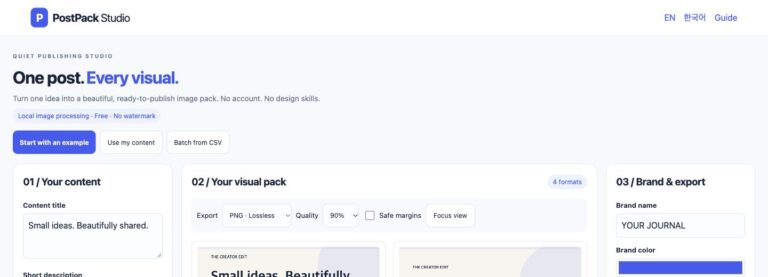
Use PostPack Studio after deciding the profile’s main message if you need separate social-card layouts to promote it. It prepares visual publishing material; it does not host your BioRoute page or transfer the links automatically.
For a screenshot-based instruction card, FrameMint Studio offers a separate screenshot-editing workflow. Capture the actual profile preview and label the intended action rather than presenting a decorative mockup as the finished live site. There is no direct integration verified between these tools.
Link in bio FAQ
Will Export page give me a public link?
The inspected workflow supplies a downloadable HTML file and a Blogger snippet. You still need a publishing destination. The original studio address is not your personal hosted profile.
Does a green BioDoctor result prove that all links work?
No. The panel says it checks entered data and does not test server responses or prove safety. Our successful syntax result is separate from a live destination check.
Can one profile serve English and Korean readers?
The preview switched introduction, button labels and purpose labels between English and Korean. Both languages are represented in the actual exported file. We did not validate that export on a public host, and changing a label does not translate the destination website.
Should I keep the JSON after downloading HTML?
Yes. HTML serves visitors, while JSON restores the editable project. Our import test restored a changed profile name from the downloaded backup. Keep a known-good pair before replacing your public page.
Build a small link in bio page you can explain
Begin with one primary destination and two genuinely different supporting routes. Test the labels in both languages, resolve concrete warnings and save both output files. A useful profile is one whose visitor journey and update process you understand, rather than one that merely looks finished in the studio.
A RELEVANT NEXT STEP
Tools with a useful connection
PostPack Studio
Image Pack Maker: 7 Smart Checks in PostPack Studio
Create four template-based blog and social layouts from shared text and an optional image. Our guide checks platform copy, CSV generation, brand persistence and metadata while separating editor results from unverified downloaded files.

FrameMint Studio
Screenshot Editor: 7 Smart FrameMint Studio Checks
Frame screenshots, add manual masks and build captioned stories in FrameMint Studio. Real import, order, recovery and size tests explain what to check before sharing.
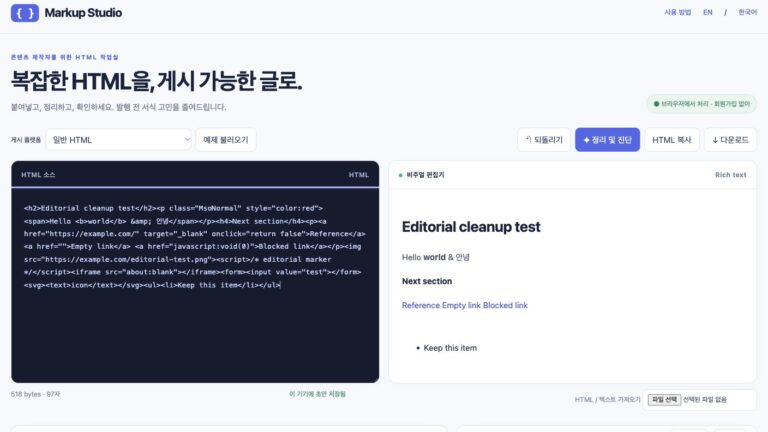
Markup Studio
Markup Studio: 7 Essential Checks for Better HTML
Markup Studio cleans copied HTML and checks basic issues before publishing. See our 52→68→100 test, WordPress/Blogger/Shopify copy differences, component builder and local-draft limits.