Vinyl texture is easier to design when you separate hiss, irregular crackle and drawn surface defects. GROOVE ATLAS — Vinyl Crackle Mixer lets you build that synthetic surface, compare a treatment model and optionally add your own audio. Begin with noise alone or the supplied synthesized chord, then change one condition at a time.
Checked 13 November 2026, Asia/Seoul. We verified visible controls, defect editing, treatment readings and playback status in English and Korean. WAV and JSON download actions were invoked, but no files reached our session. Audio quality, file contents and an import round trip remain unverified.
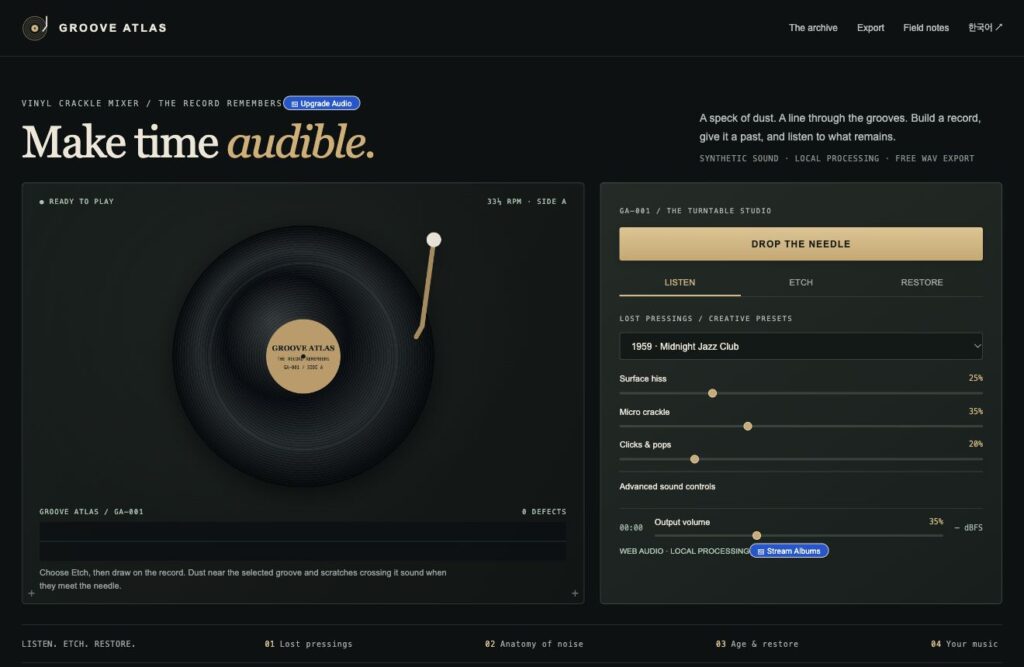
Build a synthetic vinyl texture in GROOVE ATLAS with separate noise layers, drawn defects and a treatment comparison. Includes actual control tests and export-verification limits.
- Brand
- GROOVE ATLAS
- Tool languages
- en, ko
- Verified date
- 2026-11-13
Explore this guide
Key takeaways
Best use: creating a vinyl-inspired noise layer and learning why different disturbances need different controls. It is a synthetic sound experiment, not a tool that repairs noise already present in an uploaded recording. Era labels describe creative presets rather than measured historical records.
Verified behavior: adding dust and a scratch raised the defect count to 2; Undo reduced it to 1. In an Attic-preset treatment sequence, the remaining removable-contamination reading changed 100% →65% →13%. Switching the preset retained our two drawn defects.
Important boundary:13% is not the overall noise level, a restoration-success score or a promise about a physical record. Permanent scratches and groove wear remain according to the model. Export completion text also does not establish that a resulting WAV or JSON file has been inspected.
What this vinyl mixer does
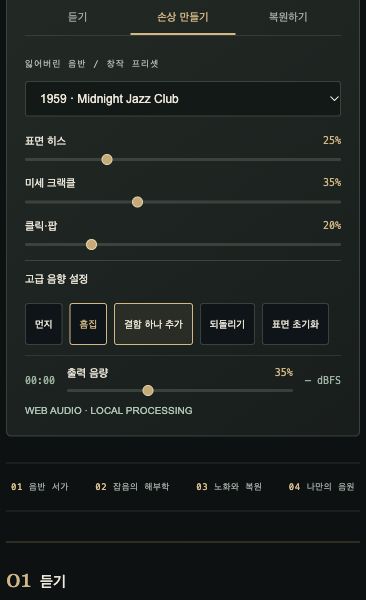
The studio combines an illustrated record, a selected circular groove, noise sliders and a treatment bench. The main controls separate surface hiss, micro crackle and clicks/pops. Advanced controls add motor rumble, wow/flutter, electrical hum, groove wear, RPM and the needle-groove radius. Output volume is separate from these texture settings.
LISTEN, ETCH and RESTORE organize the interaction. In ETCH, choose dust or scratch, draw on the record or use Add a defect as the keyboard-friendly alternative. The site maps dust near the selected groove and scratches that cross it to needle encounters. This is not a physically exact spiral-groove simulation.
Four vinyl presets offer different starting points: Midnight Jazz Club, Forgotten Shellac, The Attic Collection and The Pristine Pressing. The years are storytelling labels. They do not establish that an older pressing must have more noise, or that a named era always used the displayed settings.
The creative studio offers a local synthesized chord, optional audio selection, Original/Aged/Restored modes,12/30/60-second export choices and WAV buttons for a mixed result or noise alone. JSON project controls are intended to preserve settings for later reproduction. The publisher says an imported audio file must be selected separately again when restoring a project.
Prepare a fair vinyl comparison
Start without a personal audio file. Noise-only operation is available, and Try the synthesized chord provides a tonal source without requiring bundled music samples. We used that supplied demo; we did not upload or test a user recording. If you later choose a file, use audio you have permission to process.
Keep output volume modest and unchanged during comparisons. Note the preset, RPM, groove radius, drawn-defect count and A/B state. A louder result can appear more prominent for reasons unrelated to a particular defect. The waveform under the turntable represents the page’s output; the small anatomy drawings below are explanatory illustrations.
Use a small observation sheet with separate columns for control settings, visible results and listening impressions. For example, the model’s contamination reading can be verified visually even when no independent listening judgment is possible. Do not turn a moving waveform into a claim that a particular headset reproduced the intended texture accurately.
Decide whether you are comparing a preset, a surface edit or a treatment. Change only one of those at first. Our preset switch changed the slider values but left two manual defects on the record, so choosing a different pressing was not equivalent to starting with an untouched surface. Inspect the counter before making a comparison.
7 steps through GROOVE ATLAS
1. Choose a vinyl starting point
Select a pressing in the dropdown or the archive cards. Our initial Jazz settings were 25% hiss,35% micro crackle and 20% clicks/pops. The Attic preset displayed 40%,75% and 50%, with advanced values 18% rumble,16% wow/flutter,9% hum and 55% wear. These are interface percentages, not measured noise-to-signal ratios.
2. Start and stop the engine deliberately
DROP THE NEEDLE starts the live engine; the control changes to LIFT THE NEEDLE. In our 78RPM test the status became AUDIO ENGINE RUNNING and the displayed peak included−25.2dBFS. Lifting the needle returned the studio to its stopped state. This verified interface and meter response, not audible fidelity or calibrated loudness.
3. Add one dust mark and one scratch
Choose ETCH, keep Dust selected and use Add a defect. Select Scratch and add another. The counter rose from 0 to 2. Undo removed the latest addition, leaving 1; adding a scratch again restored 2. This provides a reproducible editing check without pretending a freehand drawing was performed.
4. Inspect the active groove
Open Advanced sound controls and read Needle groove radius. The default was 72%. A defect must relate to that selected circular path to produce the mapped encounter described by the site. A mark elsewhere on the drawing is not automatically evidence of a scheduled click. Keep the radius fixed when comparing a treatment.
5. Compare the vinyl treatment model
With the Attic preset selected, the removable-contamination reading began at 100%. Dry brush changed it to 65%, and Wet clean changed it to 13%. Anti-static and Stylus care left the rounded headline reading at 13% in that sequence. A·Before and B·After each became selected when clicked. No listening preference or physical cleaning efficiency was measured.
6. Try a tonal source and distinguish modes
Choose Try the synthesized chord. The creative studio reported Original synthesized chord · no samples. Original, Aged and Restored offer different comparison states for the optional music path. The source notes that wow/flutter is easier to demonstrate with tonal material than with noise alone; we did not independently evaluate that audible effect.
7. Attempt a short export before a long project
Select 12s first and export noise WAV. Our page displayed 12s ·44.1kHz WAV exported, but the download listener received no file. Save record·JSON likewise produced no file in our session. These actions confirmed the controls and completion message only. Verify an actual saved file locally before relying on the export workflow for a deadline.
Our hands-on vinyl tests
| Check | Observed result and meaning |
|---|---|
| Defect editing | 0→2→1→2 Dust/scratch addition and the latest Undo changed the visible counter. |
| Preset switch | Two manual defects remained The new slider settings did not clear the surface. |
| Treatment sequence | 100% →65% →13% Dry brush and wet clean changed the removable-contamination reading. |
| A/B controls | Before and After selected in turn Button states changed; listening discrimination was not tested. |
| Handling at 100 | Hiss 70;crackle 100;pops 60;wear 100 A fictional condition control changed several parameters. |
| 78RPM playback | LIFT button, running status and a meter reading Live-engine UI responded; audible quality unverified. |
| Noise WAV / JSON | WAV completion text; no delivered files No headers, playability or import round trip verified. |
| Korean 390×844 | Scratch add 1 / Undo 0 / add 1 Representative editing worked without document overflow. |
The four advanced values omitted from the short handling row were rumble 30%, wow/flutter 25%, hum 5% and radius 72%. The two manually added defects remained during that test. A control called Handling & wear is a creative condition model, not a count of calendar years or a measurement of one record’s actual history.
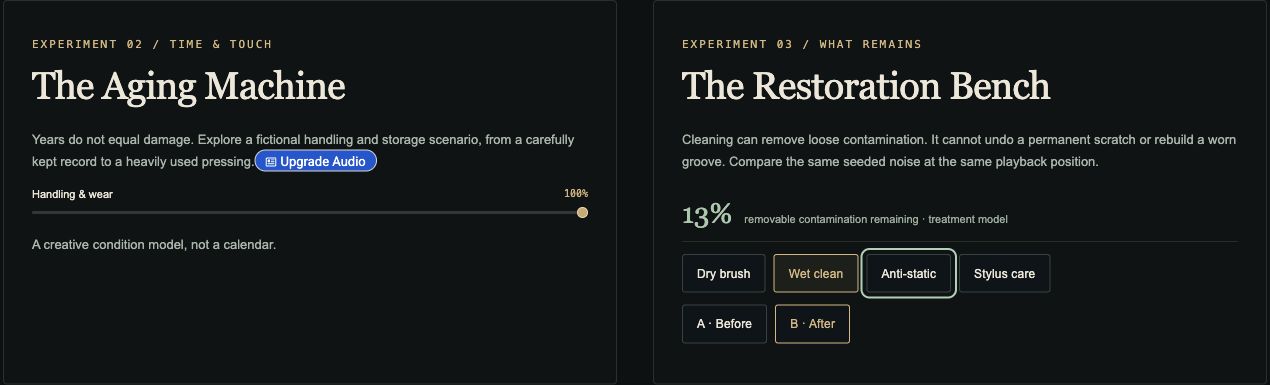
The screenshot documents a visible state, not a result obtained by cleaning a real disc. Our inspections also did not test an uploaded audio format, saved JSON contents, a returned project or the exported waveform in another player. Those boundaries matter because the tool’s creative interface can otherwise make a simulated treatment look like a verified restoration workflow.
How defects meet the selected groove
The mint ring is the selected groove. In the source’s description, dust close to it and scratches crossing it sound when they meet the needle. This gives a useful design principle: inspect location and path before increasing a global clicks slider. Drawn events and the general noise layer are different inputs, even when both contribute a transient character.
RPM changes the rotation context. One revolution is 60/RPM seconds: approximately 1.8s at 33⅓,1.333s at 45 and 0.769s at 78. These are arithmetic periods, not timings measured from exported audio. A mark tied to a revolution can therefore have a different recurrence context when the rotation setting changes.
The FAQ says live playback loops six revolutions at the selected RPM and uses the beginning of imported audio. Six turns correspond to about 10.8s,8s and 4.615s respectively. Do not assume that a long source song is played from beginning to end, or that the live loop duration equals the selected 12/30/60-second export length.
A fair groove experiment keeps RPM, radius, seed and defect layout steady. Change just the comparison state or one texture parameter, then note what you changed. The source says its noise is seeded for repeatability and recommends comparing the same playback position. We did not validate sample-for-sample identity in exported files.
Read the vinyl treatment result correctly
The headline percentage has a specific denominator: removable contamination remaining. It is not the share of every audible component still present. A low value can coexist with permanent scratches, wear, hiss or other modeled noise. Reporting 13% as 87% cleaner audio would add a claim the interface does not establish.
The observed 100→65→13 sequence is consistent with multiplying the model’s remaining contamination by 0.65 and then 0.20. That describes the displayed progression; it is not an experimentally established performance claim for a brush or liquid. The buttons explicitly model relative changes rather than instructions for a real cleaning product.
Anti-static and Stylus care did not lower the rounded headline below 13% in our sequence. That does not independently prove that they had no effect on every internal component. We verified only the visible reading and status notice that permanent scratches and wear remain. Avoid inferring a complete treatment algorithm from one aggregate number.
For a vinyl lesson, ask two separate questions: what changed in the removable layer, and what remains in the model? Then compare Before/After under the same conditions. That approach teaches the difference between contamination and irreversible damage without presenting the simulation as practical restoration advice.
Separate six vinyl noise layers
Surface hiss is the continuous layer; micro crackle is a field of small irregular impulses; clicks/pops are more distinct impacts. The advanced panel adds low-frequency motor rumble, pitch instability labeled wow/flutter and a steady electrical-hum component. The anatomy cards provide solo-listening buttons and Return to full mix.
Do not diagnose a real record solely from those six cards. They are synthesized categories and illustrative waveforms, not measurements of your turntable. In particular, a periodic effect heard in a recording could have causes this model does not represent. The tool is useful for comparing design ingredients, not for certifying equipment faults.
Tonal content changes the question. A noise layer has no stable musical pitch against which to judge pitch modulation in the same way as a chord. The supplied synthesized chord is a convenient controlled starting source. Loading your own music introduces additional variables such as level, duration, format support and pre-existing noise.
Keep texture controls separate from master level. If you are building a background layer for another project, document the chosen controls and compare at a consistent output setting. We did not verify clipping protection, export normalization or the relationship between every output setting and the rendered WAV, so do not assume those production guarantees.
Solo listening is a state, not a reset
We also checked the vinyl anatomy workflow directly. Selecting Surface hiss set its solo button to pressed and displayed SOLO: Surface hiss; the seven texture settings stayed at the Attic values. Return to full mix cleared all six solo selections and displayed Full mix. Playback continued—the needle control still offered LIFT THE NEEDLE—until we stopped it explicitly. If a later comparison seems unexpectedly sparse, inspect the solo state before changing sliders. If you want silence, returning to the mix is not the same action as lifting the needle. These are control-state observations, not a listening-quality judgment.
Vinyl exports: WAV and JSON have different jobs
The page offers mixed WAV and noise WAV at 44.1kHz,16-bit stereo, with 12,30 or 60-second choices. A mixed render and a settings project serve different purposes: one is intended as audio, while the other records how the model was built. The visible export labels are publisher specifications until the actual output is obtained and checked.
For planning only, uncompressed PCM payload is sample rate × channels × bytes per sample × seconds. At the advertised format,12 seconds is about 2.12MB of audio data,30 seconds about 5.29MB and 60 seconds about 10.58MB, before headers. These are calculated estimates, not observed download sizes or browser-memory requirements; processing may need more memory.
The JSON FAQ says the project preserves seed, controls, defect positions, cleaning state and RPM. It also says to import the same audio file separately. Do not treat the project as a backup of the music itself. Because no JSON file reached our session, neither that schema nor import compatibility was independently checked here.
A practical handoff should include the actual audio file you are permitted to share, the project if obtained, a settings note and a short listening check in a separate player. This is a suggested verification workflow, not a completed export test. The two files should be checked before deleting any source material or committing to a production use.
Vinyl model limits, privacy and troubleshooting
GROOVE ATLAS is a creative vinyl simulator. It does not remove noise that was already baked into a source recording in the way a dedicated audio-restoration editor might. Its treatment changes the synthetic contamination model. The source itself says downloads are creative simulations, not restoration of the original recording.
The publisher states that chosen audio and record settings are processed locally and no account is required. We observed no microphone request. We did not audit network traffic or import a personal file. Blogger and advertising have separate data practices, and ad annotations/banners were visible during our visit. Local sound processing is not a tracking-free-site guarantee.
If playback appears inactive, use an intentional needle action, inspect output volume and device output, and return from solo listening to the full mix. We observed the engine status and meter change, but that is not a substitute for checking audible output on your own device. The waveform drawings in the anatomy section should not be mistaken for live measurements.
A fresh Korean 390×844 viewport supported the tested Etch, scratch-add and Undo actions with a 390px document width. This verifies a representative narrow layout and input path, not physical-phone audio performance. Browser memory and supported formats may vary, as the source notes.
Related tools and useful next steps
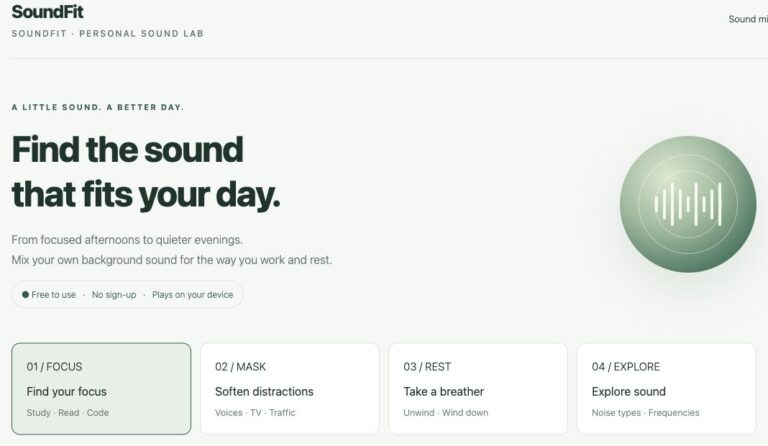
Use SoundFit to explore a separate noise-mixing environment. Its focus-oriented layers answer a different question from a vinyl surface model. It can help frame what you want from a steady background before you introduce transient crackles.
Continue with Field Recording Diorama for a different layered environmental composition. Treat it as a separate creative route; do not assume that GROOVE ATLAS export files were tested as imports to that tool.
Open TEMPERAMENT LAB when the next question is about pitch ratios and selected-partial beats rather than record-surface noise. Stop one page before playing the other so an unintended overlap does not distort the comparison.
Vinyl mixer FAQ
Is this a vinyl de-noising service?
No. It builds synthetic noise and offers a treatment model for that surface. It is not verified here as a tool that removes existing hiss or clicks from an uploaded recording. Use its restoration terminology within that creative-model boundary.
Does changing a vinyl preset erase my drawing?
Not in our test. Switching to The Attic Collection changed the controls but preserved two manual defects. Inspect the counter and use the separate surface controls deliberately rather than assuming a preset is a complete reset.
Does 13% mean the whole result is 87% quieter?
No. It is the remaining removable-contamination indicator, not an overall audio level or a measured improvement. Permanent scratches and wear are explicitly retained by the model.
Will JSON contain my music?
The FAQ instructs users to select the same audio separately after loading a project. No project file was obtained in this test, so we did not inspect its contents. Keep the original audio independently.
Were the WAV files verified?
No. The 12-second noise export displayed a completion message, but no file was delivered to our test session. We did not inspect headers, confirm stereo/sample format in a file or listen to a rendered result in another player.
Verification notes and sources
Verified 13 November 2026 in Chrome using the English desktop studio and a fresh Korean 390×844 viewport. Three genuine source screenshots were retained. We distinguish control observations, arithmetic examples, publisher specifications and the file/audio results we could not verify.
Primary references are the GROOVE ATLAS studio and field-note FAQ and its Korean interface. Begin with a sparse surface and a short export attempt, then keep only the settings whose role you can explain.
A RELEVANT NEXT STEP
Tools with a useful connection
SoundFit / 소리핏
SoundFit: 7 Essential Noise Mixer Tips for Better Sessions
SoundFit mixes brown, pink and white noise with focus timers and a tone lab. Read our playback, saved-setting and mobile tests before building a background sound routine.
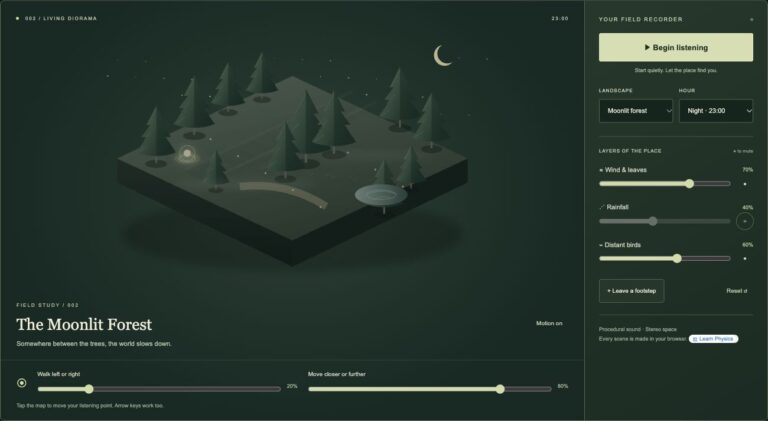
Field Recording Diorama
Field Recording Diorama: 7 Smart Soundscape Checks
Build an imaginary soundscape in Field Recording Diorama. Tested layer mutes, listener controls, Save/Restore and a fresh shared link explain what the scene recipe preserves and why a postcard is not recorded audio.
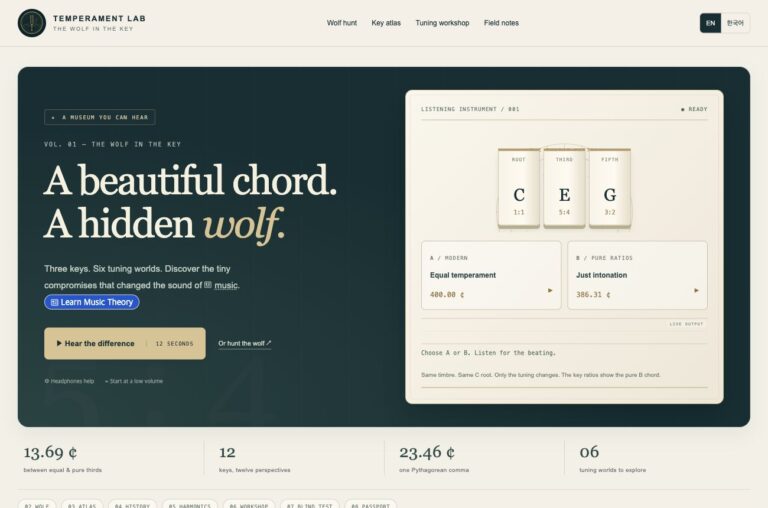
TEMPERAMENT LAB
Tuning: 7 Smart TEMPERAMENT LAB Checks for Better Comparisons
Compare six tuning systems, inspect interval maps and beat estimates, and build a clearly labeled experimental comma budget in TEMPERAMENT LAB.