Field Recording Diorama is a soundscape builder for an imaginary platform or forest. Mix browser-synthesized wind, rain and birds, move a listening point, change the hour and add a footstep. This guide tests how to preserve the settings and explains why a shared place is different from recorded audio.
Verified 13 November 2026, Asia/Seoul. We operated English and Korean controls, tested a saved scene after changes and reload, and opened the actual copied link in a fresh tab. Audible output, stereo accuracy and downloaded SVG contents were not verified. This library and the original tool share a creator; the article is a documented editorial review, not an independent endorsement.
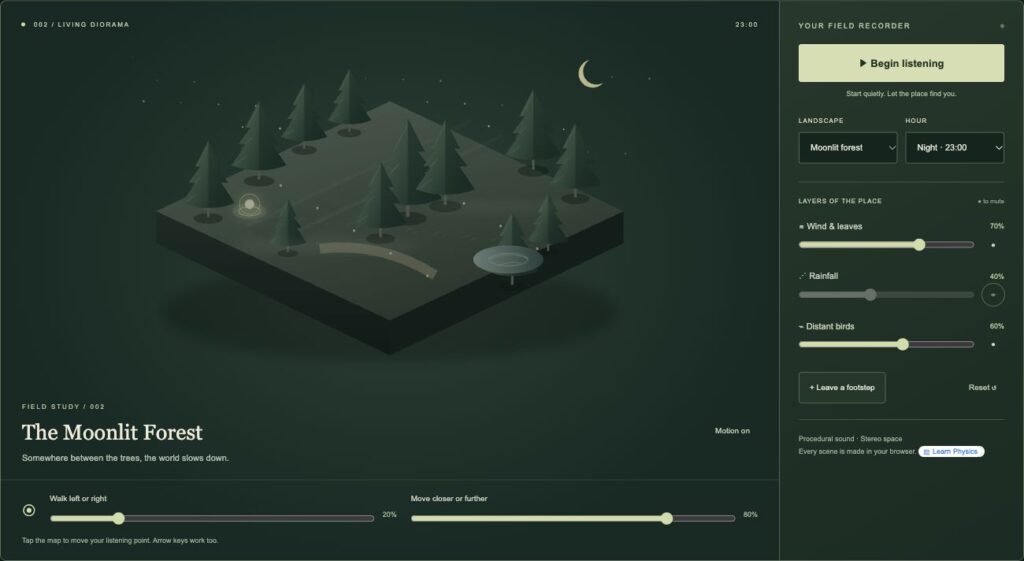
Build an imaginary soundscape in Field Recording Diorama. Tested layer mutes, listener controls, Save/Restore and a fresh shared link explain what the scene recipe preserves and why a postcard is not recorded audio.
- Brand
- Field Recording Diorama
- Tool languages
- en, ko
- Verified date
- 2026-11-13
In this guide
Key takeaways
Despite the field-recording name, this soundscape is synthesized rather than recorded at a real location. The source describes filtered noise, modulation and oscillators for wind, rain, birds and footsteps. There is no microphone recording workflow in the tested interface. Use it as an imaginary listening instrument rather than evidence of how a real forest sounded.
Save and Copy link preserve different routes back to a scene. Our custom forest settings survived both an explicit Restore and a fresh shared-page load. Reloading the root page alone returned the default platform; Restore then recovered the saved scene. Do not assume that leaving a tab or refreshing it automatically reopens your last working state.
Mute is separate from the layer amount. Rain remained at 40 percent while its mute button was pressed and its slider was disabled. A recipient received that muted 40-percent layer, not a zeroed control. The new shared page waited for Begin listening, while Motion returned on even though it had been off when the link was copied.
What this soundscape builder actually makes
The studio offers two landscapes, Forgotten platform and Moonlit forest, with dusk at 19:00, dawn at 05:00 and night at 23:00. Three starting studies combine these controls into different moods. Three cards do not mean three separate worlds or an unlimited location library; the landscape menu is the authoritative list of the two available environments.
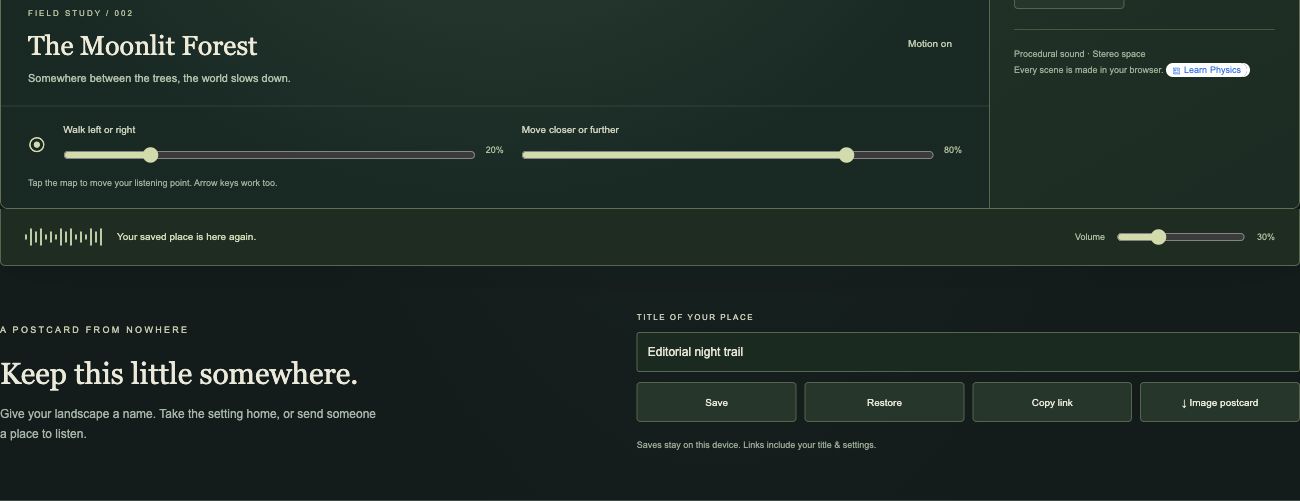
A miniature map and two listening-position sliders provide the spatial interface. Three layer sliders control wind and leaves, rainfall and distant birds; separate dots mute individual layers. Global volume, motion, a listening transport and a footstep trigger complete the main soundscape controls. A title field and preservation buttons sit below the studio.
The purpose is a small creative comparison: what happens to an imagined place when a layer disappears, the listener moves, or the hour changes? The visual world gives that question context. It is not a calibrated acoustic simulation, a map of a real site, a library of authentic location recordings or a microphone-based field recorder.
A useful audience is a writer choosing an atmosphere, a creator sketching a scene mood or a learner comparing foreground and background. A reproducible soundscape recipe can communicate a listening intention. It does not establish a medical, sleep or productivity benefit, and this review did not measure those outcomes.
Prepare a small soundscape comparison
Choose a question narrow enough to explain afterward. For example: can a rain-free night forest retain a sense of depth? Pick one landscape and hour, keep the listener stationary and compare rain muted versus unmuted. Changing the position, all three levels and the time together creates a new scene but cannot isolate what caused a perceived difference.
Write a baseline before comparing. Include landscape, hour, wind/rain/bird values, muted layers, horizontal position, depth and volume. If motion matters to the viewing experience, note it separately. Use a non-sensitive title. These are practical controls and labels, not physical coordinates or calibrated sound-pressure measurements.
Begin quietly and check the intended audio output. The page recommends stereo headphones and a deliberate Begin listening action. We verified transport and status changes, not what reached a listener’s ears. A current soundscape control state cannot establish correct device routing, speaker balance or the timing accuracy of an audio signal.
7 soundscape checks from a preset to a shared place
1. Select a starting study and read its values
Use one of the three study cards, then inspect the landscape and hour menus rather than relying on the card’s mood words. Before the world wakes selected forest at 05:00, listener 35/60 and wind/rain/birds 24/0/68. A little rain, nowhere selected forest at 23:00 with 65/45 and 42/62/6. These are starting recipes to edit.
2. Start listening before triggering a footstep
Before playback, Leave a footstep reported Begin listening before leaving a footstep. After Begin listening, the trigger reported a small trace of being there. This verifies the interaction gate and feedback. It does not prove that we captured a footstep waveform or measured its spatial placement. No audio-recording or event-history control was tested.
3. Set a repeatable listener position
Use the horizontal and depth sliders, or focus the map for arrow keys. In a fresh shared soundscape at 20/80, Right then Up changed the values to 25/75. A map-center click produced 51/51 in our interaction. Inspect the visible numbers after each route rather than assuming that a pointer landing was mathematically exact.
4. Adjust layers and use mute for a reversible comparison
Our custom soundscape used wind 70, rain 40 and birds 60, with global volume 30. Muting rain retained its 40 value but disabled its slider. Keep that distinction when taking notes: unmuting can return a layer without rebuilding its amount, whereas setting the value to zero changes the recipe itself.
5. Name and save one place
We named the forest Editorial night trail and pressed Save. After selecting Study 03, Restore brought back the custom title, night forest, all three levels, rain mute, listener 20/80 and volume 30. The source describes one device-local scene, not a collection of named cloud projects. Choose a title that identifies the intended version.
6. Test restoration after leaving the working state
We changed the title to Unsaved scratch and the hour to dawn without saving, then reloaded the root page. It showed the default platform and an empty title. Restore recovered Editorial night trail and the saved settings. This is a useful distinction between a working edit, a stored scene and the page’s initial state.
7. Share the recipe and verify the recipient
Copy link produced a URL fragment containing the title, landscape, hour, layer values, position, depth, volume and muted rainfall. A fresh tab restored those tested controls and waited for Begin listening. Check the received page before sending a soundscape onward. Add a short note explaining which comparison or listening question the recipe is meant to support.
Our tested soundscape recipe
The following recipe was used for the explicit Save/Restore and fresh-link tests. We checked visible controls rather than reading hidden application state. Values are percentages in the interface; they should not be presented as decibels, meters, weather readings or a measured balance of acoustic energy.
| Setting group | Our saved recipe | Observed result |
|---|---|---|
| Landscape / hour | Forest / 23:00 | Restored locally and from the copied link |
| Layer values | Wind 70 · rain 40 · birds 60 | All three values returned |
| Mute state | Rainfall muted | 40 remained; rain slider disabled |
| Listener | Horizontal 20 · depth 80 | Both percentages returned |
| Volume / title | 30 / Editorial night trail | Both returned on the fresh page |
| Playback / motion | Copied while Motion off | Fresh page paused; Motion on |
A practical comparison starts with rain muted, then restores it without moving the listener. Keep global volume and the other layers fixed. If the question instead concerns perspective, retain the same layer settings and move only the listener. The table is a soundscape recipe, not a report that one mix sounded more realistic or more relaxing.
Do not add the layer percentages and treat the total as a limit. Our settings sum to 170 before considering the rain mute, but these are independent interface controls, not a 100-point allocation budget. Nor does master volume 30 prove a particular loudness. Judge your actual listening level separately and avoid turning a labeled percentage into an unmeasured physical claim.
Separate soundscape layer level, mute and playback
There are three separate reasons a layer may not be heard: its value is low or zero, its mute is selected, or the entire soundscape is paused. The visible controls help separate those cases. In our test the muted rain slider was unavailable for adjustment while displaying 40, so inspect the mute dot before treating the disabled slider as a broken input.
A clear troubleshooting order is transport, global volume, layer mute, then layer amount and device output. Change one item at a time. Starting with all controls at maximum makes it harder to identify the silent condition and can be an unpleasant way to discover the wrong output device. The source’s Begin listening requirement is an intentional interaction boundary.
The tested footstep button is a transient action, not another continuous layer slider. A copied soundscape link contains the settings we inspected, not a recorded sequence of when we clicked the footstep. We did not verify repeatable event timing from a link or a postcard. Describe the shared result as a recipe rather than a recording of your visit.
Read soundscape position and time as model controls
Horizontal position and depth are model controls between 0 and 100. The source describes stereo panning and simplified distance behavior. We confirmed that slider values and the map responded, including five-point arrow changes in the tested example. We did not measure localization, acoustic propagation or how a listener perceives that model through different headphones.
Hour is another condition to hold still during a position comparison. The page explains that light changes and birds are less active at night. That is a publisher description of the instrument, not field evidence about a species or a location. Our direct checks covered the menu selection, clock label, scene description and visual changes rather than a measured bird-event rate.
Motion changes the visual presentation. A copied link from our Motion-off source opened with Motion on in the recipient. Note the preference separately if a still scene matters. We did not establish a complete motion-preference persistence policy for every browser or local Restore; the concrete result here concerns the tested shared-page load.
Save, restore, link or postcard?
| Route | What it is for | Important boundary |
|---|---|---|
| Save / Restore | One device-local scene | Refresh alone did not reopen our saved scene |
| Copy link | A portable settings recipe | Title is visible; fresh page needs playback action |
| Image postcard | A still SVG scene with title/settings | Not an audio file; downloaded contents unverified |
Save is useful for a local soundscape you want to return to while staying in the same browser environment. The publisher describes local storage, so clearing site data or using another profile should not be treated as a reliable way to keep that save. We tested explicit Restore, not cross-device synchronization or recovery from deleted browser data.
A soundscape link is easier to carry to another page because its fragment contains the tested settings. Keep the complete address, including the part after the hash. A bare homepage link does not contain that custom scene. Our reload test and fresh-link test demonstrate why a homepage, a saved slot and a copied recipe are three different routes.
The soundscape postcard button is described as downloading a still SVG with the title and listening settings. It is not a WAV, MP 3 or rendered soundscape recording. We activated it and saw Your image postcard has been downloaded, but no file arrived through the connected browser. Dimensions, SVG markup, included labels and file-viewer behavior therefore remain unverified.
That delivery limit may belong to the inspection environment; it does not establish that export fails for every visitor. Before relying on the postcard, open your own received file and check the title and scene. Keep a complete recipe link if you also want to reopen the controls. A picture and a playable settings page serve different audiences.
What the fresh shared page preserved
Our actual copied fragment included wind=70, rainfall=40, birds=60, position=20, depth=80, volume=30, location=forest, hour=23, title=Editorial+night+trail and muted=rainfall. We opened that copied address, rather than constructing a substitute. The recipient showed the matching title and controls and a Shared scene loaded message.
Playback remained off on the received soundscape. This lets a recipient inspect the scene and choose when to start. Motion came back on; the copied fragment contained no motion setting. The test does not demonstrate a complete session snapshot, an identical generated waveform, a footstep history or the same device volume outside the webpage.
Share a listening instruction with the link: begin with rain muted, notice the fixed listener position, then compare one change. Avoid private text in the title because the address and intended postcard expose it. A URL fragment is a way to carry settings, not a confidentiality feature for a title that you deliberately send to another person.
Sound, privacy and mobile limits
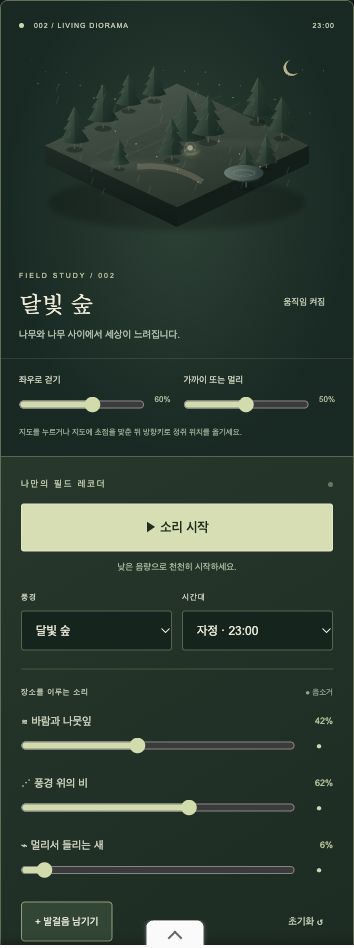
The English root and Korean page provide the instrument. On a freshly loaded 390×844 Korean view, document width was 390 pixels. Study 03 selected forest 23:00 and layers 42/62/6; Left then Down changed the listener from 65/45 to 60/50. Start, footstep and pause feedback also changed correctly. These were responsive and keyboard checks, not physical touch or pressure-device tests.
Bottom ads and shopping annotations appeared during investigation and could cover lower controls. The tested ad collapse and close controls exposed the studio again. Distinguish those advertisements from the real postcard or playback buttons. This is a usability limitation of the source page; it is separate from horizontal layout, which stayed within the tested mobile width.
The source says the instrument requests neither microphone nor location access, and no such permission prompt appeared in our tests. Saves use local storage. Blogger and advertising services can process technical information or cookies separately. We did not perform a full network or privacy audit, so local sound generation should not be expanded into an anonymous-browsing guarantee.
Audible output, stereo accuracy, latency, background-tab behavior across browsers and comprehensive assistive-technology support were not measured. The source advises resuming playback after returning to a tab; we do not present that advice as a completed cross-browser test. Interface operation is useful evidence, but it cannot replace listening and device checks for your intended use.
Related tools for a different listening task
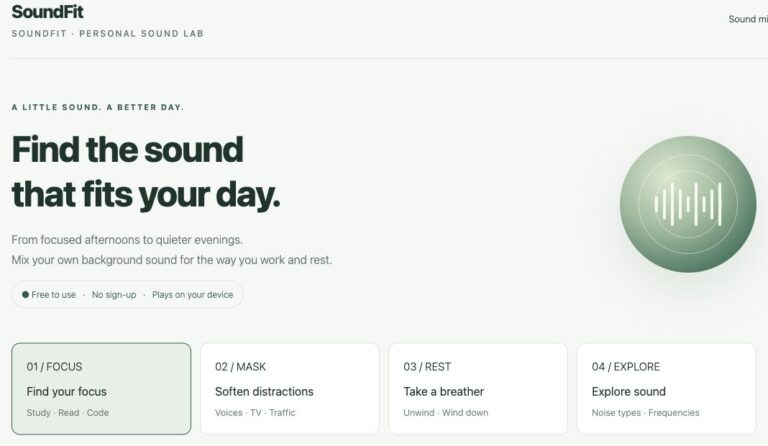
SoundFit is the closer alternative when the task is a brown/pink/white noise mix with a focus timer rather than an imagined landscape and listener position. Its guide covers playback and saved settings. Choose by the control you need, not by assuming every background sound tool provides the same preservation or timing workflow.
Jazz Brush Canvas suits a different creative question: performing a gesture and overdubbing a rhythm. The Diorama soundscape is a settings-driven place, whereas the brush instrument stores time-based actions. No automatic session transfer, accompaniment import or combined export between these tools was verified.
Tea Ripple Piano is useful when the next idea is a short melodic phrase rather than environmental layers. Its guide distinguishes recorded takes from live layers and pictures. Use the tools as separate experiments; the presence of a save or picture button does not make their projects interchangeable.
Frequently asked questions
Are these recordings from real places?
No. The publisher describes browser synthesis and an imaginary setting. We tested controls and preservation, not an authentic field-recording archive or microphone capture.
Why can rain be muted and still read 40 percent?
Mute and amount are separate. The tested muted layer retained 40 and disabled its slider; the fresh shared page preserved both. Check mute before changing the recipe to zero.
Why did refresh show the platform again?
Our root-page reload returned defaults. Pressing Restore recovered the saved custom forest. Save/Restore and opening a full settings link are separate from ordinary refresh.
Can the postcard play sound?
The source offers a still SVG, not an audio file. We saw the download status but received no file, so we cannot certify its contents or how a particular viewer handles it.
Does the shared link reopen everything?
It restored all tested recipe controls and rain mute, with playback off. Motion returned on. We did not verify waveform identity, transient footstep replay or every possible browser preference.
Keep one place you can describe
Build one soundscape you can describe in a sentence, keep its complete recipe and test the received page before sharing. Compare a single layer or a single position change at a time. The useful result is a clearer listening intention and a recoverable setting, not a claim that the miniature is a real place or a calibrated recording.
Verified 13 November 2026, Asia/Seoul. Direct UI tests, publisher descriptions and unverified audio/file behavior are distinguished throughout.
A RELEVANT NEXT STEP
Tools with a useful connection
SoundFit / 소리핏
SoundFit: 7 Essential Noise Mixer Tips for Better Sessions
SoundFit mixes brown, pink and white noise with focus timers and a tone lab. Read our playback, saved-setting and mobile tests before building a background sound routine.
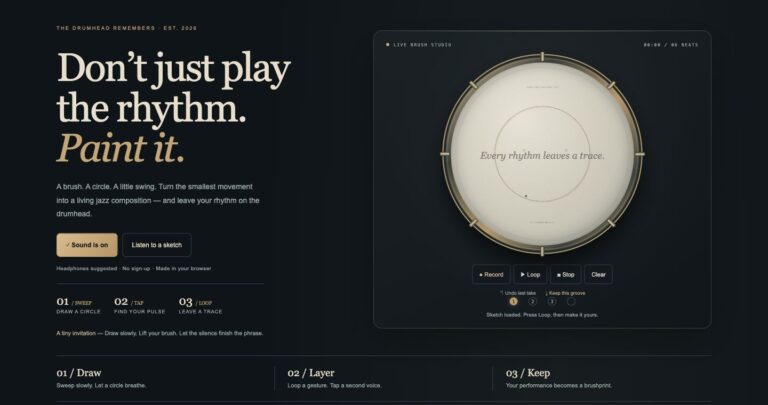
Jazz Brush Canvas
Jazz Brush Canvas: 7 Smart Checks for Better Groove Loops
Draw and overdub jazz brush gestures in Jazz Brush Canvas. Tested event recovery, waltz beat counts and browser restoration explain the timeline and the limits of PNG, WAV and JSON preservation.
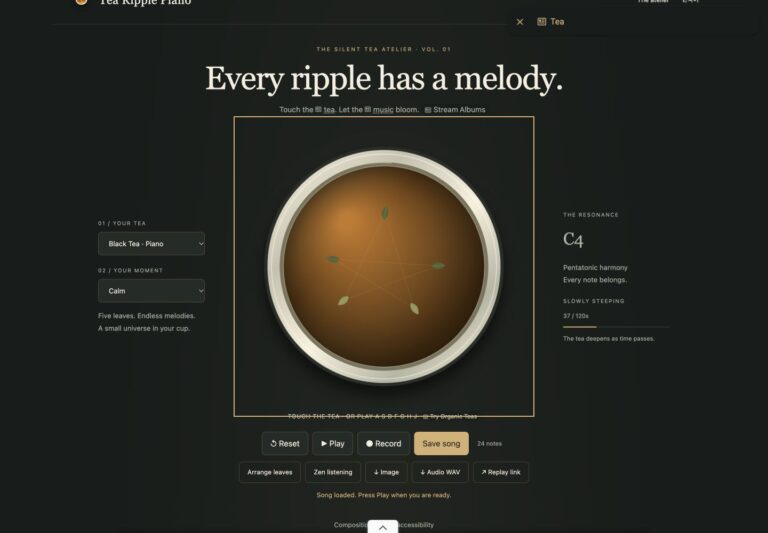
Tea Ripple Piano
Tea Ripple Piano: 7 Smart Recording and Replay Checks
Create short melodies by playing a virtual tea cup. This guide tests recording, local restoration, replay links and live layers, and explains which output preserves your next idea.