Compare bridge string spacing by centers or clear gaps in LUTHIER / LAB. Actual A/B, margin, overlap, restore and Korean mobile tests explain coordinates, SVG/CSV and the HTML-to-print workflow.
- Brand
- LUTHIER / LAB
- Tool languages
- en,ko
- Verified date
- 2026-11-19
LUTHIER / LAB is a guitar bridge string spacing calculator for comparing equal centers, equal clear gaps and custom center intervals. Enter measured dimensions and string diameters, inspect the coordinates from a common bridge-edge origin, and export a layout for further checking. The central question is whether you want equal distances between centers or equal open spaces between strings of different thicknesses.
Verified 19 November 2026, KST. We compared spacing methods, captured an A reference, changed measurement reference and clearance settings, tested invalid custom intervals, saved and restored a project, and operated the Korean interface at 390×844. SVG, CSV and print-template HTML files were received and their contents inspected. Local template preview was unavailable in this browser, so no rendered PDF or physical print is claimed. No instrument was measured, altered or played during these digital tests.
On this page
String spacing takeaways
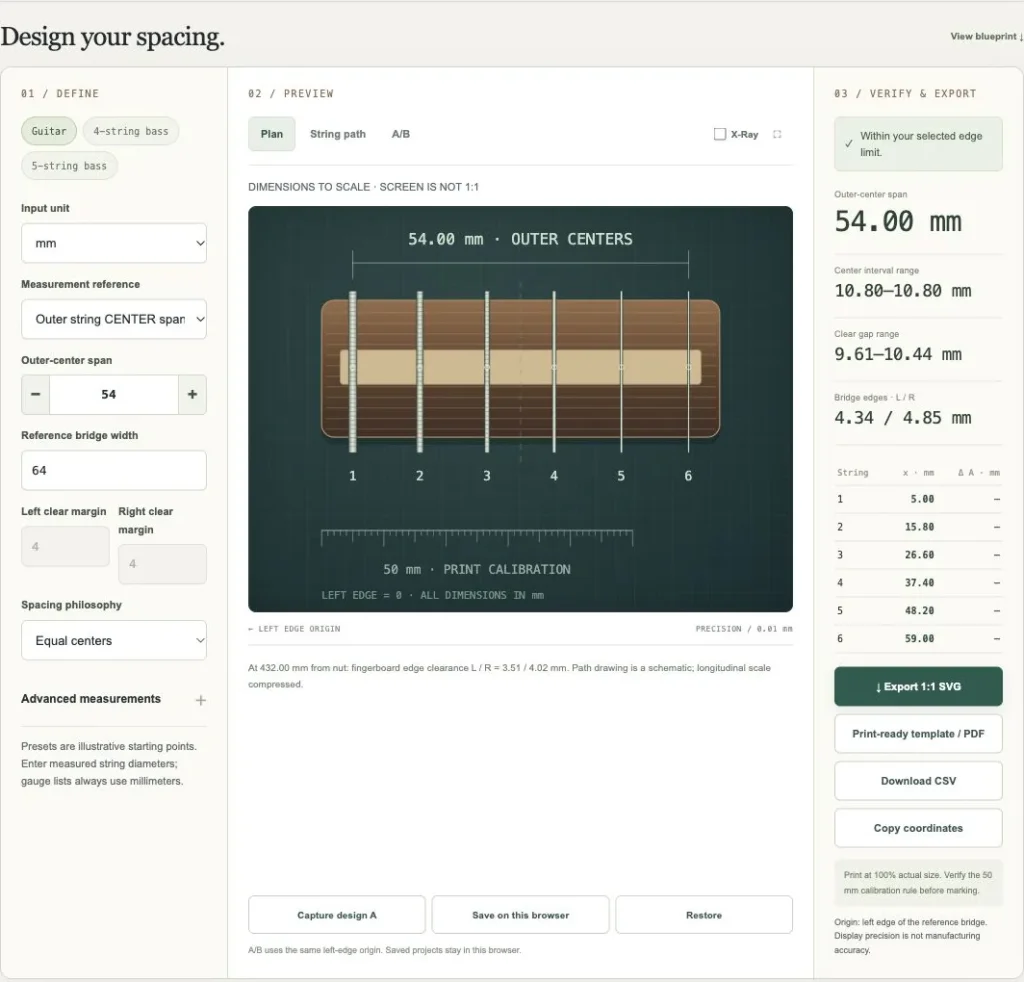
With six strings, 54 mm outer-center span and a 64 mm reference bridge, equal centers gave five 10.80 mm intervals. Clear gaps ranged from 9.61 to 10.44 mm because the diameters differed. Equal clear gaps instead displayed 10.06 mm gaps, with center intervals from 10.41 to 11.25 mm. Both layouts kept the outer centers at x 5.00 and x 59.00 mm.
A green clearance message only means the calculation met your selected limit under the model. We reduced a supplied fingerboard section from 56 to 50 mm and obtained a warning while bridge-edge clearances stayed 4.34/4.85 mm. The check therefore includes more than the bridge outline, but remains a simplified geometric check rather than a complete setup assessment.
What this string spacing calculator does
The official branding is LUTHIER / LAB — STRING SPACING STUDIO, also described as Luthier Lab. The inspected release calls itself Atelier edition 2.0, updated 17 November 2026. English and Korean workbenches are linked in the header. It supplies guitar, four-string bass and five-string bass presets, which the source labels illustrative starting points rather than recommended final specifications.
The two measurement references answer different questions. Outer string CENTER span places the two outer centers symmetrically inside a reference bridge width. Bridge width + edge margins derives those centers from clear margins to the outside of the outer strings. The main size input supports millimetres and inches; diameter lists and advanced measurements remain explicitly in millimetres. Check the label of each field instead of applying one unit assumption to the whole form.
Plan shows the bridge, String path shows a nut-to-bridge schematic, and A/B compares with a captured design using the same left-edge origin. Advanced measurements include individual gauges, custom intervals, a user-selected minimum edge clearance, nut span and width, scale length, check distance and fingerboard width at that check. Outputs include ranges, edge clearances, per-string x coordinates, SVG, CSV and an HTML print template.
Prepare a measured string spacing study
Write down the physical reference before entering numbers: the bridge-edge origin, the outer-center span and the string order as drawn from left to right. The default list runs 1.32, 1.07, 0.81, 0.61, 0.41 and 0.30 mm. These are example diameters, not a promise that string 1 in this drawing means the musical first string in your usual naming convention. Preserve the drawing order in your own notes.
Measure or obtain reliable diameters in the stated unit. A package value such as .010 inches would convert arithmetically to 0.254 mm using 25.4 mm per inch; entering 0.010 into a millimetre gauge field describes a very different string. This conversion example is an explanatory calculation, not a separate instrument test. Keep the original package unit beside the converted value so a later reviewer can trace it.
Record hardware constraints independently. Saddle travel, existing pin holes, bridge construction, nut alignment and the actual fingerboard can constrain a proposed layout. The source specifically notes that pin holes may govern string location on a pin bridge. A coordinate sheet does not mean every saddle should receive a groove or that a drawing can be transferred to any bridge without checking its construction.
7 essential string spacing checks
1. Define the reference for string spacing
Choose an outer-center span when that is the known measurement. Choose bridge width plus margins when the physical width and clear edge margins are known. Do not copy a span into the width field merely because both are transverse dimensions. In the default 64/54 mm example, outer centers are 5 mm from the reference edges, while outside-of-string clearance is smaller and asymmetric.
2. Enter gauges in the drawing order
Open Advanced measurements and inspect the comma-separated list or individual diameter controls. The tool numbers strings left to right. Match each diameter to that order and retain the units. A reversed gauge list can change the side-specific clearance and internal gap distribution even when the outside-center span is unchanged. A plausible-looking bridge drawing is not a substitute for checking the list.
3. Compare equal centers and equal clear gaps
Capture design A before changing the spacing method, then use A/B and the delta column. We kept the same outer centers and changed only the method. Interior shifts reached a displayed 0.65 mm. This is a controlled comparison of two geometry rules; it does not establish which layout feels better, sounds better or suits a player. Those questions need an appropriate real-instrument assessment.
4. Check custom string spacing intervals
Custom mode expects N−1 center intervals whose total matches the selected span within the source’s 0.005 mm tolerance. For six strings, provide five intervals. A correct sum is only one condition: a tiny first interval can still make adjacent strings overlap. Use the error message to identify whether the issue is the total or the physical separation implied by the entered diameters.
5. Inspect bridge and fingerboard clearances
Set the minimum edge clearance as your study’s chosen threshold. Read the bridge edges and the separate path note at the supplied distance from the nut. If either suggests review, find which input produces it before changing the threshold. Lowering a limit until a warning disappears changes the acceptance rule; it does not move the string away from a physical edge.
6. Save the string spacing state you mean to keep
Use Save on this browser for a retrievable project and Capture design A for an immediate comparison. They serve different roles. After saving a width-based equal-gap layout, we switched to bass and restored the six-string layout. Reload returned the initial default; Restore brought back the saved layout, but its A-comparison deltas were cleared. Record comparison values separately if they matter.
7. Inspect exported coordinates before marking
Choose the intended final state, then download and identify each file. SVG and CSV were received for a width-based equal-gap layout; the later HTML template came from the default 54 mm equal-center layout. Files from those states should differ. Check the coordinate origin, dimensions and 50 mm calibration bar, then verify any physical print before using it for marking. We did not perform that physical step.
Actual string spacing test results
| Test input or action | Observed result |
|---|---|
| Default guitar: S 54 mm, W 64 mm, equal centers | x 5.00, 15.80, 26.60, 37.40, 48.20, 59.00 mm; centers 10.80; gaps 9.61–10.44; bridge edges 4.34/4.85. |
| Capture A; change only to equal clear gaps | Gaps 10.06; intervals 10.41–11.25; x 5.00, 16.25, 27.25, 38.02, 48.59, 59.00; deltas 0, .45, .65, .62, .39, 0 mm. |
| Width reference: W 64, clear margins 4/4, equal gaps | Span 55.19; gaps 10.30; bridge edges 4/4; x 4.66, 16.15, 27.39, 38.39, 49.20, 59.85 mm. |
| Minimum clearance increased to 4.91 mm in width mode | Review warning. SVG and CSV remained available and were downloaded. |
| Five 10 mm custom intervals with mismatched chosen span | Error requests N−1 intervals totaling the chosen span; export disabled. |
| S 54 custom intervals 0.1, 10, 10, 10, 23.9 mm | Sum 54 but strings overlap; export blocked. |
| Default S 54 equal centers; section width 56→50 at 432 mm on 648 mm scale | Path clearance 3.51/4.02→0.51/1.02 mm; bridge metrics unchanged; review warning. |
| Save width-based layout; change to 4-string bass; Restore | Six-string width-based layout returned. After reload, Restore again recovered it; A deltas showed dashes. |
| Korean 390 px: +0.1 mm span, then equal clear gaps | Span 54.10; gaps 10.08; centers 10.43–11.27; edges 4.29/4.80; document width 390 px. |
These are browser results from the specified input states. The four-string preset test retained the active width-reference context and showed 58.09 mm span, 19.36 mm center intervals and 4/4 mm clear margins. It should not be quoted as a universal default bass specification. The point of that action was testing restore after a different instrument state, not recommending a bass setup.
Why equal string spacing has two meanings
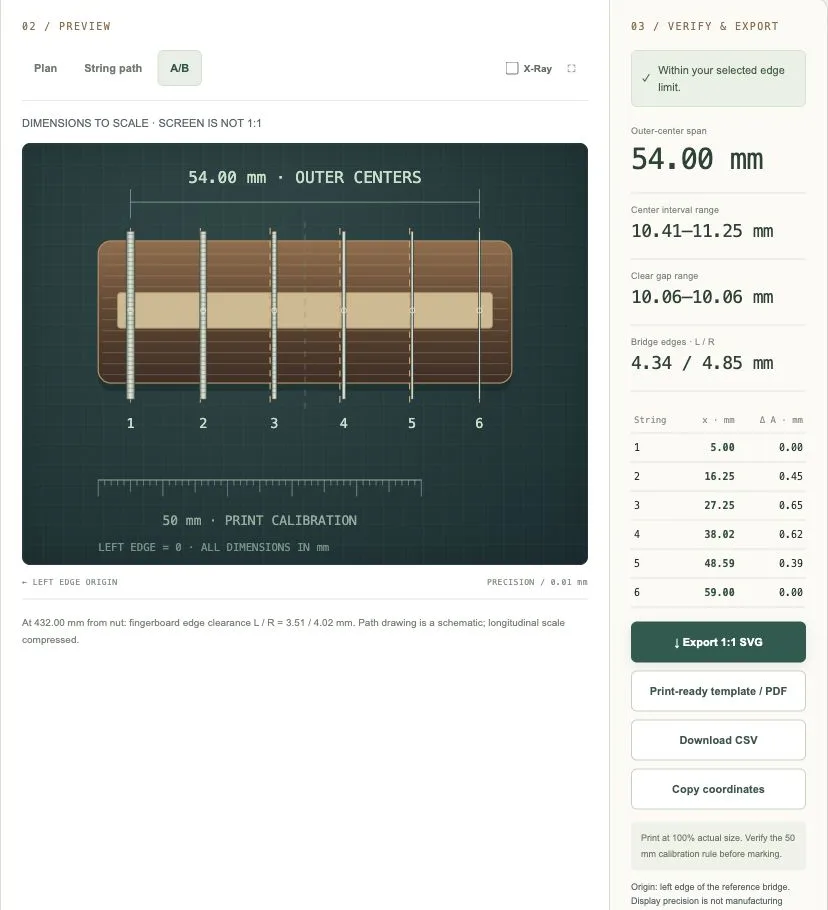
At equal centers, the open space between adjacent strings is the center interval minus half of each neighbouring diameter. The first default gap is 10.8−(1.32+1.07)/2 = 9.605 mm, displayed as 9.61. The last is 10.8−(0.41+0.30)/2 =10.445 mm; the displayed range ended at 10.44. The output reflects finite arithmetic and formatting; it should not be used to infer an exact machining tolerance from the final digit.
For equal clear gaps at a fixed span, subtract half of each outer diameter and all interior diameters from the span, then divide by five. Here the diameter contribution is 0.66+1.07+0.81+0.61+0.41+0.15 =3.71 mm. The remaining 50.29/5 =10.058 mm explains the 10.06 gap display. The first interval becomes 11.253 mm and the last 10.413 mm, consistent with the reported interval range.
This arithmetic explains a useful design distinction. Equal centers fixes the ruler marks; equal gaps compensates for unequal string thickness in the open spaces. Neither rule incorporates a player’s preference, right-hand technique or the instrument’s tonal response. Use the A/B view to communicate exactly what changed, then keep the geometry comparison separate from any untested claim about playability.
String spacing origins and edge margins
In span mode, (64−54)/2 places the first center at 5 mm and the last at 59 mm. Subtracting the outer radii gives left 4.34 and right 4.85 mm clearances. Symmetric centers therefore do not imply symmetric outside-of-string margins when outer strings have different diameters. This is a common source of apparently inconsistent edge numbers.
In width mode with 4 mm outside margins, the first center is 4+1.32/2 =4.66 mm and the last is 64−4−0.30/2 =59.85 mm. Their span is 55.19 mm. All six diameters total 4.52 mm, so equal clear gap is(64−4−4−4.52)/5 =10.296 mm. The CSV kept 10.296000 while the screen displayed 10.30. Extra decimal places describe data precision, not verified measurement accuracy.
Choose one origin and keep it on the drawing and physical reference. The exported x values start from the left edge of the reference bridge, not from the first string. If you mark the first coordinate from a string center instead, the entire layout is shifted. A/B intentionally uses that same origin so its delta column can compare coordinates rather than two independently recentered pictures.
Read the string-path clearance check
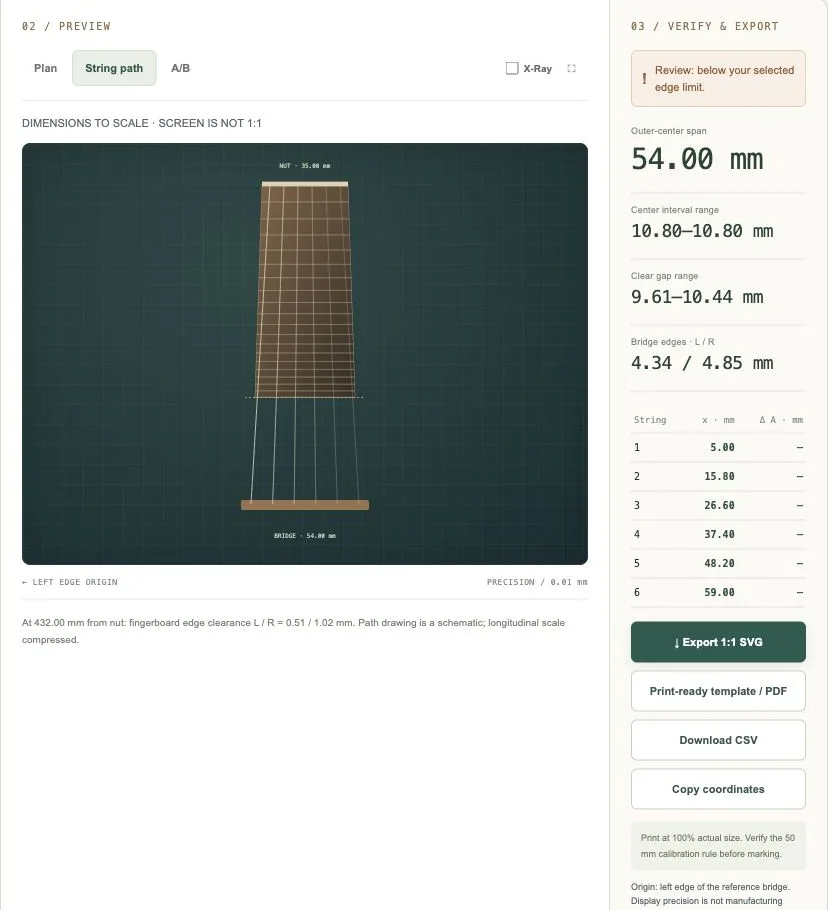
The source describes straight, centered string-center interpolation between nut and bridge, checking one supplied fingerboard section. In the default 432/648 position, the fraction along the scale is two thirds. A nut span 35 and bridge span 54 interpolate to about 47.667 mm. Reducing the board section by 6 mm reduces the side room by 3 mm on each side, matching the observed 3.51/4.02→0.51/1.02 change.
The path view does not model action, neck relief, compensation, neck offset or full three-dimensional geometry. It does not test every point along a real fingerboard. Entering one width and reading a green result cannot establish that an existing instrument has safe or comfortable string placement everywhere. Record which section was checked, the supplied dimensions and the selected limit with any screenshot you share.
We also distinguished a review threshold from invalid geometry. A positive 4 mm bridge clearance below a user-selected 4.91 mm limit produced a warning yet allowed export. Overlapping custom strings blocked it. Export availability therefore means the tool accepted its export conditions, not that a warning has been resolved or that the physical layout is approved.
String spacing SVG, CSV and print templates
The received equal-gap SVG declared width 84 mm, height 65 mm and viewBox dimensions 84×65. Its content contained a 64 mm reference bridge and a calibration ruler from 0 to 50. We inspected the file’s dimension attributes and geometry; local browser preview was unavailable, so this is not a claim that we visually rendered or physically measured the downloaded file.
The accompanying CSV contained string number, x_from_left_edge_mm, diameter_mm and clear_gap_to_next_mm. The last gap was blank because there is no next string. It stored x 4.660000, 16.151000, 27.387000, 38.393000, 49.199000, 59.850000 mm and five 10.296000 gaps. Copy coordinates produced the displayed two-decimal table with A deltas as dashes, a useful presentation copy with less precision than that CSV.
Print-ready template / PDF downloaded an HTML file, not a PDF. The received HTML used A 4 landscape with 15 mm page margins, an embedded millimetre-sized bridge SVG, a coordinate table and a Print / Save PDF button. That later test used default equal-center coordinates 5.00 through 59.00 mm. The source instructs users to open the downloaded template, print at 100% actual size and disable fit-to-page. PDF creation and physical output were not verified here.
Keep state and file type in the filename or notes. Re-export after the final change instead of mixing an old coordinate table with a newer diagram. Before marking from any print, measure the 50 mm calibration rule on the physical sheet. Software dimensions alone cannot verify the browser’s print scaling, printer output, paper behaviour or how accurately a mark is transferred to the part.
Save and restore a string spacing project
Save on this browser is optional local storage according to the FAQ. We saved a six-string width-based equal-gap design, changed to four-string bass and used Restore successfully. After reload, the initial 54 mm equal-center screen appeared; Restore again recovered the saved 55.19 mm equal-gap state. Persistence therefore required the explicit restore action in our test.
The restored comparison column contained dashes. Do not treat Capture design A as a permanent version archive or assume its comparison survives reload. Keep both designs’ settings externally if a decision depends on their exact differences. Cross-language project transfer was not tested, and a fresh Korean page should not be presumed to share the current English editor state.
Choose the right string spacing method
| Method | Useful question and boundary |
|---|---|
| Measured spacing rule and physical references | Compare real string edges and hardware directly; use the manufacturer’s instructions and an appropriate workshop procedure. |
| Spreadsheet | Keep a durable coordinate log and custom arithmetic; define the origin and review your own formulas. |
| LUTHIER / LAB | Compare planar center/gap rules, section clearances and coordinates quickly; validate against the real instrument. |
| Specialized instrument design | Use for compound geometry, paired courses or bowed-string crown requirements beyond this planar release. |
The studio is most useful before irreversible work, when you want to identify which definition or measurement changes the layout. It is not an automatic choice of an ideal spacing. Mandolin and 12-string courses require separate within-course and between-course dimensions; violin, viola and cello require crown and bow-clearance considerations. Those specialized modes are explicitly excluded by the source.
Limits, mobile operation and privacy
No physical instrument, print, groove, saddle adjustment or playing result was tested. The presets and the default 2.5 mm threshold are input examples, not universal recommendations. The screen’s 0.01 mm precision does not establish tool, material, measurement or marking tolerance. Verify the exact instrument and hardware before using a coordinate plan for real work.
At 390×844, the Korean span increment and equal-gap selector worked; the document stayed 390 px wide. Its result table and controls were readable in the stacked layout. The source drawing remains proportional on screen, and a phone screenshot is not a 1:1 template. Advertisements, an interstitial and promotional inline links appeared; they were not used as technical sources or clicked as advertising content.
The FAQ states that the optional save uses local browser storage and that no account or server upload is required for the calculator. We verified restore behaviour but did not audit network traffic, security or offline execution. Blogger and Google advertising services may use their own cookies. See the linked Google privacy policy; a local project does not imply that the entire hosted page makes no external requests.
Related tools for a separate tuning study
For a separate question about interval systems, the published TEMPERAMENT LAB guide compares tuning maps, cents and theoretical beat estimates. That can extend a musical learning session after a geometry study. It is an educational tuning model, not a bridge-fit or intonation-compensation test, and no layout data is transferred between the tools.
Browse Music, Sound & Creativity for other musical tasks. For this bridge layout, the most relevant next evidence remains the actual instrument’s dimensions and hardware documentation. A related sound demonstration cannot certify the mechanical suitability of a string spacing plan.
String spacing questions
Does equal string spacing mean equal centers?
It can refer to either equal center intervals or equal open gaps. Specify the rule. Different diameters make those layouts differ, as the actual A/B test demonstrates.
Why are the two edge clearances different?
In span mode the outer centers are symmetric in the reference width. Subtracting different outer-string radii gives unequal outside margins. Use width-plus-margins mode if those clear margins are the known constraints.
Can a correct custom interval sum still fail?
Yes. Our five intervals summed to 54 mm but the 0.1 mm first interval overlapped the first pair of strings. Count, total and non-overlap are separate conditions.
Does a review warning stop every export?
No. Falling below our selected positive edge limit still allowed SVG and CSV. Overlapping geometry blocked export. Read the reason rather than interpreting a download button as approval.
Does the PDF button download a finished PDF?
In our test it downloaded an HTML print template with an embedded SVG, table and Print / Save PDF button. Actual PDF output and physical calibration were not verified.
Does this determine the best setup for my guitar?
No. It compares geometry using supplied dimensions. It does not measure the instrument, player preference, action, relief, neck offset or tonal outcome. Specialized courses and bowed-string requirements are outside the release.
Begin with a reversible layout study
Start by recording one measured reference, the left-to-right gauge list and the intended origin. Capture the equal-center layout and compare equal gaps without changing other inputs. Keep the differences and warnings in your notes, then verify the chosen exported file before any physical use. A useful string spacing plan is one whose inputs, rule and remaining limits can be checked.
Research record: English and Korean interfaces, downloads and screenshots checked 19 November 2026, KST. The seven checks, arithmetic cross-checks, comparison table and file/state distinctions are editorial additions. Browser calculations, inspected file contents and unverified physical outcomes are reported separately.
A RELEVANT NEXT STEP
Tools with a useful connection
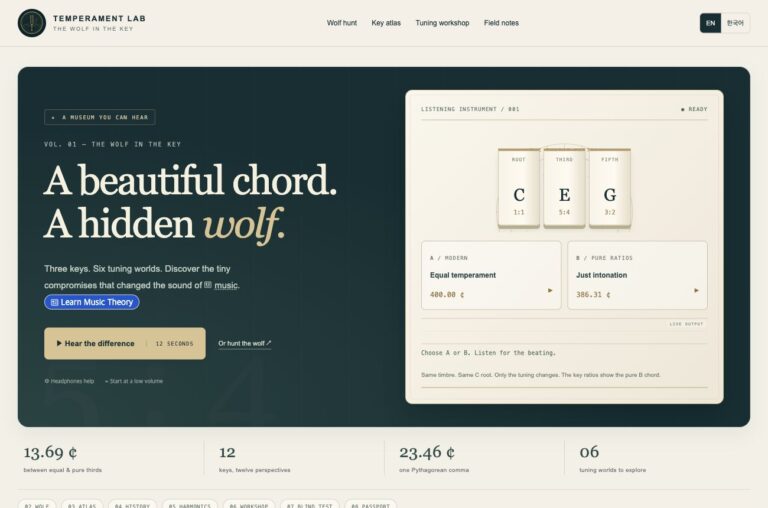
TEMPERAMENT LAB
Tuning: 7 Smart TEMPERAMENT LAB Checks for Better Comparisons
Compare six tuning systems, inspect interval maps and beat estimates, and build a clearly labeled experimental comma budget in TEMPERAMENT LAB.
Poetry Breath Map — The Breath Atlas
Poetry Reading: 7 Essential Checks for Better Pause Plans
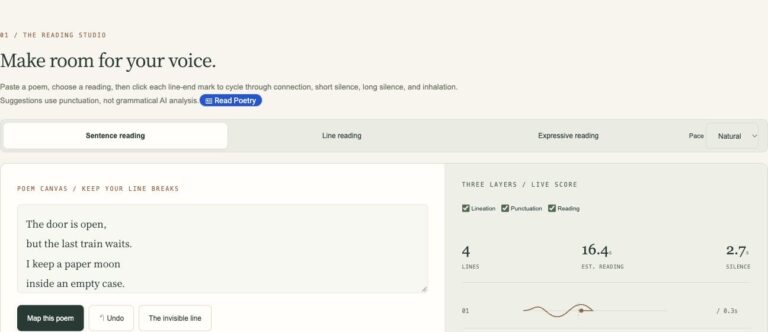
Plan poetry reading pauses in Poetry Breath Map. Original poem and synthetic audio tests explain sentence versus line readings, silence filters, alignment, local recovery and limits.
PEDAL GHOST
Pedal Ghost: 7 Smart Checks for Better Piano Sustain
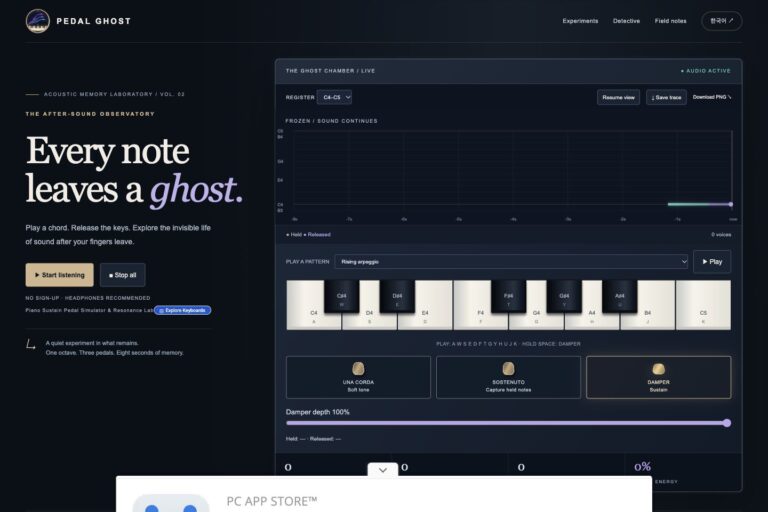
Explore piano pedal release with modeled traces, sostenuto capture and event postcards. Checked controls and shared replay explain the graph, register, quiz and audio/export limits.