PEDAL GHOST is a piano pedal simulator for exploring what happens after a key is released. Its synthesized instrument combines damper depth, selective sostenuto capture, soft-tone controls, modeled note traces and short event recordings. Use it to form a clear listening question before applying the idea to a physical piano.
Verified 12 November 2026. We operated the English and Korean interfaces, checked note/pedal states and restored a short synthetic keyboard performance through a fresh shared-link tab. We did not capture or evaluate speaker output, subjective sound quality or a real piano. This library and the source tool share a creator; this is an editorial guide, not a third-party endorsement.
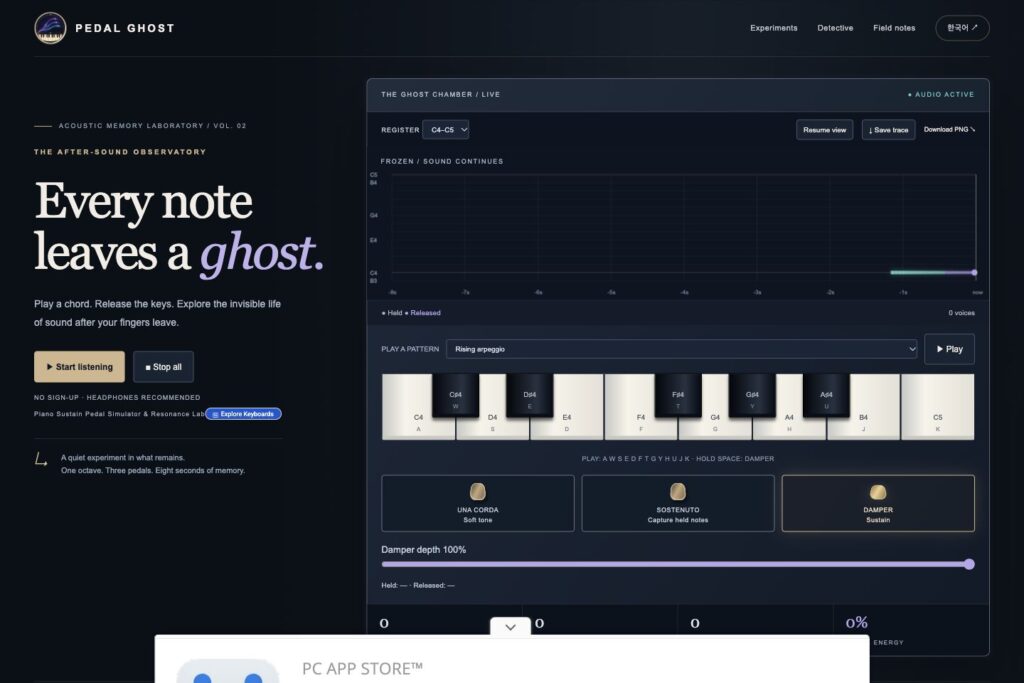
Explore piano pedal release with modeled traces, sostenuto capture and event postcards. Checked controls and shared replay explain the graph, register, quiz and audio/export limits.
- Brand
- PEDAL GHOST
- Tool languages
- en, ko
- Verified date
- 2026-11-12
In this guide
Key takeaways
Separate the pedals before comparing them. Damper affects released notes broadly; sostenuto captures voices held when it is engaged; the soft-tone approximation changes attack character and level. For selective capture, set damper depth to zero first. Otherwise a second source of sustain can obscure the question you are trying to investigate.
The graph is a model, not a microphone recording. Freeze view left a one-voice snapshot visible even after the live held/ghost counters had returned to zero. A frozen picture and a current activity counter can legitimately disagree. Resume the view before treating it as the present state, and use Stop all when you intend to stop the experiment.
A copied postcard is performance-event data, not an audio or MIDI file. Our fresh tab loaded the link and reached Replay complete. Changing the viewing octave to C5–C6 did not make replay switch it back. Keep the intended register in your accompanying note, and do not treat a score or a restored link as proof of musicianship or audio fidelity.
What PEDAL GHOST helps you understand
Pedal use is difficult to explain when the only observation is that a passage sounds blurry. Was the old harmony still sustained, was the next key released differently, or was the apparent tail caused by a room effect? PEDAL GHOST presents these as separate controls and visible model states, making a small comparison easier to describe.
The playable range is one octave at a time, with C3–C4, C4–C5 and C5–C6 choices. Computer keys A W S E D F T G Y H U J K map to the displayed notes; the interface also offers pointer/touch keys and prepared patterns. C major, a rising arpeggio and a seven-note phrase are listed. We activated the chord and arpeggio paths, not every possible performance.
This is useful for a beginner trying to distinguish releasing a key from clearing a pedal, or a teacher preparing a short cause-and-effect example. The goal is to keep the notes and touch consistent while changing one control. It is not an 88-key sampled piano, a MIDI controller test or an assessment of a student’s physical pedal technique.
The collision experiment uses C major followed by B major, giving the previous harmony a specific relationship to the next. The detective asks which version clears shortly after the second chord begins. These controlled examples make a timing question concrete, but they cannot tell you the ideal treatment for every tempo, instrument, room or musical phrase.
Prepare a controlled pedal comparison
Start listening is the intended entry point. We observed the interface change to AUDIO ACTIVE. That is evidence of an activated interface state, not a measurement at the headphones. If a reader gets silence, use the start control, check the page/device volume and try a note again before concluding that a pedal setting is at fault.
Browser audio may require a user interaction; the MDN autoplay guide explains that browser policies can block programmatic audio starts. Policies vary, so an event link need not begin audibly on arrival. A loaded experiment and a user-initiated replay are separate steps. Do not change unrelated browser security settings just to run this exercise.
Begin with the default touch strength of 72 and keep it fixed during a depth comparison. Room tail and harmonic resonance are separately selectable model layers. Decide whether to include them before comparing results, and record that choice. We did not validate either layer against recorded strings, an impulse measurement or a real room.
Keyboard focus matters. In our test, an A keypress while a range input retained focus did not create the expected note. After focus moved to an ordinary button, the same mapped key produced a released C4 voice. Finish adjusting the input before playing; avoid typing into a text field while expecting the instrument to interpret your letters.
Three pedals, three different questions
| Control | Question to investigate | Important boundary |
|---|---|---|
| Damper depth | What happens to a released note at different modeled damping depths? | 50% is not a physical pedal-travel calibration |
| Sostenuto | Which voices were held when capture engaged? | Turn damper off to isolate selective memory |
| Una corda / soft | How does the model soften level and upper partials? | No hammer movement or acoustic tone fidelity was measured |
| Room/resonance options | Which additional model layer contributes to the tail? | A room tail and instrument sustain are different mechanisms |
The Yamaha grand/upright reference distinguishes a grand’s shifting soft pedal and selective sostenuto from the common upright soft/practice-pedal arrangement. The lesson is practical: a middle pedal on an upright need not perform the same job as the middle control here. Check the actual instrument before translating this experiment into a physical instruction.
The source describes additive piano-like synthesis and controllable damping. Its soft option reduces upper partials and level as an approximation; the resonance option is a quiet harmonic layer and the room option uses a synthetic impulse response. These are publisher descriptions. Our direct checks concerned visible states and events, not analysis of the resulting waveform or the realism of a concert grand.
7 checks from first note to a saved experiment
1. Activate and establish a dry baseline
Press Start listening, choose a register and bring damper depth to 0. Leave sostenuto off for the first comparison. Play one note or the C major pattern. Use the same pattern and touch for the next candidate. This gives the pedal change a stable reference rather than mixing a new phrase with a new setting.
2. Compare the prepared depth choices
Use Dry, Half and Full as the tool’s controlled starting points, then explore depth gradually. In Korean mobile testing, the Half comparison selected 50% on the depth control. This verifies the preset state, not a measured halfway point on a physical piano. Readers should compare the actual sounds themselves; our review did not evaluate their audible difference.
3. Isolate selective sostenuto capture
At depth 0, start the C major pattern and engage Sostenuto while its keys are still held. After release, our display showed C4, E4 and G4 as captured released voices, with 0 keys held,3 ghost voices and 3 sostenuto captures. That confirms a selective-capture state. It does not quantify decay time, acoustic energy or the ability to hear each partial.
4. Ask a timing question in the collision lab
Compare keeping the pedal down with changing it around chord 2. The clearance control ranges from −300 to +500 ms in 10 ms steps. We changed the Korean control from −300 to −290 ms and activated Change pedal. Negative values are before the new chord; positive values are after. The source says the pedal returns 100 ms after clearing, so clearance and re-press timing are not the same number.
5. Freeze only when you want a snapshot
Play a short example, then Freeze view to inspect the modeled envelopes. The interface labels this FROZEN / SOUND CONTINUES. In a later observation, the frozen graph retained 1 voice while live counters showed 0. Read the graph as past evidence, not current polyphony. Resume before repeating the comparison, and distinguish saving a trace from recording an event sequence.
6. Record and restore a small event example
Press Record, play a short sequence and finish. Our synthetic test used the mapped A and D keys, with a soft-tone change between them. Copy link produced an address carrying the performance. A fresh tab reported that the shared experiment loaded and then reached Replay complete after activation. We verified that flow, not audio-file export or note-for-note sound reproduction.
7. Use feedback without making it a performance grade
The detective rejected a choice before all alternatives were started. After starting A/B/C, choosing A in our one UI trial produced 1/1 with +80 ms as the target. We did not choose by listening, so this is a gate/feedback test, not an aural achievement. For learning, hear each version fully, make a prediction and compare the revealed timing with your reason.
Our actual interface tests
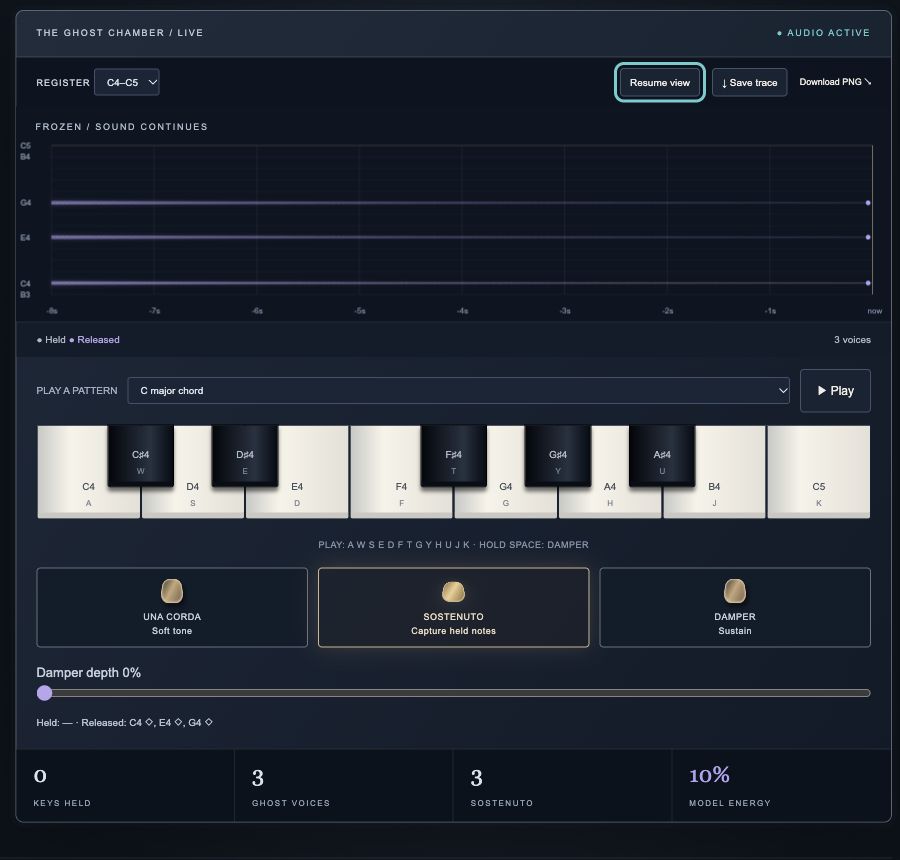
The direct tests demonstrate a useful chain: activate the interface, create note events, release keys, engage a pedal state, inspect the counters, record events and load them elsewhere. This is stronger evidence than inferring the tool’s behavior from its domain name, while remaining narrower than a listening review or a laboratory measurement of piano mechanics.
| Trial | Observed result | What it does not establish |
|---|---|---|
| Damper 0 + held chord + Sostenuto | Released C4/E4/G4;0 held,3 ghost,3 captured | Exact audible decay or mechanical calibration |
| Frozen single-note graph | Graph retained 1 voice;live counters later 0 | Current acoustic activity from the frozen picture |
| Record A/D with soft change | Link generated;fresh tab loaded;replay completed | WAV/MIDI output or waveform identity |
| Replay with C5–C6 displayed | Viewing register remained C5–C6 | Automatic keyboard-register matching |
| Korean 390 px preset/register | Document 390 px;Half 50%;C3 key labels appeared | Physical-phone audio or multi-touch behavior |
We also activated the trace export. It produced a visible Download PNG blob link, but the connected browser could not deliver that blob as an inspectable file. The PNG’s actual dimensions, labels and pixels remain unverified. This is a limitation of our verification path; it is not proof that downloads fail for all visitors.
A useful practice log should distinguish settings from observations. “Depth 0, captured chord,3 released voices displayed” is a state record. “The harmony sounded cleaner” would require an actual listening judgment. Keep that difference in your own notes so that a visible number does not become an unsupported claim about the sound.
Read frozen traces and live counters separately
The trace covers an eight-second history of modeled note envelopes. It is not a microphone spectrum, spectrogram or recording of room reflections. The source’s Model energy is an envelope-based activity index rather than acoustic power. A percentage on that display has no established conversion to decibels, string energy or perceived loudness.
The frozen/live discrepancy is especially easy to misread. We froze a released-note view with a1-voice label; later the live held and ghost counters had reached 0. The old picture remained. Use Resume view before evaluating the next run. A saved or frozen pedal trace explains a chosen moment; it cannot by itself certify what was audible after that moment.
For a cleaner comparison, choose a short phrase that fits the history window and note when you froze it. Keep register, touch, model options and volume consistent. A new snapshot taken at a different point in the decay may look different even when the pedal setting is unchanged. We did not time-normalize or numerically fit decay curves in this review.
Investigate harmony clearance without chasing one number
Use the two-chord experiment to ask whether the old harmony clears before, at or after the next one begins. The sign of the clearance setting supplies that relationship. It does not prescribe one universally correct delay. A note about tempo, phrase intention and the chosen example is more useful than copying+80 ms into every musical context.
The default was+80 ms; the negative test was−290 ms. Those are interface settings, not measured audio latency or proof that a browser scheduler executed every event at the exact requested time. Device buffering, listening output and physical-foot timing were not measured. Compare the intended timing relationship before making claims about precision.
Try a three-column exercise: intended clearing point, what you actually heard, and what the tool revealed. If there is a disagreement, repeat with the same notes before adding room or resonance layers. The purpose is to connect a reason with an observation. A different aesthetic preference is not automatically an error in pedal use.
What a performance link really preserves
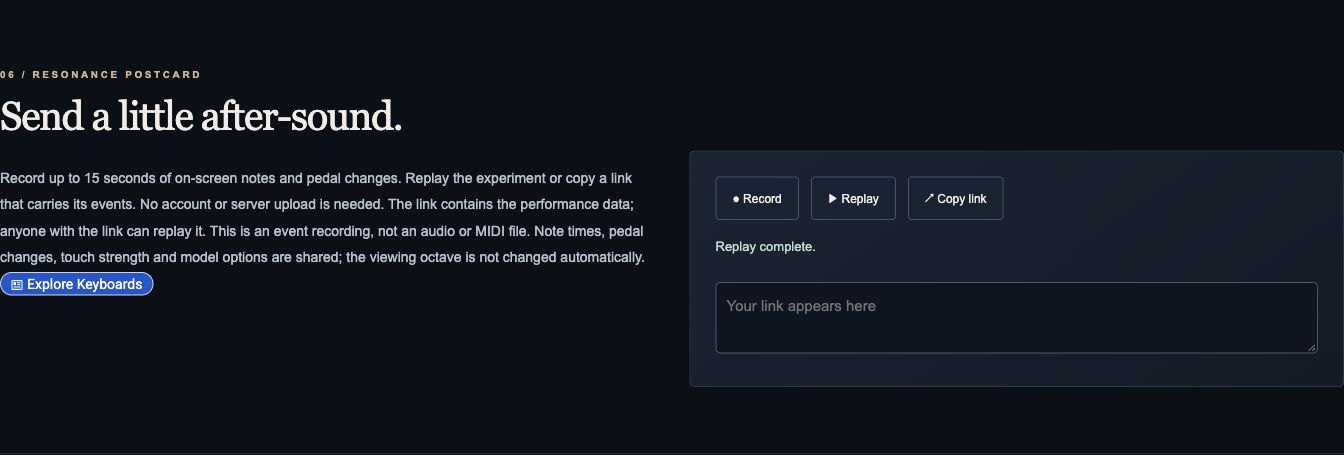
The postcard records on-screen note and pedal events for up to 15 seconds according to the source. It includes note timing, pedal changes, touch strength and model options; it is explicitly not an audio or MIDI file. Our copied link loaded in a new tab, and replay reached completion. The 15-second boundary and unusual or very long links were not stress-tested.
The viewing octave deserves a separate check. We selected C5–C6 in the receiving tab before replaying our C4-register example. The selector remained C5–C6. A recipient can therefore see a keyboard range that does not correspond to the performed notes. Tell them the intended register or set the viewing range themselves; a loaded link is not a complete visual setup guarantee.
Anyone with the link can load the performance, as our fresh-tab trial demonstrated. Treat copying it as a deliberate choice to expose that event sequence, even though it is not a microphone recording. No message was sent to another person during testing. We used a synthetic two-note example and did not record private lessons or uploaded media.
For a useful handoff, include the question, register, note sequence, damper depth, capture timing and whether room/resonance layers are intended. The event link supplies a replayable model example; the accompanying sentence explains why someone should compare it. Keep a copy of that explanation because a bare URL does not communicate your musical intention.
Use the quiz as a controlled exercise
The detective’s gate counts that the three playback alternatives have been started. In our trial, starting A, B and C in sequence enabled an answer; the interface then revealed A:+80 ms, B:−250 ms and C:no change, with A correct. We did not evaluate sound or complete a careful listening comparison, so the displayed 1/1 is solely evidence of UI feedback.
This matters because a correct response can occur by chance or without the intended listening process. A higher score in these controlled examples is not a general musicianship grade. Use the revealed timing to test a prediction: which old harmony should remain when the next chord starts, and what did you hear? The reasoning matters more than the score alone.
Audio, export, privacy and mobile limitations
The instrument is synthesized, with simplified damping and optional approximations. It is not sampled acoustic piano audio or a measured string/room model. We did not assess timbral realism, headphone quality, physical-pedal response, audio latency, spectral accuracy or educational outcomes. Interface operation should not be presented as proof of those separate results.
The source says no microphone, camera or MIDI permission is requested and events stay in memory unless a share link is copied. No such device permission was requested in our interaction. We did not audit network traffic. Blogger and Google services may process cookies and technical visit data separately, so local synthesis is not a guarantee of anonymous browsing.
The English and Korean interfaces have separate URLs. We directly checked the Korean page at 390×844, selected Half 50%, changed register to C3–C4 and adjusted negative clearance. Document width was 390 px. This was responsive browser emulation, not a physical handset, external MIDI, multi-touch or Bluetooth-audio test. Controls require vertical scrolling on narrow screens.
Advertisements, injected shopping links and a full-page overlay appeared during investigation. Distinguish the actual recording/trace controls from advertising calls to download or shop. Stop all was used after experiments. We did not alter the site’s advertising settings, install software or infer a new feature from an advertising label.
Related tools for a useful next step
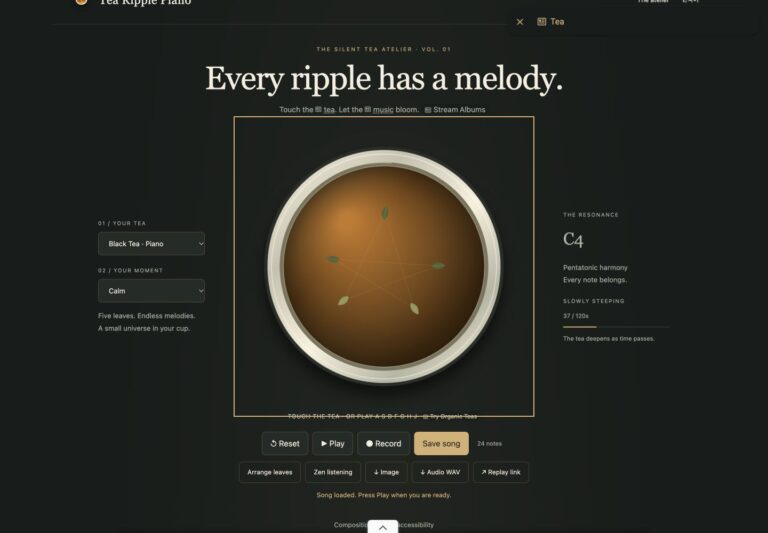
Tea Ripple Piano offers another short musical-sketch workflow with recording and replay links. Use it when the next question is how to preserve a small melodic idea. Its live layers and saved take have their own boundaries; no project or audio transfer between the two tools was verified.
Bubble Wrap Orchestra is useful for arranging an eight-beat pattern before considering note-release or articulation questions separately. A step pattern is a different representation from this instrument’s timed pedal events. Recreate a simple timing idea deliberately rather than assuming its link imports here.
SoundFit includes a tone lab and background-noise mixer for a separate sound exploration. Keep other sound sources stopped during a subtle release comparison; a noise bed would change the listening condition. It is not a pedal calibration tool, and we verified no automatic connection between the services.
Frequently asked questions
Does 50% mean halfway down my physical pedal?
No. It is a modeled damping parameter. Actual travel, damper contact and register response differ between instruments. Use the control to compare a relationship, then test the actual piano separately.
Why did the keyboard letters not make a note?
Check focus. Our mapped A input was ineffective while a range input retained focus, then produced a released C4 after focus moved away. Finish editing controls before trying the instrument keyboard. Also activate Start listening and check volume.
Why does a frozen trace disagree with the voice counters?
A frozen view is past evidence while counters can describe the current state. We observed 1 in the frozen graph and 0 live voices later. Resume the view for a current comparison; use Stop all for stopping.
Is the postcard a recording of my microphone?
It is an event record of this instrument’s notes and pedal changes, not a microphone, WAV or MIDI recording. The link itself carries replayable data and should be shared deliberately.
Did the review verify audible realism or the PNG file?
No. We checked interface states, events and shared replay completion. Audible output and downloaded PNG content were not independently inspected. These limits are part of the test record rather than inferred successes.
Begin with one released note
Begin with one released note, one pedal question and stable settings. Read the model state, listen for yourself and keep the observation distinct from a score or a frozen picture. When you share an experiment, include the register and purpose so another reader can recreate the same question before taking it to a real piano.
Verified 12 November 2026. Direct UI observations, publisher model descriptions, external mechanism references and unverified audio/export claims are distinguished throughout.
A RELEVANT NEXT STEP
Tools with a useful connection
Tea Ripple Piano
Tea Ripple Piano: 7 Smart Recording and Replay Checks
Create short melodies by playing a virtual tea cup. This guide tests recording, local restoration, replay links and live layers, and explains which output preserves your next idea.
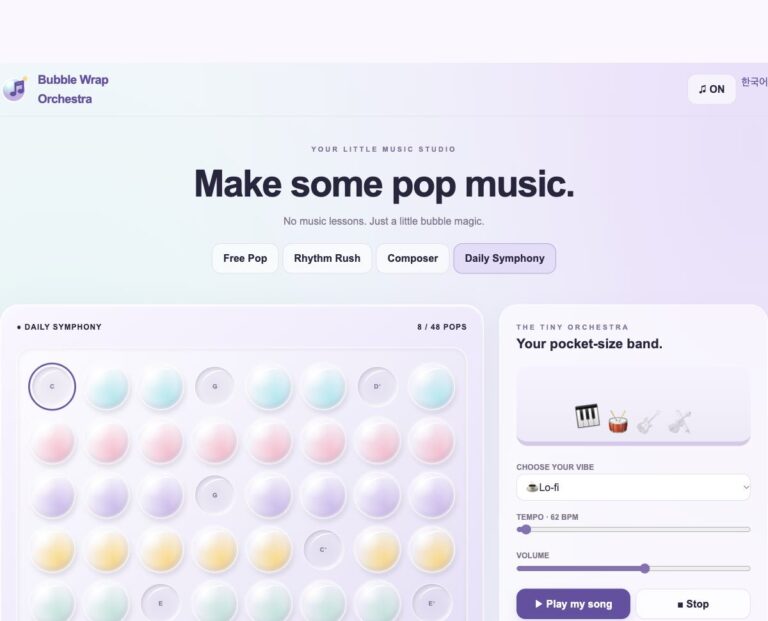
Bubble Wrap Orchestra
Bubble Music Maker: 7 Essential Pattern Checks
Create eight-beat bubble patterns in Bubble Wrap Orchestra. Tested Composer toggles, Lo-fi62 BPM link restoration,100-point Rhythm Rush and daily edits, with clear audio and export limits.
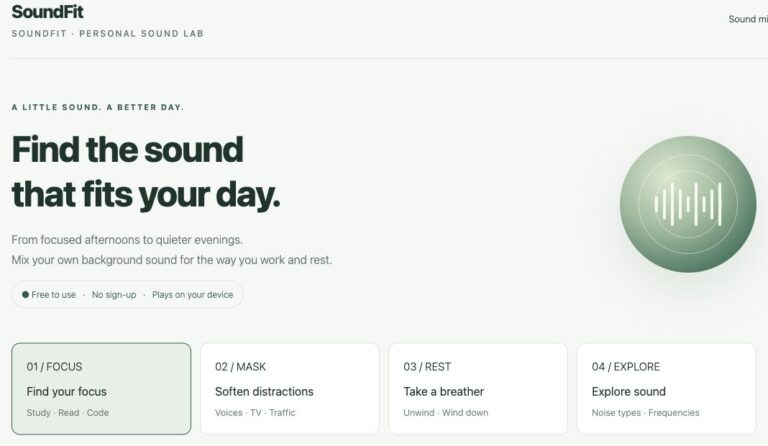
SoundFit / 소리핏
SoundFit: 7 Essential Noise Mixer Tips for Better Sessions
SoundFit mixes brown, pink and white noise with focus timers and a tone lab. Read our playback, saved-setting and mobile tests before building a background sound routine.