A shelf planner is most useful when it explains why a box does not fit. SHELF ZERO combines a daily packing puzzle with a personal board-game storage layout. Arrange a single front layer, check depth and support, and compare candidate layouts before moving a real collection.
Verified 13 November 2026. We tested the dated puzzle, manual coordinates, keyboard movement, fragile supports, depth rejection, clearance, a suggested layout, reload persistence and Korean mobile behavior in Chrome. All dimensions below are fictional test inputs; no furniture or game boxes were physically measured.
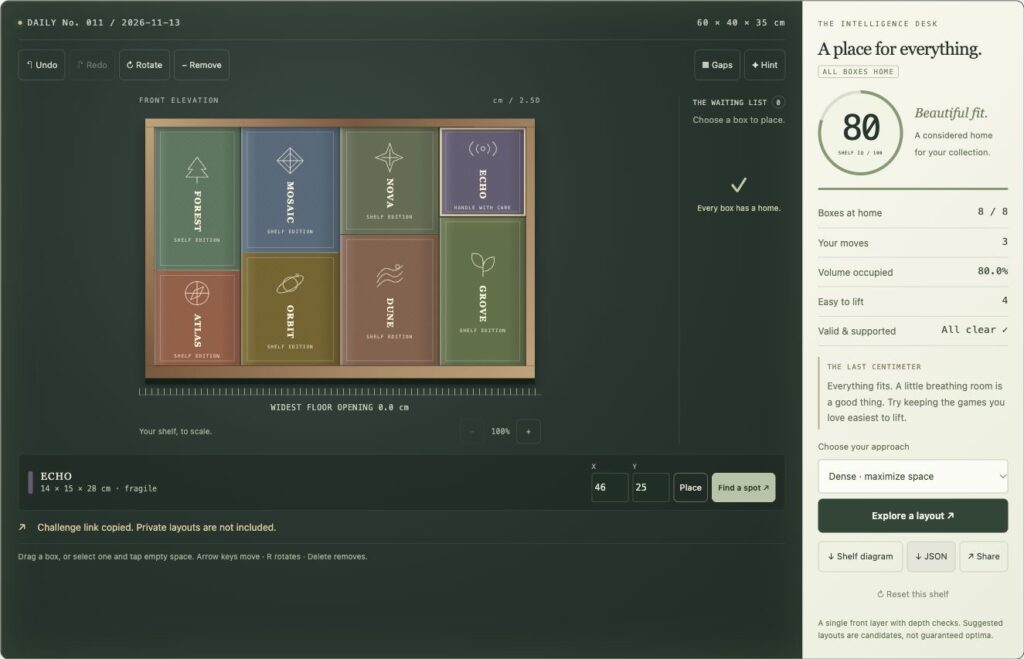
Plan a single front layer of board game boxes with depth and support checks. Actual SHELF ZERO tests explain daily hints, clearance, volume, local saves and share-link limits.
- Brand
- SHELF ZERO
- Tool languages
- en, ko
- Verified date
- 2026-11-13
In this guide
Key takeaways for shelf planning
Measure the usable interior of one shelf opening. Width, height and depth all matter, while rotation only exchanges the front width and height. A box that is too deep does not become shallower when rotated on this board.
Separate three questions: are all listed boxes placed, how much volume is occupied, and how does the layout score under the tool’s simplified criteria? Our completed daily puzzle showed 8/8 boxes, 80.0% volume and Shelf IQ 80. A full-looking front was compatible with unused depth.
The local layout survived our reload, but Share copied a challenge date and mode rather than a private collection. We attempted JSON export without verifying a retrieved file. Keep a separate measurement note, and confirm any export before treating it as a backup.
What SHELF ZERO models
The official name is SHELF ZERO — The Collector’s Atelier. It is a browser packing puzzle and storage-planning aid with English and Korean interfaces. The board shows a front elevation, while depth is checked separately. This is a 2.5D model, not a full three-dimensional furniture or structural simulator.
You can choose a daily challenge, enter your own shelf dimensions, add box dimensions and attributes, or inspect an extra-box challenge. Inputs include centimeters, box names, fragile status, rotation permission and a clearance allowance. Outputs include placement validity, open-floor width, box counts, occupied volume, accessibility counts and a composite score.
The supplied ATLAS, FOREST and other boxes are fictional examples, not a verified database of retail game editions. For an actual collection, enter measured dimensions for your own boxes. Edition changes, sleeves, inserts and lid lift can make a published nominal size an unreliable substitute for measuring the object you own.
Measure before planning a shelf
Start with the inside width, height and depth of a single opening, not the outside cabinet size. Record the narrowest usable dimensions and any obstruction you can see. A hinge, back panel, shelf pin or bowed panel can reduce the opening even when the furniture’s advertised dimensions look sufficient.
Measure each closed box in its intended storage condition. Note whether sleeves or inserts keep the lid from closing normally. Keep those observations beside the three numbers, then choose an allowance that reflects your measurement uncertainty and handling needs. The browser cannot determine an appropriate real-world clearance from a product name.
Also check how you intend to retrieve a game. An arrangement can satisfy the model while requiring several boxes to be moved before reaching a favorite title. The tool counts boxes without another box resting on top; that is a useful proxy, but it does not measure finger access, reach height or the effort of pulling a tight box from furniture.
Modes, inputs and controls
| Area | What is available | Interpretation |
|---|---|---|
| Daily puzzle | A dated arrangement with waiting boxes and target hints | A geometry exercise; daily change is described as midnight UTC |
| My real shelf | Interior W/H/D, clearance, custom box names and dimensions | A measured-input model, not an automatic scan |
| One more box | A separate extra-box challenge | We opened it at 7/8; we did not complete that challenge |
| Placement | Coordinates, select/tap, drag, arrow keys, rotate and remove | Our direct placement tests used coordinates and keyboard movement |
| Diagnostics | Gap overlay, floor opening, support/depth/collision checks | Free front area and usable floor gaps are different from volume |
| Suggestions | Dense, Smart and Safe approaches | Search candidates rather than guaranteed optimum arrangements |
The daily puzzle began at 5/8 boxes on our date. My real shelf initially presented the same example inventory with no boxes placed. We then added one deliberately over-deep test box. Keep those two test states separate: a personal 8/9 result below was not the daily puzzle failing to finish.
7 checks for a useful shelf layout
1. Choose the right mode
Use the daily puzzle to learn the controls without inventing measurements. Use My real shelf to test a particular opening and your own inventory. One more box is a separate challenge, not evidence that a new retail purchase fits your current furniture. Confirm the mode label before interpreting the metrics.
2. Enter dimensions and clearance before arranging
Set the shelf opening, then apply it before investing time in a layout. In our test, applying a 1cm clearance returned all nine personal-mode boxes to the waiting tray. The inventory remained, but the arrangement did not. Record an existing layout before changing these settings.
3. Register the actual box, including restrictions
Enter a recognizable name and W/H/D in centimeters. Mark fragile when a box should not support another, and decide whether front-plane rotation is allowed. These flags express your assumptions. The model does not inspect cardboard condition, lid strength or the stability of components inside a box.
4. Place with coordinates when precision matters
X and Y are measured from the lower-left corner according to the source instructions. Select the intended box, enter the coordinates and choose Place. In personal mode, ATLAS at X0/Y0 was accepted. An ArrowRight keypress moved its X value to 1; Undo restored the previous position.
5. Read a rejection before trying another position
A rejected move can mean collision, insufficient support, a fragile support or an out-of-bounds/depth problem. A generic “no opening” search result is not enough to identify which measurement is wrong. Our direct attempt to place the 36cm-deep test box on a 35cm-deep shelf produced a bounds/depth rejection.
6. Compare a candidate without treating it as proof
Choose an approach and ask the tool to explore a layout. Safe mode compared eight candidates in our personal test and placed eight of nine boxes. The deliberately too-deep box stayed out. This was useful constraint handling, not a certified best arrangement or a guarantee about real loading.
7. Preserve the plan and verify it physically
Check counts, dimensions and assumptions before leaving. Our local daily completion survived reload, but a copied challenge link did not encode our private layout. Keep a separate note and inspect exported files if you use them. Before actually loading furniture, use real clearances and the manufacturer’s applicable load guidance; this tool supplies no weight calculation.
Our actual browser tests
The following results came from Chrome on 13 November 2026. They document screen behavior with invented boxes. We did not perform a physical fit test, measure shelf deflection or audit the packing algorithm.
| Input or action | Observed result | Practical meaning |
|---|---|---|
| Personal ATLAS X0/Y0; ArrowRight; Undo | X changed 0 → 1 → 0 | Keyboard movement and reversal worked |
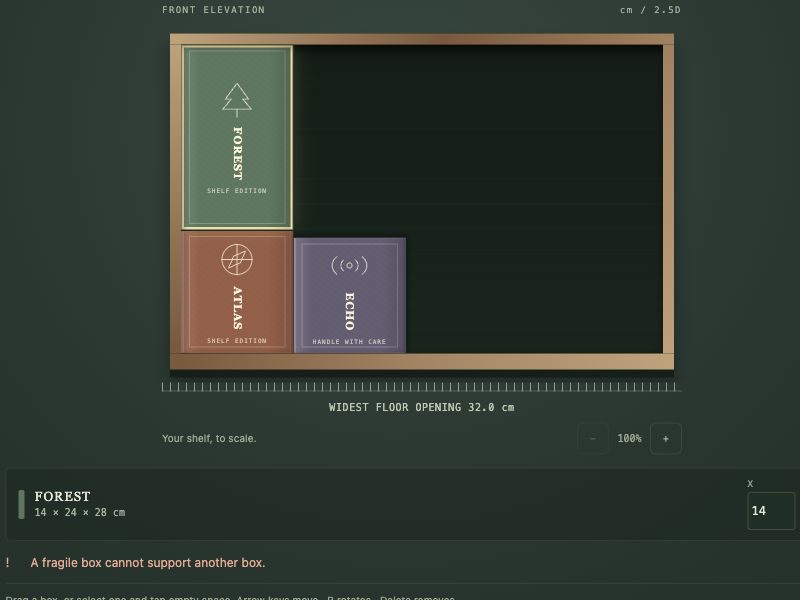
| Fragile ECHO at X14/Y0; FOREST attempted X14/Y15 | Placement rejected for fragile support | A visually available top surface was not usable support |
| FOREST attempted X30/Y1 | Placement rejected for incomplete base support | A floating box was not accepted |
| FOREST at X0/Y16 above ATLAS | Accepted; personal count became 3/8 | Full model support was available |
| Custom 10 × 10 × 36cm box on depth35 | Direct placement rejected | Unused front area cannot fix excessive depth |
| ORBIT rotation | 16 × 19 × 28 became 19 × 16 × 28 | Depth stayed unchanged |
| Safe suggestion with the extra deep box | 8 candidates compared; 8/9 placed | One invalid-depth box remained waiting |
| Daily target hints followed by Place | 8/8, 3 moves, IQ80, volume80.0%, 4 top-free boxes | A completed dated puzzle, not a load certification |
Daily No. 011 used a 60 × 40 × 35cm opening. The three waiting boxes were placed at the hint targets: NOVA X30/Y22, GROVE X46/Y0 and ECHO X46/Y25. Hints supplied coordinates; pressing Place committed them. Those coordinates belong to that dated puzzle and should not be copied into an unrelated personal plan.
Why full front space still meant 80% volume
The completed daily arrangement filled the 60 × 40cm front with eight boxes whose depth was 28cm. The shelf depth was 35cm. Because every box occupied the same depth, a filled front still used only 28/35 of the available volume: 80%. That arithmetic explains this particular test without treating spare depth as room for another front-facing box.
| Measure | Completed daily result | What it does not establish |
|---|---|---|
| Placed count | 8/8 | Every possible additional box can fit |
| Volume occupied | 80.0% | The front has a 20% open rectangle |
| Widest floor opening | 0.0cm | There is no unused depth anywhere |
| Top-free boxes | 4 | Every title is equally easy to retrieve |
| Shelf IQ | 80/100 | The furniture can safely carry a particular weight |
The source describes score weights of space 40%, access 25%, protection 20% and alignment 15%. We read those definitions but did not audit the scoring code. The volume percentage and composite score happened to share the number 80 in this test; they are different metrics with different meanings.
Treat an access count carefully. Four boxes without something above them can still be awkward to grasp if the opening is tight. Conversely, a lower score might be acceptable if it leaves a frequently used game easy to reach. Record your retrieval priority instead of chasing a score at the expense of real use.
Clearance and supported placement
At zero clearance, we placed ATLAS at X0/Y0 and ECHO immediately beside it at X14/Y0. Later we applied a 1cm allowance and rebuilt two neighboring placements. ATLAS stayed at X0/Y0, but FOREST at X14/Y0 was rejected for overlap; X15/Y0 was accepted. This confirms that the allowance affects packing, not just a label beside the shelf.
Do not extrapolate that one adjacency test into a complete specification of how every axis is padded. We did not exhaustively map the allowance calculation, obstacles or rotated support boundaries. Enter a conservative assumption, inspect what the model accepts, and verify a real gap independently.
Support and fragility are separate checks. The fragile ECHO could rest on the floor but could not carry FOREST. The same FOREST could rest fully on non-fragile ATLAS at X0/Y16. “Supported” here means that the simplified geometry passed; it does not measure cardboard strength or the load capacity of the furniture.
A practical measurement worksheet
| Record before planning | Useful note | Recheck after the model |
|---|---|---|
| Opening dimensions | Smallest usable inside W/H/D and measurement date | Hinges, pins, back panel and actual box entry path |
| Box dimensions | Closed-box W/H/D with inserts or sleeves in place | Lid lift and edition differences |
| Handling allowance | Chosen value and why you used it | Finger space and ability to remove a box |
| Fragility / orientation | Boxes that should not support weight; rotation allowed or restricted | Real condition and contents |
| Priority | Games that should remain easiest to retrieve | Try the retrieval sequence before filling every gap |
A useful workflow is to measure one opening, add only its intended boxes, and compare a compact arrangement with a more convenient one. Our source test used a fictional 36cm-deep box to expose an impossible condition. In your own worksheet, label uncertain dimensions rather than replacing them with an optimistic guess.
If you store two rows deep, plan those rows separately and keep the limitation visible. This board represents one front layer with depth checks; it does not simulate reaching past a front box to retrieve a rear box. A successful front-elevation plan is only one piece of a multi-row storage decision.
Local saving, links and exports
Our daily 8/8 completion returned after a page reload. Opening the Korean page in the same Chrome origin also displayed the completed state. That demonstrates local persistence and same-browser language continuity in this scenario. It does not establish cloud synchronization, cross-device restoration or durability after browser-data cleanup.
Share copied ?day=2026-11-13&mode=daily on the original domain and explicitly identified it as a challenge link. The copied URL contained the date and mode, not a list of our personal boxes. Share the challenge to invite somebody to solve it; do not send it as if it were a backup of your custom layout.
JSON export and restore controls, plus a shelf-diagram button, were visible. We clicked JSON and waited up to eight seconds without obtaining a retrievable artifact in this environment. We did not verify an imported JSON file or the diagram output. This is an export-verification limit, not a claim that every user’s browser download is broken.
Model limits, privacy and mobile behavior
No account was required. The publisher describes browser-local storage and discloses Blogger and Google AdSense processing. We did not audit network traffic. Local layout storage should not be expanded into a promise that the entire page has no external connections or third-party cookie processing.
MDN’s localStorage documentation explains that data is associated with an origin and can persist across browser sessions, subject to browser behavior and policies. Keep an independent record if losing a plan would matter; a successful reload is not a backup strategy.
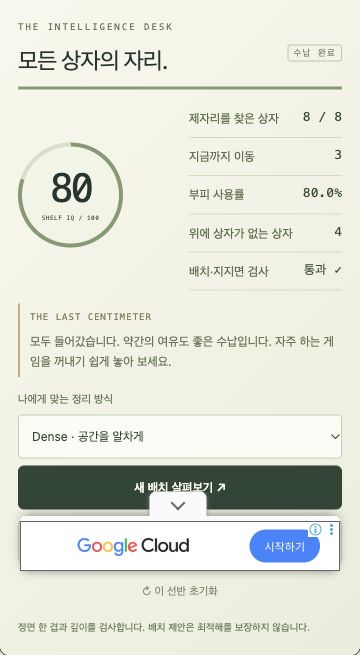
The Korean tool at a fresh 390 × 844 viewport had no horizontal overflow. Its restored completion metrics were readable, and the gap-display control could be activated. This is a Chrome viewport test, not a test of every phone, touch gesture or screen reader. Desktop advertising occasionally covered part of the interface and was closed or collapsed without clicking ad content.
The planner does not calculate mass, furniture load limits, earthquake resistance, material deformation or optimal three-dimensional packing. We made no physical safety or fit measurements. Use the model to identify questions worth checking, then inspect the actual opening, boxes and furniture guidance.
Related tools for the collection
If sleeving or inserts change your collection’s storage needs, CARD SLEEVE FIT GUIDE organizes card clearances, pack arithmetic and deck-height estimates. Measure the closed game box afterward; its deck estimate does not automatically update SHELF ZERO or establish an outer-box dimension.
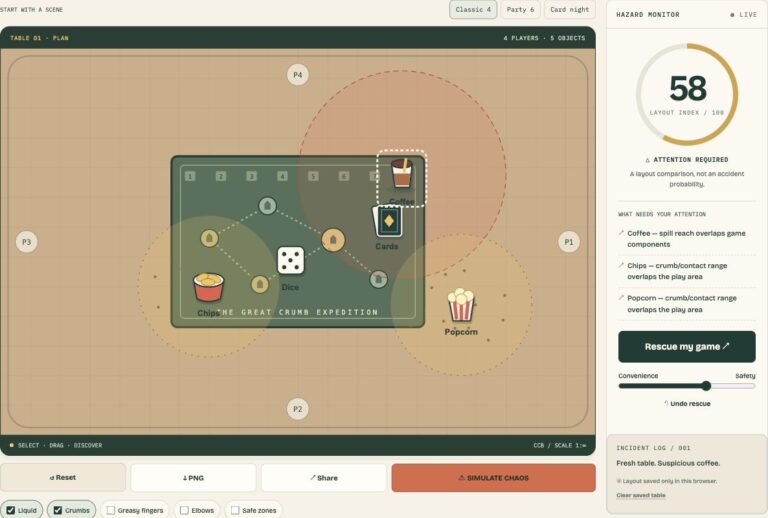
After retrieving the games, SNACK HAZARD ZONE provides a separate schematic table-planning exercise for drinks and components. It helps discuss the play surface, while SHELF ZERO concerns storage geometry. Neither model supplies a measured spill probability or structural certification.
Frequently asked questions
Can I enter my own shelf and box dimensions?
Yes. My real shelf exposed opening W/H/D and clearance inputs, plus custom box dimensions, a name, fragile flag and rotation permission. We added a custom depth-test box and verified that its excessive depth prevented placement.
Can I rotate a deep box to make it fit?
The tested rotation swapped width and height while leaving depth 28 unchanged. A box deeper than the opening needs a different physical orientation or storage decision that this front-plane rotation does not model.
Why is a completed puzzle only 80% full?
In our dated example the front was full, but the boxes were 28cm deep inside a 35cm opening. Occupied volume therefore remained 80%. That does not mean another box has a usable front opening.
Does the suggested layout guarantee the best solution?
No. The source calls its suggestions candidates. Our Safe run compared eight and left the deliberately too-deep box waiting. We did not prove optimality or test every strategy against all inventories.
Does Share preserve my private collection?
The verified copied link carried challenge date and mode. Keep separate measurements and verify an actual export before relying on it to transfer a personal plan. JSON import and diagram files were not confirmed in this review.
Plan one opening, then check the real shelf
SHELF ZERO is useful when you keep measurement, model validity and physical loading separate. Start with one opening, test the most uncertain box first, and read a rejection as information. Keep room for real handling even when the puzzle says every listed box has a place.
A RELEVANT NEXT STEP
Tools with a useful connection
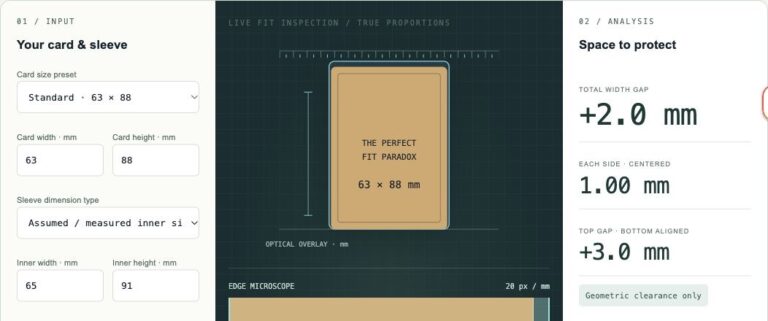
CARD SLEEVE FIT GUIDE
Card Sleeve Fit Guide: 7 Smart Checks Before Buying
Compare card sleeve inner clearance, calculate one-option pack quantities and estimate deck height. Actual tests explain stock, double sleeves, sharing and fit limits.
SNACK HAZARD ZONE
Board Game Snacks: 7 Smart Snack Hazard Zone Checks
Plan board game snacks with a schematic table, exposure overlays and rescue. Actual tests explain indices, mobile controls, local saving, sharing and model limits.
FELTATLAS
Felt Pad Designer: 7 Essential Checks for Better Fit
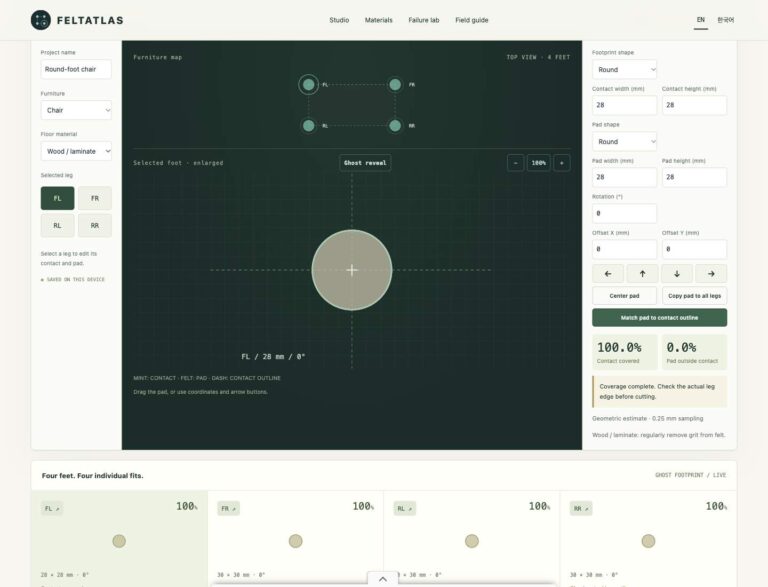
Compare four furniture contact shapes and felt pads, inspect geometric coverage and prepare labelled cutting-pattern previews. Includes real fit tests, print calibration and local-save limits.