Motif layout can change a cushion without adding another square. Granny Square Composer — The Blocking Board lets you rearrange a fixed basket of four A motifs and twelve B motifs on a 4 × 4 board. Preview a two-square swap, protect a position, compare color recipes and keep a small set of alternatives before joining.
Hands-on check: 12 November 2026, Asia/Seoul. We tested swap preview, Cancel, confirmation, Undo, a pin-constrained preset, color editing, saved-version restoration, reload and Korean keyboard controls at 390 px. Screenshots are actual interface captures. We did not crochet a cushion or verify printed/downloaded output. This library and the tool share a creator.
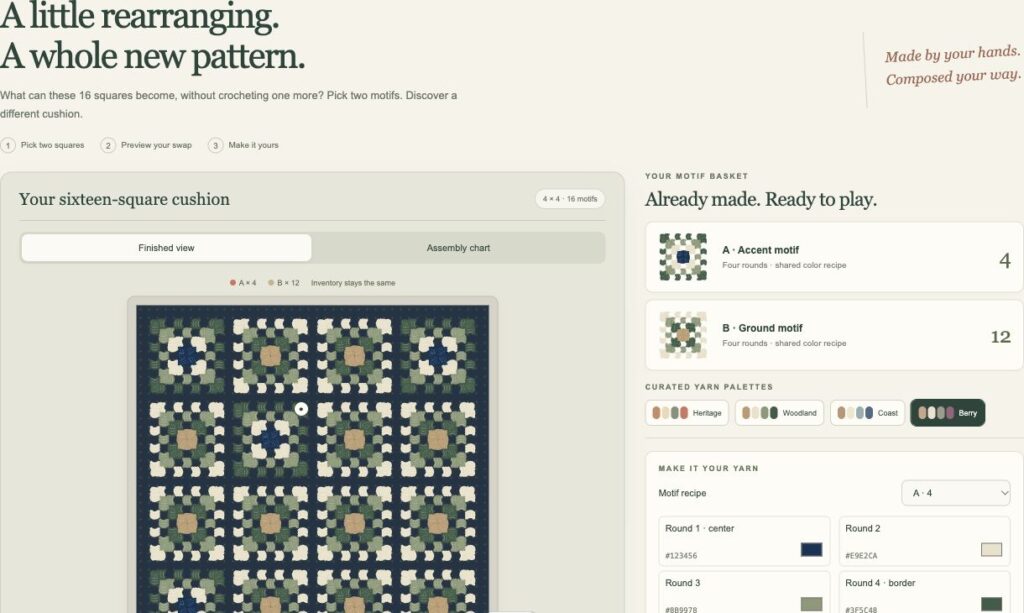
Arrange a fixed basket of four accent and twelve ground granny squares. Tested swaps, pins, shared colors, three-version saves and Korean mobile controls explain what the chart can—and cannot—plan.
- Brand
- Granny Square Composer — The Blocking Board
- Tool languages
- en, ko
- Verified date
- 2026-11-12
In this guide
Key takeaways
The motif inventory is fixed: A × 4 and B × 12. Moving an accent changes its position, not the number of accent motifs. Four out of sixteen is 25% of the motif count; that is not a calculation of yarn quantity, colored area or finished dimensions.
Two selected squares immediately show a preview. The changed board is not yet a committed arrangement: use Swap these two to keep it or Cancel to return. Pins matter when applying a preset, so a named arrangement may adapt around a protected position.
Finished view helps compare the overall impression. Assembly chart adds A/B labels and row-column coordinates. The tool has shared four-round recipes for A and B, plus a joining-yarn color; it is not a stitch pattern, photograph uploader or yardage calculator.
Current work and three favorite versions are stored locally. We restored position, pin and color values and saw the same project in Korean. Saving beyond three versions shifted an older version out in our test. Treat the favorites as a working shortlist, not a permanent archive.
What this motif layout tool does
Granny Square Composer is a focused planning surface for a classic sixteen-square cushion front. Its inputs are the two selected positions, optional pins, a preset, four round colors for each motif type and a joining-yarn color. The immediate outputs are a simulated cushion view and a labelled motif map.
The three arrangement buttons are Flower bed, Diagonal and Four corners. Flower bed begins with the four A motifs in the central 2 × 2 block. The other presets offer different distributions, while retaining the inventory and respecting pins. There are no tested controls for resizing the board or changing A/B quantities.
The A recipe is shared by all four A motifs; the B recipe is shared by all twelve B motifs. Editing one A round is therefore a class-level color decision, not painting one individual square. Choose the recipe selector deliberately before changing a color, then compare the small motif example with the full layout.
Heritage, Woodland, Coast and Berry provide starting palettes. A preset can help you begin, but your actual yarn is the reference. The tool warns that colors are approximate and the joining preview is not a stitch-accurate joining method. Use the screen to compare relationships, then check real materials.
Prepare your real squares before planning
Count and sort the motifs you have. This tool fits a four-accent/twelve-ground set; it does not solve an arbitrary basket of seventeen different squares. If your inventory differs, use it as a limited design sketch rather than pretending the displayed count matches your project.
Check that the real motifs can be assembled into the intended piece. The original FAQ specifically asks users to match motif size, gauge and blocking. We did not measure those properties or construct a physical cushion. Keep your own making instructions, joining method and finishing plan alongside the digital arrangement.
Give A and B meanings you can recognize away from the screen: perhaps coral-border accents and cream-border ground motifs. A coordinate such as R2 C2 means row 2, column 2. Mark an orientation on your physical planning sheet so a rotated cushion does not silently reverse the map you intended to follow.
Decide what is actually fixed before pinning anything. A position might already be joined or be a deliberate focal point. Pins are useful constraints, but leaving an old pin in place can make a fresh preset look unexpected. Start with a clear question: placement, border weight or joining color.
7 steps from a motif basket to an assembly chart
1. Read the inventory and choose a view
Confirm A × 4 and B × 12 above the board. Use Finished view for the overall cushion and Assembly chart when you need motif identity and coordinates. Keep this distinction in mind: the arrangement is a design preview, while the chart is a positional reference.
2. Select two different positions
In Swap mode, choose a first motif and then a second. Our test selected B at R1 C1 and A at R2 C2. The board immediately showed A at the first position and B at the second, with a Preview message. That visual change alone did not mean the swap was saved.
3. Commit or cancel the preview
Press Swap these two to keep the exchange, or Cancel to discard it. We checked both routes. Cancellation restored B at R1 C1 and A at R2 C2; confirmation kept the new positions and reported unchanged motif counts. Read the status line before choosing the next pair.
4. Use Undo to recover a change
Undo returned our committed swap to the starting positions. It was also offered after a preset and saved-layout restoration. We verified the immediate recovery path, not unlimited history across sessions. If you want an alternative to survive a reload, save a version rather than relying on the Undo button.
5. Pin only the positions you want to protect
Switch to Pin positions and activate a cell to protect it. We pinned A at R2 C2, then applied Four corners. The pinned motif stayed put, while the other three A motifs went to R1 C1, R1 C4 and R4 C1. Switch back to Swap mode when your next action should exchange positions.
6. Edit the selected recipe and joining yarn
Choose A or B in Motif recipe before editing a round. We applied Woodland, set A round 1 to #123456 and joining yarn to #223344, then saved. The controls are color pickers; device-specific picker behavior can vary. Make one visual decision at a time so you know what caused the changed impression.
7. Save a candidate and inspect the chart
Use Save this layout + for a candidate you may revisit. Restore its miniature to bring it back and recheck positions, pins and colors. Before physical assembly, read the A/B coordinate chart and make a durable reference you can inspect. Print assembly sheet and Download layout image are offered, but their actual output was not verified here.
What we actually tested
| Action | Observed result | Practical consequence |
|---|---|---|
| Preview B R1C1 ↔ A R2C2, then Cancel | The board changed in preview, then returned to its starting map. | A visible swap can still be temporary. |
| Confirm the same pair, then Undo | Positions changed and then returned; A4/B12 stayed constant. | Use confirmation and recovery deliberately. |
| Pin A R2C2, apply Four corners | A remained at R2C2, with the other accents at R1C1, R1C4 and R4C1. | A pinned preset need not look like its unconstrained name. |
| Save custom A1 and joining colors; change palette/layout; restore | The original coordinates, pin, #123456 and #223344 returned. | A saved version includes more than a positional thumbnail. |
| Save a fourth version after three existed | Only three slots remained; restoring slot 1 gave the previous Berry/Diagonal candidate. | Older favorites can shift out rather than a fourth slot appearing. |
| Reload and open Korean page | The current project and three favorites remained. | Local persistence and cross-language access worked in the same profile. |
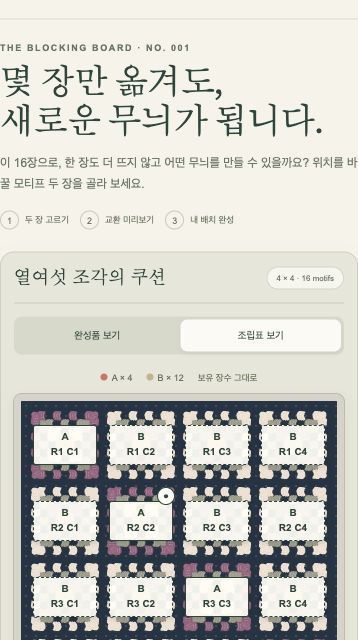
| 390 px Korean chart and Enter-based swap | The chart fitted without horizontal overflow; the two-position swap was confirmed. | Named cell buttons are usable in this tested narrow layout. |
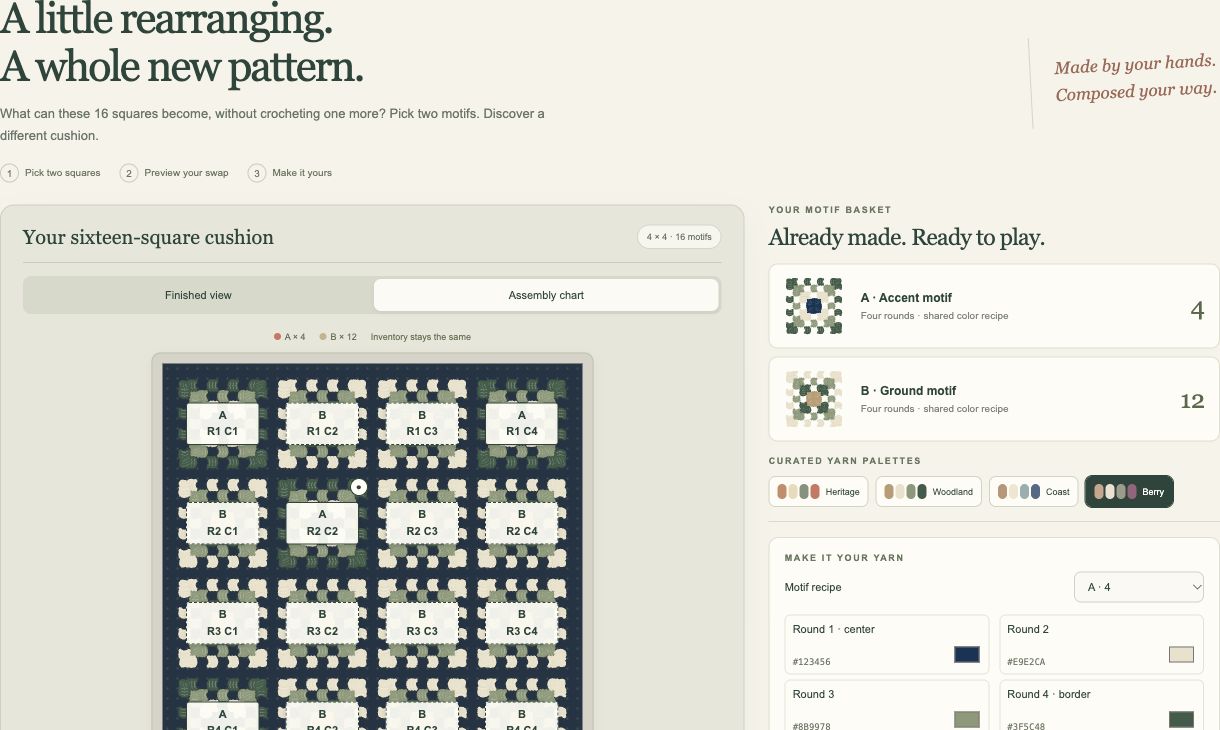
The custom hex values were test choices, not yarn-brand matches. The screenshots establish that controls, state changes and restoration worked in the tested Chrome session. They do not establish color accuracy, a particular crochet gauge or the quality of a finished cushion.
Why a pinned corner preset can look different
A preset describes an intended distribution, while pins add constraints. If an A motif in the middle must stay there, placing four more A motifs in the corners would require five accents. The fixed inventory allows only four. The tested result therefore retained the center pin and used three corners, rather than breaking the inventory.
| Row | C1 | C2 | C3 | C4 |
|---|---|---|---|---|
| R1 | A | B | B | A |
| R2 | B | A — pinned | B | B |
| R3 | B | B | B | B |
| R4 | A | B | B | B |
This is the actual map from our pinned Four corners test. It is a useful troubleshooting reference: count four A entries, locate the protected one and then inspect the remaining positions. If you want a literal corner-only arrangement, review the pins before applying the preset. Do not assume the preset failed because its adapted form is asymmetric.
Pins protect positions, not an aesthetic intention you have not specified. Use them sparingly while exploring. Too many constraints can leave little room for a preset to change the composition. We did not exhaustively test every pin combination, so the one verified case should not be read as a proof of all constraint behavior.
Compare placement, round colors and joining yarn
For a placement comparison, hold colors and joining yarn steady and compare the central group with the diagonal. For a color-weight comparison, hold the map steady and edit one round. For a boundary comparison, hold the motifs steady and change only the joining yarn. This separates three decisions that are otherwise easy to mix up.
A dark center reads as repeated points, while an outer round participates in the larger grid. That is a visual planning interpretation, not a measurement of how every yarn will appear in every stitch. Compare your real swatches in the same lighting and keep the screen as a sketch of the relationship.
Restoring our custom Woodland-based version returned its hex values, but the Berry palette button still looked highlighted. That highlight was not a reliable name for the restored recipe. Inspect the actual round values and the motif preview after restoration; do not label a saved version solely from the highlighted palette button.
The fixed count also helps explain scope. Four A motifs are a quarter of the units, but each motif has four rounds and shares colors with the other recipe. The screen does not calculate how much of each physical yarn you need. Do not convert the A count directly into a purchase quantity.
Understand the three saved versions
Use the three favorites as a shortlist with distinct questions: one for the arrangement, one for a color change and one for a joining-yarn alternative. Keep a small external note describing what each miniature represents, because the displayed slots are numbered rather than a tested project-naming system.
Our sequence was specific: save a custom pinned version, save a Berry/Diagonal version, restore the first, then add further saves. After the fourth save, there were still three slots and slot 1 restored the former Berry candidate. This supports treating the limit as a rolling shortlist, not expecting an error to protect your oldest version.
Local storage is convenient for returning to the same browser, but it is not cloud backup. We saw the same project and favorites in English and Korean on the same domain/profile. A different device or browser profile was not tested. Clearing browser data can remove the project, according to the original FAQ.
Before changing a version you care about, retain a reference you can actually read. An exported file should be opened and checked before you depend on it; we did not validate the layout-image download or printed sheet. A browser success message, if shown, would still be different from inspecting the resulting file.
Turn a screen arrangement into a physical plan
Move from the screen to the worktable with a coordinate check. Lay out the real motifs in the same orientation, identify A and B and compare the corners and center first. If you rotate or turn the piece while working, re-establish the chart orientation before continuing. This is a planning suggestion, not a substitute for your assembly instructions.
Check motif compatibility with the pattern and materials you are actually using. The application supplies no stitch-by-stitch crochet pattern, seam technique or finished-size calculation. Blocking, gauge and motif dimensions remain physical decisions. No photographed real project was uploaded or assessed in our test.
The value is avoiding premature commitment. You can explore a different distribution of the same sixteen motifs before joining them. A persuasive preview may help choose a direction, but it cannot guarantee drape, seam appearance, color fidelity or that a cushion cover will fit a particular insert.
Limitations, privacy and mobile behavior
Fixed scope: this is a 4 × 4 cushion-front planner with A4/B12 and shared four-round recipes. We found no arbitrary motif inventory, board-size editor, photograph upload, stitch instructions or yarn-quantity calculation in the tested interface. A simulated join illustrates color boundaries rather than a particular joining stitch.
Output limits: print and image-download controls are visible, but their files and print layout were not independently verified. Reset was not tested. We checked immediate Undo, selected presets, saved-version behavior and persistence; we did not audit every possible pin arrangement or every browser.
Privacy: the original FAQ says the arrangement stays in this browser’s local storage, requires no account or upload and can be removed by clearing browser data. It separately acknowledges Google advertising cookies. Ads appeared during testing. We did not perform a network audit and do not describe the whole site as cookie-free, zero-transmission or fully offline.
Mobile and accessibility: the Korean chart fitted a fresh 390 px viewport, and named row-column buttons accepted Enter-based selection and confirmation. Some English branding, A/B notation and color-picker names remain. No complete screen-reader audit was performed. Advertising can occupy lower screen space, so distinguish it from the project controls.
Related tools for a different next decision
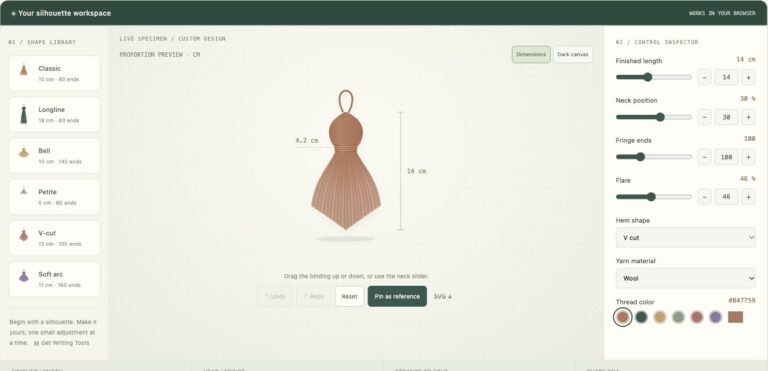
For a cushion with optional corner trim, the Tassel Atelier guide explains proportion and batch-yarn planning. Treat trim as a separate finishing decision; it is not included in Granny Square Composer’s motif inventory or yarn calculation.
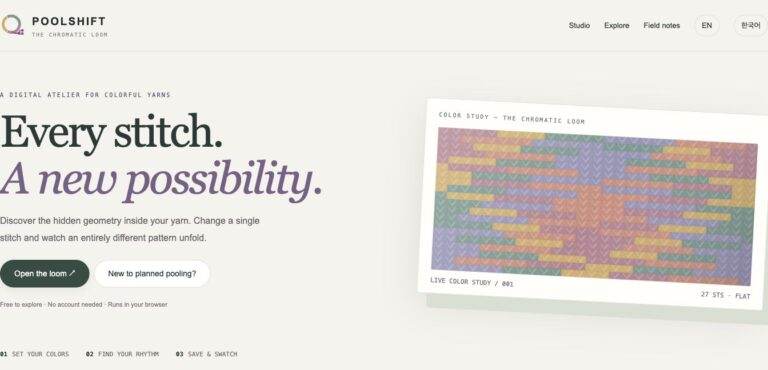
If the pattern is meant to emerge from a variegated yarn rather than from rearranged squares, explore the POOLSHIFT planned-pooling guide. It compares color runs and row widths, a different task that needs its own real swatch.
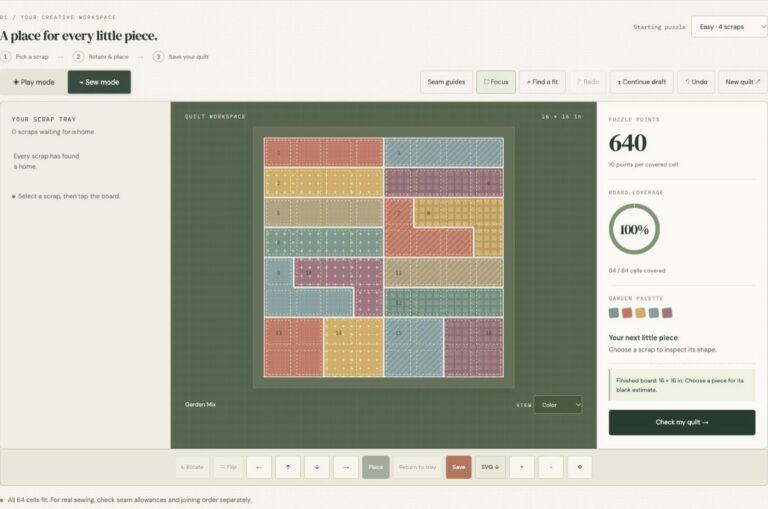
If you are switching to sewn fabric scraps, the Scrapcade quilt-planner guide covers shapes on an 8 × 8 board and schematic sewing estimates. It is an alternative material workflow, not a way to import this crochet chart automatically.
Granny Square Composer FAQ
Can I change the number of A and B motifs?
The tested tool keeps A × 4 and B × 12 on sixteen positions. Its swaps and presets rearrange that inventory. It is not an arbitrary-size blanket or custom-count planner.
Why did a swap appear before I pressed confirm?
That is the preview stage. The status line identifies the two coordinates and asks for confirmation. Swap these two keeps it; Cancel returns to the previous map. We tested both routes.
Why are all four accents not in the corners?
Check for a pin elsewhere. Our pinned center A remained in place, so Four corners used three other corners while keeping four A motifs total. Review constraints before interpreting the preset name literally.
Does editing a round change only one square?
No. A and B are shared motif recipes. Select the recipe you intend to change, then edit its round color. The joining-yarn picker controls the simulated boundary color separately.
What happens when I save more than three versions?
The fourth save in our test retained only three favorites and shifted an older candidate out. Keep important references outside the shortlist and inspect a restored version before assuming its numbered slot still means the same design.
Is this a crochet pattern or an accurate image of my yarn?
No. It is an arrangement and color preview. The source explicitly asks for real swatching and blocking and supplies no stitch instructions or yardage calculation. We did not validate printed output or a physical cushion.
Arrange the squares you already have
Start with the basket you actually have. Compare one placement change, keep colors steady while judging it and save only the candidates worth revisiting. Read the final A/B chart against your real motifs before joining the first seam.
A RELEVANT NEXT STEP
Tools with a useful connection
Tassel Atelier
Tassel Designer: 7 Essential Steps for Better Patterns
Compare tassel proportions and plan a batch with Tassel Atelier. Real A/B, yarn arithmetic, link restoration and mobile tests explain what to trust and what needs a handmade sample.
POOLSHIFT
Planned Pooling: 7 Essential Checks for Better Swatches
Explore planned pooling with POOLSHIFT. Actual width, row-advance, local-save and shared-link tests explain color forecasts, sensitivity panels and the need for a real swatch.
Scrapcade
Quilt Planner: 7 Essential Checks for Better Scrap Layouts
Plan scrap layouts with Scrapcade. Actual64-cell completion, overlap rejection, rectangle estimates and saved-design tests show where the screen helps and where real sewing checks begin.