POOLSHIFT helps you explore planned pooling by changing yarn color segments, stitches per row and working direction. Its live charts, adjacent-width comparisons and sensitivity panels suggest settings to test by hand.
Verified 10 November 2026 in desktop Chrome and a fresh 390 × 844 Korean mobile viewport. Images are actual screen captures. We tested interface behavior and displayed arithmetic, not a physical yarn product, finished fabric or measured tension prediction.
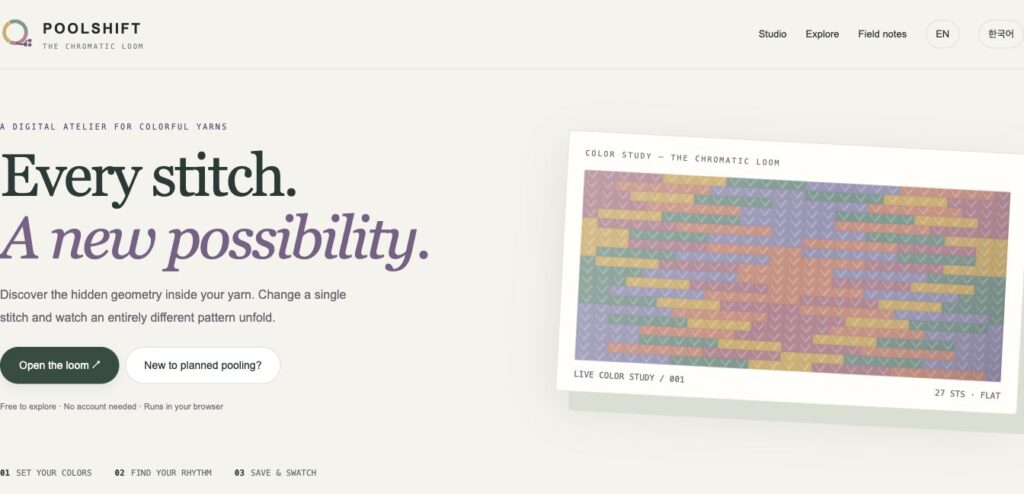
Explore planned pooling with POOLSHIFT. Actual width, row-advance, local-save and shared-link tests explain color forecasts, sensitivity panels and the need for a real swatch.
- Brand
- POOLSHIFT
- Tool languages
- en, ko
- Verified date
- 2026-11-10
Table of Contents
Key takeaways
- POOLSHIFT models a repeating color sequence with consistent yarn consumption. The stitch texture is decorative; it is not a detailed crochet-fabric simulation.
- The illustrative Orchard lengths 5, 4, 5, 6 and 6 total 26 units. At baseline consumption and no turning allowance, width 27 displayed advance 1; width 26 displayed advance 0.
- Zero phase advance does not remove the screen reversal of flat rows. Compare flat and round working deliberately, and inspect the chart instead of treating a candidate score as a guarantee.
- Local project storage, a PNG image and a shared settings link have different purposes. Our link restored the tested numeric settings but returned to the default Stitch display.
What planned pooling means in POOLSHIFT
Planned pooling is the deliberate use of a repeating yarn-color sequence to influence where colors meet across rows. POOLSHIFT gives you a digital place to investigate that relationship before committing to a full project. Enter each consecutive color segment and its length in baseline stitch-consumption units, then adjust row width, row count and working direction. The output is an illustrative color forecast rather than a written pattern for every stitch technique.
The useful problem is choosing which small swatch to make next. A variegated yarn can look very different when the row width changes by one stitch. Testing every possibility by hand can be slow, while selecting a beautiful on-screen arrangement without checking its assumptions can also waste time. Use the simulator to narrow the candidates, then spend your physical testing effort on a few documented settings.
The studio has six palette buttons, three named sample selections, segment add/remove controls and a live loom. Stitch, Chart and Fabric change the visual presentation. Pin comparison preserves a candidate beside the current study, and adjacent-width cards show one stitch less, the current width and one more. Pattern Hunter searches widths 4–120 using arithmetic drift criteria; Pattern Weather illustrates a ±3% consumption change. These features guide comparison rather than certify an argyle result.
Prepare yarn measurements before the chart
Start with the yarn, hook or needles and stitch method that you intend to use. Identify one complete repeating sequence, keeping repeated occurrences of the same color in their actual positions. A sequence such as pink, cream, pink, green has four consecutive segments, not three unique colors. Combining separated pink runs changes the order that the model consumes, even when the total length is unchanged.
The input lengths are not automatically centimeters, inches or yarn weight. The page defines a unit relative to the yarn used by a baseline stitch. Count consistent test stitches within each color run, and measure at least three complete repeats as the source recommends. Record the variation rather than silently choosing the most convenient repeat. We did not measure real yarn in this review; the Orchard values are illustrative test data, not a tested commercial product.
Keep the measurement method and stitch-count convention consistent. Turning chains, spaces and changes in hand tension can consume yarn that is not represented by a simple visible-stitch count. The precision controls allow a consumption ratio and extra yarn between rows, but they do not independently measure your technique. Write down what you counted so that a later mismatch can be investigated instead of corrected by random slider changes.
7 checks for a useful planned pooling study
- 1. Record a repeat. Enter consecutive colors and baseline lengths in order. Use a named sample only to learn the interface; it is not a substitute for measuring your yarn.
- 2. Set a baseline. Choose row width, rows and flat or round working. Begin with consumption 1, offset 0 and no extra turn allowance when reproducing our simple arithmetic example.
- 3. Compare adjacent widths. Inspect one stitch less and one more before making a large change. In our Orchard test, moving from 27 to 26 changed the displayed advance from 1 to 0.
- 4. Inspect and pin a candidate. Use a view you can read clearly, inspect a stitch position and pin a promising comparison. Our pinned 27 × 36 remained visible after the current chart became 26 × 36.
- 5. Explore sensitivity. Review the ±3% consumption panels and try a measured turning allowance. These are hypothetical changes in the model, not a diagnosis of your real hand tension.
- 6. Save the right artifact. Save a local editable project, copy a link for the numeric settings or prepare a PNG for reference. Check that the result you need actually opens; we did not inspect the exported PNG file.
- 7. Make and document a swatch. Try the selected conditions by hand, compare where colors begin and end, and change one measured assumption at a time. Retain both the original study and the observed result.
On a narrow screen, open the settings panel before looking for the color and stitch inputs. In the Korean mobile interface it was labeled 실 색상·코 수 설정 열기. We opened it, reduced the width to 26 and ran the stacking search successfully. The interface arrangement changes with width, so a hidden settings panel should not be mistaken for missing functionality.
Our actual POOLSHIFT tests
| Action / conditions | Observed output | Useful interpretation |
|---|---|---|
| Orchard 5 / 4 / 5 / 6 / 6; width 27; 36 rows; consumption 1; turn 0 | 26 repeat units; row advance 1 | Row consumption exceeds one repeat by one unit |
| Same settings, minus one stitch | 26 × 36; row advance 0 | The yarn phase returns, while flat rows still mirror |
| Find stacking candidates | 26, 52 and 78 stitches; drift 0.00 | Candidate search identified repeat multiples |
| At width 26, keyboard increment of turn allowance to 0.1 | Row advance 0.1; explanation 0.10 units per row | Small extra consumption changes the modeled phase |
| Arrow key in focused Chart view | Row 1 · Column 2 · #B98492 | Position and color inspection worked |
| Save width 26, change to 27, Restore | Returned to width 26; saved-project-restored status | One local save/restore cycle succeeded |
| Copy link and open a fresh tab | Width 26; rows 36; offset 1; advance 0.1 | Numeric study restored; Fabric display returned to Stitch |
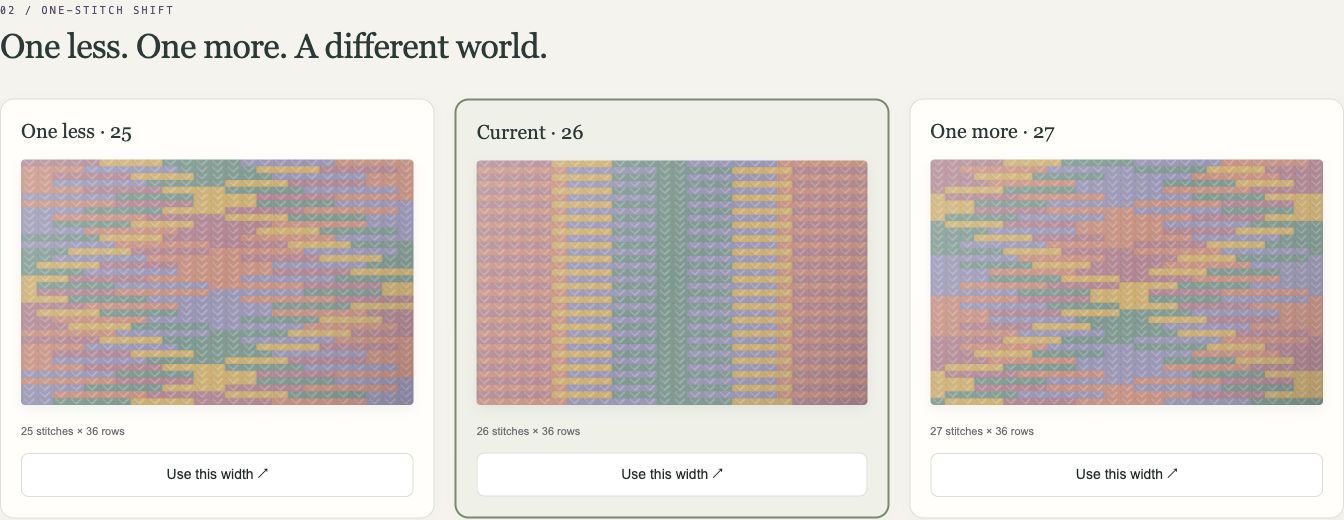
We also changed the working-direction selection, used Undo and Redo, shifted the starting color and switched among the display views. Those interactions responded, but we did not undertake an exhaustive correctness test for every combination of colors, widths and precision values. The test table records a small reproducible set of observations, not a complete validation of the mathematical implementation.
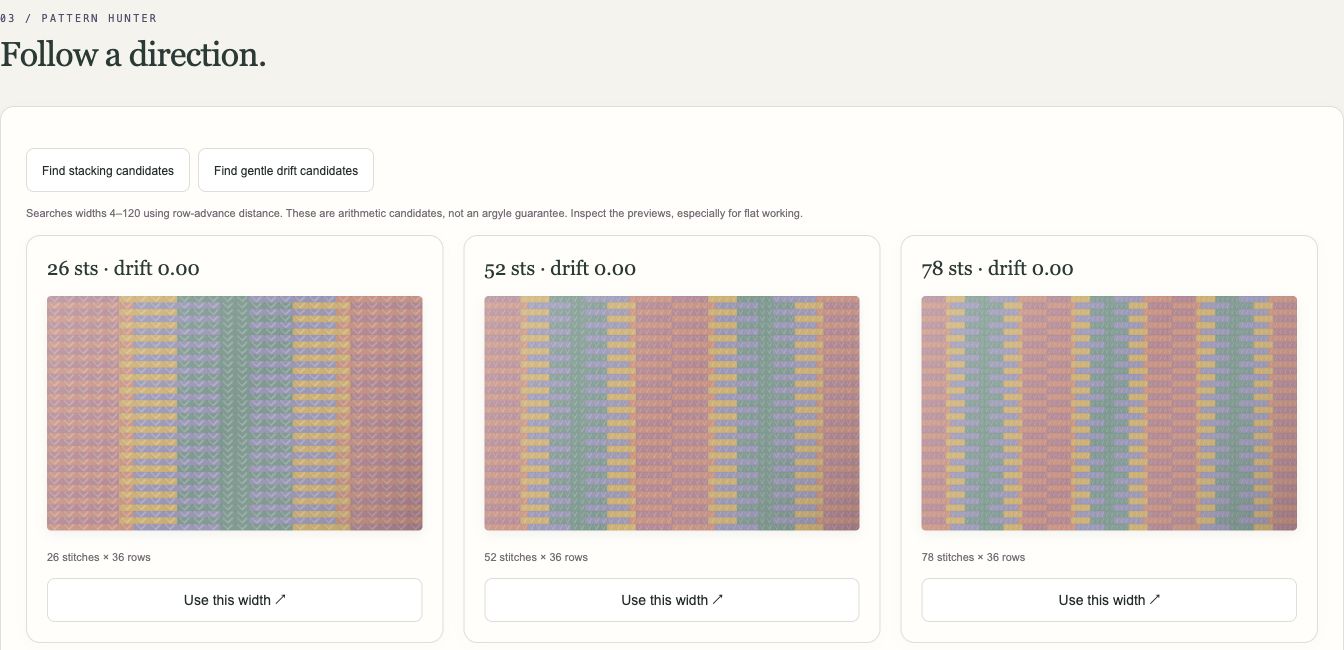
The initial Restore check reported no saved project in this browser. We then saved our own illustrative width-26 study, changed the width and restored it. A later shared link included offset 1 and turn 0.1; opening it in a fresh tab reproduced those settings in the chart readout. The new tab used Stitch rather than the Fabric view from which the link was copied. A recipe link should therefore not be described as an exact saved workspace.
Why one stitch changes the forecast
For the simple baseline example, the repeat length is P = 5 + 4 + 5 + 6 + 6 = 26. At one unit consumed per stitch and no turn allowance, a row of 27 consumes one full repeat plus one additional unit. The next row therefore starts one unit later in the sequence. A row of 26 consumes one complete repeat and returns to the same phase. This arithmetic explains the displayed 1-versus-0 comparison without claiming anything about a particular skein.
The site describes each stitch color as being chosen at its midpoint in the consumed-yarn sequence. That matters near boundaries: a displayed cell is one selected color, not a simulation of a gradual dye transition or a split-color loop. A sharp chart edge can therefore look more decisive than a real color boundary. Use the chart to compare arrangements, not to infer microscopic appearance.
Phase and screen direction answer different questions
Flat working reverses the screen direction on alternating rows according to the model description; round working keeps the same direction. Returning to the same yarn phase does not eliminate that reversal. The width-26 message explicitly warned that flat rows still mirror the color order. If your expected arrangement depends on a color run appearing on the same side every row, inspect the direction setting and preview before interpreting the drift number.
The stacking candidates 26, 52 and 78 are multiples of the 26-unit example. They share a zero remainder under the tested baseline, but they have different widths and repeat counts within a row. They are not interchangeable garment dimensions. A promising arithmetic match still has to fit your intended object and stitch method. Pattern Hunter is a way to find possibilities, not a sizing or gauge calculator.
Use precision controls without overfitting
The precision panel exposes starting offset, yarn per stitch relative to baseline 1, and extra yarn per row or turn. Offset changes where the first stitch begins in the repeat. Consumption changes how far each stitch travels through it. Extra turn consumption advances the sequence between rows. Keep a note of which quantity you changed; moving the starting point is not the same experiment as changing the amount consumed by every stitch.
At width 26 with the illustrative repeat, a keyboard step changed extra turn allowance from 0 to 0.1 and the readout became advance 0.1, with an explanation of 0.10 units per row. It would be wrong to translate that directly into centimeters or a measured chain length. The value uses the model’s baseline units, and no real turning-chain experiment was performed here.
Pattern Weather displays scenarios at −3%, baseline and +3% yarn per stitch. At baseline consumption 1, those scenarios correspond arithmetically to 0.97, 1 and 1.03; they are not measured hook-tension tolerances. If small modeled changes rearrange important areas, choose a swatch that tests that sensitivity. A stable-looking digital panel still cannot establish that your yarn repeat or hand tension is stable.
Do not tune away every mismatch
When an actual swatch drifts, first recount stitches and review the starting point, turning consumption and measured repeats. One visible error does not identify a single cause. Changing width, consumption, offset and color lengths simultaneously may create an attractive fit that teaches you little. Change one supported assumption, keep the previous study, and see whether the explanation remains consistent across more than one physical repeat.
From a promising preview to a real swatch
Use a short decision record for each candidate: sequence, baseline-unit definition, width, direction, row count, offset, consumption, turning allowance and reason for testing. Then add what the swatch actually showed. This manual record separates a forecast from an observation. POOLSHIFT was not verified as a production database, team approval system or record of every historical version.
A useful trial can compare the selected width with one neighbor while leaving the material and stitch method unchanged. Mark where the first complete color repeat starts and keep notes on turning chains. Compare several rows rather than judging only the attractive first row. These are proposed work practices, not a report that we crocheted the pictured samples. All article images show the simulator.
Keep project purpose separate from visual preference. A width that creates a regular color arrangement may not produce the physical width or drape you need. Gauge, fiber behavior and finishing remain outside the reviewed color-consumption model. If the swatch is unsuitable for the object, reconsider the design or yarn rather than assuming that a zero-drift candidate must be used.
PNG, local projects and shared links
| Artifact | Useful for | Boundary to remember |
|---|---|---|
| Save PNG | An image reference to inspect or discuss | We saw PNG prepared for download; file contents and dimensions were not inspected |
| Save project / Restore | Returning to one editable local study | FAQ says one project in this browser/device; clearing storage removes it |
| Copy link | Reopening or sharing numeric pattern settings | Anyone with the link can read settings; tested display mode did not persist |
| Pin comparison | Comparing a current study with a candidate in the workspace | We verified the visible pin, not durable archival storage |
Treat saving as something to verify. Restore the intended local project and check its width and precision settings. Open a copied recipe link in another tab before sending it to a collaborator. Inspect an exported PNG before treating it as a finished reference. Our Save PNG action produced a preparation message, but the browser connection did not provide a file to inspect, so export-file success is not established by this review.
The FAQ says the local save contains one project, not a cloud collection, and clearing browser storage removes it. We verified one save/restore cycle, not long-term retention, synchronization or recovery after storage deletion. A shared link contains readable settings rather than an access-controlled private project. Avoid confusing browser convenience with a backup strategy or an account-based sharing service.
Mobile use, language and privacy
English is available at the root URL and Korean at /p/ko.html. We inspected both interfaces and used the Korean mobile settings drawer at a fresh 390 × 844 viewport. The document width remained 390 pixels, and the width-26 stacking search returned 26, 52 and 78 candidates. This verifies a narrow Chrome layout and those interactions, not a physical-phone PNG download or every mobile browser.
The page says calculations run in the browser and the FAQ says yarn data is not uploaded. It also explicitly notes that advertising services may process data under their own policies. Ads appeared during our research. We did not audit network traffic, test offline operation or verify the handling of every browser service. Attribute the yarn-data statement to the source rather than turning it into a blanket claim that no visit information leaves the page.
What this model cannot establish
The source identifies this as a consistent-consumption color model. It does not separately model moss-stitch geometry, the shape of stitches, blended color transitions, random dye variation or changing hand tension. The named palettes are examples rather than measured yarn products. No physical swatch was made for this review, so neither the chart nor our arithmetic tests establish an exact finished-fabric prediction.
The stated Pattern Hunter search is 4–120 stitches. That is a search interval, not evidence that all other input fields share the same limits. We did not stress-test maximum rows, color-segment counts, extreme numeric values or performance on low-memory devices. We also did not verify accessibility behavior with a screen reader, although keyboard stitch inspection worked in the tested Chart view.
Related tools and alternatives
If a pooled scarf or other project will have a decorative yarn finish, our published Tassel Atelier guide offers a separate next step for comparing tassel proportions and cutting estimates. POOLSHIFT helps select a color arrangement to swatch; Tassel Atelier helps plan a trim component. No automatic transfer, shared project format or integration was tested.
Paper charts and a spreadsheet can be useful when you want to keep a measurement notebook or calculate simple repeat remainders yourself. POOLSHIFT makes adjacent previews, display changes and sensitivity comparisons easier to inspect together. A real swatch remains the way to assess your own yarn and technique. Choose the combination that makes the assumptions and observations easiest to track.
Frequently asked questions
Does planned pooling at zero drift guarantee argyle?
No. Our zero-drift candidates were arithmetic matches for the illustrative repeat. Direction, actual yarn lengths and stitch consumption still matter, and the site explicitly avoids an argyle guarantee.
Should I enter centimeters into segment lengths?
Only after converting your measurement consistently into the baseline stitch-consumption units used by the model. The fields do not automatically measure yarn or convert a physical length into your stitch behavior.
Do Stitch, Chart and Fabric change the calculation?
The page says texture is decorative. We changed views and used Chart for position inspection; a different appearance should not be treated as a different stitch-consumption model.
Will my shared link restore the entire workspace?
Our link restored the tested numeric settings, but Fabric returned to the default Stitch view. We did not establish persistent pins, history or an exact workspace snapshot.
Was this tested with a real crochet sample?
No. We directly tested the web interface, arithmetic readouts, local restore, a shared link and narrow-screen controls. Physical fabric, tension and exported PNG contents remain outside the verified results.
Start with three adjacent widths
Open POOLSHIFT, measure a repeat and compare your selected width with its neighbors. Record the assumptions, pin a promising candidate and make a real swatch before committing to the full project. Planned pooling becomes more useful when the forecast tells you what to test next.
A RELEVANT NEXT STEP
Tools with a useful connection
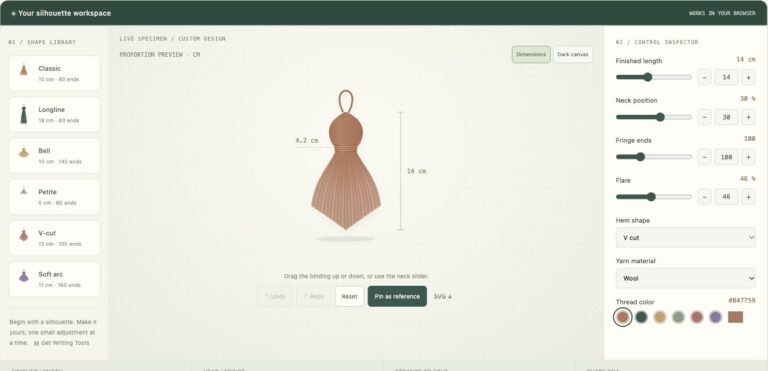
Tassel Atelier
Tassel Designer: 7 Essential Steps for Better Patterns
Compare tassel proportions and plan a batch with Tassel Atelier. Real A/B, yarn arithmetic, link restoration and mobile tests explain what to trust and what needs a handmade sample.
StrandSpace
Embroidery Simulator: 7 Essential Steps for Better Swatches
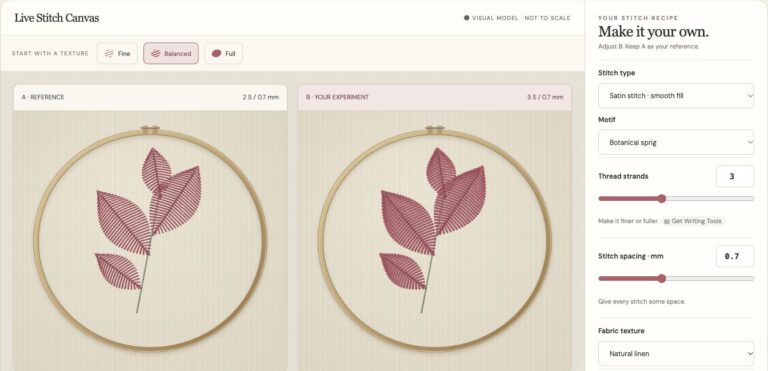
Compare embroidery strands, spacing and mixed colors in StrandSpace. Our A/B, local-save and share-link tests explain what the visual model can show and what still needs a real fabric swatch.
Amigurumi Face Lab
Amigurumi Eye Placement: 7 Essential Face Lab Checks
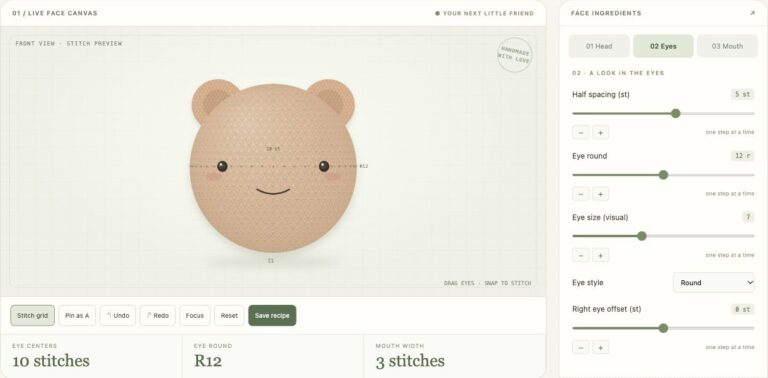
Compare crochet doll expressions with Amigurumi Face Lab. Real 48-stitch tests explain half spacing, wrapped stitch numbers, A/B faces, saved recipes and share links, with physical-fit and privacy limits.