A filament library becomes useful when a filament color sample stays attached to its capture conditions and print recipe. Swatch Atlas keeps specimen photographs, manual settings, visual comparisons and display palettes in one browser. Use it to organize evidence for your next print, while keeping visual references separate from measured color.
Checked 12 November 2026. We used clearly named synthetic color charts and fictional recipe fields to test the interface. We saved two personal records, switched uploaded captures, compared missing photos and differing settings, copied a five-entry palette and checked persistence. We did not print a specimen, measure color or validate a physical printing profile. This library and the source tool share a creator.
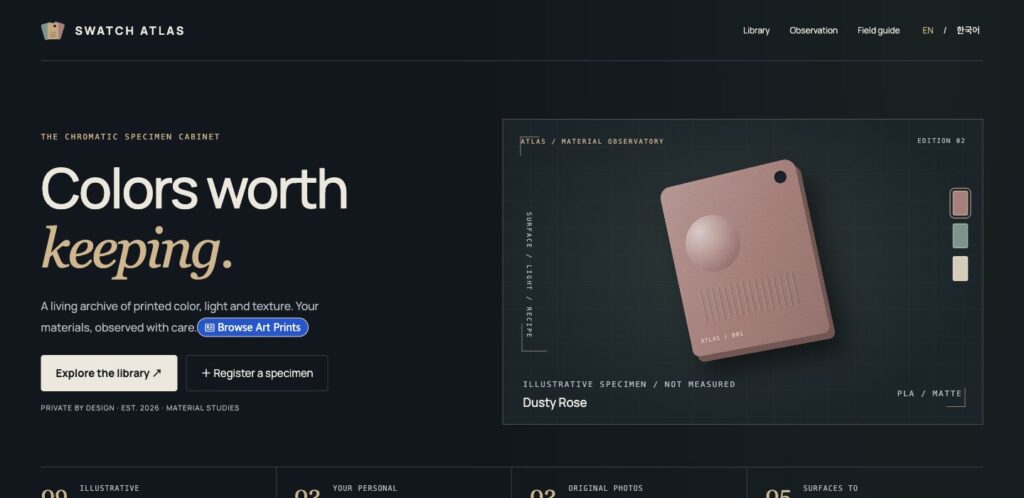
Organize filament specimen photos, print recipes and display palettes in Swatch Atlas. Actual synthetic-input tests explain source switching, missing captures, recipe mismatches, five-color limits and local backup uncertainty.
- Brand
- Swatch Atlas
- Tool languages
- en, ko
- Verified date
- 2026-11-12
In this guide
Key takeaways
The nine starter specimens are illustrations from a fictional Atlas Studio brand. They are useful for learning the interface, not for choosing a filament manufacturer’s color from verified product photographs. A personal record can contain photographs or metadata alone, so read the capture status before treating two panels as equally documented evidence.
Lighting controls choose separately uploaded neutral, warm and raking-light images. They do not generate a warm filter or reconstruct a missing exposure. In our trial, the warm slot displayed a different test file; the unfilled raking slot showed an illustration warning. A side-by-side comparison correctly reported one available capture out of two.
Palette tiles use manually entered display HEX values. The tool did not extract a calibrated color from our image. Our metadata-only record and the Sage Green example both used #78948a, despite having completely different evidence. Matching tiles therefore do not establish matching physical material.
What this filament library records
The official name is Swatch Atlas. The English and Korean pages provide a searchable filament specimen library, a color passport, an observation chamber, an A/B comparison and a palette composer. Registration accepts a specimen name, brand, material, finish, display color, nozzle diameter, layer height, hotend temperature, bed temperature, speed, batch/printer details, capture conditions and notes.
Material choices are PLA, PETG, ABS, ASA and TPU; finishes are Matte, Basic, Silk and Translucent. Those categories organize records. They are not compatibility checks for your machine or evidence that every product in a material group behaves alike. The recipe fields hold information you supply, rather than a recommended slicer profile generated from a photograph.
This solves a common workshop problem: an image folder remembers appearance, while a separate notebook remembers how the sample was made. The passport brings those together. Search, material and finish filters, color-family buttons, sorting and a personal-only collection help revisit a specimen when an earlier project or a nearly empty spool needs identification.
Prepare a repeatable specimen capture
Prepare the actual filament sample and its matching label before entering data. Keep a stable record identifier on the physical filament swatch, the original image filename and your notes. A descriptive color name alone can become ambiguous when you own similar shades from multiple batches. Do not silently replace an earlier sample’s recipe with a newer experiment if you still need the old comparison.
| Prepare | Record | Why it matters |
|---|---|---|
| Identity | Brand, material, batch and a stable specimen name | Similar names can refer to different materials |
| Print context | Printer, nozzle, layer, temperatures and speed | Appearance belongs to a particular recorded recipe |
| Capture setup | Background, distance, exposure, light and white balance | A changed camera setup can change the visual comparison |
| Separate views | Neutral, warm and raking captures when actually available | A slot name does not create the missing photograph |
| Original files | Keep full originals separately from working copies | Local browser records are not your only archive |
The source recommends a consistent neutral background, camera distance and exposure, with light source and white balance documented. It also states that a gray card helps document the setup without turning an ordinary photograph into measured color. Use these as capture discipline, not a claim that the browser has corrected your camera or display.
The registration panel lists optional JPEG, PNG or WebP images up to 6 MB per photo. We tested two small PNG inputs, not every format, phone image or size boundary. If a file will not open, check its format and size against that stated limit. Keep the original and prepare a supported copy rather than assuming the tool has converted it.
7 checks from specimen to useful comparison
1. Inspect an example, then identify your own record
Choose a starter card and read its demo status. Our Warm colors filter returned Dusty Rose, Sandstone and Terracotta before personal entries were added. Reset returned the full library. To begin a real archive, use Register a specimen and enter the actual name and brand. Saving an empty name focused the required name input in our trial; it did not add a record.
2. Enter the conditions you actually know
Record material and finish, then add measured or documented printing settings. Keep unknown values blank and explain uncertainty in notes. The default 0.4 mm nozzle and 0.2 mm layer are editable inputs, not confirmation of your printer’s configuration. Our 200 and 210 °C entries were fictional interface-test data, not temperature advice for PLA or any specific filament.
3. Upload each genuine light-condition capture
Place each image in its corresponding Neutral light, Warm light or Raking light field. We deliberately used different synthetic charts in the first two slots to make switching observable. Those charts were not photographs of a printed swatch or a lighting experiment. For your own sample, use real captures and note which source and camera settings produced each one.
4. Save and inspect the visible passport
Press Save specimen and check the name, photo presence and recipe fields in the passport. Our first record contained two images; a second metadata-only record saved without a photograph. Both appeared in My specimens. The distinction matters: a saved card can be a useful administrative record while still having no visual evidence for its current light condition.
5. Compare the same capture condition on A and B
Choose specimens with the A/B selectors, then choose one common lighting condition. Read Photos: n/2 before judging the pictures. Our neutral comparison showed 1/2 and Different: hotend. One side had an uploaded chart, while the other displayed an explicitly marked illustration. The swap button exchanged A and B; it did not supply the absent capture or resolve recipe differences.
6. Adjust the view without changing the source question
The observation chamber provides ivory, gray and dark surrounds, shared zoom and reset controls. We selected Dark and moved the zoom to 3.0×, then reset it. The source describes synchronized zoom and pan across observation and comparison; we did not exhaustively test dragging behavior. Enlarging a view helps inspect available detail but cannot recover detail that was never captured.
7. Compose a shortlist and preserve the context
Use Add to palette on a selected filament passport. Our attempt to add six different entries retained only five. Copy palette produced five lines containing specimen names, brands and display HEX values, which we inspected on the clipboard. Keep this as a project shortlist. Before printing, return to each physical sample, actual filament instructions and the exact sliced job.
What our interface tests actually showed
| Direct action | Observed result | What it establishes |
|---|---|---|
| Warm family filter | 3 starter illustrations | The tested family filter worked |
| Save without name | Name input focused; no new record | Required identity was enforced |
| Save two small PNGs | One personal record with two source captures | Tested input and record handling |
| Add metadata-only record | Second personal passport saved | Photographs are optional |
| Select warm / empty raking slot | Different uploaded chart / illustration warning | Source switching and missing-capture disclosure |
| Compare A and B | Neutral Photos: 1/2; Different: hotend | Photo availability and known field mismatch |
| Add six palette entries | Five retained | Tested composition cap |
| Copy palette | Five name / brand / HEX lines | Actual clipboard output inspected |
| Reload and open Korean page | Two records, two photos and five palette entries remained | Persistence within the same browser and origin |
| Export passport, SVG and backup | Controls invoked; received files unavailable for inspection | File contents and restore remain unverified |
Record A was named “Editorial A — synthetic chart, not a print”; B was “Editorial B — no photo or print.” Both were explicitly identified as interface tests. A contained 200 °C, 60 °C and 50 mm/s values; B contained 210 °C with some fields blank. No actual filament was heated, dried, extruded or color-measured. The test verifies how entered data is presented, not whether these settings make a good sample.
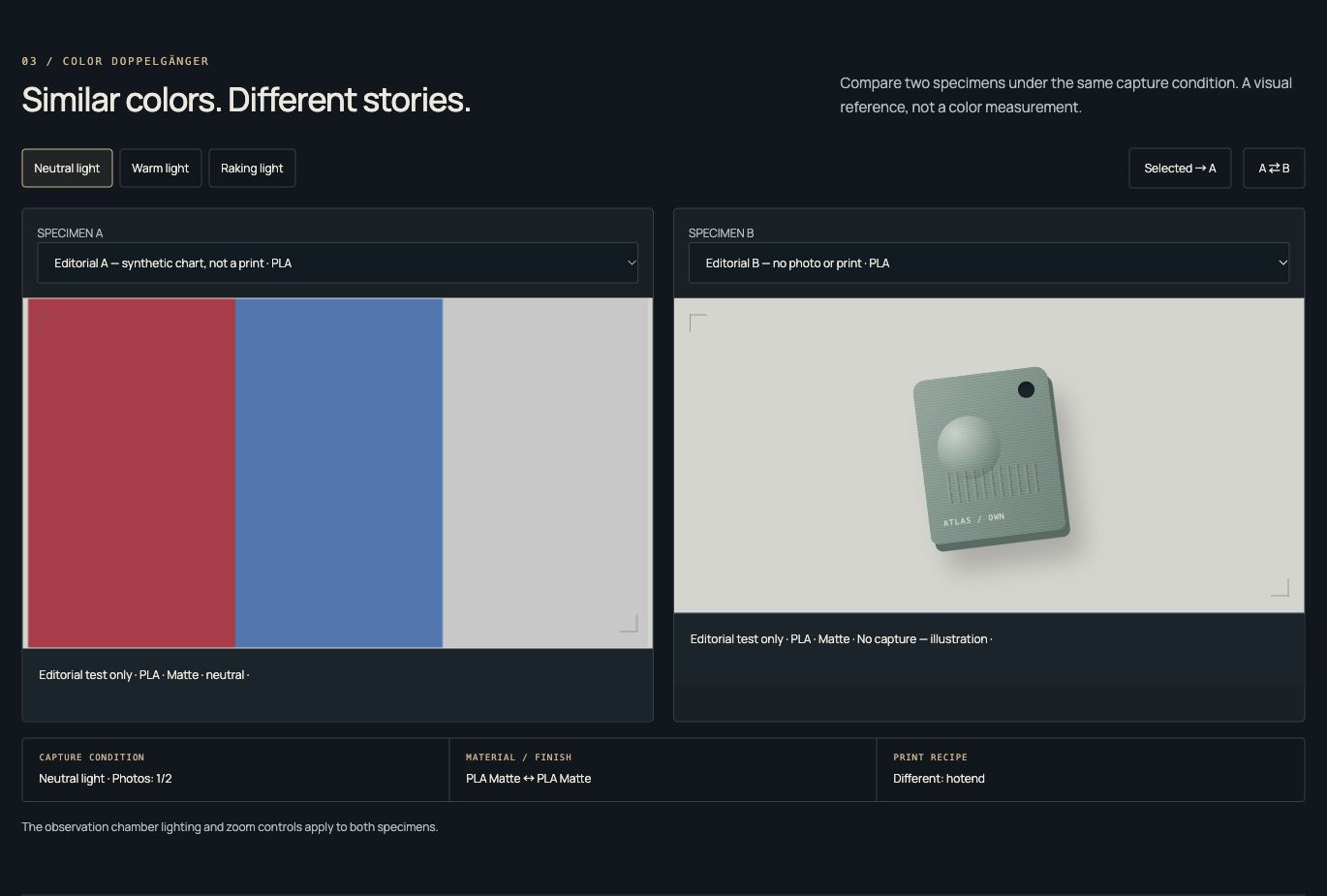
After reloading, personal records and the palette remained, but the working comparison returned to starter selections. We selected A and B again for the screenshot. In the Korean page, the interface and starter names were localized while our entered English names and notes stayed English. Language support did not automatically translate user-authored records.
Separate photographs, display HEX and measured color
There are three distinct layers of evidence. A capture shows a particular sample under a documented setup. A display HEX supplies a convenient screen color for an index or palette. A measured physical color comparison requires an appropriate measurement method. Swatch Atlas explicitly says it does not calculate ΔE or true color matching. Do not let a numerical-looking HEX code blur these distinctions.
Our two records make the difference concrete. The uploaded chart contained red, blue and gray bars, but its display field remained #78948a. The metadata-only record used the same value. Neither the image content nor the absence of an image stopped a green palette tile from appearing, because the tile represented the manual field. That is expected behavior for an organizer, and an important limitation for procurement decisions.
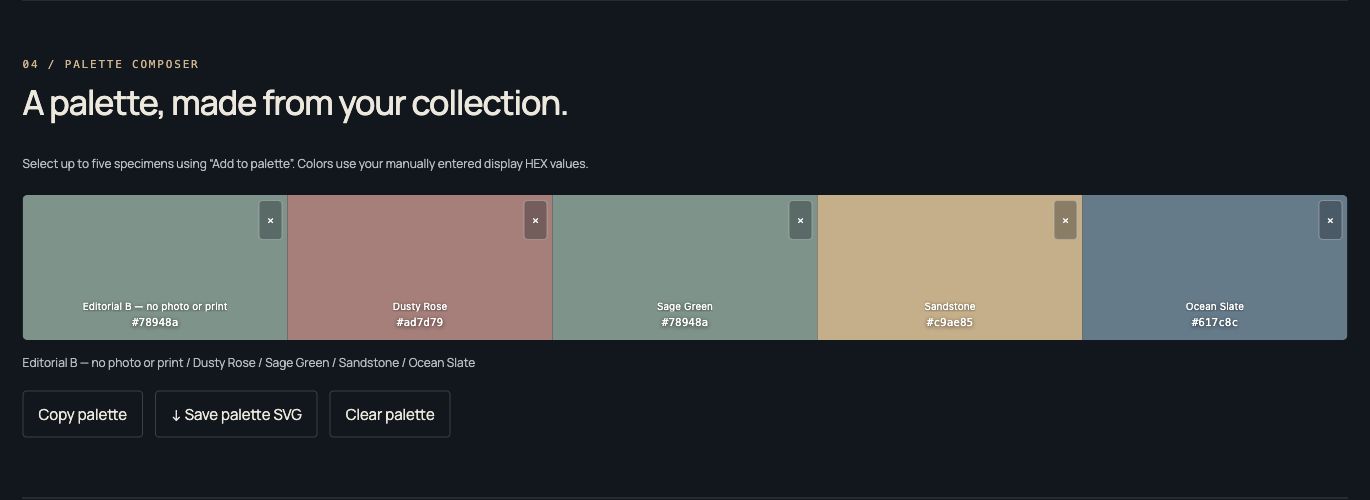
For a proposed two-color print, use the palette to remember candidates, then review equivalent surfaces of the physical filament samples under the intended viewing conditions. If a customer needs a reproducible numerical tolerance, this visual library does not supply that evidence. The source FAQ makes that boundary explicit; it is not a defect that can be fixed by typing a more precise color name.
Use five surfaces to ask better questions
The field guide proposes a flat face, layer lines, curved dome, thin window and embossed detail. These are observation prompts, not five measurements the website takes automatically. A flat face can anchor a broad appearance comparison; curved and thin regions pose different questions about reflection and transmitted light. Compare like features before attributing a difference to the material label.
A practical record might describe where glare hides a detail, which face was photographed and whether the thin region used the same geometry. This is a suggested recording method, not an experiment we performed. The tool does not supply a verified printable test model in the workflow we inspected, generate an STL, or measure a finished specimen’s thickness. Bring your own sample and document it honestly.
Keep a recipe record that can be compared
The comparison distinguishes conflicting recorded fields from missing values. At startup it said there were no conflicting recorded fields and warned that missing values are not a match. In our personal comparison, the known 200 versus 210 hotend entries produced a mismatch. Blank bed and speed entries on B did not establish that those settings matched A; the displayed summary was not a completeness certificate.
Before interpreting two surfaces, inspect the passport itself: material, finish, nozzle, layer, temperatures, speed and batch context. Record a changed condition in a new clearly identified specimen when you want to preserve both experiments. A note such as “different printer, camera unchanged” is more informative than overwriting everything under a generic color name. The goal is to keep possible explanations visible.
Search and filters help navigation but are not a laboratory matching algorithm. A material selection groups the supplied category; it does not read polymer composition from an image. A color-family result groups the library’s display information; it does not certify spectrally similar materials. Start with a broad shortlist, then inspect the evidence attached to each individual record.
Exports, local storage and recovery limits
The source offers Export passport, palette SVG, full JSON backup/import and Print archive controls. These outputs have different purposes: a selected-record document, a display-color arrangement and a whole-library preservation route should not be assumed interchangeable. We invoked the three export controls but could not inspect received files. We did not validate import, restoration, duplicate handling or a completed print dialog output.
The tool states that images and specimens are processed and stored locally in IndexedDB on this browser and origin, without an account or cloud synchronization. Our reload and language-page checks support same-browser persistence. They do not demonstrate another device’s access, resilience after clearing site data or a backup round trip. Export regularly, inspect the actual file and confirm a restoration procedure before relying on it as your only archive.
Local specimen handling and the host page’s advertising are separate issues. The source identifies Google/Blogger services and existing advertising as using their own cookie policies. We did not perform an independent network audit, inspect image metadata stripping or certify zero outgoing traffic. Review personal notes and image backgrounds before sharing any output, and keep original files outside the browser as well.
Mobile behavior and important limitations
We opened the Korean source at 390 × 844 pixels. Its document width stayed at 390, with no page-wide horizontal overflow. The personal counts and palette were available. Advertising banners, inserted links and an interstitial appeared during desktop investigation and could interrupt navigation or cover part of the workspace. These advertising labels are not additional specimen-analysis features, and the tested workflow required no software installation.
Only this browser and small PNG inputs were tested. Large libraries, the 6 MB boundary, all supported formats, offline use, storage eviction and full keyboard/screen-reader behavior remain outside the checks. The tool does not inspect printer hardware, validate manufacturers’ profiles or guarantee color on another display. An attractive sample image is still only as useful as the conditions and identity attached to it.
Choose the right method for your question
| Method | Useful for | Still needs |
|---|---|---|
| Image folder | Keeping original captures | Linked recipe, batch and specimen identity |
| Spreadsheet or notebook | Flexible condition records | Convenient side-by-side source viewing |
| Swatch Atlas | Local visual archive and display palette | Real samples, consistent captures and verified backup |
| Calibrated measurement workflow | A documented numerical color difference | Suitable equipment, method and conditions |
Choose the library when your question is “Which documented sample should I inspect next?” Choose the underlying images when you need the original capture, and a suitable physical measurement workflow when a numerical color claim is required. Keeping those jobs separate makes the archive more useful because each record can clearly show what is known and what is missing.
Related tools for the next printing decision
After shortlisting a color, use Last Meter’s leftover filament guide to estimate a remaining-material budget from your own weight or length, reserve and purge allowance. Its illustrative tiny-print masses still need an exact slicer estimate. A matching palette tile does not mean enough material remains for the job.
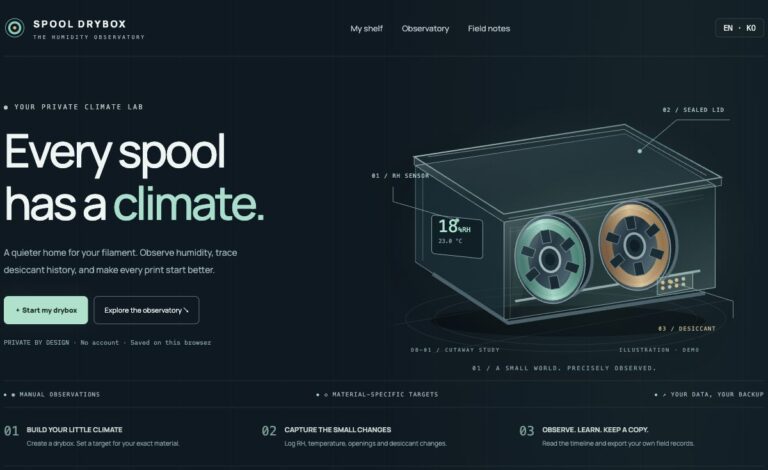
For storage context, Spool Drybox Diary records manual humidity, temperature and maintenance observations. A shared specimen or batch identifier can connect the two records in your own notes. No automatic integration was observed, and an air-humidity journal does not prove the filament is dry or diagnose the cause of a surface change.
Filament library FAQ
Are the nine starter specimens real filament products?
No. They are explicitly marked illustrations under a fictional Atlas Studio brand. Use your own documented photographs and specimens for a real archive; do not treat example names or finishes as manufacturer specifications.
Does Warm light recolor a neutral photograph?
No. The source describes switching separate uploads, and our different chart files confirmed that path. When the chosen slot had no capture, the interface disclosed an illustration instead. It did not synthesize a missing view.
Why can a record without a photo appear in a palette?
Photos are optional and the palette uses its manual display HEX field. Our metadata-only record did exactly that. Treat the tile as an index color, not a measurement or evidence that a printed sample exists.
Can another browser open my archive automatically?
The tool states there is no account or cloud sync. We only verified persistence in the same browser and origin. Full backup/import controls exist, but the received files and restoration were not validated in this review.
Start with one documented specimen
Register one clearly identified specimen, attach genuine captures and record the conditions you know. Compare equal capture conditions, inspect missing fields and build a small palette only after reading the passports. Keep source images separately and verify your backup. A useful archive makes the next physical printing decision easier to investigate.
Sources and verification: Swatch Atlas English tool and field guide; Korean interface. Actual interface checks and screenshots: 12 November 2026. Synthetic charts and fictional recipe inputs are identified above; no physical print or color-measurement trial was performed.
A RELEVANT NEXT STEP
Tools with a useful connection
Last Meter
Last Meter: 7 Essential Leftover Filament Checks
Plan the last grams of a spool with Last Meter. See tested weight/length conversions, reserve and purge arithmetic, tiny-print combinations and the limits of illustrative model weights.
Spool Drybox Diary — The Humidity Observatory
Drybox Diary: 7 Smart Checks for Better Filament Storage
Keep manual filament drybox observations, targets and desiccant events in one local journal. Tested threshold arithmetic, monthly means, reload and Korean mobile editing, with clear backup limits.
CHROMA TRACE
CHROMA TRACE: G-code Color Change Viewer in 7 Clear Steps
Inspect filament-change requests, pause candidates and tool switches in text G-code, with layer previews and a CSV checklist.