SignatureRescue Studio is an email signature builder and HTML cleanup workspace with English and Korean variants. Create a new design, review an existing snippet or prepare employee versions from CSV. Its output is a handoff for your mail settings; the browser preview does not certify the message a recipient receives.
Directly checked 12 November 2026, Asia/Seoul. We used fictional example.com contacts to test variants, copied text, HTML cleanup, a two-person CSV status, UTM changes, explicit saving and Korean mobile steps. No real employee list or actual mail-client installation was used. This library and the original tool share a creator.
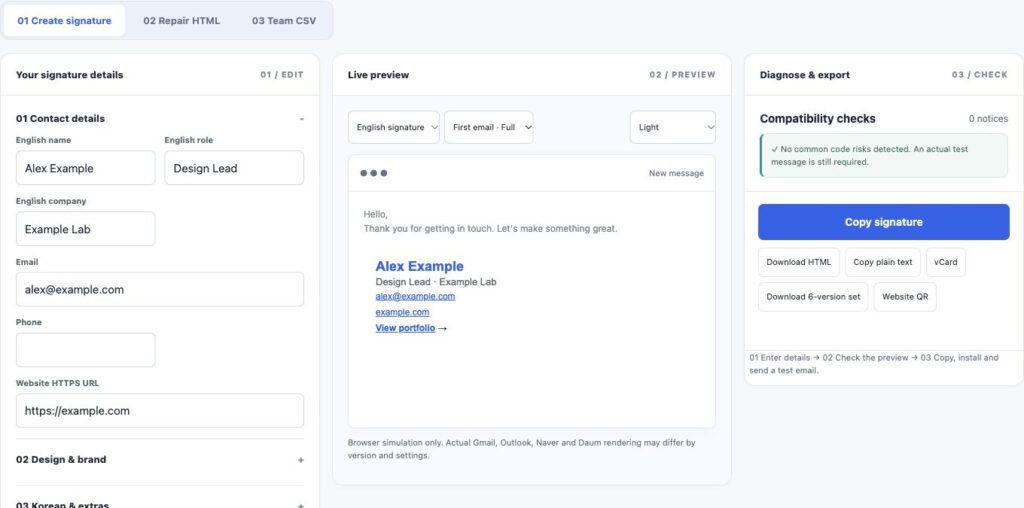
Build an email signature with SignatureRescue Studio. Actual bilingual, repair, CSV-status, copied-text and saving tests explain what is verified before a manual inbox check.
- Brand
- SignatureRescue Studio
- Tool languages
- en, ko
- Verified date
- 2026-11-12
In this guide
Key takeaways
Creation, repair and installation are different jobs. The builder produced separate full, reply and mobile views from manually entered English and Korean fields. We verified the mobile plain-text clipboard output in both languages. We did not send a test email, install a signature in Gmail or Outlook, or inspect every exported format.
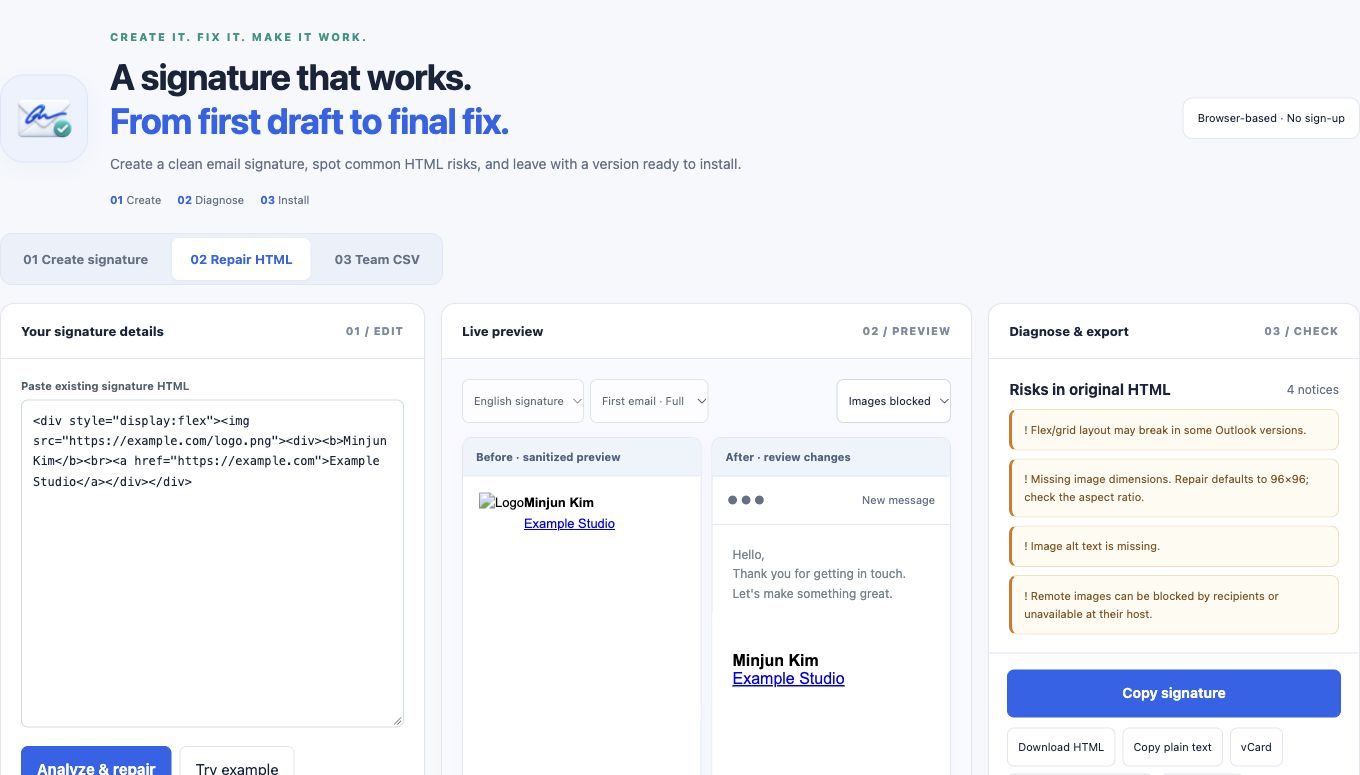
The built-in HTML example produced four original notices. Cleanup changed flex to block, added Arial styling and supplied Logo alt text with default 96×96 dimensions. The post-cleanup message still reported one remaining notice: the remote image. The four-warning panel was explicitly describing the original HTML, not four newly introduced defects in the repaired output.
Our two-row fictional CSV, including a quoted comma in an English name, produced a status of 2 employees × 6 signature variants created. The final downloaded file was not inspected. A generation message is not evidence that every employee record is correct or that accounts were updated. Review a small batch before distributing a team package.
What this email signature tool actually produces
The official name is SignatureRescue Studio. Its three workspaces are Create signature, Repair HTML and Team CSV. The editor provides eight named templates, brand colors and presets, manually maintained language fields, optional hosted-logo and portfolio links, and a live browser preview. Full, compact-reply and mobile-text variants in two languages make six possible versions of a contact.
The practical problem is moving from an attractive draft to something you can actually maintain. A full first-contact block may be useful once, while a long repeated block can overwhelm a reply chain. A mobile text version asks a different question: can the recipient still identify you and reach you without the decorative layout? The separate variants make that editorial choice visible.
The repair workspace is for an existing HTML fragment, while the CSV workspace prepares versions for multiple people using the chosen template and color. Neither is a managed deployment service. We did not find an account connection that installs signatures for your organization. A complete workflow therefore includes a recipient-side test and a clear person responsible for distributing future corrections.
Prepare contact details, translations and destinations
Prepare approved display names, role, company, an email address and the destinations you want recipients to use. Enter the English and Korean forms deliberately; the tool says it does not translate them automatically. In our test Alex Example, Design Lead and Example Lab were fictional English fields, while 예시담당, 디자인 책임 and 예시연구소 were independently entered Korean fields. A language switch selected those fields rather than translating the text.
Choose one primary website and, if needed, one labeled booking or portfolio action. A long link label or several competing destinations can make a short contact block harder to scan. Check the actual URL as well as the label. When we entered http://example.com, the website link disappeared from the generated preview even though the displayed checker still showed zero notices. Returning to HTTPS restored the link. Zero notices alone is therefore not a complete input review.
A logo requires a public HTTPS address if you want remote display. We did not provide a real company asset. The tool warns that a preview requests the image from its host, and a recipient can later block images or lose access to that host. Keep identity and essential contact details as readable text. Do not assume a working browser image establishes successful delivery in another app.
7 checks from draft to installation handoff
1. Start with one fictional or approved contact
Open Create signature and fill the basic information. For a first evaluation, use a fictional example.com address rather than a private personnel record. Remove optional fields you do not need and inspect whether an empty field leaves unwanted punctuation or spacing. We left Phone empty and checked the visible signature rather than interpreting a hidden form value as finished output.
2. Enter each language and pick a simple design
Expand Design & brand for templates and colors, and Korean & extras for the other language and optional links. The UI has eight template names and three presets. Their presence is not a comparative client-rendering test. Choose a design you can read, then select each signature language to check spelling, role and company. A translated interface and a translated contact record are separate things.
3. Inspect full, reply and mobile variants
Use Signature variant to compare the first-email, reply and mobile choices. In our reply preview the portfolio action was omitted, leaving a more compact identity and contact block. The mobile text copy contained name, role/company, email and website. Do not assume a link from the full version survives in every shorter version. Decide which information is essential for that communication context.
4. Change preview conditions without calling them inbox tests
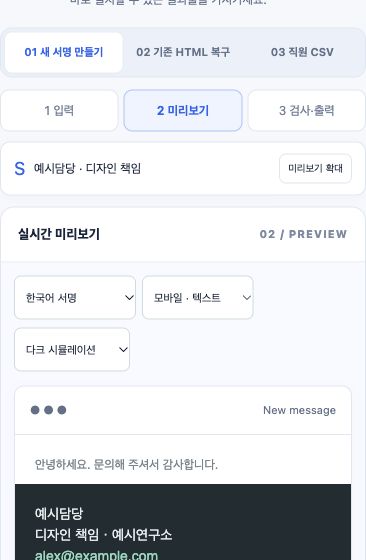
The simulation selector offers light, dark, images blocked and a narrow 320 px view. We selected images blocked during repair and dark/narrow modes in the Korean mobile workflow. These are browser simulations. They help expose a layout dependency, but do not reproduce every Gmail, Outlook, Naver or Daum version. Record what you actually changed and reserve a separate test for the installed result.
5. Inspect warnings and the generated content together
Read whether the diagnostic heading refers to original HTML or the current generated design. Expand a repair comparison when you need to see source changes. A missing or filtered website can coexist with zero common-code notices, as our HTTP test showed. Check each intended destination in the preview, not just the counter. A generic added alt label also needs editorial review for a real logo.
6. Copy or export the version you intend to install
Confirm language and variant immediately before copying. Copy plain text was verified by reading the clipboard, including the Korean version on a 390 px viewport. Copy signature, HTML download, vCard, six-version set and website QR controls are present. We did not inspect their final files or a rich-paste result, so we make no claim about those outputs beyond the available controls and the observed team status.
7. Complete the handoff in your actual mail service
Use the service-specific installation guide, choose defaults for new messages and replies, and test a received message. The tool does not make that final account change for you. Include a mobile and reply check rather than looking only at a compose window. Keep the approved wording and original HTML outside a single browser draft so later corrections have a clear source.
Actual tests and observed results
| Test | Observed result | What it establishes |
|---|---|---|
| English reply and mobile variants | Shorter preview; mobile clipboard contained four text lines | The selected variant changes output content. |
| Korean mobile text copy | 예시담당 and Korean role/company copied with example email/site | Manual Korean fields were used. |
| HTTP website input | Website omitted while checker showed zero notices | The counter is not an exhaustive field validator. |
| HTTPS restoration | Website link returned | The tested address was accepted into the preview. |
| Built-in repair example | 4 original notices; 1 remaining after cleanup | Original and cleaned diagnostics have different scopes. |
| Two-row CSV with quoted comma | 2 employees × 6 variants created status | The UI accepted the sample; final file contents unverified. |
| UTM action | Optional portfolio URL received source=email, medium=signature, campaign=guide_test | The observed link field changed; analytics collection was not tested. |
| Explicit Save and reload | Fictional fields and optional link restored | Same-browser persistence worked after opt-in. |
| Korean 390 px | Steps 1/2/3, 320 px preview and text copy worked; no page overflow | Responsive workflow inspection, not a full physical-device survey. |
Read original risks and remaining notices separately
Try example loaded a flex container with a remote image lacking explicit dimensions and alt text. Analyze & repair produced block layout, Arial styling, a normalized HTTPS destination and an image with alt Logo and 96×96 dimensions. We read the output field and comparison panel. That is concrete evidence of cleanup on one supplied example, not a security audit of arbitrary hostile HTML.
The default square dimensions deserve attention. If your real mark is wide, substituting 96×96 can distort its intended aspect ratio. An automatically added Logo label is also generic; it cannot decide the most useful accessible name for a particular organization. Review these repairs as proposed defaults, then check the resulting appearance and text in the target environment.
Both before and after previews are sanitized according to the UI. The before view is therefore not an untouched execution of the original snippet. A visually similar comparison does not prove that nothing changed. Use the actual Original HTML and Repaired HTML fields when reviewing formatting, dimensions or destinations, and keep an independent original before accepting a simplified version.
The panel retained four notices under Risks in original HTML while the cleanup message reported one remaining notice. Those two counts are not inconsistent. The surviving remote-image warning concerns availability and recipient blocking, which markup cleanup cannot solve. No test here established that a remote image was fetched successfully inside a mail client or that every compatibility issue had disappeared.
Use Team CSV without confusing generation with deployment
The CSV area accepts pasted rows or a UTF-8 file and labels its limit as 100 rows. It exposes name, nameEn, role, roleEn, company, companyEn, email, phone and website in its example header. We pasted two fictional people. One English name contained a comma inside quotes. The generation status reported two employees and six variants each; we did not inspect the downloaded HTML to verify the parsed name or all twelve sections.
The source describes the team pack as one HTML document containing full, reply and mobile signatures in both languages. It does not describe twelve separate account installations. Plan a review document and a distribution step: identify who checks names, who checks destinations and who installs each approved block. Never infer that the right person received the right version simply because a batch completed.
Before a real batch, test one representative long name and one bilingual record. Inspect the resulting file, count employee sections and read at least one version of each language and variant. Preserve leading zeros and telephone formatting in your source data, and verify CSV quoting in the tool rather than assuming a spreadsheet preview guarantees correct parsing. These are recommended next checks, not batch results we measured.
Install manually and test the received message
The tool includes guides for Gmail, Outlook, Naver and Daum. We separately read Google’s official Gmail signature instructions, which describe adding a signature in settings, saving changes and choosing different defaults for new messages and replies. Check the current guide for your actual service and device; we did not verify an Outlook, Naver or Daum installation.
After manual installation, send a test to an account you can inspect and open the received message in the apps your audience uses. Check name, language, contact destinations, image visibility, narrow layout and a reply. A preview in the builder, a pasted compose window and a received message are different checkpoints. We stopped before account installation and email sending, so no inbox compatibility claim is based on an invented test.
For a team handoff, label each approved version with language and intended context. Keep a small acceptance list: identity correct, destinations correct, essential text visible without images, reply block appropriate and correction owner named. Record an actual test date only after that test occurs. This turns a design file into a maintainable process without implying automatic deployment or analytics.
Saving, external images and mobile limits
The source privacy notice says contact fields, imported HTML and employee CSV are processed in the browser rather than uploaded to an application server. It describes opt-in localStorage saving, separate remote-image requests and a contact form that sends messages through Google. We verified explicit Save followed by reload, not the full network or storage implementation. Avoid treating local processing as proof of zero external traffic.
Save on this device is distinct from Save project and Load project. The latter controls are present, but a project-file round trip was not tested. The privacy notice also says clearing the saved draft can leave the current screen populated. We did not test deletion or browser-data clearing. When a copy is sensitive, consider the visible editor, clipboard, downloaded files and remote logo host separately, rather than thinking only about the saved draft.
The optional UTM action changed our portfolio URL to include utm_source=email, utm_medium=signature and utm_campaign=guide_test. It did not change the primary website field in that observation. This prepares a tagged destination; it does not prove click tracking, analytics ownership or a conversion report. Check whether your organization wants tracking parameters before including them in a distributed signature.
At 390 px the Korean interface became an input, preview and check/output wizard. We navigated all three steps, selected a 320 px preview and dark simulation, and copied Korean mobile text. Document width stayed at 390 px. We did not test every template, touch gesture, screen reader, logo optimizer, QR result or mail app. Advertising was visible and was not clicked.
Related tools for the next destination
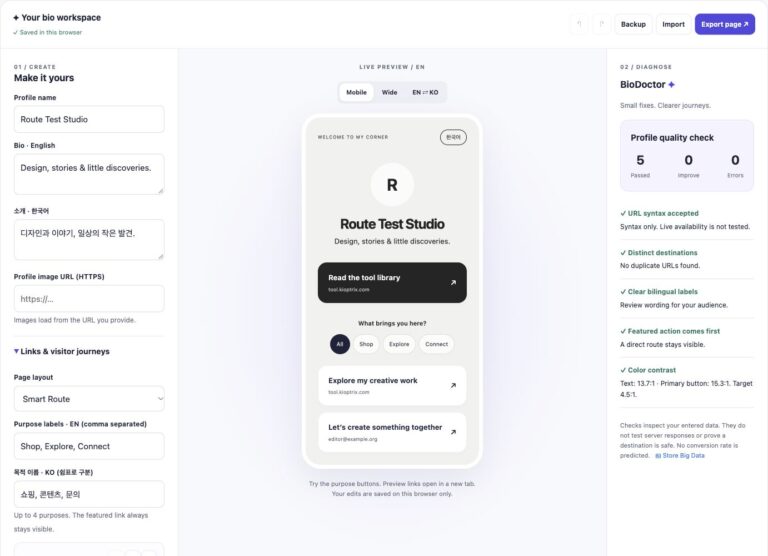
If the signature needs one landing destination for several actions, the published BioRoute Studio link-in-bio guide explains bilingual profile editing, purpose filters and HTML/JSON handoff. Build and publish that destination separately before linking to it. Neither tool automatically hosts the other’s output or transfers contact data between projects.
If your task is cleaning copied article HTML rather than making a mail footer, read the published Markup Studio HTML-cleanup guide. Its publishing-editor outputs answer a different question from email-client compatibility. Do not treat a clean web-page preview or a basic health score as verification that a signature will survive a recipient’s mail renderer.
Frequently asked questions
Does this email signature tool translate names?
No automatic translation is claimed. English and Korean contact fields are entered manually. We observed each language using its corresponding fictional fields, so review both records before distributing either version.
Do zero notices mean every link is correct?
No. Our HTTP website disappeared while the checker showed zero notices. Returning to HTTPS restored it. Verify intended fields and actual preview destinations as well as common-code warnings.
Does repair guarantee Outlook compatibility?
No. It simplified one example and retained a remote-image notice. The UI explicitly requires real email testing. Mail-app bugs, settings and image-host availability remain separate concerns.
Does Team CSV update employee accounts?
No account deployment is described. The source says the pack is an HTML document. We saw the two-by-six generation status but did not inspect the file or install it anywhere.
Is Save project a verified backup?
The control exists, but we did not test project export and import. We verified only opt-in same-browser saving and reload. Keep a checked external original for important work.
Did you test actual inbox delivery?
No. These were browser and clipboard tests with fictional contacts. Installation and received-message checks remain necessary for your actual account and mail applications.
Create one signature you can verify
Start with one contact, one language and the smallest useful set of destinations. Compare the shorter variants, read the diagnostic scope and verify what you copied. Then complete a real manual installation test before expanding the same design to a team.
A RELEVANT NEXT STEP
Tools with a useful connection
BioRoute Studio
Link in Bio: 7 Smart BioRoute Studio Checks
Build an English/Korean link in bio page with BioRoute Studio. Real tests explain purpose filters, URL diagnosis, UTM edits, HTML export and JSON backup without confusing editing with public hosting.
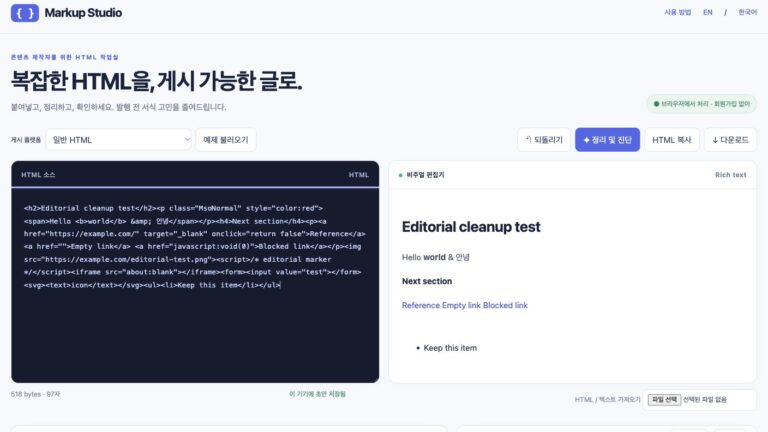
Markup Studio
Markup Studio: 7 Essential Checks for Better HTML
Markup Studio cleans copied HTML and checks basic issues before publishing. See our 52→68→100 test, WordPress/Blogger/Shopify copy differences, component builder and local-draft limits.
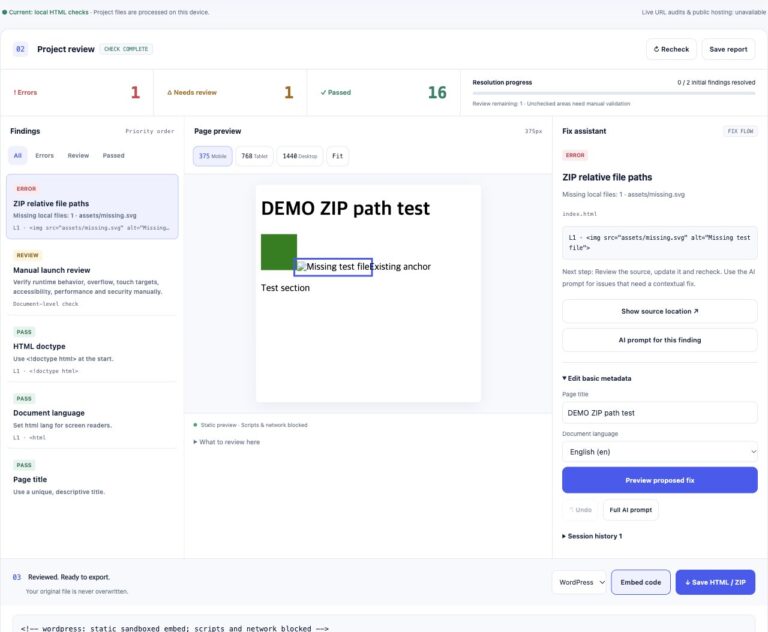
LaunchCheck Studio
HTML Checker: 7 Smart LaunchCheck Studio Checks
Inspect HTML and ZIP projects with LaunchCheck Studio. Actual sample, synthetic-code and missing-file tests explain findings, reversible metadata fixes, static previews and AI prompt privacy.