Pirgasm is a virtual extraction game with tweezers, a scraper and a peel-off strip. Work on the illustrated nose, collect the game objects and decide whether to keep a result card or send the session collection through the Afterglow Chamber. These seven checks explain the controls and the different records without treating the simulation as a real procedure.
Hands-on review: November 8, 2026. We tested the English and Korean interfaces in Chrome: keyboard and pointer extraction, cotton-pad deposits, scraping, strip rotation and peeling, result-card refresh, copied invitation text, Afterglow and a fresh 390px layout. Downloaded image files, collection backup restoration, sound output and every special item were not independently verified. This library and the original game share a creator.
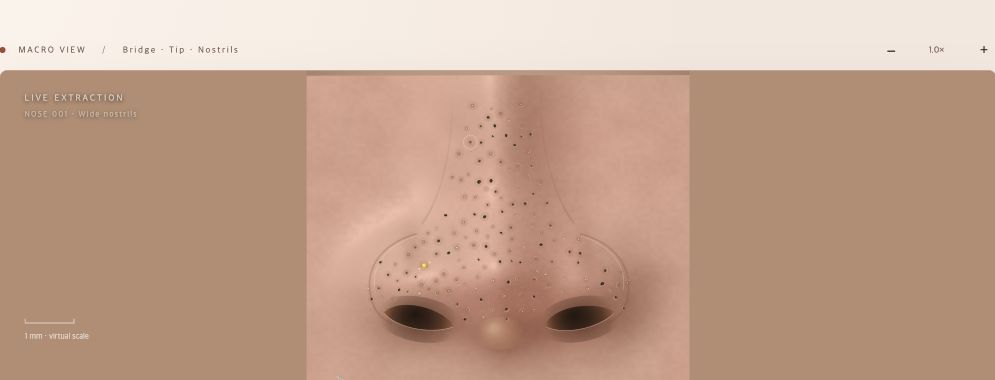
Explore a virtual extraction game with tweezers, scraper and pore strip. Our tested guide explains completion feedback, collection counts, result snapshots and Afterglow without treating the game as a real procedure.
- Brand
- Pirgasm
- Tool languages
- en, ko
- Verified date
- 2026-11-08
On this page
Key takeaways
- All instructions refer to the virtual board. Pirgasm explicitly describes itself as a simulation unrelated to real procedures. Its cm and mm labels are game-scale displays.
- Extraction, cotton and collection are separate steps. A completed object may still be on the tool until you deposit it. Read both the session count and the pad.
- Wait for the strip reveal before making a card. A card opened during our animation captured an earlier count; reopening after completion showed 101.
- The result link is an invitation, not a replay. Copy produced a result sentence plus a play URL. Opening that URL began a fresh zero-count session.
- Afterglow clears the session tray, not the achievement count. Our test ended with total 101, remaining zero and burned 101. The pre-existing Wisdom collection stayed at 33.
What Pirgasm does and when to choose it
The official name is Pirgasm, subtitled The Satisfying Extraction Studio. It offers a close-up virtual nose, three game tools, zoom, a cotton pad, a session tray and a result-card panel. Golden objects, an endless thread and an iceberg-style hidden object add optional discoveries. The Wisdom collection is a separate catalogue of characters and quotation-themed scrolls.
The useful problem is finding a small, bounded interaction to explore without a timer. The guide states there is no time limit or failure state. You can choose a single object with the tweezers, sweep a larger area with the scraper, or plan the position of a strip. The appeal depends on whether you enjoy this particular close-up imagery and the gradual reveal; it is not a general productivity tool.
Use it for a short browser-game break or a comparison of three different control styles. It is not a skin assessment, a treatment planner or evidence that any physical technique works. We supplied no personal photographs and used only the game’s virtual scene. The result values describe that scene, not a person’s skin or a measured medical outcome.
Before playing: choose the language and protect the right record
The main URL opened Korean during our visit. Its EN navigation link opened a dedicated English interface; use that visible language link or the verified English launch button above. Tool names, help and collection controls were available in both languages. A fresh page can generate a different nose, so matching the language does not guarantee matching targets.
Check the counters before starting. The interface already showed 33 Wisdom items and an Endless personal best of 18.9 cm before our tests. We did not earn those records in this review. The session began at zero out of 150 and was separate from that existing collection. This matters when deciding whether a screenshot shows a new achievement or only a previously stored record.
Locate the sound toggle, zoom buttons, cotton pad and How to play panel. We verified Sound ON/OFF control states but did not evaluate speaker output or the quality of the effects. If an advertisement covers the lower tools, close or collapse the advertisement using its explicit control when available. Promotional links are not game instructions.
Decide what you want to preserve before choosing A fresh random nose. In our root-page test that changed NOSE 001 to NOSE 002 and reset the session from 101 to zero. A result image is a visual record; the invitation link did not restore the same board. The Wisdom collection has its own browser-save and backup controls, which serve a different purpose.
Three tools and the feedback to watch
| Tool or control | Virtual action | Useful distinction |
|---|---|---|
| Tweezers | Grip a visible dark or pale object and pull upward | Deposit the extracted object on the cotton pad afterward. |
| Scraper | Hold and stroke across the virtual surface | Collected material can remain on the blade until wiped onto the pad. |
| Pore strip | Position, rotate, attach, then peel using its lower handle | Attachment and the finished reveal are separate stages. |
| Cotton pad / C | Deposit or wipe material from the active tool | Pad count is not always identical to the completed-session count mid-action. |
| Zoom + / − | Enlarge small game targets | Our 1.0× to 1.2× change was visual magnification, not a real measurement. |
| View collection | Inspect the session objects and disposal totals | This tray is different from the persistent Wisdom catalogue. |
| Result card | Generate a picture of current result values | Reopen after the animation finishes if the earlier card is stale. |
The help documents Tab to select a target within the game, Enter to grip, Up to pull, C to deposit, 1–3 to select tools and Esc to release. Shift+Tab is the documented way to leave the canvas. We completed a separate English keyboard extraction by selecting, gripping, using repeated Up input and depositing with C; the pad showed one item. A single brief arrow press is not necessarily a complete extraction.
How to play Pirgasm: 7 practical checks
1. Start with a readable board
Begin at 1.0× and choose Tweezers to learn the relationship between a target and the tool. Open How to play if the gesture is unclear. The board is a game scene with a virtual scale; you do not need real equipment, a camera or a photograph to follow this workflow. The close-up itself may not suit everyone, so use a different creative game if the subject is unpleasant.
2. Finish one virtual extraction
Grip an object and drag upward within the scene, or use the documented keyboard sequence. Watch for the completion feedback before treating the gesture as finished. Our initial Korean keyboard-and-pointer trials raised the session to two. In a separate English keyboard-only check, zero became one and C placed the item on the pad. These are individual observations, not a guarantee about every special target.
3. Deposit and compare the two counts
Tap the cotton pad or use C to put down material still held by the tool. In our early test the session showed two while the pad held one; depositing made the pad show two. That difference was part of the interaction rather than evidence that a result had vanished. Open View collection to inspect the session tray when you need a clearer summary.
4. Try the scraper as a different control style
Select Scraper and make a held stroke across the virtual board. Our two pointer strokes took the cumulative session from two to twelve; wiping onto the pad then showed twelve there. A stroke can affect several game objects. Do not expect the same increase from the same number of gestures on another random board, and do not interpret the animation as a real-world technique demonstration.
5. Position the strip before attaching
Choose Pore strip and inspect its placement preview. The rotation slider exposed −180° to 180° in 1° steps. Pressing E while the canvas had focus changed our preview from 0° to 10°. This was a tested example, not an optimal angle recommendation. Move and rotate the strip for the current virtual scene, then use the attach button rather than assuming the preview is already attached.
6. Peel, wait and read the completed reveal
After the adhesion message finishes, use the lower handle in the indicated upward direction. We combined pointer and repeated keyboard Up input and completed the peel. The final message reported 89 objects on the strip, bringing the earlier twelve to a cumulative 101. The guide’s 85% per-object chance is a game rule; we did not statistically test it or turn it into a claim about real strips.
7. Preserve the result before clearing or restarting
Close the completed reveal and open Result card. Read its values, then choose the output you need. Our settled card showed 101 out of 150, longest 1.1 cm and no golden item acquired. Image save produced a request message; Copy link copied the result text with a play invitation. Use Afterglow only when you intend to remove the virtual specimens from the session tray, and create a fresh nose after preserving any result you want to keep.
What our direct tests established
| Test | Observed result | Scope |
|---|---|---|
| Initial extraction and pad | Session reached 2; pad changed from 1 to 2 after deposit | Combined Korean pointer/keyboard trial. |
| Scraper | Cumulative 2 → 12; pad 12 after wiping | Two strokes on one generated board. |
| Strip rotation and reveal | E changed 0° → 10°; final strip result 89, session 101 | One completed strip, not a probability study. |
| Card timing | An early card retained 12; a newly opened settled card showed 101 and 1.1 cm | The card is a generated snapshot, not a continuously updating display. |
| Invitation copy | Clipboard contained the result sentence and /?ref=result | A new tab at that address started at zero, not 101. |
| Afterglow | Total 101, remaining 0, burned 101; Wisdom collection still 33 | Our own session specimens only; existing catalogue preserved. |
| Fresh random nose | NOSE 001 became 002; session 101 → 0 | A new attempt, not continuation of the old result card. |
| 390px Korean page | Document 390px, canvas 368px; 1.2× zoom and keyboard deposit worked | Responsive Chrome emulation, not physical-phone certification. |
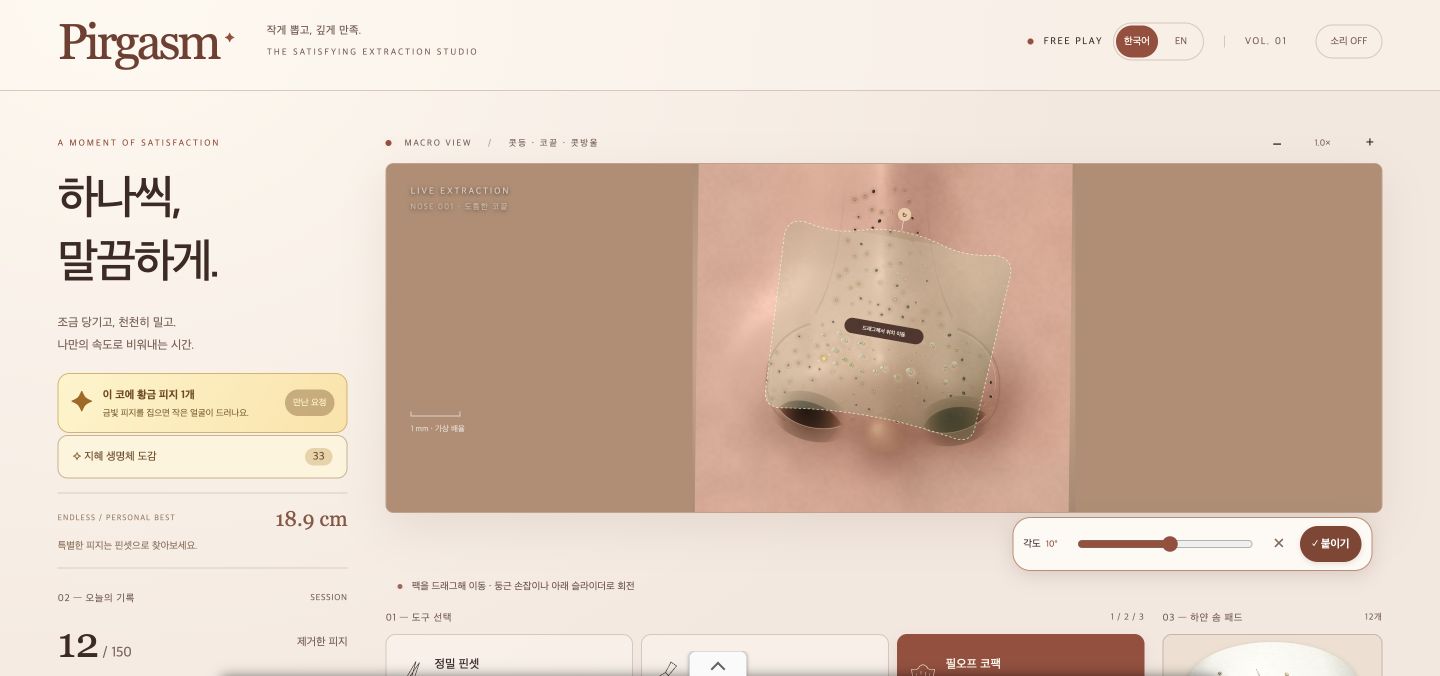
The test sequence did not clear all 150 targets. We did not finish the endless thread, extract the iceberg object or earn a new golden creature. Those features are described in the game’s help and catalogue, not presented here as completed experiments. The existing 18.9 cm best and 33-item catalogue were deliberately excluded from the new-results claim.
Read the result card as a snapshot, not a replay
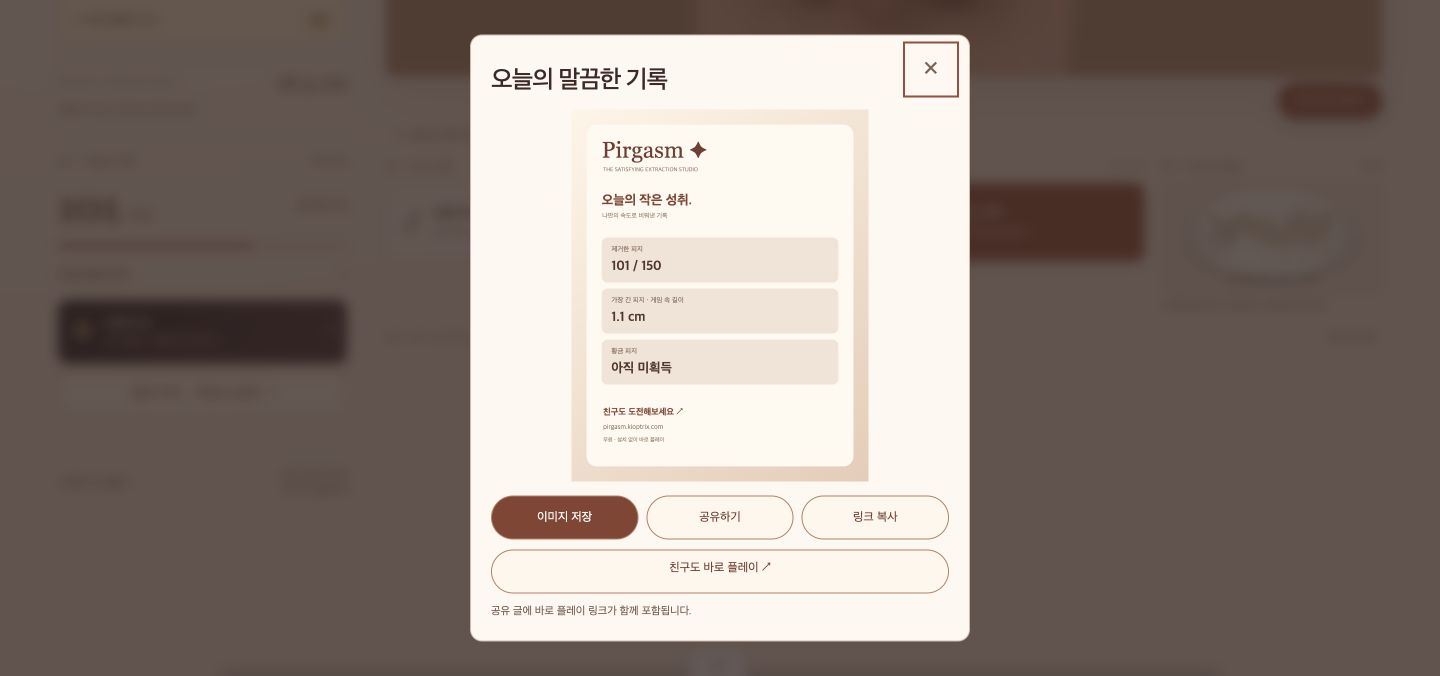
Wait for the reveal to finish before creating the card. We opened a card while the strip process was still changing the session. It captured twelve even as further objects were being counted. Closing the reveal and the old card, then generating a new card, produced the settled 101 result. If a number seems inconsistent, check whether you are reading an earlier image rather than the current session.
The Copy link label also needs interpretation. Our clipboard contained a result sentence followed by https://pirgasm.kioptrix.com/?ref=result. That address opened a new zero-count session in another tab. It invites a friend to try the game; it did not carry our nose layout, extraction history or 101-item state. No message was sent to another person during the test.
Image save displayed a message that a save had been requested and that mobile users should check their download or photo-saving menu. We did not independently inspect a downloaded file. The screenshot in this article is the real card viewer, not a substitute exported image. Keep your own verified file if you need a durable record before starting a new nose.
Session tray, Afterglow and Wisdom collection are different
The session tray records the objects removed from the current nose and shows total, remaining and burned quantities. Afterglow is a separate visual sequence: load the collected specimens, wait until the chamber is ready and light the brazier. Our completion message said 101 had been cleared into light. The later tray still showed total 101, but remaining zero and burned 101.
That distinction explains why an empty pad need not mean an empty achievement count. The tray specimens can be gone while the completed extraction total remains. Starting a fresh random nose then resets the current session. The Wisdom catalogue is another layer again: its 33 existing entries remained visible after the Afterglow sequence and across fresh English and Korean pages in this browser.
The golden-creature help describes a scroll that can be opened with outward handle movements, with length affecting the revealed quote and rarity. The catalogue supports name/country search, filters, pagination and backup/restore controls. We searched the existing Korean catalogue for Virginia and obtained one Virginia Woolf entry. We did not validate every character, rarity, quotation attribution or backup file, and the catalogue should not be treated as a scholarly quotation source.
A useful short session and common mistakes
For a small comparison, keep the same board and use the tweezers on one ordinary target before trying a scraper stroke elsewhere. Note the completed count, the material still on the tool and the pad count separately. Then try a strip and wait for its reveal before making a card. This is a suggested observation exercise; it is not a controlled performance ranking of the three tools.
Random nose generation and the strip’s chance rule mean that two runs are not automatically comparable. A different shape or coverage changes the available targets. Record the tool, zoom, strip angle and starting count if you want to describe a trial clearly. A result of 101 on our board is an observed example, not a universal target or a best achievable score.
- A gesture did not count: continue until the game shows completion; moving the tool and finishing an object are different stages.
- The pad has fewer items than the session: deposit what is on the tool before comparing them.
- The strip is visible but inactive: check whether you are still positioning it, waiting for adhesion or already in the peeling stage.
- A card shows an earlier number: finish the animation, close stacked game panels and generate a new card.
- A friend cannot resume your board: the copied result URL is an invitation, not verified state sharing.
- The tray emptied: inspect remaining and burned values before assuming the extraction count or Wisdom catalogue was lost.
Mobile, privacy and limits of this game model
The fresh 390px Korean page fitted without document overflow; its main canvas was 368 pixels wide. We changed zoom from 1.0× to 1.2× and completed a keyboard extraction and pad deposit. Controls and session panels move around the board on a narrow screen. We did not certify physical multitouch, every phone browser, screen readers or mobile file saving.
Advertising overlays covered tools and sometimes interrupted navigation with a full-screen panel. A game dialog and an advertisement are different layers; close the visible foreground panel before trying a control behind it. Our strip reveal also appeared over an earlier result card. Reading the active panel and waiting for a transition avoided mistaking an obscured button for a broken one.
The Wisdom panel states that entries are automatically saved in this browser and offers a backup for data loss. Existing entries were visible across fresh pages in our session. We did not find and verify a comprehensive privacy policy in the game panels inspected, audit network requests, or prove that all website processing is local. We used no account or personal-photo upload, and advertising was present. Those observations are narrower than a claim that the entire website sends no data.
The game’s close-up, scale labels, extraction chance and special-object lengths are creative mechanics. They do not diagnose a condition or predict a physical result. Sound control states were tested with the effects muted for much of the session; no acoustic or relaxation-effect evaluation was performed. Choose the tool for the interaction you enjoy, not an unverified health benefit.
Related tools and a different kind of tactile play
For another precise browser gesture game, read Last Noodle. Its goal is a controlled finish inside a target rather than a collection of extracted objects. Perfect Pebble Stack changes the task to building a supported digital sculpture and preserving a portrait.
If close-up skin imagery is not appealing but responsive visual art is, Tea Ripple Piano provides a cup, ripples and a short musical take. Its restorable replay workflow is also a useful comparison with Pirgasm’s simple result invitation. These are alternative activities, not file integrations or real-world extraction recommendations.
Pirgasm FAQ
Is Pirgasm a real extraction guide?
No. The interface explicitly labels it a simulation unrelated to real procedures. This article explains only the virtual game controls and game records.
Can I use a keyboard?
The help documents Tab, Enter, Up, C and the 1–3 tool keys. We completed an English keyboard extraction with repeated Up input and C deposit. The same basic input worked in our 390px Korean browser test.
Does a strip remove every object?
The guide assigns a per-object chance of 85% and reserves special types for tweezers. Our strip added 89 to the earlier twelve. We did not test the probability statistically or complete every special object.
Does the result link restore my exact session?
Our copied text included a result sentence and a play invitation. Opening it started a zero-count session. We found no verified replay of the exact board through that result URL.
Will Afterglow delete the Wisdom collection?
In our test it removed the session specimens while keeping total 101 and the pre-existing 33-item Wisdom catalogue. The tray showed remaining zero and burned 101 afterward. That is separate from starting a fresh nose.
Were saving and all rare discoveries tested?
The card viewer, save-request message and copied invitation were checked. Downloaded images, backup/restore files, quotation attributions and completion of golden, endless and iceberg items were not verified.
Try one complete interaction before chasing a collection
Start with an ordinary virtual target, finish it and deposit it. Once those counts make sense, explore another tool and preserve a settled result card before clearing the tray or changing the nose. The useful first success is understanding the full interaction, not inheriting a high personal-best number.
A RELEVANT NEXT STEP
Tools with a useful connection
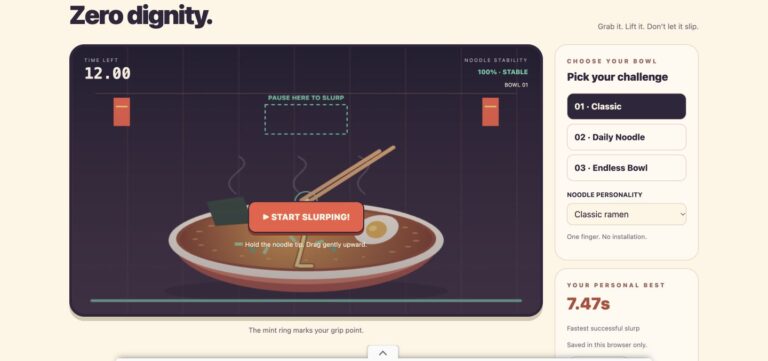
Last Noodle
Last Noodle: 7 Smart Checks for Better Control
Catch the final noodle, stop inside the target and compare three arcade modes. Read actual keyboard and pointer tests, receipt interpretation, local-record behavior and sharing limits.
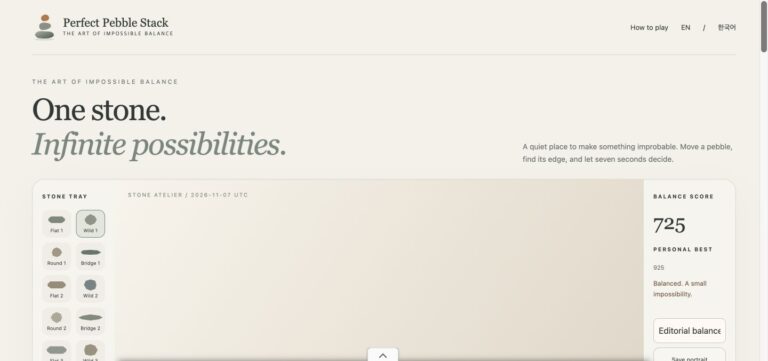
Perfect Pebble Stack
Perfect Pebble Stack: 7 Smart Balance Checks
Build a digital stone sculpture with preview placement, 1° rotation and three modes. Our hands-on guide explains settling, Undo, local portrait storage and the limits of this artistic physics game.
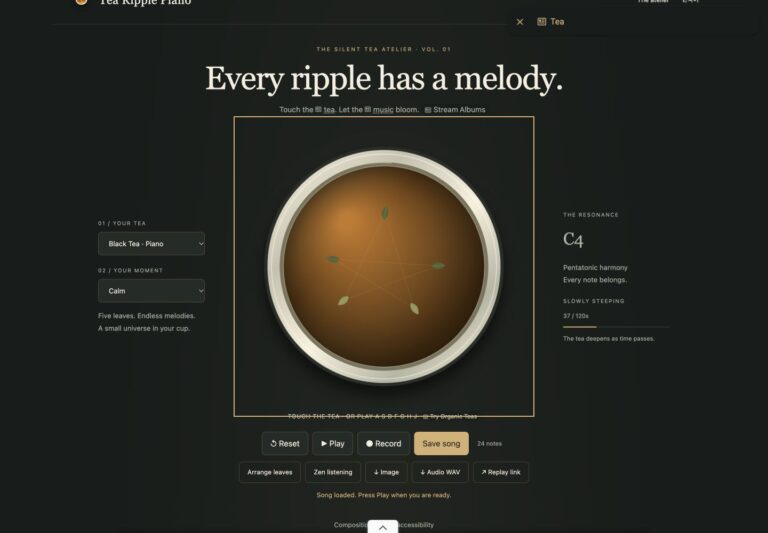
Tea Ripple Piano
Tea Ripple Piano: 7 Smart Recording and Replay Checks
Create short melodies by playing a virtual tea cup. This guide tests recording, local restoration, replay links and live layers, and explains which output preserves your next idea.