Perfect Pebble Stack is a browser rock-balancing game: choose a pebble, move its outlined preview, rotate it and release it into a small 2D scene. These seven checks help you learn the controls, understand the seven-second challenge and keep a picture of a result without confusing a saved image with a saved game.
Hands-on review: November 8, 2026, Korea time (November 7 UTC). We tested placement, coarse and fine rotation, keyboard rotation, Undo, mode switching, portrait storage and a fresh 390px Korean layout in Chrome. We did not complete a seven-stone daily puzzle or independently inspect an exported PNG file. This library and the original tool share a creator; this is an evidence-based editorial guide, not an independent endorsement.
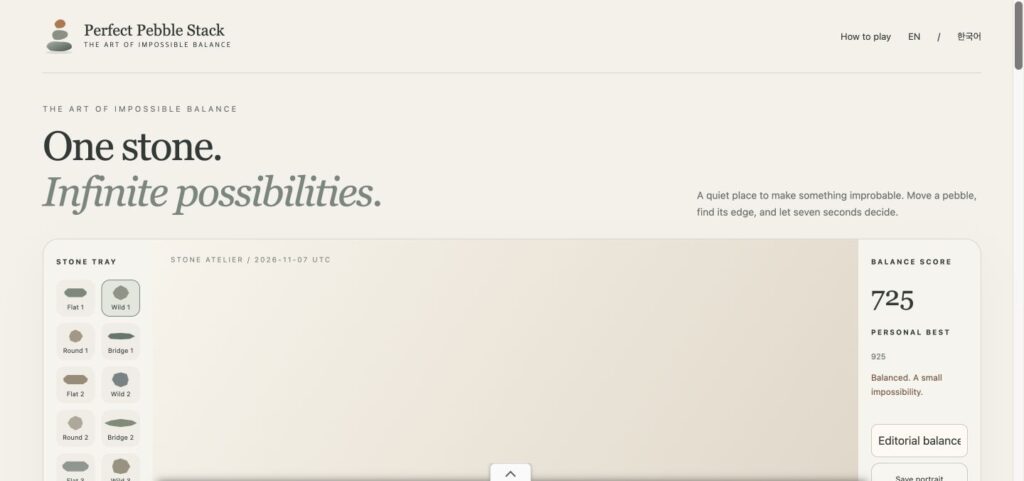
Build a digital stone sculpture with preview placement, 1° rotation and three modes. Our hands-on guide explains settling, Undo, local portrait storage and the limits of this artistic physics game.
- Brand
- Perfect Pebble Stack
- Tool languages
- en, ko
- Verified date
- 2026-11-07
On this page
Key takeaways
- Move first, place second. The outlined pebble remains a preview until you activate Place stone. Rotation and position are separate decisions.
- Choose the mode before investing in a tower. Switching from Zen Garden to Impossible Balance reset our current board; the diary image remained.
- Seven seconds is a stability condition. In competitive modes the timer needs supported, slow-moving stones. Zen Garden has no competitive countdown.
- Keep art and progress separate. Our named portrait survived a reload in the local gallery, while the live board returned to zero stones.
- Local storage does not describe the whole website. The source says the game keeps scores and gallery data in this browser; Blogger and advertising can still process other information.
What this pebble game does and when it is useful
The official name is Perfect Pebble Stack, with the subtitle The Art of Impossible Balance. It offers twelve convex stone outlines, a placement preview, movement controls, two rotation increments, a contact overlay and three modes. Its output is an evolving stack, a game score and an optional named portrait in a device-local diary. No account was required during our visit.
The useful problem is a small creative one: how can you build a convincing arrangement while obeying a simplified balance rule? Unlike a drawing app, this canvas responds to gravity after placement. Unlike an unrestricted picture generator, it asks you to make each placement. A quiet practice session can therefore combine composition with a short cycle of prediction, observation and revision.
Use it for a brief play break, a visual composition exercise or a discussion of what the game considers supported. It is not a structural calculator or a prediction of real stones. The source explicitly calls it a 2D rigid-body game model. There are no verified real-world units, measured material properties or safety assessments here. A successful digital tower does not establish that a physical arrangement would stand.
Before starting: protect the result and choose a question
Open the English page or choose 한국어 in the header for the Korean version. Keep the same browser profile if you want to see the same diary later. A private window, another device or cleared site data should not be treated as a synchronized account. The source identifies localStorage and IndexedDB as its storage mechanisms; we verified persistence through a normal reload, not through every browser-storage condition.
Decide whether the goal is to explore freely, earn a competitive result or attempt the daily sequence. For a first session, choose Zen Garden and make one flat foundation. For a comparison, write down the mode, stone label, rotation, relative placement and whether Undo has already been used. A score comparison is difficult to interpret when several of those conditions change together.
Read the current score separately from Personal best. The latter already displayed 925 before our test and was not a new record achieved in this review. Switching modes and reloading also change the working board. Save a useful composition before experimenting with those actions, and keep an external image copy when the result matters.
Controls, feedback and outputs at a glance
| Control | What it does | What to watch |
|---|---|---|
| Stone tray | Selects one of twelve labelled shapes | Daily Seven restricts the available selection. |
| Preview and arrows | Position the next pebble before release | The outline is not a placed stone. |
| Q / E or rotation buttons | Rotate the preview | Default steps are 15°; Precision changes them to 1°. |
| Place stone / Space | Commit the next placement | Movement controls become temporarily unavailable during settling. |
| Balance vision | Display contacts and gravity direction | Copper dots show game contacts, not a real-world force measurement. |
| Undo −200 | Restore the preceding placement state | The source applies a score penalty in competitive modes. |
| Start again | Begin a fresh attempt | Save the picture before abandoning a useful arrangement. |
| Save portrait | Name and store a picture in the diary | Opening it provides Download PNG and Share image controls. |
Keyboard controls need the game to have focus. In our test, focusing the preview control and pressing E changed rotation from 0° to 15°. If a key types into the artwork-name field or scrolls the page, move focus back to the game before trying again. The visible movement buttons offer an alternative when keyboard focus is unclear.
How to play: 7 smart pebble balance checks
1. Choose a mode before placing the foundation
Start in Zen Garden for unhurried composition. Impossible Balance is the competitive settling challenge. Daily Seven supplies a sequence tied to the displayed UTC date. Choose deliberately: changing mode during our session cleared the placed stone and reset the current score to zero. A gallery picture remained available, but that did not restore the live board.
2. Begin with a readable foundation
Select Flat 1 and keep the rotation at 0° for a simple baseline. This is a practical learning choice, not a promise that one shape always produces the best score. A flat first stone makes it easier to distinguish movement from rotation and to see where the next outline will land. Avoid changing several controls before your first placement.
3. Position the outlined pebble
Use the arrows beneath the board or focus the preview and use the keyboard arrows. The source also documents dragging the preview and tapping the canvas. We exercised the movement button interface; we did not separately certify every touch gesture on a physical phone. Watch the outline rather than the artwork-name panel when checking which object you are moving.
4. Rotate coarsely, then refine
Use the normal 15° step to see a clear change. Turn Precision on only when you need a smaller adjustment. We observed a normal clockwise change to 15° and a further fine change to 16°. On the Korean mobile page, 정밀 and the clockwise button produced a displayed 1°. The displayed angle describes the preview, not a guarantee of its eventual resting angle.
5. Commit and wait for feedback
Activate Place stone. During our competitive test the display moved from Settling… to a seven-second progress message and finally Balanced. A small impossibility. Do not interpret the first moment of contact as a confirmed result. The source says the timer requires contact with support and sufficiently slow movement; persistent wobbling can delay the count.
6. Inspect support before adding height
Enable Balance vision to compare the contact dots with the apparent base of the stone. Our screenshot shows copper contacts at the ground and a gravity-direction line. Use that as feedback about this simulation. For the next attempt, adjust one thing, such as the preview angle, instead of simultaneously selecting a different shape and moving it far sideways.
7. Save a portrait before leaving
Enter a descriptive name, choose Save portrait and inspect the generated preview. Our entry, Editorial balance test / 배치 검증, appeared in Your stone diary and survived reloading. The viewer offered Download PNG, Share image and Close. An image preserves the composition visually; it is not evidence that the editable state or placement history has been exported.
What our actual tests verified
| Test | Observed result | Scope |
|---|---|---|
| Zen placement | Zero stones became one; current score reached 925 after confirmation | One foundation placement, not a completed tower. |
| Rotation | 15° normal rotation; fine adjustment to 16°; keyboard E changed 0° to 15° | Visible angle feedback in Chrome. |
| Competitive countdown | Settling, an intermediate 3.4 / 7s message and a later balanced result were observed | One supported foundation; no daily completion claimed. |
| Undo | One placed stone returned to zero with Previous placement restored | Used before confirmation in Impossible Balance. |
| Repeat after Undo | A later confirmed foundation displayed 725 | Consistent with a carried 200-point penalty; not a reverse-engineered score formula. |
| Daily Seven | Board showed 0 stones / 7; Round 1 was selected and other tray choices disabled | Initial daily state for 2026-11-07 UTC only. |
| Portrait and reload | Named diary entry remained; board returned to zero stones | Local browser persistence, not cloud synchronization. |
| 390px Korean layout | 360px canvas inside a 390px document; 1° rotation feedback worked | Responsive Chrome emulation, not a physical-device certification. |
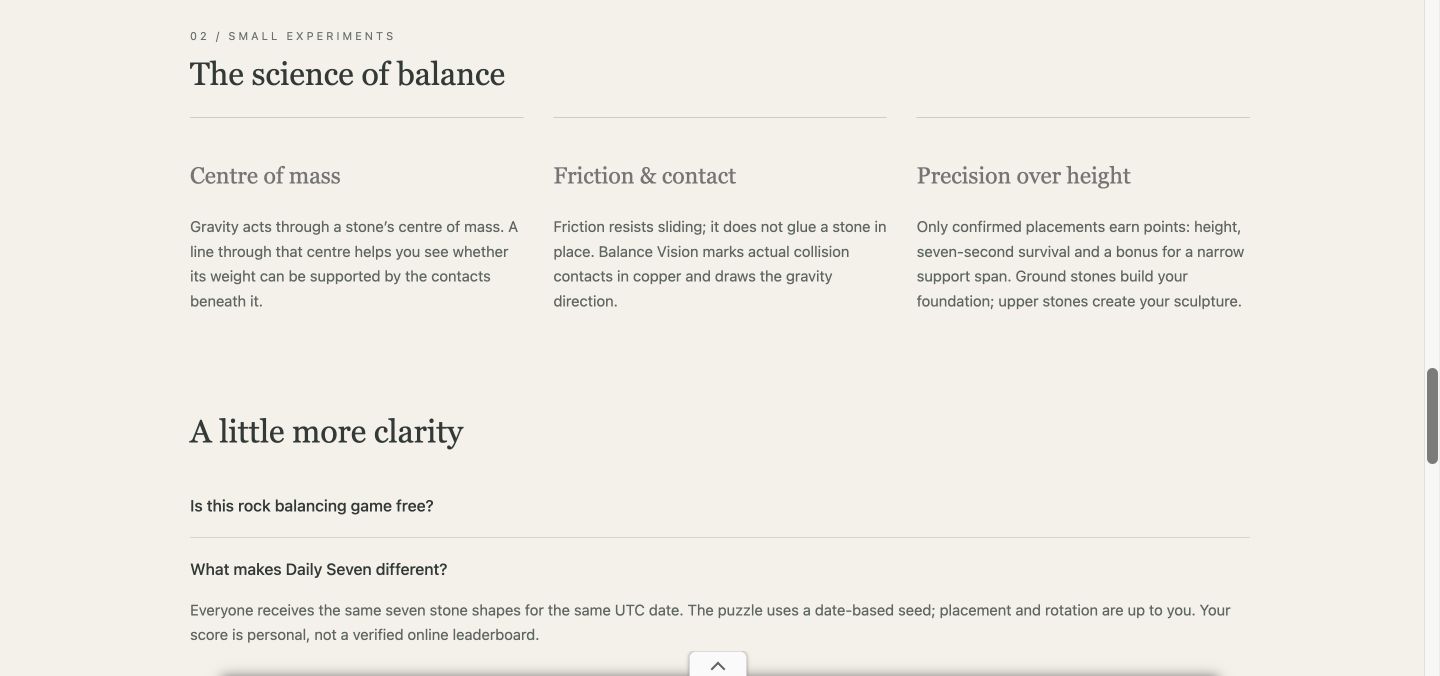
The competitive score requires careful wording. We did not derive a formula from a few placements. The source describes height, confirmed survival and a narrow-support bonus, and labels Undo as −200. Our repeated baseline showed 725 after Undo, compared with 925 in the earlier uncomplicated placement. That is useful feedback about this session, not a universal scoring table for every shape or mode.
We also inspected the generated portrait image element: its loaded dimensions were 1600 × 1900 pixels. The automation browser rejected the Blob download mechanism, so we did not validate a downloaded file, its exact bytes or opening it in another application. The screenshot below is the real viewer, not a substituted exported PNG.
Choose Zen Garden, Impossible Balance or Daily Seven
| Mode | Useful goal | Important boundary |
|---|---|---|
| Zen Garden | Learn the controls and arrange a sculpture without a competitive countdown | Do not use a quiet practice result as proof of a seven-second challenge win. |
| Impossible Balance | Try supported placements and read the settling feedback | Undo has a score consequence; a fallen upper stone ends an attempt according to the guide. |
| Daily Seven | Compare attempts using the same date-based seven-shape puzzle | Date is UTC; the score is personal, not a verified online leaderboard. |
At review time it was November 8 in Korea but the game displayed November 7 UTC. That difference matters when friends compare daily attempts across time zones. Use the date printed above the canvas rather than assuming local midnight creates a new puzzle. We inspected the initial daily selection, not the entire seven-stone sequence or a winning daily result.
The collapse FAQ describes a slow-motion replay and Undo recovery. We read that description but did not independently trigger and examine a full upper-stone collapse sequence. Treat it as documented behaviour rather than a completed hands-on test. There is no need to manufacture a dramatic failure to explain the simpler verified recovery control.
A practical exercise: compare one angle, not two different towers
Choose Zen Garden and keep Flat 1 as the foundation. After it settles, select one next shape and note its starting angle. Make a prediction about which edge will touch first. If the composition is worth keeping, name and save it before starting a new comparison. Then change only the preview angle in a fresh attempt and observe the difference.
A useful note might read: “Flat foundation, same next shape, 15° versus 16°, compare initial contact and sideways movement.” This is a suggested exercise, not an experiment we completed with a successful two-stone tower. It gives you a repeatable question while leaving the outcome open. A separate sketch or screenshot can record relative positions when there are no numeric position fields.
For a shared exercise, compare descriptions and pictures before comparing scores. Ask whether the mode, UTC date, starting shape and Undo history match. Even then, the result concerns the game’s implementation. It does not demonstrate real friction coefficients, material strength or an accurate centre-of-mass calculation for an actual rock.
Save the picture, understand the diary and avoid common mistakes
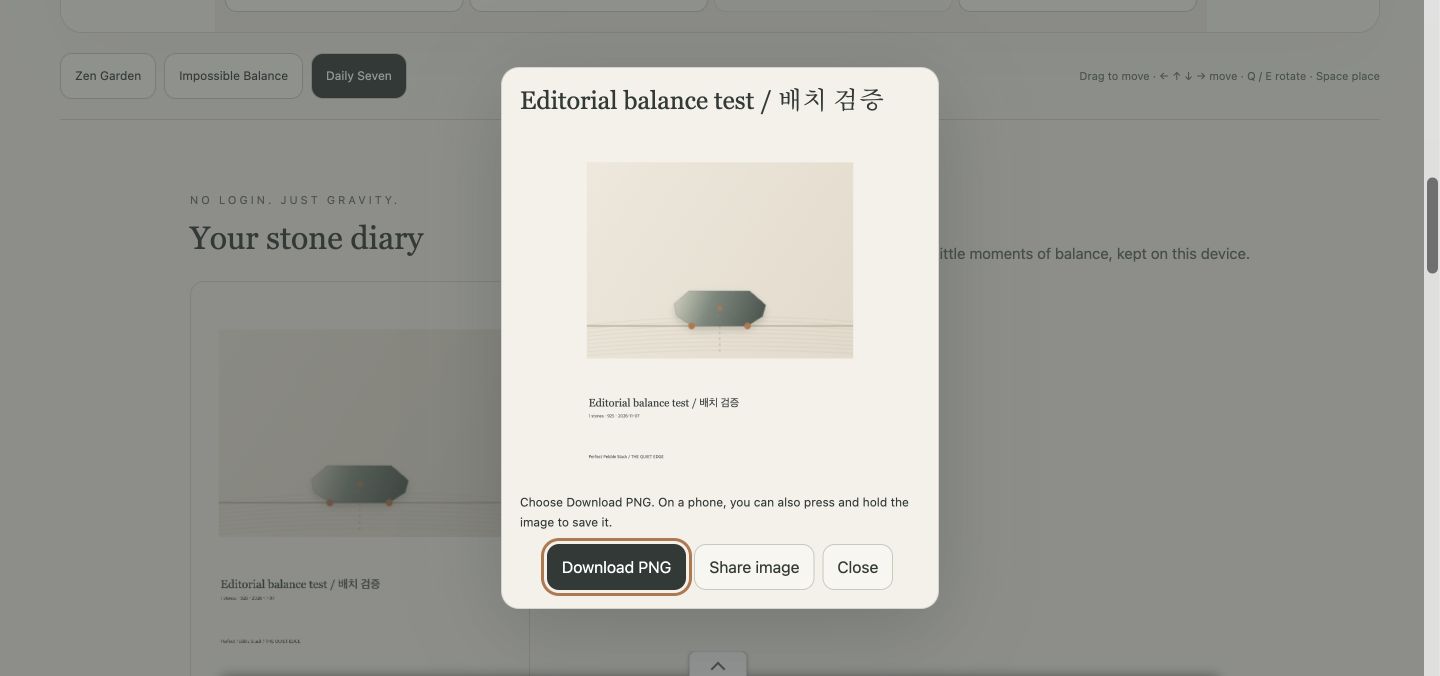
Use a name that describes the comparison, such as “flat base — fine angle,” rather than “best” for every attempt. A diary title helps you find a composition later but does not record every control setting. Add the mode and UTC date to your own notes if those details matter. The visible portrait is a picture, not a verified replay or a shareable game recipe.
- The outline keeps moving but no stone appears: activate Place stone; moving a preview is not placement.
- Rotation feels too coarse: enable Precision, then check the displayed angle before release.
- The clock has not finished: read the settling message; contact alone is insufficient in competitive modes.
- A mode change erased the board: save a portrait before switching, then expect a new attempt.
- A diary entry is missing elsewhere: return to the original browser profile; local storage is not an account.
- An advertisement covers the lower controls: use its visible close or collapse control when available, without interacting with the advertisement itself.
On our source visit, a bottom advertisement sometimes overlapped the lower game area and a full-screen ad also interrupted navigation. Those were observed interface limits, not evidence that the game failed. The 390px page fitted the screen, and the controls could be brought into view, but a desktop screenshot alone would have missed this interruption.
Limitations and privacy you should understand
The strongest limitation is scope. This is an artistic physics game with simplified outlines. We did not validate the engine, audit source code, measure numerical accuracy or test every browser. We did not prove a health benefit, training effect or scientifically reliable prediction. Keep natural habitats and existing stone formations undisturbed; a digital experiment needs no outdoor stone collecting.
The source says scores and gallery pictures remain in localStorage and IndexedDB and that the game does not upload gallery content. Our reload test supports local persistence in this browser, but it is not an independent network audit. The same page uses Blogger and may display Google AdSense advertising. See the source’s privacy and local-storage explanation and Google’s advertising explanation for the stated advertising context.
Clearing site data can remove records. A normal reload retained our diary picture but reset the live board. Keep a downloaded image separately when possible and verify it opens before deleting browser data. We could inspect the on-screen portrait, but Blob-download restrictions in the test environment leave file export verification unfinished. Native sharing was not used.
Related tools and alternative ways to work
For another indirect-control physics puzzle, read Magnet Marble Maze. It moves a ball through a maze using a magnet; the relevant connection is observing motion before adjusting the next input. It does not export a pebble tower or use the same simulation.
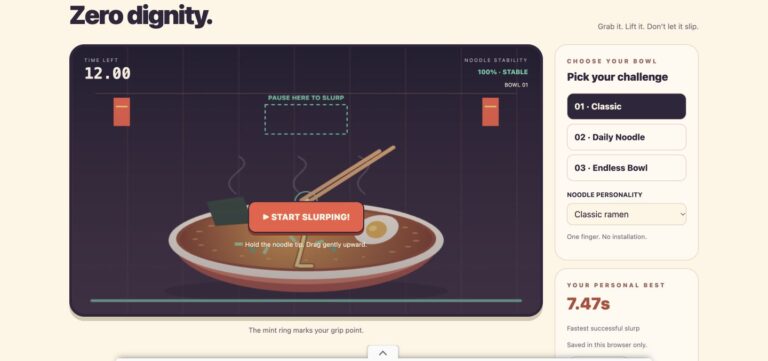
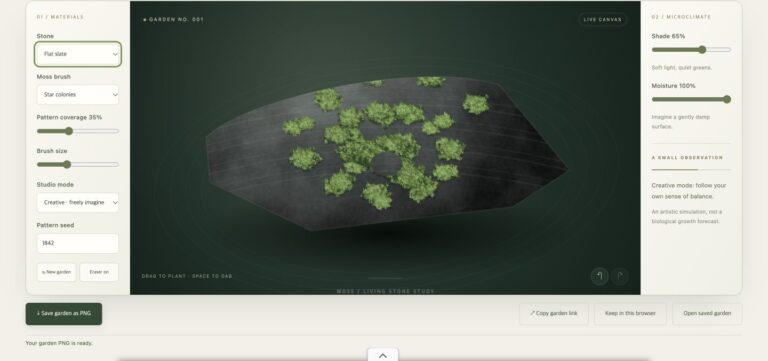
For a short movement-and-stability game, Last Noodle asks you to finish inside a target rather than build support. For a composition that can preserve an editable recipe link, Moss Carpet Planner offers a different route. A general drawing app is simpler if you only want the appearance of stacked stones without gravity or scoring. These are workflow choices, not file integrations.
Perfect Pebble Stack FAQ
Is it free, and which languages are available?
The site describes the game as free. We used it without an account or payment and opened English and Korean pages. Advertising was present. This review does not promise permanent availability or an advertising-free session.
Does a stone drop when I drag the preview?
The source separates positioning from release. Move or rotate the outlined object, then use Place stone or the documented Space control. We directly tested the button; a preview is not part of the confirmed placed-stone count.
Why does the seven-second timer stop or take longer?
The guide says stones must remain supported and move slowly enough. Wobble can prevent continuous progress. Zen Garden is the free-exploration mode and does not impose the competitive countdown.
Is Daily Seven based on my local date?
It uses the displayed UTC date and a date-based seed. During our Korean morning review the displayed date was the previous UTC day. Match that displayed date before comparing daily attempts.
Can a saved portrait reopen the same editable tower?
We verified a picture viewer and a persistent diary entry. Reloading returned the live board to zero stones. We found no verified portrait-to-playable-state restoration workflow and would not treat the image as a game backup.
Did the tests confirm PNG export and every mode completion?
No. The portrait preview loaded and offered Download PNG, but the automation environment did not support its Blob download. We also did not complete Daily Seven or certify the collapse replay. Those boundaries are separate from the controls and local-gallery behaviour we did verify.
Try one supported pebble placement
Start with a flat foundation, choose one angle deliberately and wait for the game’s own feedback. Save a meaningful picture before changing modes or leaving the page. One clearly observed placement is a better learning starting point than an unexplained high score.
A RELEVANT NEXT STEP
Tools with a useful connection
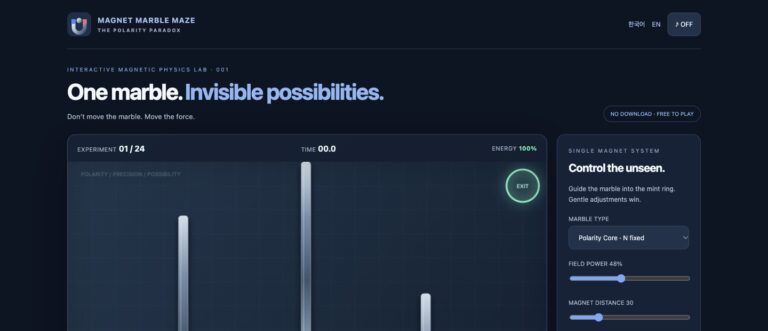
Magnet Marble Maze: The Polarity Paradox
Magnet Marble Maze: 7 Smart Checks for Better Control
Move a magnet to guide a marble through a 2D puzzle. Our guide tests polarity, pulse, rewind, Maker completion and sharing, while separating game outputs from real magnetic measurements.
Last Noodle
Last Noodle: 7 Smart Checks for Better Control
Catch the final noodle, stop inside the target and compare three arcade modes. Read actual keyboard and pointer tests, receipt interpretation, local-record behavior and sharing limits.
Moss Carpet Planner
Moss Carpet Planner: 7 Smart Design Checks
Design miniature moss-on-stone artwork with patterns and brushwork. Follow real tests of sharing, local restoration and imagined conditions, with clear botanical limits.