Create dune sand art with Dune Wind Painter. Tested wind history, grain comparison, local gallery and Korean mobile controls, with honest export and science limits.
- Brand
- Dune Wind Painter
- Tool languages
- English, 한국어
- Verified date
- 2026-11-21
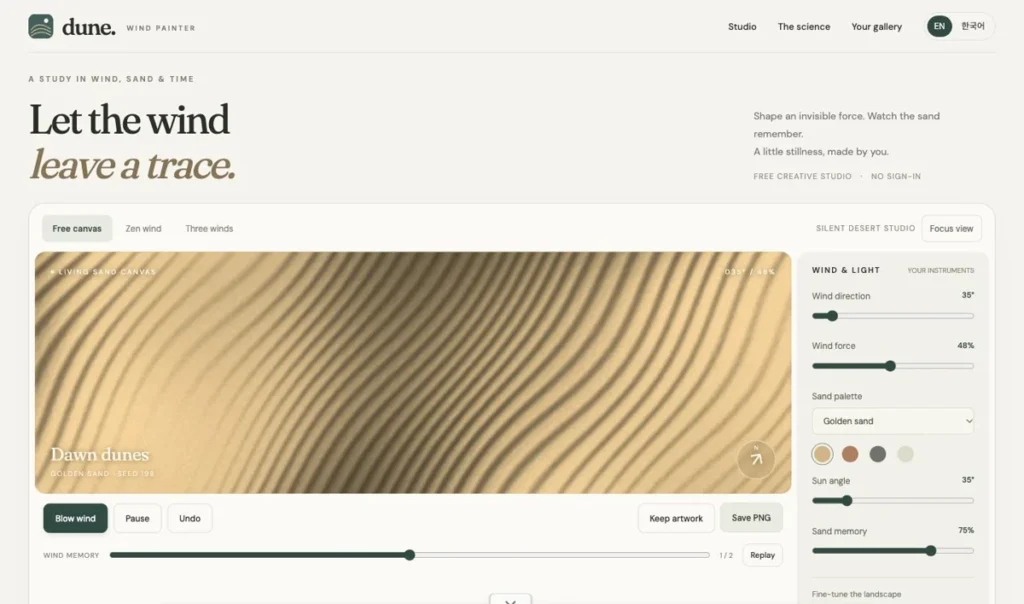
Dune Wind Painter is a free sand art studio that turns a sequence of winds into an illustrated landscape. Set a direction and force, apply a breeze, then use lighting and the memory timeline to inspect the result. It is useful for a quiet creative break, a texture study or an introductory discussion about patterns. It is an artistic approximation, not a calculation of real dune migration.
Verified 21 November 2026, KST. We applied two winds, returned to an earlier history entry, kept an artwork, checked it after reload and on the Korean page, ran the grain comparison and submitted a wind-axis answer. We also applied a breeze and opened the controls at 390×844. PNG preparation was acknowledged, but receiving the actual file and restoring a shared link were not verified. Screenshots below show our browser session, not generated illustrations.
On this page
Dune sand art: key takeaways
Separate three decisions: what changes the terrain, what changes its appearance, and what keeps a result. A new wind contributes a model action. A sun-angle or palette choice changes presentation. The history slider lets you inspect a working sequence, while Keep artwork places a moment in the local gallery. None of those actions by itself proves you have a portable backup.
The most informative first experiment is small. Apply the initial 35° / 48% wind, change one setting, apply again, and inspect the history counter before making further changes. In our session, two completed actions produced 2 / 2. Undo returned to 1 / 2 and restored the earlier 35° / 48% controls. The denominator retained the available sequence; it did not mean that two winds were still selected.
What Dune Wind Painter does
The official name is Dune Wind Painter. The root page is English, and the navigation links to a dedicated Korean version. The studio includes Free canvas, Zen wind and Three winds mode buttons; a large sand canvas; wind and light controls; four landscape starting points; a comparison laboratory; a wind detective quiz; and a local artwork gallery. No sign-in or payment was required for our tested actions.
Its practical advantage over a static sand texture is the visible relationship between a named input and a changing pattern. Instead of choosing an image and guessing how it was made, you can keep a short sequence of directions and compare moments. That makes the tool useful for explaining a creative decision. It does not turn the image into field evidence or a measured natural process.
For example, an illustrator can explore a warm background before adding text in a separate editor. A teacher can ask learners to identify the axis across the ridges. A family can compare the built-in fine and coarse samples and describe the difference without treating the labels as real sediment measurements. These are suggested activities, not additional experiments we performed.
Read the wind and light controls
| Control | Practical interpretation |
|---|---|
| Wind direction and force | The starting display was 35° and 48%. These are model inputs; percent force is not a measured wind speed in m/s. |
| Sand palette | Golden sand, Red desert, Volcanic sand and Quartz sand are available. Colour names do not identify a measured geological sample. |
| Sun angle | Changes how the landscape is lit. Hold it fixed when comparing ridge shapes so a shadow change does not become a terrain claim. |
| Sand memory | Initially 75%. Treat this as a persistence/blending control, not a percentage of real grains remaining in place. |
| Fine-tune the landscape | Exposes grain spacing, moisture, breeze duration, time speed, five brush choices, stone placement and optional touch drawing/sound. |
| Wind memory | A history-position slider with a current / total counter, plus Undo and Replay controls. Read the selected position before keeping a work. |
The expanded initial controls showed grain spacing 2, moisture 0%, breeze duration 3 seconds and time speed 1×. The available brush buttons were Steady, Gust, Swirl, Fan and Pulse. Place stone instructs the user to choose the mode and tap the canvas, then select a brush to paint again. We inspected those controls but did not measure every brush, stone interaction or moisture response.
Start with the labelled controls if you need a repeatable explanation. Freehand dragging adds an extra variable: the path and gesture are harder to describe than a single direction value. The source invites dragging to guide the wind, but the tested sequence in this guide used Blow wind. Do not report our button-based result as proof of a particular touch gesture or brush stroke.
7 essential checks for better sand art
1. Pick one purpose and a starting point
Decide between a finished texture, a before/after demonstration and a grain-spacing comparison. Begin with Dawn dunes if you want to follow our starting values. Crosswind, Red earth and Moonlit sand offer other starting points, but selecting a different preset changes the study. We did not compare all four presets as controlled equivalents.
2. Write down the visible inputs
Record direction, force, sun angle, memory and the advanced controls relevant to your question. Our initial state used seed 198. A seed label is a useful identifier, but the later appearance also depends on the wind history and presentation. A note containing only “seed 198” is not a complete account of every action.
3. Apply one breeze and let it finish
Use Blow wind. During processing our button, Keep artwork and Save PNG became disabled and the status said a breeze was leaving its memory. Once complete, the history displayed 1 / 1 and a new-memory confirmation appeared. Wait for that state before concluding that the action failed or trying to save an unfinished scene.
4. Change a named input and apply again
For our second action we set direction to 1° and force to 100%, then applied another breeze. This is a functional test with two changed inputs, not a single-variable force experiment. For your own causal comparison, change only direction or only force and leave the other controls fixed.
5. Inspect the earlier history position
Undo returned our counter from 2 / 2 to 1 / 2 and restored 35° / 48%. Read both the counter and current controls before describing the result. Undoing an action is different from clearing the whole working sequence. We did not test the maximum timeline length or every replay route.
6. Keep the selected moment locally
Keep artwork added a gallery card labelled seed 198 and one wind. After reloading, the card remained, even though the working timeline began again at 0 / 0. The Korean page in the same Chrome profile also displayed the card. This demonstrates local gallery persistence in that session, not cross-device synchronisation.
7. Verify the output you intend to deliver
Save PNG reported that a 2400px artwork was ready. We did not receive and inspect that file, so we cannot confirm its dimensions, transparency, caption or completeness from this test. Likewise, test a shared wind score by reopening the resulting address before relying on it. Keep important work in a file you can actually open.
Actual browser test results
| Test performed | Observed result |
|---|---|
| Initial Blow wind | 35° / 48%, seed 198; completed history 1 / 1. |
| Second Blow wind | 1° / 100%; completed history 2 / 2. |
| Undo | History 1 / 2; earlier 35° / 48% controls restored. |
| Keep artwork → reload → Korean | One-wind seed-198 gallery card remained. Working timeline restarted separately. |
| Run experiment | Fine 01 / 05 and coarse 05 / 05 images displayed; message stated the wind and start were the same and only grain spacing changed. |
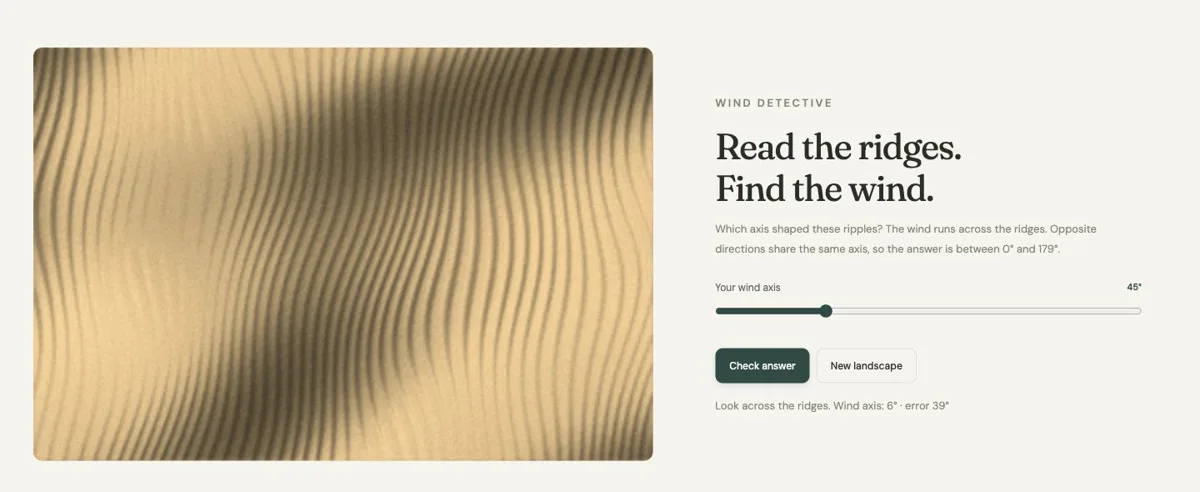
| Wind detective at 45° | The feedback reported axis 6° and error 39°. This was one generated puzzle. |
| Save PNG | “Your 2400px artwork is ready” appeared; actual file reception was not verified. |
| Korean page at 390×844 | A breeze completed with 1 / 1, controls opened as a dialog, and document width was 390px. |
The test sequence establishes that inputs, history, gallery and teaching widgets respond. It does not establish a numerical relationship between 48% and 100% force, because we also changed direction. Nor does a single successful local reload guarantee permanent storage. Those boundaries matter when someone else tries to reproduce the exercise with another screen, browser or starting landscape.
Compare grain spacing without changing the question
The built-in laboratory is better suited to a narrow comparison than two independently edited canvases. It says it starts with the same terrain and applies the current direction, force, moisture and duration. Its two panels are labelled fine grains 01 / 05 and coarse grains 05 / 05. After Run experiment, the confirmation explicitly said only grain spacing changed. Our screenshot records the two visible outputs.
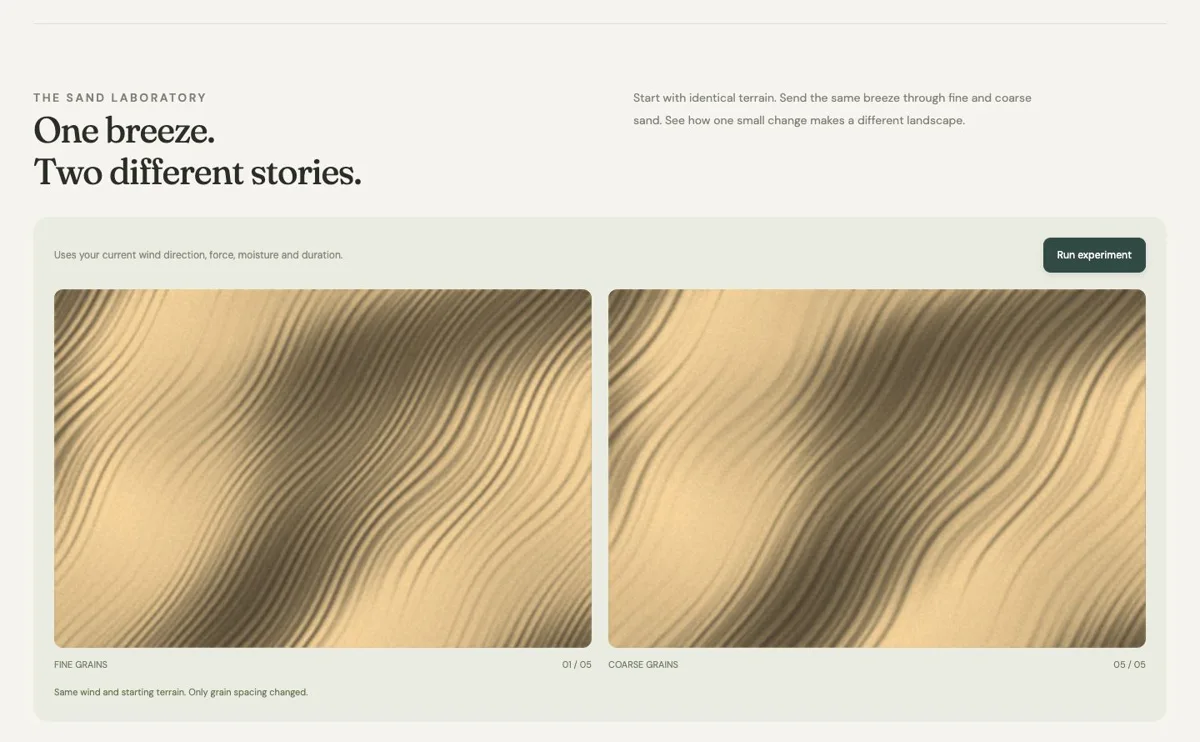
Use an observation sheet with four short entries: the question, the settings held fixed, the visible difference and the limit of the conclusion. “The patterns differ in this model when spacing changes” is supported by the display. “Coarse desert sand always forms this exact spacing in nature” is not. Avoid converting the panel labels into millimetres or using a visual difference to infer a physical transport rate.
For a class, make the prediction before clicking Run experiment. Then ask whether the result answers the original question or merely suggests a new one. Repeat with another input only after saving a screenshot or recording the first conditions. This procedure supplies additional learning value without pretending the studio is laboratory instrumentation.
History, gallery and file outputs
History belongs to the active creation process. In our test Undo selected an earlier moment while the full sequence denominator remained two. The local gallery is a separate collection: the kept one-wind artwork survived a page reload and appeared in Korean. The site describes a maximum of six artworks, but we did not fill the gallery to test eviction, replacement or capacity handling.
A PNG is intended to be a finished image. A wind score is intended to preserve the actions/settings that made the work. The expanded More ways to keep your work section offers Save wind score, Open wind score and Record canvas; its text describes JSON restoration and WebM recording in supported browsers. Those controls were inspected, but JSON round-trip, video capture and compatibility were not verified. Treat them as available options requiring your own output check.
Share wind score did not yield a readable address through our clipboard observation, and we did not reopen a generated link. That is an incomplete verification, not proof that sharing is broken for every visitor. If the site presents a share address on your device, copy it in full and open it in a separate tab. Check the landscape and history, not just that the homepage loads. A local gallery card alone cannot be sent to someone on another browser.
Creative uses and troubleshooting
For a calm background, begin with a gentle wind and keep the presentation stable while you decide whether the ridges have enough structure. Adjust the sun only after choosing the terrain moment. If you change wind, palette and light together, the result may be attractive but it becomes difficult to explain which action mattered. Finish by adding text in a separate image editor and checking contrast there; this tool is not a complete typography or layout editor.
If the studio seems unresponsive, first check the progress status and disabled buttons. If you see an unexpected earlier state, inspect the history position. If the gallery card exists but the canvas starts fresh, use the card’s Load control rather than assuming the card disappeared. We saw the card after reload, but did not separately validate every Load/Remove path, so keep an independent image before making irreversible-looking experiments.
The detective asks for an axis between 0° and 179°, not a full directional arrow. Opposite winds share an axis in this exercise. Our 45° answer was 39° away from the generated 6° axis. That arithmetic fits the reported example, but another landscape can have a different answer. Learn to read across the ridge crests rather than memorising 6° as a universal correct response.
English, Korean and mobile operation
English and Korean interfaces were available, including localised controls and explanatory sections. At 390×844 the Korean studio placed wind settings behind 바람 조절. Opening it revealed a dialog with direction, force, palette, sunlight and memory controls. A button-based breeze completed with 1 / 1, and the page had no full-document horizontal overflow at the measured width.
This was a Chrome viewport test, not a test on every physical phone or assistive technology. Touch drawing is an optional advanced checkbox, and the source offers canvas gestures; we did not validate a full touch-drawing session. On a small screen, use the button-based workflow first, then enable touch drawing deliberately if you want to paint. Browser or advertising overlays can interrupt the view; dismiss the overlay rather than treating an advertisement as part of the studio controls.
Scientific limits and privacy
The source clearly calls itself an artistic simulation and educational approximation. Ripples and larger dunes differ in scale and processes. There is no basis in our tests for using a force percentage as wind speed, a slider value as sediment size, or animation seconds as real terrain-change time. For scientific background, the linked USGS explanation of eolian processes describes wind erosion, transport and deposition; it does not validate this particular studio.
The privacy disclosure says artwork processing occurs on your device and the gallery uses browser storage without uploading the gallery. Local persistence was observed, but we did not audit network requests, source code, offline operation or storage encryption. Blogger and Google AdSense are separately disclosed and advertisements appeared during use. “Made in your browser” should not be expanded into a claim that the entire webpage sends no usage data to third parties.
Related creative tools
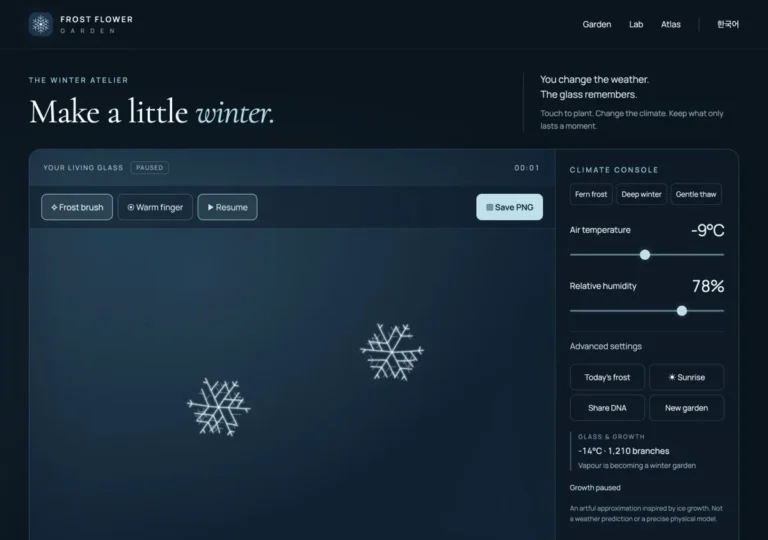
Continue with the published Frost Flower Garden guide if you want another procedural natural-pattern exercise. Its humidity laboratory compares a different input, and the guide separates artistic growth from physical prediction. A useful learning route is to make one sand comparison, then one frost comparison, recording what each model holds constant. There is no verified file interchange or automatic transfer between the tools.
A conventional raster editor is more appropriate when you need precise selections, layers, text placement and pixel-level corrections. Dune is useful earlier, when you want to explore a pattern through a sequence of forces. These are complementary stages. Export and inspect a real file before planning a production asset around the canvas preview.
Frequently asked questions
Does the tool predict desert movement?
No. It explicitly presents an artistic approximation. It does not supply a validated weather, erosion or engineering forecast, and our test did not compare the output with physical sand.
Why did Undo show 1 / 2 rather than 1 / 1?
The selected history position returned to one while the stored working sequence still contained two entries. The controls also returned to 35° / 48%. Read position and total separately.
Will my saved work appear on another computer?
We only verified the local gallery after reload and across the English/Korean pages in the same Chrome profile. Cross-device synchronisation was not tested and there is no account in the tested workflow. Use a verified file or restored share address for transfer.
Can I save a PNG, JSON or video?
The interface offers all three routes. PNG preparation was acknowledged, while JSON import/export and WebM recording were only inspected. We did not verify received files for these routes, so test the output before depending on it.
Is the wind quiz answer always 6°?
No. That was the answer reported for our single generated landscape. The quiz uses an axis from 0° to 179°, so opposite directions belong to the same axis.
Is it completely private or offline?
The page describes local artwork processing and browser storage, alongside Blogger/AdSense privacy notices. We did not perform an offline or network audit. Local art processing and third-party page services can coexist.
Make one landscape you can explain
Start with one breeze, keep a short history, and choose an output you have actually checked. The best result is both a landscape you like and an explanation of how you arrived there. Use the laboratory for a focused comparison and the free canvas for exploration, keeping the artistic model’s limits visible.
A RELEVANT NEXT STEP
Tools with a useful connection
Frost Flower Garden
Frost Garden: 7 Essential Checks for Better Crystal Art
Grow a frost garden with Frost Flower Garden. Tested climate presets, humidity comparisons, PNG export, local specimens and DNA sharing limits explained.
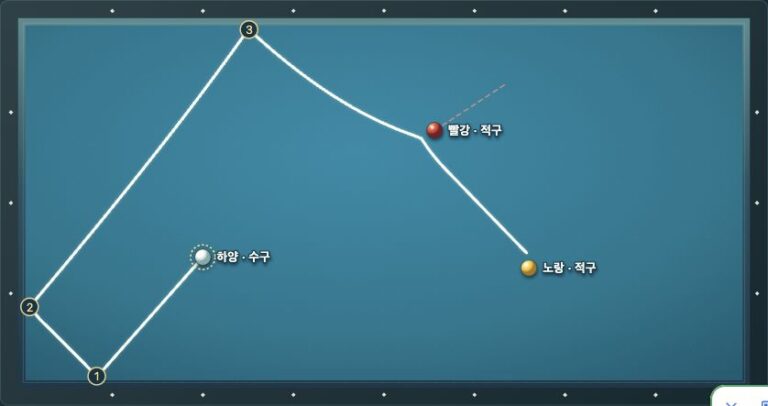
쓰리쿠션 길 안내소
3 Cushion Simulator: 7 Smart Practice Checks
Compare experimental three-cushion routes, save a position and calculate points per inning with 쓰리쿠션 길 안내소. Korean interface; actual table accuracy is unverified.
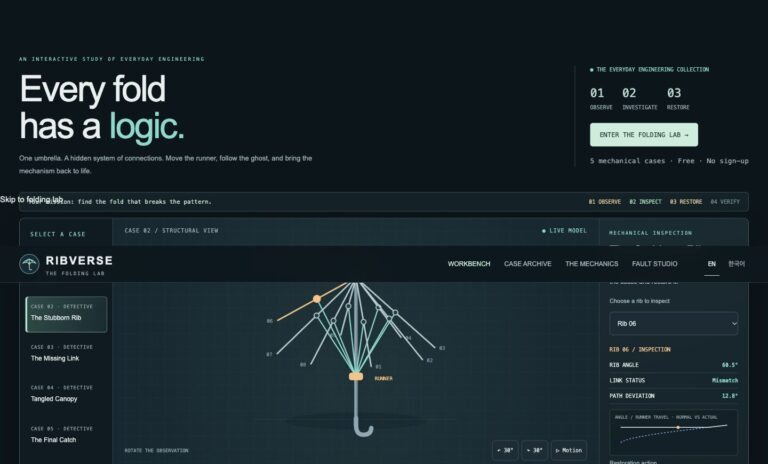
RIBVERSE — The Folding Lab
Umbrella Mechanism: 7 Essential RIBVERSE Lab Checks
Investigate a virtual umbrella linkage with RIBVERSE. Our five-case tests explain ghost paths, matching actions,0° latch faults, completion history and reproducible puzzle links.