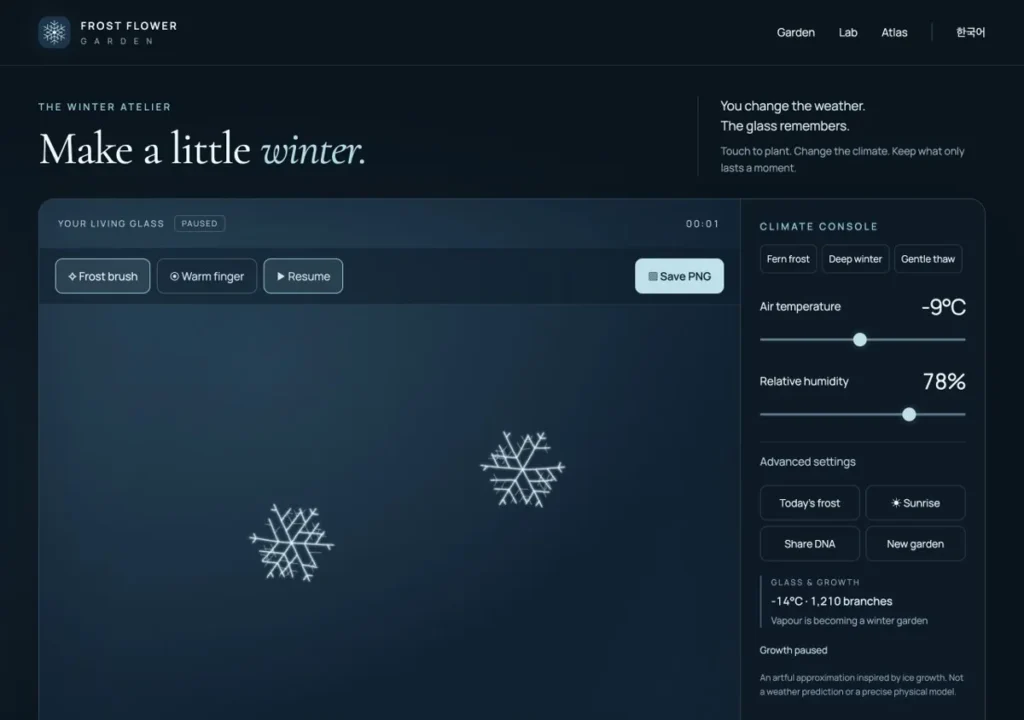
Grow a frost garden with Frost Flower Garden. Tested climate presets, humidity comparisons, PNG export, local specimens and DNA sharing limits explained.
- Brand
- Frost Flower Garden
- Tool languages
- English, 한국어
- Verified date
- 2026-11-21
Frost Flower Garden is an interactive frost garden for growing illustrated ice crystals on a virtual pane. Plant a crystal, adjust air temperature and humidity, and compare how a cold or warming surface changes the scene. It suits a short creative break or a discussion about controlled experiments. The branches are an artistic model, not a weather forecast, a window-condensation diagnosis or a validated crystal-growth calculation.
Verified 21 November 2026, KST. We operated all three weather presets, paused and resumed growth, restored a saved moment, compared humidity samples, used keyboard planting, observed a thaw, downloaded and inspected a PNG, reopened a DNA link and checked a stored specimen after reload. The Korean page was tested at 390×844. These were browser experiments, not physical ice measurements. We did not audit network traffic, offline operation or every brush interaction.
On this page
Frost garden: key takeaways
The useful distinction is between changing the climate and starting again. Deep winter changed the displayed air, humidity and glass settings to −13°C, 92% and −23°C while our paused garden retained 9,579 branches. A preset is a new condition for the existing scene. It does not automatically make a fresh, matched specimen suitable for a fair visual comparison.
Saving also has several meanings. A memory restores a working moment, a museum specimen persists in the same browser, a PNG is a finished image, and DNA attempts to encode a resumable scene in a URL. Our small shared scene reopened successfully, but a larger scene reported sharing unavailable or too large. Keep an image separately when a particular appearance matters.
What Frost Flower Garden does
The official brand is Frost Flower Garden. Its main page calls the experience The Winter Atelier. The English root and dedicated Korean page contain a living-glass canvas, a climate console, a memory timeline, a two-humidity laboratory, a local specimen collection and explanatory science cards. No account or payment was required for the tested functions.
The tool addresses an everyday learning problem: a branching picture is easy to admire but difficult to explain. Here you can change a named input, observe a visual response and keep a record of the conditions. It is especially useful for practicing the difference between “I changed several settings and got a pretty result” and “I held the starting conditions constant and compared one input.”
For creative work, use the garden to make a small winter illustration and export it. For a lesson, begin with the question “Does a colder surface alone guarantee visible frost in this model?” The laboratory supplies a second variable, humidity, and explicitly treats a clear pane as a possible result. Neither activity requires uploading a photograph or collecting real ice.
Read the climate controls correctly
| Control | How to interpret it |
|---|---|
| Air temperature / relative humidity | Climate inputs displayed in °C and percent. They approximate the available vapour in this visual model. |
| Glass temperature | A separate advanced setting. Read the surface value rather than assuming it equals air temperature. |
| Growth speed | An animation/model rate, initially 1×. It is not a measured natural growth rate. |
| Crystal DNA / seed | A repeatable starting input. The word DNA refers to digital generation, not biological material. |
| Frost brush / Warm finger | Planting and local melting tools. We used keyboard planting; precise warm-brush removal was not separately measured. |
| Pause / Resume | Stops or continues the living scene. A climate change while paused can update labels without advancing growth. |
Our default Fern frost setting showed −9°C air, 78% relative humidity and −14°C glass. Advanced settings exposed the separate glass value, growth speed and seed 195. The same seed does not mean every later scene must look identical: elapsed growth, planting, climate changes and canvas layout can also matter. Record the history or use the built-in matched comparison when testing a single variable.
7 essential frost garden checks
1. Choose the purpose before adjusting the weather
Decide whether you want an illustration, a before/after demonstration or a controlled humidity comparison. The first tolerates free exploration; the last needs matched starting conditions. A pleasing result is not automatically evidence that one particular climate setting caused the difference.
2. Pause and record the starting state
Read the air temperature, humidity, glass temperature, elapsed display and branch count. Pause before discussing the scene or preparing an export. This prevents normal ongoing growth from being mistaken for the effect of a setting you have not yet changed. In our session, paused preset changes retained the same branch count.
3. Plant with the canvas controls
The canvas instructions support clicking or touching to plant, and arrow keys plus Enter for keyboard planting. We used ArrowRight and Enter in Chrome. Choose the frost brush before planting. Do not confuse the climate console with the canvas: a slider changes the environment, while planting changes where new growth begins.
4. Change one named condition
Use Fern frost, Deep winter or Gentle thaw for an easy demonstration, but remember that each preset changes multiple climate inputs. For a single-variable question use the laboratory’s 45%/90% comparison, which describes a shared seed and air/glass conditions. Read the displayed values instead of relying only on a poetic preset name.
5. Resume and observe the relevant response
A warm-glass label while paused is a condition, not proof that the drawing has already melted. Resume for a dynamic result, then pause to inspect it. In our thaw sequence the scene went from 1,210 branches to zero by the later 00:18 display. This is one model observation, not a calibrated melting-time prediction.
6. Keep a moment before taking a different route
Keep this moment adds a timeline entry. Selecting an earlier entry restored its elapsed state and climate in our test. Use that route before destructive-looking exploration such as a new garden. Timeline entries belong to the working experience; do not assume they provide permanent recovery across browser clearing or devices.
7. Save the right output and test it
Save PNG opens a framed preview. Use its Download PNG link to receive the file. Add to my collection saves a local specimen, while Share DNA attempts a scene link. Reopen a copied link before treating it as a successful handoff. Our larger scene failed to share, so a visible button alone was not enough verification.
Actual preset, memory and melting tests
| Actual test | Observed result |
|---|---|
| Paused Fern frost → Deep winter | Air −9→−13°C, humidity 78→92%, glass −14→−23°C. Branch count stayed 9,579. |
| Paused Gentle thaw | Air 3°C, humidity 68%, glass 4°C. Warm-glass/melting message appeared; existing count remained while paused. |
| Restore the first 0:01 memory | Elapsed 00:01 and 622 branches returned, with −9°C / 78% / −14°C and “Winter memory restored.” |
| Resume a separate Gentle thaw scene | 1,210 branches at the start of the sequence; zero at a later 00:18 display. |
| Store one Chrome specimen, then reload | The dated image specimen remained visible. The Korean page in the same browser also displayed it. |
| Share a small restored scene | A 34,455-character URL was copied and reopened. The new tab reported “Shared winter restored” and resumed growth. |
| Share the larger 9,579-branch scene | The page reported sharing unavailable or too large. No success was assumed. |
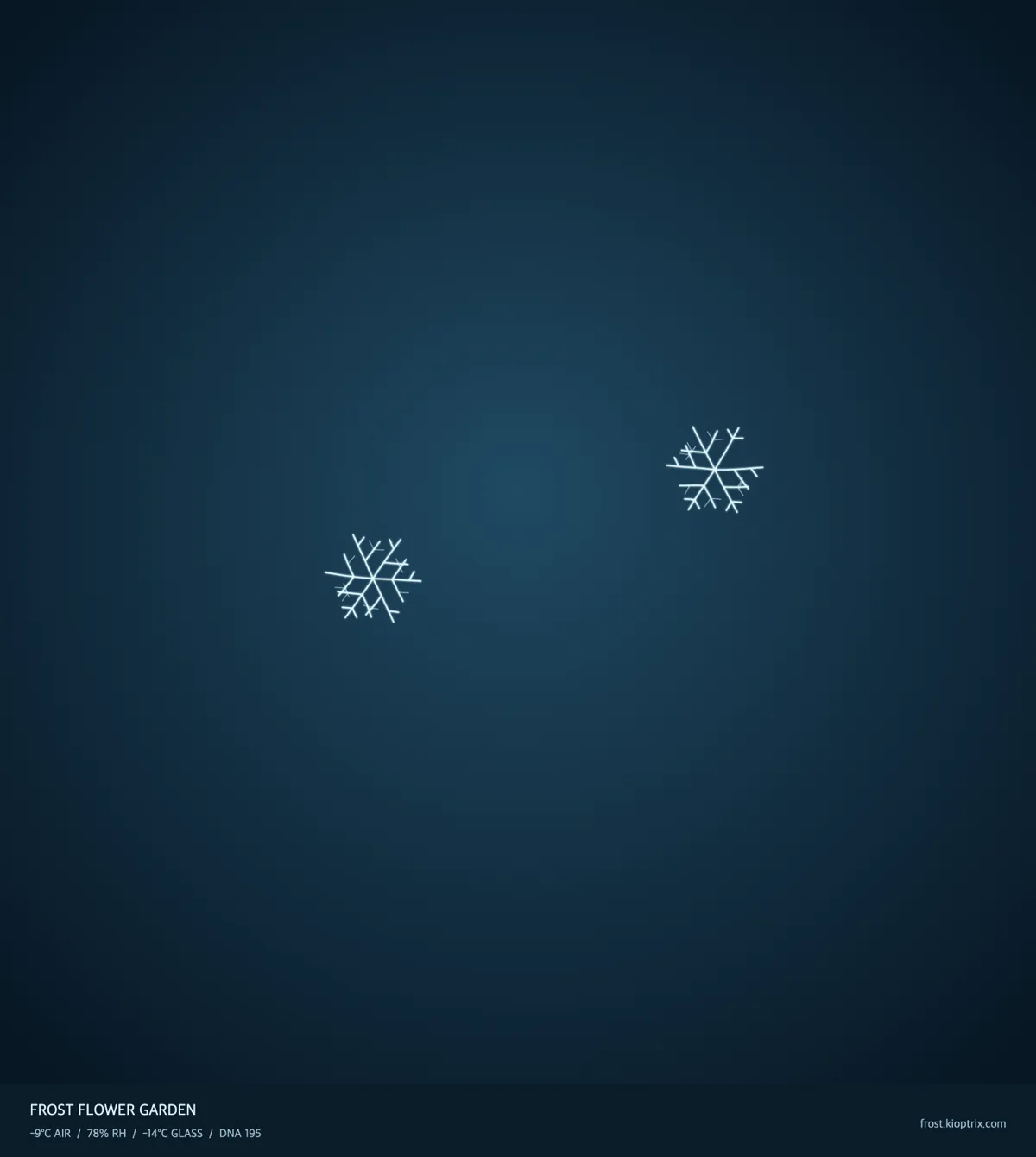
| Save PNG → Download PNG | Received a real 1600×1786 PNG with the drawing and climate/seed caption. |
Branch numbers are interface counters, not measurements of physical ice. The exact growth count can advance between actions when running. Our reopened small scene was already growing when inspected, so the test establishes a usable restoration path rather than an identical frozen screenshot at an arbitrarily later observation time. Pause promptly if the saved instant is the subject of a comparison.
The successful link was very long even for the small scene. That matters when copying it into a note or sending it through a service that may shorten or truncate text. The larger-scene failure message combined possible unavailability and size; we did not isolate a universal byte limit or prove that every failure has the same cause. Preserve a PNG rather than repeatedly assuming the clipboard contains a valid new URL.
Use the humidity comparison as a controlled question
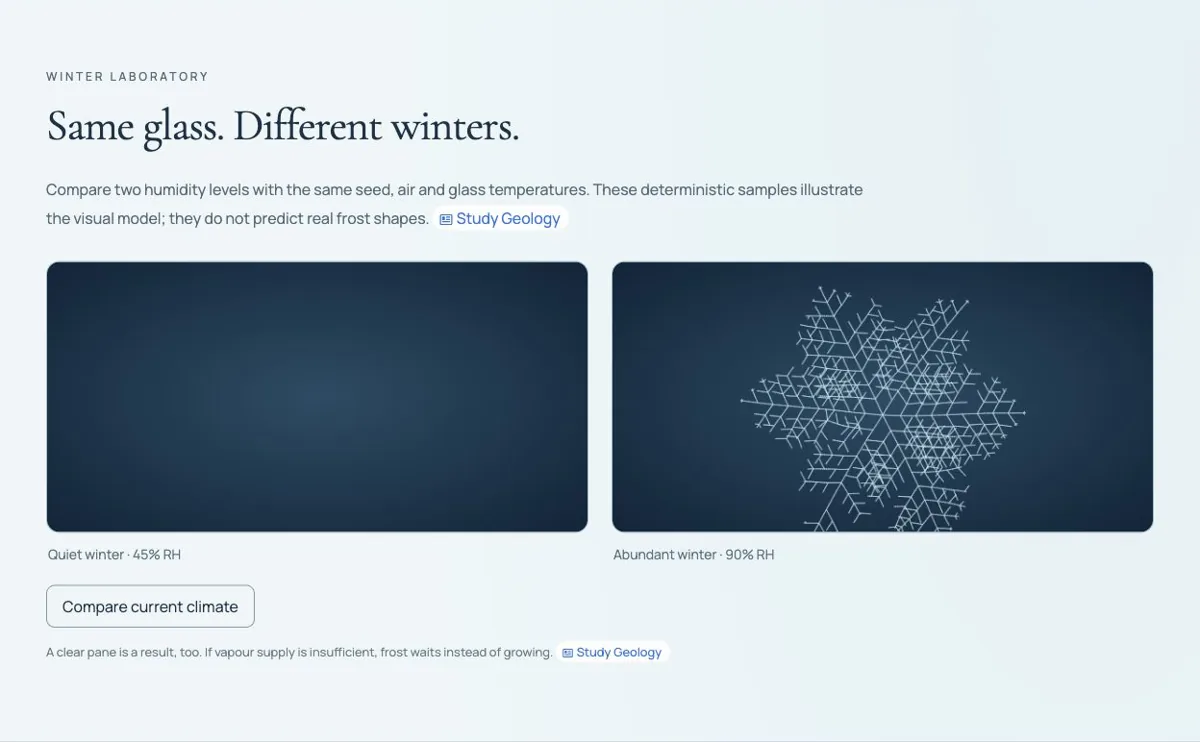
The laboratory displays Quiet winter at 45% RH and Abundant winter at 90% RH. At the inspected Fern frost conditions, the low-humidity sample was clear while the high-humidity sample contained branching ice. The page states that the pair uses the same seed and air/glass temperatures. This is more informative for a humidity question than comparing two unrelated pictures grown for different lengths of time.
Ask a learner to write a prediction first, then identify what the pair held constant and what it changed. Record “visible branching in the 90% model sample, clear in the 45% sample” rather than declaring that every real surface at 45% is frost-free. Relative humidity depends on temperature, and the source approximates vapour supply; the displayed pair does not establish a universal outdoor threshold.
A useful follow-up is to compare the paired samples with the living pane. The latter includes the effects of your earlier planting and climate changes. If its appearance differs from a laboratory sample, that is a reason to inspect the histories, not evidence that one picture is broken. The paired demonstration and a freely edited canvas answer different questions.
PNG, memories, specimens and DNA are different
| Record type | Best use / limit |
|---|---|
| Climate memory | Return to a working moment during exploration. Persistent recovery after reload was not independently established. |
| Museum specimen | Keep a pictured specimen and history in this browser. Reload and same-browser English/Korean visibility were verified. |
| PNG | Keep or share the visual result. It does not supply editable branches merely because its caption contains a seed. |
| DNA URL | Attempt to resume a scene elsewhere. Small-scene reopening worked; large-scene sharing failed in our test. |
Save the PNG before changing the pane if the artwork itself is important. Inspect the preview and the received file: browser download settings or a phone’s save-image workflow can differ. The preview page specifically offers a press-and-hold alternative on phones, but we did not validate that gesture on a physical handset. A finished image and a successful editable share are separate deliverables.
The museum is convenient for a collection made in one browser, but it is not a cloud account. The source says only explicitly added specimens are stored locally. A specimen remained after reload and appeared in Korean in the same Chrome profile. We did not verify cross-device synchronization, import/export of the full collection or recovery after site-data removal. Keep an external image copy for work you need to retain.
Troubleshoot a clear or crowded pane
If nothing grows, check pause status first, then the glass temperature and the humidity comparison. A clear pane is explicitly allowed by the model. At Gentle thaw the glass was 4°C and the message said ice was melting. Repeatedly planting in that condition is not the same as making the surface cold enough for the model’s deposition condition.
If the drawing becomes crowded, pause before changing anything and export what you need. New garden creates a new working scene; it is not an Undo label. If sharing fails, use PNG and separately note the climate/seed, while recognizing that those values alone do not reconstruct all later growth. Do not claim a restored picture until the new tab actually reports restoration.
Our desktop pane became unusually tall during a long session that included expanded controls and sharing. A fresh Chrome load at 1280×900 showed an 876×534 canvas; a fresh Korean mobile load showed 360×255. If the canvas looks stretched after repeated interactions, save first and reload. This is an observed session-layout caveat, not a claim that every visitor sees the same defect.
English, Korean and mobile operation
The Korean interface localizes the important actions: 고사리 서리, 깊은 겨울, 포근한 해빙, 지금의 겨울 기억하기, 내 표본 보관하기 and DNA 공유. At 390×844 we paused, selected 포근한 해빙 and read 3°C air, 68% humidity and 4°C glass. The document measured 390 pixels wide with no horizontal overflow in that tested state.
On a narrow screen the climate panel follows the canvas, so scroll down to read advanced inputs and later to the laboratory or museum. This was a responsive Chrome check using keyboard/button interactions, not a physical-phone touch or complete assistive-technology audit. The canvas supplies an accessible name and keyboard planting instructions, but the visual branching cannot be fully understood from a numeric counter alone.
Scientific limits and privacy
This is an artful approximation inspired by ice. The source explicitly rejects precise physics and weather prediction. Air/humidity supply and glass temperature guide the model, while density and speed are artistic choices. Do not use it to choose insulation, assess property moisture damage, predict road frost or establish a safe outdoor temperature.
Window frost, sea-ice frost flowers and plant ice ribbons are different phenomena. The educational cards describe them separately; the pane should not be treated as a laboratory reproduction of all three. SnowCrystals.com’s snowflake primer explains how snow-crystal shapes depend on cloud temperature, humidity and growth processes. That scientific context does not validate this garden’s particular graphics or turn the Nakaya diagram into a window-frost forecast.
The inspected workflow required no account, payment or file upload. Specimens are described as local, and PNG generation happens on the device according to the export dialog. Google advertising and Blogger hosting were present, however. Local artwork handling does not mean the entire page makes no external requests or uses no cookies. We performed no network/privacy audit and make no zero-tracking guarantee.
Related tools and a practical learning route
For a second controlled-model activity, read our Tidepool simulator guide. It compares a reference pool with shade, rain, darkness, depth or seawater exchange. Use the same habit in both tools: name the changed input, read the displayed output and keep the model’s limits with the result. Frost’s picture is not an input file for Tidepool; the connection is a learning method, not automatic data transfer.
A practical sequence is five minutes of free drawing, one matched humidity comparison, and a short note that separates observation from explanation. Then use Tidepool to practice that distinction with numeric salinity or oxygen outputs. The move from visual branches to a table makes it easier to discuss why an attractive display is not itself a validation study.
Frequently asked questions
Is Frost Flower Garden a scientific frost predictor?
No. It is a visual, educational and creative model. The source explicitly says it is not a precise physical model or weather prediction.
Why did a new preset keep the same branches?
The existing scene retains its history. Our paused preset changes altered climate labels without advancing growth. Start a fresh scene or use the matched laboratory pair when a controlled comparison is required.
Does Save PNG download immediately?
It opened a framed preview in our test. Download PNG inside that preview produced the actual file. The original we inspected was 1600×1786; canvas/session layout can affect framing, so inspect your own preview.
Can I share only the seed number?
A seed is a starting input, not a complete record of later planting and changing climate. The DNA link attempts to carry the current state and history. Reopening worked for a small scene; a larger one failed.
Are my saved specimens available on another phone?
Cross-device recovery was not verified. Treat the museum as browser-local and keep an image outside that browser if the result matters.
Does a clear 45% sample prove frost never forms at 45% outdoors?
No. It is one comparison under the model’s current temperature and seed assumptions, not a general atmospheric threshold or field measurement.
Grow one winter, keep one result
Start with Fern frost, pause to read the climate, and compare the 45% and 90% laboratory samples. Make one change you can describe. Keep the image you like, and verify any scene link before relying on it. That modest workflow gives the garden a useful purpose without asking its beautiful branches to prove more than the model can support.
A RELEVANT NEXT STEP
Tools with a useful connection
Tidepool — Pocket World
Tidepool Simulator: 7 Essential Checks for Better Experiments
Explore Tidepool with five tested model comparisons, a 7-step workflow, rain and shade outputs, export checks and clear limits for classroom experiments.
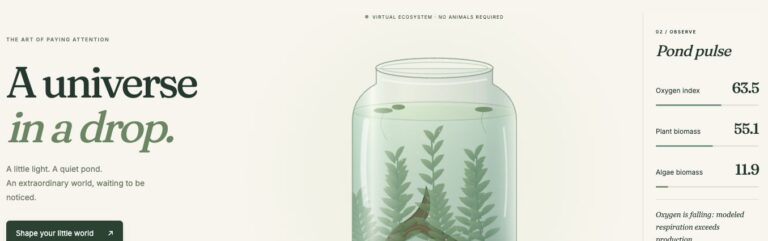
Pond Jar Universe
Pond Jar Universe: 7 Essential Experiment Checks
Explore a virtual pond with one-variable comparisons. Our actual tests explain daily indices, DAY11 results, history locks, local saves and the limits of this educational ecosystem model.
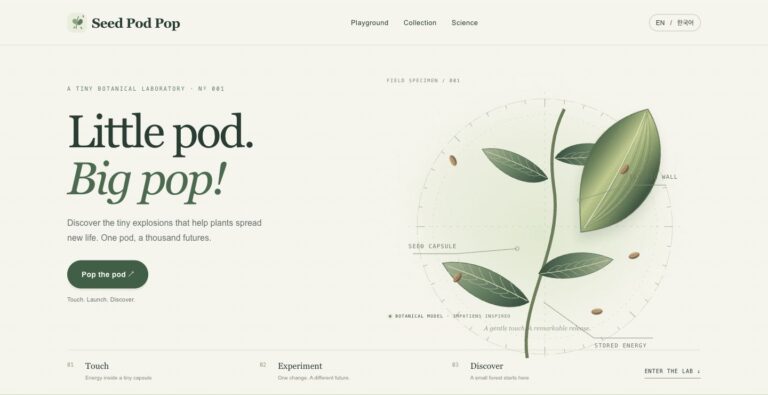
Seed Pod Pop
Seed Dispersal: 7 Smart Seed Pod Pop Experiment Checks
Explore seed dispersal with Seed Pod Pop. Repeated launches, wind comparisons, replay, a grass target and pine humidity tests show how to read this educational model without treating it as a field forecast.