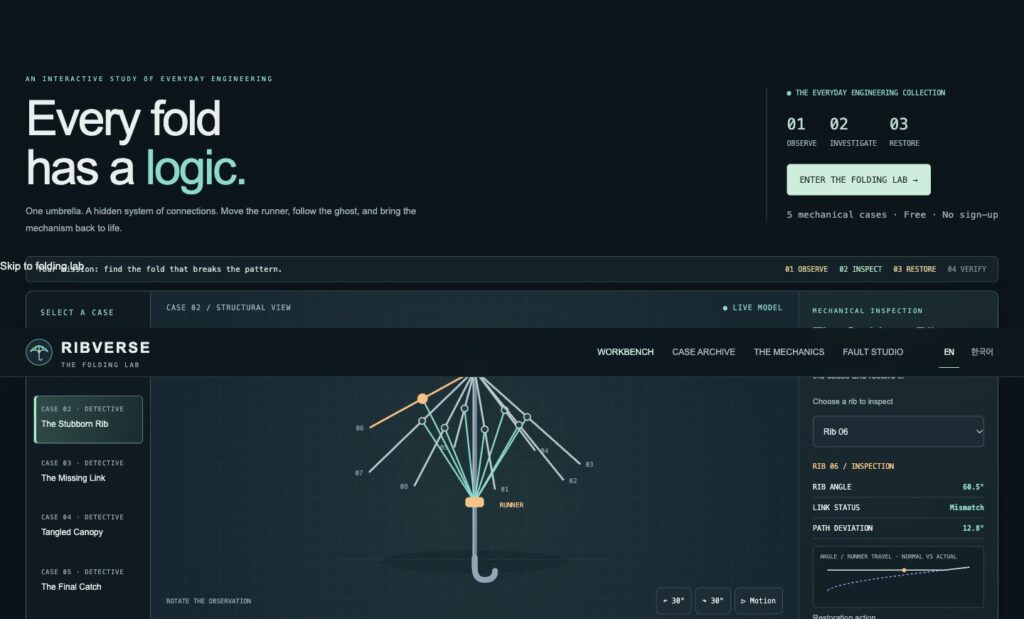
Investigate a virtual umbrella linkage with RIBVERSE. Our five-case tests explain ghost paths, matching actions,0° latch faults, completion history and reproducible puzzle links.
- Brand
- RIBVERSE — The Folding Lab
- Tool languages
- en, ko
- Verified date
- 2026-11-08
RIBVERSE is an umbrella mechanism lab that makes a hidden linkage visible. Move the runner, compare each rib with its normal ghost path, choose a matching virtual restoration and verify the motion. The useful skill is learning to distinguish a symptom, a suspected cause and evidence that a correction worked.
Tested 8 November 2026. We completed all five standard cases, checked a wrong action and Undo, reopened the page to inspect saved completion badges, generated and reopened a custom puzzle, and aligned the canopy pleats. We also tested a Korean case at a fresh 390px viewport. These are browser-model tests, not experiments on a physical umbrella or a professional repair assessment.
On this page
Key takeaways before entering the umbrella lab
- The official name is RIBVERSE — The Folding Lab. Despite the reverse domain, its five cases use one simplified conventional umbrella linkage.
- Observe at more than one opening position. The normal ghost is a reference for the current runner position, not a photograph of another product.
- Select the affected rib and the appropriate action. In our test, reconnecting a link did not resolve a restricted joint.
- 0.0° deviation is not enough to prove a healthy state. The latch case still showed Mismatch and stopped closing at 35%.
- Completed-case badges are saved history. Reopening a case can present its fault again for replay;5/5 is not a saved live repair configuration.
- The six-pleat score tracks visual direction consistency. It does not measure packed volume, fabric friction or water retention.
What problem RIBVERSE helps you solve
An umbrella opens as one familiar object, but its ribs, support links and sliding runner move together. Watching only the canopy can hide which connection is responsible when the pattern changes. RIBVERSE turns that relationship into five inspectable cases: First Fold, The Stubborn Rib, The Missing Link, Tangled Canopy and The Final Catch.
It is useful for a short engineering activity, a discussion of cause and effect or practicing a structured investigation. A learner can make a prediction, inspect a selected connection, apply one hypothesis-driven correction and check the full motion. The source advertises free access without sign-up, and we used the core lab without an account or a payment request.
The page is available in English and Korean. It identifies itself as an independent educational project, last updated 2 November 2026, with no affiliation to an umbrella manufacturer. It does not diagnose a real broken umbrella. Compact telescoping mechanisms and reverse-folding canopy arrangements should not be assumed to behave like this single conventional-linkage model.
The four parts behind the picture
| Part or reference | How to read it |
|---|---|
| Rib | The long member supporting the canopy; select its numbered connection for inspection. |
| Stretcher / support link | A fixed-length support joining the runner to a point on the rib. |
| Runner and shaft | The runner slides along the central shaft and changes the linked geometry. |
| Ghost path | The fault-free reference at the same runner position. |
| Rib angle | A model angle at the selected state, not a measurement from a photographed product. |
| Path deviation | The displayed angular difference; read it with link status and motion limits. |
The source describes a changing triangle with fixed support length and rib attachment distance. You do not enter manufacturing dimensions or material properties. The drawing explains a relationship; it is not a finite-element analysis, a load test or a factory service diagram. Keep that scope in mind when interpreting precise-looking degrees.
For a real-world reference to the component names, the background section of US20030034058A1, Umbrella with reinforcement frame, describes a shaft, ribs, a sliding runner and stretchers in a conventional frame. It is a specific patent document, not evidence that RIBVERSE implements that design or that its simulated faults are validated repair procedures.
How to use the umbrella mechanism lab: 7 essential checks
1. Begin with the endpoint exercise
Choose First Fold before working on a fault. Move the opening control fully closed and fully open, then use Verify & replay. We first tried verification without visiting both extremes and received an instruction to visit0% and 100%. Home and End on the focused slider reached those endpoints; verification then marked the case restored with zero restoration attempts.
The endpoint exercise teaches what a full cycle means in the interface. A plausible intermediate picture is not the same thing as a completed movement. If the first case will not verify, check both extremes before hunting for a broken rib or applying unrelated actions. Close and Open buttons provide another way to move the runner.
2. Pause at a reproducible opening
Choose a fault case and record the opening percentage. For The Stubborn Rib we used its 54% starting position. The percentage is a model control, not a force reading or a time estimate. Record it with the selected rib and angle; comparing two angles at different openings can make normal motion look like a fault.
3. Compare a normal connection with the unusual one
Use the numbered rib buttons or the inspection dropdown. At 54%, ribs 01–05,07 and 08 each showed 47.7°, Aligned and 0.0° deviation. Rib 06 showed 60.5°, Mismatch and 12.8°. That normal-neighbor comparison supplied a reference within the same state, rather than relying only on a visual impression that one line looked different.
4. Choose the action that fits the symptom
The action menu offers release joint restriction, reconnect support link, clear fabric snag and reset runner latch. Selecting a rib is only an observation step; it does not itself restore anything. In our deliberate wrong-action check, reconnecting the support link on the restricted rib produced a rejection message and left 60.5°/12.8° unchanged. Releasing the joint restored 47.7°, Aligned and 0.0° at the same54% opening.
5. Separate Apply from Verify
After applying the matching action, the tool asks for a complete-motion check. Use Verify & replay to test the corrected model and obtain the restored result. The replay can move the runner to another position, so a later angle need not equal the before-verification angle. In our Korean replay the final display showed 6.5° at a different opening; that was not a contradictory reading of the54% state.
6. Use Undo and clues as investigation aids
Undo returned our corrected rib 06 from 47.7°/0.0° to its prior 60.5°/12.8° fault state. We then applied the correction again and verified it. The result counted three restoration attempts across the wrong action and repeated applications. Those attempts are a record of that session, not a benchmark of skill. For cases03–05 we used Reveal a clue; the observations below are therefore assisted tests, not claims of solving every case unaided.
7. Keep observations separate from saved completion
After all five cases were completed, the page showed 5/5 restored and retained that count after reload. The Korean page in the same browser also showed the completed badges, while its default case 02 could still be investigated as a faulty starting scenario. Treat badges as completion history, not as proof that the currently loaded model is fault-free or that every inspection selection was saved.
Actual case results: includes solution details
Spoiler notice: the following table identifies the parts and matching actions we tested. If you want to investigate without answers, use the seven-step workflow above first. All angles below are readings at the stated model positions; they are not measurements of a physical umbrella.
| Case and test state | What we observed | Matching step |
|---|---|---|
| 01 First Fold | Verification rejected before both endpoints; accepted after 0% and 100%. | Visit both ends, then verify. |
| 02 Stubborn Rib ·54% | Rib 06:60.5°/12.8° deviation; normal neighbors47.7°/0.0°. | Release joint restriction; apply, then verify. |
| 03 Missing Link ·76% | Clue selected rib 03:27.0° and 30.8° deviation. | Reconnect support link; apply, then verify. |
| 04 Tangled Canopy ·32% | Clue selected rib 07:49.1° and 13.0° deviation. | Clear fabric snag; apply, then verify. |
| 05 Final Catch ·76% | Rib 01 showed 57.8°, Mismatch and 0.0° deviation. Closing stopped at 35%. | Reset runner latch; apply, then verify. |
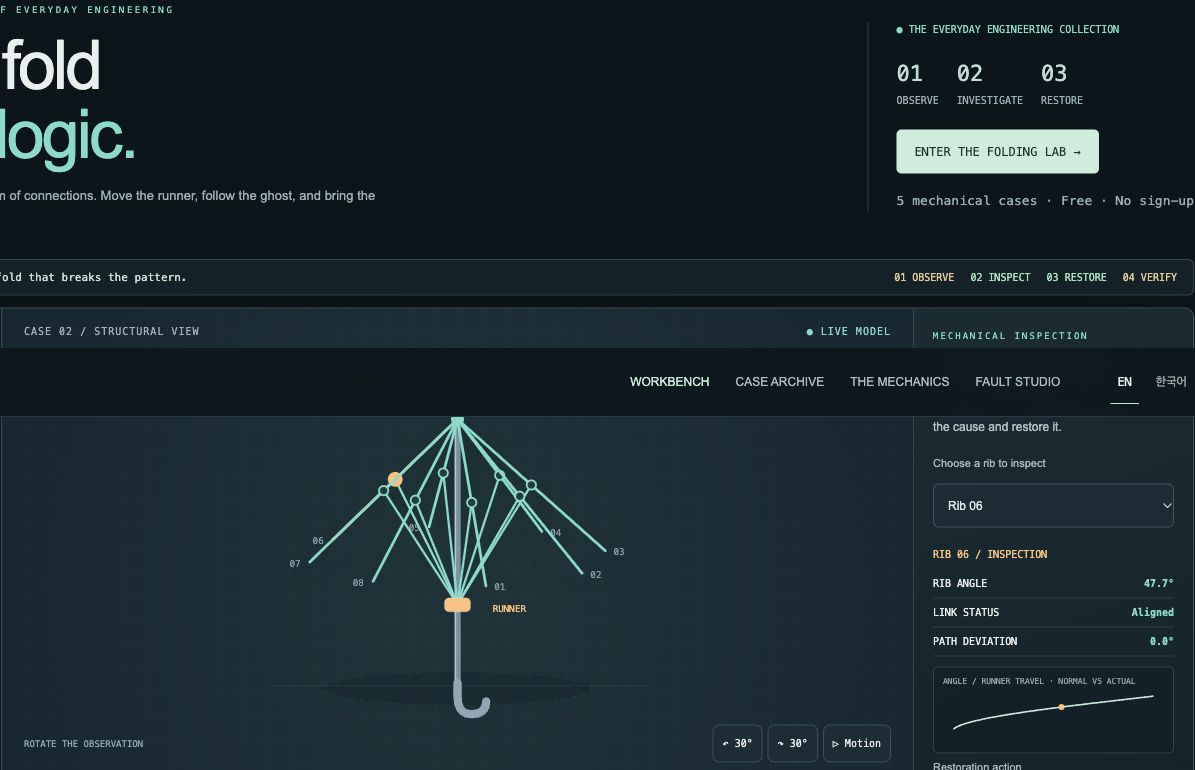
The most instructive result is the final latch case. Its angular deviation was zero, yet the status still reported a mismatch. Trying to close it produced a35% stop and a message about the locking point at rib 01. A geometrically aligned rib and a runner able to traverse its full range are different properties. Reading one number as a universal health score would miss the fault.
This also explains why the verification step matters after an apparently successful correction. The lab distinguishes a local observation from full movement. That distinction is useful in many troubleshooting tasks: “the selected value looks normal” is weaker evidence than “the relevant behavior was retested and passed.” The tool makes this lesson visible without requiring a real object to be dismantled.
Generate a puzzle that another learner can reproduce
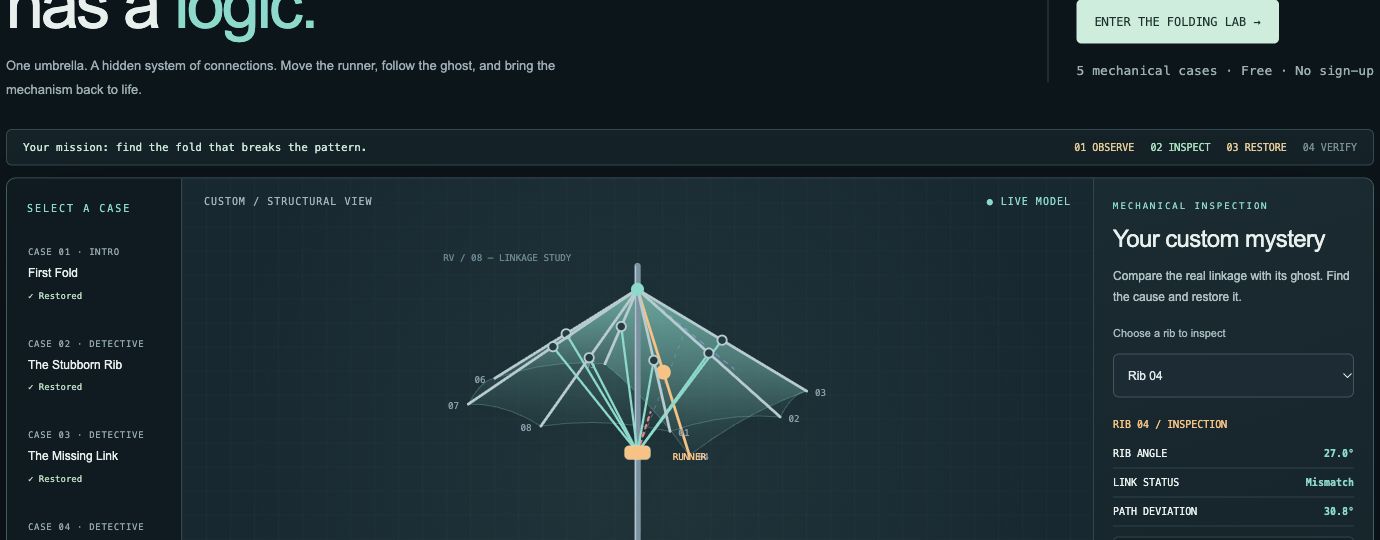
In Fault Studio choose a target rib and one of three fault conditions, then use Create & inspect. We selected RIB 04 and Disconnected link. The generated field showed https://reverse.kioptrix.com/#puzzle=RV1-connect-4. Opening that visible link in another tab reproduced a custom case whose clue selected rib 04; its reading was27.0° with 30.8° deviation.
Copy puzzle link displayed a copied message and placed the URL in the field. We verified the displayed link by opening it, but did not independently confirm the operating-system clipboard contents. If pasting fails on your device, select the visible field and copy it directly. The link describes a fault and rib number; it is not a recording of every movement, a saved solution or a shared leaderboard entry.
The code loader is useful when exchanging a short identifier. Our invalid test RV1-unknown-99 was rejected with a request for a valid RV1-type-rib code or puzzle link. Avoid inventing unsupported fault names or assuming a copied URL carries a learner’s completion count. Preserve the exact valid code when making an activity sheet, and test the received link before the activity starts.
Use the fabric score and daily mystery accurately
The canopy panel starts with six pleats alternating directions and a3/6 score. We toggled pleats02,04 and 06 so all six pointed left; the score became6/6 with a consistent-wrap message. That verifies a direction-matching interaction, not a physical improvement in packed size. There is no measured litres, wet-cloth simulation, friction model or material-strength calculation behind that score.
Use it as a separate visual pattern exercise. Ask learners to predict which toggles will make all six consistent, then compare the displayed result. Do not combine6/6 with the five mechanical cases into an invented overall engineering grade. The two panels represent different tasks and their counts have different meanings.
The daily mystery uses the device’s local date according to the FAQ. The page displayed 8 November 2026 during our test, and opening the mystery produced a restricted-joint case at rib 07. We checked that date only. This is a replayable date-based prompt, not evidence of a competition, a server-synchronized global challenge or a complete test of the generator across dates.
A practical observation sheet for a short lesson
Before revealing a clue, write one sentence about what differs from the normal path. Then record case, opening percentage, selected rib, angle, link status and deviation. In another column write the proposed action and why it matches the symptom. After applying it, record the same-state result and the verification outcome separately. This creates an explanation of the result rather than a list of successful button presses.
For a paired activity, one learner creates a single-fault puzzle and another investigates the received link. Ask the investigator to identify a normal reference before changing anything. Afterward compare the creator’s intended fault with the observed evidence. If a clue was used, record that fact. Assisted exploration is still useful; hiding the assistance makes the evidence less clear.
For a more advanced comparison, inspect the same rib at several openings while keeping the case unchanged. Label every reading with its percentage and distinguish presentation controls from state changes. Rotation alters the viewing direction; X-Ray and Ghost change what is displayed. A different viewpoint should not be described as an intervention that repaired the linkage. We exercised these toggles in the Korean test, but did not audit every animation or projection state.
Limitations, storage and export checks
This is an educational kinematic model, not a real repair workflow. It does not model product-specific dimensions, manufacturing tolerances, bending strength, wind load, wet fabric or the complete multi-joint geometry of compact umbrellas. The fabric is expressly labeled a visual approximation. A virtual action resolving one fault does not establish that an equivalent physical action is safe or suitable for your umbrella.
If a physical umbrella resists movement, follow its manufacturer’s instructions rather than forcing it or treating the model’s action menu as disassembly guidance. Keep fingers clear of joints and do not dismantle spring-loaded automatic mechanisms on the basis of this lab. The tool supplies a way to understand connections, not a professional assessment of an object you own.
The visible privacy note says completed cases are stored in this browser when storage is available; our reload test confirmed the completion badges persisted. Clearing browser data can remove that history. No account or personal-information form was used. Hosting and advertising providers, including Google where ads are served, have separate cookie and related-data practices. We did not conduct an independent network audit and do not claim the entire page is tracker-free.
We activated Save blueprint SVG, but our browser inspection did not expose a downloaded file for verification. We therefore cannot confirm the resulting file’s completeness, dimensions or usefulness in a vector editor. Treat SVG export as an available control with file output unverified in this review. For a lesson, keep your observation notes and tested puzzle code as the reproducible evidence rather than relying solely on an uninspected export.
Related tools for evidence-led investigation
- Benchy Failure Detective moves the symptom–hypothesis–one-variable-test workflow into FDM print troubleshooting. Its hypotheses still require verification on the relevant printer.
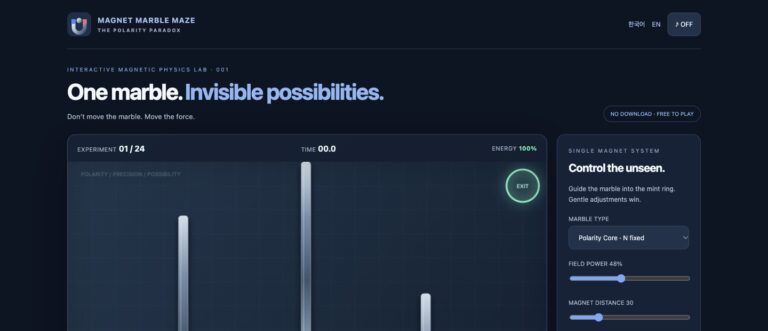
- Magnet Marble Maze provides another interactive setting for changing an input and watching a path. Use it to practice explaining cause and effect while respecting its own simulation limits.
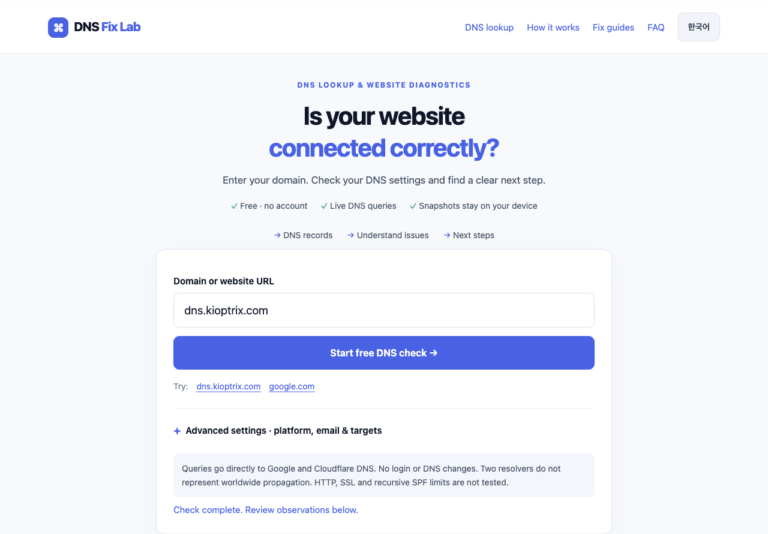
- DNS Fix Lab is a useful contrast when you want to compare expected and observed states using actual public DNS responses. It operates in a different domain and has its own network and diagnostic limits.
Frequently asked questions
Does RIBVERSE simulate a reverse-folding umbrella?
The inspected page says its five cases use one conventional linkage. The domain name is not evidence of a reverse-canopy product model. Read its separate discussion of compact and reverse-folding designs as context, not as additional mechanisms you can choose in the lab.
Why does a restored-looking case still fail?
Check that you selected the correct part, matched the action to the fault and ran verification. In First Fold you must visit both endpoints. In the latch case, zero angular deviation did not remove the35% motion stop; link status and traversal mattered too.
Can I use it with a keyboard or a phone?
We used slider Home/End and standard form controls, and completed the restricted-joint case in the Korean390px browser viewport without horizontal overflow. This was not a full screen-reader audit or a test of every physical phone. The dropdown gives another way to select numbered ribs when the drawing is small.
Does5/5 mean the current model has no fault?
No. In our session completion badges survived reload, while the default case was available in its faulty starting state again. The count records completed cases, not every current selection, puzzle or live repair state.
Start with one connection and one clear observation
Begin with First Fold, learn the endpoints and then compare one unusual rib with a normal neighbor. Name the evidence before choosing an action, verify the result and keep the model’s limits visible. RIBVERSE is most useful when you finish with an explanation of why the movement changed, not just a restored badge.
A RELEVANT NEXT STEP
Tools with a useful connection
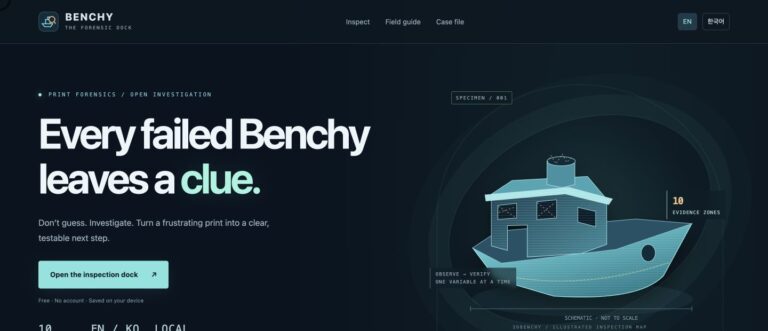
Benchy Failure Detective
Benchy Troubleshooting: 7 Essential Checks for Failed Prints
Use Benchy Failure Detective to turn visible FDM print symptoms into rule-based hypotheses and one-variable test plans. See our actual interface tests, language differences and local-save limits.
Magnet Marble Maze: The Polarity Paradox
Magnet Marble Maze: 7 Smart Checks for Better Control
Move a magnet to guide a marble through a 2D puzzle. Our guide tests polarity, pulse, rewind, Maker completion and sharing, while separating game outputs from real magnetic measurements.
DNS Fix Lab
DNS Fix Lab: DNS Lookup in 7 Essential Checks
Read public DNS with Google and Cloudflare, compare a local baseline and inspect expected targets. Our real tests show what DNS Fix Lab can establish—and what requires a separate check.