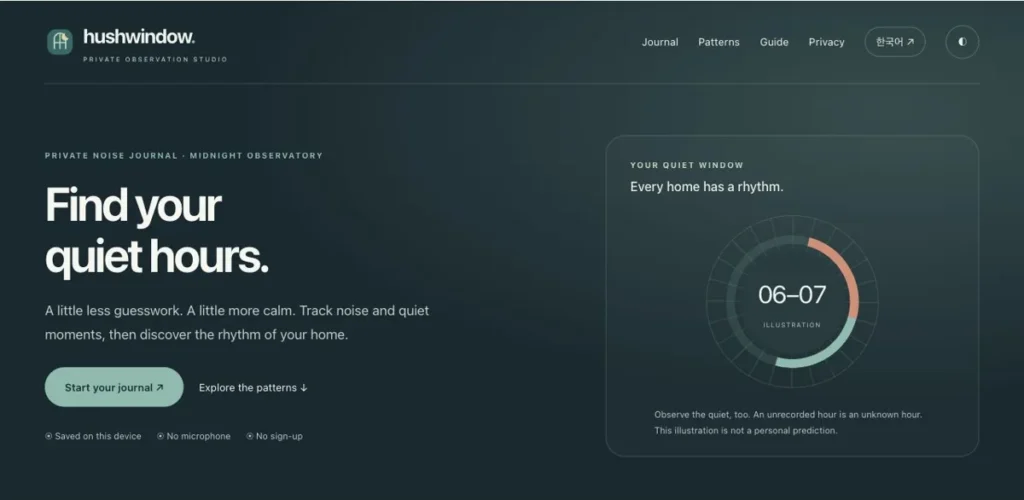
Use HushWindow to record household noise and quiet moments. Actual tests explain quiet candidates, midnight cells, before/after counts, local backup and the limits of a manual journal.
- Brand
- HushWindow
- Tool languages
- English, 한국어
- Verified date
- 2026-11-19
HushWindow is a manual noise journal for recording disturbances and quiet moments. Its weekday/hour map helps you review when you actually observed your surroundings, while a candidate finder highlights hours with repeated quiet check-ins. Use it to explore a home-working routine or explain a personal experience with clear dates and neutral notes. It does not listen through a microphone or measure sound levels.
Verified 19 November 2026, KST. We used clearly labeled synthetic entries to test three-date quiet candidates, noise precedence, midnight handling, realtime start/finish, editing, JSON/CSV export, repeat restore and English/Korean shared storage. We inspected the report preview and a fresh 390×844 Korean mobile page. These are software tests, not observations of a real neighbor. A completed printed or PDF file, offline use and a network/security audit were not verified.
On this page
Key takeaways
Three quiet check-ins at 10:15 on three different local dates produced a 10:00–11:00 candidate. Adding one ten-minute noise interval in that hour removed the candidate. That makes the feature useful for finding a tentative time to observe again; it does not prove that all three hours were continuously quiet or predict tomorrow’s conditions.
A 23:50–00:10 interval appeared in two hourly cells but remained one twenty-minute journal entry. The heatmap’s observed-bin count therefore answers a different question from the number of events. JSON is the full backup format; CSV covers the selected period. An exported file may contain your notes, so review it before sharing it with anyone.
What this noise journal does
The official name is HushWindow, with Private Observation Studio branding and a Neighbor Noise Journal / Studio v2 footer. The English root links to a Korean workbench. Both provide manual logging, optional context, a timeline, a weekday-by-hour map, a symbolic Noise DNA diagram, Quiet Window Finder and Before / After Lab. No account or microphone permission was needed in the tested workflow.
Noise entries have a start and end; quiet check-ins represent one moment. Optional sound categories are Unknown, Footsteps, Impact, Furniture, Music, Vibration and Other. Life impact can be Unspecified, Sleep, Focus or Rest. These labels describe your observation and its effect on you. Selecting Impact does not identify the person, room or mechanism responsible for it.
The practical problem is fragmented memory: “it always happens at night” is harder to evaluate than a dated sequence of what you heard. A simple journal can also reveal gaps in your attention. An empty morning is not evidence of silence if you were away. HushWindow visibly separates noise, quiet check-ins and unobserved time rather than treating a blank log as an automatically quiet environment.
Prepare a fair observation habit
Choose the browser and device you intend to keep using, and confirm that local time is correct. Decide what question matters: finding a tentative focus slot, describing sleep interruptions or reviewing a changed routine. Keep the wording observational. “Repeated thumps heard for ten minutes; stopped reading” is more useful than a name, an accusation or an unsupported claim about another household.
Try to check the same relevant time on several dates, including quiet moments when you are genuinely listening. Do not backfill imagined silence from an empty calendar. If you notice a sound after it has already started, describe that uncertainty rather than implying you measured its exact onset. A manual diary is strongest when its limits travel with the entry instead of disappearing in the summary.
Before experimenting with a journal that already has records, download Full JSON backup. Keep the file somewhere you can find, and avoid overwriting a good backup with an unexpectedly empty export. There is no cloud account to recover from. Clearing site data, changing browsers or using private browsing can affect storage; a second device should not be assumed to contain the first device’s records.
7 essential journal steps
1. Distinguish sample mode from your journal
Try sample data shows illustrative entries without adding them to the personal journal. Our sample view displayed 24 observations, 17 observed weekday-hour bins and five sleep impacts. A JSON export made while viewing the sample still contained zero personal records, matching the initially empty journal. Return to your journal before collecting your own observations.
2. Choose context before recording
Expand Add optional details and select a sound type and life impact, or keep the honest Unknown and Unspecified defaults. Add a factual note without names or addresses. Those details can be edited later, but editing changes the entry’s provenance label. Do not use the category menu to turn a guess about the source into an asserted fact.
3. Start and finish a noise interval
Press Start noise log when you begin an observation and Finish noise log when you stop. In our synthetic control test the running entry showed Recording / In progress, then became Realtime after finishing. The display reported seven seconds. We did not play or record an actual disturbance; this verified the controls and timeline states.
4. Add quiet or retrospective observations
Quiet right now records a point check-in. For an earlier event, expand Record an earlier observation, enter the start and the required noise end, then Save noise or Save quiet. We entered quiet points on 16, 17 and 18 November at 10:15 local time. Earlier entries were explicitly labeled Edited / past.
5. Select the analysis period and inspect cells
Choose Last 7, 28 or 90 days and read the shown date range and timezone. Click a populated weekday/hour cell to inspect its entries before interpreting its color. Tuesday 10:00 showed Noise (2) in our mixed case and listed both a quiet point and a ten-minute noise entry. Noise precedence did not erase the quiet record.
6. Review candidates and any comparison
A candidate needs completed observations across at least three dates, with quiet check-ins on three dates and no noise entry in that hour during the selected period. Before / After Lab uses a different scope: two fourteen-day windows from the full journal. Read each section’s dates and observation coverage before comparing its numbers.
7. Preserve the record before sharing a summary
Download full JSON for restoration and selected-period CSV for spreadsheet review. Open Report preview / PDF to inspect the dates, notes and provenance. Its Print / Save as PDF control is available, but we did not verify a completed PDF. Keep the backup and the human-readable report as different artifacts with different purposes.
Actual controlled tests
| Controlled software case | Observed result |
|---|---|
| Empty personal journal → sample view | 24 illustrative entries; JSON still had 0 personal records. |
| Quiet points: Nov 16/17/18, 10:15 KST | 3 observations, 3/168 observed bins; 10:00–11:00 candidate on 3 quiet dates. |
| Add Nov 17, 10:20–10:30 noise | 4 observations; still 3/168 bins; candidate removed; Tue 10:00 Noise (2). |
| Add Nov 17, 23:50 → Nov 18, 00:10 | 5 observations, 5/168 bins, 1 sleep impact; two noise cells and one 20-minute entry. |
| Change date Nov 17 at the five-entry stage | Before Nov 3–16: 0 noise, 1 observed date; After Nov 17–30: 2 noise, 2 observed dates. |
| Realtime start/finish; edit note and impact | Realtime became Edited / past; changed note and Rest persisted in the exported record. |
| Export and restore the same six-record JSON | Received 6-record JSON and CSV; repeat restore kept 6 entries without duplicates. |
| Reload and switch to Korean | Same 6 synthetic records appeared in Korean; source notes remained unchanged. |
All test notes identified themselves as EDITORIAL TEST and synthetic. The comparison row refers to the five-entry stage, before the short realtime control test added a sixth entry; these totals must not be mixed. After collecting evidence we deleted only those six test entries through the individual confirmation flow. Reload and a final JSON export showed zero records again, matching the original empty journal.
Read quiet candidates without forecasting
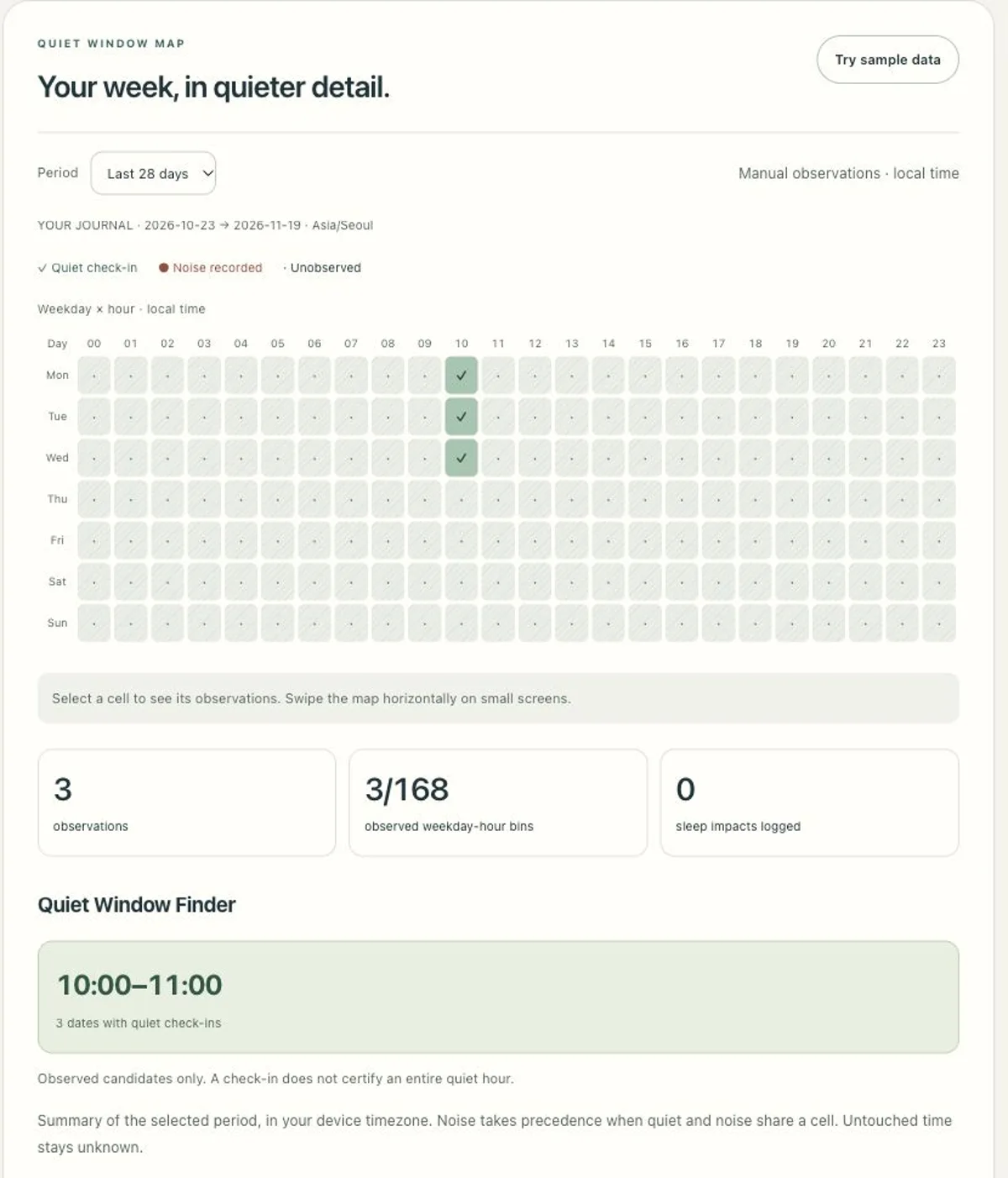
Three clicks in one morning are not the same as observations on three different local dates. Our controlled sequence used separate Monday, Tuesday and Wednesday dates, so the candidate pooled an hour across weekdays. It should not be read as a promise specific to next Tuesday. The displayed 10–11 label groups point observations into an hourly slot; it does not expand a 10:15 check-in into sixty minutes of verified quiet.
The candidate disappeared when we inserted a ten-minute noise interval in that same hour on one of the dates. That is a conservative filter over entered records, not a statistical estimate of how often disturbance occurs. A candidate can be absent because you have too little data or because noise was logged. Conversely, a qualifying hour can still be poorly sampled if you only checked a few convenient moments.
Treat the result as a question for another day: “Could this be a useful time to try a short task?” Observe again before starting, keep a fallback and record what actually happened. Repeated listening at chosen times is a practical habit; it is not continuous monitoring. The tool cannot know what happened while you were sleeping, wearing headphones or outside the home.
Understand cells, counts and midnight
The grid has 168 weekday-hour bins. Several dates can contribute to one bin, and a single interval can touch more than one bin. In the midnight test one entry reached Tuesday 23:00 and Wednesday 00:00. Our five entries occupied five bins, but that numerical equality was incidental. It would be wrong to infer five independent noisy hours or a percentage of the week spent exposed from that count.
Cell color gives a quick status, while its contents explain why. In the mixed Tuesday 10:00 cell, one quiet point and one noise interval produced Noise (2). The two records were not two noise events. Read the underlying list before using a cell count in a message or a spreadsheet. Sleep impacts are labels attached to entries, not measured sleep loss or a medical outcome.
Noise DNA provides a symbolic twenty-four-hour fingerprint with a weekday filter. The source describes the same hourly handling, including midnight overlaps, and we operated the Wednesday filter. It is not a sound waveform, frequency spectrum or decibel chart. A coral mark describes a time touched by a recorded interval; it does not say how loud that interval was.
Compare changes without claiming causation
With change date 17 November, the five-entry test compared 3–16 November against 17–30 November. Before had one observed date and no noise entries; After had two observed dates, two noise entries and one sleep impact. The page explicitly warned that future and unobserved dates were not quiet. This is especially important because the After window extended beyond our verification date.
Equal calendar lengths do not create equal evidence. If you began logging diligently after moving a desk, more entries could reflect attention rather than a worse environment. Keep observation habits as consistent as practicable, note what else changed and consider the number of observed dates. The counts do not establish that a rug, conversation, schedule change or other intervention caused an improvement or decline.
The map follows its selected 7/28/90-day period; the lab says it uses the full journal for its fixed fourteen-day windows. Do not assume changing the map period makes every number on the page refer to the same interval. Keep the date range beside any copied result, and avoid comparisons while one side is mostly future or unobserved time.
Backup, CSV and report workflow
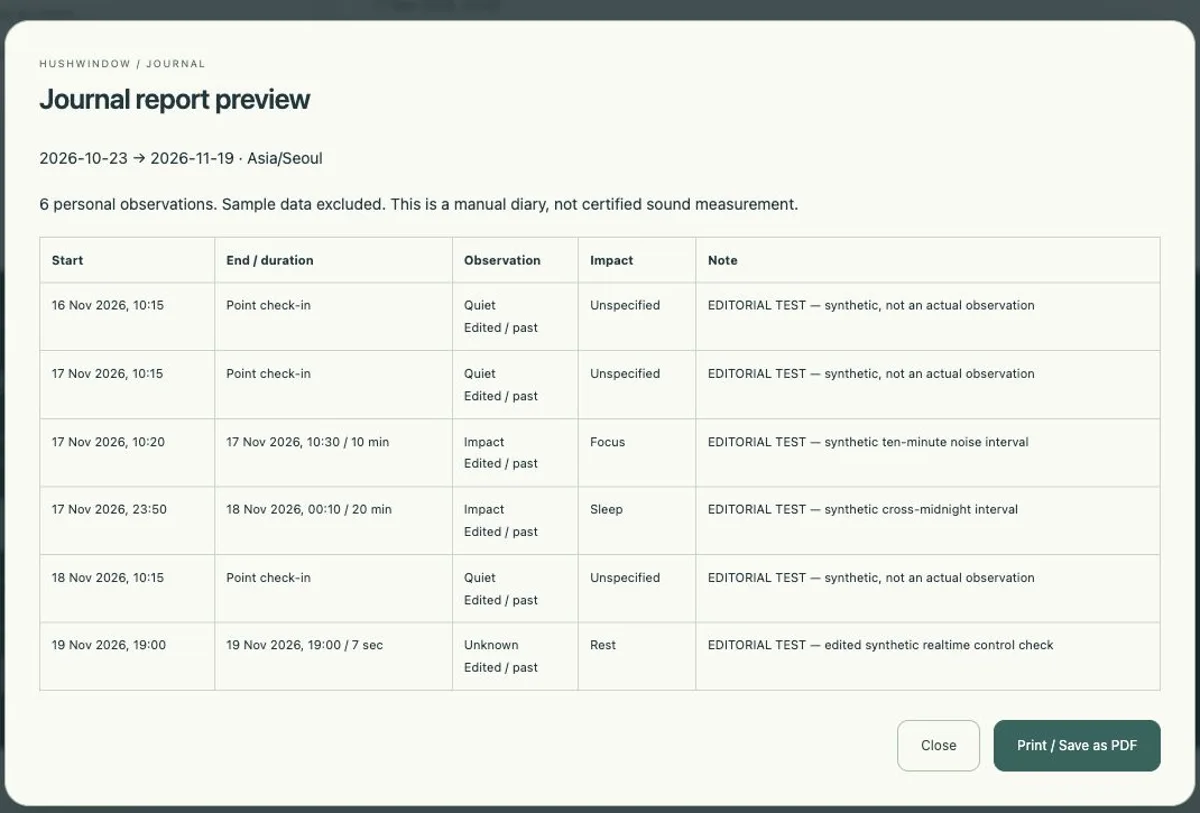
The downloaded JSON included a version, export time, timezone and six records with IDs, start/end timestamps, kind, mode, type, impact and note. CSV included both UTC ISO and local start/end columns plus readable categories. Keep those timezone columns together. The midnight example ran 23:50–00:10 locally while its ISO timestamps were 14:50–15:10 UTC; those describe the same interval, not inconsistent clocks.
Restoring the same JSON merged by record ID and left six entries, which is useful when transferring a backup without duplicating an unchanged journal. This was a same-file merge test, not a complete conflict-resolution test for independently edited copies. JSON restoration is the supported path we tested; CSV and a report are readable outputs rather than demonstrated replacement backup formats.
Before sending a report, inspect its period and remove unnecessary identifying details from the version you intend to share. Do not silently change historical facts just to make a cleaner story. The source’s report disclaimer says it is a manual diary rather than certified sound measurement. Keep that distinction in any accompanying explanation and retain an untouched backup for your own reference.
Languages and mobile use
English and Korean pages shared the same six test records in the same browser, and the note text remained English because it was our stored input. Switching language changes interface labels rather than translating personal notes or synchronizing to another device. The separate Chrome mobile test started with its own empty journal, consistent with browser-local storage.
At a fresh 390×844 Chrome viewport, the Korean page fitted a 390-pixel document width. We switched sample mode and selected the last seven days; the sample candidate showed 06:00–07:00 with six quiet dates. The 24-column map has its own horizontal scrolling area. It should be moved within that area instead of expecting all hours to be large touch targets simultaneously. Physical phone touch, background timers and screen-reader coverage were not comprehensively tested.
Limits and privacy
HushWindow is not a microphone recorder, noise meter, source identifier or certified evidence system. It cannot infer legal responsibility, evaluate building insulation or quantify decibels. Manual sound categories and impact notes remain subjective observations. A polished pattern display does not transform them into instrument readings. For a process requiring measurements or formal documentation, determine its actual requirements independently.
The source states that journal code stores entries in IndexedDB and computes patterns on the device without uploading the entries or requesting a name, address, account or microphone. Our export, reload and same-browser language tests are consistent with local persistence. They are not a network or security audit, and they do not establish that the entire page makes no external requests.
Blogger and Google AdSense are present. Google and partners may process cookies and visit or advertising information under their own policies. Local storage is not isolation from scripts running on the same origin. Avoid sensitive details in notes and backups. The source links Google’s Privacy Policy and its advertising information guidance; review those alongside the journal’s local-storage statement.
Related tools and a practical focus routine
A useful next step is the published Focus Garden Pomodoro timer guide. After choosing a tentative hour and checking the current surroundings, use a short focus interval to bound one task. That guide explains Korean controls, manual transitions and completion records. It does not turn a HushWindow candidate into guaranteed uninterrupted work, and the two tools do not exchange journal data automatically.
A practical sequence is observe → review dates and gaps → choose a tentative slot → check again → start one bounded task → record any interruption honestly. For example, try reading one section rather than committing to an entire quiet morning. This is a suggested workflow, not a productivity outcome we measured. The value is a clearer decision and a traceable record of uncertainty.
Choose the right alternative
| Method | Useful role |
|---|---|
| Paper or spreadsheet diary | Flexible fields and portable notes; you must build hourly grouping and maintain the distinction between empty and observed quiet yourself. |
| HushWindow | Fast manual entries, explicit unknown time, patterns and backup; no acoustic measurement or cloud sync. |
| Appropriate measurement process | Needed when the question actually requires sound levels or formal evidence; a manual browser diary does not establish those results. |
Frequently asked questions
Does a quiet candidate mean one full hour of silence?
No. Check-ins are points, and qualifying hours are observed candidates. Three dates with quiet points do not certify continuous silence or forecast future conditions.
Why did my candidate disappear?
Check the selected dates and whether a noise interval touches that hour. In our test one ten-minute noise entry removed a candidate supported by three quiet dates.
Why are there two colored cells for one event?
An interval can cross an hour or midnight. Our 23:50–00:10 example occupied two cells and remained one twenty-minute timeline entry.
Does switching to Korean create another journal?
Not in the same browser on this domain: the same six test entries appeared. Other browsers and devices do not automatically sync.
Can the report prove who made the sound?
No. It organizes your manual observations. It does not identify a source, establish responsibility or provide certified sound measurements.
Which file should I keep for recovery?
Use the full JSON backup. We verified downloading it and restoring the same IDs without duplicates. CSV and report preview serve review and presentation; a completed PDF was not verified.
Start with an honest observation
Start with one factual observation and a regular backup habit. Include quiet moments only when you actually check them, read the dates behind each pattern and leave unknown time unknown. HushWindow is most useful when it helps you ask a better question about your routine without overstating what a manual journal can establish.
A RELEVANT NEXT STEP
Tools with a useful connection
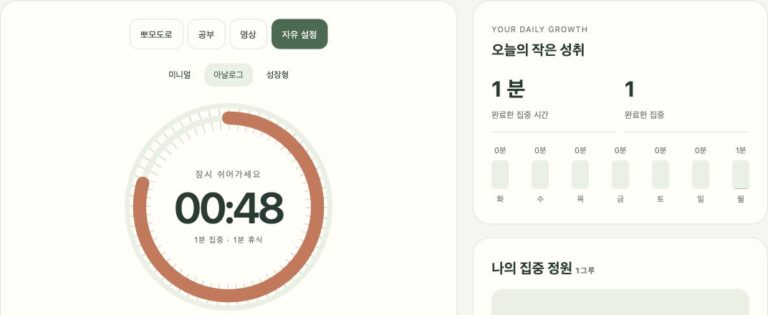
Focus Garden
Pomodoro Timer: 7 Essential Checks for Better Focus
Use Focus Garden’s Korean controls with an English guide. Our real one-minute focus and break tests explain manual transitions, completion records, reload, pause, sharing and alarm limits.
SQUEAKSCAPE
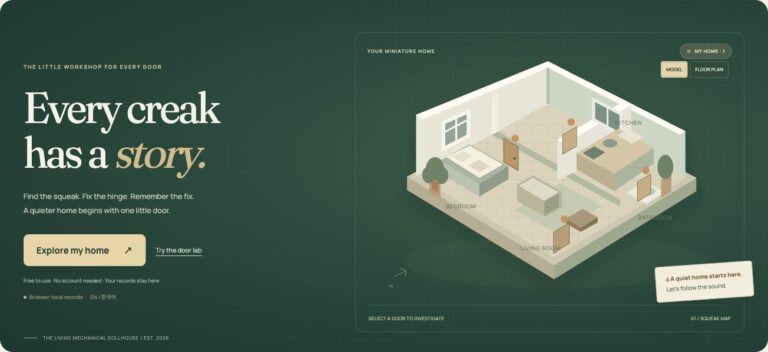
Squeaky Door Tracker: 7 Smart SQUEAKSCAPE Checks
Track door noise windows, hinge observations and dated maintenance notes with SQUEAKSCAPE. Tested save behavior, status differences, local persistence and mobile controls.
STRAPSHIFT
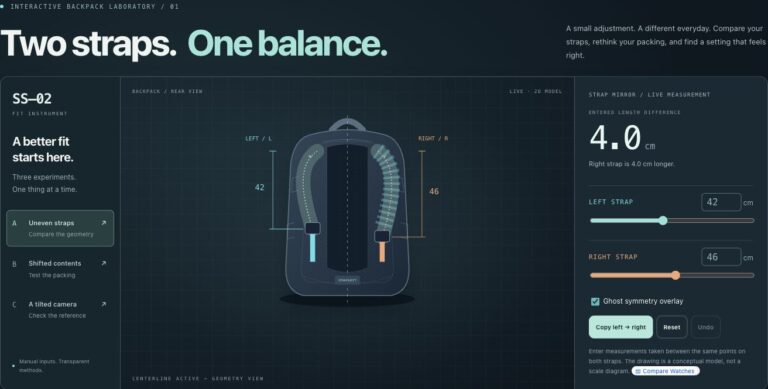
Backpack Fit Tool: 7 Essential Checks for Better Notes
Compare manual strap measurements, photo reference pixels and three-zone packing in STRAPSHIFT. Actual browser tests explain the model and local recipes while keeping real comfort untested.