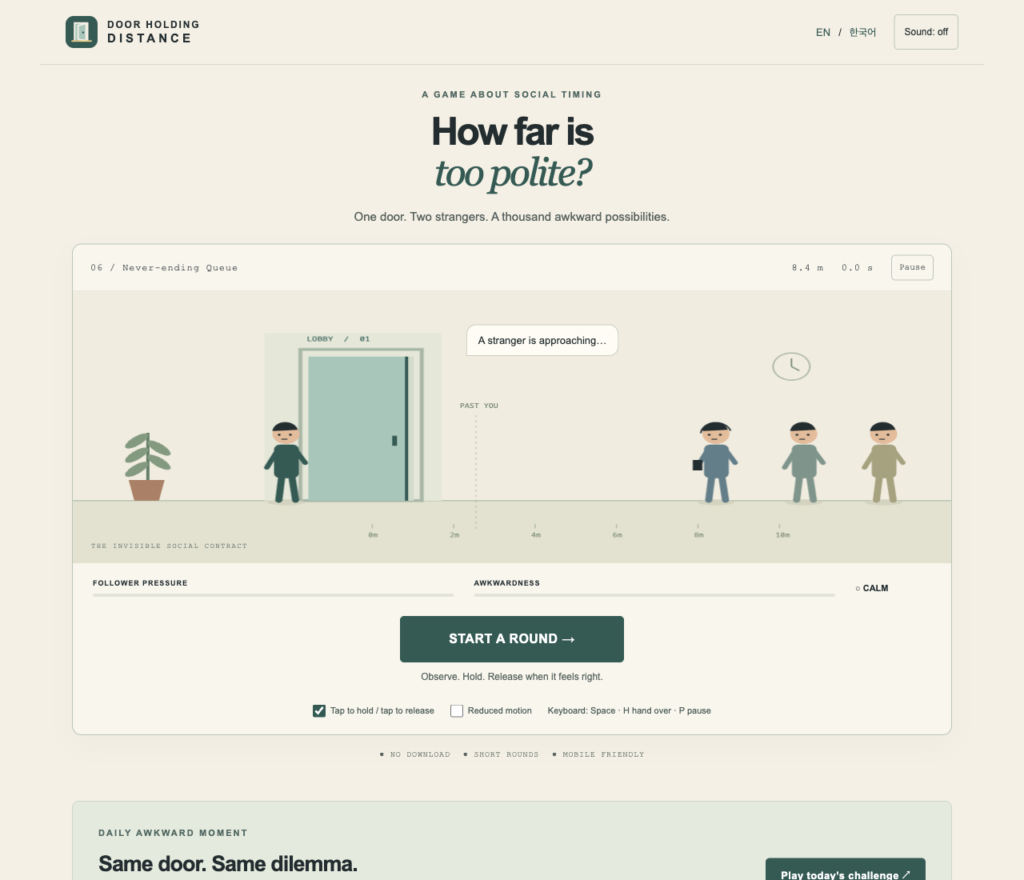
Play with everyday courtesy in Door Holding Distance: eight scenarios, tap-to-hold controls and playful feedback. Read our real handover test, controls and limits.
- Brand
- Door Holding Distance
- Tool languages
- en, ko
- Verified date
- 2026-11-05
A stranger is walking toward the entrance. You could let the door close, hold it until they arrive, or pass responsibility across at the right moment. Door Holding Distance turns that tiny dilemma into a door holding game with short rounds, readable feedback and eight deliberately awkward situations. It is a playful way to explore timing, not a test of whether you are a good person.
Play Door Holding Distance on the separate original site → No account is needed to begin. Keep this guide open if you want help understanding Hold, Release and Hand Over before your first round.
On this page
Key takeaways
- Start with Office Lobby and leave tap mode enabled: one activation holds the door, another releases it.
- Use Hand Over when you want the approaching person to take responsibility. It is a separate action from simply letting go.
- The score, pressure bars and social-type labels are fictional feedback. No score establishes a universally polite distance.
- English and Korean interfaces are available. Sound starts off; reduced motion and pause controls are provided.
- We tested actual play, including a successful handover. Daily challenge selection and a 390 px mobile layout were also checked. Export and sharing were not tested.
What this door holding game does
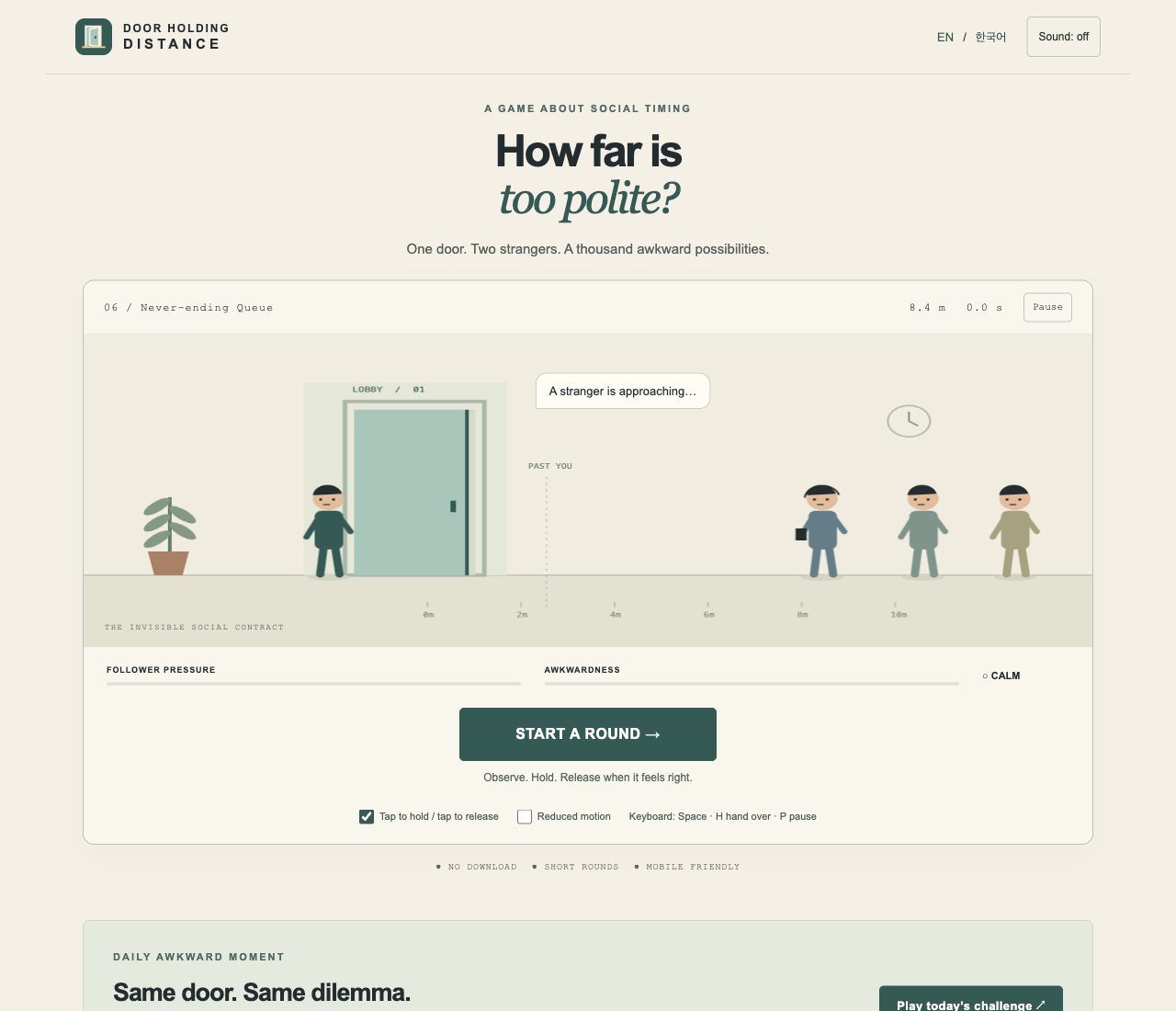
This browser game places you at a mint-colored door while a follower approaches. A distance readout, elapsed time, follower pressure and awkwardness indicators make the situation visible. You decide when to open, release or hand over the door. After a round, the game presents a score out of 100, waiting time, hurrying time and a humorous social type.
The useful distinction is between helping someone through an entrance and making someone feel committed to reaching it. In ordinary life, those can look almost identical from the person holding the door. The game exaggerates the difference so that it becomes something you can notice and discuss. It does not measure another person’s feelings outside its fictional scene.
Choose it for a short, low-stakes browser break, a conversation starter about everyday coordination, or a closer look at how interface feedback changes a timing decision. Choose a different resource if you need building-accessibility guidance, safety instructions for a real door, or a psychological assessment. The animated scene cannot supply those.
How to play this door holding game
You do not need a photo, measurement, download or login. Open the original site, choose EN or 한국어, and make sure an advertisement is not covering the play area. Begin with the simplest scene rather than the most dramatic one. Sound can remain off throughout the exercise.
- Select Office Lobby. The scenario card changes the label above the scene. Selecting a situation prepares it; use Start a Round to begin play.
- Watch the follower. Read the distance and look at the character’s movement. A meter value alone does not tell you whether handing over is appropriate.
- Activate Hold the Door. With tap mode checked, the button changes to Release the Door. You do not have to maintain continuous finger pressure.
- Choose release or handover deliberately. Release ends your hold. Hand Over tries to transfer the task to the approaching person. These are different decisions.
- Pause if you need to read. P toggled pause during our keyboard test; the visible control changed between Pause and Resume. Active play controls were disabled while paused.
- Read the result before retrying. Compare score, wait and hurrying together. One high number without context is less useful than understanding which action changed the scene.
The interface also lists Space for holding, H for handing over and P for pausing. We directly exercised P and the visible Hold and Hand Over controls using keyboard activation. We did not separately validate every shortcut, pointer-hold mode or every device’s touch behavior. If a key seems ineffective, focus a visible game control and check whether the round is active rather than assuming the entire game is broken.
A practical first goal is simply to distinguish the three states: waiting, holding, and completed. Do not try to optimize a fraction of a second before you can reliably tell which state the interface is in. Pausing is helpful for learning the controls, although it changes the feel of a real-time timing challenge.
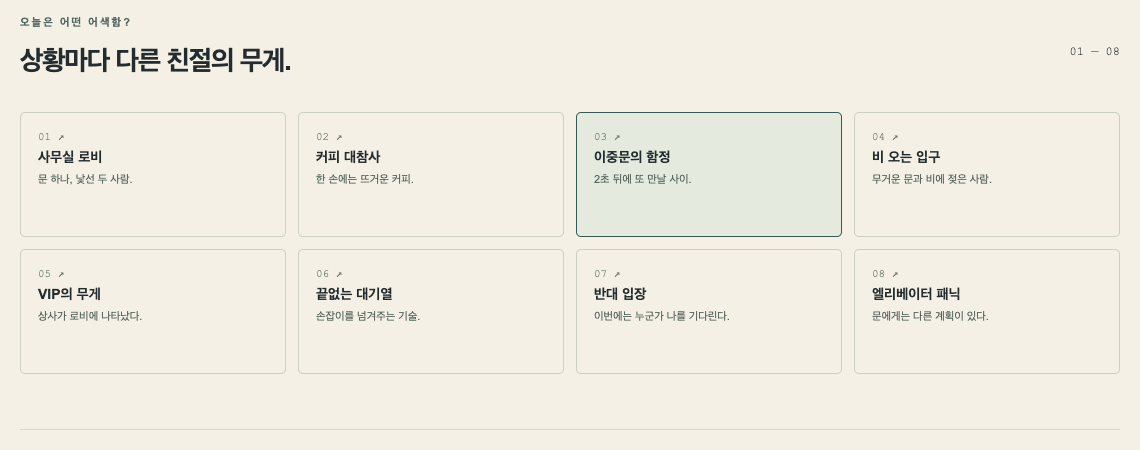
Eight situations, different kinds of pressure
| Scenario | What the interface says changes | How to approach it |
|---|---|---|
| Office Lobby | A basic encounter with one follower | Learn the controls first. This is where we completed the handover test. |
| Coffee Catastrophe | A hot coffee adds hand strain | Notice competing demands; do not assume the basic scene’s timing transfers unchanged. |
| The Double Door | A second door adds another handoff | Treat the first transfer as one part of a sequence. |
| Rainy Entrance | A heavier door and a changed closer | Watch the situation rather than memorizing one distance. |
| The VIP Problem | The boss amplifies social pressure | Separate the game’s exaggerated status pressure from real workplace etiquette. |
| Never-ending Queue | Extra followers arrive | Consider when responsibility should pass on; we verified scenario selection. |
| Reverse Courtesy | You become the approaching person | Use it to compare perspectives, not to label somebody else. |
| Elevator Panic | Doors have their own closing timer | Read the scenario as an arcade rule, never advice to obstruct real elevator doors. |
All eight scenario cards were present in both language interfaces. The changes above are the game’s own descriptions; we did not complete a controlled playthrough of all eight. In particular, a selected queue screenshot does not prove the full queue mechanic was tested. Keeping that distinction clear is more useful than presenting a long list of unverified victories.
Our actual door holding game test
Checked on 6 November 2026, Korea Standard Time. These observations come from direct browser interaction, including pauses to inspect the controls. They are a functional check, not a repeatable human reaction-time experiment. The starting distance changed between ordinary rounds, so our observed distances should not become a recipe for a guaranteed score.
| Action or condition | Observed output | What it establishes |
|---|---|---|
| Let an Office Lobby round finish without holding | Thank-You Collector;65/100; wait 0.0 s; hurrying 0.0 s | The round can finish and produce a result even with no helpful action. Zero waiting alone is not proof of a successful handover. |
| Press P during an active round | Pause changed to Resume; hold control disabled | The pause state and disabled controls were visible. |
| Resume, activate Hold, then pause | The control read Release the Door | Tap mode changed the holding state. |
| Resume and activate Hand Over near the follower | Doorway Diplomat;100/100; wait 0.2 s; hurrying 0.0 s; elapsed 13.1 s; distance 1.4 m | One actual handover succeeded in this game state. It does not establish a universal 1.4 m rule. |
| Open Korean daily challenge | Today’s challenge selected the Double Door situation | The daily challenge started; we paused it and did not claim a completed daily score. |
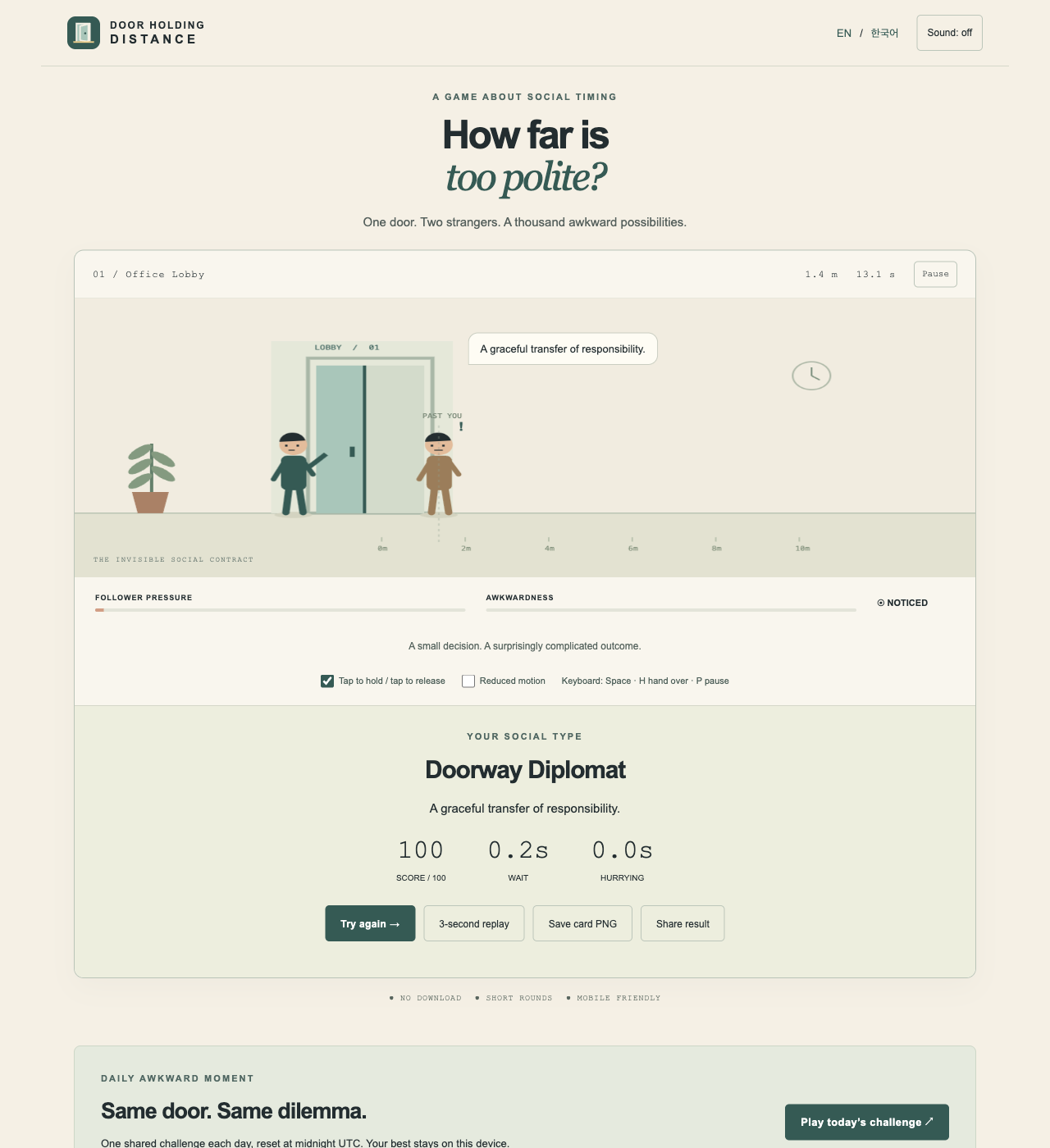
The most revealing comparison is the first and fourth rows. Both showed no hurrying, but only one reflected an explicit transfer. Looking at a single metric would miss that difference. This is a good small example of why a dashboard should be read as a set of signals rather than one number to maximize.
A better door holding game practice plan
For a useful five-minute session, change one decision at a time. First learn the button states. Next compare releasing with handing over in the same scenario. Then try a second situation. Keep a short note of the action you intended, the feedback you saw, and what you would change. You can do this on paper; the game does not require uploading a record.
For example, write “I kept holding because I was waiting for an unmistakable cue.” Afterward, ask whether waiting clarified the decision or merely extended your commitment. That is an interpretation of play, not a measured account of a real stranger’s emotions. If two people are trying the game together, each can explain what signal they used before comparing scores.
Avoid treating the highest score as the only interesting outcome. A low score can reveal that you confused Release with Hand Over. A smooth result can still depend on an unusually favorable starting state. Repetition helps you learn the interface, but it cannot validate a rule for every entrance, walking speed or social context.
The door holding game works best as a tiny coordination puzzle. In real life, communication, consent, safe passage and the other person’s preferred pace matter more than performing a perfect gesture. Nobody should have to sprint to reward your decision to wait. Do not turn the game’s pressure meter into a claim about a specific person.
Mobile, keyboard and accessibility
At 390 px wide, the Korean page fitted the viewport without horizontal overflow in our browser. We enabled reduced motion, opened the daily challenge and paused it. This checks a mobile-sized layout and visible control operation; it is not a physical-phone performance benchmark or a full screen-reader certification.
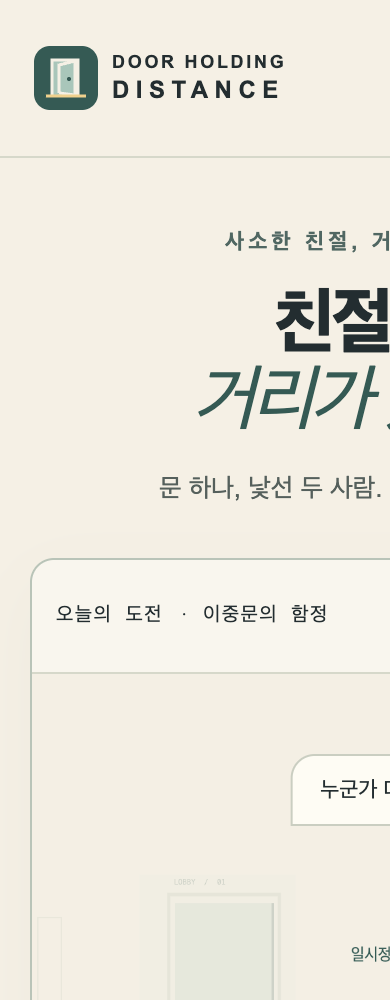
Tap mode is the sensible starting point if sustained pressing is uncomfortable. Reduced motion is available for decorative movement and camera effects according to the site’s help. Status uses words and symbols alongside color. These are useful accommodations, but the main scene remains visual and timing based. A visitor may still need an alternative activity.
During our test, an automatic full-screen advertisement covered the page around a retry interaction. Closing it restored access. If this happens, use the ad’s genuine close control and return to the game; do not mistake an advertiser’s Open button for the game’s Start or Try Again button. We did not change advertising settings.
Limitations, records and privacy
- No universal etiquette threshold: distance, scoring and humorous labels belong to the simulation. They are not a personality diagnosis or cultural standard.
- Local records: the help says best scores, settings and collection use this browser’s localStorage. We saw an unlocked collection type remain when moving from English to Korean in the same browser. Cross-device sync was not tested or established.
- Site services still matter: the game states that it sends no gameplay records to a game server, but Blogger and Google advertising can process data. We observed ads and did not audit all network requests. Do not describe the whole page as tracking-free or entirely offline.
- Exports and sharing: Save Card PNG,3-second replay and Share Result controls were visible. We did not test their completed output and cannot promise compatibility with every browser.
- Daily dates: the interface says the daily challenge resets at midnightUTC. Its date may differ from your local calendar date.
- Changing conditions: ordinary starts varied in distance during our check. Scores from separate attempts are not a controlled comparison of human ability.
If local records matter to you, avoid clearing site storage casually and do not expect a different browser to inherit them. The help includes Clear My Game Records, but we did not activate it because erasing existing records was unnecessary for this review. For Google’s own data practices, consult its privacy policy.
Related tools and useful next steps
For another short game about deciding when to act around other people, see our Conversation Timing Game guide. The connection is the timing of an interaction; neither game measures real social competence. If you prefer a different purpose, return to the Tool Library rather than following an unrelated recommendation.
These tools and this library are made by the same creator. This article is an editorial introduction to that work, not an independent third-party endorsement. Our How It Works page explains the library, and our Editorial Standards explain how we distinguish tested functions from unverified controls.
Door holding game FAQ
Is there a perfect distance for holding a door?
No universal distance is established by this game. Our 1.4 m handover was one observed game state, with pauses during inspection. It is not advice to measure a stranger’s approach.
Why did I get 65 points without holding the door?
That is what we observed in a no-action Office Lobby round. A score combines the game’s own rules, so it should be interpreted together with the outcome label and actions rather than treated as a moral grade.
Do I need to keep pressing the button?
Not with tap mode enabled. The visible control changed from Hold the Door to Release the Door after activation in our check. A separate press-and-hold option is described in the help, but was not part of our completed tests.
Can I play in Korean?
Yes. Use 한국어 at the top of the original site. We checked the Korean controls and daily challenge. Moving languages reset the active situation to Office Lobby while the previously unlocked collection type remained visible.
Will records follow me to another device?
The help describes browser-local storage, not an account-backed service. Do not assume synchronization. The score card and sharing controls may be useful, but their final exports were not verified in this review.
Is this suitable as a real safety or psychology lesson?
Use it as a fictional conversation starter. It does not replace door-safety procedures, accessibility advice or a qualified psychological assessment. Never imitate the elevator scenario by blocking real doors.
Open the door holding game → Start with one ordinary lobby round, learn the difference between release and handover, and let the score stay what it is: feedback from a game.
A RELEVANT NEXT STEP
Tools with a useful connection
Group Photo Chaos
Group Photo Game: 5 Fun Ways to Master the Timing
Catch the shared ready moment in an animated group portrait. A tested guide to timing, shutter delay, replay and reading the score.
Conversation Collision
Conversation Collision: A Conversation Timing Game in 5 Steps
Explore overlapping speech through a five-round conversation timing game. Compare four responses, three modes and our matched English/Korean tests without treating scores as a personality assessment.
Elevator Button Lab
Elevator Button Game: 4 Fun Modes & Essential Tips
Explore Elevator Button Lab through four modes, actual repeat-input and boarding tests, a fictional A/B comparison and real PNG output. Learn what the feedback means and where it stops.