QuizSpark Studio is a bilingual trivia quiz with topic filters, a daily five, a 60-second sprint and local two-team hosting. Answer four-option questions, read short explanations and replay a challenge. Use it for a small practice session or gathering; its score is not a standardized knowledge or ability assessment.
Hands-on check: 12 November 2026, Chrome. We completed a five-question Math/Easy round with one deliberate wrong answer, reopened its challenge, completed the daily round, let a sprint expire and tested manual host points. These were interface checks, not a classroom outcome study or a speed benchmark. Actual screenshots appear below. This library and the original project share a creator; publisher claims and unverified outputs are identified separately.
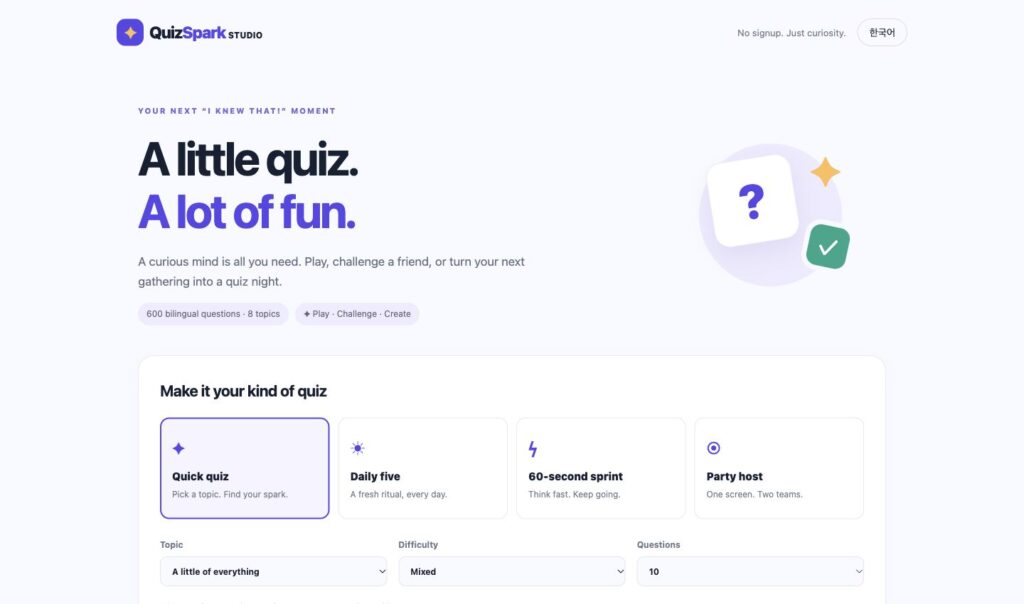
Play a bilingual trivia quiz with quick rounds, daily five, sprint and local hosting. Actual 4/5, replay, 60-second and manual-score tests explain question limits, UTC streaks and unverified outputs.
- Brand
- QuizSpark Studio
- Tool languages
- en, ko
- Verified date
- 2026-11-12
In this guide
Key takeaways before the first round
Pick the quiz mode first, then recheck topic, difficulty and count. In our session, switching to Party host reset the previous Math/Hard filters to mixed subjects and difficulty. Starting immediately after a mode change can therefore produce a different selection than you intended.
The home screen displayed 600 bilingual questions across eight topics. That is the advertised bank total, not the number available under every filter. Math/Hard matched only three; selecting 100 still showed a maximum of three without repeats inside the round. We did not audit all 600 answers or confirm equal coverage across topics.
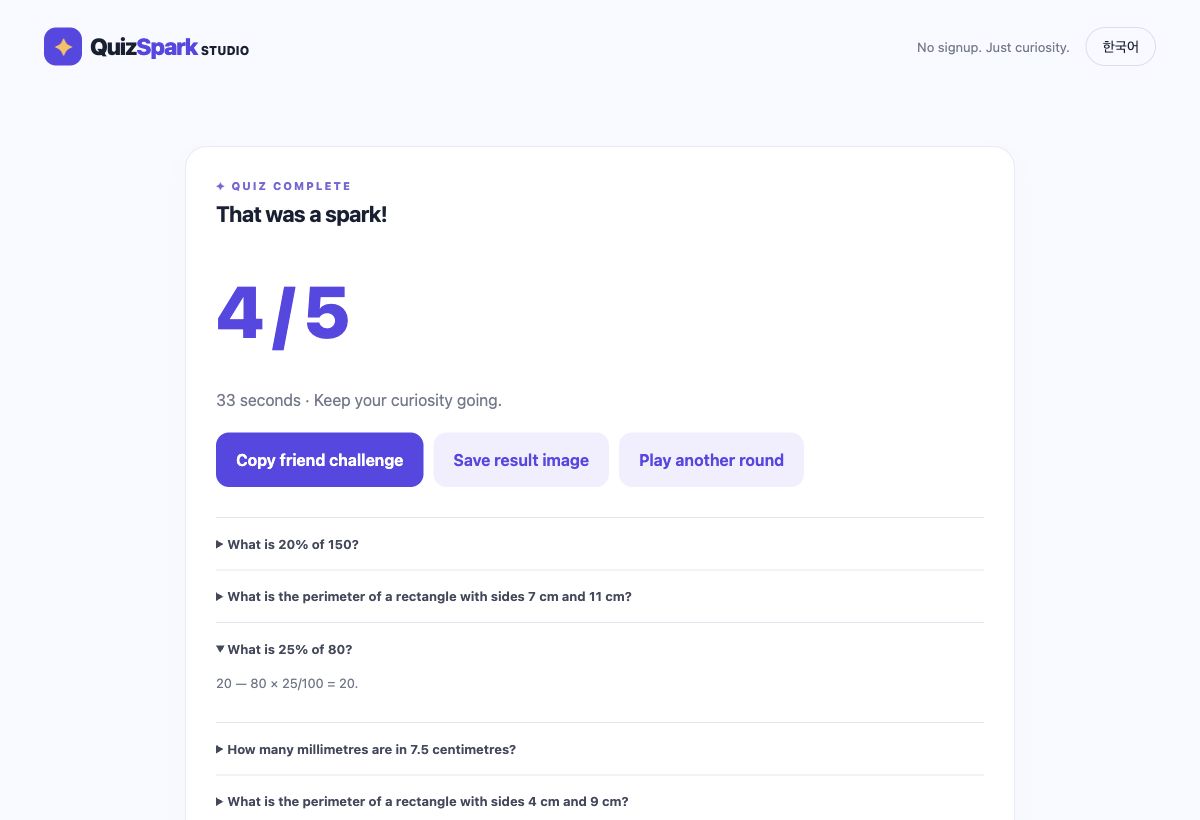
Our first completed test returned 4/5 with an explanation for the deliberately missed percentage problem. A later sprint returned 1/1 at 60 seconds after one answer and an unanswered next prompt. Those fractions describe different completed-answer contexts; 1/1 is not evidence of broader knowledge than 4/5.
Party host uses manual points on one screen. The challenge reproduced our five prompts and option order in a new tab, but we did not observe a final comparison banner. Result-image receipt and worksheet/PDF output were not verified. Treat these limits as part of choosing the right activity.
What this trivia quiz offers
A short break, family gathering or informal study session often needs something more structured than asking questions from memory. QuizSpark Studio supplies a fixed selection of questions, four answer choices in individual modes and short explanations. The available subjects are Science, Geography, History, Arts & film, Nature, Technology, Sports & games and Math. An all-topic option mixes the bank.
The setup offers Mixed, Easy, Medium and Hard difficulty, plus requested counts of 5, 10, 20, 50 or 100. Quick quiz suits a bounded round; Daily five is a date-based ritual; sprint emphasizes a time limit; Party host provides a facilitator-controlled two-team format. The inspected interface did not show a form for authoring your own question bank. “Create” in the design language should not be read as verified custom-question generation.
No sign-up, email address or payment was required in the tested flow. English is available at the root and Korean through the language link. This is browser-based casual play, not a live remote classroom platform: the site describes challenge comparison in the recipient’s browser and no global leaderboard. It does not provide a validated placement test, attendance register or evidence of improved memory.
Choose a mode before setting the filters
| Mode | Useful situation | Main check |
|---|---|---|
| Quick quiz | A short, selected-topic practice round | Read the matching count after filtering |
| Daily five | A small recurring activity | Use the UTC date, not assumed local midnight |
| 60-second sprint | An optional fast round | Read answered count and time together |
| Party host | Two teams sharing a screen | Agree manual scoring before starting |
Make a modest plan before opening the quiz. Five questions can be enough to discover one topic worth looking up. A request for a hundred quiz questions does not create additional matching material. For participants who want time to read, translate or discuss, choose a format without the sprint’s cutoff rather than treating speed as a requirement for taking part.
For a quiz with speakers of different languages, decide which language everyone will see. The same-language challenge is intended to preserve its question and option order. We did not test changing a challenge between languages or verify the completeness of every translation. Use a shared language for a friendly comparison, and distinguish translation assistance from independent answering if that distinction matters to the group.
7 checks for a useful quiz session
1. Open the language that fits the group
Start at the English root or the linked Korean page. Check the text of the question, controls and explanations before inviting others to play. English-language introduction articles about other tools do not automatically translate their source interfaces, so verify the actual destination rather than relying only on a library label.
2. Choose the format, then inspect the setup again
Select Quick quiz, Daily five, sprint or Party host. We observed filter resets when changing mode, so do not assume an earlier topic or difficulty remains selected. Check the highlighted mode and the status message. The host status explicitly describes local teams answering aloud and a person awarding the points.
3. Read the actual matching count
Set topic, difficulty and requested length for the chosen activity. Look beneath those controls for how many questions match and the round maximum. Our Math/Hard request for 100 produced three matches. That is a content-pool limit, not a broken Start button or evidence that the remaining bank was downloaded incorrectly.
4. Answer once and read the explanation
Start the individual round and choose one of the four answers. In our test the answer buttons became disabled after selection, preventing another choice on that displayed prompt. A correct answer and an intentionally wrong answer both produced feedback plus a short explanation. Use Next question to proceed; avoid assuming that the program advances automatically after feedback.
5. Finish the intended round before comparing
Use See results after the last answered question. Our Quick quiz result showed 4/5 and 33 seconds, with expandable explanations for the questions. The elapsed value is a display from that session, not a controlled measure of reading speed: browser interaction, discussion, interruptions and familiarity with the material can all affect a comparison.
6. Reopen a challenge and check the first prompt
Copy friend challenge generated a visible fallback text field when our clipboard did not return a usable link. We opened that displayed URL in another tab of the same browser, accepted the challenge and checked all five prompts and option orders. We did not send it to another person. Confirm that the expected round opens before sharing it through a channel you choose.
7. Preserve only outputs you have actually checked
Use the review explanations to note one correction in your own words. If you need an image or printed worksheet, open the received output and inspect it before relying on it. Our result-image control did not yield a file through the available download connection, and we did not retrieve a worksheet or PDF. A button press is not verification of a complete, readable file.
Actual play-through results
These results came from direct interface tests on 12 November 2026. Deliberate wrong choices and manually assigned points were used to check behavior. They do not represent an unassisted participant’s score or the effectiveness of a learning program.
| Test | What we did | What appeared |
|---|---|---|
| Quick quiz | Math/Easy, five questions; deliberately missed one | 4/5; displayed 33 seconds; missed answer explained |
| Friend challenge | Opened the generated URL in a new tab | Same five prompts and option order; second run 5/5 |
| Filtered length | Math/Hard; requested 100 | Three matches; up to three without repeats |
| Daily five | Completed the UTC 12 November set | 5/5; streak became one and remained in Korean after reload |
| Sprint | Answered one correctly, advanced, left next unanswered | Automatic result 1/1 at 60 seconds |
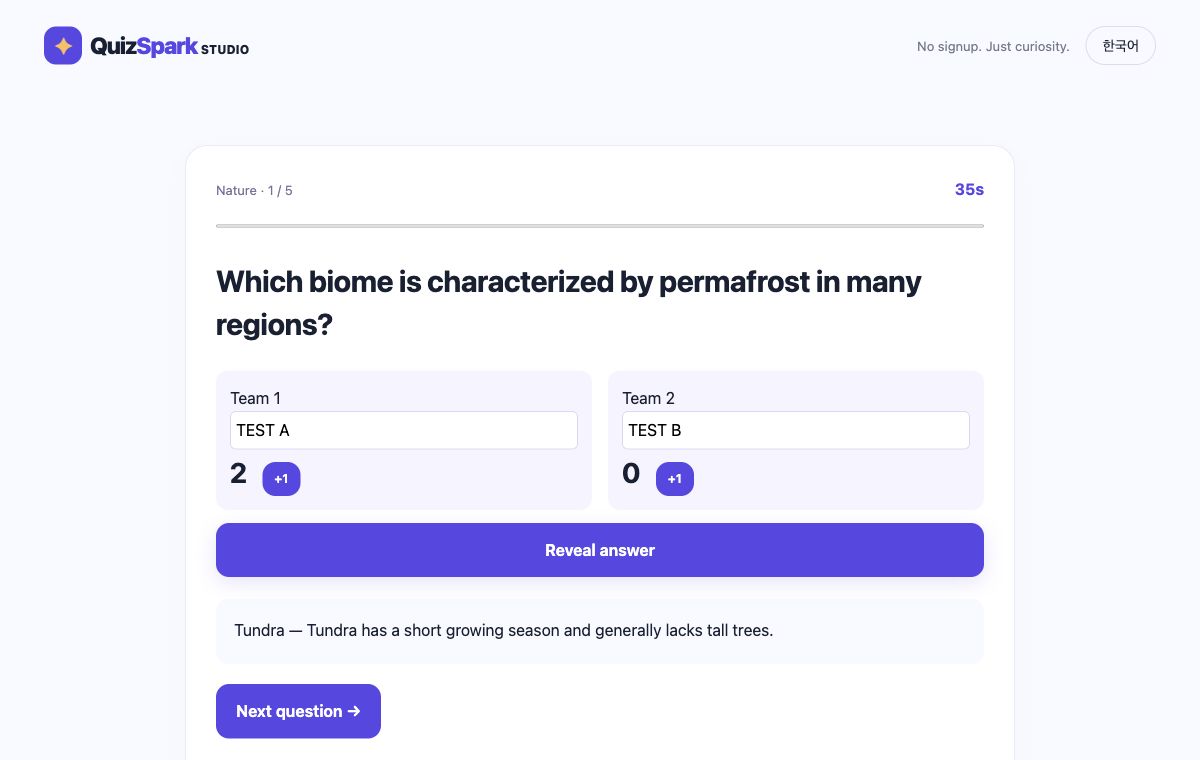
| Party host | Awarded TEST A two points before revealing answer | 2:0 manual score; ending the first prompt kept that score |
| Mobile Korean | Fresh 390 px page; Enter on an answer | Feedback and disabled answer choices; no page overflow |
For the missed arithmetic item, the explanation showed 80 × 25/100 = 20 after we chose 30. That narrow check establishes how feedback was shown for that item. It does not certify the entire bank. The daily and challenge second-run results also reused material or included interruptions; they should not be presented as an independent comparison of human knowledge.
Read the score with its denominator
Before comparing two results, ask what the denominator includes. In the sprint we saw a pool position of 1/600, answered one item and moved to a second prompt without answering it. Timeout produced 1/1, not a score out of 600. The large number during play described available positions in that session, while the result fraction reflected the answer we had submitted.
A full five-question quiz and one answered sprint item are different samples. They also differ in topic mix, difficulty and time pressure. A useful personal note records mode, filters, answered count and whether the questions were familiar. The shortest elapsed time is not automatically the most useful session, especially when the goal is to explain a mistake.
The same caution applies to repeated quiz rounds. Reopening our challenge let us answer the previously missed item correctly, but we had already seen its explanation. That is useful rehearsal. It is not evidence of an independent score increase caused by the site or a general improvement in reasoning. Keep casual motivation separate from claims the interface cannot substantiate.
Replay a challenge without treating it as a leaderboard
The challenge URL visibly carried question identifiers, a seed, score and elapsed seconds. The privacy note says it contains no player name and that anyone with the link can see those values. A link to an entertaining quiz round therefore also discloses the embedded result. Share only what you intend, and do not put personal identities into a separate message just to make a casual contest feel official.
The replay test reproduced all five prompts and their option order in a new tab on the same device. An advertising interstitial interrupted that second run; after dismissal the page fragment changed, and no final friend-comparison banner was observed. We can confirm replay in that test, but not promise a successful comparison screen, delivery to another device or long-term compatibility after bank changes.
There is no verified live room, remote buzzer or synchronized global contest in this workflow. If a group needs authenticated entrants, tamper-resistant scores or a formal competition record, this link format is insufficient evidence. For a friendly replay, retain the original quiz URL and agree whether participants may look up explanations or repeat the questions.
Daily dates and local streaks
The site states that Daily five changes at 00:00 UTC. In Korea that corresponds to 09:00 KST, so a late-night local session and an early-morning session can still belong to the same UTC day. Our check showed UTC 2026-11-12; completing the set changed the displayed streak from zero to one.
The Korean home page showed the same one-day streak after reload. We also checked that the first daily arithmetic prompt and its option order matched between the English and Korean pages. We did not complete the Korean daily set separately, test consecutive days or observe the UTC rollover. Those limits matter if you are trying to document continuity rather than simply enjoy a recurring activity.
A local streak is a device-side participation cue. It is not a school attendance record, a verified account history or a measure of mastery. The publisher says the finite bank may repeat across days. Repeated material can support discussion, but “daily” does not guarantee five never-before-seen facts for the lifetime of the tool.
Host a fair two-team round
Party host is a one-screen activity. Teams answer aloud; the facilitator reveals the answer and presses +1 manually. We named the teams TEST A and TEST B and pressed the first team’s button twice before revealing the first answer. The interface accepted both points. Ending that round at its first prompt produced 2:0 labeled host-awarded points.
This flexibility is useful when your rules allow discussion or bonus points, but it means the software does not validate what a team said or enforce one point per question. Decide on an answer window, whether teams can confer, how ties are handled and who may touch the screen. These are suggested hosting rules, not built-in controls we verified.
Preview the questions privately if you are facilitating a class or event. Pick accessible content and a comfortable language, and make the scoring convention clear before revealing answers. Do not use the page’s broad question count as a guarantee of age suitability, curriculum alignment or consistent difficulty. Keep a separate score note if accidental extra points would matter; we did not verify an undo or negative-point workflow.
Worksheets, result images and unverified files
Make a worksheet is offered beside the start control. The publisher describes printable questions with a separate answer key and recommends the browser’s Print → Save as PDF. We activated the worksheet control but did not retrieve its generated sheet, print preview or PDF. The source tab required a reload before our normal inspection could continue, so no printed-layout or answer-key check is claimed.
If a printed handout is the purpose, run a small trial before participants arrive. Confirm the language, actual number of questions, page breaks, option labels and separation of the answer key. Save or print only after reading the preview. This is a preparation checklist for an unverified output path, not a report that those properties passed in our session.
Save result image was also activated, but the download connection did not return a received file. We did not inspect its dimensions, quality or included metadata. The screenshot in this guide is our actual browser capture, not the app’s exported result image. Keep those two image types distinct when explaining what you have preserved.
Privacy, question accuracy and mobile limits
The privacy panel says progress is stored locally, recent completed rounds and the streak stay in the browser, and challenge links contain result data. The introduction specifies the last 30 completed rounds. We verified only the visible one-day streak surviving reload and language access; we did not test the 30-round retention boundary, data export or migration between devices.
Google/Blogger and advertising services have separate cookie and device-data policies. We saw advertising, including an interstitial that covered the game. No installation is needed for the tested quiz flow; an advertisement’s installation wording is separate from the tool. This was not a network audit or a guarantee that the surrounding page makes no external requests. Clearing site data may erase local progress.
At a fresh 390 px width the Korean page had no page-wide horizontal overflow. We selected an answer with Enter and received localized feedback with the choices disabled. This verifies one keyboard interaction and a browser viewport, not every accessibility path or a real-phone performance test. Long prompts, assistive technology and interrupted sessions still need checking in the intended environment.
The source lists reference resources, but a general bibliography is not a citation attached to every question. We inspected a small sample, not a full factual audit. For classroom or consequential use, verify any disputed item with a suitable primary reference. The Report question control can help identify an item; we did not submit a report or contact anyone during this review.
Related tools for a different session
For a calmer English activity, Brain Stroll offers self-paced picture, memory and saying games. Its guide explains hints and retries rather than treating completion as a cognitive test. It is an English source interface, so choose it deliberately for that audience.
For Korean picture and word activities, 두뇌마실 is a separate Korean-language source. The guide helps an English-speaking helper understand its controls. Neither alternative should be described as a medical assessment or a measured brain-training outcome.
For a quiz segment inside a larger event, FlowCue Studio can support a separate run of show and facilitator timing. It does not automatically import QuizSpark scores or control its round. Keep agenda management and game scoring as separate tasks; no integration was verified.
Trivia quiz FAQ
Does requesting 100 guarantee a hundred questions?
No. The matching bank limits the round. Math/Hard showed three available items in our check. Read the actual maximum after choosing filters, and recheck it after changing mode.
Does 1/1 in sprint mean a perfect full-bank result?
No. Our one-answer test ended as 1/1 at 60 seconds even though the in-game pool label had been 1/600. It described the answer submitted, not mastery of six hundred questions.
Is a friend challenge live multiplayer?
The inspected flow opens a replay URL. Our same-browser new-tab test matched the five prompts and option order; a final comparison banner was not observed. The site describes no live server or global leaderboard.
Can the host score a team before revealing an answer?
Yes in our test: two +1 presses were accepted before Reveal. These are manually awarded points. Agree fair rules and keep the facilitator in control of the screen.
Were the worksheet and downloaded image checked?
No received image or generated worksheet/PDF was inspected. Their controls and the publisher’s descriptions were visible, but file quality, print layout and answer-key separation remain unverified.
Start a short round and review one explanation
Begin with one short quiz in the right language. Choose the mode before the filters, read the available count, and use the explanation to correct one idea in your own words. Treat a streak as encouragement, a host score as a manual decision and a replay as familiar material. Check any file you plan to distribute before your session depends on it.
Sources: QuizSpark Studio interface, instructions, privacy panel and references; Korean page. Actual interface tests and screenshots: 12 November 2026. No full-bank accuracy audit, formal participant study or downloaded-file verification was conducted.
A RELEVANT NEXT STEP
Tools with a useful connection
Brain Stroll
Brain Stroll: 7 Essential Checks for Better Play
English picture, matching, basket-memory and saying games at your own pace. Tested hints, five-item retries, daily records and replay links explained.

두뇌마실
Korean Brain Games: 7 Essential 두뇌마실 Checks
Self-paced Korean picture, matching, shopping-memory and word games. A tested guide to hints, retries, daily dates and the Korean controls.
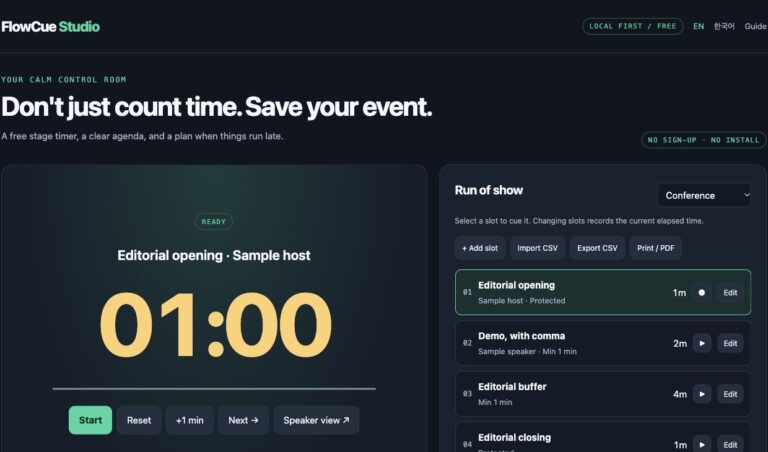
FlowCue Studio
Stage Timer: 7 Smart Steps for Better Event Timing
Use FlowCue Studio to run a stage timer, plan protected agenda slots and preview delay recovery. Actual countdown, CSV and bilingual script tests explain the operator handoff and advertising limits.