Brain Stroll brings English picture, memory and word games into one gentle browser session. This tested guide explains the hints, five-item basket, manual card turns and daily journal so you can choose a comfortable way to play.
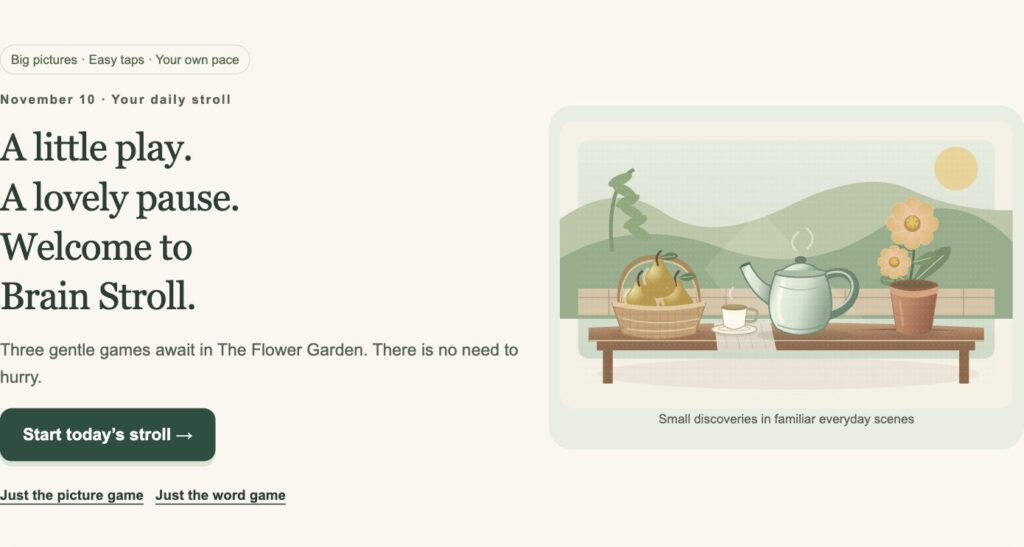
English picture, matching, basket-memory and saying games at your own pace. Tested hints, five-item retries, daily records and replay links explained.
- Brand
- Brain Stroll
- Tool languages
- en
- Verified date
- 2026-11-10
On this page
Brain Stroll at a glance
- The official name is Brain Stroll. The original interface and the saying we tested were English; we found no Korean switch.
- Four activities are available. The daily route visits picture differences, basket memory and a word puzzle. Matching Pairs is opened separately.
- No sign-up was requested. Our tested activities let us choose when to move on, revisit the basket or cover unmatched cards.
- The journal records completed days on this browser. It is not a count of every game or a measured change in ability.
- Reviewed on 10 November 2026. We used hints, labelled controls and deliberate wrong answers to check recovery; these were interface tests, not cognitive-performance tests.
Pick the activity that fits the moment
Brain Stroll is useful when you want a small shared activity with a clear beginning and an easy stopping point. You might open a picture with a relative, recall a pretend shopping list, or talk about an English saying. The page removes the need to install an app or create a player account before those interactions. It does not remove the need to understand the instructions or make the drawings comfortable to view.
The four options exercise different kinds of attention in the everyday sense of the word. Spot the Difference asks you to compare locations. Matching Pairs asks you to keep track of revealed cards. Shopping Basket Memory separates a study phase from a selection phase. Sayings and Everyday Words adds English vocabulary and familiarity with expressions. A missed saying therefore cannot be interpreted in the same way as a missed picture detail.
Choose a route by what the player wants to do
- A single visual round: choose Just the picture game or the Spot the Difference tile. Find three changed areas in paired illustrations.
- A sequence with variety: choose Start today’s stroll. Our route contained three games, with a continue or finish choice between stages.
- Card positions: open Matching Pairs from the home tiles. It is not a fourth stage of the daily route.
- Familiar English expressions: use Just the word game or the sayings tile. Supplied answer buttons avoid typing.
- A pretend shopping task: choose Shopping Basket Memory and an item count from three to five. You end the study phase yourself.
This is a recreation and conversation tool. The source explicitly says it does not diagnose or treat conditions, measure brain age or dementia risk, or promise health benefits. Our review describes screen responses and useful ways to organise play. We did not measure whether any activity improves memory or health.
Prepare a comfortable English-language session
Start with a readable screen, a pointing device and a few unhurried minutes. No personal photographs, documents or shopping data need to be supplied: the activities use their own illustrations, object choices and word prompts. During our checks we were not asked for a name, birth date, medical information or an account.
Press Larger text if the controls are difficult to read. The button becomes Standard text while the larger setting is active. We changed that preference, reloaded the page and saw it retained; we restored the standard setting afterward. In the picture round, Enlarge pictures is a separate control that changes how the paired illustrations are presented.
If two people are playing, decide whether the helper will explain controls, read words aloud or help solve the task. Those are different levels of assistance. A useful starting agreement is to let the player choose the answer and ask before using a revealing hint. Keep Finish for now in view so stopping feels like a normal choice, not an interrupted test.
The source describes a course as roughly five to ten minutes. We did not time that estimate. Looking again, enlarging drawings and talking about a picture can extend a session. Choose the amount of activity that feels appropriate instead of treating the published estimate as a deadline.
Seven practical checks from start to finish
1. Open today’s route and recognise the three-stage structure
Select Start today’s stroll on the home screen. On 10 November, it opened The Flower Garden, puzzle 08, with Daily stroll 1/3 above Spot the Difference. The next two stages were Shopping Basket Memory and Sayings and Everyday Words. The stage counter helps distinguish a course from a standalone activity. For Matching Pairs, return to the home page and use its own tile.
You can choose a picture-only or word-only entry if a full sequence does not fit. For example, someone who enjoys looking at objects but dislikes English sayings does not need to begin the course and hope the last stage changes. Choose the relevant activity directly, then stop or select another one afterward.
2. Compare corresponding areas and use the three-level hint
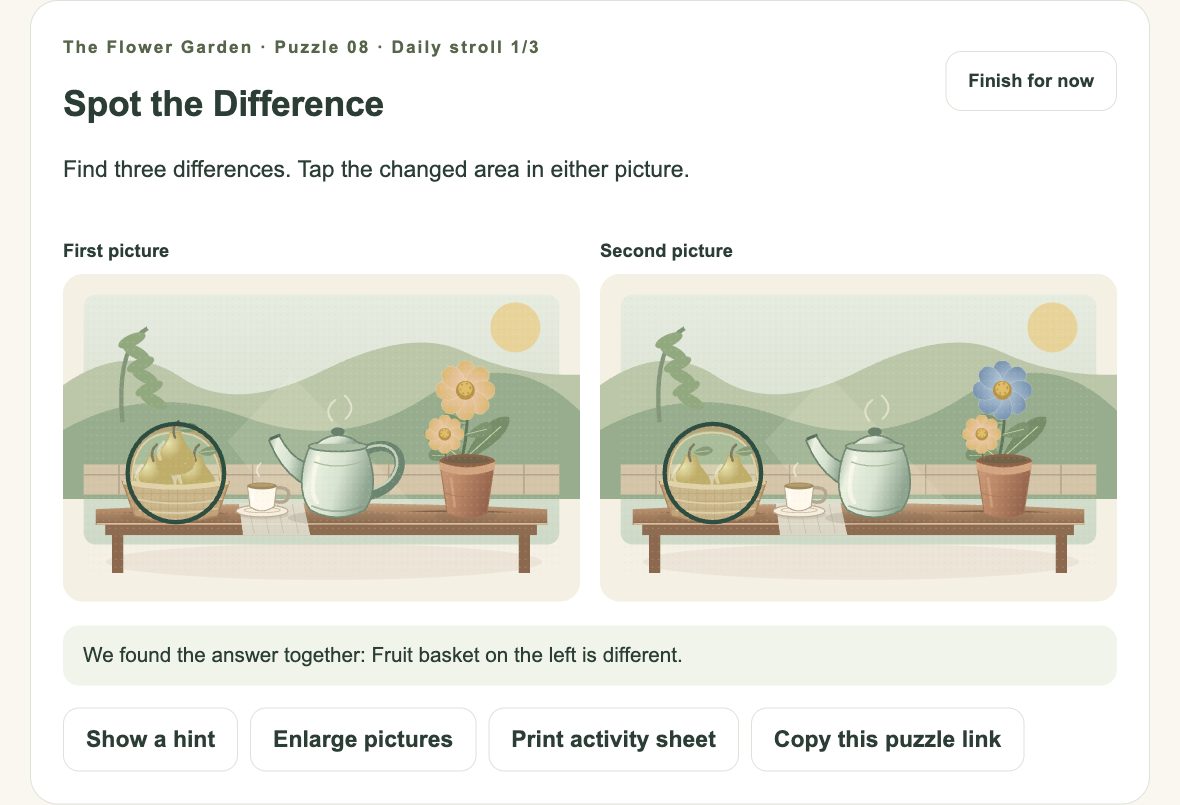
Find three differences between the first and second picture. Compare one region in both drawings before moving to another, and activate the changed area in either drawing. Our first Show a hint press directed us to the fruit basket on the lower left. The second told us to look inside a dotted outline. The third revealed and circled that one basket difference.
That sequence matters: three presses revealed one answer, not all three answers. We completed the other two using the labelled middle and upper-right controls with the keyboard. The page then reported all three differences found. This demonstrates an assisted completion path; it is not a claim that we solved the visual problem unaided.
Enlarge pictures changed the desktop layout to larger illustrations stacked vertically. At a fresh 390 × 844 viewport, the pictures were already stacked and each was 316 pixels wide within a 390-pixel document. Expect to scroll between corresponding areas on a narrow screen. We checked browser emulation, not a physical phone or a complete assistive-technology setup.
3. Study the basket before deliberately ending the study phase
Continue with Next game. In Shopping Basket Memory, Choose the number of items offers three, four or five. We changed the default three to five. The displayed list became Pear, Grapes, Carrot, Apple and Cucumber. You can inspect those objects until you are ready; pressing I’m ready. Choose the items moves to the selection phase.
The eight choices in that example included Orange, Corn and Eggplant as distractors alongside the five study items. Select the objects that were in the basket, then press Check my choices. Recognising an object is not enough: it must belong to the list just shown. If you are helping with English vocabulary, distinguish reading the names from telling the player which five to select.
4. Recover from an incorrect basket without assuming old choices remain
We intentionally chose Orange in place of Pear, alongside Cucumber, Carrot, Apple and Grapes. Check my choices invited another look. See the basket again reopened the study display; we then proceeded and selected Cucumber, Carrot, Apple, Grapes and Pear. That correct set completed the activity and enabled the next stage.
Use the retry to inspect the list rather than rapidly trying unrelated objects. On returning to the selection phase, check the visible selection state and choose the complete intended set. Do not rely on what you had selected before review. The important verified behaviour is that a wrong five-object submission did not permanently end the round and a reviewed, correct set could complete it.
5. Finish an English saying through supplied choices
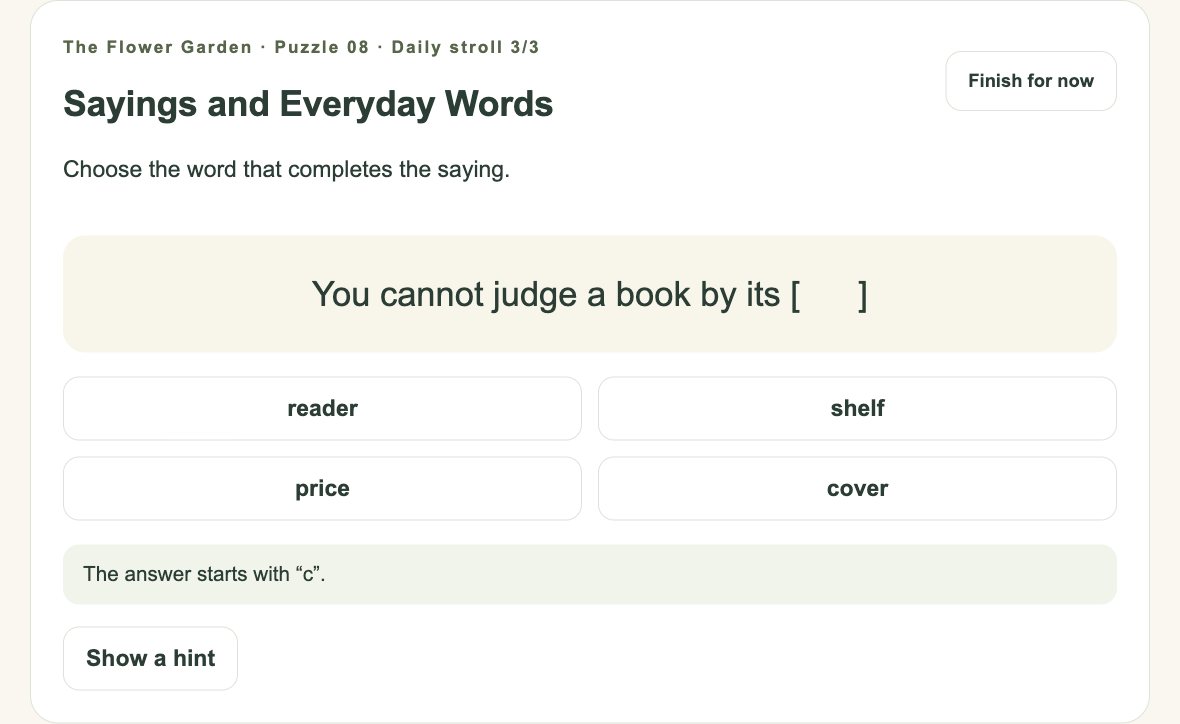
Our last course stage asked: You cannot judge a book by its [ ]. The answer buttons were reader, shelf, price and cover. We deliberately selected price, received an invitation to try another word, and then used Show a hint. The hint supplied the first letter, c. Choosing cover completed the round.
This is an English expression about not judging something solely by outward appearance. Discussing that meaning is a suggested conversation activity, not an automatic explanation feature we observed. Someone unfamiliar with the saying may find the round harder despite comfortable visual and memory play. No keyboard typing or speech input was required for our answer.
6. Try Matching Pairs and turn unmatched cards over yourself
Open Matching Pairs separately. Its count selector allows three, four or five pairs, and the theme selector offers Fruit and vegetables or Flowers and kitchen items. We chose three pairs and the latter theme. The actual six cards contained Apple, Flower and Pear pairs. The theme label therefore did not describe an exclusively kitchen-object set in this trial.
Opening card 1 and card 3 revealed Apple and Flower. The message told us they were different and to press Turn open cards over. They remained available to inspect until that manual action. We then matched Apple at 1–2, Pear at 4–5 and Flower at 3–6. The round showed completion after the third pair. This is a reproducible UI example, not a promise that every puzzle number uses those positions.
7. Finish the route, then check the date rather than counting attempts
After the word round, Finish today’s stroll returned us to the home journal. November 10 was marked and the month total was one stroll. A later completed matching round on the same day still left one completed date. A root-page reload preserved it. The journal is useful as a reminder that you played on a date, but it does not describe the number of wrong attempts, hints or separate games.
To revisit a drawing, open Revisit a picture, choose an entry and use Start this puzzle. To open the same problem elsewhere, use a copy-link button and paste the address where you choose. We verified a copied Brain Stroll link in a fresh tab. Copying did not send a message to anyone. The next section explains why this is different from transferring a personal journal.
What our hands-on tests actually showed
The manual review on 10 November 2026 covered all four activity types, including a full three-stage daily route. We deliberately used wrong answers to see how recovery worked and used assisted picture targets to check completion. These conditions are disclosed because a successful interface test says nothing about a person’s cognitive performance.
- Picture hints: location clue → dotted outline → one revealed basket difference. The remaining two labelled targets completed the picture and exposed Next game.
- Five-item basket: Pear, Grapes, Carrot, Apple and Cucumber were shown. Replacing Pear with Orange triggered retry feedback. Reviewing and choosing the correct five completed the round.
- English saying: price was rejected gently, a first-letter hint gave c, and cover completed the book expression.
- Matching: an Apple–Flower mismatch waited for the manual turn-over control. Three correct pairs subsequently completed the activity.
- Persistence: one completed date remained after the root page reloaded. Larger text also survived a reload before we restored it.
- Replay: the archive showed 30 entries; entry 01 opened Neighborhood Market. A copied problem-08 course link opened stage one in a fresh tab.
- Mobile layout: a freshly loaded 390-pixel viewport stayed 390 pixels wide, with the two picture panels stacked vertically.
We did not complete every archived drawing, test consecutive dates, disable storage, inspect network requests or validate physical printouts. A visible Print activity sheet control and the source’s print description are recorded as such below. None of the screenshots is a generated approximation of the tool.
Use the games as conversation starters
The source adds conversation starters after completed activities. Our picture completion asked which object felt most familiar; the word completion asked what the word reminded us of. These prompts are a useful cue to pause before pressing the next button. Talking about a familiar kettle or interpreting an expression can be the point of the session, even when the answer has already been revealed.
A short shared session that does not become a contest
Choose one picture and make the text readable. Let the player inspect it, offer a hint if wanted, then talk about one object in the scene. Finish there if that is enough. On another visit, try three matching pairs or a small basket. This is a suggested leisure workflow; it is not a prescribed training schedule or an activity dosage.
If English is a second language, a helper can first explain Pear, Grapes or Cucumber so the memory round is not mainly a vocabulary lookup. Alternatively, use the labels as a small language-conversation prompt. Be explicit about which activity you are enjoying: memorising a known list and learning unfamiliar English words create different demands. The site did not supply a measured language level or a graded vocabulary curriculum in our checks.
Keep agency with the person playing. Reading a button aloud can remove friction; pressing every answer for them changes the experience. Similarly, a hint that reveals the basket difference may make shared play more comfortable, but it cannot be compared with finding that difference without help. A calm session does not need a score, ranking or streak target added by the helper.
Understand the journal and repeat links
The daily schedule and the local journal are separate ideas
The source says the daily course rotates on a shared Korea-time schedule. We observed the dated problem on one day; we did not test a midnight transition or another timezone. For friends comparing puzzles at different local times, the safest common reference is the same copied problem link, rather than assuming that “today” means the same calendar date in every location.
The journal uses completed dates saved on the device’s browser, according to the site. The source explicitly says it does not automatically sync to another device and that clearing browser data may remove it. Our reload test confirmed short-term persistence in one browser, not backup, cross-device restoration or long-term durability. It is a light attendance reminder, not a permanent record service.
Thirty numbered pictures are designed to be revisited
Revisit a picture listed 30 numbered entries. The five themes were Neighborhood Market, The Cozy Kitchen, The Flower Garden, Autumn Fruit Shop and Afternoon Tea, with six picture variants for each theme. The page says it rotates 30 checked sets and the same number returns the same problem. We opened number 01 but did not validate every answer across all 30.
Repetition can make an activity familiar, but do not label every return as a brand-new generated puzzle. If two people want to discuss the same basket or kettle detail, the stable number is helpful. If you want an unseen challenge, remember that recognising an earlier answer changes the task. The archive is a replay selector, not evidence of unlimited daily AI generation.
A puzzle address does not transport a completed session
Our copied address was this puzzle-08 course link. A fresh tab opened The Flower Garden at Daily stroll 1/3. The on-page guide says links preserve the puzzle and game settings. We verified the linked problem’s opening, not every parameter combination or another device’s complete experience. We did not observe a journal or finished result being transferred with it.
Limitations, privacy and unverified outputs
Language: the original page was English, including the saying and item names. We found no Korean switch. A Korean article about Brain Stroll explains the tool; it does not make the original controls Korean. Choose the related Korean-language tool below if that is the main requirement.
Advertising and privacy: the source states that text size, preferences and dates stay in browser storage, and no name, birth date or medical data is requested. It also discloses Google AdSense and possible use of cookies and device information by advertising partners. We saw advertisements, including overlays and additional linked phrases around page text. We did not click them. Local game records do not imply that every request stays on the device or that the whole page is offline.
What was not audited: we did not inspect the storage code, network traffic or third-party processing. The source says it adds no separate visitor analytics script and can work when storage is unavailable; those statements were not independently tested. Do not turn them into a blanket no-tracking or zero-data-collection guarantee.
Printing: Print activity sheet was present in the picture game. The source says it provides large pictures with answers on a separate sheet and points to the browser’s paper/PDF options. We did not execute print preview, save a PDF or inspect paper layout. If you need worksheets for a gathering, try your specific puzzle and printer before relying on the output. There was no verified automatic worksheet translation.
Accessibility and assessment: larger text, stacked picture panels and labelled picture targets helped in our browser checks. We did not certify contrast, every keyboard path, screen-reader output or physical-phone touch operation. Completion messages and date marks are recreation outputs, not medical findings. The scope is a useful browser activity with documented assistance and limits.
Related tools for a different next step
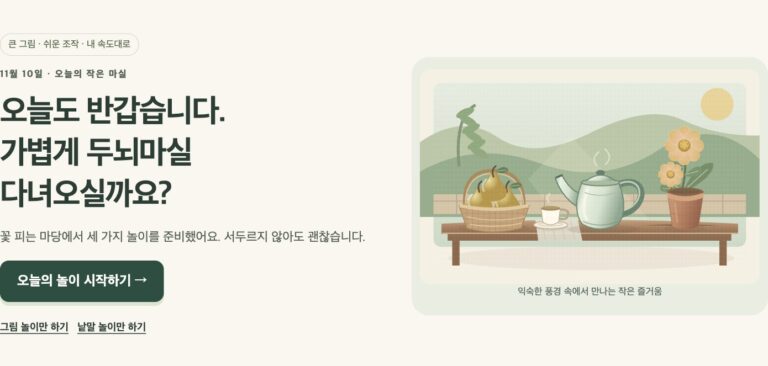
For the same general style of play with Korean instructions and Korean sayings, read our 두뇌마실 guide. This is the clearest alternative when language is the obstacle. Our verified examples differ: Brain Stroll used the English book-and-cover expression, while 두뇌마실 used a Korean saying. Do not expect a record or puzzle link to migrate between the two domains.
If the player would prefer making a scene to choosing correct answers, Soap Bubble Lab offers a different creative path. The guide distinguishes quiet composition from guided and chain-reaction modes. Choose the mode for the desired pace; it is not another way to measure the same memory task.
For a placement activity, Perfect Pebble Stack provides digital stone arrangements. Its Zen Garden mode is the relevant starting point when a competitive countdown is unwanted. A completed digital stack is an artistic game result, not a replacement for the picture, word or basket round.
Brain Stroll FAQ
Is Brain Stroll free, and does it need an account?
The source describes it as free. We opened and completed the tested activities without an account or payment request. Advertising was visible. We did not verify every future access condition or promise that advertising will never interrupt a visit.
Are there four games or three?
There are four home-screen activities. The daily course we completed had three stages: picture differences, basket memory and a word puzzle. Matching Pairs was a separate activity reached from home.
What do three hint presses do?
In our picture, the first gave a location clue, the second pointed inside a dotted outline and the third revealed one difference. We still needed the other two targets to finish. Hints are assistance, not an independently solved result.
Why do unmatched cards stay face up?
The tested matching round waited for Turn open cards over. Use that control after inspecting the mismatch. It did not automatically rush us into the next pair.
Can another person receive my completed journal through the link?
The link we opened reproduced the problem at course stage one. The site says the journal does not automatically sync across devices. We did not observe result transfer, so share it as a puzzle address rather than a personal progress export.
Can a Korean reader use the original games?
Yes, if English instructions and choices are comfortable or someone helps explain them. We found no Korean interface switch. If language distracts from the activity, use the Korean-language alternative in Related tools.
Take your first stroll
Open one activity, make the screen readable and let the player choose how much help to use. Brain Stroll works best as a small moment of observation, recall or conversation at a comfortable pace. The verified controls provide a way to begin, revisit and finish without turning the session into a performance judgement.
Verified 10 November 2026 in Chrome. Evidence: live Brain Stroll controls, on-page guidance and the manual assisted tests described here. Images are actual captures. Print/PDF output, all 30 sets, long-term retention, physical phones and clinical outcomes were not validated.
A RELEVANT NEXT STEP
Tools with a useful connection
두뇌마실
Korean Brain Games: 7 Essential 두뇌마실 Checks
Self-paced Korean picture, matching, shopping-memory and word games. A tested guide to hints, retries, daily dates and the Korean controls.
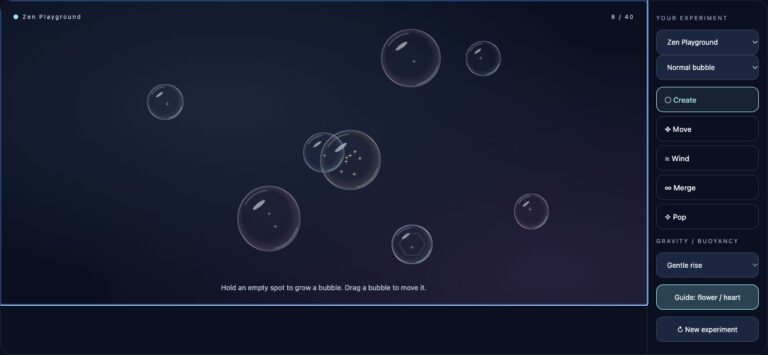
Soap Bubble Lab · The Fragile Universe
Bubble Game: 7 Smart Soap Bubble Lab Checks
Create a tiny bubble universe, explore four modes and keep a picture plus layout DNA. Real merge, daily-limit, Domino, museum and PNG tests explain what Soap Bubble Lab saves and what its fantasy physics cannot prove.
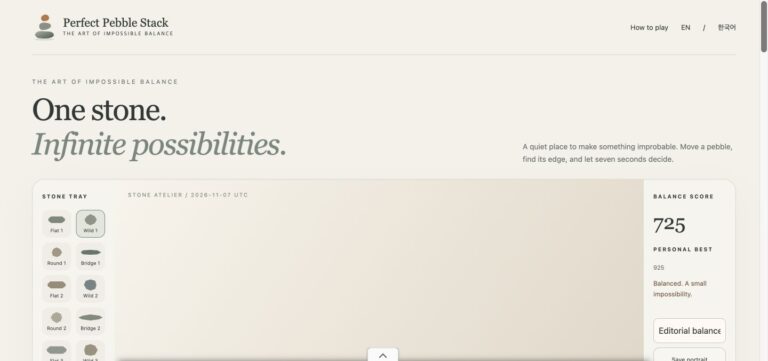
Perfect Pebble Stack
Perfect Pebble Stack: 7 Smart Balance Checks
Build a digital stone sculpture with preview placement, 1° rotation and three modes. Our hands-on guide explains settling, Undo, local portrait storage and the limits of this artistic physics game.