A stage timer should show how one overrun affects the rest of your event. FlowCue Studio connects a countdown to an editable run of show and delay recovery. Use this guide to rehearse the timer, protect essential slots and check what the speaker screen can actually display.
Verified 12 November 2026. We tested the English and Korean interfaces in Chrome, including an actual one-minute timer through overtime, two delay scenarios, synthetic script calculations and a four-row CSV import. These were interface checks, not a live conference, a human speaking study or a timing-precision benchmark.
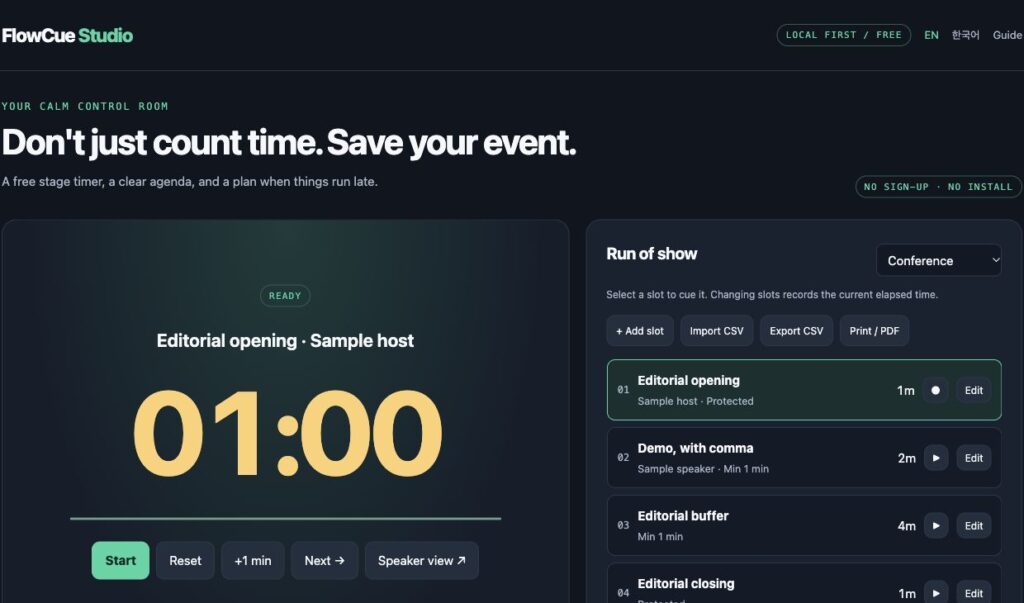
Use FlowCue Studio to run a stage timer, plan protected agenda slots and preview delay recovery. Actual countdown, CSV and bilingual script tests explain the operator handoff and advertising limits.
- Brand
- FlowCue Studio
- Tool languages
- en, ko
- Verified date
- 2026-11-12
Table of Contents
Key takeaways
The timer continues into red overtime rather than ending the session automatically. Next records elapsed time and cues the following slot, but that slot waits for Start. These two details matter more to a moderator than simply knowing where the start button is.
Recovery changes future slots within the minimums and protections you set. In the original 63-minute Conference plan, an eight-minute delay could be recovered from the buffer. A 30-minute request recovered only 21 minutes and left nine unresolved. The tool exposes a limit; it cannot promise to rescue every agenda.
Speaker view is a display mode in the same browser, not a link for remote control. Existing advertising remained visible during our test, and a full-screen advertisement appeared when leaving that view. Rehearse the actual display environment before putting this timer in front of an audience.
What this stage timer does
FlowCue Studio is a free, local-first event workspace with English and Korean interfaces. No account or installation was required for our tests. The main timer shows the selected title, speaker, remaining time and next slot. Beside it, the run of show stores durations, minimum lengths and protected items. Below are delay recovery, stage messages and a script pace calculator.
The concrete problem is downstream timing. A phone countdown can tell a speaker that time has expired; it does not tell the host whether a break, buffer or Q&A can absorb the delay. FlowCue places that planning decision near the timer. Its value depends on an honest agenda: a nominal ten-minute buffer that actually contains mandatory housekeeping is not ten minutes of usable slack.
Conference, Pitch / Demo day, Meeting, Debate, Ceremony and Lecture templates provide starting structures. A template is not an operational guarantee. Replace its titles, speaker names, slot lengths and minimums with your actual commitments. The hard-stop field is optional and uses local device time; we inspected it but did not test deadline-based recovery.
Prepare the run of show
Before starting the timer, prepare four things: a sequence of agenda items, each planned duration, the shortest acceptable version of each flexible item and the items that must not shrink. Agree those minimums with the people responsible. A sponsor segment or interpretation interval may need protection even if a template treats its category as flexible.
| Field | What to enter | Useful decision |
|---|---|---|
| Title and speaker | A recognizable session name and optional speaker | Make the next item unambiguous to the operator |
| Duration | Planned minutes | Include the transition if it belongs inside the slot |
| Minimum | Shortest feasible version | Separate desirable time from time you can actually remove |
| Protected duration | Lock an item against recovery cuts | Reserve commitments that cannot be shortened |
| Category | Talk, buffer, break or Q&A | Recovery uses these categories as a priority order |
Use a dedicated buffer for unassigned contingency time. Give the break an honest minimum for moving between rooms or basic needs. A Q&A minimum should reflect the format promised to participants. The recovery algorithm can respect a number without knowing whether that number is workable for your venue.
Use the timer in 7 steps
1. Choose a template, then edit the real agenda
Open the tool, choose the interface language and select a template. Use Edit on each row or Add slot for another item. Save the title, speaker, duration, minimum, category and protection. Read the total below the run of show. Avoid editing a template during a real presentation without first rehearsing what happens to the selected timer.
2. Cue the intended slot and inspect its clock
Use the cue button on the correct row. Confirm the title, speaker, full duration and Up next label before starting. Changing slots records current elapsed time according to the interface. It is therefore an operational action, not merely a way to preview a title. A good rehearsal starts with a disposable agenda rather than the only copy of a real event plan.
3. Start the timer and use pause deliberately
Press Start when the segment actually begins. The main action becomes Pause. Pausing the timer does not pause the event or wall clock: an interruption still pushes a realistic finish later. Decide in advance whether questions, technical problems and applause belong inside a slot or are recorded separately. Use the same convention throughout the event.
4. Watch the final minute and overtime
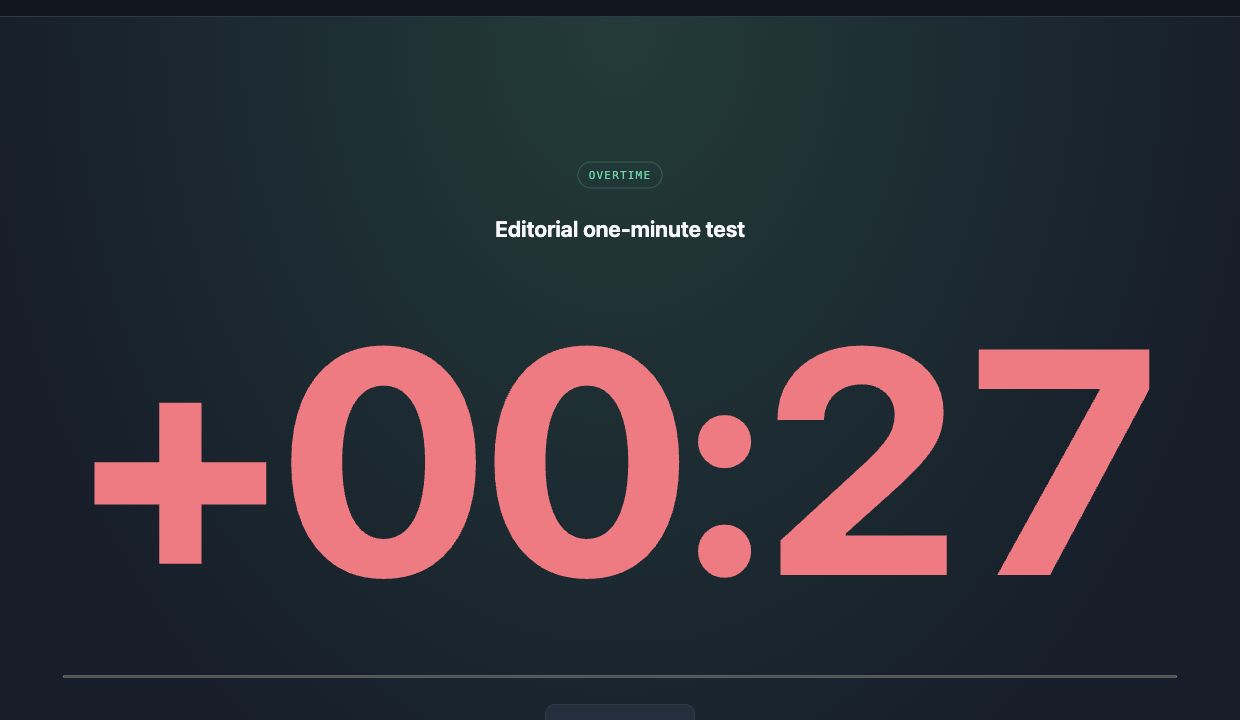
The timer shows amber in the final 60 seconds and red after the allocation expires. Our one-minute test passed through zero and displayed positive overtime. It did not automatically advance the agenda. The +1 min control extends the current allowance; while paused, our display changed from +01:03 to +00:03. An extension is a deliberate timing choice, not a recovery plan for later items.
5. Send a cue and inspect speaker view
Choose Wrap up, Q&A or Stand by, or type a custom message and press Show message. Speaker view changes the current screen into a larger display. Rehearse a short, legible cue such as “Finish this example” rather than a paragraph. We verified custom-message entry and the display transition; the saved overtime crop below concentrates on the clock and is not evidence of an ad-free screen.
6. Advance, then start the next segment yourself
Press Next when the segment ends. In the Korean interface test, the next imported slot appeared READY at 02:00 with Start available. It did not begin counting automatically. Assign this handover to a specific operator: recording the end of one talk and starting the next are two actions. On the final test slot, Next was disabled because there was no following item.
7. Preview recovery before applying it
Enter the delay in minutes and choose Preview recovery. Read every proposed cut and the unrecovered remainder. Only press Apply changes after deciding that the shorter future schedule is feasible. Then inspect the agenda total again. Preview alone did not change the original plan in our test; applying the eight-minute proposal changed the total from 63 to 55 minutes.
What our actual tests showed
| Test | Result | Meaning |
|---|---|---|
| Conference delay: 8 minutes | Buffer 10→2; recovered 8, unresolved 0 | A future buffer could absorb this particular delay |
| Conference delay: 30 minutes | Buffer 10→1, break 10→5, Q&A 12→5; recovered 21, unresolved 9 | Minimums and protections limit recovery |
| Apply eight-minute proposal | Six slots remained; planned total 63→55 minutes | Apply changed the plan; preview did not |
| Real one-minute countdown | Amber final minute, then red overtime; saved crop +00:27 | Overtime continues instead of automatically ending the event |
| Paused extension | +01:03 became +00:03 after +1 min | The current allowance increased by 60 seconds |
| Next in Korean interface | Next slot READY at 02:00, waiting for Start | Handover requires another start action |
| Synthetic English script | 130 words at 130/min→1.0 min; calibration to 2 min→2.0 min | Arithmetic estimate and personal-rate adjustment worked |
| Synthetic Korean script | 400 non-space characters calibrated to 2 min→200 chars/min | Korean uses characters, not English word counts |
| Own CSV import | Four slots, eight minutes; quoted comma in title retained | The tested agenda format imported successfully |
The Conference recovery checks used the original six-slot template with Keynote presentation current. That current keynote and the protected opening and closing were not shortened. Later screenshots use our separate, clearly named editorial test agenda. They are not photographs of a real event and should not be read as a before-and-after of the Conference plan.
Plan a recovery you can deliver
The recovery priority is future buffer, then break, then Q&A, then other flexible slots. Current and protected slots are not a pool of automatically removable time. In the 30-minute scenario, the available cuts were nine minutes from buffer, five from break and seven from Q&A. Their sum is 21; the remaining nine minutes require a human decision beyond the proposed cuts.
This is where a moderator needs a second plan: move an optional topic to follow-up material, negotiate an end-time change or remove a segment with the organizer’s agreement. Those are editorial recommendations, not automatic FlowCue features. Do not interpret a green recovered number as permission to silently cancel a promise to attendees.
After the CSV import we also previewed a three-minute delay against our four-slot agenda. The four-minute buffer became one minute in the proposal, with three recovered and none unresolved. The agenda stayed eight minutes until application. This smaller case is useful for rehearsing the difference between asking for a plan and committing the change.
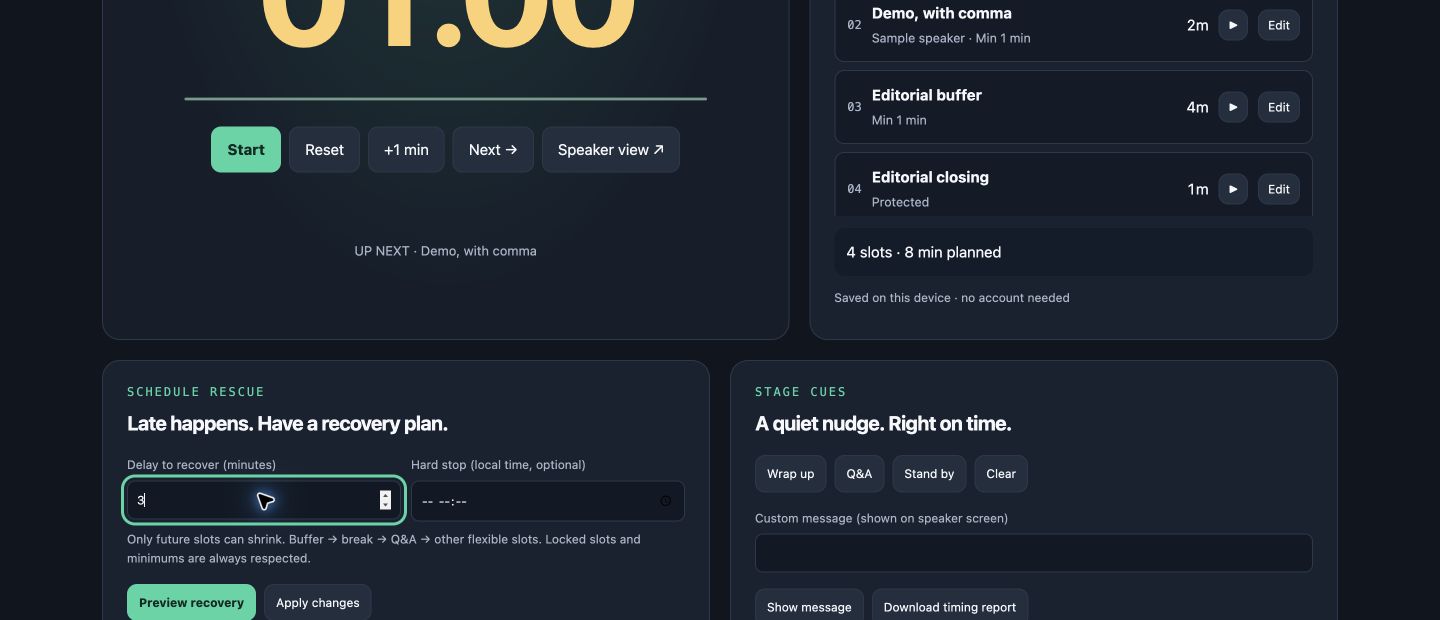
A practical preflight is to try both a small delay and one larger than all available slack. The first checks the ordinary workflow; the second forces the team to name who decides what happens when recovery is insufficient. Keep the timer operator focused on execution while the host handles the audience-facing decision.
Estimate rehearsal time in the right units
Paste a script into Speech Pace Coach and choose the counting unit before entering a rate. English counts words. Korean counts characters excluding spaces. A value of 130 in the English field means 130 words per minute; the same number in a character-based field has a different meaning. Changing the interface language is not a translation of your script.
Our English input was a synthetic 130-word text, not a delivered speech. At 130 words per minute, the tool showed about 1.0 minute. Entering two minutes as practice duration and calibrating changed the estimate to about 2.0 minutes. For Korean, a synthetic 400-character input at 400 per minute first represented one minute; calibration to two minutes produced a rate of 200 characters per minute and a two-minute estimate.
For a real rehearsal, time yourself saying the complete section aloud, including slide changes and planned pauses, then enter that duration. Keep an extra allowance for audience questions or interpretation when they are outside the measured script. This calculator does not listen to your voice, assess delivery quality or know how long a demonstration will take. A neat estimate is a starting hypothesis to test with the timer.
CSV, timing records and handover
The documented CSV columns are title, speaker, minutes, minimum, locked and kind. The category values include talk, buffer, break and qa; locked uses true or false. Our own file contained a protected one-minute opening, a two-minute talk titled “Demo, with comma,” a four-minute buffer and a protected one-minute closing. Import preserved the comma inside the quoted title and displayed four slots totaling eight minutes.
Import requested confirmation before replacing the agenda. Treat that replacement as a planned operation. We observed the newly imported first slot ready at 01:00 and zero timing records, while the earlier eight-minute recovered counter still remained. Import is therefore not demonstrated as a complete, clean session restore. Inspect the selected slot, records and recovery counters after importing rather than assuming every number belongs to the new file.
Export CSV, Download timing report and Print / PDF were present in the inspected interface and are described by the source guide. We did not audit their downloaded files or print output in this review. Do not assume an agenda CSV contains all elapsed records, script text or an editable history. Before a real handover, make a small export and import rehearsal in a safe copy and check exactly which information is transferred.
The source guide states a 100-slot import limit; we tested four, not that maximum. Keep a separate master agenda and a separate script document. Local browser state is convenient for continuation, but it is not a substitute for a verified backup. A filename with an event date and revision can help operators distinguish the intended schedule from an earlier draft.
Speaker view, mobile use and privacy limits
At a fresh 390-pixel viewport the Korean source controls stacked without horizontal page overflow. The agenda and recovery sections remained usable, but a bottom advertisement obscured part of the lower screen. Desktop speaker view also retained an existing advertising banner; leaving it triggered a full-screen advertising interstitial. These observed restrictions matter for a projected public display. Test the actual browser and output screen, and keep an alternative clock or printed run sheet ready.
This version does not provide cross-device control, QR permissions or a remote room link. Speaker view uses the same browser screen. We did not establish an audible alarm, a second-device workflow or a browser full-screen guarantee. A laptop showing the timer to the audience may require a different operator arrangement from a private host dashboard.
The publisher says agenda titles, speaker names and timing state use browser localStorage, while script calculation happens in memory and script text is not saved by FlowCue. Our script field was empty after reload and when opening the Korean page; the agenda persisted. We did not independently audit network requests, server logs or advertising data flows. Local-first app data does not mean the whole hosted page makes no external connections: the source separately mentions Blogger, Google and advertising cookies or logs.
The source says an already open timer continues without a connection, while offline reload is not guaranteed. We did not test offline operation, sleeping devices, long background sessions or clock accuracy against a reference. Keep the tab open, prevent sleep and rehearse the machine’s actual display setup. A live event should not depend on an untested assumption about browser behavior.
Choose the right timing approach
| Approach | Best suited to | Decision to make |
|---|---|---|
| Phone countdown | One isolated talk | Simple operation, but the remaining agenda is a separate plan |
| Spreadsheet run sheet | Collaborative planning and revisions | Detailed scheduling still needs a visible live clock |
| FlowCue Studio | Local timer plus future-slot recovery | One operator must handle starts, next slots and feasible cuts |
| Dedicated production timing system | Remote displays or distributed operators | Evaluate the required remote-control and display capabilities separately |
Choose FlowCue when the local timer and recovery preview answer the actual problem. If independent remote displays or an advertisement-free stage output are mandatory, the tested version did not establish those requirements. For an informal workshop, the combination may be useful after a full rehearsal. For a tightly produced event, validate the display and fallback process before committing to it.
Related tools for preparation and follow-up
Use Focus Garden to reserve individual preparation blocks before the event. Its focus-and-break ledger serves a different purpose from a multi-speaker stage timer. The published guide explains its Korean controls and manual transitions.
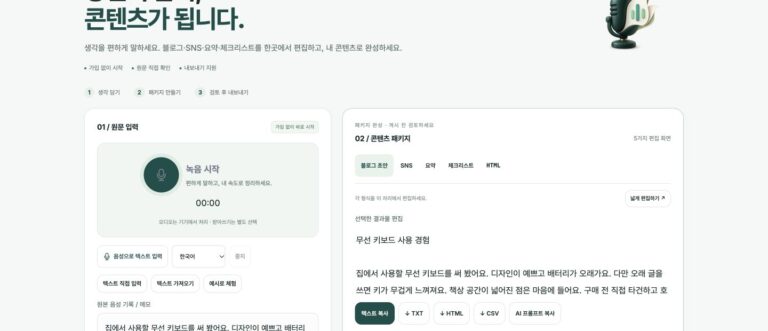
After the event, VoiceCraft Studio can arrange your own notes into editable summary and checklist drafts. Carry verified decisions and follow-up tasks into it yourself; it is not an automatic connection to FlowCue or a substitute for a factual meeting record.
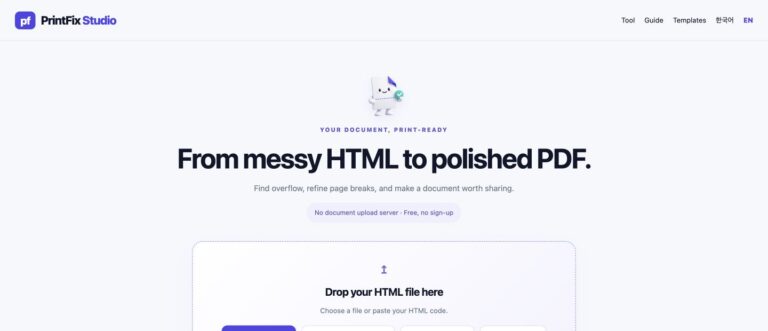
For a separate fallback run sheet written in basic HTML, PrintFix Studio offers print-layout checks and manual page breaks. This is an optional document-preparation path, not a tested import of FlowCue’s print output. Review the final browser print result yourself.
Frequently asked questions
Does the next speaker’s timer start automatically?
No. In our test, Next cued a two-minute slot and waited at Start. Plan a clear handoff between the moderator and timer operator.
Can it recover any amount of delay?
No. The 30-minute Conference test recovered 21 minutes and left nine unresolved. Available future durations, minimums and protections constrain the result.
Is speaker view a remote or ad-free screen?
It is a same-browser display mode, not remote control. Existing advertising remained in our session and an interstitial appeared on exit. Do not promise an ad-free output based on the large-clock crop.
Does the pace coach analyze recorded speech?
No. The tested calculation used text counts and an entered rate or practice duration. It did not analyze audio or validate presentation quality.
Will an imported CSV restore every session detail?
That was not established. Our agenda imported, but a previous recovery counter remained. Verify the fields and counters you need before treating any file as a complete backup.
Rehearse one transition before the event
Start with a disposable agenda and one short timer. Rehearse the final minute, the next-slot start, a custom cue and a delay larger than your available buffer. If the display, minimums and operator handoff work in that rehearsal, replace the sample with the real agenda and keep a separate fallback run sheet.
Source: FlowCue Studio and its on-page field guide; Korean interface. Functional verification and screenshots: 12 November 2026.
A RELEVANT NEXT STEP
Tools with a useful connection
Focus Garden
Pomodoro Timer: 7 Essential Checks for Better Focus
Use Focus Garden’s Korean controls with an English guide. Our real one-minute focus and break tests explain manual transitions, completion records, reload, pause, sharing and alarm limits.
VoiceCraft Studio
Content Package Generator: 7 Smart VoiceCraft Checks
Use VoiceCraft Studio as a content package generator for editable blog, social, summary, checklist and HTML drafts. See actual text tests and SourceGuard’s limits.
PrintFix Studio
PrintFix Studio: 7 Smart HTML Printing Checks
Prepare basic HTML for printing with overflow checks, repairs, page breaks and CSV document batches. Our hands-on tests show why 100 readiness does not catch a missing field and what remains to verify in the actual print output.