Terrarium Fog Dial is a manual terrarium condensation journal. Choose a visual level, mark the affected glass areas and save the time with a note. Its hourly cycle and before/after comparison help you revisit what you saw. The illustration follows your input; it does not measure humidity, analyze a photograph or diagnose plants.
Checked 12 November 2026. We entered four clearly labeled synthetic records to test same-hour grouping, saved patterns, clue prompts and a before/after comparison. Entered morning times were software-test inputs, not observations made at a real terrarium. We opened the English and Korean interfaces and checked a 390 px layout. No lid-opening, plant-care or humidity-measurement experiment was performed. This library and the tool share a creator.
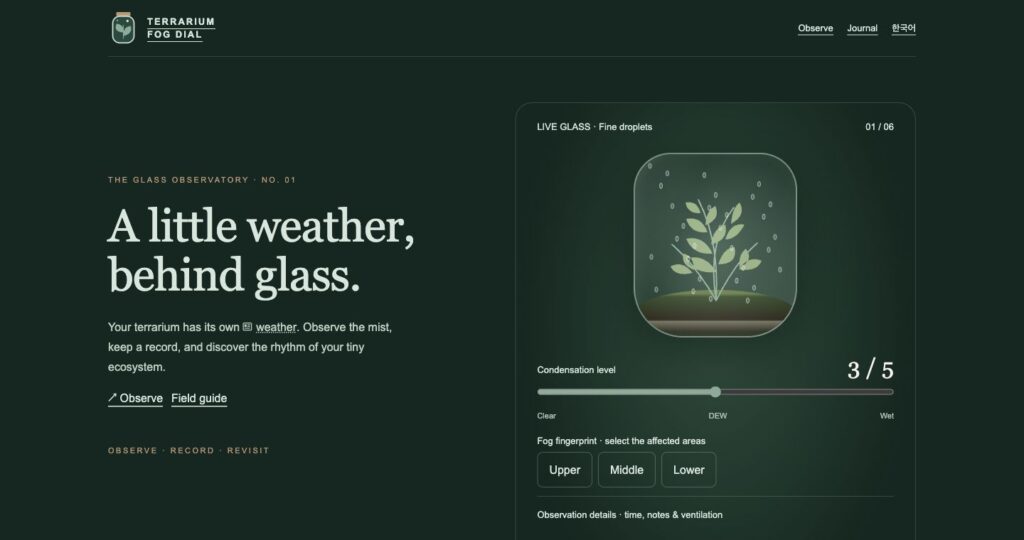
Record terrarium condensation with manual levels, glass zones and dated notes. Actual hourly grouping, View and 5→2 comparison tests explain missing data, ordinal changes and local backup limits.
- Brand
- Terrarium Fog Dial
- Tool languages
- en, ko
- Verified date
- 2026-11-12
In this guide
Key takeaways
The five levels run from Clear glass to Running water. They are ordered visual descriptions, not percentages of relative humidity or plant-health scores. In our stored test,5/5 before and 2/5 after produced Δ-3. That confirms subtraction of selected levels, not a measured three-percent fall in humidity or a proven benefit from ventilation.
The daily cycle shows the latest saved observation in each observed hour. Our 09:05 and 09:45 entries both remained in Glass Memory, while the 09:00 position showed the later Heavy droplets description. Unobserved hours stayed blank. A blank slot is missing evidence, not an observation of clear glass.
View restores a pattern for viewing, and the interface warns that saving creates a new observation. In our check it restored the older level, zones and note while the form retained its later date and After ventilation stage. Read those fields again before saving. A saved journal, the current illustration and the derived comparison are different states.
What this terrarium journal records
The official name is Terrarium Fog Dial, subtitled The Glass Observatory. It is designed as a notebook for closed terrariums with moisture-loving plants. The terrarium workspace has a 1–5 slider, Upper/Middle/Lower zone buttons, an observation date and time, a stage selector, an optional note and a save control. No photograph upload or sensor connection was required or offered in the inspected flow.
Below it, The daily fog cycle summarizes the selected date. Glass Memory lists saved observations over 7 or 30 days. Fog Detective combines three manually selected clues about duration, substrate and concerning plant signs. The Ventilation notebook compares a saved before/after pair. A weather card describes the current chosen pattern and provides a PNG control, while JSON export/restore controls sit beside the journal.
The practical problem for a terrarium keeper is an unreliable memory of the glass: was it equally wet yesterday morning, or are you comparing a morning observation with a warmer afternoon? A dated terrarium record gives that question a date, description and location. It does not turn a few observations into continuous monitoring. The word “live” in the glass display should be read as an interactive illustration, not a live environmental feed.
Prepare observations that can be compared
Choose one terrarium and a repeatable viewing angle. Observe at comparable times when possible and note changes in room conditions, light, lid position or recent care. Distinguish the event time from the time you happen to type the entry. The form exposes a date/time input without a separate timezone selector in the inspected interface; if clock context matters, include it in the note. We did not test timezone changes or timestamp restoration across devices.
| Prepare | Record | Why it helps |
|---|---|---|
| Container identity | A consistent terrarium label in the note | No dedicated container selector was shown |
| View and timing | Similar angle and comparable observation time | A different view or hour changes the question |
| Visible pattern | Level plus affected upper, middle and lower zones | Intensity and location describe different aspects |
| Context | Actual lid event, light change or room condition | A before/after label alone does not document the intervention |
| Uncertainty | What could not be seen or was not checked | Missing information should not become a reassuring default |
This terrarium journal is not a general care template for every glass container. Mississippi State University Extension’s closed-system terrarium guide distinguishes humid closed systems from open arrangements suitable for cacti and succulents, and discusses bright indirect light. Use species and container guidance alongside your notes; a fog illustration does not establish that the setup suits the plant.
Keep an original observation separate from an interpretation. “Fine droplets on the upper glass at 09:00” describes something visible. “The plant needs more water” is a care conclusion requiring other evidence. Likewise, a Before ventilation stage should correspond to an event you actually intend to document, with duration and conditions in the note. Our test stages were fictional inputs used only to verify the interface.
7 checks from the glass to a useful record
1. Match the level to the visible terrarium pattern
Move the Condensation level slider to the closest description. Its actual input range was 1–5 in our check. Home selected 1/Clear glass and End selected 5/Running water. Level 3 was Fine droplets, while 2 was Light mist and 4 was Heavy droplets. These are the page’s descriptions, not a calibrated measurement scale. Do not use a level as a substitute for looking at the actual container.
2. Select affected glass zones deliberately
Toggle Upper, Middle and Lower to record the locations you can see. More than one can be selected. Our first artificial entry deliberately combined Clear glass with Upper, and the interface accepted it. That does not validate the combination as a coherent real observation. Review consistency yourself; a saved form can preserve contradictory inputs just as faithfully as useful ones.
3. Expand details and verify time, stage and note
Open Observation details to see the date/time, Routine observation / Before ventilation / After ventilation selection and the note. Fill the actual observation context rather than inheriting a prior experiment’s stage. In our tests the entered 09:05,09:45,10:05 and 10:35 times made the aggregation visible. They did not represent a morning spent monitoring a real terrarium.
4. Save once, then confirm the journal entry
Press Save observation and look for Observation saved in this browser. Read the new date, description, zones, stage and note in Glass Memory. Our four records were listed separately, newest first. Saving is not the same action as changing the illustration, so check the journal rather than assuming every slider movement has become a permanent observation.
5. Choose the cycle date and inspect missing hours
The date control beside The daily fog cycle affects that day’s circle. We changed it to 11 November, a day with no test entries: the hour positions became blank while the four 12 November journal records remained. The journal’s 7/30-day period is a separate control. Selecting a circle date should not be mistaken for filtering every visible record to that single day.
6. Revisit a pattern without rewriting history accidentally
View can bring a saved level, zones and note back into the workspace. In our oldest-record check, the level returned to 1 and Upper was selected, but the form still showed 10:35 and After ventilation from the later entry. The status explicitly said saving creates a new observation. Treat this as a starting pattern and verify every current field; it was not an in-place edit of the 09:05 record.
7. Compare a genuine pair and preserve the record
Save a real before record and a later after record when documenting an actual lid event, then use Compare latest pair. Before we saved our synthetic after entry, the tool reported no complete pair. Afterward it selected 10:05→10:35 and displayed 5/5→2/5, Δ-3. Confirm the chosen timestamps before interpreting the difference, and back up your journal through a procedure you have actually verified.
Actual synthetic-input test results
| Direct check | Observed result | What it establishes |
|---|---|---|
| Four synthetic entries | All four appeared in the journal | Tested manual record handling |
| Two entries during 09:00 hour | Cycle showed the 09:45 level 4; both entries remained | Latest-per-hour summary, not an average |
| Before entry without After | No complete pair message | Incomplete-pair handling |
| Before 5 and After 2 | Δ-3 with the expected timestamps | Selected-level subtraction |
| Empty cycle date | Blank hours; journal entries still visible | Circle date and period list are separate |
| View oldest pattern | Level/zones/note restored; later time/stage retained | View is not full historical form restoration |
| Reload and Korean page | Four records retained; new workspace level 3 | Saved data and working controls differ |
| Clue combinations | Different cautionary prompts for wet, dry and concerning-sign inputs | Tested manual decision branches |
| JSON and PNG controls | Invoked; received files not inspected | Export contents and restoration unverified |
Our inputs were 09:05 level 1 Upper;09:45 level 4 Upper+Middle;10:05 Before level 5 all zones;10:35 After level 2 Lower. Every note identified a software test and stated that no real terrarium was observed. The before/after difference is therefore an interface test, not evidence that opening a lid reduced condensation in an actual ecosystem.
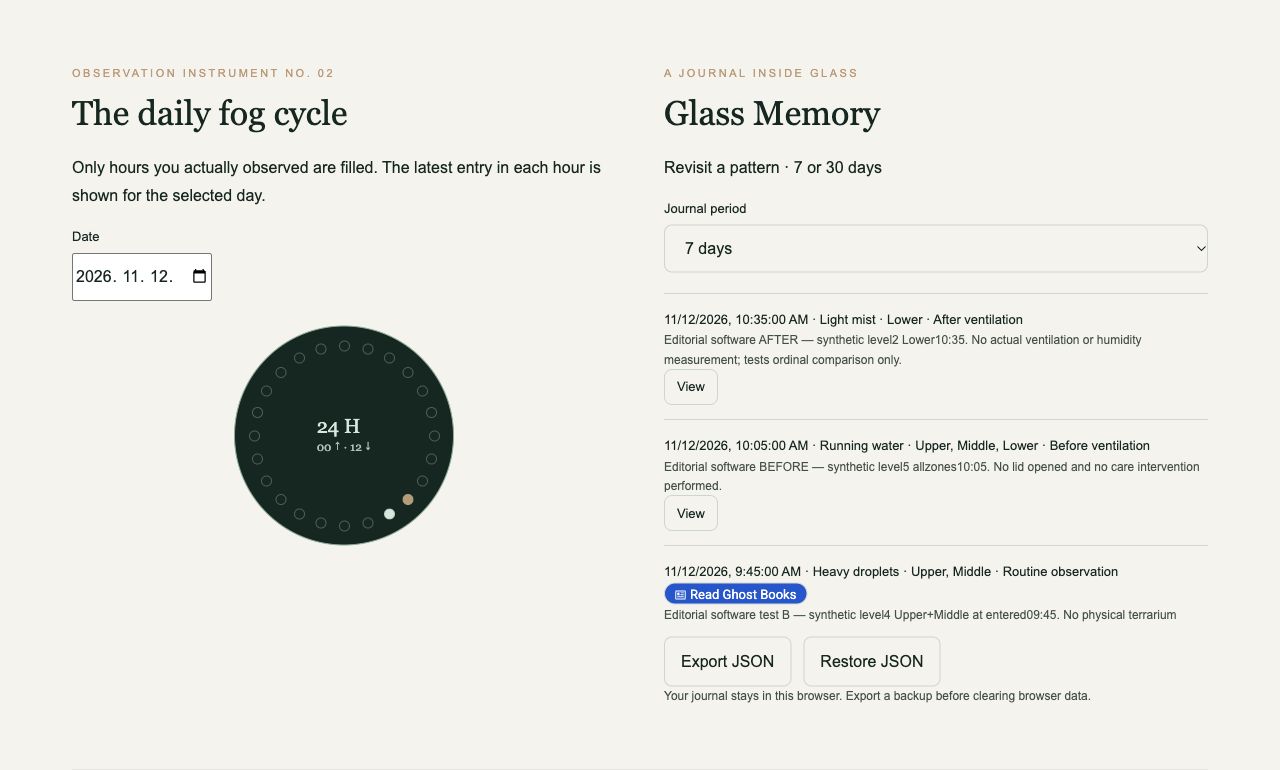
English and Korean displayed the same four saved records, with localized interface labels and date presentation. The English notes we typed remained English in the Korean page. Selecting 30 days was possible, but all four test entries were from the same day; we did not verify an exact seven-day cutoff or long-term retention boundary. Do not infer those tests from the presence of the period menu.
Read the hourly cycle without filling the gaps
The terrarium cycle is a compressed view of recorded hours, not a 24-hour sensor trace. In our input sequence,09:45 replaced 09:05 on the circle because both occupied the 09:00 hour. At 10:00, the later after entry represented the hour instead of the before entry. The more detailed pair still existed in the journal. A useful summary can legitimately omit an earlier within-hour event without deleting it.
That matters when you want to understand a short ventilation interval. The circle alone can hide a large change that occurred inside one hour. Read the exact before/after timestamps and journal entries for that question. We tested chronological insertion only, not every case involving out-of-order imports, identical timestamps or records entered after travelling between timezones.
Missing slots are equally informative. They tell you the observation record is incomplete. They do not establish that fog was absent, that the glass was clear all night or that the environment stayed unchanged. If your next question concerns an unobserved period, make a later real observation at that time rather than filling the blank from the surrounding pattern.
Interpret visual levels without inventing humidity
Level numbers make sorting and comparison convenient, but the labels do not establish equal physical intervals. The difference between Light mist and Fine droplets is not known to equal the difference between Heavy droplets and Running water in water quantity or relative humidity. Δ-3 is the arithmetic difference between two chosen categories. It is not 3 percentage points,60% less water or a measured ventilation efficiency.
Location is another dimension, not an extra score. Upper+Middle is not automatically “twice as humid” as Lower. Keep a similar viewpoint and describe uncertainty in the note. If a pane is obscured or the angle changed, say so rather than marking the unseen area as dry. The tool cannot independently validate what was visible to you.
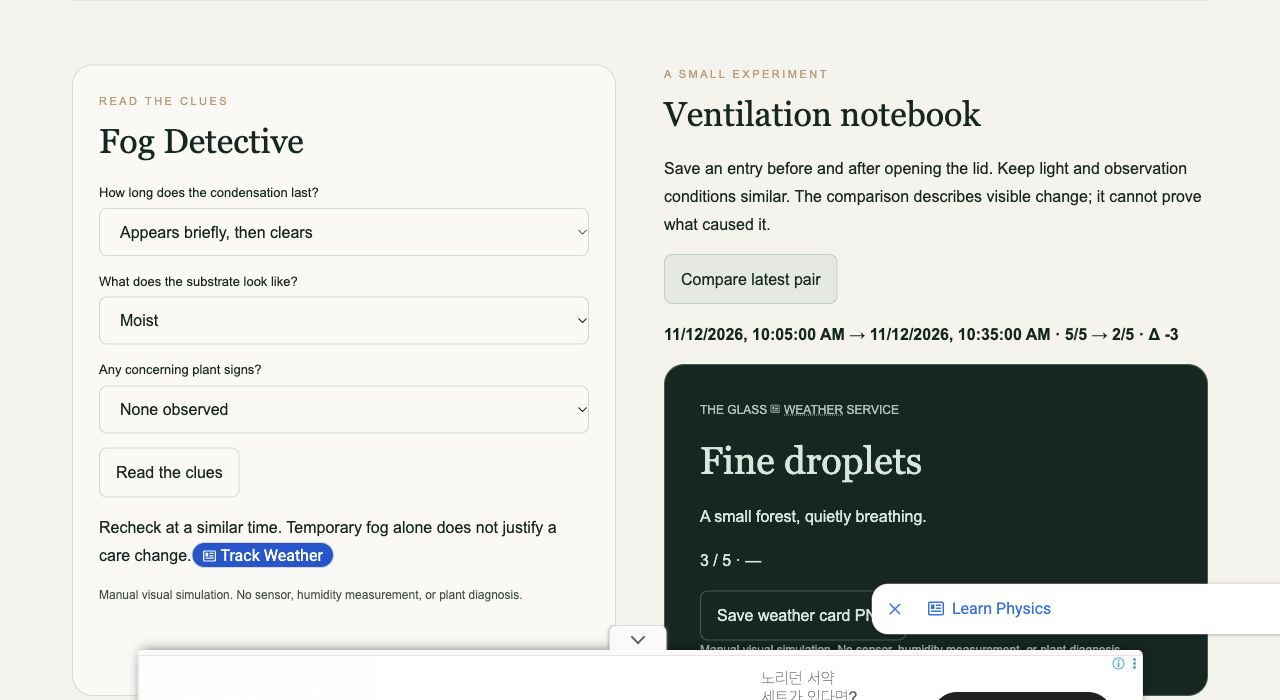
The current weather card is another separate output. After reload, the working dial returned to 3/Fine droplets even though the latest saved test record was 2. The saved pair still recalculated as 5→2 after pressing the compare button. Our screenshot intentionally shows a 3/5 card beside that pair. It demonstrates different sources of displayed information, not a contradiction in the stored observations.
Viewing a pattern is not editing an old entry
A viewed pattern is useful when you want to compare a previous glass fingerprint with the present one. It is also easy to misread as a complete historical editor. In our test, note A came back with its old level and zone, while the later form time and stage remained. If we had pressed Save at that point, the interface’s own message said a new observation would be created. We did not save that mixed form.
Before saving after View, read time, stage and note from top to bottom. Replace old narrative text with what you actually observed now. If you only wanted to inspect the past, stop after viewing rather than using Save as a close button. We did not establish a full edit/delete/undo workflow or certify duplicate prevention. A clear save confirmation and a check of the list are more reliable than repeated submissions.
Compare ventilation notes without claiming a cause
The terrarium ventilation comparison describes visible change between selected records. It does not prove why the change occurred. Light, room conditions, viewing angle and the observation interval can differ too. Keep those conditions comparable where practical and record what actually happened. This is a suggested documentation method, not a controlled horticultural experiment performed in our review.
No dedicated terrarium identity selector was shown in the inspected workspace. If you keep notes for several containers, do not assume the latest pair is automatically matched by a name inside a free-text note. Check both timestamps and container context yourself; multi-container separation was not validated. Adding a consistent label to notes helps you read them, but is not evidence of an automatic grouping feature.
Use Fog Detective as a prompt, not a diagnosis
Fog Detective asks how long condensation lasts, what the substrate looks like and whether concerning signs are present. Its default temporary-fog/moist/no-signs combination advised rechecking at a similar time and said temporary fog alone was insufficient reason for a care change. We then selected persistent heavy fog with saturated substrate; the prompt shifted toward inspecting persistent moisture and cautious plant-appropriate ventilation.
Low or absent fog with Dry selected produced a reminder to check substrate moisture and species needs, rather than declaring that clear glass established dryness. Selecting mold, soft tissue or odor produced a prompt to inspect the plants and seek plant-specific guidance, explicitly avoiding diagnosis from condensation alone. These were responses to our chosen fictional inputs, not detected conditions in a plant.
Use the prompts to decide what evidence to inspect next. There is no camera analysis, species identification, pathogen test or recommended watering volume in the verified flow. A default None observed entry should not be read as the tool having inspected a plant and found no problem. The user supplies the observations and remains responsible for how completely the form represents them.
Local storage, exports and mobile limits
The publisher states that observations are kept in localStorage on this browser and domain, shared between the English and Korean interfaces, without being sent to the tool’s server. Our reload and language checks confirmed the four entries in that environment. We did not audit network requests, storage eviction, another device or a cloud synchronization mechanism. The hosting page separately identifies Blogger, Google and advertising cookie/usage processing.
JSON export/restore and weather-card PNG controls exist. We invoked export and PNG saving, but did not receive files that could be inspected. Therefore JSON fields, timestamp round trips, restore behavior and duplicate handling remain unverified. The source says JSON includes observations and timestamps. Inspect your actual backup and validate restoration before making browser storage your only copy; do not treat a weather image as a whole-journal backup.
The Korean source loaded at 390×844 with document width 390 and retained the four entries. This is a browser-width check, not a physical-phone or comprehensive accessibility test. Ads and inserted links could cover parts of the desktop workspace. The root English URL and Korean page worked; a separately linked English route rendered no tool content in our check, so the launch button here uses the working root address.
Choose a related tool for the next question
For an illustrated layout rather than a real observation history, see Moss Carpet Planner. Its patterns and brushwork can help sketch a small moss-on-stone composition. The guide clearly separates artistic condition variations from real cultivation forecasts. A designed patch should not become evidence in this terrarium journal.
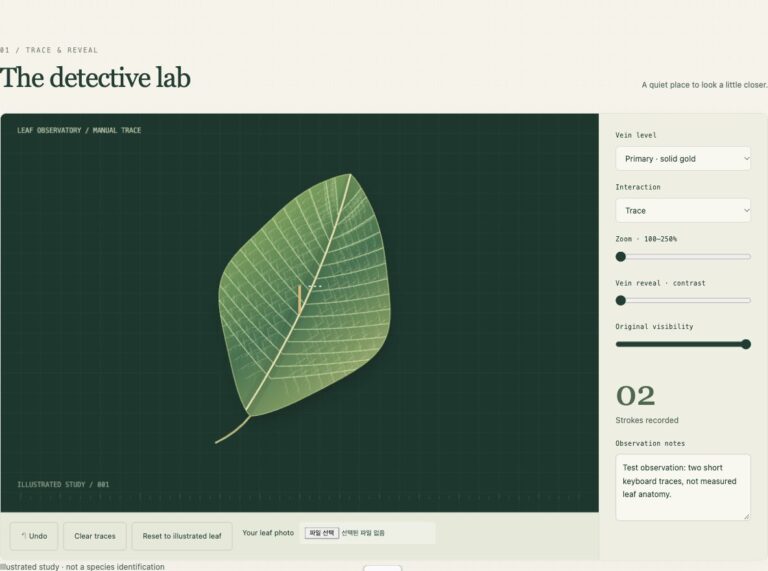
For a separate leaf-detail study, Leaf Vein Detective lets you trace visible paths and attach interpretations to an image. It does not identify a species or diagnose a plant. Keep the original image separately and connect records through your own notes; no automatic integration with this journal was verified.
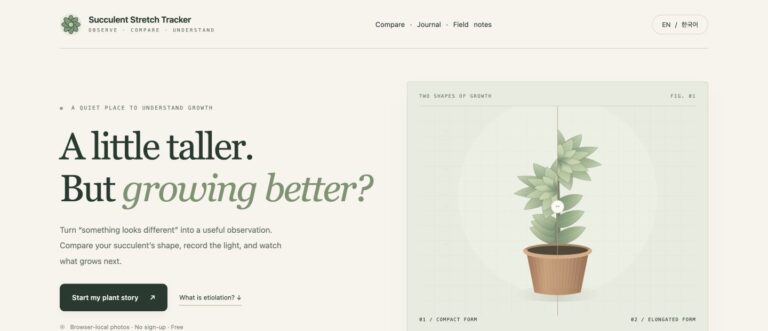
If the actual plant is a succulent in an open arrangement, this closed-system fog notebook is not the right care template. The Succulent Stretch Tracker guide explains a different manual before/after photo workflow. It records visible plant changes without providing a health score. Choose according to the observation task, while keeping the plants’ different care requirements separate.
Terrarium condensation FAQ
Is 3/5 a humidity reading?
No. It is the selected Fine droplets visual category. The tool has no sensor-based humidity measurement in the inspected workflow. Neither the illustration nor the number measures relative humidity.
Why are there fewer filled hours than saved entries?
Only the latest record in each observed hour is shown. Our four entries occupied two hours, so the circle had two filled positions. Earlier within-hour entries remained separately in Glass Memory.
Does View change the old journal record?
The status said it restored a pattern for viewing and that saving creates a new observation. Our later date and stage stayed in the form. Check those fields rather than assuming a full historical record was loaded for editing.
Did the 5→2 test prove that ventilation worked?
No. It used synthetic entries and no actual lid event. The reported Δ-3 verifies selected-level arithmetic only. Even real before/after observations need context before you can discuss causation.
Begin with one honest observation
Start with one container, one actual time and one carefully described view. Choose the level and zones, note uncertainty, save once and confirm the entry. Use the circle for the day’s recorded pattern and the detailed pair for a specific event. Keep ordinal descriptions separate from measurements, and preserve your journal through a backup process you have checked.
Sources: Terrarium Fog Dial English root, instructions and FAQ; Korean interface; the linked Mississippi State University Extension guide. Interface tests and actual screenshots:12 November 2026. Test inputs were synthetic and did not represent physical terrarium observations.
A RELEVANT NEXT STEP
Tools with a useful connection
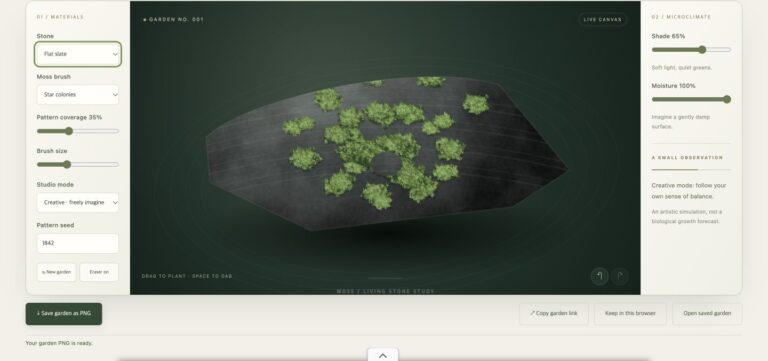
Moss Carpet Planner
Moss Carpet Planner: 7 Smart Design Checks
Design miniature moss-on-stone artwork with patterns and brushwork. Follow real tests of sharing, local restoration and imagined conditions, with clear botanical limits.
Leaf Vein Detective
Leaf Vein Detective: 7 Essential Checks for Better Notes
Trace leaf vein paths by hand in Leaf Vein Detective. Actual keyboard, image-input, saved-case and Korean mobile tests explain stroke counts, local storage, card styles and export limits.
Succulent Stretch Tracker
Photo Comparison: 7 Smart Checks for Better Plant Records
Compare succulent photos with manual references, a local journal and light-observation plans. Actual synthetic +50% measurements, alignment and reload tests explain the numbers, storage and export limits.