Sock Detective — The Missing Twin is a cozy browser puzzle about finding matching socks. Compare the color, pattern and stitched patch, remove the true pairs, then identify the lone sock. It suits a short observation break when you want a clear task with a visible finish.
Hands-on review: 12 November 2026, Asia/Seoul. We tested wrong and correct selections, hints, pause, a completed case, a 60-second timeout, language switching, saved settings and the Korean interface at 390 px. Images below are actual screenshots. This is entertainment, not a clinical attention or intelligence test. This library and the original tool share a creator.
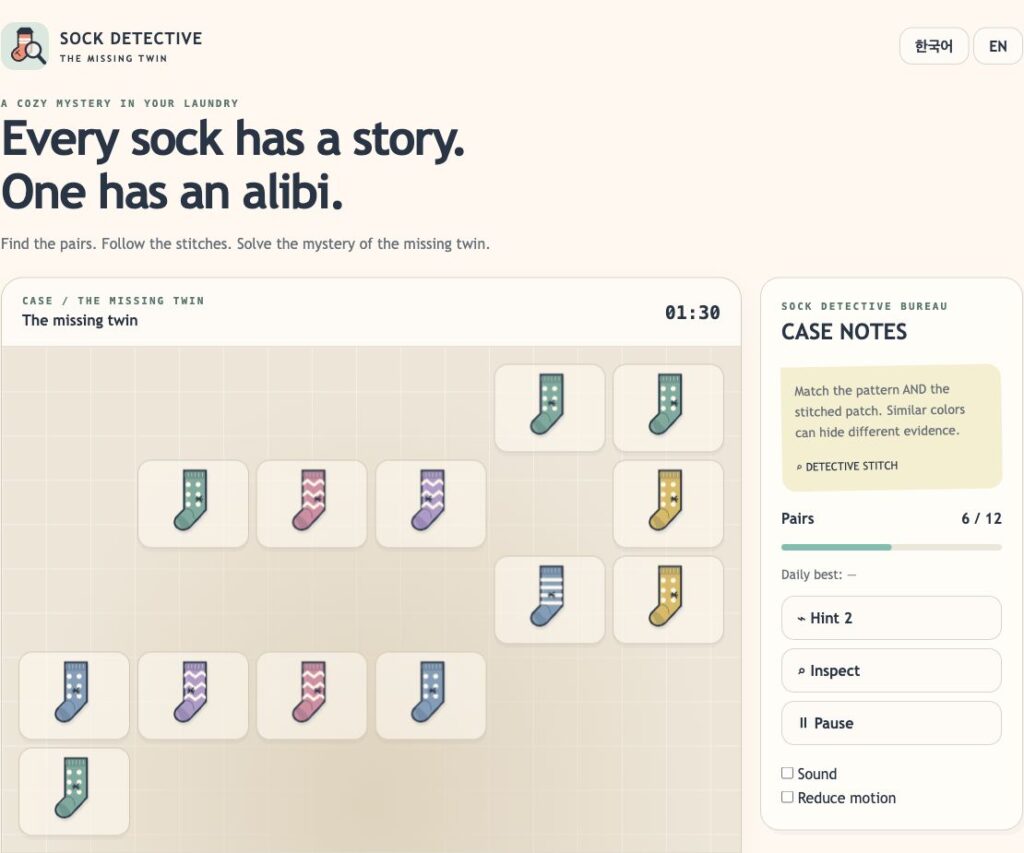
Compare patterned socks, use hints and Inspect, then identify the missing twin. Tested Case completion, sprint timeout, local storage and Korean mobile controls.
- Brand
- Sock Detective — The Missing Twin
- Tool languages
- en, ko
- Verified date
- 2026-11-12
In this guide
Key takeaways
The useful challenge is comparing several visible attributes, rather than memorizing hidden cards. Similar-looking socks can differ in their pattern or patch. A deliberate scan helps more than clicking two items merely because they have the same color.
Case and Daily modes end with an extra action: after all 12 pairs are cleared, tap the remaining sock. The sprint instead starts at one minute. All three modes share the same comparison controls, so learn those before choosing a countdown.
English and Korean pages are available. The source describes browser storage for progress, preferences and daily bests. Advertising and Blogger services remain present, so local game storage does not mean the entire website is cookie-free or offline.
What Sock Detective does
The official branding is Sock Detective — The Missing Twin. Detective Stitch frames an ordinary laundry problem as a small mystery. The board presents illustrated socks as selectable buttons; the inspection tray holds two selections and the status message explains the comparison. Matching socks disappear from the active board while the pair counter advances.
There is no photograph upload, real laundry inventory or automated recognition of your socks. You do not supply a name, a wardrobe list or an image to play the tested features. Your input is a sequence of selections, mode choices and optional preferences. The output is a cleared board and a report with pairs, accuracy, elapsed time and a playful title.
Unlike a face-down memory game, the evidence is visible from the start. The task is to distinguish close alternatives in a crowded field. A patch is part of the identity of a sock, not an ornamental extra to ignore. The accessible button names expose attributes such as color, pattern and patch number, which also gives keyboard users useful comparison information.
Choose a case, a sprint or a daily mystery
| Mode | What to expect | When it fits |
|---|---|---|
| Detective case | Clear 12 pairs, then identify the lone sock. The timer counts elapsed play. | A first visit or an unhurried comparison exercise. |
| 60-second sprint | The clock starts at 01:00 and produces a report at timeout. | A bounded break after you understand the controls. |
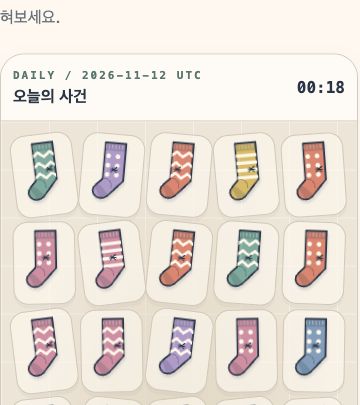
| Daily mystery | A case labelled with its UTC date; the source says everyone gets that date’s shuffled case. | A repeatable daily prompt, with records stored locally. |
The daily mode is not an online leaderboard. The site explicitly calls the best record local. We confirmed the displayed UTC date and that the same daily board and reduced-motion preference returned after a reload; we did not compare two independent devices or complete a daily-best record audit.
For readers in Korea, UTC midnight corresponds to 9 a.m. Korea Standard Time. Therefore the daily puzzle should not be assumed to switch at your local midnight. Use the date on the game itself when comparing results with someone in another time zone.
Before you begin
Open the tool in a modern browser and choose EN or 한국어 at the top. Our working environment was Chrome. We did not run a cross-browser compatibility matrix, so treat Safari, Firefox and older devices as unverified rather than guaranteed identical experiences.
Make the patch easy to see before you start chasing a fast time. On a phone, scroll to the inspection controls and use Inspect / 돋보기 to enlarge the current comparison. Sound is optional. Reduce motion / 움직임 줄이기 is available and its checked state survived our reload.
If you care about continuing a case, use the same browser profile and avoid clearing site data mid-session. Private browsing or storage restrictions may change persistence. Several tabs can show different snapshots of progress: our English tab restored its saved Daily state after the Korean tab had started a sprint. Keep one active game tab when continuity matters.
7 steps to close a case
1. Start with Detective case
Choose Detective case beneath the play area. Read the case notes and locate the pair counter, hint allowance and inspection tray. A fresh case is a better place to learn than the 60-second mode. Mode switching changes the task, so do it before you invest in a board you want to finish.
2. Select a sock and name its attributes
Tap or click one sock. Check its color, whether the pattern is dots, stripes or zigzags, and the stitched patch. Say those details to yourself before looking for a partner. On a keyboard, focus a named sock button and activate it; we used Enter for the final lone-sock action.
3. Compare a candidate in the tray
Select a second sock and read the response. A wrong combination produced “Different evidence. Check the pattern and patch.” in our test and both socks remained available. That is feedback about the two selections, not a reason to start a new case.
4. Enlarge details when necessary
Use Inspect to open the comparison dialog. Our Korean mobile test showed two large sock illustrations and a Close button within a 390 px viewport. Close the dialog to return to the board. An empty tray gives less to compare, so choose your two candidates first.
5. Secure a true pair, then wait for the board
An exact pair produces “A perfect match. Evidence secured.” and is removed. Watch the tray clear and the counter settle before making another comparison. Rapid inputs during result processing did not give us a clean one-click-to-one-selection sequence; waiting for the visible update is more reliable than tapping ahead.
6. Use a hint or pause deliberately
The Hint allowance fell from 3 to 2 after one use, with a pair outlined on the board. Pause replaced the active board with an “Investigation paused” view and disabled Hint; Resume restored play. A hint is an optional aid, so decide beforehand whether your personal comparison should allow it.
7. Identify the final sock and read the report
Once the counter reaches 12/12, tap the remaining sock. Our run then opened the investigation report. Read the pair count, accuracy and time as game statistics. New case, Save PNG, Share result, Copy result and Close were offered; downloaded image files and an external share destination were not independently verified.
Our actual test results
| Test | Observed result | Practical implication |
|---|---|---|
| Deliberate mismatch | Coral dots and mint zigzags stayed on the board; a different-evidence message appeared. | Compare all visible attributes before the next attempt. |
| Exact match | Two coral dotted socks with patch 2 were removed; the counter advanced from 1/12 to 2/12. | Identical-looking candidates need matching patch details. |
| Hint and pause | Hint 3 became Hint 2; Pause hid the board and disabled Hint. | Use the aids as explicit choices, not accidental clicks. |
| Complete Case | 12/12 pairs followed by the lone blue striped patch-2 sock opened a report: 71% accuracy, 134 seconds. | A full case needs the final identification, not just the last pair. |
| Korean sprint timeout | With no pairs played, the timer ended at 60 seconds and reported 0/12, 0%, 60s. | The time limit produces a result even without completing the board. |
| Reload and mobile | The Daily board and reduced-motion preference returned; the 390 px Korean comparison dialog fit without horizontal overflow. | Same-profile persistence worked in this test, but it is not cloud synchronization. |
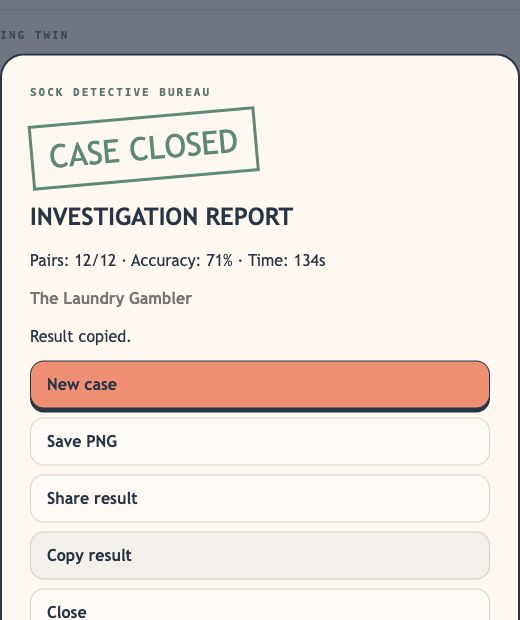
The initial case already displayed 1/12 before the explicitly recorded comparisons, so we do not treat this as a fresh-start performance measurement. Our purpose was to establish the interaction and completion path. The final report demonstrates that the tested case could be closed; it does not measure attention, intelligence or improvement.
We also saw “Result copied” after pressing Copy result, but did not independently validate the clipboard payload. Save PNG and Share result are visible controls, not certified exports in this review. If you need a shareable keepsake, check the actual saved file or text before sending it anywhere.
A comparison strategy that avoids random guesses
Use a three-pass scan. First locate the broad color group. Next narrow it to the pattern. Finally compare the patch. This turns a vague search for “another green one” into a precise search for the same three-attribute combination. It also reduces repeated scanning of obviously unrelated socks.
Keep a consistent direction across the board, such as left to right, then down. When one item has no obvious partner, leave it temporarily and clear an easier exact pair. The lone sock is part of the mystery in Case and Daily; assuming every visible sock must immediately have a mate can waste attempts.
Do not confuse a status message with the current tray state. After a correct match, the success text can remain while the next selection begins. Use the selected highlights, tray count and actual remaining socks together. A screenshot of the board is also a better troubleshooting reference than recalling a color from memory.
Practical ways to play together
For a quiet solo break, choose Case and ignore the clock until the report. Your goal can be one carefully explained match rather than a faster total. If the board becomes tiring, use Pause. This keeps the exercise tied to the game’s actual controls instead of turning a casual puzzle into a performance obligation.
For two people sharing a screen, let one person describe a candidate while the other checks the proposed partner. Switch roles after several matches. Use descriptions such as “mint, zigzag, patch three” rather than pointing at a location. That makes disagreement specific: perhaps the pattern matches but the patch does not.
For a daily conversation starter across time zones, read the displayed UTC date aloud before comparing outcomes. Agree whether hints are allowed and avoid comparing a sprint with an elapsed-time case. Device size, interruptions, deliberate test mistakes and assistance can all change a result; the site’s playful title is not a ranking of people.
Limitations, storage and privacy
Storage: the source says the current case, settings and personal daily best stay on the device when browser storage is available. Our reload test supports persistence for the state we checked. We did not verify cloud backup, cross-device synchronization, all daily-record edge cases or the erase-data operation. Keep expectations local.
Privacy: the original Privacy & storage section says no names or scores are sent to a game server, while acknowledging Blogger and advertising cookies. We observed advertising frames. No independent network or tracker audit was performed, so we do not describe the full site as zero-tracking, fully offline or zero-transmission.
Accessibility and mobile: named sock buttons, keyboard activation, optional sound, reduced motion and an enlarge dialog are useful features. Some Korean accessible labels still contain English color and pattern tokens, and report titles can remain English. We did not complete a screen-reader or every-device audit. Advertising overlays can take up space; avoid tapping ads while reaching game controls.
Scope: this is a fictional sorting puzzle. It cannot find a missing physical sock, diagnose a condition or establish cognitive benefit. Our successful Case completion and timeout tests establish those particular flows, not every possible board or long-term reliability. The screenshots and observations describe the site on the review date.
Related tools for your next break
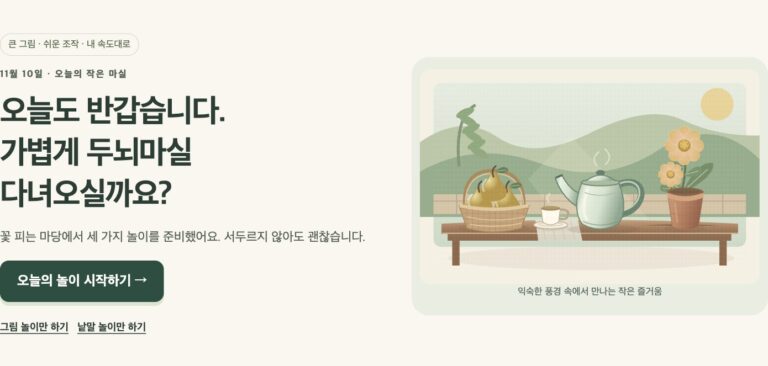
If you want a different style of gentle comparison, the published Brain Stroll guide covers English picture, matching, basket-memory and word activities. Choose it for a broader activity mix; its source interface is English, unlike Sock Detective’s bilingual pages.
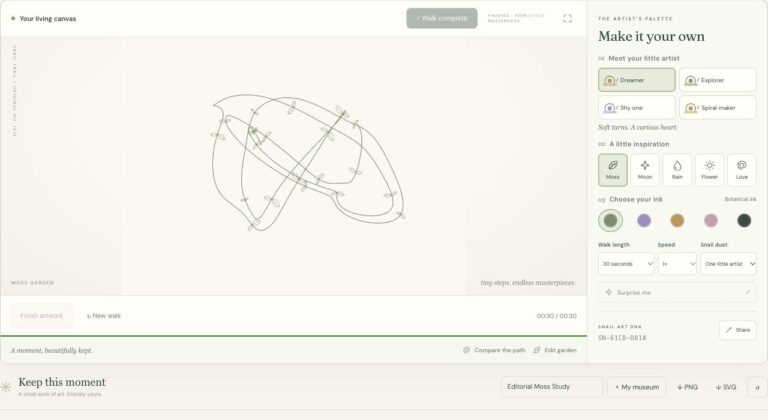
If you have finished sorting and want to make something without a correctness score, use the Snail Trail Artist guide. It explains a small generative-art garden, recipes and local museum entries. That is a creative follow-on break, not another version of the sock puzzle.
Sock Detective FAQ
Is Sock Detective free, and do I need an account?
The tested game opened without sign-up or payment. Advertising was present. That is an observation of this visit, not a promise that future site conditions will never change.
Why do two similar socks fail to match?
Check the pattern and stitched patch as well as the color. Inspect enlarges the selected comparison. Our deliberate mismatch remained on the board, so a wrong attempt did not require restarting the case.
Why is the case not finished at 12/12?
Case and Daily modes ask you to identify the one remaining sock after clearing all pairs. Tap that sock to open the report. The sprint follows its one-minute limit instead.
Does the daily puzzle follow my local calendar?
The source specifies UTC and shows the date on the board. In Korea that day changes at 9 a.m. KST. Daily bests are described as local records, not an online leaderboard.
Can I resume on a different phone?
We verified a reload in the same browser profile, not transfer to a different device. The tool describes browser storage. Do not depend on an account-based recovery or cross-device sync that was not shown or tested.
Does accuracy prove my concentration improved?
No. It is a game statistic affected by attempts, hints, interruptions and how you choose to play. The source itself calls the activity entertainment rather than clinical assessment. Use the result to understand a session, not to evaluate someone’s health or intelligence.
Open your next investigation
Start with one case, compare the full evidence, and wait for each pair to clear. When the board has one sock left, give that final selection the same attention as the first. Choose the sprint only when a one-minute boundary suits your break.
A RELEVANT NEXT STEP
Tools with a useful connection
Brain Stroll
Brain Stroll: 7 Essential Checks for Better Play
English picture, matching, basket-memory and saying games at your own pace. Tested hints, five-item retries, daily records and replay links explained.
Snail Trail Artist — The Slow Atelier
Snail Art: 7 Smart Checks for Better Trail Designs
Create snail art with a seeded garden, fictional personalities and expressive inks. Actual planting, Undo, recipe restoration, local museum and postcard tests explain what each result preserves.
두뇌마실
Korean Brain Games: 7 Essential 두뇌마실 Checks
Self-paced Korean picture, matching, shopping-memory and word games. A tested guide to hints, retries, daily dates and the Korean controls.