Snail art in Snail Trail Artist — The Slow Atelier begins with a small garden. Choose a fictional snail personality, arrange leaves, dew and stones, then let a seeded walk become botanical marks, stars or ribbons. Keep a recipe, save a local museum entry or create a link that reveals a short message after a walk.
Directly checked 12 November 2026, Asia/Seoul. We tested keyboard planting and Undo, a completed 30-second artwork, ink changes, a copied recipe, local museum restoration, a test-message link and the Korean 390 px controls. Screenshots show the real interface. No real animal behavior was measured; downloaded PNG/SVG files and a complete timed Replay were not verified. This library and the original tool share a creator.
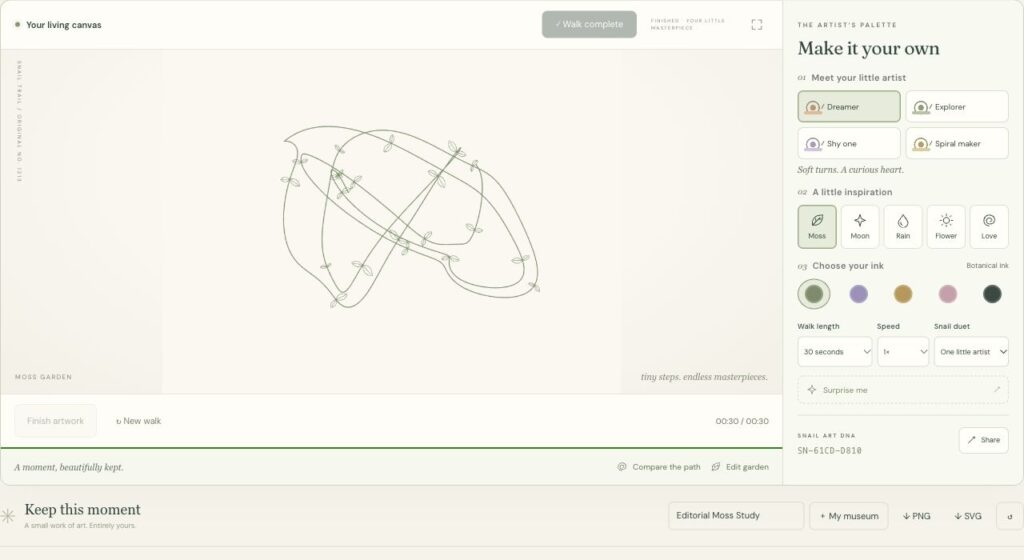
Create snail art with a seeded garden, fictional personalities and expressive inks. Actual planting, Undo, recipe restoration, local museum and postcard tests explain what each result preserves.
- Brand
- Snail Trail Artist — The Slow Atelier
- Tool languages
- en, ko
- Verified date
- 2026-11-12
In this guide
Key takeaways
Treat the garden as an input to a creative system, rather than a place where you draw every final line. In our test, keyboard-planting one Dew changed Art DNA from SN-61CD-D810 to SN-BE17-E74C. Undo restored SN-61CD-D810. This is a practical way to check that an edit actually entered the recipe and that a comparison has returned to its baseline.
Finished art, replayable conditions and a public message are different outputs. Our full recipe reopened the title, Botanical ink and finished 30-second state with the original DNA code. A Snail Mail link instead opened a fresh walk and displayed our non-sensitive test text after completion. A short DNA code alone is not the full link. Preserve the artifact that matches what you want to do next.
My museum reached 1/12 and the named entry survived reload and appeared in Korean in the same browser. That demonstrates local continuity, not cloud backup or a successful move to another device. PNG and SVG controls became available when the walk finished, but we did not inspect their final files. Confirm an actual export before clearing the browser or preparing a print.
What this snail art studio does
The official page title names Snail Trail Artist, while the visible studio uses snail trail and The Slow Atelier. The current site is a generative drawing workspace. Its snail is a fictional artist, not a pet-care assistant, population forecast or measured locomotion model. No sign-in or photograph was required for the tested sequence. English and Korean interfaces are available.
The four personalities are Dreamer, Explorer, Shy and Spiral artisan. Five garden inspirations are Moss garden, Moon garden, Rainy day, Flower whisper and Love letter. The ink choices are Botanical ink, Silver constellations, Sunlight gold, Pastel ribbon and Sumi ink. Walk lengths are 30 seconds, 3 minutes and 10 minutes; speeds are 1×, 4× and 16×. One or two little artists can be selected. We tested selected paths through these controls, not every possible combination.
Edit garden exposes Leaf, Dew and Stone, along with Undo last and Clear garden. The canvas advertises pointer planting plus arrow-key movement and Enter planting. Start, Pause, Finish artwork, New walk, Compare the path and Gallery view provide ways to run or inspect the study. Six gallery recipes offer starting points. My museum, PNG, SVG and Replay sit near the title field, while Snail Mail has its own message form.
This arrangement helps when you want visual variation without managing a full illustration editor. A small line study can suggest an ornamental motif, a quiet card composition or a decorative background. You control conditions and select a result; the tool does not promise a specific illustration, a complete publishing package or a biological explanation of every turn. Decide what would make the session useful before chasing another random result.
Choose a question before changing the garden
Start with one creative question: would a different ink suit this composition, does one extra garden element change the study, or which frame has enough empty space for a title? These questions need different comparisons. Save the current full recipe before changing a condition. A remembered personality name is not enough to recover the seed and placed elements of a particular piece.
Name the artwork before preserving it. We used Editorial Moss Study to distinguish our test from an unnamed default. Keep a small note recording the chosen personality, garden, ink, intended duration and whether you finished early. The title describes your file or local study; it should not be confused with the short DNA fingerprint. The copied recipe in our test also restored the title, but that does not make every storage route interchangeable.
If you intend to use an exported image elsewhere, collect that destination’s frame, background and file requirements. A thin, light botanical line may be legible in a gallery yet too subtle after reduction. A screenshot of the whole studio includes controls and is not the same artifact as a clean export. Review an actual received file at its intended display size before deciding it is ready.
7 checks from a garden to a kept artwork
1. Establish a small baseline
Choose one personality, garden, ink and the short 30-second duration. Read the current state before running. Our baseline was Dreamer with Moss garden and Botanical ink, using the default placed elements. The code was SN-61CD-D810. A longer duration is an additional input, not merely more real-world waiting around an otherwise identical finished piece. Keep it fixed when judging another change.
2. Plant one element and confirm the edit
Open Edit garden and choose an element type. We selected Dew, focused the accessible canvas, moved with ArrowRight and pressed Enter. The DNA changed to SN-BE17-E74C. Undo last restored the original code. That test verified keyboard placement and rollback of one addition. We did not test every drag gesture, clearing behavior or arbitrary garden arrangement. Change one element at a time if you want an interpretable comparison.
3. Run the study and watch the state label
Start walking changed the interface to a creating state. With 16× selected, the 30-second study reached 00:30/00:30 and Walk complete. The progress is the selected walk’s display, not a measurement of how long we spent reviewing it. We did not benchmark render performance across devices. Speed is useful for inspection, but it does not replace choosing the desired duration and reading whether the walk actually finished.
4. Separate Pause, early finish and a new walk
In a separate new-walk test, Start followed immediately by Pause changed the control to Keep wandering. Finish artwork then marked the short partial study complete while the elapsed display still read 00:00/00:30. Do not equate an enabled export button with a fully elapsed selected duration. New walk also changed the displayed original number from 1213 to 1138, so it was not our way to return to the baseline recipe.
5. Compare the path and the ink deliberately
Compare the path toggled its pressed state, and Gallery view opened an artwork-focused display with a Back to the studio control. Changing Botanical ink to Sumi ink kept the tested work in a finished state while the DNA changed to SN-CD77-EE84. The source explains that ink is rendered separately from movement. We verified the ink selection and state, not mathematical equality of every path point or identical image bytes.
6. Preserve a named study with the appropriate route
Enter a title and use My museum for a local entry. We saved Editorial Moss Study and saw the counter become 1/12. Copy recipe link placed a full URL on the clipboard; reopening that URL restored the original Botanical settings, title, completed state and DNA. PNG and SVG were enabled after completion. We did not verify downloaded dimensions, vector structure, transparency, print scale or a final file opening in another application.
7. Use a test message before sharing a postcard
Write non-sensitive text in Your message and make a Snail Mail link. Our form displayed 30/160 for A slow hello — editorial test. Opening the generated URL in a separate tab started at 00:00, and completing the walk revealed the same text below the artwork. We did not send it to another person. The message is part of the link, so anyone who receives it can read or pass it on. It is not a private messaging service.
Actual studio and sharing tests
| Interaction tested | Observed result | What it establishes |
|---|---|---|
| Keyboard Dew and Undo | 61CD-D810 → BE17-E74C →61CD-D810 | A recipe edit and one-step rollback |
| 30-second run at 16× | 00:30/00:30;Walk complete | Selected study completed;no device benchmark |
| Named museum save | 0→1/12;entry survived reload | Local entry retention in this browser |
| Full copied recipe reopened | Botanical, title, finished state and original code returned | Tested restoration, not a universal pixel-identity guarantee |
| Sumi ink selection | CD77-EE84;finished state remained | Ink/state update;path equality not independently audited |
| New walk, Start, Pause, Finish | Original 1213→1138;partial finish at 00:00 | New study and early-stop state differ from a full run |
| Snail Mail link in fresh tab | Ready 0 s→complete→test text visible | Message reveal flow;no external recipient contacted |
| Korean 390 px customization | Drawer, 16×, two artists;30-second completion | Narrow-screen controls and run path |
| PNG/SVG and Replay | Controls visible/enabled after completion | Final exports and full timed Replay unverified |
The displayed codes are identifiers from this test, not numerical quality scores. A different code tells you that the fingerprint changed; it does not say the artwork is better. We also did not compare every gallery recipe, exhaust the 12-slot museum or validate cross-browser output. These boundaries matter because a creative result can be useful even when it is not a scientific or archival guarantee.
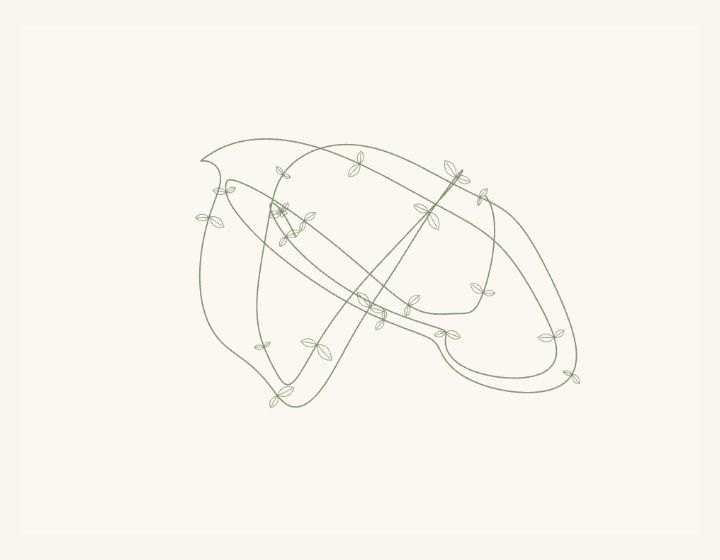
A recipe, a museum entry and a file preserve different things
| Preservation route | Best next action | Boundary to check |
|---|---|---|
| Full recipe URL | Reopen conditions or revisit the tested finished state | Keep the entire URL;short code alone is insufficient |
| My museum | Find a named study in this browser | Local storage, not account-based cloud backup |
| PNG or SVG control | Obtain an image for another application | Verify receipt, appearance and required dimensions |
| Snail Mail URL | Reveal a short message after a fresh walk | Link contains readable-shareable content;not private |
| Studio screenshot | Explain the interface or document a test | Includes UI;not equivalent to a clean exported artwork |
The source FAQ describes a recipe as a version, seed, personality, garden, ink, duration and placed elements. Our completed recipe also reopened a finished state and title. Treat that as the behavior of the tested link. A fresh postcard began a new walk instead. Before handing someone a link, reopen the exact one you plan to use and confirm that its starting point, selected conditions and message behavior match your intention.
The museum is a convenient shelf, not the only copy worth keeping. Its browser-only notice recommends downloading favorites separately. Our 1/12 entry was visible after reload and on the Korean page in the same browser profile. We did not clear storage, test eviction, fill capacity or move it to another device. Preserve an independent copy you have actually opened before relying on a local shelf for important work.
Make controlled comparisons and useful compositions
Separate movement experiments from appearance experiments. For a movement question, keep seed, personality, duration and ink fixed while changing one placed object. For an appearance question, keep the recipe’s movement conditions and compare an ink choice. The source’s separation of movement and rendering makes that a useful conceptual distinction, but we did not independently audit the implementation. Label your comparison so that you know which question it can answer.
Use empty space as an intentional result. A short curve in a large frame may work as a corner ornament even if it looks sparse on its own. Before increasing duration or adding a second artist, ask whether the current study has a useful balance at the intended size. More marks are not automatically more useful. A side-by-side comparison is easier to judge when both outputs use the same frame and viewing scale.
Keep a baseline and one branch rather than a long unlabelled chain of changes. Record what changed, which full link belongs to each result and whether the run was complete. If you use New walk, consider it a new study because our displayed original number changed. Restore the saved link when you need the previous conditions. This gives you a clearer creative notebook than repeatedly pressing a variation button and trusting visual memory.
For a postcard, leave room for the reveal and keep the text concise. The form shows a 160-character limit; we verified the counter for our short test, not every Unicode or over-limit case. Preview the link on the intended screen size before sending it yourself. Generating a URL does not send an email, choose a recipient or establish that another person received it.
Nature inspired rules and their limits
The studio explains that leaves encourage orbiting, dew invites broad curves and stones deflect routes. Those are artistic rules. Its Dreamer or Shy labels are creative presets, not measured psychological traits in real snails. No live animal, survival result, population change or biological experiment was involved in our test. Use the program to ask visual questions about its own rules.
The linked Davies and Blackwell 2007 trail-following study concerns mucus expenditure in the marine snail Littorina littorea. We read the primary abstract. It supplies context for the nature inspiration; it does not validate this studio’s personalities, garden attractions or generated art. Do not generalize a particular species and experiment into a claim that every snail always follows the same trail.
Privacy, mobile use and practical restrictions
The source says artwork and settings stay on the device unless a recipe is shared. It separately discloses Blogger and Google advertising cookies. We observed local restoration and ads but did not audit network traffic. On-device artwork generation should not be described as proof that the entire page makes no external requests. A copied URL can reveal settings, title and a postcard message, so inspect it before distributing it.
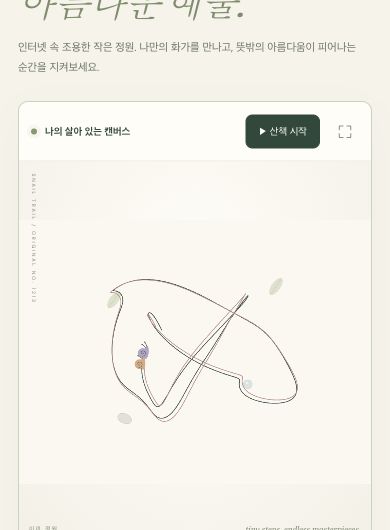
At 390 px the Korean page used a customization drawer. We opened it, selected 16× and two artists, returned to the canvas and completed the 30-second walk. Document width stayed 390 px. Ads could cover the lower controls, including part of the drawer area. This was Chrome viewport testing, not a physical phone, full keyboard audit, screen-reader certification or long-duration performance test. Screenshots were cropped above advertisements without inventing missing UI.
Replay was exposed and activated during investigation, but we did not establish an uninterrupted timed replay sequence. Final PNG and SVG files also remain unverified. The FAQ describes clean exported art without garden or snail, yet that description is not a file inspection. Treat Gallery view as a preview and verify the actual export before making claims about resolution, editability, print quality or exact correspondence with another viewer.
Related tools for another experiment or a finished image
For another nature-inspired abstract-art experiment, the published Ink Bloom Lab guide explains selecting a fleeting frame from a particle-flow artwork. It is an alternative creative prompt, not a route for importing a Snail Trail recipe. Both guides distinguish a local gallery item from a verified export or a continuation recipe.
After you have actually received a raster image, the PixelFit Studio guide covers target frames, file-size conditions and crop-versus-contain choices. The WebP Studio guide offers a batch conversion and quality-comparison route. Check the received source image first; no direct integration or automatic transfer from Snail Trail was tested. Preserve the original before making a delivery copy.
Frequently asked questions
Is this a drawing tool or a real snail simulator?
It is a seeded generative-art studio with a fictional snail artist. Its garden rules and personalities are artistic choices. The tested workflow did not predict animal behavior or population size.
Can the short Art DNA code reopen a piece by itself?
The FAQ calls it a readable fingerprint and tells users to share the full recipe link. Our full copied URL restored the tested settings, title and completed state. We did not test a short-code lookup service.
Does Finish artwork always generate all 30 seconds?
Our early-finish test marked a paused partial run complete while the elapsed display remained 00:00/00:30. Read the elapsed display and preserve the run you intended. An enabled output control alone is not proof of a full-duration study.
Is a museum entry backed up online?
The interface says it is stored only in this browser. Our named entry survived reload and appeared in Korean in the same profile. Cloud recovery and another-device migration were not tested.
Is Snail Mail private or automatically sent?
No. We generated and reopened a non-sensitive test link, and its text appeared after a walk. The message is in the URL, and we did not send it to anyone. Share only content appropriate for anyone holding that link.
Were PNG, SVG and timed Replay verified?
Their controls were available, but we did not inspect final downloaded files or establish a complete timed Replay. Verify the artifact in your intended application before relying on it.
Start one small, repeatable art study
Keep the first study small. Save a baseline link, change one condition and name the result you want to revisit. Decide whether your next step needs a local shelf, a reopened recipe, a clean file or a message reveal. The value of this snail art studio is the combination of making and choosing, with clear expectations about what each saved item actually preserves.
A RELEVANT NEXT STEP
Tools with a useful connection
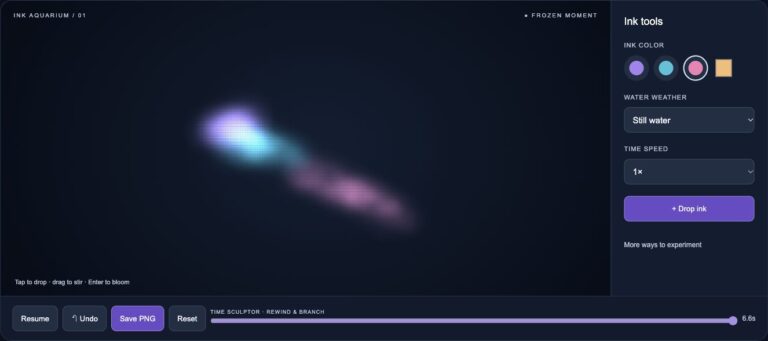
Ink Bloom Lab
Ink in Water Simulator: 7 Essential Bloom Lab Checks
Create fleeting ink art with Ink Bloom Lab. Tested drops, Science Lab, rewind and browser gallery explain how to choose a frame, preserve a moment and distinguish PNG, thumbnails and DNA.
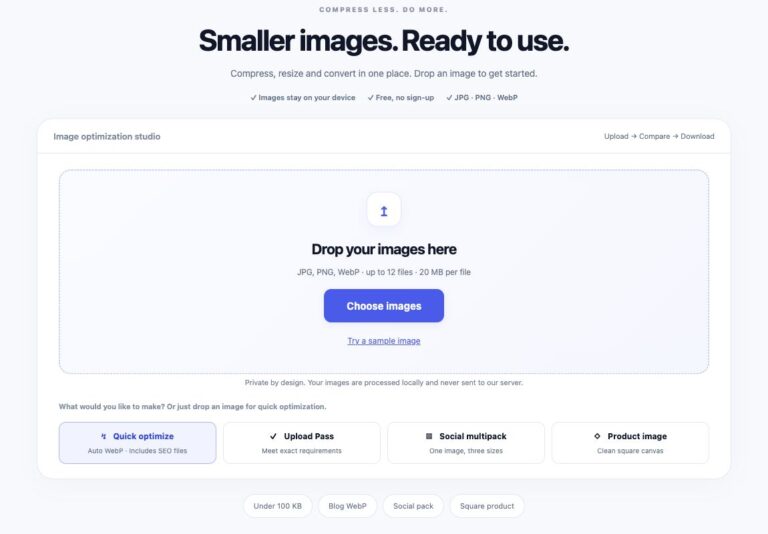
PixelFit Studio
Image Upload Optimizer: 7 Essential PixelFit Checks
Prepare exact upload dimensions and file-size conditions with PixelFit Studio. Actual sample and JPEG tests explain PASS/CHECK, crop versus contain, social totals, copied HTML and the limits of unverified file receipt.
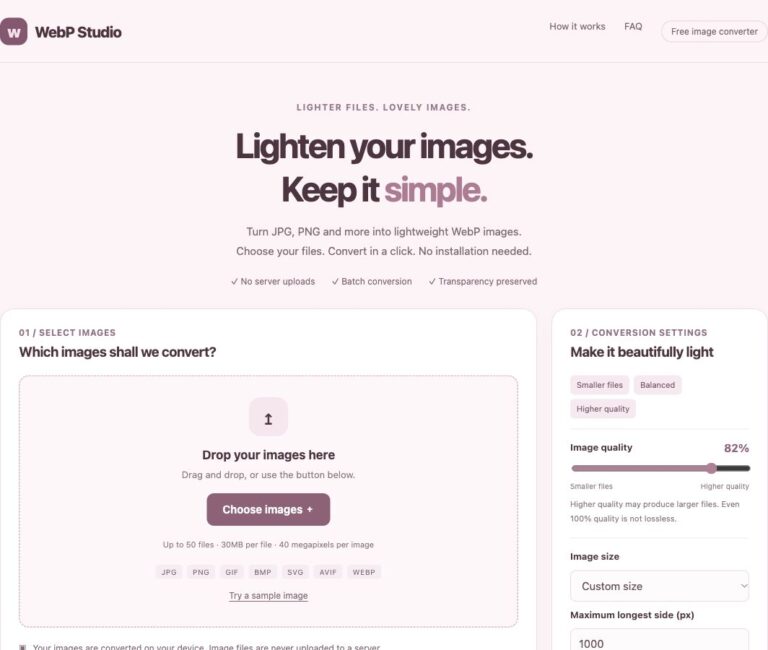
WebP Studio
WebP Studio: 7 Essential Checks for Better Batch Images
Use WebP Studio’s English interface to compare image quality, keep dimensions or resize a batch. Actual tests reveal smaller JPGs, larger outputs and a rounded zero-saving total.