나설명서64 is a Korean personal user manual builder for turning selected type labels and everyday preferences into editable introduction sentences. Choose your contact, request and support preferences, then select which lines to copy. A separate helper assembles conversation templates. It does not score a new personality assessment.
Key takeaways: you choose the labels; your editable sentences matter more than the code; copied output includes a type code and site URL as well as selected text. The interface we verified is Korean only. Tested in Chrome on November 11, 2026 using invented DEMO preferences, not a person’s psychological data. No real conversation was sent or evaluated. The library and original tool share a creator.
In this guide
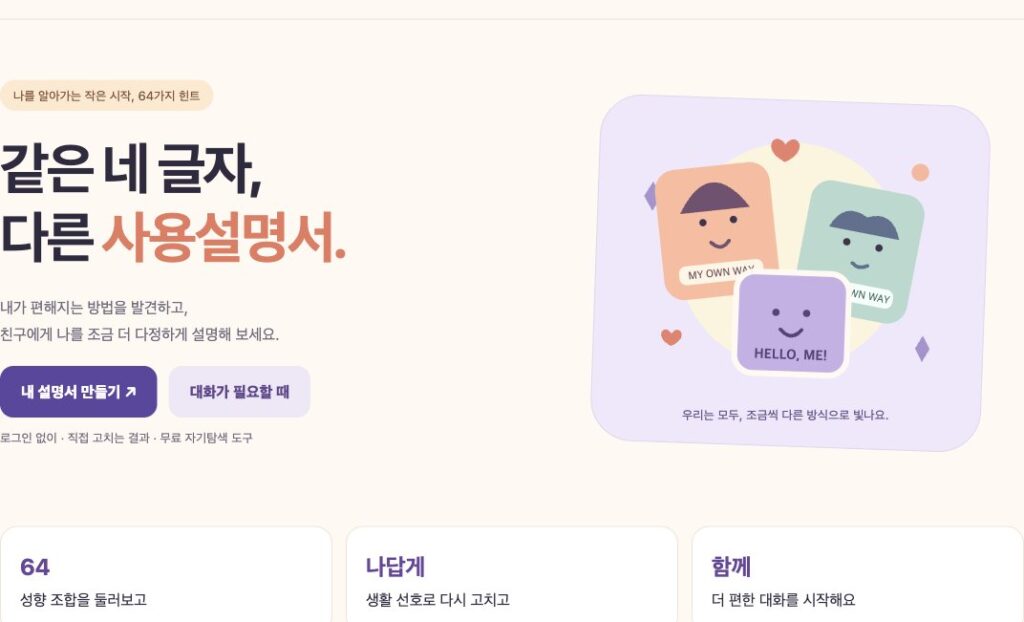
Create a revisable personal user manual in the Korean 나설명서64 interface. Actual synthetic tests explain edited sentences, selected-copy output, type codes, gallery regeneration, local saves and conversation templates. Not a scored assessment.
- Brand
- 나설명서64
- Tool languages
- ko
- Verified date
- 2026-11-11
What this personal user manual builder does
A four-letter label can be a convenient introduction but leave practical questions unanswered. Should a friend wait for a reply when you are busy? Does a request need a deadline or an explanation of its background? When you disagree, would a pause and an agreed return time help? This tool places those concrete choices beside a type combination and gives you sentences you can change.
Its official on-page name is 나설명서64. This guide uses “personal user manual” as an English description of the task, not as a claim that the source has an English edition. The main areas are a manual builder, a conversation helper, a type gallery and explanatory guidance. We encountered no account or payment requirement in the tested workflow.
The strongest use is a small, revisable statement of current preferences. A friend can respond to “please include the deadline” more directly than to an assumed personality trait. The tool cannot know your intentions, someone else’s feelings or whether a sentence will improve a relationship. It creates material for review; you remain the author of what you choose to share.
Prepare one preference and a sharing boundary
Choose a modest context before opening the controls: ordinary messaging, planning a shared activity or explaining how you prefer to receive a request. Do not start by collecting another person’s private messages or assigning them a type. The interface asks for selections rather than a private conversation transcript, real name or photograph. Our trial used fictional wording marked DEMO ONLY.
Have one preference you can explain and a boundary about what you will share. A useful draft might state a time window, what makes a request answerable and when you will return after a pause. These are editorial examples, not prescriptions for every situation. If the generated wording does not describe you, replace it rather than treating the result as something you must fit.
| Decision before using the tool | Why it changes the workflow |
|---|---|
| Known or provisional base type | You select a label; the site does not infer it from a questionnaire. |
| Current everyday preference | The four practical choices shape the sentence drafts. They can change with context. |
| Private working text versus shareable text | Unchecking a sentence controls selected-copy output; it does not hide the text in a screenshot of the editor. |
| Language and recipient | The source interface and examples are Korean. An English reader may need help understanding the labels and adapting the wording. |
7 checks from type choice to a reviewed manual
1. Select a base type without calling it a new test result
In the manual builder, choose one of the 16 familiar four-letter labels. The Korean field begins 이미 알고 있는 기본 유형, meaning an already known base type. The source permits a provisional choice if you do not have a result. That convenience does not establish a best-fit type, produce a score or replace an official assessment.
2. Read the two additional choices in this site’s terms
Choose A or T for the offered self-description about confidence and stress, then C or S for the preferred way of working together. The source explicitly defines these as its own self-evaluation notation. In our synthetic run, INFP plus T and S produced INFP-TS. No hidden personality measurement was needed to produce that label.
3. Choose the four everyday preferences
The practical controls cover contact, receiving requests, disagreement and a difficult day. We selected frequent short contact while leaving the other example choices at specific task/deadline, thinking time before discussion and resting alone first. Choose what you can actually stand behind today. A temporary preference should not become a permanent rule about everyone with the same label.
4. Generate, then edit the sentences
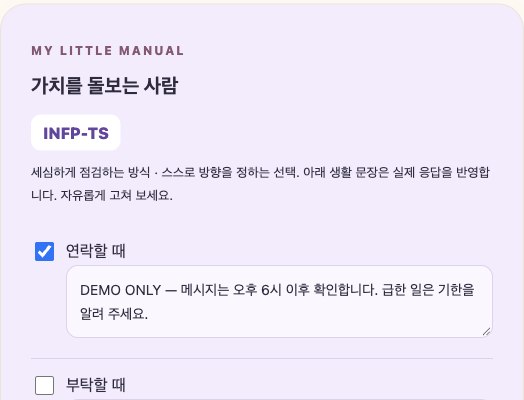
Press 내 설명서 완성하기, the button for completing the manual. Our result showed a title, the selected code and four editable text areas. We replaced the contact sentence with an invented DEMO message saying messages would be checked after 6 p.m. and urgent requests should include a deadline. The screen accepted that direct edit; it did not decide whether the preference was fair or practical.
5. Select only what you intend to copy
Each line has a separate sharing checkbox. We left only the edited contact line checked and used 선택 문장 복사. Reading the actual clipboard showed a manual heading with INFP-TS, our edited line and the original site URL. The other three sentences were absent. With all four boxes unchecked, the tool asked for at least one selected sentence instead of producing a new copy result.
6. Save deliberately and understand regeneration
이 브라우저에 저장 saves in the current browser. After an explicit save, reload restored our edited DEMO sentence and the sharing-checkbox states. Later, choosing ENFP-AC in the gallery regenerated the manual, replaced the edited contact sentence and checked all four lines. We did not save that change; reload restored the earlier INFP-TS draft. Read the generated content again after any new combination, and save only the version you intend to keep.
7. Review the exact output and clean up the right record
Inspect copied text before placing it anywhere else, especially if a type code is something you did not intend to disclose. The share-card image button was available, but our download-event wait timed out; received image contents were not verified. We used genuine browser screenshots for this guide. The local delete control removed our own saved DEMO record, left the current screen visible and returned to an empty manual after reload.
Actual tests and what they establish
| Actual test | Observed behavior and evidence boundary |
|---|---|
| INFP + T + S; four everyday choices | Generated INFP-TS and four editable sentences. A synthetic selection, not an assessment of a real person. |
| Edit one line and uncheck three | Clipboard contained only that edited line plus the manual code heading and site URL. |
| Uncheck every line | A status requested at least one sentence. We did not treat old clipboard content as a new output. |
| Explicit save and reload | Edited text and selection states returned. This tested one browser, not cross-device synchronization. |
| Gallery ENFP-AC without saving | Regenerated text and checked four lines; reload restored the older saved INFP-TS version. |
| Conversation helper and copy | A fictional refusal/listening/thinking-time/polite combination produced Korean template wording and copied it. No message was sent. |
| Fresh 390px interface and deletion | Saved result restored, a line could be edited and copied, no whole-page horizontal overflow; deletion followed by reload produced an empty manual. |
These checks establish observable interface behavior for a small set of choices. We did not exhaust all 64 combinations, every conversation-template permutation or every browser. We did not measure psychological validity, communication outcomes or the response of a real recipient. The distinction matters because a successful copy or save operation says nothing about whether a sentence is true or helpful in a particular relationship.
What the 64 combinations mean here
The gallery describes 16 base labels with four variants each: A/T combined with C/S. That is the site’s 64-combination scheme. Its aliases and wording are creative content, and the source warns that its additional letters are not equivalent to the definitions, scores or results of other 64-type services. Do not transfer a suffix from another site and assume the meaning is unchanged.
For comparison, the Myers & Briggs Foundation’s instrument overview describes Step I as identifying one of 16 types and Step II as exploring five facets within each of the four preference pairs. This official structure is different from selecting this site’s two suffix letters. We use the source to clarify the distinction, not to claim that this independent builder is an official or validated MBTI instrument.
The site itself says it is independently produced and not affiliated with The Myers-Briggs Company. It does not provide questionnaire scoring, compatibility rankings, job matching or diagnostic judgments. Its chosen labels can remain a playful starting point while a practical sentence takes priority. Avoid using the code to evaluate another person or justify an employment, health, career or relationship decision.
Selected text, screenshots and local storage
There are three different information boundaries. The working editor contains all four lines, including unchecked ones. Selected-copy output contains the checked lines and, in our test, the type heading and site URL. Browser storage is a saved working record rather than a public profile. A screenshot of the editor can therefore expose more than a selected text copy, and deleting the saved record does not recall text already copied or an image already shared.
The successful one-line clipboard test is useful because it separates selection from typing. Unchecking a line is not the same as deleting the text, and changing the text is not the same as saving it. Use a simple review order: read each sentence, select the intended lines, copy, inspect the pasted result in an appropriate private draft and then decide whether to send. This guide did not send anything to a recipient.
Regeneration is another boundary. Clicking a gallery combination can replace your edited wording and re-enable lines. Our unsaved ENFP-AC run demonstrated that behavior; the earlier saved draft returned on reload. Keep an external copy of wording you need before exploring another combination. Browser persistence is convenient, but it is not a tested backup format or a guarantee against clearing site data, switching profiles or using another device.
A further control check showed that changing the contact preference alone did not replace our existing edited DEMO sentence. The input choice, generated/edited lines, explicitly saved record and current clipboard can represent different moments. Review the actual wording after changing a control, and choose whether to generate again or edit directly. A recipient sees the copied words rather than the intention behind a dropdown. Keep a useful external copy before regeneration, then inspect the output and save the intended version. This is an observed state distinction, not a claim that the interface automatically reconciles every change.
Use a conversation starter without guessing someone’s mind
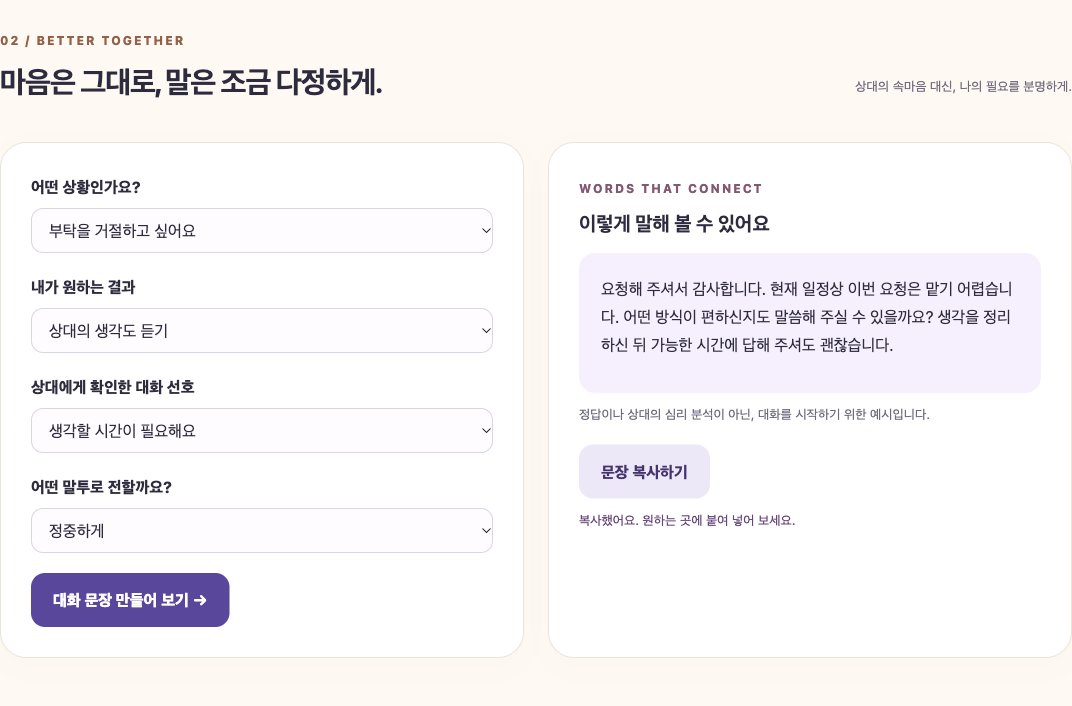
The separate conversation helper offers five situations, three desired outcomes, three known conversation-preference choices and three tones. The “known preference” field includes an option for not knowing. Use that option when you have not asked the other person. A dropdown choice is not evidence that someone needs thinking time or prefers detailed explanations.
We chose declining a request, hearing the other person’s thoughts, allowing thinking time and a polite tone. The generated text combined a refusal with an invitation to respond later. The copy button placed the example into the clipboard. It was a template assembly, not a live conversation, a mind-reading result or a model’s analysis of a private transcript. We did not test all combinations or claim that it uses an outside AI service.
Read the wording aloud before adapting it. Replace a generic reference to a schedule with the actual constraint you are comfortable disclosing. Make sure an invitation to respond is genuine rather than a demand disguised as politeness. If the example does not fit the stakes or relationship, use your own words. The tool cannot evaluate context, consent, safety or the consequences of sending a message.
Turn a broad preference into a practical request
A productive manual describes a situation, a preference and a next action. “I need time” leaves the reader guessing about what happens next. A fictional revision might say, “For a routine request, tell me the deadline; I will confirm when I can respond.” That example is our editorial wording, not a measured improvement in anyone’s communication. Do not promise a response time you cannot maintain.
For a friend planning an activity, one sentence about schedule changes may be enough. For a voluntary collaboration introduction, a line about receiving requests can be more useful than publishing all four lines. In either case, ask whether the other person wants the note and invite their own preferences. Do not make participation or type disclosure a condition of belonging to a group.
A plain note is also a valid alternative: write your current preferences without any type code. The builder’s advantages are the prompts, editable structure, line selection and separate conversation templates. Its limits are the same reason to keep ownership of the text. Review it when your role, energy or availability changes; an old saved manual may no longer describe the context you are in.
Privacy, mobile use and confirmed limits
The privacy notice says selections are processed in the browser and stored in localStorage only when the user presses save. It also distinguishes Blogger and Google services, including cookies and connection information used for service, security and advertising. We verified visible save, reload and delete behavior but did not audit network traffic, implementation security or every possible stored field. Do not describe the whole website as having no network activity.
At a fresh 390px viewport, the Korean layout had no whole-page horizontal overflow. In the same browser, the saved manual restored and we edited and copied a synthetic mobile sentence. Deleting our test record produced a clear notice that the screen would reset on refresh; after refresh the manual was empty. This does not establish physical-phone performance, complete accessibility or synchronization between unrelated browsers.
We verified Korean controls and text only; an English interface was not provided in the inspected navigation. English readers can use the field meanings in this guide, but the tool does not automatically create an English manual. We did not verify completed share-card downloads, an editable file import/export route, cross-device recovery or every storage failure. The screenshot captions explicitly distinguish editor captures from exported files.
Related tools for a separate sharing step
If you voluntarily want to adapt one reviewed introduction sentence for a public profile, the BioRoute Studio guide covers bilingual profile routes and the difference between HTML output, editable backup and hosting. It is a separate publishing task; this manual builder does not create a public profile URL or send text to BioRoute.
If a captured result needs explanatory labels, the FrameMint Studio guide explains screenshot annotations and manual masks. An editable project may retain originals, so inspect the particular image or project you intend to share. A crop or mask is not automatic privacy assurance, and we did not test an integrated transfer between the tools.
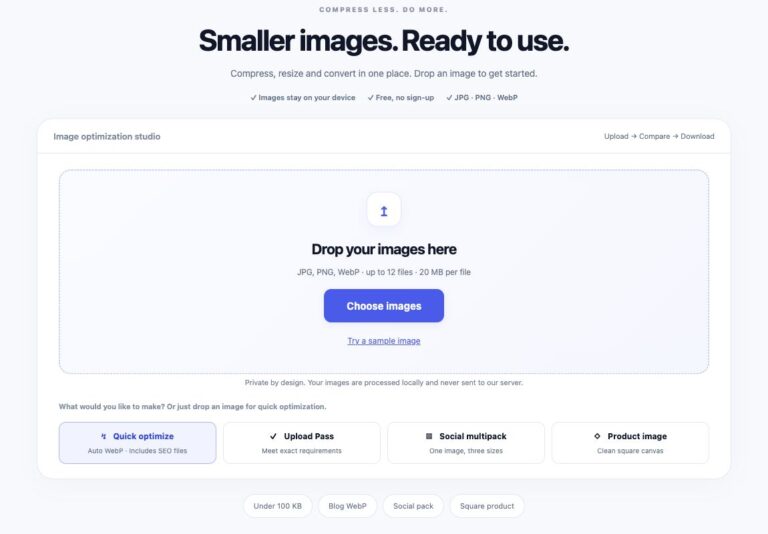
For an image that must fit a destination’s pixel or file-size requirements, the PixelFit Studio guide discusses resize, crop, format and readability checks. Start only after you have an actual image, keep the text readable and preserve your original. This is an optional image-preparation path, not a verified export workflow from 나설명서64.
Frequently asked questions
Can this tool tell me my type?
No new scored assessment was present. You select the base label and suffix choices yourself; the result repeats that combination. A generated code is not evidence about your personality.
Does an unchecked line disappear from everywhere?
No. It was excluded from selected-copy text in our test, but remained visible in the editor and restored with the saved draft. A screenshot can include it.
Why did my edited sentence change?
Choosing a new gallery combination regenerated our text and checked all lines. Review the whole manual after regenerating and save the intended version deliberately.
Does saving publish or synchronize my manual?
We observed local browser restoration, not public hosting or cross-device synchronization. Copied text and saved-browser data are different records.
Is the conversation helper an analysis of the other person?
The source describes suggested template combinations. Our test used a fictional scenario and copied an example. No recipient’s psychology or actual conversation outcome was evaluated.
Start with one sentence you can revise
Begin with one everyday preference you can describe accurately. Generate a draft, replace vague language, choose the lines you want and inspect the copied result. Keep type labels optional, preserve a useful external copy and revisit the wording when circumstances change. A personal user manual is most useful when it makes a request understandable and remains easy to revise.
A RELEVANT NEXT STEP
Tools with a useful connection
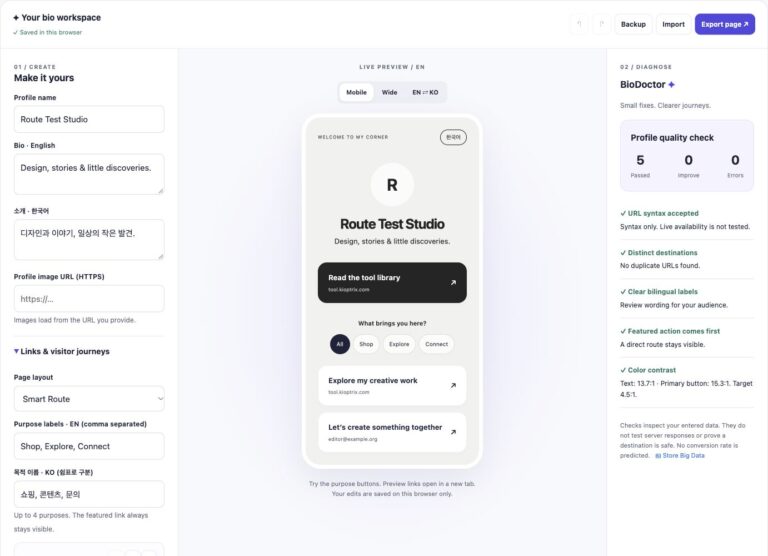
BioRoute Studio
Link in Bio: 7 Smart BioRoute Studio Checks
Build an English/Korean link in bio page with BioRoute Studio. Real tests explain purpose filters, URL diagnosis, UTM edits, HTML export and JSON backup without confusing editing with public hosting.

FrameMint Studio
Screenshot Editor: 7 Smart FrameMint Studio Checks
Frame screenshots, add manual masks and build captioned stories in FrameMint Studio. Real import, order, recovery and size tests explain what to check before sharing.
PixelFit Studio
Image Upload Optimizer: 7 Essential PixelFit Checks
Prepare exact upload dimensions and file-size conditions with PixelFit Studio. Actual sample and JPEG tests explain PASS/CHECK, crop versus contain, social totals, copied HTML and the limits of unverified file receipt.