Awkward Goodbye is a short browser comedy about two people who have said goodbye but keep walking together. Choose a route, use a situational action and answer dialogue interruptions. We completed an office escape and tested the Korean daily challenge, showing what the ending, collection and result numbers mean.
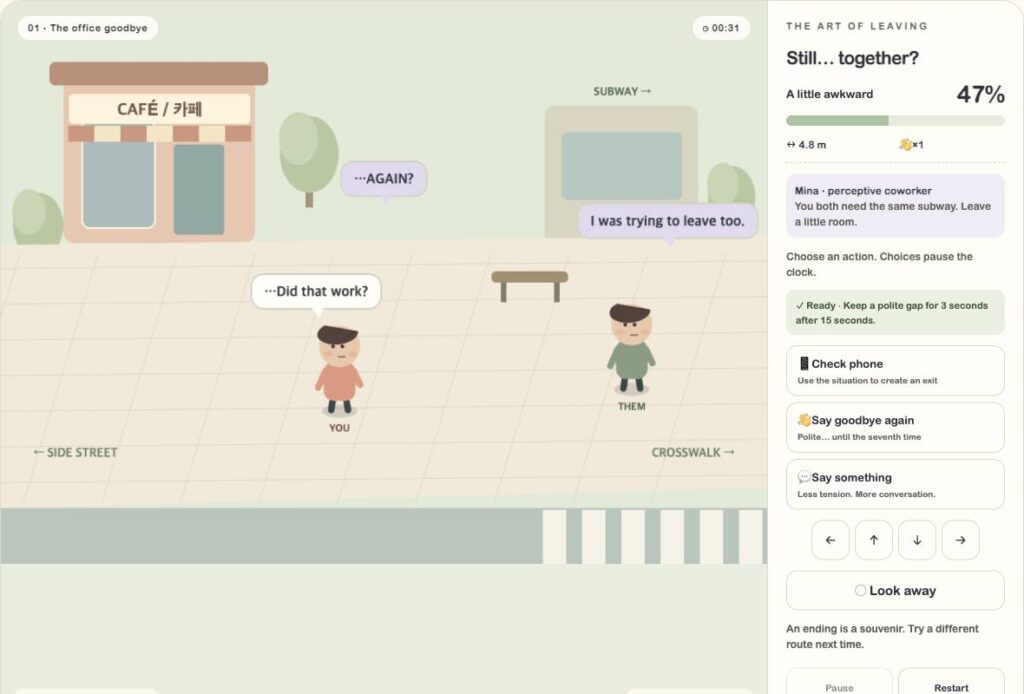
Play Awkward Goodbye with routes, context actions and paused dialogue choices. Our completed 32-second office escape explains peak awkwardness, stage stamps, ending collection, the POV mirror and export limits.
- Brand
- Awkward Goodbye
- Tool languages
- en, ko
- Verified date
- 2026-11-11
In this guide
Awkward Goodbye: key takeaways
- Official name: Awkward Goodbye. English and Korean versions were available, with ten open scenarios and six ending types.
- The documented polite-exit rule combines the scene goal, more than 2.3 m of in-game separation and three seconds of sustained distance after the first 15 seconds.
- Our office run reached The Smooth Exit. The result reported 32 seconds, 50% peak awkwardness, one goodbye and the playful style Strategic sprinter.
- One cleared stage and one collected ending survived reload and appeared on the Korean page in the same browser. This is not an account or a saved in-progress route.
- We activated the five-second POV replay and result-image control. A received image file was not confirmed; sharing was not tested or sent to anyone.
Verified 11 November 2026 in Chrome, including a fresh 390 × 844 Korean viewport. Images are actual game captures. This library and the original game share a creator; this is a documented editorial review, not an independent third-party endorsement.
A short game about leaving, not a social-skills test
A farewell can be finished in words while the walk continues. This game turns that familiar mismatch into a small spatial puzzle. The coral character is you; the sage character is the other person. A street canvas, an awkwardness meter, a distance readout, a goodbye count and changing action buttons show how the current situation is developing. The joke comes from the relationship between a reasonable-looking choice and its in-game consequence.
It fits a brief browser break or a comparison of fictional choices with a friend. There is no document to upload, voice to record or work product to calculate. The useful output is a completed scene, a collected ending and a short interpretation of the play. Treat those as entertainment. Neither the metre labels nor the comedy play-style title establish anything about a person’s real politeness, anxiety or conversational ability.
The page describes a free HTML5 game with local play logic rather than generative AI. We used it without signing in or receiving a microphone or camera request. We did not audit the implementation, independently listen to sound or certify that every part of the webpage works offline. Advertising appears on the surrounding page, so local game logic is a narrower claim than no outside data processing.
Choose a scene and a goal before starting
First choose the language and read the selected scene’s hint. All ten stages are open; completing stage one is not a prerequisite for seeing the other choices. The dropdown and scene cards provide different situations, while the daily button uses that date’s prescribed starting conditions. A fresh run and a collected ending are separate things: opening a new scene does not mean you have cleared it.
Decide what you are trying to learn from a run. For a first attempt, aim to understand movement, one context action and a dialogue choice. For a later attempt, target a specific ending or compare one changed decision. If you try to maximise distance, minimise awkwardness and discover every ending at once, you will have trouble explaining which action changed the outcome.
Sound was initially off in the observed interface. Less motion is available; we enabled it on the Korean page. Arrow keys, direction buttons and a street destination are listed as movement methods. We used pointer destinations and held arrow keys during the office run. Physical phone touch and assistive-technology gameplay were not tested. If you need to read the rules, use Pause rather than interpreting a delayed action as a game failure.
Seven essential checks for a better first run
1. Read the scene goal as well as the distance
The office hint asks for a polite gap after 15 seconds. Other scenes add a shoelace action, a specific exit, an umbrella handover or a group goodbye. Moving away is therefore only one part of a successful route. Keep the current hint visible and use it to decide whether your next action addresses the actual scene. A high distance reading alone does not demonstrate that every condition has been satisfied.
2. Start, then identify the two characters
The initial office panel showed 24% awkwardness, 1.1 m and one goodbye before our run. Those values describe the observed starting screen, not measurements of real people. Starting removes the launch button and activates the walk. Locate the coral player and sage counterpart before giving a long movement input, especially near the edge of the street.
We clicked the street and used Left and Right arrow input. A click is a destination command, so clicking the canvas to focus it can also change the route. That matters when documenting an experiment: our successful run combined pointer and keyboard input, and we do not present it as an exact arrow-only speedrun. For a cleaner personal comparison, use the same starting scene and input method on both attempts.
3. Use the situation action, then watch the response
In the office run, Check phone produced a status telling us the coworker had given us space and that we should choose another route. That supports the action-response loop, not a universal rule that phones solve every scene. The almost-date hint explicitly warns that a phone excuse invites questions. In the Korean daily elevator scene, the context action was tying a shoelace rather than checking a phone.
We activated that Korean shoelace action and saw a message that a pause had opened a route. We did not complete that daily scene, so it is not evidence of an elevator victory. Context buttons can change with the scenario and position. If the action you expect is absent, read the current prompt and scene before assuming the interface is broken.
4. Answer a conversation crisis before trying to walk
At 12 seconds in the office test, the street showed a conversation interruption and three reply buttons. Time stopped while the choice was pending. We chose to let the other person go first, and the normal actions returned. At 28 seconds a later crisis appeared; we chose Panic run. This sequence shows why repeated movement input can appear ineffective while a reply is required.
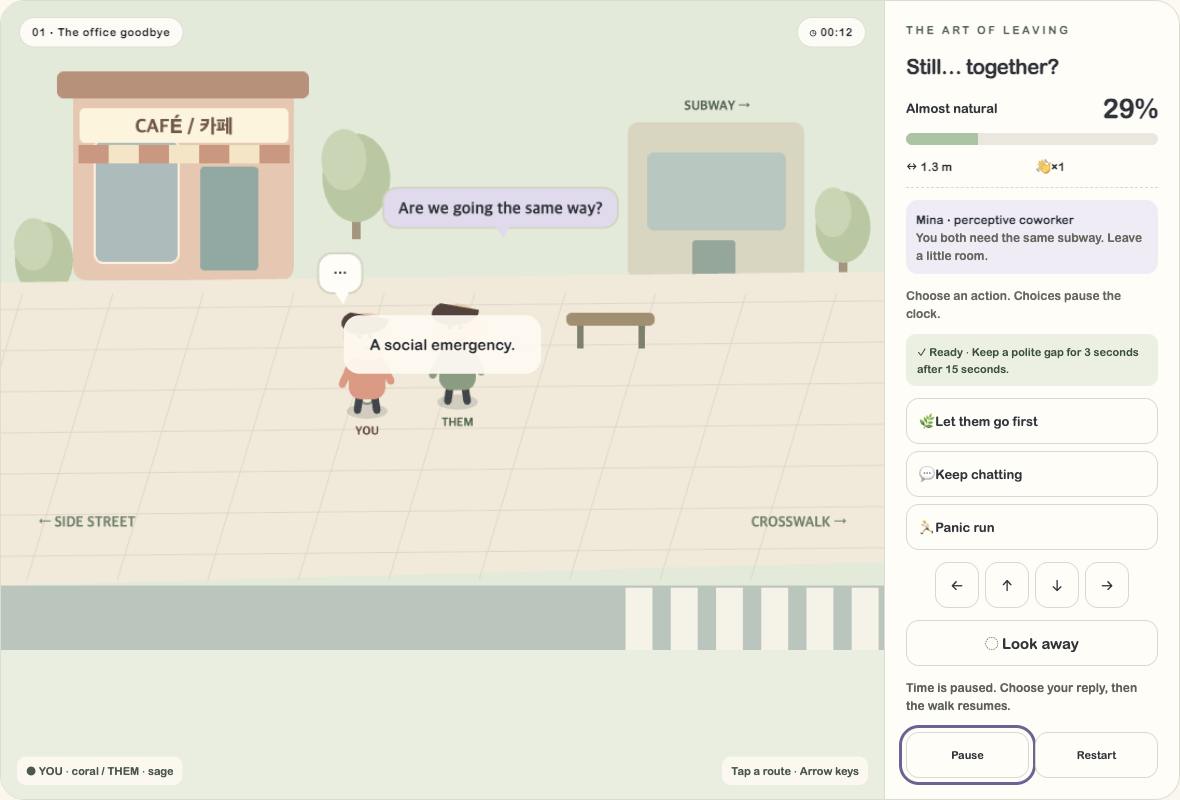
The source gives brief cooldowns to actions and describes conversation as reducing tension while bringing the characters closer. We did not measure every cooldown or isolate every timing threshold. A good practical habit is to make one choice, read the status and then move. Rapidly repeating a button without checking the changed situation makes both play and later comparison harder to interpret.
5. Separate a momentary gap from a finished escape
We saw 2.4 m at about 18 seconds, yet that moment alone did not finish the run. Later the characters were close again and a new interruption appeared. After the Panic run choice and further movement, the game reached The Smooth Exit. The result, rather than a single intermediate distance reading, confirmed the completed stage. Sustained separation and the scene goal matter together.
6. Read current, peak and elapsed values carefully
The final street panel showed 31 seconds, 47% current awkwardness and 4.8 m separation. The separate result card reported 32 seconds and 50% peak awkwardness. These fields describe different quantities; the peak should not be replaced by the final meter value. The one-second difference is an observed display difference, not a latency measurement or a stopwatch benchmark.
7. Check what survives before calling something saved
The collection changed to one of six endings and one of ten polite exits. Reload returned the workbench to an initial scene, while the collected Smooth Exit and office stamp remained. Opening the Korean page in the same browser also showed those counts. This verifies persistence of that collection; it does not establish saved routes, a resumable current game, cloud sync or recovery after clearing browser data.
Our completed office escape
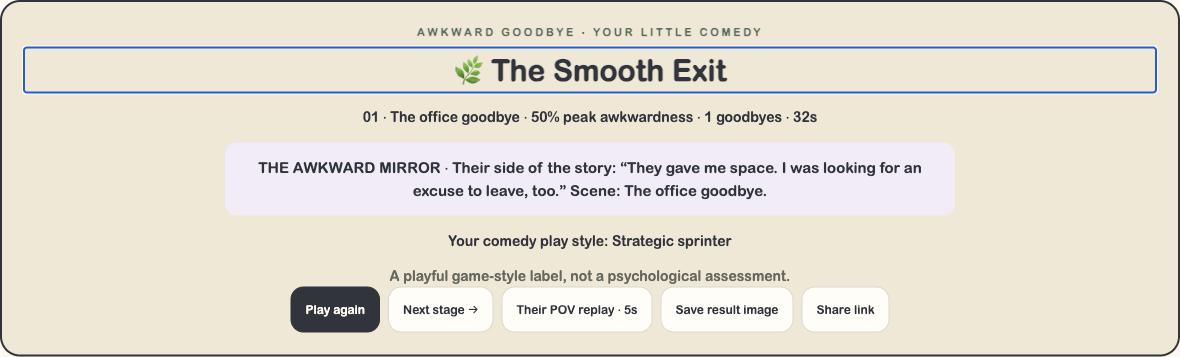
Our test began with the office scene, used a phone action, a mixed pointer/arrow route, a yielding response at the first crisis and a panic-run response at a later crisis. The run ended successfully with the result values above. This is a functional example, not proof that the same timing and inputs will always produce an identical route or that panic is the best general strategy.
The outcome also illustrates an important distinction between an action name and an ending name. Choosing Panic run once did not force The Panic Escape in this test: the result was The Smooth Exit. The FAQ associates the Panic Escape ending with running twice. We did not complete that second-ending condition, so the documented rule and our single-action result should remain separate claims.
For a useful follow-up experiment, replay the same office scene and change one reply while keeping your initial movement plan similar. Record which action you changed, the ending and the peak meter. That proposed comparison was not performed in this review. It gives a reader a repeatable question to investigate without turning one observed success into a universal walkthrough.
How the ten scene goals differ
The following is a reading guide to the visible scene cards, not a claim that we cleared all ten. Office was completed; the elevator daily mode was opened and partly exercised. The other scenarios were inspected through their labels and hints. The variety comes from different prerequisites rather than ten copies of a distance-only race.
- 01 Office: create a polite gap after the opening 15 seconds.
- 02 Almost-date: the phone can prompt more questions; the hint suggests another route.
- 03 Elevator: tie a shoelace, let the boss go ahead and change route.
- 04 Synchronized friend: break the matching pace with a shoelace stop.
- 05 Boss: promise a morning follow-up; silence adds pressure.
- 06 First date: say clearly that you are going home, or explore the four-conversation bond route.
- 07 Mall: read the directory and reach Exit B at the lower right.
- 08 Umbrella: go to the upper-left awning and hand over the umbrella.
- 09 Airport: check the boarding pass and follow Gate B at the lower right.
- 10 Eternal Goodbye: wave to the group, reach HOME and stay sufficiently far from all three counterparts.
These are fictional objectives. They should not be used as rules about how a real boss, date or colleague will react. Even within the game, a route suitable for one scene may miss another scene’s required action. Re-read the card after switching scenes and avoid describing a highlighted selection as a cleared stamp.
Separate endings, stage stamps and result numbers
The source lists six outcomes: Smooth Exit for a polite separation, Silent Walk for a full minute of silence, Goodbye Loop for seven goodbyes, Unexpected Bond for four conversations, Panic Escape for two panic runs, and Awkward Legend for reaching 100% or exhausting the clock without another ending. Only Smooth Exit was completed here. The other five conditions come from the official FAQ, not an exhaustive ending test.
Ending count and stage count answer different questions. One collection records which types of conclusion you have seen; the other records which scenes you exited politely. A comic failure can add an ending without becoming a polite-exit stamp. Our single success made both counts one. This is why collecting six outcomes is not the same achievement as clearing ten scenes.
The displayed distance is part of a drawn world. Treat it as an in-game condition, not a calibrated interpersonal boundary for real life. Likewise, a lower awkwardness meter is not automatically a better entertainment result if you deliberately want to discover a comic ending. Choose the experiment you want to run and judge progress using the appropriate collection or stage indicator.
Use the mirror to compare a decision
After the office ending, we activated Their POV replay · 5s. A five-second replay overlay appeared on the street and later disappeared; the result card remained. We did not validate every replayed coordinate or compare the animation frame by frame with our original inputs. It is a review aid for the recorded route, not an independent reconstruction of another person’s thoughts.
The mirror text interprets the fictional counterpart’s view of the run. The style label was Strategic sprinter, followed by an explicit statement that it was playful rather than psychological. Use the contrast as comedy or as a prompt for discussing a made-up scene. It is not evidence of empathy measurement, emotion detection, personality classification or a real person’s private intention.
Save result image was activated with no received file confirmed. The article’s pictures are actual screenshots captured during review, not claimed downloads from that control. Share link was available but was not tested or sent. The FAQ describes a device share sheet or copying a public game link; we did not verify that a shared link carries a particular route, ending or collection.
Privacy, accessibility and mobile limits
- Privacy: the FAQ describes localStorage for ending IDs and cleared-stage numbers. Our reload and language-page tests verified one collected result, not the complete storage implementation, security or all network traffic.
- Advertising: Blogger/Google ads were present. Local game processing does not establish a tracking-free or fully offline webpage. No ad content was clicked.
- Mobile: at a fresh 390 × 844 Korean viewport, document and scroll widths were 390 px and the street canvas was 360 px. Daily selection, a reply, shoelace action, Pause and Less motion were exercised. Physical touch and every screen size were not tested.
- Accessibility: controls have text labels and keyboard routes; sound off and less motion are offered. The official FAQ says the animated street is visual and screen-reader-only play is not fully supported. We did not perform a complete accessibility audit.
- Daily: 11 November 2026 KST selected the elevator scene in our check. The documented reset is midnight Korea Standard Time, UTC+9. We did not test the date boundary or compare devices.
- Verification limits: one completed stage, five uncompleted ending types, no independent audio check, unconfirmed received image file and untested sharing.
On the narrow Korean page, Pause changed to a resume control and the clock stayed at 23 seconds across the next observation. Less motion showed checked. That is a direct UI test, not a claim that every animation was eliminated or every accessibility need was met. The source also says leaving the tab pauses play; this review did not measure a background timing guarantee.
Read the original privacy FAQ and its Google Privacy reference when deciding how to use the page. Do not treat the absence of an account prompt as proof that advertising services process no device data.
Related tools for another kind of social play
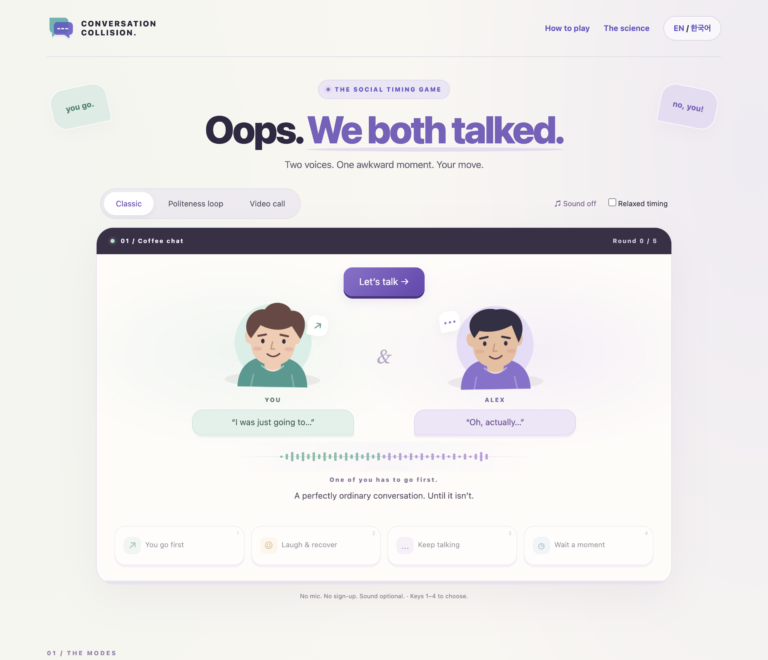
For fictional turn-taking without street movement, Conversation Collision centres on overlapping speech and four response choices. Its published guide separates game outcomes from personality assessment. Choose it when you want to explore a speaking interruption rather than a route-based goodbye.
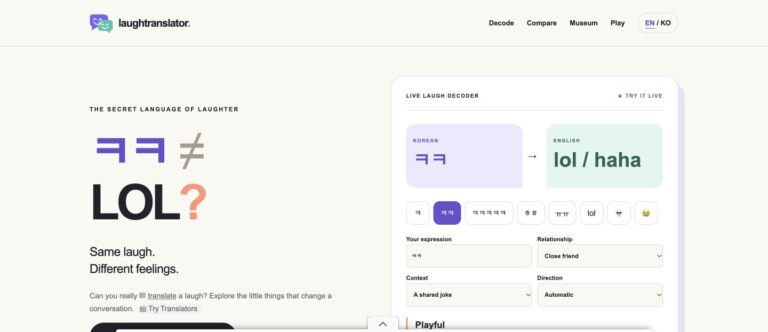
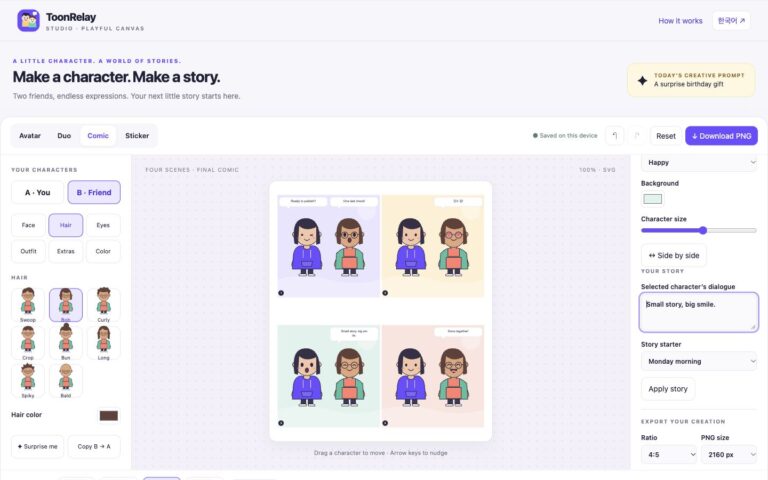
For Korean/English text cues, Laugh Translator compares laugh expressions and context. It serves a language-and-reply question rather than an escape objective. If you want to invent your own farewell comic, ToonRelay Studio provides editable two-character dialogue and four-panel scenes. It does not import this game’s route or ending.
Frequently asked questions
Is Awkward Goodbye free and playable without an account?
The source presents it as free, and we played without signing in. It is still a webpage with advertising. We did not establish fully offline operation or absence of third-party processing.
Why does movement stop during a conversation?
A crisis waits for one of its reply choices. We saw the office clock pause at a choice, then normal actions return after our response. Manual Pause is a different control and shows a resume option.
Does Panic run always produce Panic Escape?
No such result was observed. We used it once and obtained Smooth Exit. The FAQ lists two panic runs for the Panic Escape condition; that separate ending was not completed in this review.
Does the 50% result match the last meter reading?
Our result was 50% peak, while the last street meter showed 47%. Peak and current are different values. The result also said 32 seconds while the frozen street displayed 31 seconds.
Can I reopen the exact run after reloading?
We verified the collected ending and stage stamp, while the scene returned to its initial state. We did not verify restoring the full run or using a shared public link as a replay backup.
Try one scene and change one decision
Start with the office scene, learn when a reply is required and wait for the result card before calling a run complete. Awkward Goodbye is most rewarding when you compare one fictional decision at a time and let a comic ending be part of the play.
Verified 11 November 2026. Evidence: official English/Korean rules and FAQ, a completed office run, POV control, collection reload and narrow Korean daily/pause controls. Screenshots are real. This review did not clear every stage, test all endings, inspect a received result-image file or send an external share.
A RELEVANT NEXT STEP
Tools with a useful connection
Conversation Collision
Conversation Collision: A Conversation Timing Game in 5 Steps
Explore overlapping speech through a five-round conversation timing game. Compare four responses, three modes and our matched English/Korean tests without treating scores as a personality assessment.
Laugh Translator
Laugh Translator: 7 Essential Checks for Better Replies
Compare Korean and English laugh cues with Laugh Translator. Explore 72 specimens, context notes and fictional reply practice, with hands-on tests and clear limits on translation and emotion interpretation.
ToonRelay Studio
4 Panel Comic Maker: 7 Essential Steps for Better Stories
Create two-character scenes, four-panel comics and nine-mood sheets in ToonRelay Studio. Our actual tests explain selection, dialogue, saved projects and export limits.