Bubble Wrap Orchestra is a bubble music maker with 48 tappable notes, six instrument lanes and an eight-beat pattern. Use it for a small musical sketch, editable daily variation or short rhythm challenge. This guide checks what a pop changes, what a copied link restores and which downloads we could not verify.
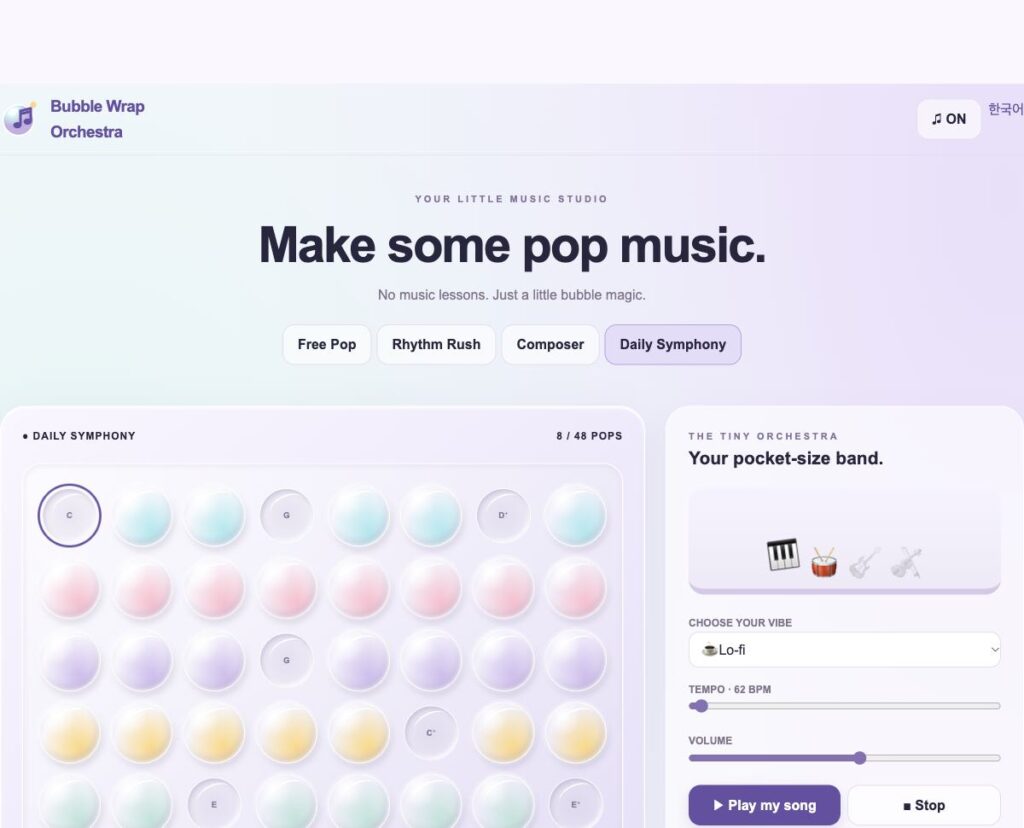
Create eight-beat bubble patterns in Bubble Wrap Orchestra. Tested Composer toggles, Lo-fi62 BPM link restoration,100-point Rhythm Rush and daily edits, with clear audio and export limits.
- Brand
- Bubble Wrap Orchestra
- Tool languages
- en, ko
- Verified date
- 2026-11-10
In this guide
Bubble music maker: key takeaways
- The official name is Bubble Wrap Orchestra. The English root and dedicated Korean page were available. It is distinct from Soap Bubble Lab and other similarly named bubble games.
- Free Pop adds a note once; Composer can toggle it off. Our second Free Pop press left one note selected, while Composer removed it.
- We built notes 1, 10 and 19, selected Lo-fi and 62 BPM, copied a sharing link and reopened the same three notes and settings. Reopening chose Free Pop, so mode is not the same thing as musical pattern.
- Rhythm Rush completed at 100 points with Best 100 after three quick test inputs. This was a functional check, not a timing benchmark or musical-skill assessment.
- Daily Symphony loaded seven notes for the 2026-11-10 UTC seed; adding bubble 1 produced eight. Surprise me later generated a 15-note starting pattern. These counts describe this session, not fixed rules.
- WAV displayed a ready message, but a received WAV file was not verified. Album-cover saving was also attempted without a confirmed file. Actual screenshots here are not exported artwork.
Verified 10 November 2026 in Chrome. We checked controls, selected-note states, reload and shared-link restoration. We did not independently listen to speaker output, measure latency or inspect audio/image export files.
What Bubble Wrap Orchestra helps you make
A blank music editor can ask too many questions at once: which instrument, which notes, what length and where to begin. Bubble Wrap Orchestra replaces that setup with a coloured sheet. Eight bubbles form each lane, and six lanes provide 48 possible positions in an eight-beat pattern. Press a pearl and its note label remains visible when selected. The compact layout gives a beginner a concrete pattern to edit without importing audio or drawing a conventional score.
Its useful output is a small repeatable idea. You can sketch a sparse phrase, compare a slower version, give someone an editable pattern link or use the daily seed as a shared starting point. These are different from recording a microphone performance or producing a finished multi-track release. No microphone permission, sign-in or uploaded sample was requested in the flow we used.
The source describes a pentatonic note set, browser-generated tones and percussion, and no sampled commercial recordings. The visible note labels cycle through C, D, E, G, A and higher-note marks across the sheet. We verified labels and settings; we did not analyse waveforms or certify musical tuning, sample provenance or rights for a particular downstream project. Treat the source explanation as its design description rather than a listening test performed by us.
Core controls and visible outputs
- Sheet:48 labelled bubble buttons, a selected-note counter and refill control.
- Modes:Free Pop, Rhythm Rush, Composer and Daily Symphony.
- Sound setup:Dreamy, Happy and Lo-fi moods; tempo slider 60–160 BPM and volume 0–100 were exposed in the interface.
- Transport:Play my song and Stop. The source describes a playback light moving through the eight-beat score.
- Output card:an automatically shown song name, mood, tempo and eight-beat summary, with Share, WAV and Album cover controls.
- Starting points:Refill clears the sheet; Surprise me creates another pattern. Preserve a useful version before trying either.
Prepare a small pattern and a working copy
Open the intended language first. The English page links to a Korean interface where Composer is 작곡 스튜디오, Refill is 다시 채우기 and Share is 음악 공유. Some decorative text and note letters remain English. If following an English screenshot on the Korean page, use the controls’ purpose as well as their translated name.
Begin quietly and deliberately. The FAQ says audio begins after an interaction and suggests enabling sound, checking volume and the device silent setting. Our page showed sound ON, but that is a control state, not proof that a speaker was audible. Start low and judge your own output. We invoked Play and Stop and inspected the interface without reporting subjective sound quality or measured loudness.
Keep a restorable copy before clearing or remixing. The local latest pattern, a copied fragment link, an audio file and a cover image serve different purposes. A picture cannot be assumed to restore editable notes; a link is not a downloaded recording. For an experiment, note the selected bubble numbers, mood and BPM so that you can identify the intended version even if another mode replaces the sheet.
Seven essential checks from first pop to shared pattern
1. Choose Free Pop for adding or Composer for editing
We pressed Refill and saw 0/48. In Free Pop, pressing bubble 1 twice left only bubble 1 selected. Switching to Composer and pressing it again removed that note and returned to 0/48. The important distinction is reversible selection: do not keep clicking the same Free Pop bubble expecting it to erase. Choose Composer when you want to revise a musical sketch one position at a time.
The source says a set of eight bubbles is an instrument lane. Read the sheet as six groups of eight rather than 48 unrelated notes. This is a pattern arrangement: a chosen position belongs to a repeatable beat location. It is not a verified recording of the time interval between your mouse clicks. The tool does not become a conventional piano merely because some labels use familiar note letters.
2. Make a sparse pattern you can identify
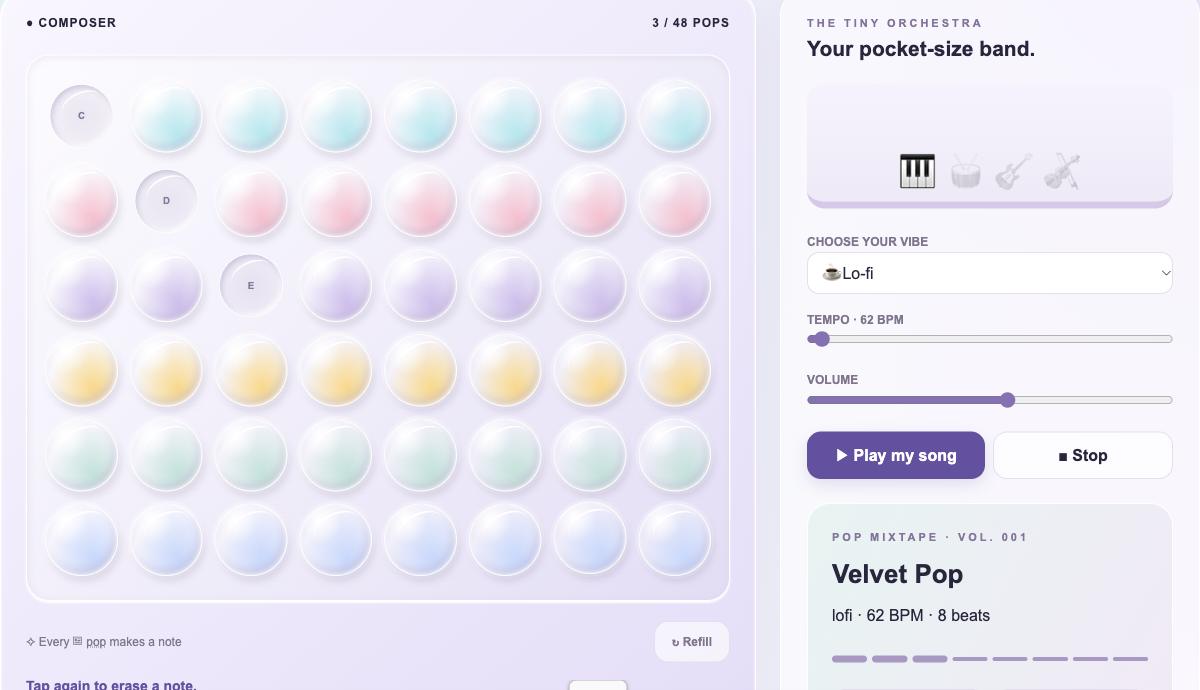
After clearing the toggle test, we selected bubble 1·C, bubble 10·D and bubble 19·E. The sheet showed 3/48. These positions lie in three different eight-bubble groups, so they make a useful input-restoration check. This was a test pattern, not a claim that three notes are an ideal arrangement. A sparse example is easier to inspect than a dense random sheet when you want to know whether a link restored the same positions.
Use Tab to reach a bubble and Enter or Space as described in the FAQ. We directly exercised Enter in English and Space on a fresh narrow Korean page. The Korean Space check selected bubble 1. We did not certify every focus path, screen reader or mobile gesture. If your key appears to do nothing, confirm that a bubble button has focus rather than a slider, a mode tab or a page link.
3. Set mood, tempo and volume as separate controls
We changed the mood to Lo-fi and used the tempo slider at its 60 BPM minimum, then moved it to 62. The card displayed Velvet Pop, lofi, 62 BPM and 8 beats. The initial page had shown Dreamy, 100 BPM and volume 55. Those are observed states, not a prescription for how your composition should sound. The volume slider’s numerical range is not a calibrated decibel meter.
For your own comparison, keep the notes fixed and change only mood or tempo. Changing several things together makes it harder to know why the experience changed. The source describes different synthesized timbres across lanes, but we did not perform a matched listening evaluation of all moods or a measurement of generated note frequencies. A visual setting test and an acoustic test answer different questions.
4. Play, stop and inspect before replacing the sheet
Play my song and Stop were activated during inspection. The source describes an eight-beat playback indicator. We confirmed the controls were available and invoked them; we did not independently assess audible output or exported playback. If you need to compare phrases, stop, preserve the current pattern and then edit one position. Do not use a successful button activation as evidence that every device will produce sound.
Refill clears the sheet in our test. Surprise me later produced 15 selected notes while Lo-fi and 62 BPM remained. That single random result is not a promised count on every press. The practical point is that a new starting pattern can replace the one you were trying to keep. Copy a useful link first, then verify that the saved version opens before continuing.
5. Copy and reopen a musical pattern link
Share displayed a copied-link notice and actually placed a URL in the clipboard. The address began with the original site and a #song fragment. Opening it in another tab restored bubbles 1, 10 and 19, Lo-fi and 62 BPM. The new page was in Free Pop. The verified restoration therefore covers the musical pattern and these two settings, not the whole original editing session, current mode or a recorded pointer performance.
No message was sent to another person. We tested copying and opening the link ourselves. The FAQ says anyone with the link can play and edit it. Think of the URL as a portable version of a pattern, not a private cloud project or an account permission system. Preserve a fresh link after making edits if you want the edited version to travel; the old address should not be assumed to track future changes automatically.
6. Start the rhythm clock before interpreting points
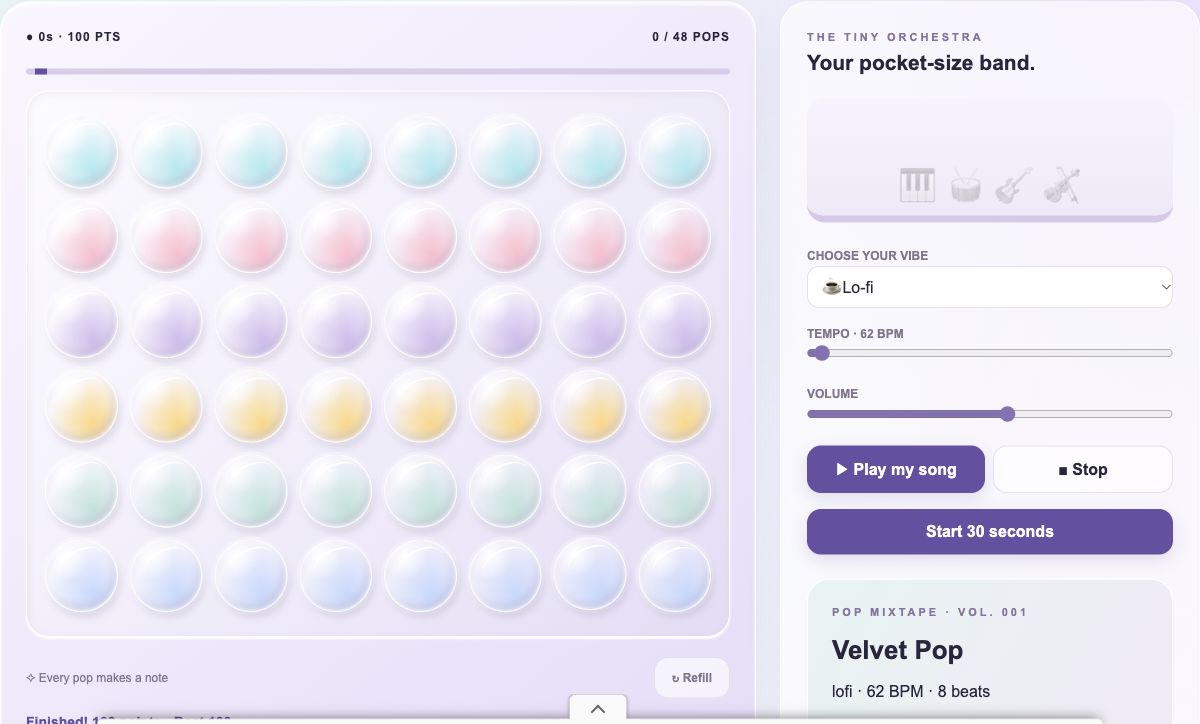
Rhythm Rush exposed a Start 30 seconds button. We started it at 62 BPM and sent three quick inputs on bubbles 2, 3 and 4. The interface showed PERFECT, 1 combo and 100 points. The timer later reached 0 s and the status read Finished!100 points · Best 100. This was a completed functional test of the mode and its result, not a repeatable strategy for obtaining a high score.
The source rules award 100 for Perfect and 50 for Good, reset the combo on off-beat input and allow each beat to score once. Our rapid inputs did not produce 300 points. We did not isolate every timing category or measure the judgement window, so we do not infer an exact millisecond tolerance from that outcome. A rendered timing indicator, device responsiveness and a musical ability assessment are separate matters. The tempo control was disabled during the running test.
7. Verify a file after its ready message
WAV activation produced “Your WAV is ready.” A received download file was not confirmed, and its header, duration, sample rate and sound were not inspected. Album cover was also activated without a confirmed image file. We therefore report attempted exports and the observed message, not successful delivered files. The cover attempt did not give us a separately verified new output to inspect.
The source says a WAV contains two passes of the pattern with a short decay tail. That is documentation, not an export we listened to or measured. If your next task needs an audio file, open the actual download and check that it plays. If it needs editable notes, reopen the copied pattern link. If it needs a cover, inspect the image dimensions and contents yourself. These checks prevent a ready message from being mistaken for a complete archive.
Actual test results and their limits
- Clear and select:Refill showed 0/48; a duplicate Free Pop press kept one note; a Composer press toggled that note off.
- Three-note baseline:1, 10 and 19 selected; Lo-fi 62 BPM; the card showed Velvet Pop.
- Link and reload:clipboard URL copied; another tab restored the same three positions and settings; reloading the original root also retained them in that check.
- Rhythm result:three quick inputs yielded a Perfect 1 combo state and 100 points; the 30-second run ended with 100 points and Best 100.
- Daily and remix:the 2026-11-10 seed loaded seven positions—4, 7, 20, 30, 35, 40, 44. Adding 1 made eight. A later Surprise me action created 15 selected notes.
- Korean mobile:the fresh 390×844 page had document width 390 and sheet width 336. Composer and Space input selected bubble 1. This was browser emulation and keyboard input, not a physical-phone touch test.
- Files and sound:WAV ready notice observed; WAV and cover receipts unverified. Play/Stop invoked, with no independent listening or acoustic assessment.
The initial visit already had four selected bubbles, so we used Refill before the controlled selection checks. We do not describe the initial four as a universal default. Likewise, daily and randomized counts belong to the stated date and action. The evidence supports an editable browser pattern workflow while leaving file delivery, sound quality and implementation details outside the verified result.
A pattern link, WAV and cover preserve different things
A copied link is the most directly verified way from this test to reopen an editable configuration. It restored selected positions, mood and tempo. Local storage retained the latest pattern during a root-page reload, according to our observed check, but we did not establish multiple named projects, a history list or a cross-device account. Keep versions deliberately rather than relying on a single browser slot.
A WAV is intended for playback as a rendered file. It does not automatically supply an editable grid or a multitrack project. The album cover is a visual output, not a backup of the notes. We did not verify the files themselves, so no precise export dimensions, codec settings or suitability for professional delivery is claimed. The pattern-link restoration is useful evidence even though the separate file path was not verified.
The link is also data. It visibly contains the song fragment, and the source says the pattern is carried there. Clearing your local browser data is not the same as retracting a URL another person already has. We did not perform a link-revocation experiment or network audit. Share only a pattern you intend recipients to open, and treat the copied address as the version you actually checked.
Choose a mode for the question you want to explore
Free Pop is a low-pressure adding mode. Composer is for revising positions. Rhythm Rush asks about timed input and has its own score. Daily Symphony supplies a shared UTC-date starting pattern that you can extend. Switching among them does not create four separate projects that we verified. Before a change, preserve the current arrangement if it matters.
On our date, Daily loaded seven positions, and adding bubble 1 increased the count to eight. That verifies a baseline plus an edit, not an identical sound experience across devices. We did not compare two devices at midnight or test a date rollover. A friend can agree on the UTC date and compare additions, but the same date alone does not mean the same mood, BPM or playback hardware.
A three-note exercise you can reproduce
For a practical exercise, rebuild our three-note baseline in Composer after clearing:1·C, 10·D and 19·E. Set Lo-fi 62 BPM. Copy the link, open it in a second tab and compare the selected positions and the displayed settings. These initial restoration steps were actually tested. Listening to two versions and choosing a musical preference is an additional exercise for you, not a listening result reported here.
Then make one deliberate change, such as removing 10 in Composer, and create a second link. Label your own notes “three positions” and “two positions.” Reopen each address before discarding the old version. This proposed two-version extension illustrates a useful habit: count selected positions, compare settings and preserve the link for the version you mean. We did not claim to have completed that additional two-link comparison.
Common errors are expecting Free Pop to erase, calling an album image a project backup, assuming the current mode travels in the link, reading a ready message as a received file and treating a rhythm score as a musical grade. Each has a simple check:use Composer, choose the appropriate output, reopen the address, inspect the file and record the actual test conditions.
Mobile, sound and privacy limitations
- Language and mobile:English and Korean controls were observed. The narrow layout fit; physical-phone gestures, all focus paths and full accessibility compliance were not certified.
- Audio:the FAQ describes browser synthesis after interaction, but we did not listen independently, measure latency or validate every device’s audio output. Sound ON is a setting, not a measured result.
- Privacy:the FAQ says the latest pattern and preferences are stored locally and no account or microphone is needed. We observed reload restoration; storage implementation, security and network traffic were not audited.
- Advertising:Blogger/Google services may process cookies and usage data. Ads and an interstitial actually appeared. We used a genuine close/collapse control and did not click advertising content.
- Portability:we verified the pattern/mood/tempo in one reopened link, not every preference or mode. WAV and cover delivery remain unverified.
- Scope:this is a compact musical toy and pattern editor, not an inspected professional DAW, performance-grade latency tool or commercial-rights clearance service.
The original FAQ links to the Google Privacy Policy. Read it for that service’s general terms of data use. A local pattern alone does not establish that the entire page works offline or never contacts third parties.
Related tools for the next sound task
For a phrase played in time rather than a fixed eight-beat sheet, Tea Ripple Piano offers a virtual cup, recording and replay-link workflow. Its published guide distinguishes a current take from live layers and unverified export files. Choose it when the timing of a short performance matters more than selecting grid positions.
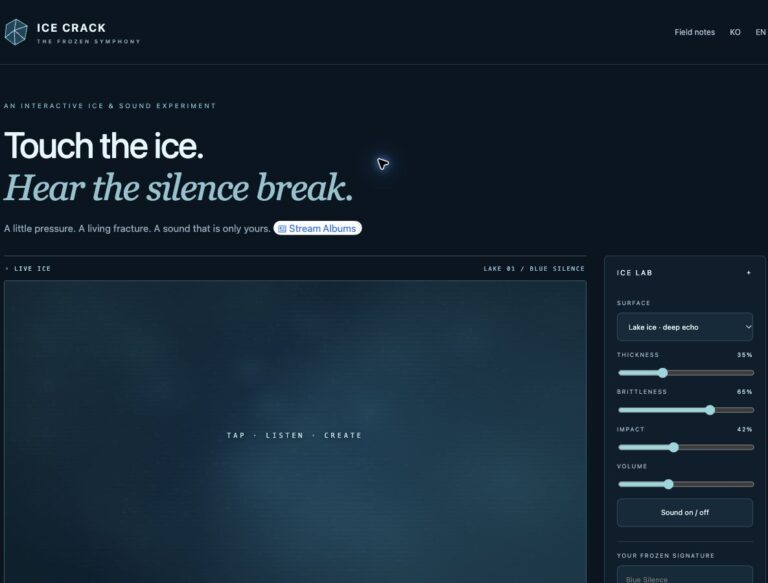
For sound-linked visual marks, Ice Crack Studio builds branching virtual fractures and offers a timed Composer. Its guide explains which marks a replay link restores and which current settings it does not. It is a useful alternative when your next idea is a drawing-like gesture rather than a bubble score.
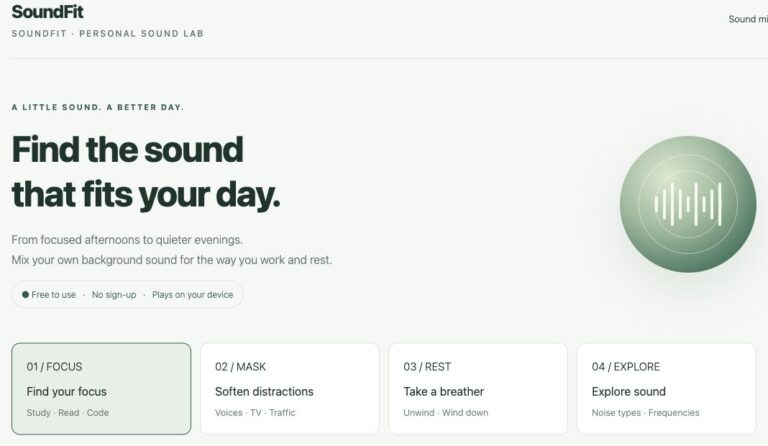
If you actually want background noise for a work session, SoundFit is a different path:noise layers, a timer and saved settings. It is not another way to export this composition, and its guide does not claim measured concentration benefits. Use the link when your task has changed from making a musical sketch to choosing a background sound routine.
Frequently asked questions
Can the bubble music maker erase a note?
Composer did:our selected bubble 1 returned to unselected. Free Pop did not erase it on a second press. Refill cleared the sheet. Preserve a useful version before clearing it.
What exactly did the shared link restore?
In our test, bubbles 1, 10 and 19, Lo-fi and 62 BPM were restored. The reopened page used Free Pop rather than the original Composer mode. We did not verify that the address restores every preference or current activity.
Is this an audio recording from a microphone?
No microphone request was needed in the tested flow. The source describes synthesized sounds and an editable pattern. We did not inspect the audio implementation or independently assess output quality.
Did WAV and album-cover downloads succeed?
A WAV ready message appeared, but received files were not verified for either output. The article uses real screenshots. Inspect the actual file before depending on its contents or delivery.
Is 100 points a good rhythm score?
It is the result of our short functional input test, not a benchmark. The run ended at 100 points with Best 100. We did not measure timing windows or compare players, devices or latency.
Make one small pattern and keep a restorable copy
Start with a few positions, choose Composer when you need to erase, and reopen a copied link before moving on. This bubble music maker is most useful when you keep the editable pattern, audio rendering and picture as separate outputs. A small verified sketch is easier to build on than an assumed save.
Checked 10 November 2026 in Chrome. Evidence:English/Korean controls and FAQ, direct selection and setting tests, copied-link restoration, root reload, completed Rhythm Rush, daily/remix and narrow Korean checks. Actual screenshots are used. Sound quality, implementation and received export files were not independently verified.
A RELEVANT NEXT STEP
Tools with a useful connection
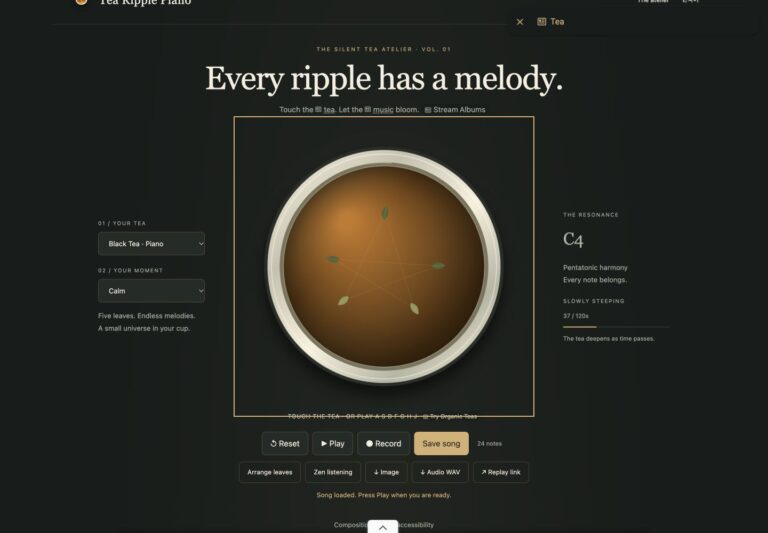
Tea Ripple Piano
Tea Ripple Piano: 7 Smart Recording and Replay Checks
Create short melodies by playing a virtual tea cup. This guide tests recording, local restoration, replay links and live layers, and explains which output preserves your next idea.
Ice Crack Studio
Ice Crack Studio: 7 Creative Steps for Beautiful Patterns
Ice Crack Studio turns touches into branching virtual ice and synthesized sound. See our Composer, Daily Fracture and replay tests, plus the settings a shared pattern does not restore.
SoundFit / 소리핏
SoundFit: 7 Essential Noise Mixer Tips for Better Sessions
SoundFit mixes brown, pink and white noise with focus timers and a tone lab. Read our playback, saved-setting and mobile tests before building a background sound routine.