Ice Crack Studio is a free browser artwork that turns touches into branching virtual ice fractures and synthesized sound. You choose a surface, adjust three artistic controls and create a pattern one gesture at a time. Its three modes offer an open canvas, a 15-second composition window and a small daily target challenge. The useful output decision is whether you want a still image or a link that reconstructs the touches.
We tested the English and Korean interfaces on November 7, 2026, Asia/Seoul. Click and Space input, Undo, replay-link restoration, a completed Composer window and a successful Daily Fracture run were directly checked. Browser diagnostics also showed the audio engine running after interaction. We did not conduct listening, acoustic-frequency or health-effect evaluations. PNG saving reached a ready message, but the downloaded file itself was not independently inspected.
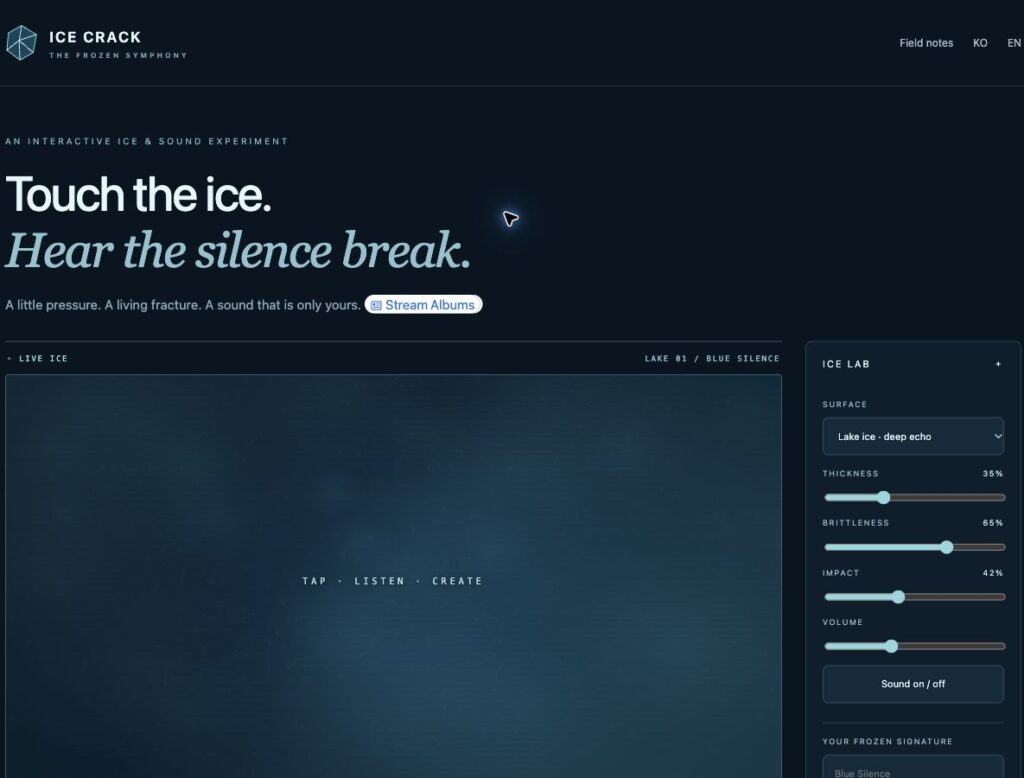
Ice Crack Studio turns touches into branching virtual ice and synthesized sound. See our Composer, Daily Fracture and replay tests, plus the settings a shared pattern does not restore.
- Brand
- Ice Crack Studio
- Tool languages
- en, ko
- Verified date
- 2026-11-07
Key takeaways
- These are artistic ice and sound models. The thickness and brittleness controls are not physical measurements or a way to assess outdoor ice safety.
- Our Daily Fracture attempt connected all five targets in five of the available eight touches. The interface identifies its daily seed as UTC-based.
- A copied replay URL restored the marks, while the current toolbar returned to Lake 35/65/42, volume 25, an empty title and Zen mode. Treat a pattern link as a limited snapshot.
- Refreeze returned our backed-up four-touch board to zero. The earlier copied link still restored those four touches afterward, so a local reset does not revoke a shared link.
- At 390 px, the Korean canvas accepted pointer/Space input and Undo without document overflow. ICE LAB started collapsed and needed opening for its settings.
On this page
What you can make with virtual ice
A blank drawing app asks you to decide every line. Ice Crack gives you a different constraint: choose where a gesture begins and let the studio grow the branching form. That makes it useful for a small generative-art experiment, a brief touch-based performance or an exercise in leaving empty space between marks. The result comes from an artistic model rather than a photograph of broken ice.
The source describes filtered noise, low resonances and pentatonic crystal tones. Its Lake, Thin ice and Glacier labels describe three sound characters; we selected all three, but did not rank their sound by listening. It explicitly calls them synthesized models rather than field recordings. Our verified claim is that the controls, visible fractures and browser audio execution responded, not that a particular preset sounded better.
Choose this workspace when exploration itself is the task. It does not establish that you became more relaxed or more productive, and the source says it is not a medical relaxation treatment. Likewise, its virtual fracture behavior should never be used to judge whether a real frozen surface is safe. Those boundaries leave a clear creative purpose: make, compare and revisit a pattern.
Prepare a small experiment and a backup
- Lower device output and inspect the studio volume before a first touch. Our low test setting was 5; that number is an application control, not a calibrated sound-pressure level.
- Start with a small number of marks. A few separate gestures are easier to compare than a full board when learning what a control does.
- Read the current settings after loading or following a link. Our fresh controls were Lake 35/65/42 and volume 25, even when the recovered marks came from a different setup.
- Use a recognizable artwork title if you intend to try Save art. Our title was Editorial Frost 01, a clearly labeled test name. It did not travel in our replay import.
- Copy a fresh replay link before changing modes or using Refreeze. The old visible link did not automatically become the latest edited pattern.
Keep your experiment to one variable at first. Compare two gestures with a changed impact value while keeping the other controls stable, then make a new checkpoint link. That is a proposed way to inspect the tool, not a measured study of fracture length or audio response. The source’s descriptions help you choose a direction; the actual canvas remains something to review.
Seven steps through an Ice Crack session
1. Choose a mode and open ICE LAB. Zen Crack provides the open-ended starting view. The lab exposes Surface, Thickness, Brittleness, Impact, Volume, the title field, image format and the replay-link control. On the 390 px Korean layout it was collapsed initially; opening the summary revealed the inputs. Mode changes cleared our visible marks, so make a checkpoint before switching.
2. Make one pointer gesture, then try Space. Clicking the canvas and pressing Space while it was focused took our counter from 00 to 02 and produced visible branches. Undo reduced it to 01. Keyboard input therefore worked for adding a mark in our browser. We did not establish precise keyboard-only aiming for every Daily target, so do not assume Space is a substitute for choosing an exact pointer location.
3. Adjust a control and inspect the next result. The three art sliders exposed 10–90 ranges, with defaults 35,65 and 42. We selected Thin ice and set thickness 90, brittleness 10 and impact 90 before another touch. Volume exposed 0–70; we used 5 for the audio-execution check. None of these values measures real ice thickness, strength or output loudness.
4. Give the session a boundary. Composer adds a 15-second recording window; Daily Fracture adds five target lights and an eight-touch allowance. We completed both observed flows, described below. Choosing one of these modes is useful when you want a defined activity rather than endlessly adding marks. It is still an artistic activity, not a therapeutic exercise with a verified outcome.
5. Use Undo or start a clean board deliberately. Undo removed the last touch in our desktop and mobile trials. After saving a visible four-event replay URL outside the app, we used Refreeze: the counter became 00, and a fresh English page also showed 00. Preserve a link first if you want to return to the earlier pattern. A mode change or reset should be a deliberate boundary between experiments.
6. Choose the output route. Save art offers square PNG 1:1 and portrait PNG 9:16. We entered a title, requested the square save and saw the PNG-ready status; portrait selection was also directly checked. We did not inspect the saved file, its dimensions or title rendering. For a reproducible pattern, use Copy replay link and check the resulting visible link or clipboard text.
7. Reopen before relying on the result. An older two-event URL reopened as two touches after a three-touch local state. Our three-touch Composer link reopened with three marks, but in Zen with default toolbar values. Inspect the board, volume, title and mode before continuing. For a still image, inspect the downloaded image separately; a ready message and a verified file are different evidence.
What our direct tests showed
| Action | Observed result | Practical meaning |
|---|---|---|
| Click and focused Space | 00→02, visible branches | Both entry methods worked in this browser |
| Undo | 02→01 | One-step removal worked |
| Thin ice setup | 90/10/90 with volume 5 | An artistic test setup, not a recommended physical recipe |
| Completed Composer window | Three touches; completion prompt | Timed event capture, not a verified audio/video file |
| Daily target attempt | 5/5;5/8 touches | One successful run on the observed UTC daily seed |
| Plain reload | Three marks returned; toolbar defaults | Saved art did not restore the whole working view |
| Older copied URL | Two events reopened over a three-event local state | The encoded snapshot could recover an earlier pattern |
| Backup then Refreeze | Four→zero; earlier URL still reopened four | Reset and previously shared links have separate lifetimes |
| 390 px Korean trial | 03→05→04; document 390 px | Pointer/Space/Undo worked in emulation |
| PNG save request | Ready message | Downloaded file content and resolution unverified |
Zen, Composer and Daily Fracture
Zen Crack: leave room between gestures
Zen displayed a no-time-limit message. A useful first composition is deliberately sparse: place a few marks away from one another, inspect the remaining empty space and use Undo if the last gesture crowded the scene. This is a composition suggestion, not a claim that sparse patterns improve concentration or relaxation. You can keep the visual activity available without treating the audio as a requirement.
Crack Composer: a capture window, not an audio-file promise
We selected Glacier, used 90/10/90 with volume 5 and pressed Record 15 seconds. Three inputs near the start produced three marks. After the window elapsed, the interface displayed its completion prompt and suggested Replay. A newly copied link contained three event records. We did not verify a WAV, MP3, video export or a rendered 15-second media file.
If you want a rhythm rather than a cluster of quick gestures, plan pauses as part of the performance. The source says Replay recreates touch order and rhythm, but we did not measure replay timing accuracy. Our own sample is intentionally simple. You can open the actual three-touch editorial replay; check your volume before interacting, because importing our pattern did not carry our low volume setting.
Daily Fracture: five targets within eight touches
The Daily view cleared the board and showed five numbered lights. We clicked their visible locations and reached 5/5 with 5/8 touches used. The successful run used Glacier 90/10/90, but the result does not establish that those settings are necessary or optimal. It is evidence that the displayed target/count/success flow worked for that run.
The interface specifies a UTC daily seed. Keep that separate from the Korean-local verification date of this article. We did not test a day rollover, the next day’s targets or every success/failure boundary. A shared pattern also did not restore the active Daily challenge interface in our imports; it is a way to revisit marks, not a verified challenge-state backup.
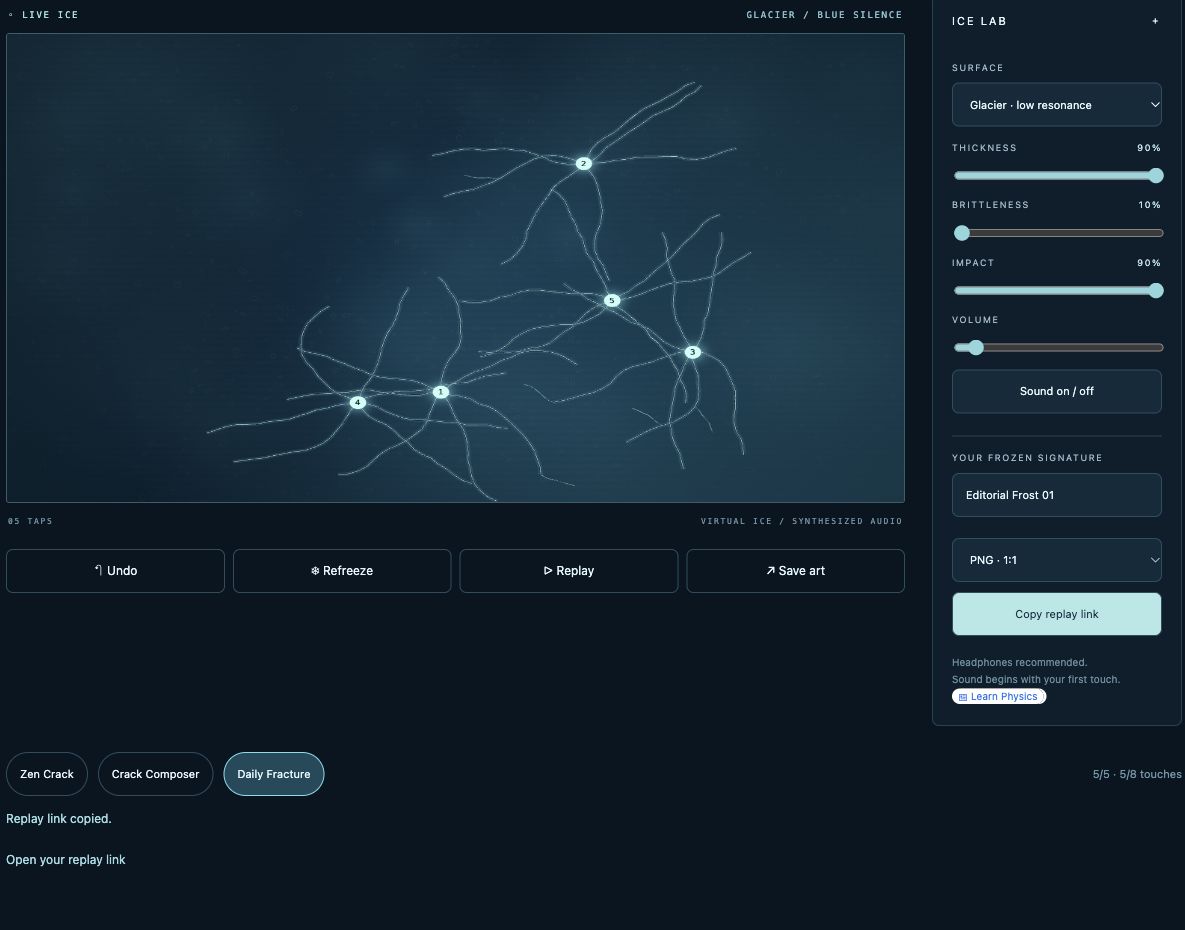
Replay links and the settings that did not return
Copy replay link produced a visible Open your replay link anchor. After the asynchronous copy completed, the clipboard string matched that anchor. Its#ice fragment contained an encoded versioned pattern; our mixed two-touch example held two event records with the parameter sets we had used. We inspected that returned data, not hidden application state or a promised public file-format specification.
A plain reload recovered three marks from our browser. Following an earlier two-touch URL then recovered the older two-mark snapshot. This distinction makes checkpoint links useful for comparing experiments: give each link a note outside the app, such as “before changing impact,” and create another after editing. The previously visible link remained the older snapshot until we copied again.
| Working state before leaving | Observed reopened state |
|---|---|
| Thin/Glacier tests with changed controls | Current toolbar returned to Lake 35/65/42 |
| Volume 5 | Volume 25 |
| Editorial Frost 01 in the name field | Name field empty; placeholder visible |
| Composer completed with three touches | Three marks in Zen view |
| Four touches before Refreeze | Zero after reset; copied four-touch URL still restored four |
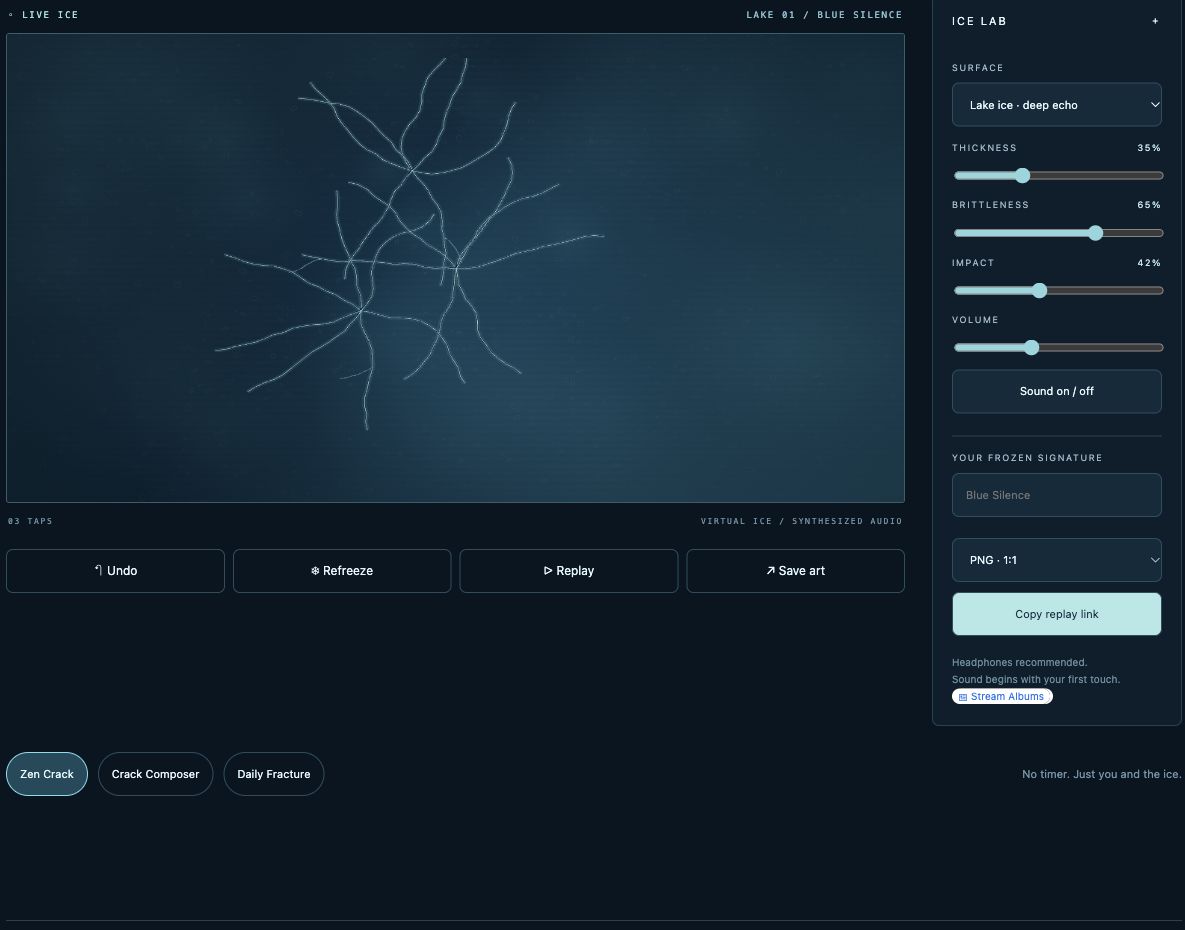
Use the current toolbar as something to recheck before the next gesture. A recovered board is not proof that every setting you remember is still selected. Our imports showed different working controls from the original performance. If you plan to request an image with a title, re-enter the name and inspect the chosen format rather than assuming the replay link has restored them.
Refreeze also did not invalidate the copied URL. We backed up a four-touch pattern, reset to zero and later reopened those four marks from the link. The source says anyone you send a replay link to can receive its encoded pattern. Clearing local art therefore should not be treated as taking back a link you already posted or sent.
Choose between a still image and an editable pattern
| Route | What was established | Next check |
|---|---|---|
| Square or portrait PNG | Options present; square ready message; portrait selected | Open the actual file and inspect size, framing, title and quality |
| Replay URL | Copied text and visible link matched; saved marks reopened | Check restored controls and mode; keep a fresh link after edits |
| Screenshot in this guide | Actual interface evidence | Do not confuse it with a verified artwork-export file |
A still image is the natural route when the visual frame is the deliverable. A replay link is the better fit when the recipient should revisit how the marks are reconstructed or continue exploring from them. Those are workflow choices, not a claim that the image download was inspected in this session. The screenshots here were captured from the real interface, not generated to imitate an export.
The source describes links containing up to 60 touches and local storage for the last 60. Our tests used small patterns; we did not cross the boundary or establish what every over-limit sequence does. Keep important checkpoints early and inspect the artifact you actually intend to share. A count on the current board does not by itself prove that an older URL contains the latest work.
Mobile use, privacy and common problems
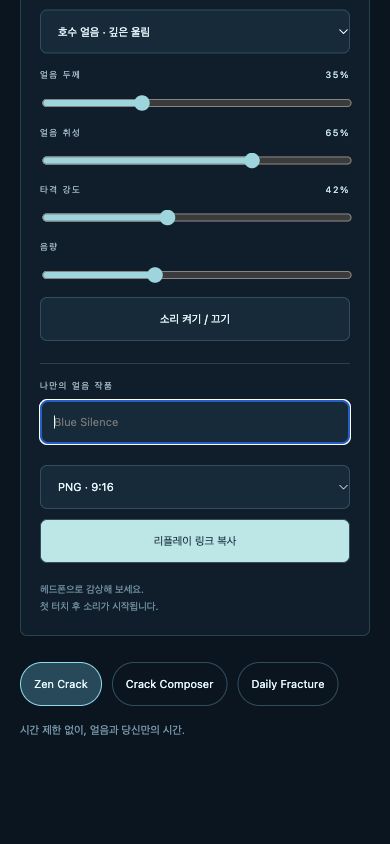
A fresh 390 px Korean load kept document width at 390 px. With the lab open, volume 0 still allowed the visual counter to update: pointer and Space took 03 to 05, and Undo left 04. We also selected portrait format. A physical phone, touch-pressure sensing, assistive technology, background playback and all browsers were outside the test. Do not interpret an artistic Impact control as measured finger pressure.
The source says artwork is processed on the device and that recent touches/settings may be stored in the browser. It also says no account, installation or microphone is needed. Our observations support local continuity and browser audio execution, but they are not a complete network or privacy audit. The same source acknowledges Blogger and enabled Google advertising cookies and usage data. Ads and an interstitial were visible.
| Problem | Useful next action |
|---|---|
| No sound after loading | Make a deliberate first interaction; check device output, studio volume and sound switch |
| Replay looks like an older version | Copy a new link after editing and compare the reopened count |
| Recovered controls differ | Read the current surface, sliders, volume, title and mode |
| Lab settings seem missing on mobile | Open the ICE LAB summary |
| Reset removed work | Use your previously saved replay checkpoint; reset does not revoke copied links |
| Save says ready | Inspect the actual downloaded image before using it |
Alternatives and a related sound workflow
A conventional drawing editor gives you more deliberate line-by-line control. Ice Crack instead makes each gesture a starting point for a branching pattern and a sound event. Choose it for that constraint and inspect the resulting marks rather than expecting precise drafting, measured fracture simulation or an image editor with layers. We did not benchmark it against other art applications.
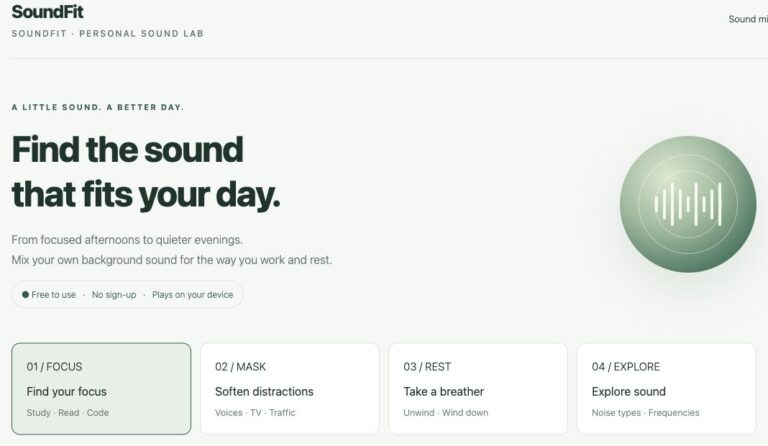
For continuous background noise and a work timer, our published SoundFit noise mixer guide follows a genuinely different use path. Read it when you want a sustained background layer rather than touch-triggered events. The two tools are separate, with no verified automatic integration. Comparing one audio source at a time makes it easier to understand which control caused a change.
Frequently asked questions
Is Ice Crack Studio free and bilingual? The source describes a free browser artwork without an account. We used English at the root and dedicated English page, and Korean at /p/korean.html. The tested controls required no sign-in; future availability is not guaranteed by this dated review.
Can I use it without listening? Volume and a sound switch are provided. We verified visual input/count updates at volume 0. Our audio check concerned browser-engine execution, not a perceptual evaluation of sound, silence or hearing comfort.
Does a replay link restore the whole project? Our marks returned, but the current toolbar, volume, name and mode reset. Recheck them before continuing. We verified small snapshots and did not test the 60-touch boundary.
Does Refreeze delete a previously shared link? Our backed-up link still reopened its four marks after the board and fresh page showed zero. Manage a copied URL as a separately retained artifact.
Was PNG export verified? The options and ready message were checked, including selecting 9:16. The downloaded file content, resolution, framing and title rendering were not independently inspected. We have not described our screenshots as exported artwork files.
Is the model realistic ice physics or a relaxation treatment? The source explicitly rejects those uses. The sliders are creative parameters, the audio is synthesized, and we did not test physical ice behavior, safety or medical effects.
Verification record and final action
Verified November 7, 2026 in Asia/Seoul, with the corresponding November 6 UTC administration log. Evidence includes visible fractures and counts, the running browser audio context, parameter changes, copied/decoded replay examples, reload/import comparisons, completed Composer and Daily flows, Refreeze after backup and 390 px input tests. Unverified areas include PNG file contents, acoustic fidelity, replay timing precision, full 60-touch behavior, day rollover, physical phones and comprehensive privacy/security behavior.
Start with a few gestures, keep a replay checkpoint before a reset or mode change, and reopen the chosen output before relying on it. That gives you a small creative experiment with a result you can inspect and a clear route back to an earlier pattern.
A RELEVANT NEXT STEP
Tools with a useful connection
SoundFit / 소리핏
SoundFit: 7 Essential Noise Mixer Tips for Better Sessions
SoundFit mixes brown, pink and white noise with focus timers and a tone lab. Read our playback, saved-setting and mobile tests before building a background sound routine.
Ink Bloom Lab
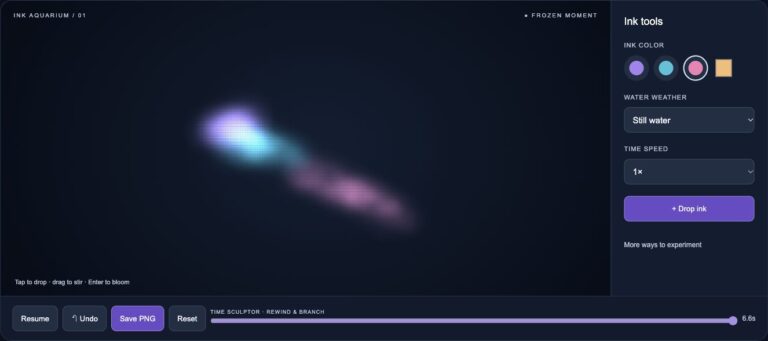
Ink in Water Simulator: 7 Essential Bloom Lab Checks
Create fleeting ink art with Ink Bloom Lab. Tested drops, Science Lab, rewind and browser gallery explain how to choose a frame, preserve a moment and distinguish PNG, thumbnails and DNA.
Tea Ripple Piano
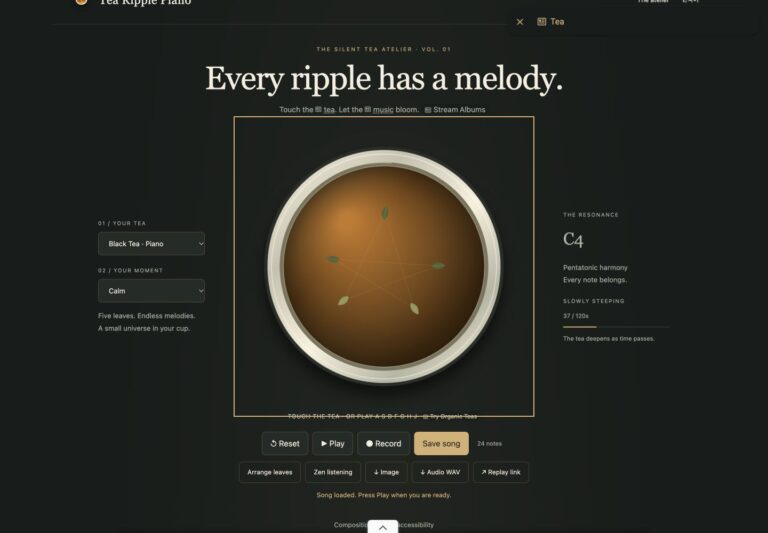
Tea Ripple Piano: 7 Smart Recording and Replay Checks
Create short melodies by playing a virtual tea cup. This guide tests recording, local restoration, replay links and live layers, and explains which output preserves your next idea.