Compose virtual wind chimes with BreezeScore. Actual controls, shared-layout recovery, a 40-note score and an inspected PNG explain how to preserve a sound sketch and read its limits.
- Brand
- BreezeScore
- Tool languages
- English, 한국어
- Verified date
- 2026-11-19
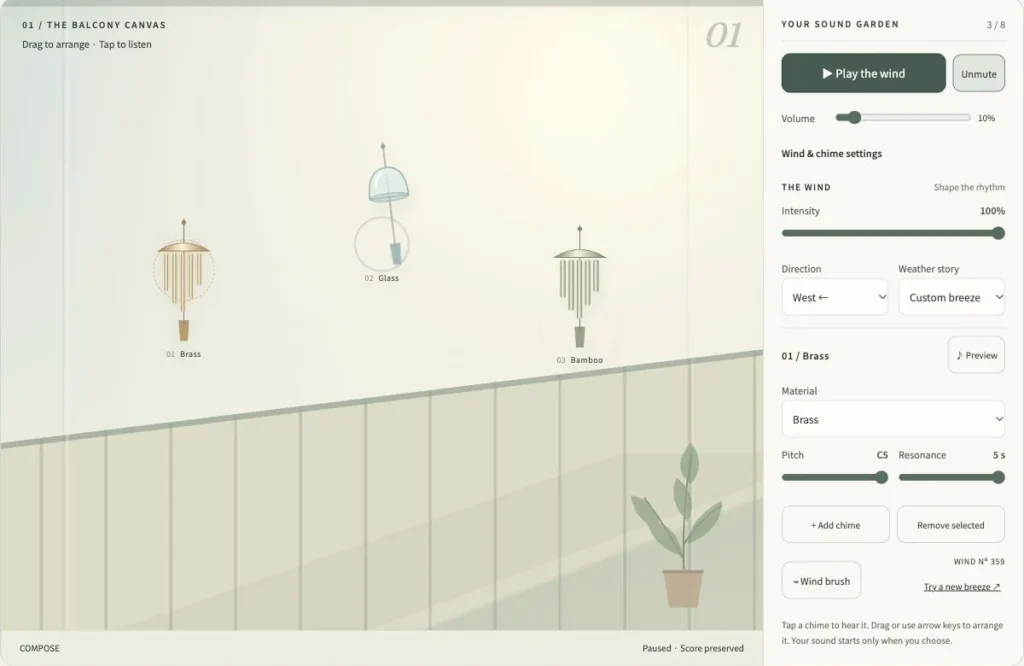
BreezeScore is a virtual wind chime sound studio. Arrange up to eight chimes, choose synthesized materials and shape a generative composition with virtual wind. A visual timeline and Wind DNA summary help you keep a record of what happened. It is useful for a small sound sketch or a comparison of musical settings; it does not forecast a balcony’s real wind, outdoor noise or installation safety.
Verified 19 November 2026, KST. We operated material, pitch, resonance, weather, direction, play/pause and mute controls; tested keyboard movement, the eight-chime limit, deletion, existing saved-layout recovery, a reopened share link and a downloaded PNG. Korean controls were tested at 390×844. Our evidence is interface state, note data and inspected images. Audible timbre quality, stereo placement and device latency were not independently evaluated.
On this page
Key takeaways
Keep three outputs separate: a layout is an editable recipe, the timeline is a record of generated notes, and a DNA poster is a still image of that record. Reopening our shared arrangement restored wind, direction, seed and chime settings, but began with zero notes and the default 35% volume. A shared garden is not the same thing as an audio recording or an archived performance.
One manual preview at C5 with a 5 s resonance setting produced one recorded note, one timbre and 5.0 s in the summary. It also displayed 60/min. That single-event value should not be treated as evidence of a sustained tempo. During a separate virtual-wind run, mute left the engine playing and the note count continued to rise; pause stopped it and preserved the score.
What this wind chime studio does
The official name is BreezeScore, with The Balcony Wind Orchestra branding. The English root and a linked Korean page provide a browser sound playground without an account. A balcony canvas, controls, note timeline and Wind DNA section make the arrangement visible. Brass, Bamboo, Glass, Ceramic and Shell are synthesized interpretations, not recordings or verified acoustic models of particular products.
The selected chime has material, pitch and resonance controls. The visible pitch range is 0–12, with C4 at 0 and C5 at 12 in our test, and resonance runs from 1 to 5 s. Global controls include volume, wind intensity, east/west direction and weather story. Chimes can be added or removed; the canvas supports dragging and arrow-key placement. Wind brush and Try a new breeze are also present, but we did not exercise their full behavior.
The problem it solves is making a small generative arrangement easy to explore without setting up a sequencer or owning physical chimes. You can change one parameter and look at the resulting event record. It is less suited to precise note-by-note orchestration or preserving a finished audio track. The visible export is a PNG poster, and the inspected share workflow carries settings rather than the note history.
Prepare a useful sound comparison
Begin at a low device volume and check your output route. The page starts without automatic sound, and the source requires an intentional play, chime tap or preview action. If using headphones, verify the device level separately from the site’s percentage. A 10% software setting does not establish a measured sound-pressure level or an appropriate listening level for every output device.
Decide what you want to compare: material, pitch, resonance or note activity under a virtual breeze. Keep other settings stable where possible. For a material comparison, select one chime and retain its pitch and resonance; for a wind comparison, keep the layout and chime settings unchanged. Changing material, position, direction and intensity together produces another composition, but does not isolate which input caused a difference.
Before editing existing work, distinguish the visible arrangement from any saved one. Load layout brought back a different saved composition in our browser. We captured its share settings before continuing and restored the same settings after testing. We did not overwrite that saved slot. The current canvas, saved layout and a previously generated share field can refer to different moments, so generate a fresh link after your last edit.
7 essential chime composition steps
1. Select one chime and keep volume modest
Use the labeled chime button on the canvas to select the intended object. Our first controlled edit used Brass on chime 1, with site volume reduced to 10%. Selection identifies which material, pitch and resonance inputs will change; global wind and volume affect the garden rather than only that selected object.
2. Set a material and a pitch
Choose one of the five material interpretations and adjust Pitch. Moving the first chime from value 0 to 12 changed its label from C4 to C5. This tests the endpoints we observed, not an external tuning calibration. Treat the material names as sound-design categories rather than instructions for buying matching physical instruments.
3. Set resonance and make a manual preview
Choose a resonance value, then press Preview. At 5 s, one preview added one note and the summary reported 5.0 s. Starting with a manual event helps distinguish the selected chime from an evolving wind pattern. We verified the displayed event and setting response, not the audible accuracy of a five-second decay envelope.
4. Arrange chimes before starting the wind
Focus a chime and use arrow keys for small movements; Shift moves five steps. One ArrowRight and Shift+ArrowDown changed the shared first position from x23/y34 to x24/y39. Those are serialized layout coordinates, not centimetres on a real balcony. Dragging is offered by the source; our verified movement used the keyboard.
5. Choose a virtual wind story
Select a preset, then read Intensity and Direction. Spring breeze showed 42%, Summer evening 24% and Autumn gust 75%. A manual intensity change produced Custom breeze. These are creative preset values, not seasonal weather statistics. Use east/west as an arrangement control rather than a local wind forecast.
6. Run, mute and pause deliberately
Press Play the wind and check Playing · Live synthesis. Mute changes to Unmute while the engine can continue generating notes. Use Pause when you want the event stream to stop and the last score to remain. Note counts from different run lengths are not a controlled comparison of intensity.
7. Save the intended kind of result
Use the layout workflow for settings, a newly generated share link for a reopenable recipe, and DNA poster for a visual record. Open the received file or link before relying on it. Preserve a separate note of your comparison conditions; the tested link did not restore volume or the earlier timeline.
Actual controls and output tests
| Test | Observed result |
|---|---|
| Manual preview: Brass, C5, resonance 5 s | 1 note; 1/5 timbres; summary 5.0 s; rhythm display 60/min. |
| Keyboard: Right, then Shift+Down | First serialized position x23/y34 → x24/y39. |
| Weather stories | Spring 42%, Summer 24%, Autumn 75% intensity. |
| Play with intensity 0 | After the observed interval, the prior single-note count remained 1. Not a timed benchmark. |
| Mute during a 100% west-wind run | Playing state remained; notes rose from 14 to 39, then pause left 40 notes. |
| Add from 3 to 8 chimes, then remove selected | 8/8 disabled Add; removal left 7/8. |
| Reopen freshly generated share link | 3 chimes, 100% west wind, seed 359, C5/5 s restored; 0 notes and volume 35%. |
| Load existing saved layout after test edits | Original three-chime settings restored; regenerated URL matched the original backup exactly. |
| Korean mobile: Ceramic, pitch 7, one preview | 1 note, 1 timbre, average resonance 3.0 s; document width stayed 390 px. |
The paused 40-note snapshot showed three timbres, average resonance 3.3 s and rhythm 110/min after about 21.8 s on its displayed timeline. These are observations from that run, not guaranteed outputs for seed 359. Timing, manual triggers and run duration matter. We did not conduct equal-duration statistical trials, measure loudness or establish that every execution reproduces an identical event sequence.
Separate material, pitch and resonance
Material, pitch and resonance answer different musical questions. Material chooses a synthesized voice family, Pitch changes the displayed note and Resonance sets a decay parameter. Changing the first chime to Brass, C5 and 5 s did not turn it into a measured brass product. Compare one parameter at a time if your aim is to understand what the controls contribute rather than simply make a pleasant sketch.
The source describes brass as bell-like, bamboo as a wooden knock, glass as bright, ceramic as earthy and shell as light clicks. Those are the tool’s descriptions, not our independently auditioned rankings. A useful listening exercise is to hold pitch and resonance steady while switching materials, then repeat at another pitch. Write down your own observation rather than assuming a category name guarantees a particular sound on every speaker.
Average resonance in Wind DNA is a composition summary, not necessarily the selected chime’s current setting. A garden containing several settings can produce a different average as different voices generate notes. Our selected first chime remained at 5 s while the paused run’s summary was 3.3 s. The single-preview case and mixed-run case therefore should not be read as contradictory measurements of one physical object.
Treat virtual wind as a creative control
Wind intensity is a percentage control within the playground. There is no observed conversion to metres per second, a live location or a real forecast. Weather stories set stylized starting points; the source explicitly says they are not physics predictions. Our 0% test left a previous manual note in the score, which is useful evidence that changing wind does not automatically erase existing history.
The source explains that horizontal placement affects sequence and stereo, while vertical placement changes exposure to the virtual breeze. We verified coordinates through keyboard movement and sharing, but did not independently evaluate stereo direction or physical wind response. If you want to compare two layouts, retain the recipe, direction, intensity and seed with each result. Even then, use comparable run durations before drawing conclusions about note density.
Read the chime score without overinterpreting it
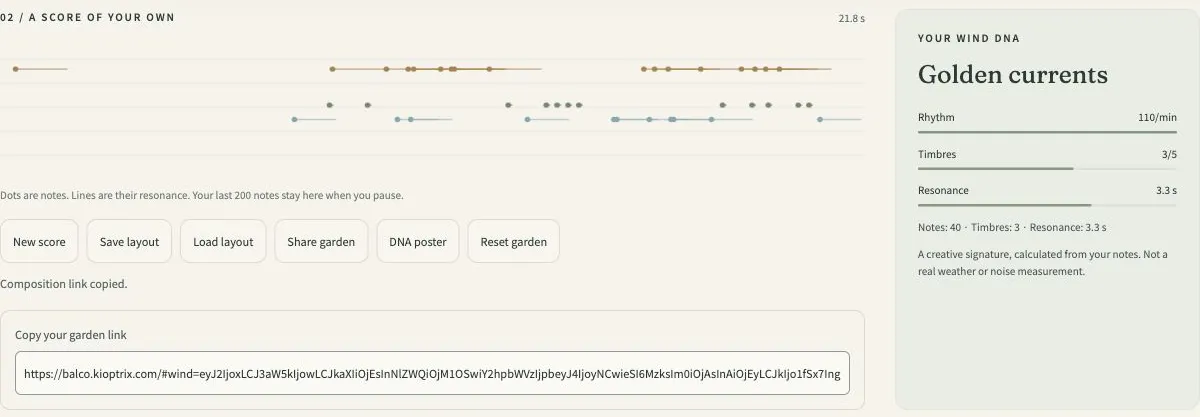
Dots represent notes and lines represent resonance. The source says the last 200 notes stay when paused; we tested preservation of 40 notes, not the 200-event boundary. A denser drawing means more recorded events in the displayed history, not automatically a better composition. Sparse phrases can be a deliberate result, especially when comparing short and long resonance settings.
A single preview produced a 60/min rhythm label. That small-sample result demonstrates why the label must be read with count and elapsed time. It does not establish an ongoing beat at one note per second. Similarly, our 110/min snapshot is not a noise rating. Rhythm, timbre count and average resonance describe the generated note record; none proves real outdoor loudness, neighbor impact or acoustic comfort.
Share a recipe, preserve a performance
Share garden populated a copyable URL and reported that the composition link was copied. We opened the newly generated URL in a separate page and checked the restored controls. The link carried the layout, material/pitch/resonance settings, wind, direction and a seed. Volume returned to 35%, sound was off and the timeline began at zero. Keep the poster separately when the prior visual score matters.
There was also a practical stale-link trap: after the first sharing action, the visible text field still held its earlier settings while later controls had changed. Press Share garden again after editing rather than copying a field left over from a previous version. Reopen the final link to inspect it. This is a manual handoff check, not evidence of automatic version management or cloud synchronization.
Load layout successfully recovered a pre-existing saved arrangement. At the end, its regenerated share URL exactly matched the backup captured before our edits. We did not press Save layout to overwrite the existing slot, so this review verifies loading and setting recovery rather than a new save-and-reload cycle. Source documentation says Save layout uses this browser; cross-device storage and browser-data cleanup recovery were not tested.
Inspect the Wind DNA poster
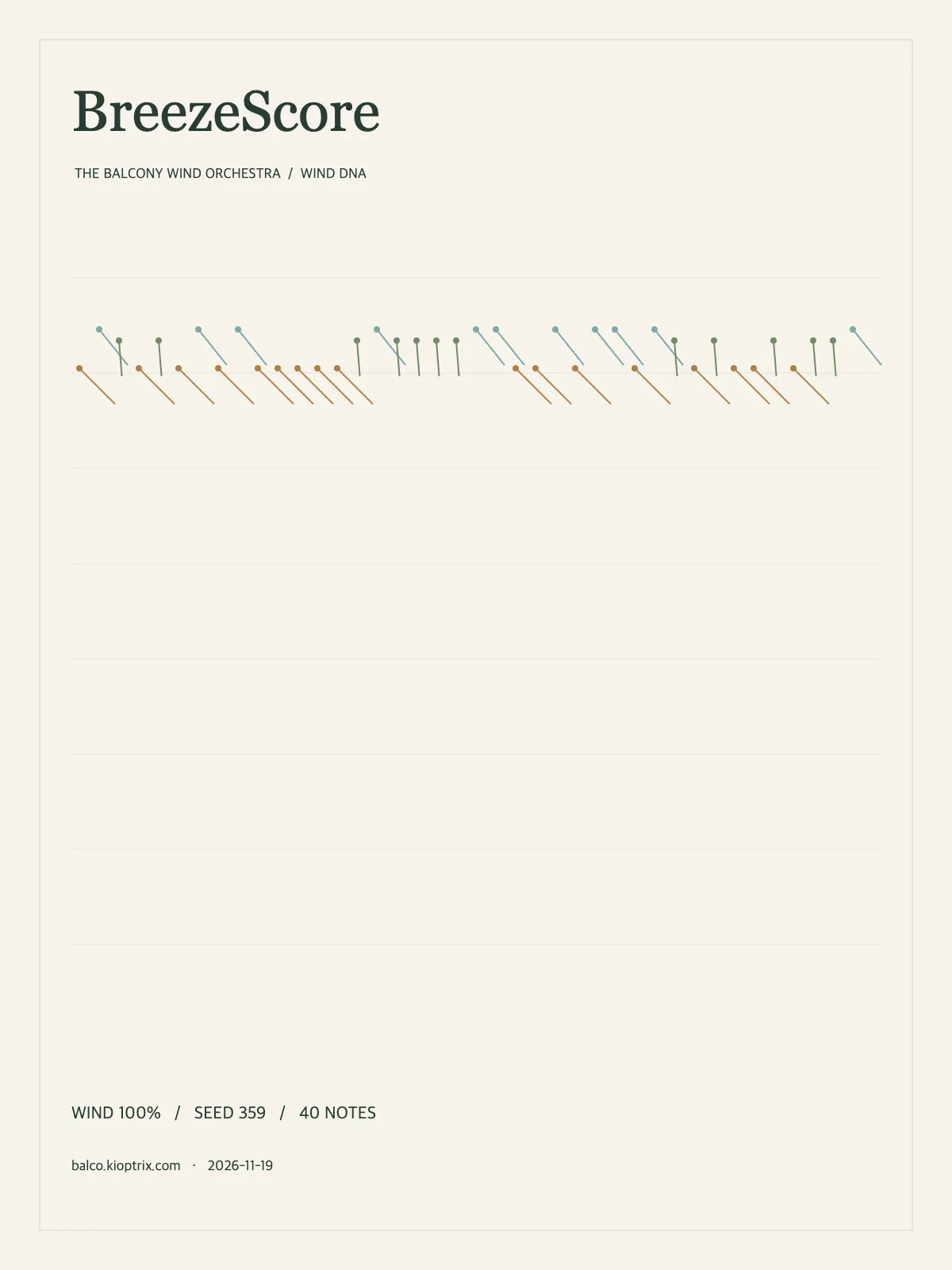
DNA poster opened an inline preview and a Download PNG link. The completed file was a valid 1,200×1,600 PNG with BreezeScore branding, the score drawing, date and the labels WIND 100%, SEED 359 and 40 NOTES. The visible note drawing occupied the upper score area, with substantial blank space below. That is the received artifact, not a generated imitation of the interface.
A poster can accompany a sound-design discussion or mark a particular session. It cannot play back the chime performance. Share the recipe when another person should explore settings, and attach the poster when the visual record matters. We did not verify an audio export or recording capability, so do not promise a WAV, MP3 or exact performance replay from these controls.
Use the floor clearance check correctly
The separate Floor clearance check subtracts total chime length from hanging-point height, in centimetres. The initial 220−60 gave 160 cm. Changing length to 80 gave 140 cm; changing it to 240 gave −20 cm and an explicit message that the chime extends below the floor. This verifies a simple vertical geometry reference, not a complete installation assessment.
Do not transfer canvas coordinates into this calculation: the layout is not a measured balcony drawing. A positive floor gap does not establish free swing away from walls, glazing or walkways, or suitable fixing strength. The source advises following product and fixing instructions, checking attachments and bringing chimes indoors in strong wind. Building rules, quiet hours and neighbors also remain real-world considerations outside the digital composition.
Mobile controls and keyboard access
At 390×844, the Korean workbench collapsed its detailed settings behind the wind/chime settings disclosure. We opened it, reduced volume, changed the first voice to Ceramic, set pitch 7 and used Preview. The record showed one note, one timbre and 3.0 s average resonance. The document remained 390 px wide without page-level horizontal overflow. We then loaded the existing arrangement and cleared the temporary viewport override.
Arrow-key movement on the English canvas provided a precise alternative to dragging. Shift moved five coordinate steps in the tested direction. The source also advertises finger dragging and respect for reduced-motion preferences; real-phone touch, reduced-motion behavior and a complete screen-reader audit were not tested. The disclosure is worth checking first when mobile material or pitch controls appear to be missing.
Limitations, troubleshooting and privacy
When sound seems absent, check the intentional start action, site volume, mute, wind intensity and device output separately. Our 0% wind run was marked Playing without adding events during the observed interval. That differs from a paused engine and from a running muted engine. Use the timeline and status to narrow the issue, while remembering that visible notes do not by themselves verify audible output from your speakers.
The source describes browser-based synthesis and says storage is used when a layout is saved. It also discloses Blogger, Google Fonts and Google AdSense processing or cookies under their own policies. An advertising interstitial appeared during testing. We did not audit network requests, security, cookies or offline operation. A local creative workflow is not evidence that the entire hosted webpage makes no external connections.
Related tools and the next sound experiment
The published BELL TOWER COMPOSER guide is a relevant next experiment when you want an explicit 16-step pattern and distance-based arrival timing. BreezeScore instead uses a virtual breeze to generate chime activity. Compare what determines event timing in each interface. Neither guide turns a stylized sound sketch into a real balcony noise forecast, and no automatic file transfer between the tools was tested.
A simple manual path is one-voice preview → controlled parameter comparison → multi-chime garden → paused score → checked recipe link and poster. Keep a small record of settings and the question each change addresses. If the next task is a finished audio production, use suitable recording or music software and verify its capture workflow separately; the BreezeScore PNG is not that recording.
Frequently asked questions
Is BreezeScore real wind or a sound-level meter?
No. Its weather stories and Wind DNA are creative controls and summaries. It does not use live weather or predict outdoor noise.
Does mute stop the chime score?
In our test the engine remained Playing and events continued while muted. Pause stopped generation and retained the notes. Use the control that matches your purpose.
Does a share link reproduce my previous performance?
The tested link restored settings but began with zero notes and default volume. It is a recipe, not a recording or the old timeline.
What happens at eight chimes?
Adding from three reached 8/8 and disabled Add. Removing the selected eighth left seven. That is a software arrangement limit, not a physical installation recommendation.
Is the poster an audio download?
No. We inspected a completed 1,200×1,600 PNG. It contains a visual score and session labels, not playable audio.
Is 160 cm floor clearance a safety approval?
No. It is only 220 cm hanging height minus 60 cm chime length in the example. Swing space, attachments, fall risks and building requirements remain separate.
Start with one chime and one question
Choose one chime, one parameter and one clear comparison. Start deliberately at a modest device level, inspect the resulting events, and pause before preserving the record. Reopen your final recipe link and inspect the poster you receive. BreezeScore is most useful when its beautiful presentation supports a small, understandable sound experiment with its limits still visible.
A RELEVANT NEXT STEP
Tools with a useful connection
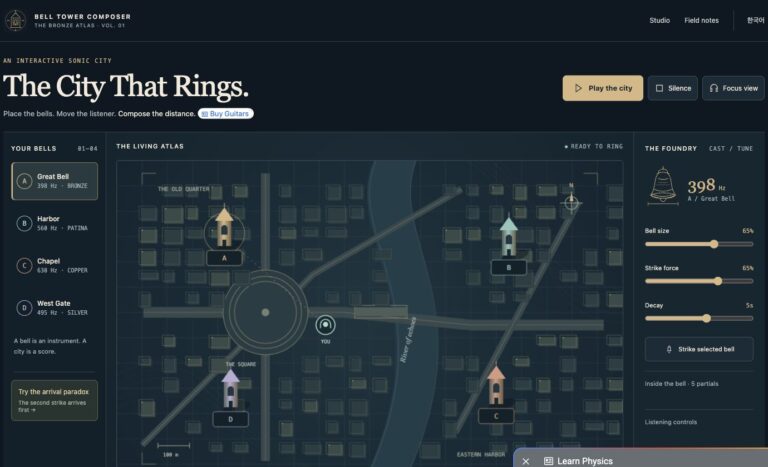
BELL TOWER COMPOSER
Bell Tower Composer: 7 Smart Arrival Timing Checks
Compose a four-bell city, edit 16 half-beat steps and compare strike times with distance-based arrival. Includes tested save/load, sharing and model limits.
Tea Ripple Piano
Tea Ripple Piano: 7 Smart Recording and Replay Checks
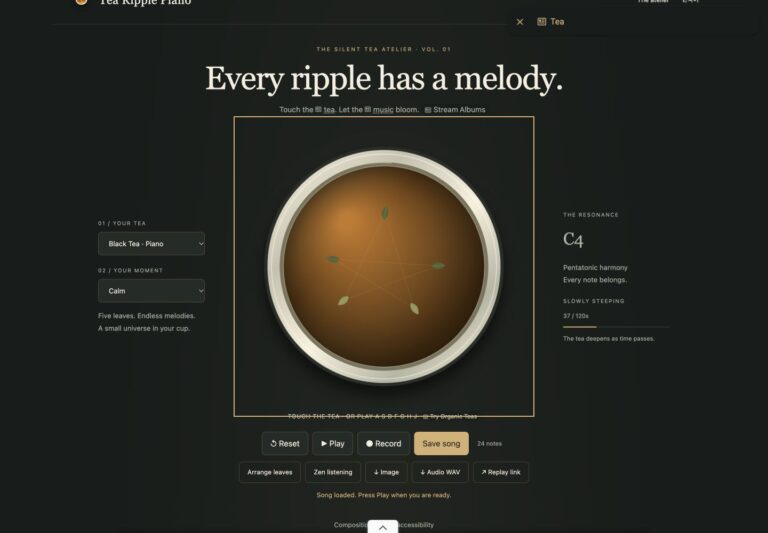
Create short melodies by playing a virtual tea cup. This guide tests recording, local restoration, replay links and live layers, and explains which output preserves your next idea.
Ink Bloom Lab
Ink in Water Simulator: 7 Essential Bloom Lab Checks
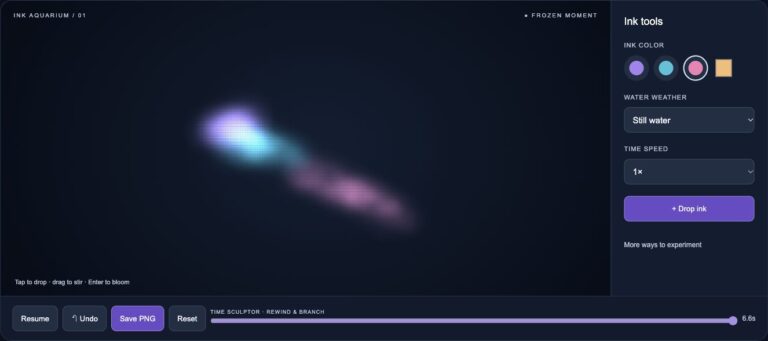
Create fleeting ink art with Ink Bloom Lab. Tested drops, Science Lab, rewind and browser gallery explain how to choose a frame, preserve a moment and distinguish PNG, thumbnails and DNA.