Toast Panic! is a toast catching game built around one moving plate, flying breakfast ingredients and a very short clock. Choose a 30-second score run or a 45-second recipe challenge. This hands-on guide explains how to start, how the two goals differ and what our actual results reveal about the collection system.
Verified 9 November 2026 in Chrome, including a 390 × 844 mobile viewport. The screenshots are actual game captures. Mobile findings refer to browser emulation, not a physical phone. Daily challenge completion and result-file export were not verified.
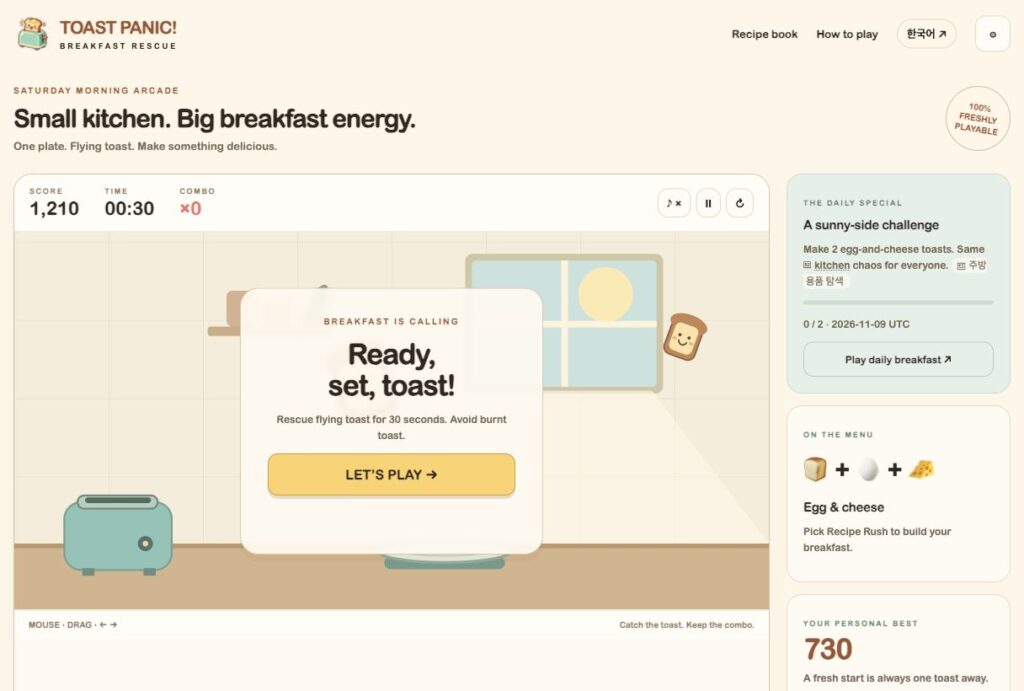
Play Toast Panic! with clear goals: catch toast in 30 seconds, follow ordered recipes in 45, and understand local records, collection and mobile limitations.
- Brand
- Toast Panic!
- Tool languages
- en, ko
- Verified date
- 2026-11-09
Table of Contents
Key takeaways
- Quick Catch lasts 30 seconds; Recipe Rush and Daily Breakfast last 45 seconds. Selecting a mode prepares a round: press LET’S PLAY to begin.
- Quick Catch rewards collecting good ingredients. Recipe Rush adds an ordered ingredient target and a 500-point dish bonus described in the rules.
- Our completed runs produced 730 points in Quick Catch and 1,210 in Recipe Rush. One egg-and-cheese dish was added to the collection. These are examples, not benchmark scores.
- English and Korean interfaces are available. Game records are browser-local according to the FAQ; advertising has separate cookie and data practices.
What this toast catching game does
The purpose is a small coordination break: move a plate horizontally to rescue ingredients before they fall past it. The kitchen uses a Canvas play area, with score, time and combo above it. A side panel shows the current dish, the next required ingredient and the personal best for the selected mode. Below are three mode buttons, a six-item breakfast collection, instructions and recent records.
This is an arcade game with a breakfast theme. It does not calculate calories, teach safe cooking or generate an edible recipe. Its useful output is immediate feedback: a score, number of saved items, completed dishes, highest combo and a locally retained record. Recipe discovery supplies another goal when repeating a score run stops being interesting.
No account, uploaded image or written ingredient list was needed in our test. Open the site in a browser that supports Canvas and keep the game visible while playing. The controls printed on the page are mouse movement, dragging inside the kitchen and the left/right arrow keys. Those are alternative ways to position the same plate, rather than separate game actions.
Choose a useful short-session goal
A short break often becomes longer because there is no clear stopping point. Here the countdown provides one. Before starting, decide whether you want one score attempt, one completed dish or a look at today’s challenge. A single 30-second round is a reasonable first task; reading the controls and comparing the report will add time around that round.
Choose a score goal when you want to practice tracking falling objects. Choose a recipe goal when you want to read a target and react to the right ingredient. The distinction matters: a run can rescue several objects without completing a dish. The summary reports both values, so a zero in the dish field does not make every successful catch disappear.
Prepare the page before pressing play. Locate pause, check that the plate responds and read the current target. Leave sound off if you are in a shared room; it was off by default in our session. Start when you can keep the visible kitchen in view. This is a leisure activity, and we did not test or establish cognitive, therapeutic or productivity benefits.
Modes, recipes and records
| Mode | Clock | What to watch |
|---|---|---|
| Quick Catch | 30 seconds | Good catches, burnt toast and combo continuity |
| Recipe Rush | 45 seconds | Displayed recipe order and next ingredient |
| Daily Breakfast | 45 seconds | UTC-dated daily target; completion not tested |
A collection is different from a live target
The six displayed recipes are Classic toast (bread), Egg toast (bread → egg), Cheesy toast (bread → cheese), Berry jam (bread → strawberry), Egg & cheese (bread → egg → cheese) and Butter double stack (bread → butter → bread). The arrows are useful planning information: a dish is an ordered sequence, not just a bag of ingredients.
Our collection began with Classic toast already marked Collected and showed 1/6 discovered. After Recipe Rush, Egg & cheese was also collected and the count became 2/6. Meanwhile the live menu moved to Egg toast with bread next. A permanent discovery and the next task therefore answer different questions. Check the live target before chasing a previously completed combination.
Personal best follows the selected mode
After the recipe run, the personal-best panel showed 1,210. Selecting Quick Catch restored its best of 730 while recent history kept both runs. A change in the large number when you switch modes is not evidence that a record was deleted. Compare results within the same mode and use the dated history to identify the run.
How to play in 7 steps
- 1. Open the original game. Use the launch button above, then select English if the root page opens in Korean. Locate the kitchen and its score/time/combo strip.
- 2. Choose one mode. Start with Quick Catch to learn movement. Pick Recipe Rush when you are ready to follow ingredients in order. A mode selection brings up a ready screen.
- 3. Read the clock and target. Quick Catch prepares 00:30. Recipe Rush prepares 00:45. Read Next ingredient in the side panel before beginning a recipe attempt.
- 4. Press LET’S PLAY. Move the mouse, drag in the kitchen or use ← and →. The plate follows horizontally. We verified both keyboard movement and pointer/drag movement.
- 5. Intercept good ingredients. Move toward where an ingredient will reach the plate, and avoid burnt toast. In recipe mode, keep checking the next ingredient instead of assuming the initial target remains unchanged.
- 6. Pause when interrupted. Use the pause button above the canvas, then Continue to resume. We held a round at 00:08 while reading other sections on the same page.
- 7. Read the report. Compare score, saved items, dishes and best combo. Check the collection and recent history before starting another mode. Stop after your chosen goal rather than treating a new best as a requirement.
Our actual gameplay results
| Observed run | Result | What it establishes |
|---|---|---|
| Quick Catch | 730 points; 8 saved; 0 dishes; best combo ×3 | The 30-second score round ran to a results screen |
| Recipe Rush | 1,210 points; 7 saved; 1 dish; best combo ×2 | One dish completed and collection increased from 1/6 to 2/6 |
| Persistence check | Quick and recipe records remained after language change/reload | Same-browser continuity observed, not cross-device sync |
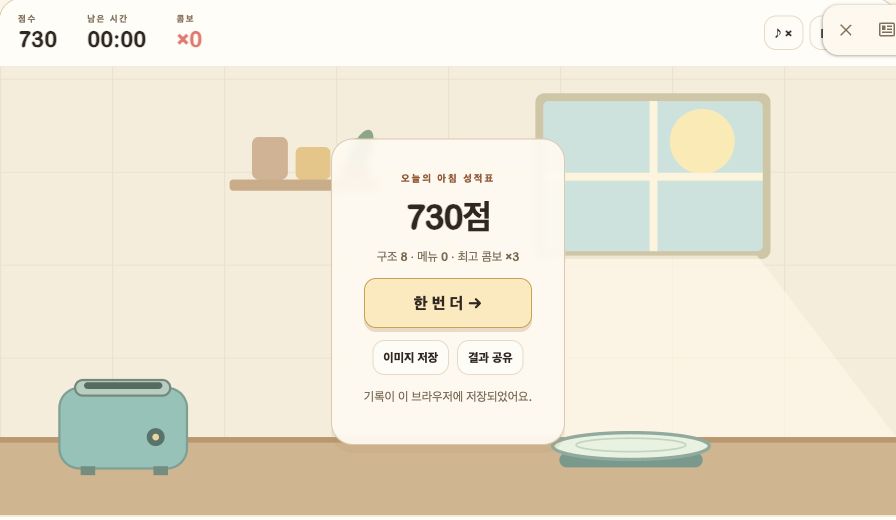
In the recipe attempt, we saw the next required ingredient advance from bread to egg while using the pointer to position the plate. The finished report showed one dish. The collection then identified Egg & cheese as collected; the next live menu was Egg toast. We did not complete all six recipes or independently isolate every scoring event.
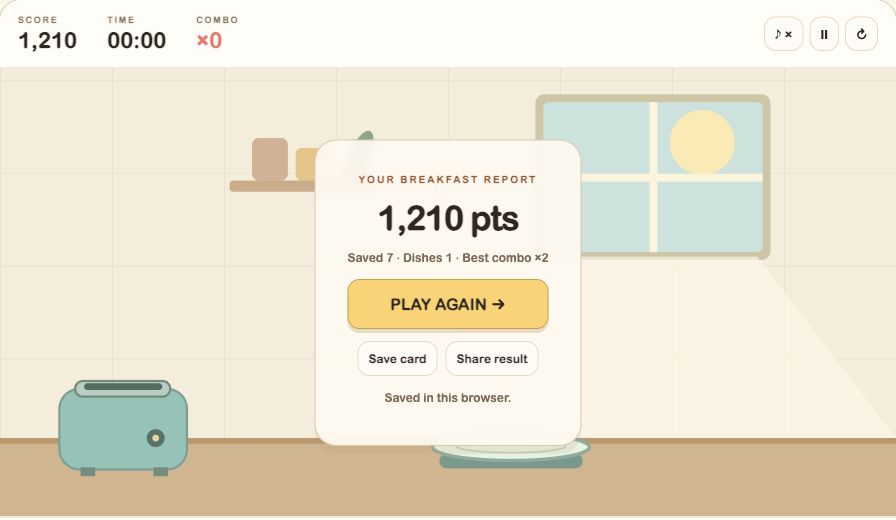
The recipe run rescued fewer objects than the quick run but produced more points and a new discovery. That is a practical reason to read all four report fields. It is not proof that Recipe Rush is always easier or more rewarding: the mode lasts longer, our catches differed, and a dish bonus contributes to the total. These two attempts were a feature check, not a controlled comparison of player performance.
Catch strategy: score versus dishes
The printed rules award 100 points per good catch, plus 10 per combo step up to 100 extra. They state that burnt toast costs 50 points and resets the combo, while missing a good ingredient breaks the combo. Completing a recipe adds 500 points and a sticker. These are the site’s stated rules; our tests verified completed reports and a new collection entry rather than reconstructing each frame’s arithmetic.
For a score attempt, watch the falling paths and the open space around the plate. Constantly sweeping from edge to edge can leave you on the wrong side when the next item arrives. Try shorter corrections toward an expected landing position. This is a play suggestion, not a measured optimal strategy; we did not compare input methods under identical launches.
For a dish attempt, the target is a sequence. If the screen asks for egg next, recognizing an egg matters more to the recipe than remembering that cheese also belongs somewhere in the final dish. The changing Next ingredient label is the safest reference. We did not test every wrong-order catch or establish whether all incorrect toppings reset partial progress, so do not build a strategy around an assumed penalty.
The recipe bonus creates two useful ways to review a round: overall score and dishes completed. If your goal is collection, a new sticker may be the meaningful outcome even with an ordinary score. If your goal is catching consistency, the best combo and saved count give more direct feedback than collection alone. Keep one goal for a few attempts so your comparisons stay interpretable.
Practical play scenarios
A bounded break between tasks
Suppose you have finished a writing section and want a small visual change before returning to work. Choose one Quick Catch round, leave sound off and read the report once. The useful boundary is the completed timer, not an endless sequence of restarts. If another application needs attention, pause first and return when you can see the kitchen again.
A small collection objective
If you prefer a clear target over a high score, inspect the recipe book, then play Recipe Rush with the next ingredient in view. After the round, check whether a new entry says Collected. Do not confuse seeing a recipe in the book with having unlocked it. Our Egg & cheese discovery supplied a concrete example of a collection entry changing after play.
A dated challenge without a global ranking
On 9 November 2026 UTC, the Daily Breakfast panel requested two egg-and-cheese toasts and displayed 0/2. The instructions say the UTC date controls a shared seeded launch sequence. We verified the dated target on screen, but did not complete the challenge or compare simultaneous devices. The site says there is no online leaderboard, so the daily panel should not be described as a worldwide score competition.
Advanced tips and common mistakes
- Keep the game area visible. On narrow screens, scroll into position before starting; the side cards sit below the kitchen and may need a separate glance.
- Read the ready overlay carefully. Selecting a mode is preparation, and the clock starts after the play button. Immediately after a mode change, we also saw the previous score remain until the new round started.
- Use the mode name with a recorded score. A 730 Quick Catch best and a 1,210 Recipe Rush best can coexist.
- Check the collection after a successful recipe. The live target may already have moved to another dish.
- The settings dialog offers effects sound and reduced decorative motion. We checked the reduced-motion option, but did not measure animation performance or verify audio output.
- Treat Save card and Share result as visible options, not guaranteed exports. We did not verify a downloaded image file or send a shared result.
- Do not clear browser data to troubleshoot a low score. The FAQ says that removes local progress; the game-data clearing control is separate from advertising consent.
Limitations, mobile use and privacy
At a fresh 390 × 844 emulated mobile size, the page fit the viewport without horizontal overflow. The canvas was about 360 pixels wide, its controls remained visible and dragging moved the plate horizontally. This validates the narrow layout and pointer behavior we observed. It does not establish touch latency, battery use or compatibility on every phone, and we did not run a physical-device touch test.
Advertising was visible, including a bottom banner and a shopping-related overlay during our session. Such elements can occupy screen space and occasionally interrupt interaction. Close an obstructing advertisement using its close control, then recheck that the actual game button is visible. This is especially relevant on a small display; an advertisement’s control is not the game’s pause or restart button.
The FAQ and privacy section say scores, collection, recent records and settings are stored in this browser’s localStorage, with no account and no game-record transfer to a server. We observed same-browser persistence after changing language and reloading. We did not audit all network traffic or prove that every part of the page is offline. Browser-local game progress does not mean the site has no third-party data processing.
The privacy notice separately identifies Google AdSense and cookie/device/usage processing subject to consent and Google policy. Read the Google Privacy Policy when assessing advertising. Clearing game records is not equivalent to withdrawing ad consent or deleting advertising cookies. Private browsing and browser-data deletion may affect saves; there is no verified cloud backup or cross-device synchronization in this review.
Related games for a different break
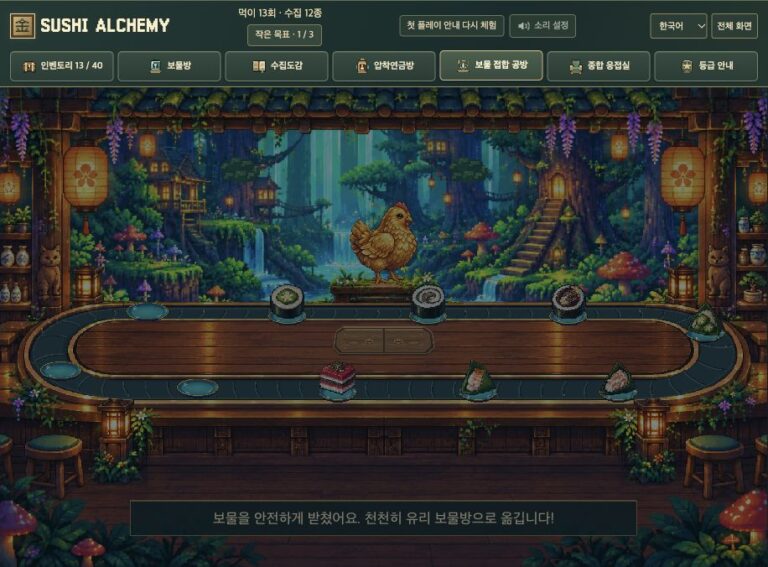
For a break with persistent discovery and decorating rather than a fast countdown, try Sushi Alchemy. Our published guide covers its fantasy collection, expendable inventory and crafting. The useful connection is understanding the difference between discovering an object and using a copy of it; Toast Panic similarly separates a recorded recipe discovery from the next live target.
Choose between them by the kind of attention you want to use. Toast asks for immediate horizontal movement during a timed round. Sushi Alchemy involves selecting, collecting and arranging objects through a longer sequence of actions. Neither is a real food-preparation reference, and there is no verified automatic transfer of progress between the games.
Frequently asked questions
Is Toast Panic free, and do I need an account?
The site describes it as a free browser arcade game. Our tested controls worked without creating an account or uploading a file. Advertising was present. We did not find or test an account-based save service.
Can I use a phone or a keyboard?
The instructions support dragging and left/right arrows, as well as mouse movement. Keyboard and pointer movement worked in Chrome, and dragging moved the plate in our narrow emulated viewport. A physical phone was outside this test.
Why did I save toast but finish with no dishes?
Saved items and completed dishes are separate statistics. Start Recipe Rush and follow the displayed sequence if completing a dish is your goal. Our Quick Catch report showed eight saved and zero dishes.
Why does my personal best change when I change modes?
We observed separate best values for Quick Catch and Recipe Rush. Check the selected mode and recent records before assuming a score has disappeared. A lower displayed best can belong to a different mode.
Will my collection follow me to another browser?
Do not assume that it will. The FAQ describes localStorage in the current browser and warns that clearing browser data removes records. We verified local continuity only, not portable saves or synchronization.
Why did the game pause by itself?
The FAQ says switching to another tab triggers automatic pause and Continue resumes play. We directly verified the manual pause button holding the timer at eight seconds. Automatic background behavior was not independently established in this review, so use manual pause when you need a dependable interruption point.
Try a 30-second breakfast rescue
Open the toast catching game, choose Quick Catch and make the first goal one finished round. Then read the saved count, combo and score before deciding whether Recipe Rush is the next useful step. A good first session is one whose controls and report you understand.
A RELEVANT NEXT STEP
Tools with a useful connection
Sushi Alchemy
Sushi Alchemy: 7 Essential Steps for a Better Collection
Play Sushi Alchemy with a clear collection plan. Our actual feeding, fusion, forge and map tests explain material costs, saved progress and mobile limits.

Group Photo Chaos
Group Photo Game: 5 Fun Ways to Master the Timing
Catch the shared ready moment in an animated group portrait. A tested guide to timing, shutter delay, replay and reading the score.
Conversation Collision
Conversation Collision: A Conversation Timing Game in 5 Steps
Explore overlapping speech through a five-round conversation timing game. Compare four responses, three modes and our matched English/Korean tests without treating scores as a personality assessment.