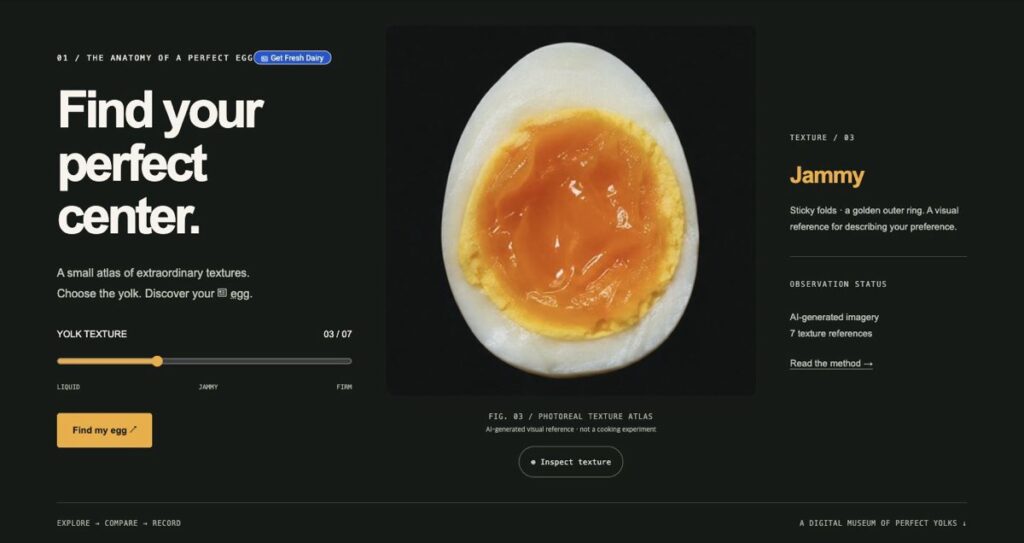
Choose AI-generated yolk references, inspect approximate time calculations and keep preference settings separate from actual kitchen observations.
- Brand
- Yolk Atlas
- Tool languages
- en,ko
- Verified date
- 2026-11-14
Ramen egg calculator Yolk Atlas combines seven AI-generated yolk references, a side-by-side comparison, an approximate time estimate and a browser-local kitchen journal. Use it to describe the center you prefer and keep your conditions beside that preference. Its value is making the difference between a visual target, a calculation and an actual observation easier to see.
Verified 14 November 2026, KST. We tested interface controls and calculation changes, not real cooking. Screenshots show the actual tool with its AI-generated reference images; they are not photographs of eggs we prepared. One journal entry was explicitly labeled synthetic. PNG and JSON controls displayed completion messages, but receipt and contents of finished files were not verified. The tool’s estimate is not a tested recipe or a food-safety guarantee.
On this page
Key takeaways
Treat three outputs differently: a picture expresses a target, the time card applies editorial offsets, and a journal row stores what a user entered. Seven realistic-looking images are not seven controlled cooking trials. The ±60-second window is a fixed exploration range, not a confidence interval or a promise that a real egg will match the selected center.
Choose size by the tool’s approximate shell-on mass, match the actual starting condition and read the cooling explanation. White firmness and marinade color are preference coordinates; changing them did not change our boiling estimate. Save preference, copy link and save kitchen note have different purposes. Keep actual observations and safety guidance outside any assumption that a soft-looking center is safe.
What this ramen egg calculator does
The official name is Yolk Atlas, subtitled Ramen Egg Gradient. The root interface is English and links to a Korean page. Its seven named visual targets are Liquid, Silky, Jammy, Custard, Creamy, Set and Firm. A main texture slider and specimen buttons select the target; Inspect texture provides an enlarged view. These controls select reference imagery, not uploaded-egg recognition.
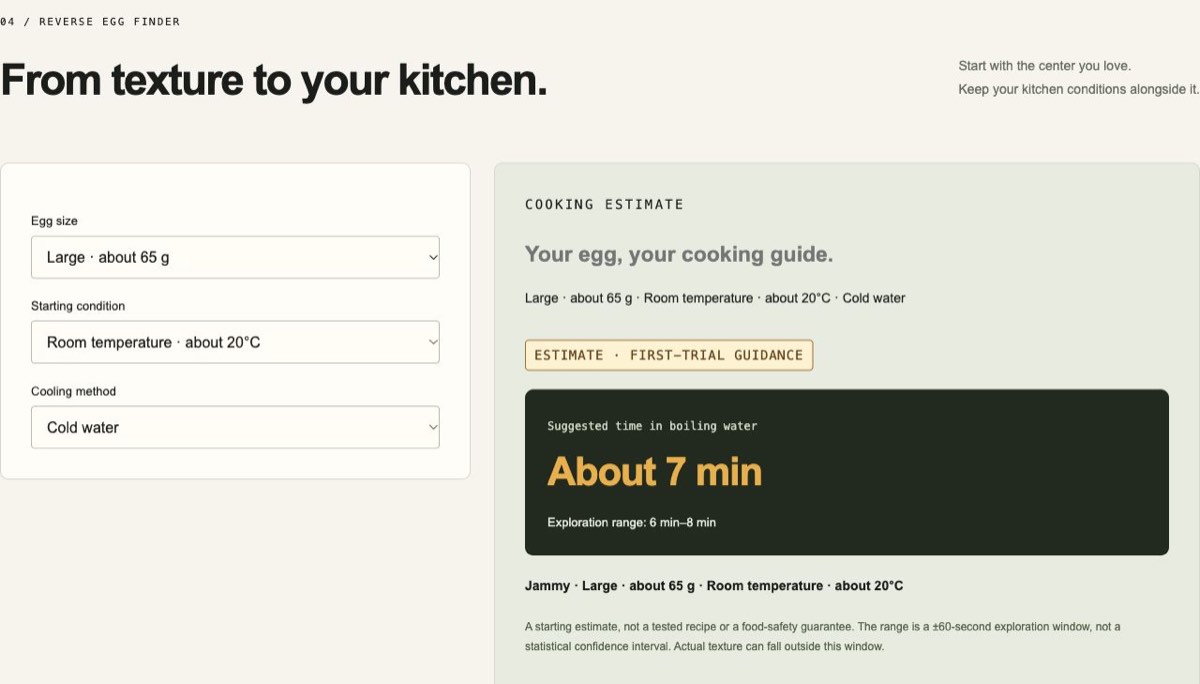
The comparison panel lets you choose Reference A and Reference B, then move a reveal boundary. The lab accepts Small/about 45 g, Medium/about 55 g or Large/about 65 g; Refrigerated/about 4°C or Room temperature/about 20°C; and Ice bath, Cold water or Rest/residual heat. It shows a time, a surrounding range, assumptions and written handling steps. The size names are local model categories, explicitly not national egg grades.
Two more sliders set white firmness and marinade-color preference from 1 to 5. The personal passport summarizes J, W and M coordinates. Save preference keeps the selected configuration in this browser; Copy share link exposes it in a URL. The field journal accepts observed time, optional shell-on mass and free-text observations, attaching the selected settings. PNG passport and JSON notes controls are present, with file contents unverified in our review.
Prepare the conditions before choosing a time
Start with the question you want the page to answer. “Which reference resembles my preferred center?” is a visual choice. “What did I observe with this actual egg and setup?” belongs in the journal. “How do I prepare eggs safely?” requires authoritative food-safety guidance, not the appearance of a generated image. Keeping those questions separate makes the tool more useful without giving its estimate extra authority.
For interpreting the lab, read the assumptions before copying a number. The source assumes a boiling-water start at low elevation and ordinary atmospheric pressure, with a small uncrowded batch. It does not calibrate high-elevation cooking, pressure cookers, steaming, cold-water starts, frozen or extra-large eggs, or a slow return to boiling. Do not transfer the displayed time to those methods as though only the center picture matters.
Record the actual conditions you know: shell-on mass, starting temperature, water volume, pan and heat source, when timing began, cooling method and cooling duration. Unknown values can remain unknown. The journal’s optional mass field is part of a saved observation; the documented calculator uses three size categories rather than a continuous measured-mass heat-transfer equation. A precise-looking display does not make a loosely matched category exact.
Ramen egg calculator: 7 essential checks
1. Choose the visual target
Use the texture slider or a specimen button. We selected Liquid, Firm and Jammy and saw their estimates change with the target. Inspect texture changed to Return to full view when enlarged, and that control returned the full view. Read the AI-generated notice next to the image before using the picture to explain a preference.
2. Compare two references deliberately
Choose A and B, then move Comparison position. We used Liquid and Firm and moved the slider to both 0 and 100. The boundary reveals two separate reference images. It is not a photograph of the same egg before and after a measured interval. The adjacent 30-second trial text describes a proposed protocol; the site says matched trial photographs are not available.
3. Match the kitchen category
Select the approximate shell-on size and actual starting condition. Our Jammy baseline selection was Medium/refrigerated, which displayed 7:30. Large/refrigerated displayed 8:00; Large/room displayed 7:00. Those are observed calculator responses, not cooking results. Do not warm an egg merely to fit the room-temperature option; select the condition you actually have.
4. Read cooling as a separate process
Choose Ice bath, Cold water or Rest/residual heat and read the changed explanation. In our Large/room test, all retained a 7:00 removal-time estimate. Rest explicitly warned that residual heat continues cooking and no reliable correction was included. A changed cooling method is therefore not silently compensated by a newly calculated time.
5. Set white and marinade preferences
Move the two preference sliders and watch the passport. Changing W4/M2 to W1/M5 produced J3·W1·M5 while the same 7:00 estimate remained. W is a preference coordinate, not a measured firmness value; M is a color illustration, not a salt concentration or marinating duration. These settings cannot independently guarantee the selected white or yolk texture.
6. Save or share the intended configuration
Press Save preference when the configuration is worth retaining. Copy share link copied a URL containing yolk, white, marinade, size, start and cool parameters. Opening our copied link displayed the same J3·W1·M5 and Large/room/Cold water settings. A preference URL is not the same as sending the journal’s free-text observations.
7. Record actual observations honestly
Enter observed time as minutes:seconds, optionally add mass and write what actually happened. Save kitchen note attaches the current settings to that entry. Our 07:30/65 g row was clearly marked EDITOR UI TEST—SYNTHETIC and stated that no egg had been cooked. It survived reload and appeared in Korean. Verify exported files separately before trusting them as backups.
Actual browser test results
| Controlled interface check | Actual output |
|---|---|
| Default Jammy | Medium/about 55 g, refrigerated/about 4°C and ice bath displayed 7:30, with 6:30–8:30 range. |
| Texture endpoints | Under the default kitchen setup, Liquid displayed 6:00 and Firm 11:00. These were calculator values, not timed trials. |
| Size and start changes | Jammy Large/refrigerated gave 8:00; Large/room gave 7:00. Korean mobile Small/refrigerated gave 7:00. |
| White and marinade sliders | W4/M2→W1/M5 changed the passport to J3·W1·M5 and left the Large/room 7:00 estimate unchanged. |
| Cooling alternatives | Rest and Cold water changed the instructions but kept the same removal-time estimate. Rest disclosed the absence of a reliable correction. |
| Comparison and inspection | Liquid/Firm references selected; comparison position 0 and 100 worked. Inspect texture entered and exited the closer view. |
| Preference link | Copied URL contained six preference/kitchen parameters and reopened with matching coordinates and conditions. |
| Journal persistence | One synthetic 07:30/65 g entry retained its Large/room/Cold water context after reload and in Korean, even after current Korean controls changed. |
| Exports | PNG passport created and notes export ready messages appeared. No completed file receipts were available for inspection. |
| Korean mobile | Fresh 390×844 layout had document width 390px; size/start/cooling controls changed the displayed estimate correctly. |
Our tests check arithmetic branches, state changes and storage behavior. We did not boil, cool, cut, taste or measure an egg. No claim of texture accuracy, reproducibility across stoves or microbiological safety follows from these results. The saved numerical entry is artificial test data, not a food observation disguised as a kitchen experiment.
Understand the estimate and its fixed window
The calculation is unusually transparent. The baseline uses a 55 g egg starting around 20°C and entering boiling water. The Jammy baseline is 6:30. Small subtracts 30 seconds, Medium adds zero and Large adds 30 seconds. A refrigerated starting condition adds 60 seconds; the room-temperature category adds zero. The source calls these texture mappings and offsets editorial approximations, not a validated heat-transfer or Salmonella model.
That explains the observed default:6:30+0:00+1:00=7:30. Large/refrigerated becomes 6:30+0:30+1:00=8:00. Large/room becomes 7:00. Small/refrigerated also becomes 7:00, because−0:30 and+1:00 combine differently. Equal displayed times do not mean identical eggs or identical final texture; different coarse inputs can land on the same arithmetic total.
The surrounding range simply extends 60 seconds below and above the estimate. It does not come from a measured error distribution, establish a 95% success probability or guarantee that the real result lies inside it. The tool itself says actual texture can fall outside the window. Read the range as a reminder to observe and record, not a statistical certificate of recipe reliability.
Cooling is another important boundary. The estimate refers to the removal time from boiling water, with prompt ice cooling as the reference finish. Cold-water and resting choices alter the explanatory text rather than inventing an offset. That transparency is preferable to a number that appears adjusted without evidence. It still leaves the real result dependent on your setup and actual handling.
Compare texture references without inventing evidence
The generated photographs are effective vocabulary prompts: glossy flow, sticky folds, a softer gel or a crumbly center. They can help two people communicate a preference more clearly than “a little softer.” They are not a calibration chart. The image set is not documented as the same egg size, starting condition and photographic setup cooked for seven controlled durations.
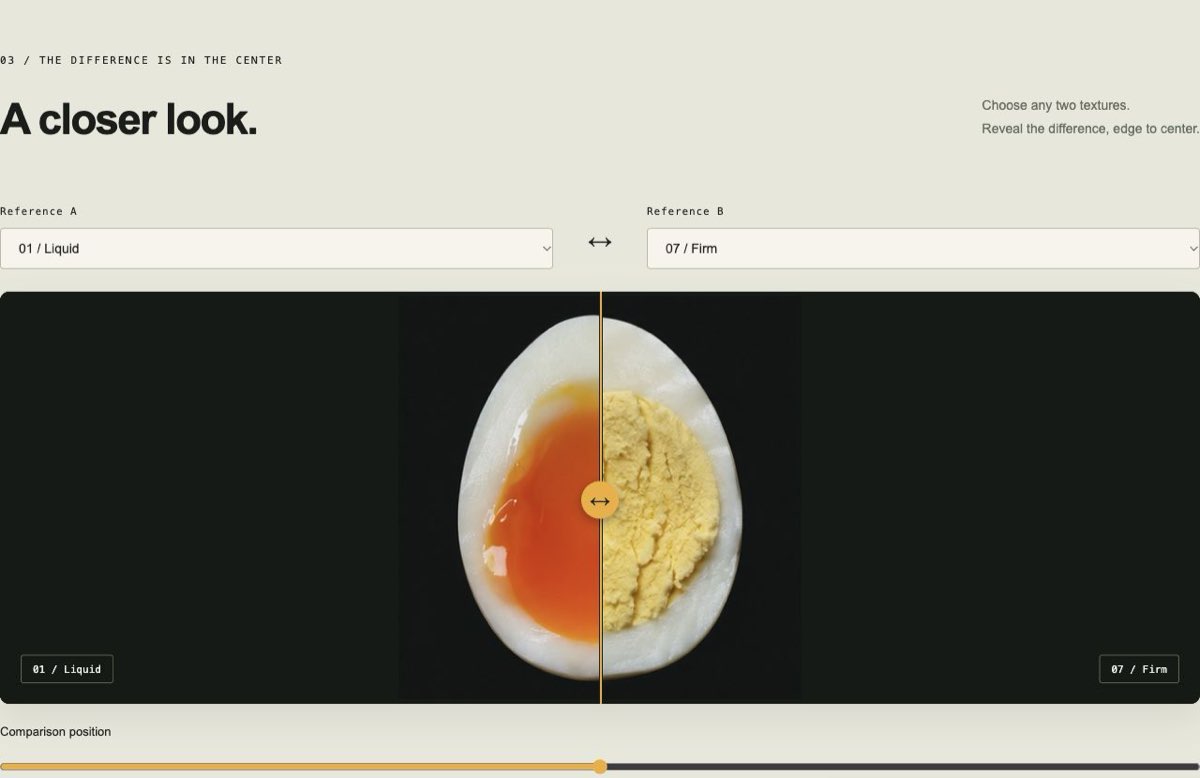
The page’s proposed 30-second comparison should be read as a future observation method, not a completed experiment. Our slider test established that the interface can reveal two references. It did not establish the physical change caused by 30 extra seconds. When sharing this view, include the AI-reference label and keep any later personal photograph clearly separated from the atlas image.
Keep preferences and observations separate
A passport answers “What do I prefer?” A field entry answers “What did I enter as an observation?” Their roles remain different even when both show J3·W1·M5. A preference code alone omits important context such as actual mass, equipment, cooling duration and the written outcome. A saved entry can retain its original context while the live controls move to another setup.
We verified that distinction: our synthetic row kept 65 g, Large/room/Cold water after the Korean controls were changed to Small/refrigerated/Ice bath. The old record did not become a new trial merely because the current selectors changed. Read the conditions on each saved row instead of assuming every entry belongs to the currently displayed lab configuration.
For a genuine journal, write the actual observed time rather than copying the suggested time into the observed field. Include what differed, what was unknown and what was visible on the cut surface. If no egg was cooked, label the record as a demonstration. Consistent lighting and camera angle can help later visual comparisons, but the inspected journal provides text entry rather than automatic image analysis or a laboratory verification badge.
Texture is not an egg-safety test
A realistic-looking soft center is not a safety test. FDA egg-safety guidance advises cooking both whites and yolks until firm and using pasteurized eggs or egg products for dishes served raw or undercooked. The atlas also warns that a soft target may leave the white incompletely set. Keep that guidance separate from the visual target and approximate time card.
Neither the marinade-color slider nor the Firm image verifies safe handling. M5 is not a salt reading, and a darker white is not proof of adequate heat treatment. This review does not supply a validated soft-egg preparation or storage recipe. Consult authoritative guidance and the actual product instructions for food handling; do not extend the calculator beyond its stated assumptions or treat a saved preference as approval to serve a particular egg.
Choose a reference, timer or tested recipe
| Approach | Useful purpose | Boundary |
|---|---|---|
| Yolk Atlas | Describe preferences, inspect the arithmetic and keep settings with notes. | AI reference images and editorial timing offsets are unvalidated cooking evidence. |
| Actual timer | Record elapsed time during the process you control. | Time alone does not measure the center or guarantee safety. |
| Tested recipe plus safety guidance | Follow a defined method and appropriate handling advice. | Check whether your eggs, equipment and starting method match its conditions. |
| Notebook or spreadsheet | Maintain an independent, portable observation record. | Requires honest entries, consistent units and separate backup management. |
Choose the tool by the question. A preference conversation may need only the image atlas. A real kitchen process needs real timing and suitable guidance. A repeated comparison needs independent records that survive browser changes. Combining those tasks carefully is more useful than assuming one attractive interface has validated the entire cooking workflow.
Sharing, local storage and mobile limits
The tested workflow required no account or photo upload. The site states that preferences and journal entries remain in the browser. Our saved preference and synthetic note survived reload and appeared in the Korean page on that same browser. This does not establish account synchronization, another device’s access or permanent storage. Clearing browser data can remove useful records.
The copied URL visibly contained yolk, white, marinade, size, start and cool settings. Our note text and entered mass were not in that copied URL. This checks the observed link only, not every future export or storage implementation. Review what you share and avoid assuming a link carries your entire kitchen journal. PNG and JSON completion messages did not give us inspectable finished files.
We did not audit network traffic. Blogger hosting and Google advertising are visible on the source, so a local note feature should not be described as proof that the whole page is offline or has no third-party processing. At fresh 390×844, Korean controls worked and the document fit 390px, but ads covered part of the screen. Physical-phone behavior, a full accessibility audit and cross-browser storage recovery remain unverified.
Related tools for explaining your record
For a separate screenshot intended to explain a preference, FrameMint Studio can add framing and context. Retain the AI-generated label and identify whether the image is an atlas reference, an estimate card or a real personal observation. Decoration should never turn a generated center into apparent experimental evidence.
For web copies, the published WebP Studio guide covers conversion, while PixelFit addresses upload dimensions. Check that the input conditions and estimate warning remain readable after resizing. These are sharing steps, not tools for validating food safety, reconstructing missing observations or calibrating the atlas images.
Frequently asked questions
Is this ramen egg calculator a tested recipe?
No. The source explicitly describes editorial approximations and first-trial guidance. Our review checked interface outputs, not real cooking accuracy.
Does the size name match my country’s carton grade?
Not necessarily. The tool defines local approximate shell-on masses of 45,55 and 65 g and says these are not national egg grades. Match the stated mass category instead of relying on the word Large alone.
Why did changing marinade color leave the time unchanged?
Marinade color and white firmness are preference coordinates rather than boiling-time inputs. Our J3·W1·M5 change kept the same 7:00 estimate.
Is the exploration range a confidence interval?
No. It is a fixed±60-second window. The source says real texture can fall outside it; do not attach a probability or safety claim to its endpoints.
Does a shared link include my notes?
Our copied link contained the six preference/kitchen parameters, not the journal text or entered mass. It reopened matching settings. We did not inspect completed export files.
Did you verify PNG and JSON files?
No. Both controls displayed completion messages, but completed file receipts and contents were unavailable. Confirm that an actual file arrives and opens before relying on it as a backup.
Start with an honest preference record
Open the ramen egg calculator and choose a visual target you can describe. Check the conditions and method behind the estimate, then keep preferences distinct from actual observations. A useful record states what is known, what was entered and what remains unverified; it does not turn a generated picture into a cooking guarantee.
A RELEVANT NEXT STEP
Tools with a useful connection

FrameMint Studio
Screenshot Editor: 7 Smart FrameMint Studio Checks
Frame screenshots, add manual masks and build captioned stories in FrameMint Studio. Real import, order, recovery and size tests explain what to check before sharing.
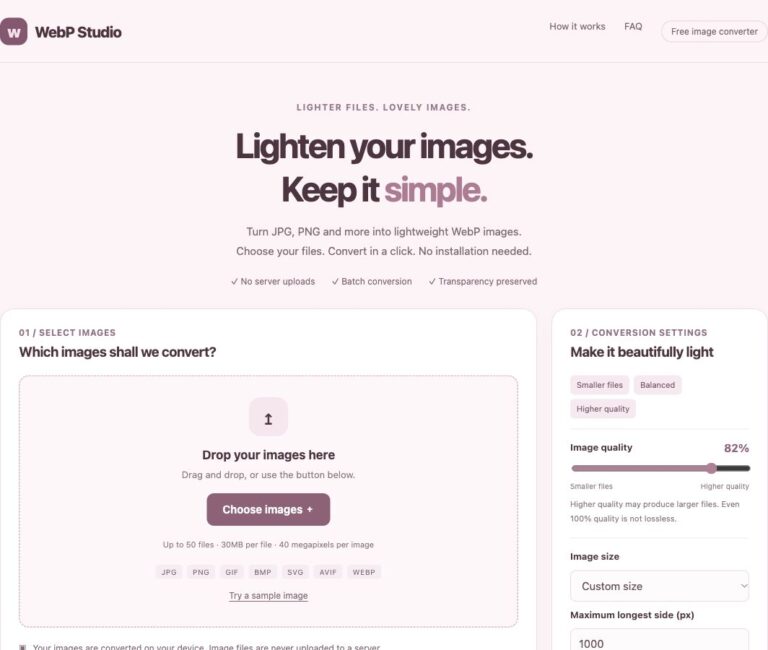
WebP Studio
WebP Studio: 7 Essential Checks for Better Batch Images
Use WebP Studio’s English interface to compare image quality, keep dimensions or resize a batch. Actual tests reveal smaller JPGs, larger outputs and a rounded zero-saving total.
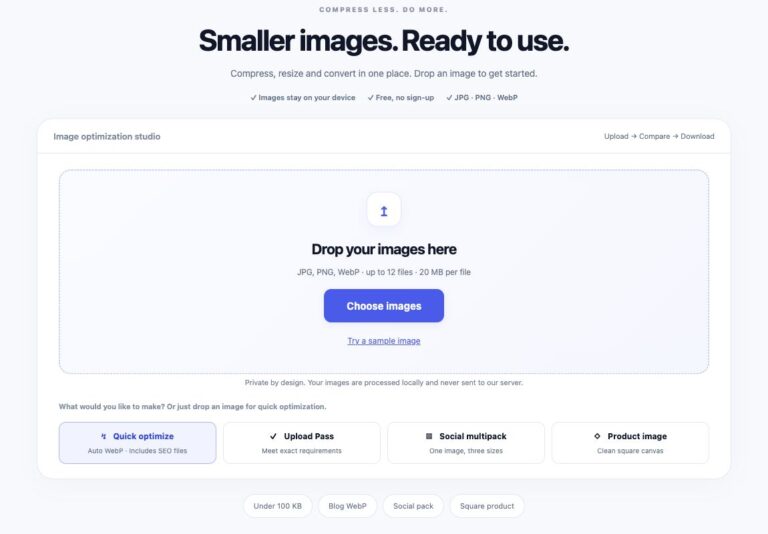
PixelFit Studio
Image Upload Optimizer: 7 Essential PixelFit Checks
Prepare exact upload dimensions and file-size conditions with PixelFit Studio. Actual sample and JPEG tests explain PASS/CHECK, crop versus contain, social totals, copied HTML and the limits of unverified file receipt.