LOOPSCAPE is a free punch needle texture studio for exploring height, color and yarn appearance before making a sample. Paint a landscape, compare two versions and keep a visual recipe.
Hands-on check: 11 November 2026, Chrome desktop and a fresh 390 px Korean viewport. All examples are digital tests. No physical punch-needle sample was made. The original tool and this library share a creator.
Explore LOOPSCAPE punch needle texture with real paint, Undo, A/B and portable-restore tests. Learn what the height, density and recipe outputs can—and cannot—tell you.
- Brand
- LOOPSCAPE
- Tool languages
- en, ko
- Verified date
- 2026-11-11
In this guide
Key takeaways
Use this studio to choose a visual direction, then test your actual needle, yarn and backing separately. Its millimeters describe a model; density is a relative rendering control. Neither is a calibrated needle setting, a yarn shopping quantity or a strength rating.
The main difference worth learning is global height versus local painting. We raised a design globally, painted a small area to 3 mm, observed the average change from 12.7 to 12.4 mm, and restored 12.7 mm with Undo. The overall height slider and the brush target have different roles.
A/B comparison worked, and a copied portable JSON design restored our earlier settings after we changed the preset. We also inspected the actual PNG payload generated by the download link. The normal download click was not captured within eight seconds, so confirm delivery in your own browser before relying on an exported file.
What this punch needle studio does
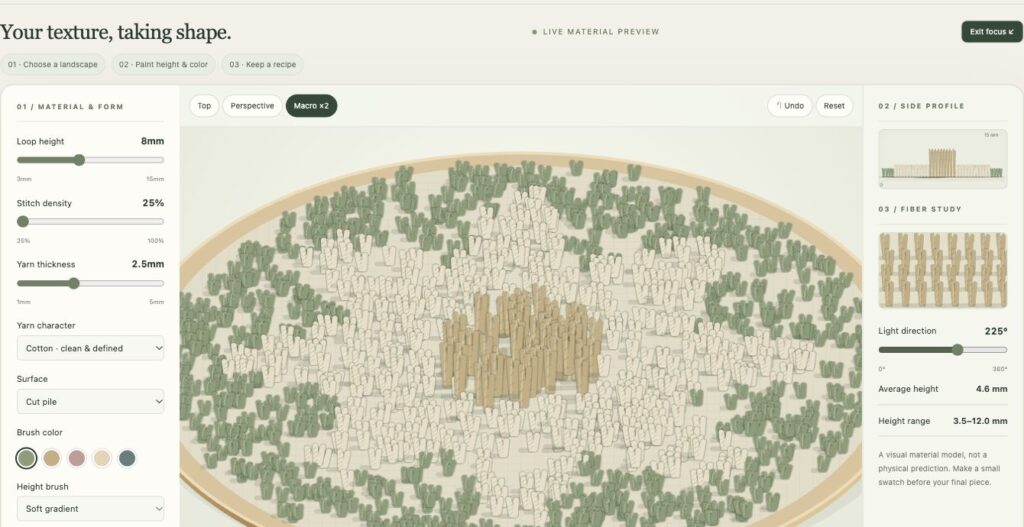
The official name is LOOPSCAPE. It presents a hoop-like yarn landscape with material controls on one side and a middle-row profile, fiber detail and height statistics on the other. Four recipes—Warm dunes, Little daisy, Moss garden and Rose ripples—provide starting arrangements. You can work from a preset without drawing or drag over the landscape to apply a selected color and height.
The useful problem is deciding which visual relationships deserve a real sample. A low background around a raised motif may be easier to distinguish than a uniformly tall surface. A dense texture can obscure a fine line. The studio lets you look at these relationships quickly, while retaining a record of the digital choices.
It is suitable for a craft mood board, comparing relief on a small motif, discussing surface differences in a class, or collecting ideas before threading a needle. It does not produce a verified full-size punching template, a stitch-by-stitch manufacturing plan or a material-accurate prediction of a finished textile.
Think of the output as a question to investigate: “Would this border remain visible with my yarn?” is useful. “This drawing proves I need exactly this many stitches” is not. A visible number can look precise even when the underlying purpose is illustrative. The source explicitly describes a creative visual model and recommends a real swatch.
Read the material and height controls
| Control | Useful interpretation |
|---|---|
| Loop height, 3–15 mm | Changes the design globally and proportionally; the displayed value is not the same as average height. |
| Stitch density, 25–100% | Relative visual packing. The drawn-loop count is not a calibrated physical stitch count. |
| Yarn thickness, 1–5 mm | Appearance control for the modeled fiber; not a recommended needle size. |
| Wool / Cotton / Bouclé | Illustrative yarn appearances rather than verified behavior of specific commercial products. |
| Loop / Cut / Flat | Compare modeled surface appearance. Switching a menu does not physically cut or finish a textile. |
| Brush target, 3–15 mm | Local painted height, separate from the global control. |
| Brush size, 10–70 | Screen brush size; no verified millimeter mapping. |
| Light, 0–360° | Changes the modeled illumination. Compare under the same light when studying another variable. |
The brush offers Soft gradient, Level to height and Little peaks, with five selectable palette colors. Top, Perspective and Macro×2 change how you inspect the surface. The middle-row profile is a slice through the center, not a cross-section of every painted area. A change away from that row may require the main view to understand it.
Average height summarizes the modeled design; height range records its extremes. In the tested moss study, the global setting was 15 mm while the average was 12.7 mm and the displayed range 11.3–15.0 mm. Those values do not contradict one another: a varied landscape need not have every point at the global setting.
7 checks for a useful texture study
1. Choose a starting landscape and record it
Open the source and select a recipe. Warm dunes is useful for broad undulations; Little daisy provides a clear motif to inspect; Moss garden and Rose ripples offer other arrangements. These are visual presets, not ready-made instructions for a real needle. Note the preset and current settings before making changes.
A preset does not necessarily reset every material or display control. After our changes, selecting Little daisy produced its 4.6 mm average while the density stayed 25% and the surface remained Cut pile. Read the controls beside the design rather than assuming the entire workspace has returned to default.
2. Establish a comparison baseline
Use Pin texture A before editing the candidate version. Keep a small note of surface, yarn appearance, density, light and view. If the question concerns height, hold the other choices steady. If you alter several controls, the result can still be useful visually, but it cannot isolate the effect of one variable.
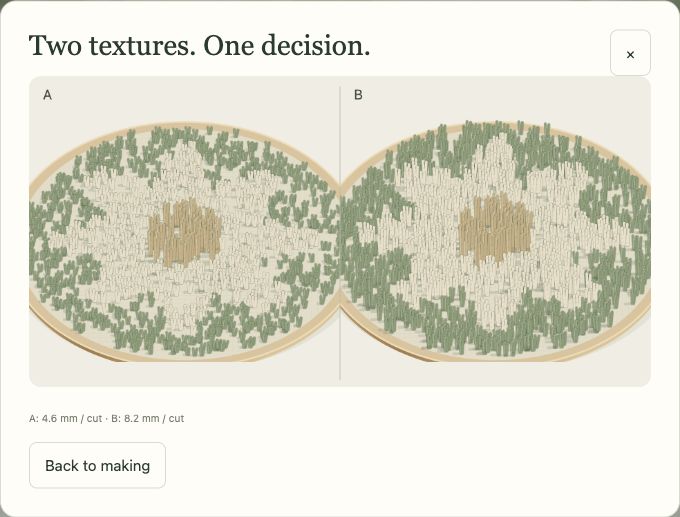
Compare A/B opens a side-by-side dialog with brief measurements. Our first comparison showed A 7.0 mm/loop and B 12.7 mm/cut after multiple changes. A later daisy comparison kept cut pile and showed 4.6 versus 8.2 mm. These are two separate studies; do not combine them into a single controlled experiment.
3. Adjust global height before local details
Move Loop height to explore the overall silhouette. Check both the mean and the range rather than reading only the slider label. In our moss study, moving the control to 15 mm raised the design to a 12.7 mm mean. Decide whether that broad relief is promising before drawing a narrow border or small dot.
Avoid changing global height after carefully painting details without first keeping a version. Because the source describes proportional global scaling, a later change can alter the relationships you were inspecting. Pinning and a portable backup give you reference points when deciding which stage you prefer.
4. Paint one local feature and use Undo
Choose a color, brush mode, target height and size, then drag across the landscape. We selected Color 3, Level to height and a 3 mm target and drew a short central stroke on the raised moss design. The mean became 12.4 mm and the range 3.0–15.0 mm. Undo restored the 12.7 mm mean and 11.3–15.0 mm range.
That test verifies a local edit and a reversal in this session. It does not establish the exact real-world width of the brush or how many Undo steps every session retains. For a purposeful first exercise, make one small change, inspect it, then decide whether to keep or undo it before painting more.
5. Inspect the surface under consistent conditions
Use the top view for arrangement, perspective for relief and macro for a closer look. Move the light separately if you want to examine shadows. When comparing a fine feature, keep the viewing mode and light consistent; otherwise a change in shadow can be mistaken for a change in the painted terrain.
The side profile helps explain central height changes, while the main landscape shows features elsewhere. Do not expect a stroke near the edge to appear in the center-row chart. Density and thickness can visually cover small marks, so compare open and crowded versions before committing that feature to a real sample.
6. Save a recipe and a reusable design
Save your recipe opens a modal with a preview, summary, needle/model note and measured-sample field. PNG is a visual record, while the reusable design and portable JSON preserve editable information. The note fields should describe what you actually used or measured; leaving an unknown measurement blank is more accurate than copying the model average into it.
We entered an explicitly marked editor-test note with no needle model and left the physical measurement blank. Copy current design populated the Portable design JSON field. After changing to Little daisy, pasting that saved text and selecting Restore pasted design returned the earlier 15 mm global setting, 25% density, cotton/cut surface and 12.7 mm average.
7. Translate the study into one physical question
Before making anything, choose what the sample should tell you: whether two relief levels remain distinct, whether a fine line is readable, or whether your chosen material combination supports the intended look. Use the actual manufacturer’s guidance for your needle and materials. The interface’s mm values are not a universal hardware-setting chart.
Keep the digital target and the physical observation in separate places. Record the exact needle/model, its setting, yarn, backing and measured sample result only after you have tested them. This is a suggested documentation method, not a claim that we produced or measured a textile in this review.
Actual tests: paint, compare and restore
| Test | Observed result |
|---|---|
| Warm dunes pinned, then raised moss with cotton/cut | Comparison displayed A 7.0 mm/loop and B 12.7 mm/cut. Multiple variables changed. |
| Height 15, density 25 in moss study | Average 12.7 mm, range 11.3–15.0 mm;1242 drawn loops. |
| Color 3, level brush, target 3 mm, short stroke | Average 12.4 mm, range 3.0–15.0 mm. |
| Undo that stroke | Average 12.7 mm, range 11.3–15.0 mm returned. |
| Portable JSON after preset change | Saved design restored; earlier settings and statistics returned. |
| Separate daisy height comparison | A 4.6 mm/cut versus B 8.2 mm/cut. |
| Korean 390 px fresh load | Preset and Macro×2 operated;document width 390 px. |
| Generated PNG | Actual 1000×1040 image inspected;ordinary download delivery remained unverified. |
At 65% density the initial scene displayed 3275 drawn loops; at 25% it displayed 1242. These are rendering observations, not a conversion from percentage to physical stitch count. There is no verified area calibration, stitch spacing or yarn-consumption estimate in this review.
The restore test is stronger evidence than merely seeing an Import button: it exercised the visible portable-text route and recovered a known configuration. We did not test choosing a design file through Import design, printing to PDF, every malformed input or all browsers. Treat those as separate verification tasks if they matter to your workflow.
PNG, portable designs and recipe notes
The generated recipe image below came from the tool’s actual PNG download-link payload. We opened and inspected that image: it included the digital landscape, 15 mm target, 12.7 mm average, 25% density, 2.5 mm thickness, cotton/cut labels and the marked editor note. The measured-swatch line remained blank. It is generated tool output, not a photograph or a recreated screenshot.
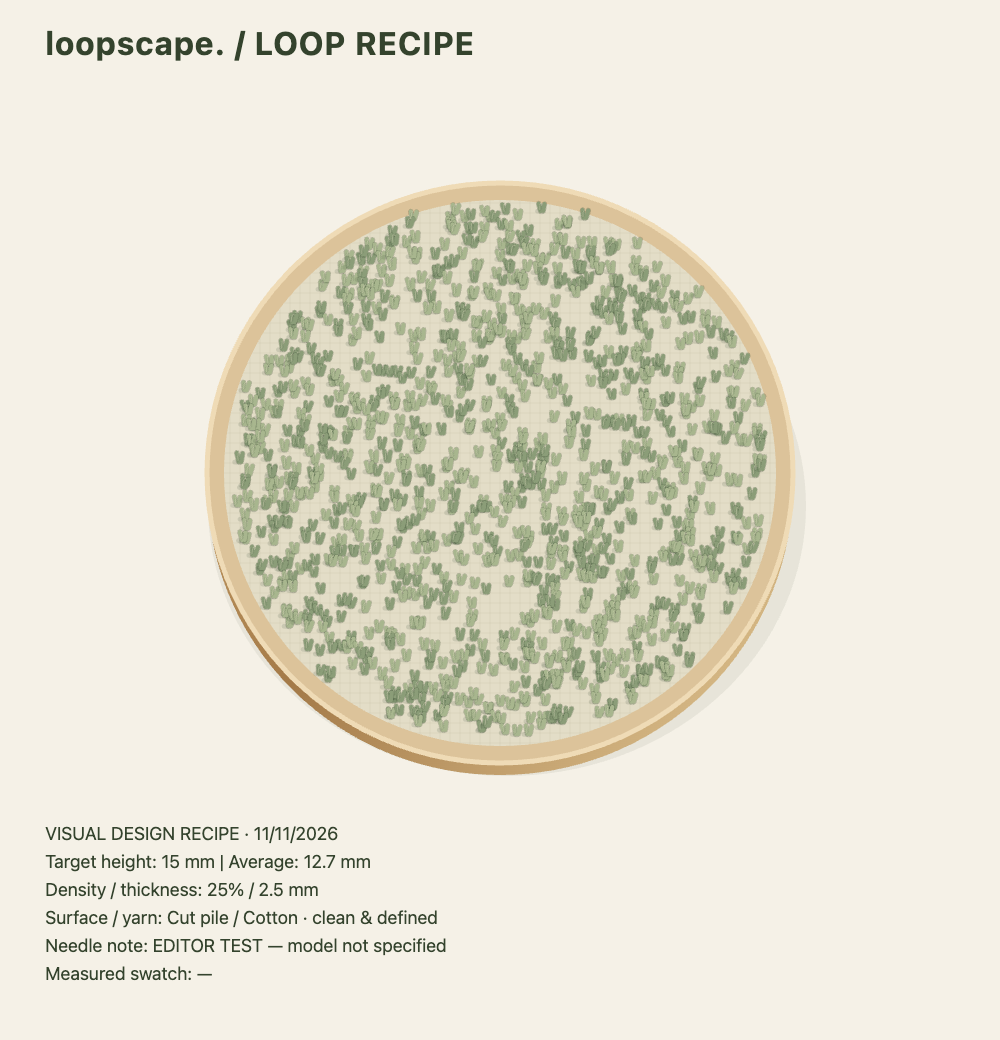
Clicking PNG did not yield a captured download within eight seconds in our automation session. Retrieving the image represented by its visible download link confirmed generation, not every browser’s file-saving behavior. Check your download folder and open the file before assuming it is safely kept. The source also suggests saving the preview image or using browser print if needed.
Copy or paste a portable design is a separate editable route. Keep that JSON text or the design file alongside the PNG so you do not confuse a visual record with an editable project. Our copied text had a version/state structure and restored the tested design. Do not edit unfamiliar fields by hand unless you have a safe original copy.
Print/PDF uses the browser’s print workflow according to the source. A printout can preserve notes, but it does not turn the image into a certified full-size template. We did not open and verify a PDF. If you print for a craft folder, identify it as a visual study and add the date and actual physical-sample details separately.
Turn a screen study into a swatch question
A good study changes one question at a time. For relief, choose a low and a high area while holding color and light steady. For readability, keep the motif and compare density or thickness. For color, keep height and surface steady. These suggested comparisons reduce ambiguity; they are not physical predictions or experiments performed for this article.
Before cutting or punching, make a small sample using the intended materials and the exact tool guidance. Record what happened rather than forcing the result to match the screen. A model can help you describe a desired relationship even when the real sample needs different settings to achieve it.
A practical record can use five columns: digital version, question being tested, actual materials/tool settings, observed result, next change. Do not put an estimated or imagined measurement in the “observed” column. If the real outcome differs, that difference is useful information, not an error to hide in the recipe.
For a mixed textile wall hanging, the texture study can guide the look of one panel while fringe or knotted elements need their own plan. Keep the craft methods separate. A punch-needle visualization cannot validate a tassel cut length or a macramé cord budget, and a cord calculator cannot validate loop formation in backing fabric.
Limitations, privacy and mobile use
This is a visual model, not a physically accurate textile simulator. Yarn options illustrate appearance; density does not establish durability; mm labels do not determine a needle’s numbered setting. We did not verify yarn length, finished dimensions, fastness, washability, loop retention or a commercial material combination.
The source says designs are processed locally, no design upload or account is required, and autosave uses device storage when available. We observed settings surviving reload and appearing in the Korean page. This does not prove cloud backup or cross-device synchronization. Keep an external portable copy before clearing browser storage or moving computers.
Blogger and Google advertising may process their own usage data. Advertisements appeared and sometimes overlapped the workspace. We did not independently audit network traffic or browser storage. Consult the source disclosure and Google’s privacy policy; local design processing does not mean the whole page makes no external requests.
English is at the root address and Korean at the linked /p/korean.html page. At 390 px the Korean controls, preset and macro action worked without horizontal document overflow. This was a responsive Chrome test, not a survey of physical phones. Presets provide a keyboard-accessible starting route, while freehand painting still depends on pointer interaction in the tested workflow.
A restore can leave a previously selected preset badge visible even though the recovered terrain is from another saved version; we observed the Daisy button still marked after restoring the moss data. Read the actual settings and statistics to identify the current study. A preset label alone is not a reliable version name for your saved design.
Related textile tools with a different job
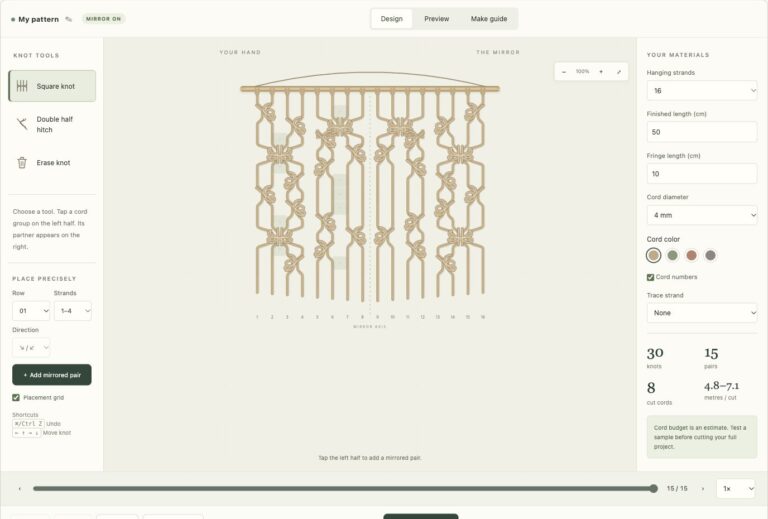
If the next element is fringe, Tassel Atelier helps plan tassel proportions and cutting arithmetic. For a separate knotted border or hanging structure, Macramé Mirror provides a mirrored knot-plan workflow. Both require their own material checks; neither imports this terrain as a verified pattern.
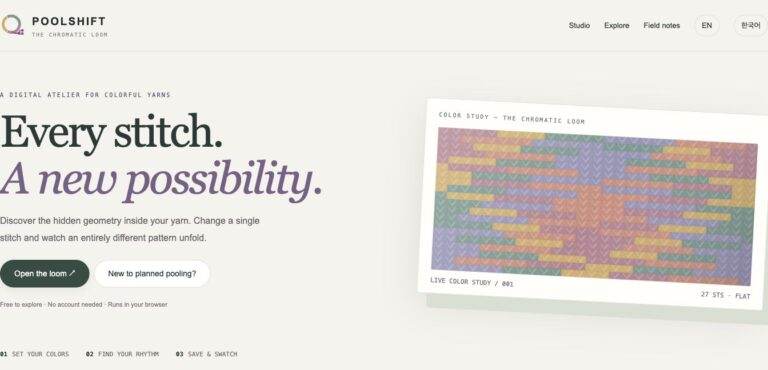
If you are comparing a separate crochet panel made from repeating color yarn, POOLSHIFT addresses color pooling and row-width sensitivity. That is a different problem from painting loop height. These already published guides are useful when a project crosses techniques, not interchangeable punch-needle calculators.
Frequently asked questions
Can I set my needle directly to the displayed millimeters?
No universal mapping was verified. The source warns that needle numbering varies by manufacturer and model. Use the exact tool guidance and a real sample. Keep the modeled target separate from your measured output.
Why does 15 mm produce a 12.7 mm average?
The landscape contains varied heights and the global control acts proportionally. In our moss test the range was 11.3–15.0 mm, so the mean was below the maximum. Read the average and range together rather than expecting every cell to equal the slider.
Does a denser design use exactly the displayed number of stitches?
No calibrated correspondence was established. “Drawn loops” describes the rendered model. The tool does not supply a verified real stitch count, yarn purchase quantity or durability guarantee in this review.
Why does the side profile miss a painted area?
It shows the middle row. Inspect the main view for changes away from that slice, and use the same lighting and viewing angle when comparing. A single profile cannot summarize the full surface.
Can I restore a design without using the clipboard?
The portable panel lets you paste saved JSON and restore it; that route worked. We read the populated text field to keep the record, not proof that a system clipboard write succeeded. Import design is also visible, but file-chooser import was not tested.
Is the PNG enough for later editing?
It preserves a visual recipe. Keep the portable JSON or reusable design as well if you want editable state. We verified a JSON-text restoration and generated PNG contents, but not every file-download or print route.
Begin with one texture and one change
Choose a recipe, pin a baseline and change one feature. Save the digital study with an honest note, then decide what a small real sample needs to tell you. Use the screen to ask better making questions rather than to certify the finished textile.
A RELEVANT NEXT STEP
Tools with a useful connection
Tassel Atelier
Tassel Designer: 7 Essential Steps for Better Patterns
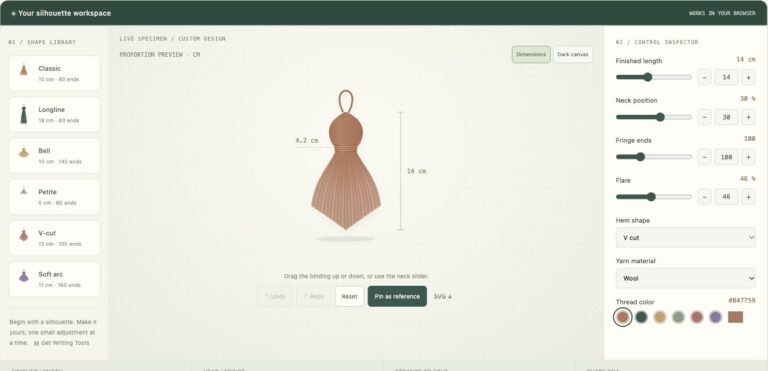
Compare tassel proportions and plan a batch with Tassel Atelier. Real A/B, yarn arithmetic, link restoration and mobile tests explain what to trust and what needs a handmade sample.
Macramé Mirror
Macrame Pattern Maker: 7 Smart Checks for Better Plans
Plan mirrored macramé knots with Macramé Mirror. Actual placement, move, undo, cord-budget and making-sequence tests explain strand counts, local saving and export limits before cutting real cord.
POOLSHIFT
Planned Pooling: 7 Essential Checks for Better Swatches
Explore planned pooling with POOLSHIFT. Actual width, row-advance, local-save and shared-link tests explain color forecasts, sensitivity panels and the need for a real swatch.