Explore puddle reflection with Puddle Reflection Lab. Tested camera heights, ray feedback, scene sharing and mobile controls, with clear PNG export limits.
- Brand
- Puddle Reflection Lab
- Tool languages
- English, 한국어
- Verified date
- 2026-11-21
Puddle Reflection Lab is an interactive puddle reflection studio for exploring how viewpoint and a bounded water surface frame a virtual city. Change the camera height, move the water or camera, and look for the spire inside the reflection. It is useful for visual optics practice and planning a compositional idea before trying puddle photography. It does not analyze a real photograph, measure a street puddle or predict an exact camera position at a real location.
Verified 21 November 2026, KST. We tested camera-height changes, a Find the Spire mission, ray readouts, the reverse finder, scene settings and a shared-scene URL reopened in a second browser. We reproduced the discovery on the Korean page at 390×844. Save PNG displayed a saved message, but we could not confirm receipt of a usable image file. Article images are actual browser screenshots, not exports or photographs. We did not test every mission, physical-phone gestures or offline operation.
On this page
Puddle reflection: key takeaways
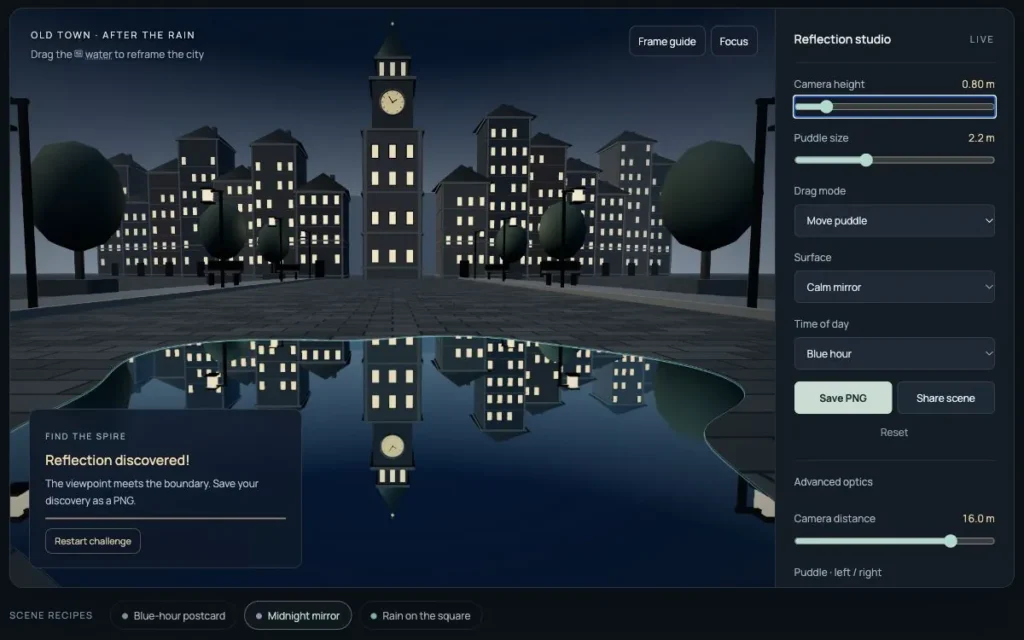
“Lower the camera” is a useful starting instruction, not a rule to keep lowering indefinitely. At the default water position, our 0.30 m camera produced a too-low message. Raising it to 0.80 m produced Reflection discovered. Both used a 2.2 m puddle-size input and a 16.0 m camera distance. The visible tip depends on where the reflection point falls relative to the finite water boundary.
The distinction between an image and a setup matters too. Share scene placed settings in the address fragment, and opening that address restored the 0.80 m setup and discovery mission. Save PNG said the image was saved without interface panels, but no received file was available for inspection in our test. Use a screenshot as a clearly labeled record if necessary; do not assume a success message proves a download arrived.
What Puddle Reflection Lab helps you explore
The official name is Puddle Reflection Lab, shortened to PUDDLE LAB in the navigation. The English root links to a dedicated English page and a Korean page. The single-page experience combines a rendered city, climate-like visual scene choices, advanced optical controls, five challenges, photography suggestions and explanatory FAQ. Tested controls required no account, payment or photo upload.
Its practical value is turning a vague photographic suggestion into an adjustable spatial question. A tall building does not need to fit physically inside a puddle. The observer needs a suitable light path through the visible patch of water. The studio lets a learner change a viewpoint and see the reflection disappear at an edge, then ask what moved and what remained fixed.
Use it for a short lesson about a surface normal, an exploratory composition exercise, or a before/after explanation of why a very low angle can crop part of a reflection. The illustrated old town is a virtual scene. Its metre values and success feedback describe that scene, not a surveyed square or a promise that a phone held at the same height will reproduce the picture outdoors.
Camera, water and scene inputs
| Input | Observed range or choices |
|---|---|
| Camera height | 0.30–4.00 m, 0.05 m step. Read actual current height after starting a mission. |
| Puddle size | 0.7–5.0 m, 0.1 m step. The small-puddle challenge refers to a radius of 1.2 m or less. |
| Camera distance | 8.0–18.0 m, 0.1 m step in Advanced optics. |
| Water position | Left/right −5 to 5; near/far 2 to 14, both 0.1 steps. Scene coordinates, not GPS. |
| Drag mode | Move puddle or Move camera. Choose what your gesture is meant to change. |
| Appearance | Calm mirror / Wind & ripples; Blue hour / Night / Day; Organic / Round. |
| View aids | Frame guide, Focus, Show rays and Reverse finder. Availability is not proof that every interaction has been audited. |
The default input values were height 1.40 m, size 2.2 m, distance 16.0 m, left/right 0 and near/far 13. Surface was calm, time Blue hour and shape Organic. Advanced optics exposes the distance and water-position controls that help explain why height alone is insufficient. We used named sliders and select menus; the review does not rely on an unmeasured drag as a reproducible numeric input.
There is no visible water-depth slider in the inspected console. The science text explains that depth affects bottom visibility and colour rather than the direction of a flat-surface reflection. Do not turn that explanation into an advertised depth-editing feature. Similarly, Time of day is a scene appearance choice, not a location-based forecast or a sun-position calculator for your next photo walk.
7 essential reflection composition checks
1. Start with a question and a known scene
For a first attempt ask, “Can I frame the spire at the default water position?” Record height, size, distance and surface. Reset gives a known starting route; selecting a recipe can change more than appearance. A comparison of unrelated presets cannot isolate the effect of lowering the camera.
2. Start the mission before setting your test height
Our Korean Find the Spire start moved the height to 3.80 m. An earlier manually chosen value should therefore not be assumed to survive mission initialization. Begin the challenge, inspect current inputs, then set the height. The button is labeled a 30-second discovery; we verified state changes, not an independently timed competition result.
3. Adjust height in deliberate increments
Use the slider or keyboard arrows, watching both the skyline and the message. We used Home for 0.30 m and ten upward steps for 0.80 m. The lowest allowed value gave too-low feedback at the tested water position. Follow the current hint rather than treating the slider endpoint as the universally correct answer.
4. Check where the water boundary meets the image
A reflection point outside the water cannot provide the desired reflected tip. Water position and size are part of the composition. If a spire is cut off, do not immediately increase every setting: decide whether to move the observer, move the puddle or enlarge the available reflecting patch, and change one input at a time.
5. Use the ray readout to explain the change
Show rays supplies a visual aid, while the science section reports a spire-ray angle and reflection point. Angles are described relative to the surface normal. At 0.80 m we read 59.9° and point 0.00, 14.66 m. These are model readouts, not measured optical calibration data from a real camera.
6. Try reverse finding as assistance
Reverse finder moved the camera distance from 16.0 to 14.3 m in our 0.80 m scene, with a message that the spire was reflected at the puddle centre. Use that as a comparison against manual positioning. Record which input the helper changed; a solved picture alone does not show that you independently found its geometry.
7. Keep settings and evidence separately
Use Share scene and reopen the resulting address. Record a screenshot with the inputs if the explanation matters. Try Save PNG, then inspect the actual received file before relying on it. Our shared setup worked, while PNG file receipt remained unverified despite the interface’s success message. Do not substitute a screenshot for an unreceived export without labeling it.
Actual height and restoration tests
| Actual condition | Observed output |
|---|---|
| Default height 1.40 m, distance 16.0 m | Spire-ray readout 59.3°; reflection point 0.00, 13.68 m. |
| Height 0.30 m, same water and distance | 60.4°; point 0.00, 15.52 m. Mission said camera too low; raise it or bring water closer. |
| Height 0.80 m, same water and distance | 59.9°; point 0.00, 14.66 m. Reflection discovered. |
| Reverse finder from the 0.80 m scene | Distance became 14.3 m; message said the camera moved to reflect the spire at the puddle centre. |
| Reopen shared 0.80 m address | Second browser restored height, water settings, active Find the Spire mission and discovered state after initialization. |
| Korean 390×844 mission | Mission began at 3.80 m; changing to 0.80 m produced 반영을 발견했습니다! Document width 390 px. |
| Scene appearance controls | Night recipe applied Night with height 1.40 m; separate menu changes produced ripple surface, Day and Round. |
| Save PNG | Saved-without-panels message appeared; actual file receipt and contents were not verified. |
These observations are from a virtual old-town scene. We did not measure incidence and reflection with a physical laser, compare the output against a calibrated photograph or test every possible input. Numeric display precision is not an accuracy claim. The useful outcome is a reproducible browser example with named starting settings and a clearly bounded interpretation.
Why the lowest camera did not win
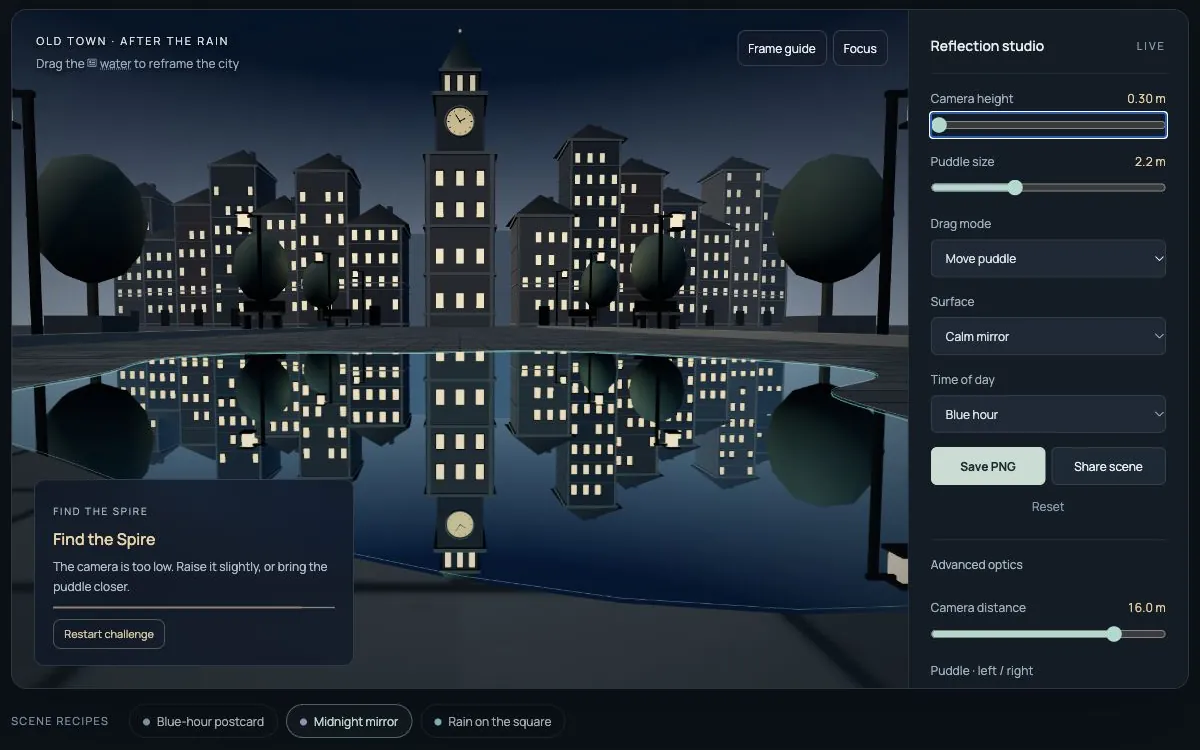
Lowering the viewpoint changed the reflection point from the default 13.68 m to 15.52 m in the near/far coordinate. At the intermediate 0.80 m setting it was 14.66 m and the mission succeeded. The lesson is a bounded-surface problem: moving the camera changes the path, but the usable mirror still has an edge. Lowering beyond a useful range can move the required point away from that patch.
This explains why “get as low as possible” can be an incomplete photography instruction. A practical composition process is to lower gradually, watch the important feature and stop when it has enough room inside the water boundary. If the desired feature moves out again, reverse the last change before trying a different input. We did not establish 0.80 m as a universal optimum; it worked for this geometry and target.
There is also a distinction between seeing a building in the water and completing the requested frame. At 0.30 m much of the reflected city was visible, but the mission’s spire criterion was not met. A photograph may still be interesting without a complete spire. The game’s progress is a task-specific guide, not an objective aesthetic score or a certificate of photographic skill.
Read rays and the reverse finder
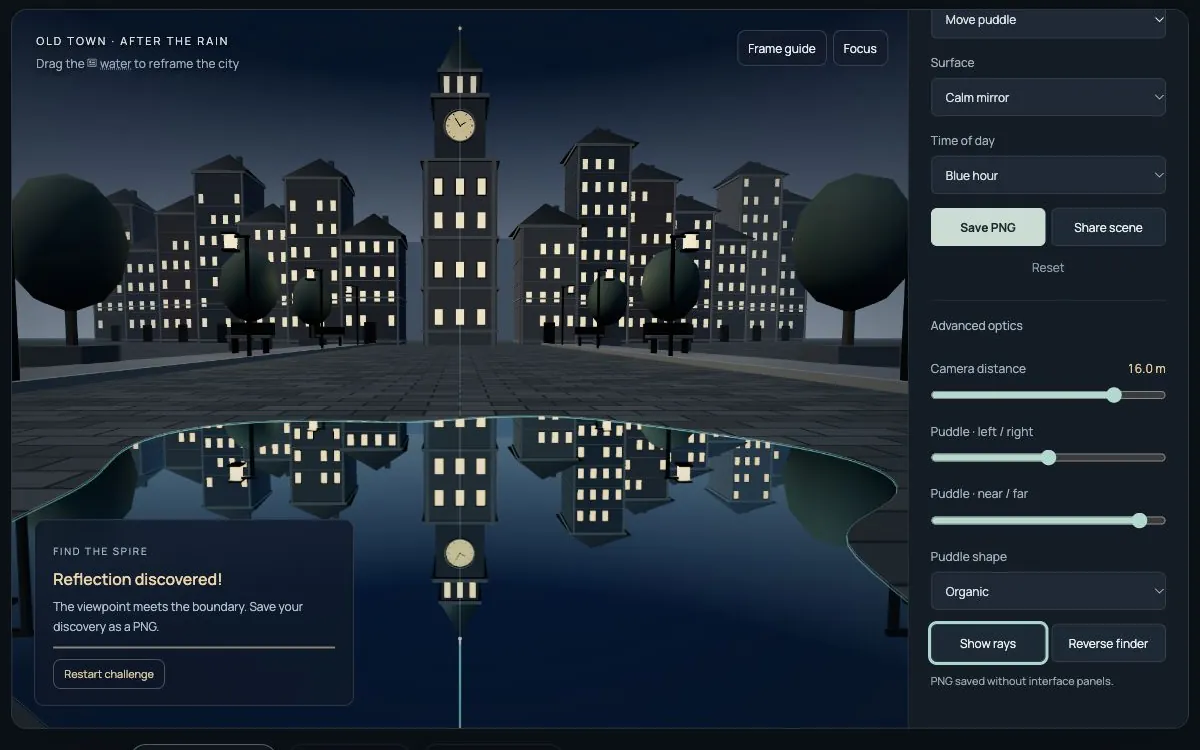
The mint ray aid and textual output are most useful when paired with the selected inputs. Ask where the reflection point moved, rather than only whether the picture became brighter or prettier. The angle is referenced to the normal, an imaginary line perpendicular to the surface. Confusing that reference with an angle measured along the water changes the meaning of the number.
Reverse finder is a useful assisted path when repeated height changes feel confusing. In our example it changed camera distance, not puddle size. That demonstrates another way to meet the geometry without making the water larger. The tool’s centre message should not be expanded into a claim that it optimizes every building, lens setting or real puddle boundary. We tested one assisted placement.
Use missions and recipes deliberately
Five challenge cards are available: Find the Spire, Tiny Puddle Challenge, Perfect Symmetry, Broken Mirror and City Inside a Drop. Their descriptions respectively concern the tip, radius no more than 1.2 m, centre alignment, restoring calm water and an organic boundary. We completed the first challenge; the remaining descriptions are available workflows, not five independently completed tests.
Recipes offer Blue-hour postcard, Midnight mirror and Rain on the square. We verified the Night recipe’s resulting Night setting and 1.40 m height. Because a recipe can reset geometry, take a fresh input record after using one. We separately selected Wind & ripples, Day and Round to check those controls. That verifies named scene changes, not a measured rainfall or wave model.
For a class, let one learner position manually and another use the reverse finder, then compare what changed. For creative work, begin with a successful calm scene before experimenting with ripples. The first provides a readable reference. Once surface appearance moves, visual distortion can distract from whether the original geometric criterion was met. Keep the question small enough to explain with the actual controls.
Sharing a scene and checking PNG output
The shared address we reopened included camera height, water size and position, camera distance and lateral position, surface, time, shape, ray visibility and mission/active flags. It used a URL fragment after #. This was a usable setup link: the second tab initialized and restored the 0.80 m discovered scene. We did not treat the transient loading label, which initially still showed 1.40 m, as the final state; the completed interface updated to 0.80 m.
The interface said Scene link copied, but the clipboard text was not available through our connected browser session. The address bar itself contained the generated settings and supplied the tested link. If copying fails for you, verify the address after Share scene and reopen it before discarding your working tab. A scene URL is not a cloud collection, account backup or saved photographic exposure.
Save PNG is described as exporting the city without control panels. Our attempts in Chrome and the administration browser showed PNG saved without interface panels, but no actual downloadable file was obtained for inspection. We therefore cannot report output dimensions, image fidelity or panel exclusion as verified results. All three article images are screenshots and intentionally show the interface. A reliable export is a remaining source-tool limitation for this tested environment.
Korean and mobile operation
The Korean page localizes the sliders and menus as 카메라 높이, 물웅덩이 크기, 고급 광학 설정, 수면 and 시간대. We loaded it freshly at 390×844, began the discovery mission, then changed height to 0.80 m with keyboard input. It reported 반영을 발견했습니다! The document width matched 390 px, so the inspected state had no horizontal overflow.
On a small screen, use the named controls and scroll to advanced options when needed. The review confirms a responsive Chrome layout and keyboard/button workflow, not a physical handset’s drag accuracy or a complete screen-reader experience. WebGL is needed for the rendered studio. The source says the science, guide and FAQ remain readable without it; we did not deliberately disable WebGL to verify that fallback.
Optics, performance and privacy limits
Calm mode is described as planar mirror reflection. Ripple mode gently tilts the reflective surface as an approximation; it is not a fluid-dynamics calculation. The linked Three.js Reflector documentation describes a flat reflective surface and a reflection camera, and notes WebGLRenderer support. This explains the type of renderer being referenced, not independent validation of every choice in this particular studio.
There is no tested photo upload, EXIF analysis, real camera connection, GPS survey or automated outdoor exposure recommendation. Metres and coordinates belong to the virtual scene. Outdoor puddles add uneven ground, moving water, traffic, light changes and equipment constraints that this model does not measure. Use the experience to develop an idea; inspect the actual scene before setting down a camera near water.
No account, payment, camera permission or file upload was needed in our tested workflow. Rendering and settings interactions occurred in the browser, but this was not a network or security audit. Blogger hosting and Google advertising were present. Do not interpret a browser-rendered scene as a promise that the entire page has no third-party requests, cookies or technical-data processing. Persistent local storage and cross-device library recovery were not verified.
Related tools and a learning route
To practice the same observation-versus-model distinction with a different medium, use our Frost Flower Garden guide. It compares climate inputs, a changing frost drawing and several kinds of saved record. Puddle concerns the viewpoint and water boundary; Frost concerns growth under changing artistic-model conditions. The useful connection is recording one changed input, not transferring an image or settings between the tools.
A short learning route is to explain one successful reflection, compare it with the too-low view, then make one controlled frost comparison. In both activities, retain the initial values, what you changed, the resulting display and a limitation. This helps prevent a beautiful visual demonstration from being reported as a physical validation experiment.
Frequently asked questions
Should I always lower the camera to 0.30 m?
No. At our tested water position it produced a too-low hint. Height 0.80 m succeeded for the same size and distance. The boundary and target matter.
Does starting the discovery preserve my chosen height?
Do not assume so. Our Korean mission initialized at 3.80 m. Start first, then read and adjust the current height.
Is the 2.2 m size a measured real puddle?
No. It is a virtual input. The tiny-puddle challenge explicitly describes a radius threshold, but the scene is not a survey or a real-lens calibration.
Can a share link restore the scene?
Our generated address restored the tested 0.80 m setup and active discovery in a second browser. We verified the completed state after loading. That is narrower than guaranteeing every future setting or platform.
Was PNG download verified?
No. The interface reported success, but a usable received file was not available for inspection. The article uses labeled screenshots and makes no verified PNG resolution or file-content claim.
Are the waves and all five missions fully tested?
No. Ripple mode is described as an approximation, and only Find the Spire was completed in this review. The other cards are presented as available challenges, not fabricated test results.
Find one viewpoint you can explain
Begin Find the Spire, read the current height and lower gradually. If the view becomes too low, raise it again or investigate the water boundary. Keep the settings and a labeled screenshot, reopen any shared address, and check the actual downloaded file if you use export. A useful discovery is a picture you can explain, including the limits of the model that produced it.
A RELEVANT NEXT STEP
Tools with a useful connection
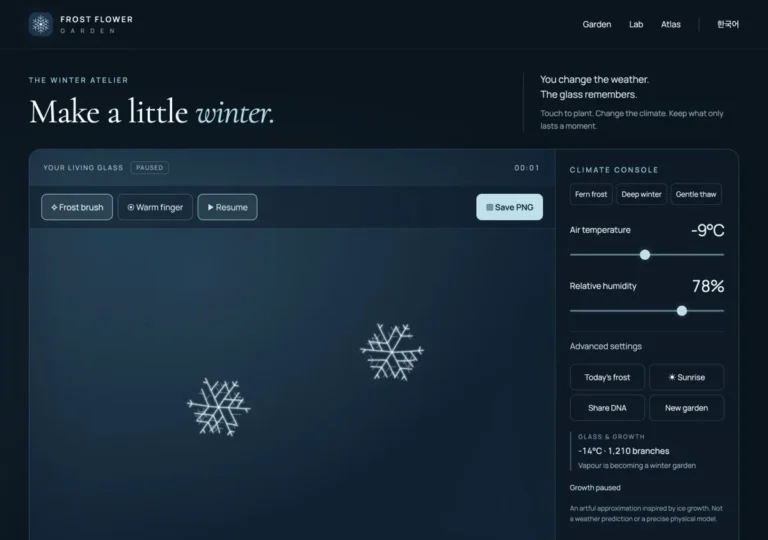
Frost Flower Garden
Frost Garden: 7 Essential Checks for Better Crystal Art
Grow a frost garden with Frost Flower Garden. Tested climate presets, humidity comparisons, PNG export, local specimens and DNA sharing limits explained.
OBSCURAFORGE
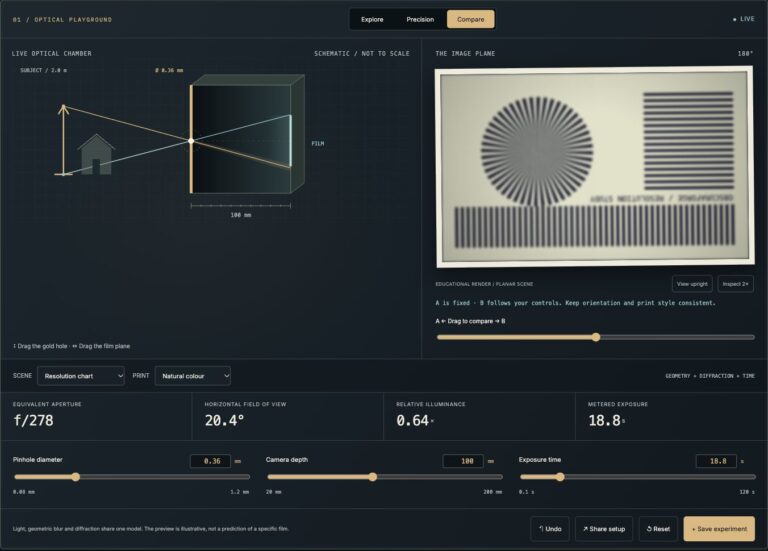
Pinhole Camera: 7 Essential Checks for Better Builds
Use OBSCURAFORGE to compare pinhole camera geometry, exposure and blur. Seven tested checks explain manual-time limits, saved setups and blueprint preparation.
ROLLVECTOR
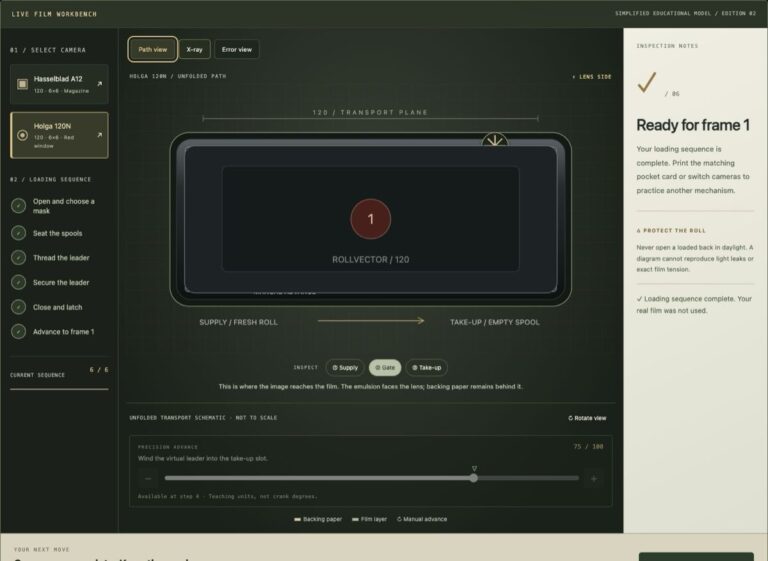
120 Film Loading: 7 Essential Checks for Better Practice
Practice 120 film loading with ROLLVECTOR’s A12 and Holga profiles. Actual completion, rejected alignment, Undo and saved-session tests explain what the teaching diagram can verify.