A page turn competes with the hands, feet and eyes needed for the next phrase. TURNPOINT LAB is a manual PDF planner for recording a candidate, checking pedal assignments and keeping a recovery cue. It also offers keyboard-event rehearsal. It does not read the music and automatically choose a safe moment.
Verified 13 November 2026, Asia/Seoul. We tested the demo, an original three-page synthetic PDF, form rules, saved-annotation recovery and keyboard input. The test PDF was not a musical score. Form checks were software tests, not a claim that we completed a real performance rehearsal. Exported file contents and Bluetooth hardware remain unverified.
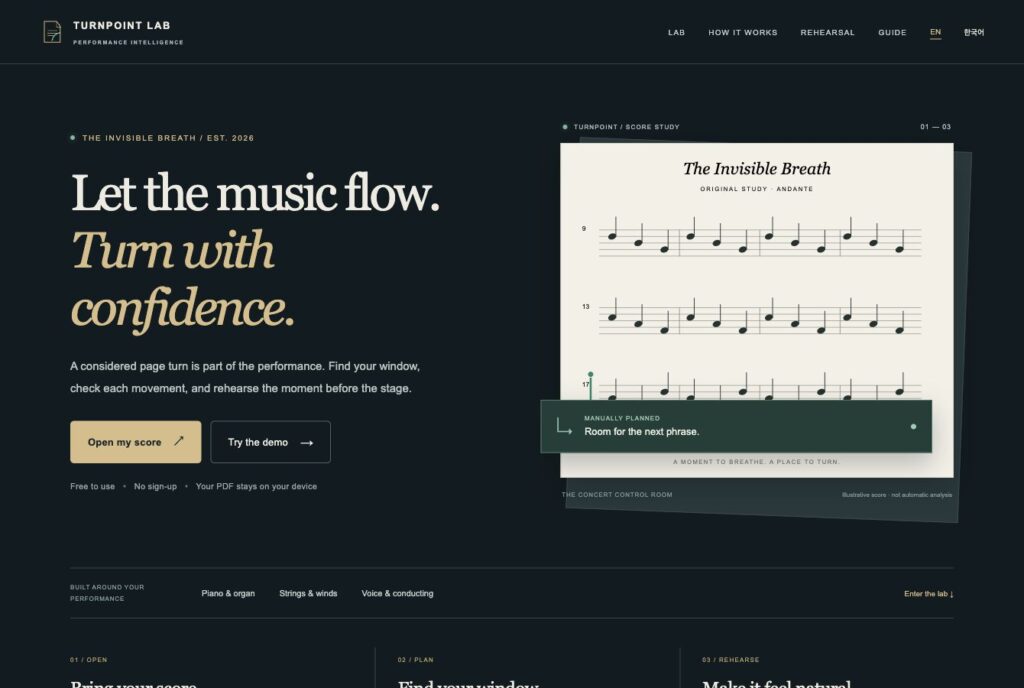
Plan a page turn in TURNPOINT LAB with manual PDF markers, foot-conflict checks, read-ahead and recovery notes. Actual PDF, keyboard and annotation-recovery tests are separated from unverified exports and hardware.
- Brand
- TURNPOINT LAB
- Tool languages
- en, ko
- Verified date
- 2026-11-13
Explore this guide
Key takeaways
Best use: making a page turn checklist tied to a particular PDF and its page boundaries. You supply the bar references, judgments and recovery cues. The planner can flag an entered foot conflict, but it cannot know which movements your actual performance requires.
Verified result: assigning the right foot to both jobs saved a RISK. Removing the conflict without completing the checks saved REVIEW. Selecting SAFE with all three required checks and no entered conflict saved SAFE. That label confirms the input rules, not independent musical analysis.
Keep two files separate: optional device storage restored our annotations only after we reopened the same PDF. The score itself was not retained. PDF/JSON report buttons were exercised, but no downloadable files reached our session, so neither output was inspected.
What this page turn planner does
The workspace opens a PDF, displays a page and lets you place a margin marker. A details panel records a bar/rehearsal reference, manual assessment, hands and reading checks, the page turn foot, the foot occupied by an instrument pedal and a backup cue. Save this turn adds the page turn candidate to the turn map.
A three-page document has two forward page boundaries:1→2 and 2→3. Our simple input displayed three pages and two boundary buttons. This boundary-based view is useful because a checklist of pages alone can hide the actual transition you need to rehearse.
Ghost Page offers a crop of the next page for reading ahead, with a preview-height control. A separate rehearsal area has BPM, target beat and visible-target, hidden-count and overshoot-drill modes. The instrument guide supplies prompts for piano, organ, strings, winds, voice and conducting.
The source explicitly describes this version as manual. MusicXML, MIDI and optical recognition are future options rather than active features. A PDF’s appearance is not a structured map of rests, note lengths or available limbs, and the software does not verify that your chosen bar is musically suitable.
Prepare a page turn test with your score
Start with the original demo if you only want to learn the controls. For your own work, the FAQ recommends an unencrypted PDF under 30MB and a recent browser. Our successful file was a simple 3690-byte, three-page document with obvious page labels; that is not a benchmark for a large scanned or password-protected score.
Check the file order against the edition on your stand. A printed page number, PDF page index and bar number can differ. Record enough context that another person can locate the intended transition without guessing. A useful reference might combine a rehearsal letter, bar and a distinctive entry rather than a bar number alone.
List the actual jobs of each foot before selecting a page turn foot. An instrument pedal and a keyboard-emulating page turn device are separate tasks. The form checks the assignments you enter; it cannot detect a damper pedal, read your posture or confirm that an assistant will be available.
Keep a short recovery cue for a missed turn. Write what to look for next, not just that the transition is difficult. A suggested format is page boundary, candidate reference, next-page landmark and alternative action. These are proposed rehearsal notes, not results from a live concert test.
7 steps to a page turn plan
1. Open and identify the PDF
Choose Open PDF or use the demo. Our local test file displayed 01/03, then 02/03 as we navigated, and its page 2 heading was visibly rendered. It contained original text landmarks, not copyrighted sheet music. Opening it reset the previous demo’s reviewed count, so we checked the document name before entering new notes.
2. Select the boundary and marker
Use a turn-map button to choose the transition you are reviewing. Clicking the center of the test PDF changed the marker input to 50%. The slider also let us place it at 98%. Those are page-position values, not percentages of safety or measurements of how many milliseconds are available.
3. Write the candidate and recovery reference
Enter a bar or rehearsal label and a backup cue. We used Editorial B24 and Editorial recovery cue C36 to make restored data easy to identify. These references were typed manually; the app did not extract them from the PDF. Save the page turn candidate before leaving the boundary rather than assuming all unsaved form changes are committed.
4. Test the foot assignment before trusting a label
In the demo we selected SAFE but assigned Right foot to both the page turn and occupied instrument pedal. Saving changed the assessment to RISK and increased the risk count. With Left foot for turning and Right foot occupied, the conflict disappeared; leaving the checks incomplete normalized the saved candidate to REVIEW.
5. Complete a real rehearsal before selecting SAFE
Hands available, Next phrase read ahead and Rehearsed at concert tempo were all required by the tested SAFE path. We checked them solely to verify the form behavior, then saved a SAFE selection without an entered conflict. For a musician, those flags should describe work actually done with the real edition, instrument and physical setup.
6. Verify the key event, not just a connection label
Enable Pedal/arrow keys, keep the page focused and test directions. ArrowRight moved our PDF from 1 to 2; ArrowLeft returned it. An ArrowRight press inside the bar-reference input left the page on 2, preserving normal text editing. During a separate 60BPM, target 16 rehearsal the app explicitly reported receiving ArrowRight. We did not test a physical Bluetooth pedal.
7. Check persistence and attempt the outputs
Save each candidate, optionally enable Remember plan on this device, then verify recovery. After reload, our page asked us to reopen the same PDF. Reopening restored the saved page 2→3 candidate,98% marker, RISK, both-feet assignment and recovery text. The PDF report later displayed a downloaded message, but no PDF or JSON file was delivered to our test session.
Our page turn test results
| Check | Observed result and meaning |
|---|---|
| Local PDF | 3 pages, 2 boundaries A simple original test document opened and page 2 rendered. |
| Conflicting feet | SAFE request saved as RISK The form did not accept an entered same-foot conflict as SAFE. |
| Missing checks | No conflict, but REVIEW Removing the conflict alone did not complete the SAFE path. |
| Complete test flags | SAFE saved Software-rule check only; no real musical rehearsal claimed. |
| Marker input | Click center 50%;slider endpoint 98% Two manual positioning paths responded. |
| Keyboard controls | Right 1→2;Left 2→1 The bar-reference field retained ordinary arrow-key editing. |
| Device annotations | Reload prompted PDF reopening The same file restored the saved boundary and details. |
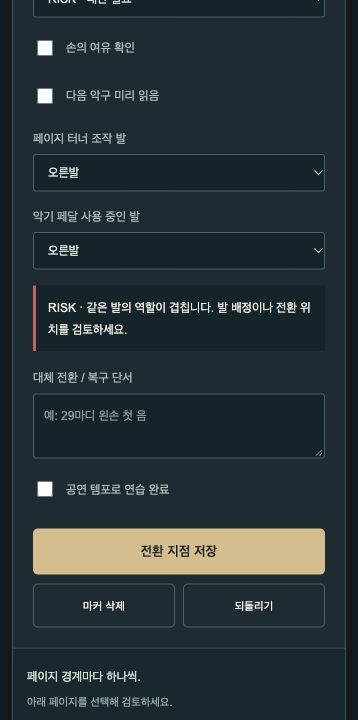
| Korean 390×844 | Right/right warning and RISK save Representative mobile input worked without document overflow. |
| Report outputs | PDF completion message; no delivered files Export contents and JSON portability were not verified. |
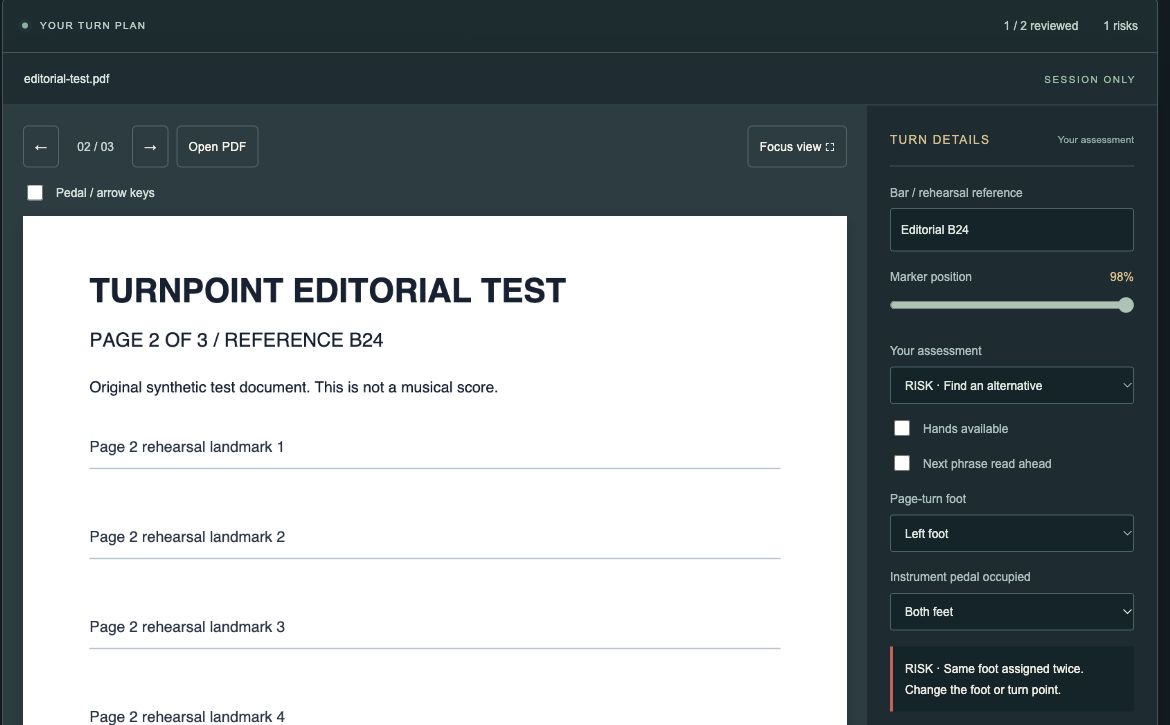
The saved marker/persistence test and the later center-click test were separate states. The screenshot shows the saved 98% example; the center click subsequently changed the editing position to 50%. Keeping that distinction prevents an illustration from being mistaken for proof that every test used identical settings.
We also moved the preview-height input to 260 and observed a 260-pixel displayed preview height. That was a display-control check, not evidence that the next phrase was musically read or that the crop would be sufficient for a particular score. The export test did not provide files for independent inspection.
Read SAFE, REVIEW and RISK correctly
The labels are a workflow, not a confidence probability. SAFE depends on your assessment, completed checks and the absence of an entered foot conflict. The app can reject a contradictory combination of fields; it cannot confirm the truth of the musician’s entries.
Our 3-page PDF example showed 1/2 reviewed and 1 risk after saving a RISK boundary. Therefore reviewed should not be interpreted as all clear. A saved problem is still a reviewed entry. Read the risk count and each boundary’s label alongside the completion counter.
REVIEW is useful when you have a plausible page turn candidate but have not rehearsed it under the required conditions. RISK should keep the alternative visible rather than being a score to minimize for its own sake. Changing a label without changing the underlying plan does not create extra physical time.
Use the backup field to make a risk actionable. A good cue describes a reliable next-page landmark or a deliberate alternative such as a different layout or an assistant. Avoid presenting a generic assurance as a recovery plan. The exact musical choice remains the player’s judgment.
Markers, boundaries and the next phrase
A marker locates a page turn candidate on a displayed page. It does not encode a tempo map, identify rests or calculate the duration of a held note. A vertical percentage can remain useful within the same file while becoming misleading if you replace the score with a differently cropped or reordered edition.
Ghost Page is a read-ahead aid, not automatic score following. Inspect the opening of the next page and decide whether the crop contains the entry you need. Increasing its height changes the preview area; it does not prove that the next system has been understood or that enough reading time exists.
Review every boundary, including an apparently easy one. For a document with N pages in an ordinary forward sequence, there are N−1 boundaries to consider. Musical repeats, jumps and special performance orders may require additional thinking; we did not verify an automatic repeat-navigation engine.
Keep PDF order, printed references and recovery notes aligned. If you reorder or replace pages outside the tool, recheck the plan rather than assuming an old percentage points to the same place. The source’s recommendation to reopen the same PDF is important for reproducible annotation recovery.
Keyboard and pedal practice
The source supports pedals that emit keyboard ArrowLeft, ArrowRight or Space after operating-system pairing. That is a compatibility requirement, not a universal device guarantee. Our test used keyboard events only. Pairing, battery life, mapping and behavior on a physical pedal were not verified.
A good input check has two parts: the document moves in the intended direction, and the rehearsal status explicitly reports the event. A paired device name alone does not prove the browser received a key. Input fields keep their normal keyboard behavior, which we confirmed with the bar-reference field.
The rehearsal clock reports a browser estimate relative to a target beat. We deliberately triggered an early key event to verify the received-input path; the displayed offset was not a measurement of Bluetooth latency, reaction skill or performance readiness. Tool-call timing is not a musician’s practice result.
One beat spans 60/BPM seconds, so a useful preparation question is how much time a page turn candidate spans at your intended tempo. That arithmetic alone cannot determine a safe page turn: the hands, feet and eyes may still be occupied. The visible-target, hidden-count and rescue modes offer different practice contexts, but we did not certify every mode or hardware combination.
Focus view requests browser fullscreen according to the FAQ. It does not change the site’s advertising settings, and mobile support can vary. We encountered an interstitial covering the controls and closed it to continue. Do not assume a focus label guarantees an uninterrupted or advertisement-free performance environment.
Save the plan without confusing it with the PDF
Optional device storage and the PDF have different lifetimes. After enabling storage on the test plan and reloading, we saw a Reopen score notice rather than an automatically retained document. Selecting the same PDF brought back Editorial B24, 98%, RISK, Both feet and the exact recovery text on boundary 2→3.
This verified one same-browser recovery path with one small file. It did not establish long-term retention, synchronization across devices or behavior for every renamed/revised edition. We switched the test storage option off afterward; a fresh Korean page opened the original demo without our saved test plan.
The publisher says the PDF report contains page references, markers, pedal assignments, recovery notes and rehearsal status, without the original score. JSON is offered as an additional portable record. Because no files reached our session, those descriptions remain publisher specifications rather than inspected export contents.
For important rehearsal work, verify an actual downloaded report before treating it as a backup. Keep the original PDF and any annotations separately. A report-complete message and a successfully saved, readable file are different checkpoints. We did not verify JSON import or movement of a plan between browsers.
Page turn planning limits and privacy
This is a manual page turn planner. It does not recognize notation, infer available hands from a rest or detect actual foot pressure. MusicXML/MIDI/optical recognition should not be described as active features. The demo’s illustrative notation is original source artwork, not evidence that the app analyzed an imported score.
The publisher says a selected PDF is read in the browser and not sent to its server; optional storage saves annotations rather than the file. We used only a non-sensitive original fixture and did not audit network traffic. PDF rendering/export libraries are loaded from a CDN, while Blogger and advertising have their own data practices.
A successful small-PDF test does not guarantee support for encrypted, damaged, huge or unusually complex files. The source recommends trying an unencrypted PDF under 30MB. Use a compatible copy and check page count and order after opening; the original is not edited by this planning workflow according to the source.
Mobile 390×844 testing confirmed the Korean form’s same-foot warning and RISK save with no horizontal document overflow. It did not test a physical tablet on a stand, every fullscreen path, screen-sleep behavior or a real performance. Those conditions need a separate rehearsal on the actual setup.
Related tools for rehearsal
Explore PEDAL GHOST when discussing the instrument-pedal job before assigning a page turn foot. Its piano sustain simulation offers a separate learning exercise; it does not test a Bluetooth page turn device or validate a TURNPOINT plan.
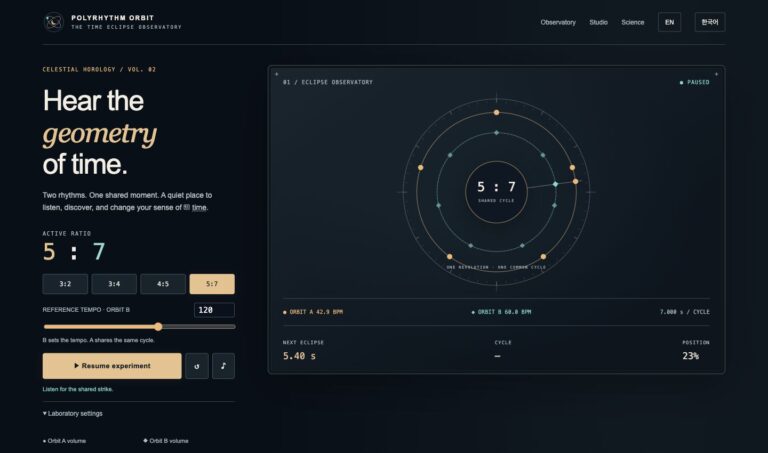
Use POLYRHYTHM ORBIT to study pulse grouping before choosing a rehearsal target. Keep its timing exercise separate from the PDF boundary you intend to practice. No synchronization or project transfer between the tools was tested.
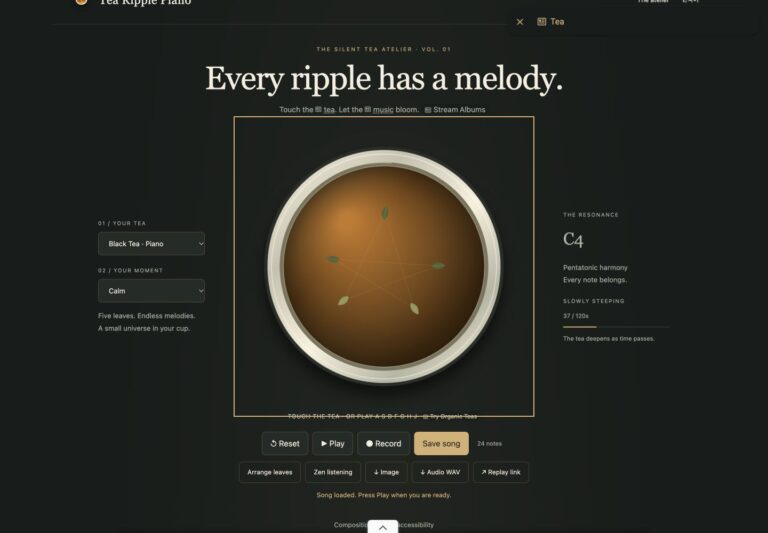
Try Tea Ripple Piano for a separate short keyboard recording/replay exercise. It can support focused practice away from the score-planning task, while TURNPOINT keeps the candidate and recovery references tied to the document.
Page turn planner FAQ
Can it find the best page turn automatically?
No. The current version is manual. You place the marker, enter the musical reference and make the assessment. Its warnings check entered roles and required flags, not the notes in the PDF.
Why did a SAFE request become REVIEW or RISK?
In our tests a same-foot conflict saved RISK, while incomplete required checks without that conflict saved REVIEW. SAFE required the hands, read-ahead and rehearsal checks as well as no entered foot conflict. That gate does not verify a real rehearsal.
Does reviewed mean the whole plan is safe?
No. A saved RISK counted toward reviewed in our test. Read every label and the separate risk count. A three-page document showed two forward boundaries, not three independent turn opportunities.
Will my PDF return after refreshing?
Our optional-storage test retained the annotations but requested the PDF again. Reopening the same small file restored the tested boundary details. Keep the score independently and do not assume cross-device synchronization.
Were real pedals and exported reports tested?
Keyboard navigation and received-event status were tested. Physical Bluetooth hardware, latency and actual performance were not. Export buttons were invoked, but no PDF/JSON file was obtained for content inspection.
Verification notes and sources
Checked 13 November 2026 in Chrome with the original demo, a 3690-byte three-page text fixture and Korean 390×844 form interactions. The fixture explicitly stated that it was not a musical score. Three genuine browser screenshots were retained. Actual observations, publisher descriptions and proposed rehearsal workflows are kept distinct.
Primary references: TURNPOINT LAB’s English workspace and FAQ and the operated Korean workspace. Begin with one boundary, save a clear reference and test the recovery path before relying on the whole plan.
A RELEVANT NEXT STEP
Tools with a useful connection
PEDAL GHOST
Pedal Ghost: 7 Smart Checks for Better Piano Sustain
Explore piano pedal release with modeled traces, sostenuto capture and event postcards. Checked controls and shared replay explain the graph, register, quiz and audio/export limits.
POLYRHYTHM ORBIT
Polyrhythm: 7 Smart Checks for Better Orbit Practice
Explore polyrhythm cycles, onset grids and phase in POLYRHYTHM ORBIT. Checked rates, 6:4 shared positions and fresh-link restoration explain the reference clock and session/export limits.
Tea Ripple Piano
Tea Ripple Piano: 7 Smart Recording and Replay Checks
Create short melodies by playing a virtual tea cup. This guide tests recording, local restoration, replay links and live layers, and explains which output preserves your next idea.