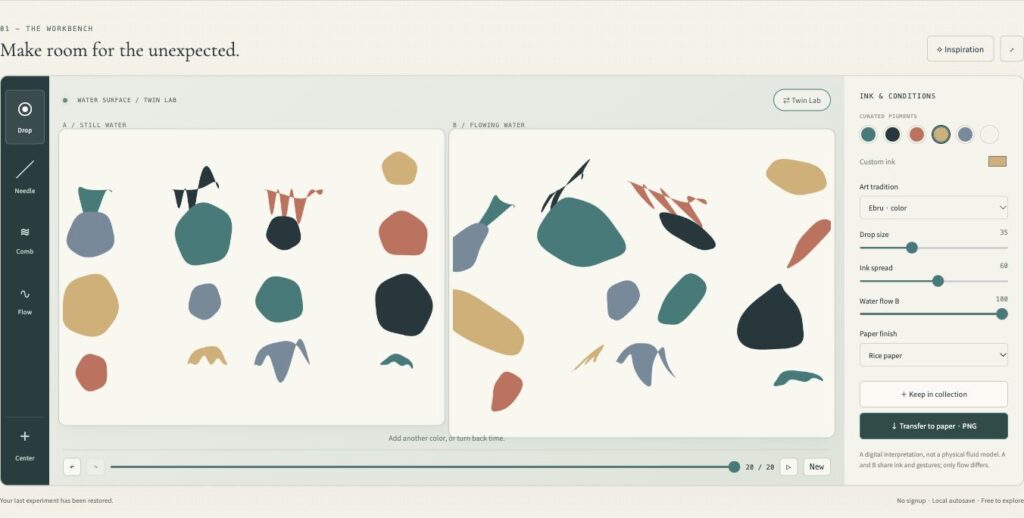
Explore digital marbling with ink drops, timeline branching and Twin Lab flow comparison. Includes direct tests, mobile behavior and backup limits.
- Brand
- Marbling Ink Laboratory
- Tool languages
- en, ko
- Verified date
- 2026-11-14
Marbling simulator experiments are easier to understand when you can rewind a gesture and compare two water conditions. Marbling Ink Laboratory offers a digital canvas inspired by Ebru and suminagashi, with ink colors, drawing tools, a history timeline and a side-by-side Twin Lab. Use it to explore a composition before deciding which version deserves to be kept.
Verified 14 November 2026 (KST). We tested central drops, a needle drag, undo and redo, timeline branching, a preset, local collection recovery and Korean mobile controls. PNG and JSON buttons displayed completion messages, but completed download files were not received in our test. File contents and recipe import remain unverified.
On this page
Key takeaways
Start with a small number of drops. The marbling simulator makes a clear comparison easier than a crowded canvas does. Twin Lab mirrors input into A and B while exposing a separate flow control for B. Its value is visual experimentation; the site explicitly says it is not a physical fluid model.
Save a collection specimen before rewinding and adding a new mark. Our branch test removed the later history. A collection is browser-local storage, not a separate backup file. Recheck paper finish after reopening: our saved study returned to Rice paper after a reload.
What this marbling simulator does
The official name is Marbling Ink Laboratory, subtitled The Floating Atelier · Vol. 02. The root page is English, with a separate Korean edition linked in the navigation. The workbench contains Drop, Needle, Comb, Flow and Center controls, six curated pigments, a custom color field and three art-tradition choices. The choices are Ebru · color, Suminagashi · ink and Impossible Water · fantasy.
Drop size, Ink spread and Water flow B are adjustable sliders. Rice paper, Smooth print and Watercolor paper are finish choices. These names describe digital presentation options; selecting a finish is not a test of ink absorption on real paper. Pattern Atlas offers Battal / Ebru, Suminagashi and Gelgit / Flow starting studies. The daily section also proposes a date-based three-color exercise.
The marbling simulator accepts canvas clicks and tool drags. Center supplies an accessible alternative for placing a drop at the middle; we activated it with the keyboard. The visible output is a changing drawing on one or two canvases. Collection cards provide a way back into a saved experiment. Export controls advertise a PNG image and an Ink DNA JSON recipe, which serve different purposes.
Turn an attractive accident into a useful study
A decorative background can look promising yet be hard to reproduce. You may remember the colors without remembering the order of the drops, or lose the quieter version after several extra strokes. This marbling simulator puts the sequence beside the image. Rewind to inspect which action changed a shape, then decide whether to preserve the older version or branch from it.
For a presentation background, the useful question is often where the empty space remains. For a classroom demonstration, it may be how one repeated center position produces nested forms. For a personal pattern journal, it may be which version is worth developing. None of these requires a claim that a real tray of pigments would behave the same way.
Actual browser test results
| Test | Observed result |
|---|---|
| Three central drops | Teal #337c7a, coral #c76d5a and gold #d6ae70 produced nested central forms; timeline 03 / 03. |
| Undo, redo and rewind | Undo showed 02 / 03, redo returned to 03 / 03, and the timeline could reach 00 / 03. |
| Needle drag | A drag through the central drawing changed its shape and advanced the timeline to 04 / 04. |
| New branch | After rewinding to the first action, another Center input produced 02 / 02. Redo was disabled. |
| Twin Lab | Both canvases displayed the input. Flow B was set to 0 and 100; the latter showed a visibly different B shape. We did not establish pixel equality at zero. |
| Preset and collection | Gelgit / Flow loaded a 20 / 20 study. A separate two-step specimen could be reopened after New and its history survived reload. |
| Persistence limit | Paper finish had been changed to Watercolor paper before saving; after recovery and reload it was Rice paper. Do not assume every setting persists. |
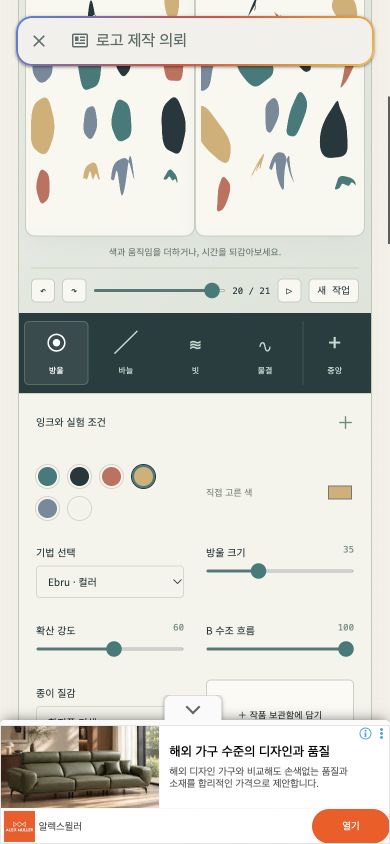
| Korean mobile | At 390 × 844, Center advanced 20 / 20 to 21 / 21 and undo showed 20 / 21. The settings disclosure opened; document width stayed 390px. |
| Exports | “Paper transfer prepared as PNG” and an Ink DNA completion message appeared. No completed file was received; dimensions, contents and re-import were not checked. |
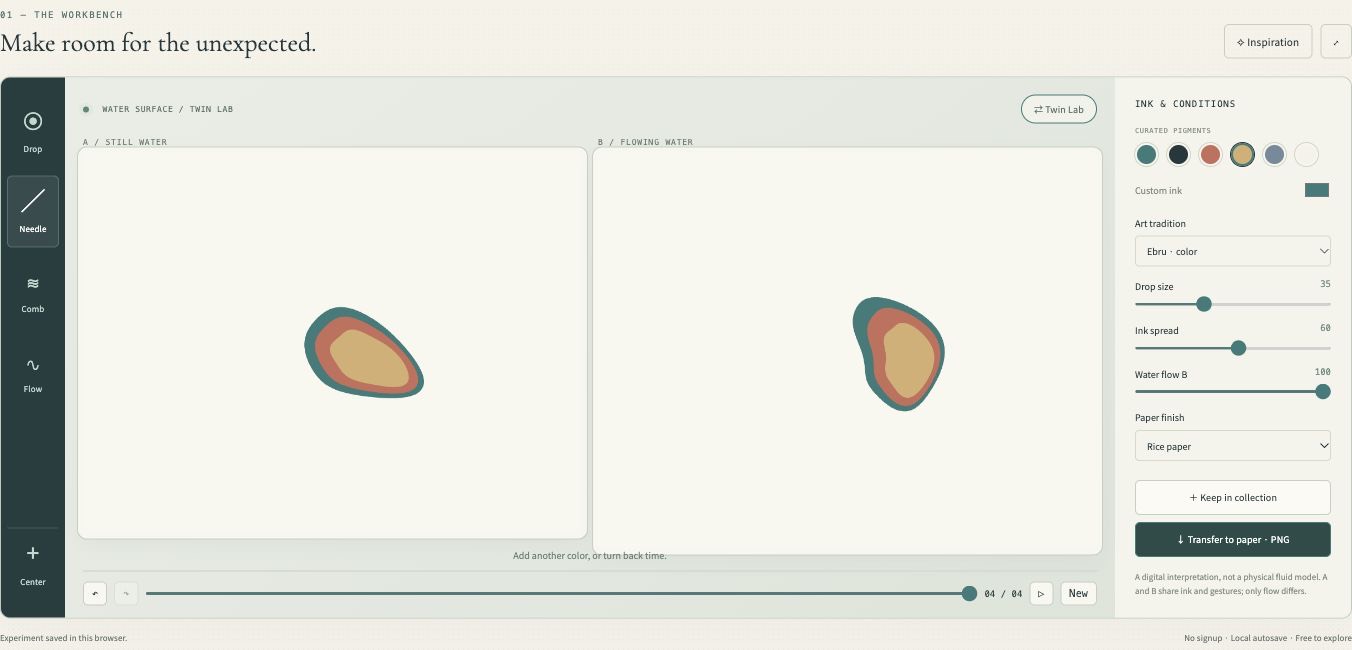
These observations establish working canvas and history interactions in the tested browser. They do not establish performance on every phone, reliable export in every browser, print fidelity or a physical materials recipe. An existing 51-step experiment was preserved in the local collection before testing and restored afterward; the published test images show our separate studies.
Prepare your first experiment
Use a browser with Canvas support and enough visible space for the canvas and controls. A larger display is helpful for comparing two tanks, while a narrow screen is sufficient for basic drops and history controls. Decide whether your goal is a color study, a repeated-gesture exercise or a decorative image. A single goal makes the first comparison interpretable.
Before pressing New or loading a study, inspect whether an earlier experiment has been restored. Keep it in the collection if it matters. Write down the chosen tradition, colors, size, spread, flow value and finish in your own notes. A screenshot of the settings is useful when a control does not survive reopening. Do not clear browser data until you have checked any separate backup you intend to trust.
Marbling simulator: 7 practical checks
1. Protect the starting point
Open the marbling simulator and look for a restored-experiment message. Use Keep in collection before replacing useful work. The observed collection limit was eight specimens; treat it as a small working shelf rather than a permanent archive. Keep a separate record of the version you intend to revisit.
2. Fix the initial conditions
Choose one tradition and a limited palette. For our central-drop exercise, Ebru, size 35 and spread 60 were a clear starting point. These are interface values, not millimeters or material concentrations. Leave them fixed while you investigate the effect of placement or gesture.
3. Add a readable sequence
Select the first pigment and press Center once, then choose the next pigment and repeat. Watch the history count after each input. You can also place drops directly with the Drop tool. A short sequence lets you connect a visible boundary to a particular input instead of guessing from a crowded result.
4. Make one deliberate gesture
Select Needle and drag through a colored area. Our needle stroke changed the shape and became the fourth history action. Compare before and after with undo and redo before adding more marks. Comb and Flow are additional tools; their presence does not make every freehand stroke predictable.
5. Ask Twin Lab one question
Turn on Twin Lab and compare A / Still Water with B / Flowing Water. Adjust Water flow B while keeping the drop sequence and other choices fixed. We inspected values 0 and 100. Read the visible current value; in our test the accessibility status name retained an older number even when the slider value changed.
6. Preserve before branching
Save a specimen, then use the timeline to revisit an earlier point. Adding a fresh drop from that point creates a new continuation. Our history shortened to 02 / 02 and redo became unavailable. Save the original version first if you want both the old ending and the new branch.
7. Check what was actually kept
Open the saved card with Continue study, inspect the history and check every setting you need. After reloading, verify the paper finish again. If you use PNG or Ink DNA export, confirm a file arrived and opens before treating it as a backup. Our review verified export messages, not completed files.
A three-color experiment you can repeat
Our minimal exercise used three Center inputs: teal, coral and gold, in that order. With size 35 and spread 60, the display showed nested colored forms. At 03 / 03, undo removed the last visible stage while preserving the full history count; redo restored it. This is a useful lesson in the difference between the current position and the total sequence.
We then selected Needle and dragged through the center toward the lower right. The counter became 04 / 04. The before-and-after drawing is more informative than describing the stroke as “better”: the gesture changes the distribution of color and empty space, which may suit one layout and distract in another. Save both versions if your destination has not yet been chosen.
A suggested follow-up is to reserve a blank area for a slide title. Place a few drops away from that area, add only one gesture, and inspect the intended crop. This is a proposed composition exercise, not an additional reported test. The marbling simulator has no verified text-layout, crop, seamless-repeat or print-proof workflow in this review.
Compare the tool with other approaches
| Approach | Useful for | What still needs checking |
|---|---|---|
| Marbling simulator | Rewinding a digital sequence and comparing flow conditions | Actual exported file, destination crop and reopened settings |
| General raster editor | Placing text, cropping and preparing a final composition | Whether the source image has enough resolution and usable contrast |
| Physical marbling | Learning materials, hand movement and transfer to paper | Real supplies, practice, handling and the behavior of that particular setup |
| Static pattern image | A quick decorative reference with no interactive experiment | License, dimensions, repeat edges and suitability for the final use |
The marbling simulator is strongest when the sequence itself matters. A static image cannot show which drop created a boundary. A conventional editor is more appropriate once exact layout dimensions and typography become the main problem. Move between stages deliberately instead of expecting the workbench to cover the entire publishing process.
History, collection and backup are different
History is the current experiment’s sequence and playback position. Collection is a browser-local saved specimen that can be continued. PNG is presented as an image export, while Ink DNA is presented as a recipe for later replay and import. A screenshot records appearance but does not substitute for an editable recipe.
The source says clearing browser data removes autosaves and that the collection lives in the current browser. Our save-and-reload test supports local persistence of history, but it is not a synchronization test across devices or profiles. Keep the image and recipe together only after you have independently verified both files. A success message alone is not evidence that a usable backup exists.
For a small personal archive, use a date, a short composition name and a version suffix in your own files or notes. Record the tradition and the main slider values beside the image. That convention is an editorial suggestion, not a naming feature of the site. It helps distinguish a screenshot reference from a confirmed image export and a confirmed editable recipe.
Advanced composition and troubleshooting tips
Change one factor at a time. If you alter palette, size, spread and flow together, a striking difference will not tell you which choice caused it. Start with a saved base and make two clearly labeled variants. Compare the same area at a similar display scale, because unequal viewport proportions can make shapes appear differently stretched.
Use empty space as an explicit design condition. A beautiful full-canvas pattern may be a poor background for a small label. Check whether a quiet region survives the intended crop and whether foreground text remains legible. Do not infer seamless tiling from an attractive single canvas: a repeat requires checking opposite edges in a separate layout workflow.
If a button seems unresponsive, first check for an advertising overlay, an offscreen control or a collapsed settings panel. We used keyboard activation for several controls. The mobile settings panel opens from its disclosure row. Avoid clicking promotional links that appear inside source text; the studio controls and the article’s direct source CTA are the relevant path.
Limits, privacy and mobile behavior
This is a digital interpretation, not an accurate physical fluid model. It does not validate pigment compatibility, bath preparation, absorption, drying, archival quality or the behavior of a real sheet of paper. A paper-finish label should be read as a visual choice. No physical marbling session or print test was performed for this article.
The observed drawing and collection work in the browser, and local persistence was tested. The page also displayed advertisements and injected promotional links. We did not audit network traffic or every script, so “local autosave” must not be expanded into a claim that the whole page is offline, transmits nothing or provides encrypted cloud backup.
At 390px wide, the Korean workbench rearranged its tools and collapsed the ink controls. The page itself did not overflow horizontally. Advertisements could cover part of the visible work area; close them with their own close control when available and inspect the canvas again. Narrow-screen keyboard tests are not proof of touch drawing quality on a physical phone.
Related tools for presenting your study
Once you have a confirmed image file, FrameMint Studio can help present a screenshot study with context. WebP Studio is a next step for comparing converted sharing copies. PixelFit Studio addresses destination dimensions and file-size constraints. Keep an untouched original before preparing derivatives.
Those published guides belong to the presentation stage, not to the fluid experiment. We did not receive a completed Marbling export and therefore did not claim a tested end-to-end export-and-convert result. Choose the related tool only after you know whether your destination needs a screenshot explanation, a smaller image or exact upload dimensions.
Frequently asked questions
Is this marbling simulator a real-fluid prediction tool?
No. The source explicitly describes a digital interpretation. Use the changing forms to explore composition and sequence, not to forecast a real material mixture or a finished physical print.
Can I return to the version before a new branch?
Save that version to the collection first. In our test, a fresh drop after rewinding discarded the later history and disabled redo. The unsaved old ending was not retained as a second branch in the current timeline.
Does the collection preserve every setting?
Do not assume so. The tested history returned, but paper finish was Rice paper after reload despite a prior Watercolor paper selection. Inspect finish and other important controls whenever you reopen a study.
Were PNG export and JSON import verified?
The export controls produced completion messages, but no completed file arrived through our test. We did not verify image dimensions, JSON contents or importing that exported recipe. Check a real file before relying on either format.
Is an account required?
The tested workbench offered no-signup use and local autosave. That does not guarantee storage across browsers, devices, private sessions or cleared browser data. The page also contains advertising.
Does a tradition preset teach the complete craft?
No. The preset is a digital starting point. For cultural context, the Turkish National Commission for UNESCO’s Ebru entry identifies Ebru as a Turkish art tradition. A browser exercise is not a substitute for learning the real craft from practitioners.
Start with three drops and one question
Open the marbling simulator, preserve any restored work and build a short, readable sequence. Compare one condition, save before branching and check what survives reopening. That gives you a useful study rather than an unexplained image, with a clear boundary between the browser experiment and a finished file or physical print.
Evidence record: direct browser interactions and actual screenshots, 14 November 2026 (KST). The seven-check workflow, composition prompts and comparison table are editorial additions. File receipt, recipe re-import, physical materials, printing and cross-device persistence were not verified.
A RELEVANT NEXT STEP
Tools with a useful connection

FrameMint Studio
Screenshot Editor: 7 Smart FrameMint Studio Checks
Frame screenshots, add manual masks and build captioned stories in FrameMint Studio. Real import, order, recovery and size tests explain what to check before sharing.
WebP Studio
WebP Studio: 7 Essential Checks for Better Batch Images
Use WebP Studio’s English interface to compare image quality, keep dimensions or resize a batch. Actual tests reveal smaller JPGs, larger outputs and a rounded zero-saving total.
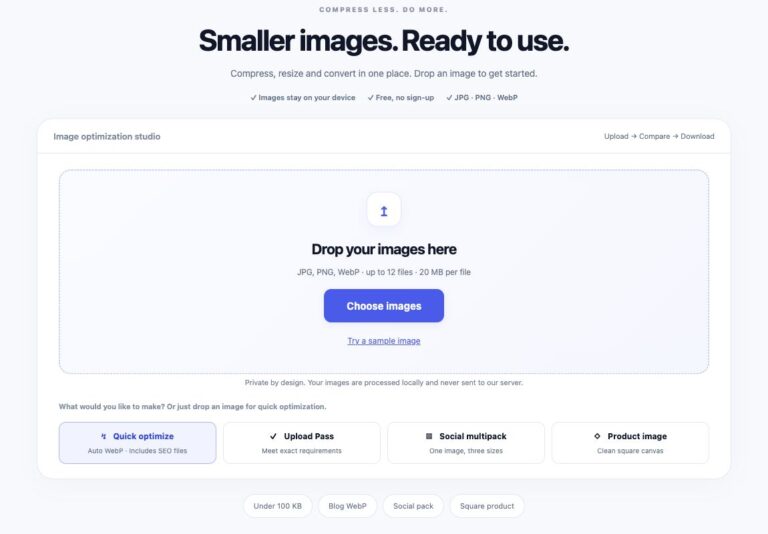
PixelFit Studio
Image Upload Optimizer: 7 Essential PixelFit Checks
Prepare exact upload dimensions and file-size conditions with PixelFit Studio. Actual sample and JPEG tests explain PASS/CHECK, crop versus contain, social totals, copied HTML and the limits of unverified file receipt.