Payoff Studio compares extra loan payments, estimated interest and payoff timing. Choose between keeping the regular payment and modeling a lower payment after overpaying. Start with your current balance and remaining months, hold the other assumptions steady, and use the comparison to prepare questions for your lender.
Verified November 7, 2026, in Chrome. We tested both languages with synthetic inputs, independently recalculated a 12-month example, checked two fee methods, saved and cleared scenarios by reloading, and used the Korean page at 390 pixels. We verified copied summary text. We activated the CSV control but did not inspect downloaded file contents; printing/PDF was not tested. This library and the original tool share a creator. The review distinguishes observed results, stated model rules and editorial guidance.
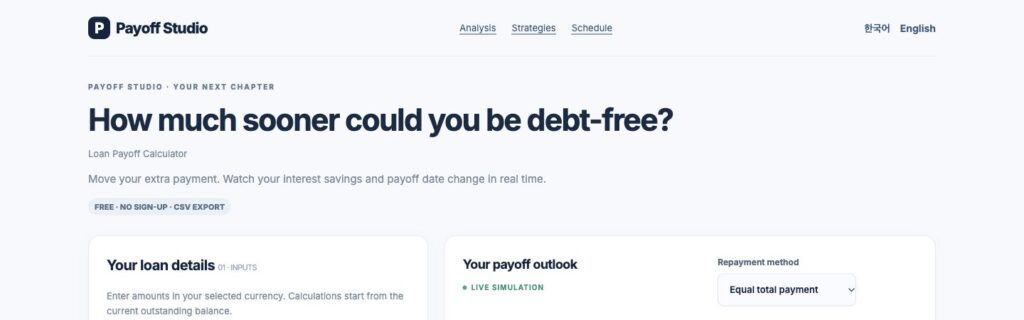
Compare extra principal, interest, fees and payoff timing with Payoff Studio. Independently checked examples explain term shortening versus payment reduction, rounded results and the limits of this fixed monthly loan model.
- Brand
- Payoff Studio
- Tool languages
- en, ko
- Verified date
- 2026-11-07
On this page
Key takeaways
- Use the outstanding loan balance and months still remaining. Starting from the original advance and full original term answers a different question.
- Repayment method and treatment after overpayment are separate choices: equal total payment/equal principal versus shorter term/reduced regular payments.
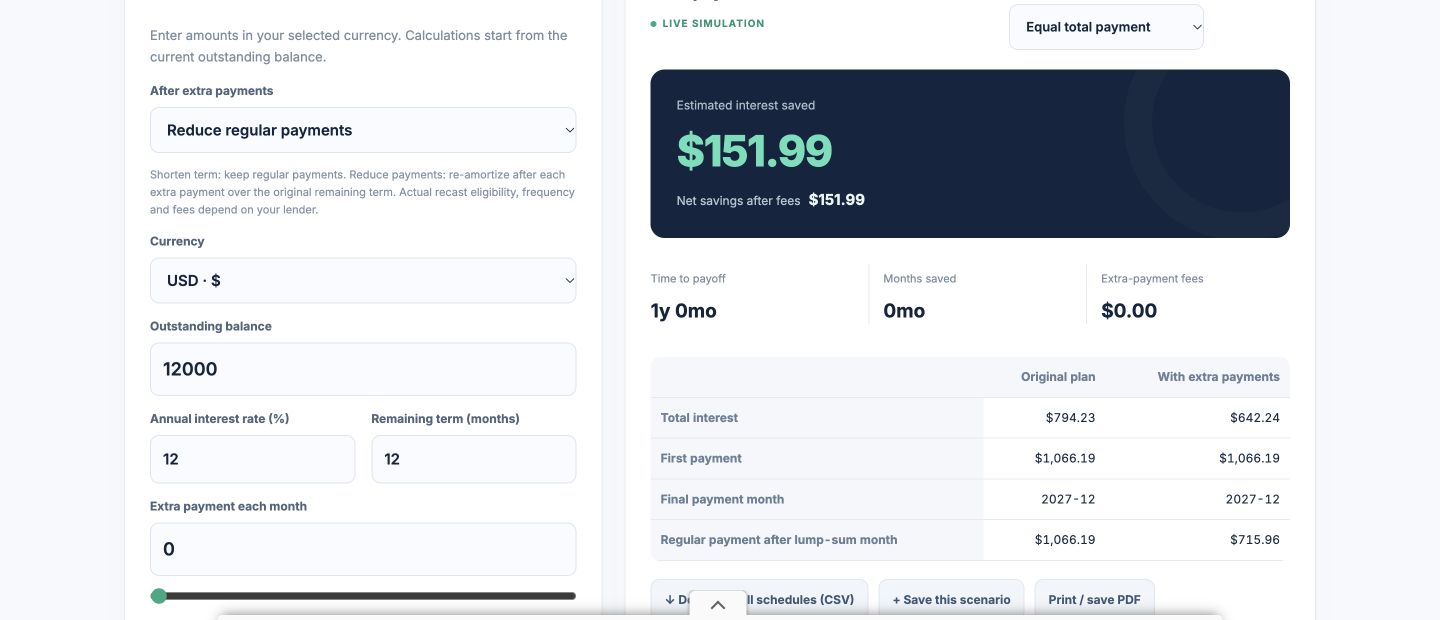
- Our synthetic 12,000 balance at 12% for 12 months, with 3,000 extra after payment 3, produced 9 months and 546.74 interest in shorten-term mode. Payment reduction produced 12 months and 642.24 interest.
- A 0% example still produced negative net savings once fees were entered. The large interest-saved figure and net savings after fees should be read separately.
- The model uses fixed rates and monthly periods. Currency selection is not exchange conversion, scenario saving disappeared after refresh, and the output is not a lender payoff quote.
What the loan payoff calculator models
The official brand is Payoff Studio. The English interface calls the tool Loan Payoff Calculator; the Korean root page describes a loan early-repayment simulator. The page accepts current principal, annual interest rate, remaining months, a recurring extra amount and a one-time extra amount with its payment number. It updates estimates as you edit rather than requiring an application or an account.
The main value is a controlled comparison. A borrower may want an earlier finish, a lower modeled required payment, or a way to see how a fee changes an apparent saving. The two treatment modes make those goals visible. They do not establish whether a lender permits a recast, whether a particular payment will be credited as principal, or whether a repayment is the best use of someone’s cash.
English opened with USD and a flat fee method; Korean opened with KRW and the declining-window method. Both showed a zero fee rate, so neither default represented a confirmed contract fee. The currency menu also offered GBP and EUR. When we changed USD to EUR in a test, the balance stayed 12,000 and the display changed symbol: no exchange-rate conversion took place.
Prepare the loan facts before comparing scenarios
Use a current statement or lender-provided figures to identify the outstanding balance, remaining number of payments, rate and actual repayment method. Do not enter a monthly rate in the annual-rate box or years in the months box. Keep a note of the effective date of these figures so a later comparison is not accidentally based on a different balance.
Separate the extra principal you intend to pay from fees. Open Fees & payment date to inspect the percentage, its remaining application window, an annual fee-free allowance, a one-time charge and the next payment month. These are model inputs you must match to your agreement; selecting a currency does not select a country’s law or a lender’s policy.
| Input | What to enter | Common mistake |
|---|---|---|
| Outstanding balance | Principal still owed at the scenario start | Using the original loan amount |
| Annual interest rate | The rate appropriate to this fixed monthly model | Treating a promotional or changing rate as a lifelong constant |
| Remaining term | Whole months still to run | Entering years, or restarting the original full term |
| Extra monthly principal | An amount in the selected currency | Confusing extra money with the whole regular payment |
| Lump sum and payment number | Amount and modeled installment when it happens | Reading installment 3 as the third calendar month of the year |
| Fees and allowance | Your verified contract terms | Leaving zero fees because the example uses zero |
| Next payment month | Month assigned to installment 1 | Interpreting default calendar dates as your actual schedule |
How to use Payoff Studio: 7 smart loan checks
1. Match the repayment method to the loan
Choose Equal total payment for the constant principal-and-interest payment model, or Equal principal for constant regular principal plus changing interest. Select the method matching the agreement you are modeling. Switching the screen option does not change a real contract. The comparison table is useful for understanding the models, not evidence that a lender will let you swap repayment structures.
2. Choose the purpose of the extra payment
Shorten the term maintains the original regular payment or regular principal and lets the balance finish earlier. Reduce regular payments re-amortizes after extra principal, spreading the remaining balance over the original remaining horizon. The source applies that recalculation from the following installment. Read this as a hypothetical mechanism: actual lender eligibility, timing and charges need separate confirmation.
3. Establish a baseline from the current balance
Start with the outstanding balance, annual rate and remaining months. Set monthly and one-time extra payments to zero if you want to inspect the baseline without another change. Check the first installment’s interest and principal before interpreting a long-range total. A seemingly plausible finish date cannot rescue an input entered in the wrong unit.
The model’s monthly interest rate is the annual percentage divided by 100 and then by 12. For our 12,000/12% example, first-month interest is 120. The fixed principal-and-interest payment is approximately 1,066.185464 over 12 months. A separate recurrence using the opening monthly balance matched the displayed results. These are arithmetic test conditions, not current market rates or a real mortgage offer.
4. Add one extra-payment change at a time
Enter a monthly extra amount or a lump sum with its installment number. Our worked test used no monthly extra and a 3,000 lump sum in installment 3. The source applies extra principal after that installment’s regular payment, so the extra does not erase the interest already charged for that month. The effect appears in the smaller balance used by later months.
The slider and quick amounts are convenient for exploration, while the number field lets you enter a specific amount. In the English page we observed a slider step of 10, so the numerical field is the clearer route for a value between slider steps. The A/B/C cards vary monthly extras while retaining other inputs; their labels do not make them universally suitable repayment recommendations.
5. Enter fees before reading net savings
The model has a flat percentage and a declining remaining-window percentage, a fee window in future months, an allowance renewed every 12 modeled payments and a separate fixed fee. The source says the allowance is deducted from actual extra principal before percentage fees, and the fixed charge is applied once at the first extra payment. These are simplified rules rather than a reproduction of every contract.
Compare gross interest saved with net savings after fees. A negative net result is possible even when the loan finishes sooner. Read the fee formula below before copying a favorable headline into a planning note. If your agreement uses daily proration or a different anniversary for the allowance, the page’s monthly rule is a different assumption.
6. Compare the payment after the lump sum
The first payment can stay identical in both scenarios even when the later result differs substantially. In our test, the first payment was 1,066.19 in both treatment modes because the extra occurred at installment 3. Under payment reduction, the next regular payment became 715.96; under term shortening it remained about 1,066.19. Inspect the later schedule, not just the first-payment row.
7. Preserve assumptions and confirm the next step
Save a few scenarios for an on-page comparison and use Copy result summary for a text record. We saved three scenarios and confirmed that a reload removed them and restored example inputs. “Save this scenario” is therefore not a durable backup in the tested session. Keep an external note if you need to return to these assumptions.
The CSV control is offered for full schedules, and Print / save PDF is offered separately. We activated CSV but did not inspect a resulting file, and did not test printing. Before relying on an export, open it and check the inputs and schedule. For an actual overpayment, obtain the lender’s treatment and payoff information; the calculator cannot submit a principal payment or authorize a contract change.
Our independently checked loan example
We entered USD 12,000 outstanding, annual interest 12%, 12 months remaining, no monthly extra, a USD 3,000 extra at installment 3, no fees and a first payment month of January 2027. We retained equal-total-payment amortization while changing only the treatment after the extra payment. This is a deliberately small synthetic calculation, not an illustration of typical mortgage pricing.
| Result | Shorten the term | Reduce regular payments |
|---|---|---|
| Baseline total interest | 794.23 | 794.23 |
| Interest with extra payment | 546.74 | 642.24 |
| Net savings, fees set to zero | 247.48 | 151.99 |
| Final modeled installment | 9 | 12 |
| Final payment month | 2027-09 | 2027-12 |
| Regular payment at installment 4 | 1,066.19 | 715.96 |
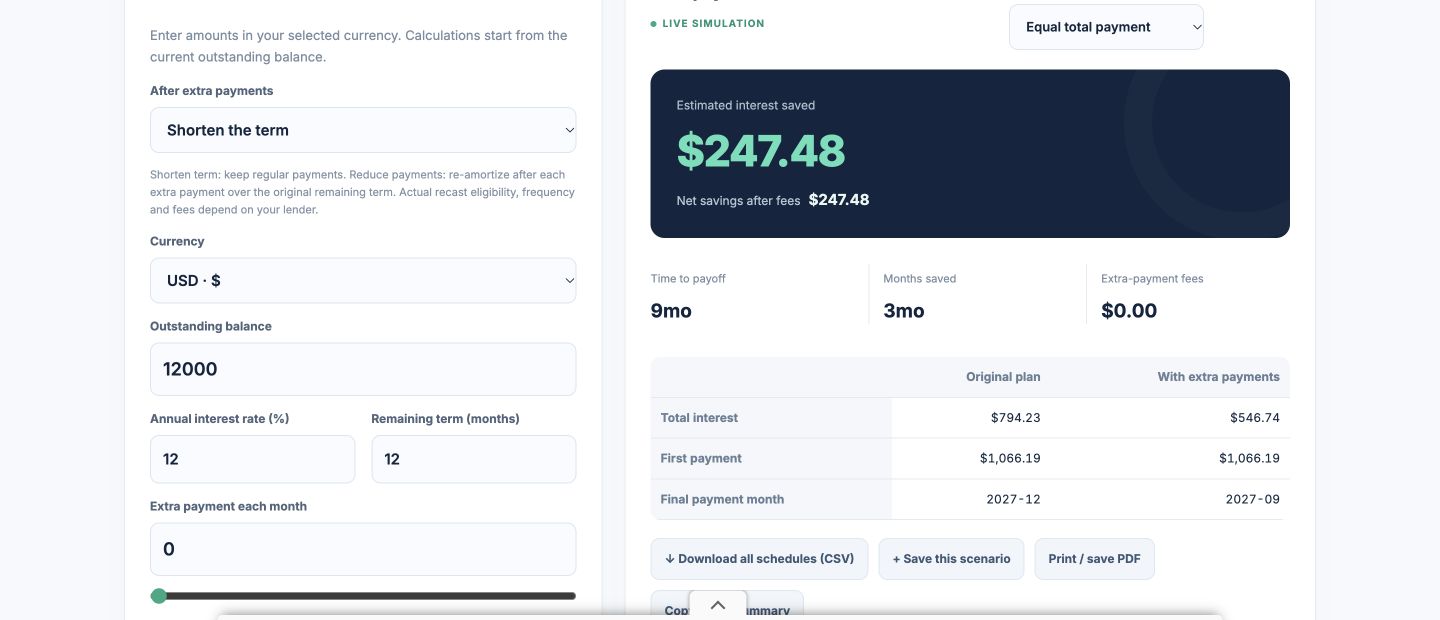
The first three interest amounts were 120.00, 110.54 and 100.98 when displayed to cents. After regular principal and the extra 3,000 in installment 3, the unrounded balance was approximately 6,132.963425. In the reduction mode, recalculating that balance over nine remaining installments produced approximately 715.964376 per month. The independent total interest values were 546.744404 and 642.235773, respectively.
One-cent differences from displayed arithmetic are expected here: 794.23 minus 546.74 is 247.49, while the card displayed 247.48. The page states it calculates with unrounded values. Our independent unrounded subtraction gave 247.481166, which rounds to the card’s result. Do not “correct” the estimate by adding rounded schedule rows as though they were the internal ledger.
We also selected equal principal in the reduction case. The baseline interest was 780.00, the extra-payment interest was 630.00 and the displayed fourth installment was 726.67. Those numbers follow a different regular-principal schedule. Compare each extra-payment result with its own repayment-method baseline rather than mixing the lower baseline from one method with the extra-payment total from another.
A zero-interest fee test explains negative savings
Our separate Korean test used 12,000 currency units, 0% annual interest, 12 months, 1,000 extra each month, a 2% fee, a 12-month fee window, a 2,000 allowance and a fixed fee of 50. The first payment month was January 2027. Both interest totals were zero and the modeled loan finished in six installments. The purpose was to isolate the fee arithmetic.
Six extras of 1,000 total 6,000 extra principal. With the first 2,000 exempt, the flat percentage fee is 4,000 × 2% = 80; adding the fixed charge gives 130 and net savings of −130. With declining fees, the four chargeable installments use factors 10/12, 9/12, 8/12 and 7/12. The result is approximately 106.6667 including the fixed fee, displayed in KRW as 107 with net savings −107.
This test does not say that a real zero-rate loan has these fees, or that a Korean agreement uses a particular allowance. We deliberately entered them. It demonstrates why an earlier payoff is not automatically a positive net saving in this model and why the fee-free allowance and remaining fee window deserve their own notes.
Strategies, charts and scenario records
A/B/C compares three monthly extra amounts while leaving the other assumptions unchanged. We used the first card’s action and confirmed that 100 was applied to the main English extra-payment field. A useful comparison holds the same balance, rate, date, lump sum, treatment and fee assumptions. If those also change, label the comparison as a different scenario rather than a test of one extra amount.
The chart metric can switch between balance and cumulative interest, and the page displays a repayment-method comparison and the first 12 schedule rows for the chosen method. For longer loans, those visible rows are only the beginning. A chart’s finish marker is useful orientation; it is not a substitute for checking the loan’s first interest calculation, lump-sum timing and final balance.
We saved three scenarios: equal-payment term shortening, equal-payment reduction and equal-principal reduction. Their net savings were 247.48, 151.99 and 150.00 under our stated no-fee test conditions. Refreshing removed the comparison. The copied summary included the selected method, treatment, inputs, fee, savings, final month and estimate disclaimer; we read that actual clipboard text.
Limits, privacy and financial interpretation
Fixed monthly model: the page does not model an unknown future variable-rate path, all daily interest conventions or every lender’s payment-crediting practice. It excludes taxes, insurance and contractual differences from the simplified comparison. The CFPB’s amortization explanation distinguishes principal and interest and notes that actual mortgage payments can contain taxes and insurance. A principal-and-interest estimate is not a complete housing budget.
Contract fees: the page’s percentage and declining-window rules need to be matched to the agreement. The CFPB’s US prepayment-penalty guidance explains that penalties are not universal and encourages checking the actual terms. That source is US context, not a statement of Korean or worldwide rules. The currency dropdown does not resolve legal or contract questions.
Decision scope: a lower modeled interest total does not establish affordability, eligibility, liquidity or the best allocation of someone’s money. The tool does not compare investment outcomes or forecast rates. Keep a proposed extra payment within a separately reviewed cash-flow plan, and verify the lender’s principal application and treatment before acting. Our examples use no personal loan data.
Privacy: the source says calculator inputs remain in page memory and are not sent to or stored on its own server, with scenarios lost on refresh. We observed the refresh behaviour but did not audit network traffic or storage. The page also discloses Google/Blogger cookies and technical-data processing for operation and advertising. Do not turn the local-calculation statement into a whole-site no-tracking guarantee.
Access and coverage: the Korean page at 390×844 had a 390-pixel document and wide schedule/comparison tables inside horizontal-scroll containers. We entered the zero-interest example and calculated a six-month result. This was not a physical-phone or full assistive-technology audit. The chart’s accessible name read cumulative interest even in balance view; use its selected metric and heading when interpreting it. Closable advertisements interrupted desktop work.
Validation and exports: setting the remaining term to zero produced an alert requiring a positive balance, a 0–100% rate, a whole 1–600 month term and nonnegative other amounts. We restored valid values. This is one validation check, not exhaustive testing. We did not inspect CSV bytes, test PDF printing, every fee-window boundary or every browser.
Related tools and alternative ways to check a loan
For an independent calculation, a spreadsheet can hold monthly opening balance, interest, regular principal, extra principal, fee and closing balance. That is the approach behind our check; agreement differences still require the lender’s figures. A lender payoff quote answers a different question from the page’s hypothetical future schedule.
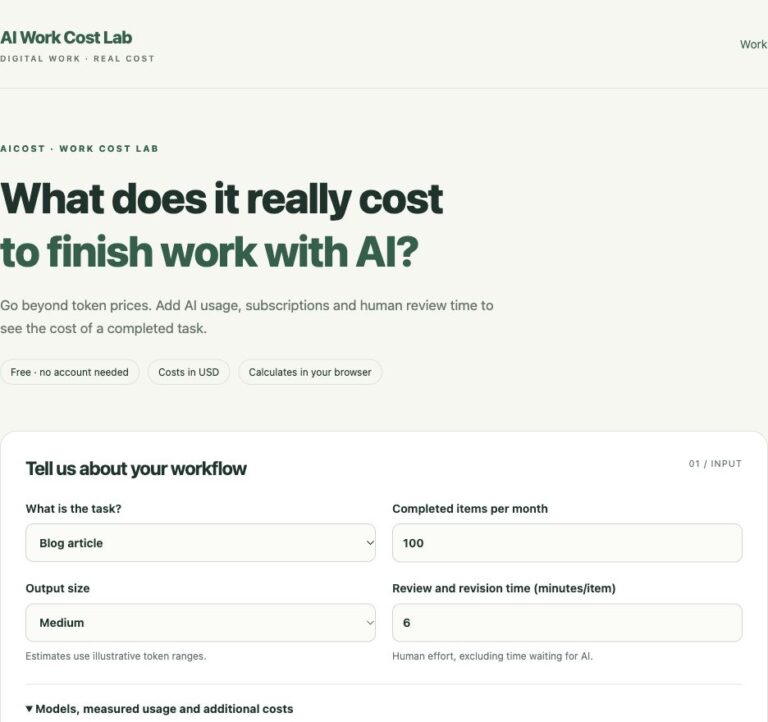
If a self-employed reader is reviewing AI/software spending as one line of a wider cash-flow budget, the published AI·SaaS cost calculator guide separates cash outlay from task allocation and time value. Only an actual reduction in cash spending could affect money available for other purposes; a lower allocation number is not extra repayment cash. Its original interface is Korean. It is not a household-budget or loan tool, and there is no automatic transfer to Payoff Studio.
Other published calculators appear in the AI, Business & Finance collection. Choose a related workflow only when it answers a real part of the task; the loan model itself does not need an unrelated tool to produce its estimate.
Loan payoff calculator FAQ
Does an extra payment lower the required monthly payment?
The two modes model different treatments. Shorten-term mode keeps the regular payment, while reduction mode recalculates after extras. Neither option confirms that your lender will use that treatment. In our test, the same lump sum led to different finish dates and interest totals.
Why is the first payment unchanged?
Our extra occurred at installment 3, after the regular payment. A payment-reduction effect therefore appeared in installment 4. Inspect the later schedule and the post-lump row rather than expecting installment 1 to change.
Does changing the currency convert the balance?
In our USD-to-EUR test, 12,000 stayed 12,000 and only the monetary display changed. The menu selects units and formatting, not a verified exchange conversion or a jurisdiction’s loan rules.
Can fees make net savings negative?
Yes. Our isolated 0% test had zero interest saved but 130 flat-method fees. Net savings was −130 despite a six-month payoff. Use verified contract inputs before drawing a real conclusion.
Are saved scenarios permanent?
No persistence was observed: reloading cleared our three scenarios and restored defaults. Copy the summary or preserve an independently checked export and input note if you need a durable record.
Did this review verify the downloaded schedules?
No. We tested calculations, visible schedules and copied text, but did not inspect a downloaded CSV or PDF. The source describes four full schedules in CSV; confirm the actual file before relying on it.
Start with one clearly labelled loan scenario
Open the calculator with current loan facts, choose the correct repayment model and decide which treatment you are comparing. Check a baseline, add one extra-payment change and enter fees before interpreting net savings. Preserve the assumptions and use the result as a prepared question for the lender, rather than as an authorization or an exact payoff amount.
A RELEVANT NEXT STEP
Tools with a useful connection

AI·SaaS 비용계산소
AI Cost Calculator: 7 Smart Checks Before You Budget
Plan AI workflow costs in Korean won with AI·SaaS 비용계산소. Compare token assumptions, allocated subscriptions, cash outlay and review-time value using documented synthetic tests.
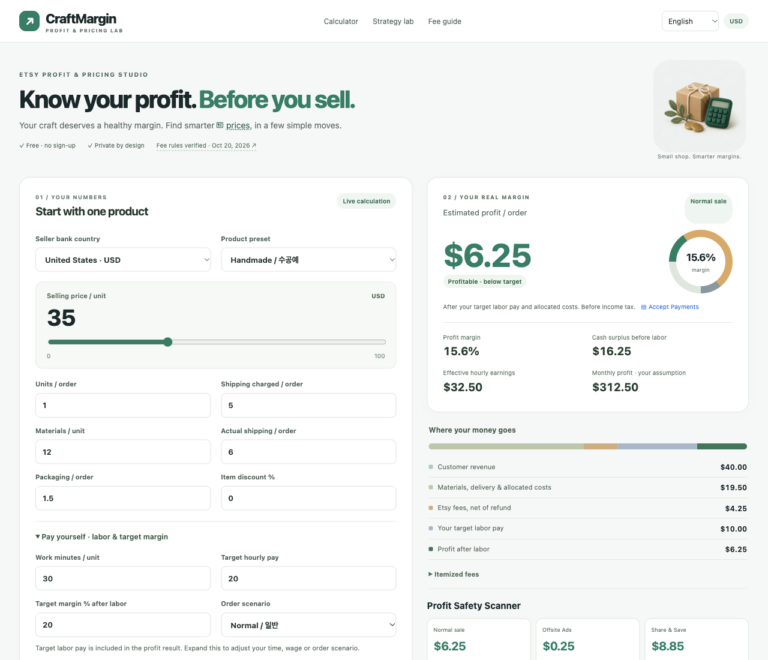
CraftMargin
Etsy Profit Calculator: 7 Smart CraftMargin Checks
Use CraftMargin to estimate Etsy profit after fees and labor. Tested examples explain discounts, free shipping, country rates and target pricing before you sell.
AI Work Cost Lab
AI Workflow Cost: 7 Smart Checks for Better USD Budgets
Plan AI workflow cost in USD with actual tested scenarios. Separate allocated subscriptions, cash payments, API usage and human review time in AI Work Cost Lab.