Lick Mat Designer is a lick mat layout planner for arranging one or two ingredients without changing the measured amounts you enter. Choose a pattern, assign lettered areas and keep a making card in a local journal. It helps organize a preparation plan; it does not calculate a serving, calories or food suitability.
Key takeaways: painted area is not weight; a label-check box is your declaration, not a safety test; a pattern-only link leaves out ingredient names and amounts. Tested in Chrome on November 11, 2026 with invented TEST A 20 g and TEST B 10 g inputs. Those values are not feeding recommendations. No food, dog or feeding trial was evaluated. This library and the original tool share a creator.
In this guide
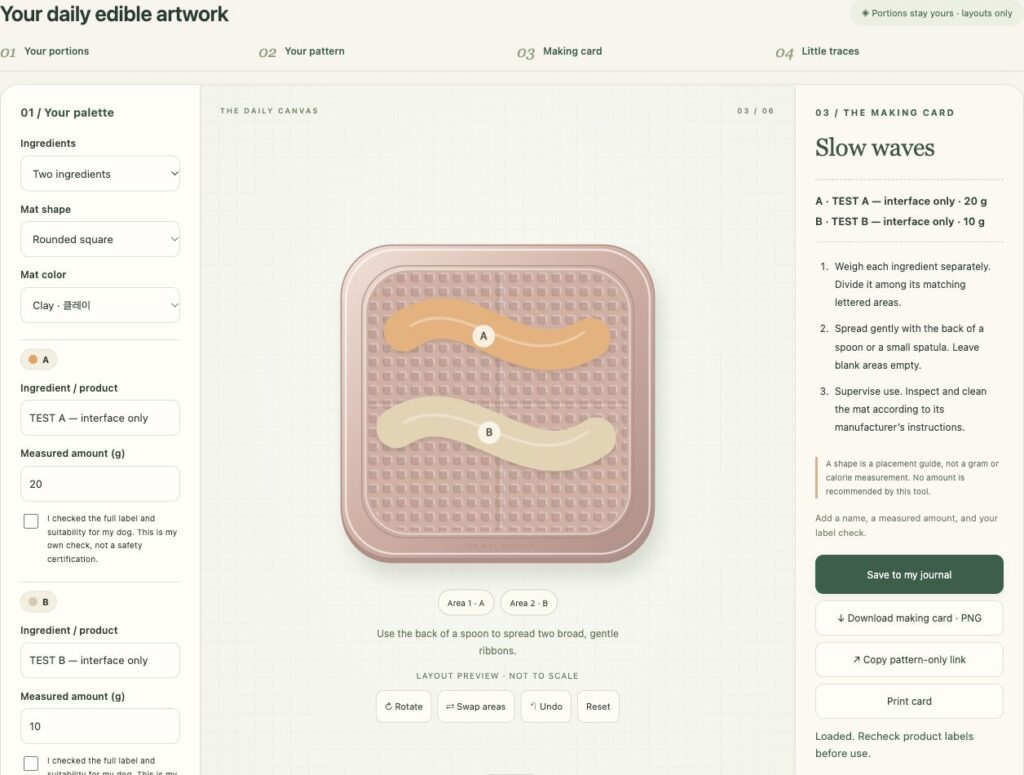
Arrange one or two ingredients in Lick Mat Designer while retaining your entered grams. Actual synthetic tests explain A/B areas, Undo, layout comparison, journal reload and pattern-only sharing without implying a feeding recipe.
- Brand
- Lick Mat Designer
- Tool languages
- en,ko
- Verified date
- 2026-11-11
What Lick Mat Designer does
A familiar preparation task can become confusing when a decorative picture starts to look like a recipe. Five illustrated islands may appear to require more food than two ribbons, even though the amount you already measured has not changed. Lick Mat Designer separates a lettered placement plan from your entered gram values. Its useful question is where to place an already chosen amount, rather than how much a particular dog should eat.
The studio has one- and two-ingredient modes, round and rounded-square mat shapes, three mat colors and six pattern choices with ingredient-count restrictions. Individual areas can be assigned to A or B. Rotation, swapping, Undo and a comparison view change the drawing. A making card repeats the ingredient labels and weights with general preparation and supervision steps. A journal holds manually saved layouts and notes, with optional prepared-mat and after-use photo inputs.
We reached the workspace without an account or payment. English and Korean interfaces are linked on the site. The source describes an independent creative tool and says it is not affiliated with LickiMat or the cited organizations. Its digital illustrations are layout examples, not photographs of feeding experiments. None of the visual styles establishes nutritional adequacy or a physical mat’s scale.
Prepare the decisions the planner cannot make
Choose the actual product and appropriate amount outside the layout tool. Read the full label, consider the dog’s individual requirements and follow an existing veterinary plan where one applies. The planner has no body-weight, energy-requirement or calorie calculation that can resolve those decisions. A generic food name is not enough to establish what a packaged product contains.
Keep a scale and the specific mat’s instructions beside the preparation area when you use a real plan. The illustration does not measure groove depth, spread thickness or grams per square centimeter. Decide what information you want to save, and avoid private background details in optional photos. During this review the ingredient names and amounts were deliberately fictional, and the check boxes were toggled only to test the interface gate. No real label was certified.
| Decide outside the tool | What the studio can record or change |
|---|---|
| Product suitability and amount | Your typed product label and measured grams. |
| Whether a particular mat is usable | A visual shape and color, not manufacturer verification. |
| Where each ingredient should go | Lettered areas and a pattern preview. |
| What really happened during use | Your notes and optional photos, not an automatic behavioral assessment. |
| What to share publicly | A pattern link or a reviewed image; these disclose different information. |
7 checks from measured portions to a saved layout
1. Begin with the ingredient count
Select one or two ingredients before choosing the final pattern. With one ingredient, the two-ingredient patchwork was disabled in our test. Switching to two enabled it and disabled the one-ingredient moon pattern. This is a layout-compatibility check, not a judgment that two foods are safe together. The active ingredient count determines which input rows and pattern choices are available.
2. Enter names and independently measured amounts
Add a product name and a positive gram value for each active ingredient. An empty save attempt was rejected. A 20 g with its label check left off was also rejected. We then entered TEST A—interface only at 20 g and TEST B—interface only at 10 g and simulated both checks. The card became ready to save. This tested required fields and user declarations; it did not test the composition or suitability of any food.
3. Read the letters before editing the picture
The two-ingredient island layout initially labelled its five areas A, B, A, B, A. Changing area 1 made it B; Undo restored A. Swap reversed the assignments while the card still showed A 20 g and B 10 g. Always read the letters with the ingredient list rather than judging only by color. A food’s actual appearance may differ from the illustration, and a larger painted region is not a larger weighed portion.
4. Rotate and compare without adding food
We used Rotate and verified a rendered 90-degree rotation in the SVG. The test did not measure a physical mat. The comparison control then applied Slow waves, changing five islands into two broad ribbon areas while retaining A 20 g and B 10 g. Rounded square and Clay changed the mat’s appearance. These controls solve composition and planning tasks; they do not recalculate food requirements.
5. Add an honest preparation note
Give the artwork a title and explain what the record means. Our title was DEMO—no feeding trial, and its note explicitly called the values invented interface inputs. For a real session, describe what you prepared and observed without turning leftovers into a diagnosis or preference score. Optional photo controls are present, but we did not select or validate before/after feeding photographs.
6. Save and test the local journal
Save to my journal produced a dated Slow waves record with the two names, 20 g and 10 g, the diagram and our note. After reload, the current studio reset to its blank one-ingredient default while that saved record remained. Load restored the two ingredients, square shape and Clay color, but both label checks were cleared and the page asked for a fresh check. A stored plan therefore does not carry forward an active suitability declaration.
7. Choose the right sharing or backup route
Copy pattern-only link produced a link that opened Slow waves, a square mat and two-ingredient mode in another tab. The recipient fields were blank and its color was the default Sage rather than our Clay. Ingredient names and gram values were absent from the copied fragment. By contrast, the saved journal visibly contained those values. We did not complete a JSON backup receipt, PNG inspection, print result or restoration round trip.
Actual interface tests and results
| Actual check | Observed result and boundary |
|---|---|
| Required fields and checks | Empty or unchecked data could not be saved; simulated complete fields passed the input gate, not a food-safety test. |
| One versus two ingredients | Pattern eligibility changed; no nutritional compatibility calculation was performed. |
| Area change, Undo and Swap | Area1B returned toA with Undo; swapping changed letters without changing20 g / 10 g. |
| Rotate and comparison apply | Rendered rotation90 degrees; Slow waves applied with the same entered weights. |
| Save, reload and Load | Saved DEMO persisted; current defaults reset; Load restored data but cleared checks. |
| Pattern-only link in another tab | Pattern/square/count 2 arrived; names and grams were blank, and Clay was not retained. |
| Korean narrow view | Same-browser record visible; keyboard Enter on Load restored it. A fixed-width journal diagram overflowed the narrow layout. |
| JSON export attempt | Download-completion wait timed out. Received files and restoration remain unverified. |
All screenshots are actual browser captures, with the test status visible in names and notes. We did not prepare a physical lick mat, offer food to a dog, assess intake or evaluate a commercial food. Our source-code-independent checks read the rendered controls and results. They cannot establish physical spreadability, portion suitability, cleaning performance or a calming effect.
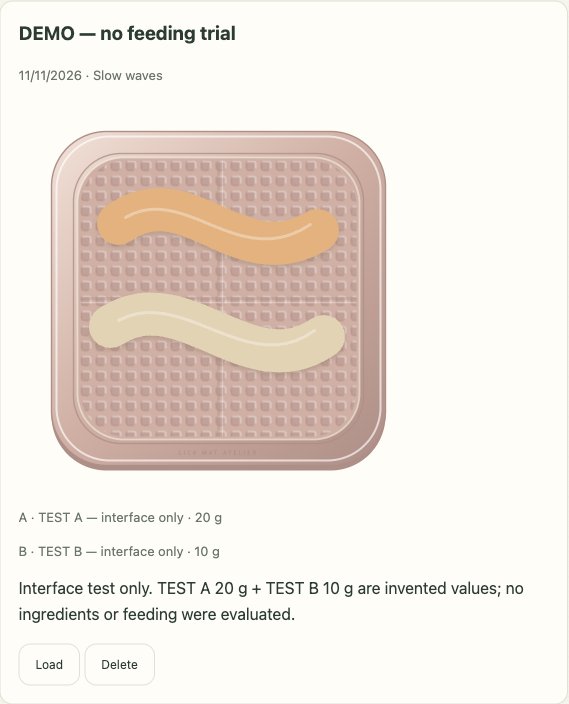
Keep grams separate from the painted area
The island-to-wave comparison is the most useful result to understand. A represents the entire entered amount for that ingredient across its matching areas. It is not an instruction to place the full amount in everyA area. The tool’s generic instructions tell the maker to weigh ingredients separately and divide them among the matching letters. It does not produce a validated per-zone dose, thickness or calorie density.
Do not fill the whole picture merely because space is available. The source treats blank space as part of the design, and the preview is not to scale. A different mat size, groove profile or food consistency can change what the physical preparation looks like. The safe analytical conclusion from our test is that the displayed values stayed fixed when we changed the layout—not that the two layouts were physically equivalent or suitable for a specific dog.
If you want to compare preparations, keep the product identity, independently chosen amount, mat and observation conditions consistent in your own notes. Change one visual feature at a time when practical. That is a documentation suggestion, not a controlled feeding experiment carried out here. The designer does not enforce comparable real-world conditions or infer why food remains.
Pattern link, making card and journal are different outputs
| Output | What to check before relying on it |
|---|---|
| Pattern-only link | Our copied link transferred structure without names or grams; color was not preserved. It is not a recipe-sharing record. |
| Making-card image or print | Review what is visible before sharing. We did not receive and inspect a PNG or printed card. |
| Saved local journal | Our record included names, weights and notes. Other users of the same browser may encounter local records. |
| JSON backup | The export/restore controls are present, but our completed receipt and import round trip were not verified. |
The copied link’s limited content does not make every view in the same browser anonymous. Our other tab could still see the locally saved journal separately from the blank receiving form. If you share a screenshot of a loaded card, it can include the ingredient names and gram values that the pattern link omitted. Review the actual artifact you are sending rather than assuming all outputs use the link’s privacy boundary.
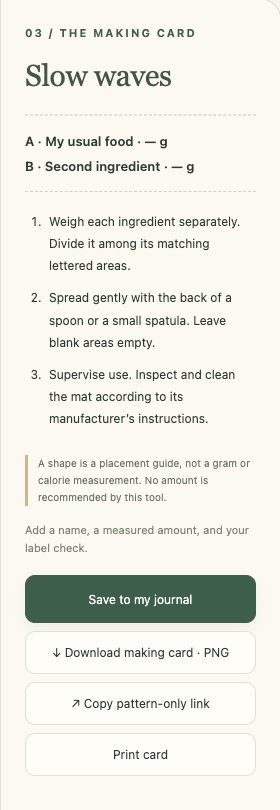
Write observations without inventing a feeding result
A useful journal note separates preparation, observation and interpretation. Preparation can identify the mat and already selected product. Observation can describe which area remained or whether spreading a shape was awkward. Interpretation is where claims about preference, stress or health can become unsupported. The tool provides a note field, not evidence that a particular pattern changed a dog’s behavior.
For example, a real note could say that one corner remained, provided that is what you actually saw. It should not jump from that detail to a food intolerance or a conclusion that the dog dislikes an ingredient. Texture, access, timing and other conditions may differ. This review did not investigate those explanations; its test note deliberately recorded that no dog was involved.
The optional photo inputs can support your own before/after documentation, but the image must be what it claims to be. The site’s attractive digital illustrations are not feeding photographs. We used screen captures as evidence of software behavior, and did not create a simulated feeding photo or imply that the illustration proved a recipe had been tested.
Food labels and mat instructions come before the design
We checked the FDA’s xylitol guidance and the ASPCA’s foods-to-avoid guidance for this review. Xylitol can occur in products such as some nut butters, so a familiar food name is not a substitute for reading the full ingredients. The ASPCA also identifies hazards including chocolate, grapes/raisins and onion/garlic. This is not a complete suitability assessment for an individual dog. If dangerous ingestion is suspected, contact a veterinarian promptly.
The studio’s check box records your own check. It does not query a product database, analyze an uploaded label or certify a combination of ingredients. The values in our test do not establish a suitable daily ration, treat allowance or substitution. Keep the layout task separate from an individual feeding decision and follow an applicable veterinary plan.
The source also reminds users to supervise the dog, inspect the mat and follow its specific manufacturer instructions for cleaning and other uses. We did not test a mat, dishwasher cycle, freezer or food preparation. Do not generalize one mat’s permitted methods to every product, and do not treat this independent designer as an endorsement by LickiMat.
Storage, export and mobile limits
The source says ingredient notes and optional photos stay in browser local storage without uploads by the tool. It separately discloses Blogger and Google AdSense processing and cookies, and we saw ads. We verified one saved record across reload and the Korean page in the same browser, not network traffic, every photo-storage condition or a cloud service. Clearing browser data can remove local records according to the page. No account-based or cross-device synchronization was established.
Our JSON download-completion wait timed out. That does not prove that every user’s export fails, but it prevents us from claiming a successful backup. PNG, print, optional photo persistence, a JSON restore and storage-capacity limits were not inspected. Before clearing a browser, verify any received backup and test its restoration on an expendable copy. A visible saved card and a verified portable backup are different evidence.
A fresh Korean view requested at 390 ×844 rendered a 458-pixel layout. The saved journal’s 400-pixel SVG exceeded its 130-pixel container and produced horizontal overflow; we saved a screenshot of that defect. The record remained visible, and keyboard Enter on Load restored it. This is a source-journal presentation limitation, not a physical-phone touch test. A wider view is preferable for inspecting that saved diagram. Ads also appeared and could obstruct controls; we closed an interstitial through its own close control.
Related tools for notes and sharing images
For a separate record of walks and sniff pauses, the published Dog Sniff Diary guide explains timed observations and local notes. It is a different journaling task and should not be used to infer a feeding response or diagnose behavior from these layouts.
If you need to explain a pattern on a captured screen, the FrameMint Studio screenshot guide covers framing, captions and manual masks. Review the resulting sharing image; an editable project can retain source material that a finished image does not show. No direct project integration with the lick mat designer was tested.
For optional photos or received artwork that must fit an upload form, the PixelFit Studio image preparation guide covers dimensions, crop and file-size checks. Keep an original and confirm that labels remain readable after resizing. A paper sketch with independently weighed ingredients is another simple planning alternative; this tool adds compatible patterns, letter reassignment, comparisons and a local journal.
Frequently asked questions
Does this lick mat designer recommend ingredients or grams?
No. You enter product names and independently decided amounts. The diagram, check box and making card do not calculate a dog’s nutritional needs or certify food suitability.
Why is a pattern disabled?
Some patterns require one or two ingredients. Our count switch changed which patterns were available. This only checks the layout’s ingredient count.
Do more painted areas mean more food?
No. Our pattern changes retained the entered20g and 10 g. Those invented test values are not servings. Divide a real measured ingredient amount among its matching lettered areas rather than repeating the full amount in each area.
Why did label checks disappear after loading?
Our loaded record restored names and weights but cleared both check boxes and requested a fresh check. A saved plan should not be read as current food-safety approval.
Can a friend copy my serving size through the pattern link?
Our tested link omitted names and grams and opened blank fields. A card screenshot or local journal can contain them. Inspect the specific output, and let the recipient make their own suitability and amount decisions.
Make one clearly labelled layout first
Start with a product and amount already appropriate for the dog, then use the lick mat designer to organize placement. Read the letters, save an honest note and verify the output you intend to keep or share. A useful layout remains distinct from a recipe, a feeding result and a safety certification.
A RELEVANT NEXT STEP
Tools with a useful connection
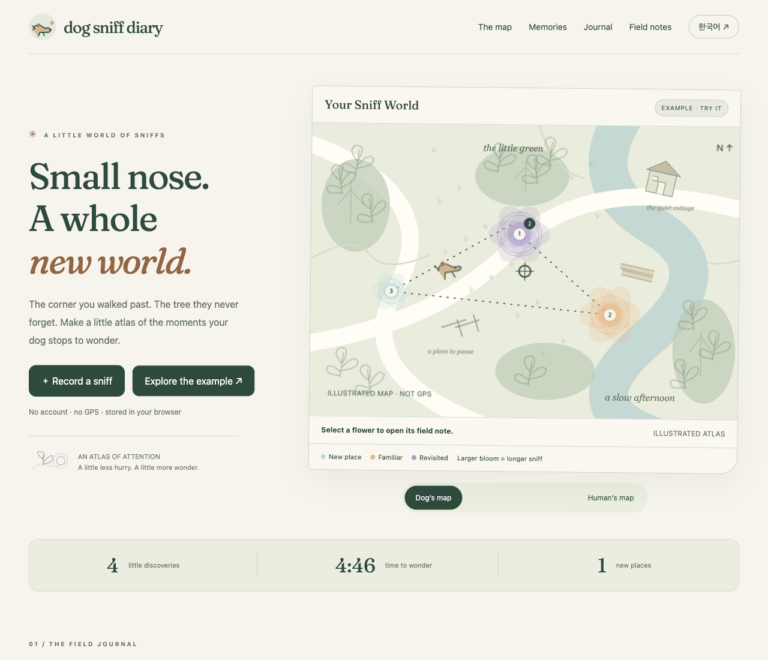
Dog Sniff Diary
Dog Sniff Diary: A Dog Sniffing Journal in 7 Steps
Keep timed sniff observations, place nicknames and an illustrated diary. Our hands-on tests cover local records, filters, JSON recovery and abstract SVG postcards without treating them as GPS or health data.

FrameMint Studio
Screenshot Editor: 7 Smart FrameMint Studio Checks
Frame screenshots, add manual masks and build captioned stories in FrameMint Studio. Real import, order, recovery and size tests explain what to check before sharing.
PixelFit Studio
Image Upload Optimizer: 7 Essential PixelFit Checks
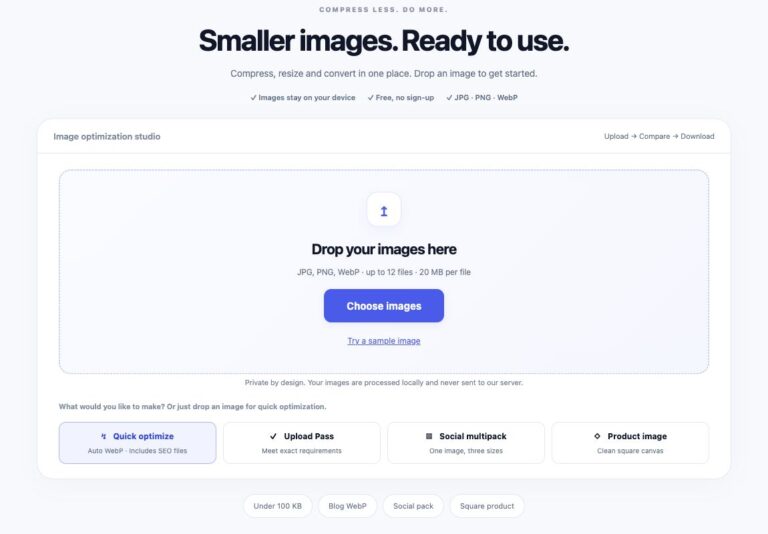
Prepare exact upload dimensions and file-size conditions with PixelFit Studio. Actual sample and JPEG tests explain PASS/CHECK, crop versus contain, social totals, copied HTML and the limits of unverified file receipt.