SPOOLKIN is a bulk film loading calculator with a cassette lineage journal. Estimate 35mm full-frame lengths and film cost, then connect completed loads to their source roll, reusable shell and later observations. Check the allowance again after reloading the page.
Reviewed 9 November 2026, Asia/Seoul. We entered clearly labelled synthetic stock, recorded a simulated load and checked calculations, passport edits, observations, filters, reload persistence and Korean use at 390px. No film was physically loaded, exposed or developed. JSON export displayed a notice, but received JSON/CSV files, valid restoration and physical printing were not verified. All images are actual interface captures. This library and SPOOLKIN share a creator.
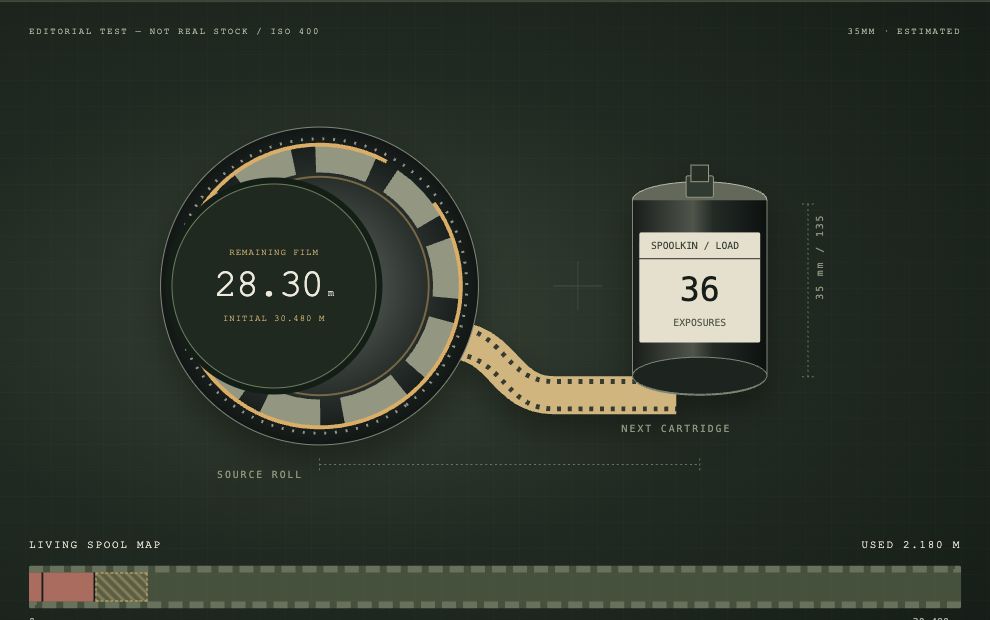
Plan 35mm bulk film lengths and material cost, then trace loads through reusable cassette IDs, passport notes and defect observations. Tested calculations reveal allowance resets, local persistence and backup limits.
- Brand
- SPOOLKIN
- Tool languages
- en, ko
- Verified date
- 2026-11-08
Table of Contents
Key takeaways before your next bulk film load
- The model is L ≈ 0.038 × planned frames + extra allowance in metres. It assumes conventional 35mm full frame; it does not convert every loader’s crank turns.
- Previewing a different frame count changes the proposed next load without consuming stock. Recording a completed load changes the ledger.
- Keep three identities: the source roll, the individual film load and the reusable physical cassette. One shell can serve several loads.
- Our saved 1.700m allocation, 30 usable frames and scratch observations survived reload and appeared in Korean. The next-load allowance returned from 332mm to 280mm.
- Material cost excludes development. Backup controls and an export notice are not proof that a recoverable file exists.
What SPOOLKIN connects that a length calculation misses
A bulk roll can outlast several cameras, trips and development sessions. The difficult question is often not “How long is a 36-exposure strip?” but “Which source roll and shell produced this negative?” SPOOLKIN combines a loading workbench with a source map, load genealogy, cassette passport, defect notes and a label preview. It is most useful when you want to keep those stages connected rather than maintaining an isolated length estimate.
The workbench offers 12, 24 and 36 EXP presets, a frame-count input and slider, an extra-length input and measured-strip calibration. The journal records status, usable frames, camera, developer and negative-location notes. The source map gives estimated intervals, while the cost area compares short and long loads. These are records and calculations supplied by the operator; the page has no verified connection to a camera, loader or emulsion measurement instrument.
Prepare a source roll record and a physical cassette identity
Before opening your own archive, collect the labelled roll length, purchase amount and currency, any initial setup loss, stock identity, ISO and batch or expiry reference. A hypothetical 30.48m example is not a specification for every package. Enter the length you intend to account for. Write the physical shell ID on the reusable cassette before building a history around it, using a marking method appropriate to your equipment.
Separate the one-time setup loss from the allowance repeated for each cartridge. In our test, 0.480m reduced a 30.480m source to 30.000m available. The extra allowance then covered the leader, tail and loading allowance for each proposed load. Entering the same loss in both places would deduct it twice. The tool cannot tell whether your numbers describe real measurements or estimates, so include their basis in your own notes.
Plan while the material is protected. The source explicitly warns that the screen is not a safelight. ILFORD’s film-processing leaflet likewise describes excluding light or using a light-tight changing bag while loading a developing tank. That supports the distinction between a readable planning screen and protected film handling; it is not a bulk-loader instruction manual. Follow the instructions for your particular film and loader.
How to use SPOOLKIN: 7 essential checks
1. Explore the demo, then choose your own archive
The initial demo has four loads, 108 planned frames and sample photographic history. Those are supplied examples, not your stock. Try demo and My archive are separate controls. Use My first / new roll to create an explicitly named source record. We used EDITORIAL TEST — NOT REAL STOCK so a later screenshot could not be confused with a purchase or a completed photographic experiment.
2. Register the source and check the starting balance
Enter film stock, ISO, initial metres, purchase cost, currency, setup loss, batch/expiry and storage notes. The visible currency menu included USD, KRW, EUR, GBP and JPY. We selected KRW and entered 100000 as a synthetic purchase amount, not a current market price. After creating the 30.480m source with 0.480m setup loss, the remaining display showed 30.00m and the used amount showed 0.480m. Confirm this balance before any loads are recorded.
3. Preview the frame count without recording a load
Select 24 or 36 EXP and inspect both estimated load length and after-loading balance. With the initial 280mm allowance, 24 frames showed 1.192m and a proposed balance of 28.808m; 36 frames showed 1.648m and 28.352m. Neither preview consumed stock. Read the large remaining-film display as current stock, and the after-loading figure as a forecast. They answer different questions even when presented close together.
4. Calibrate the allowance from a known test strip
Open Calibrate from a measured strip. The form asks for planned test frames and measured total millimetres including leader and tail. Our entered 36 frames and 1700mm were synthetic values used to test the arithmetic. Apply allowance produced 332mm: 1700 − 38 × 36. The resulting 24-frame preview was 1.244m, and the 36-frame preview was 1.700m. A real calibration needs an independently measured strip and a clear measurement method.
The calibration notice says it applies to the next load and leaves existing records unchanged. More specifically, after a page reload our next-load field reverted to 280mm while the recorded passport still showed 332mm. Keep the measured allowance in a separate note and check the field after reload or a language navigation. Do not assume that a successful passport save also saves every workbench control.
5. Record a completed load exactly once
For real work, protect and seal the film according to your equipment instructions, then record completion. In our software test we entered QA-CAS-01 and activated Record completed load at 36 frames and 332mm. The journal created a unique load ID, assigned the estimated source interval 0.480–2.180m and reduced stock from 30.000m to 28.300m. The next forecast became 26.600m because it proposed another 1.700m load. We simulated this event; no physical cartridge was filled.
The next cassette field automatically changed after recording, so inspect it before reusing a shell. A displayed Undo last load control is not a reason to treat the ledger as a scratchpad; its behavior was not tested here. If a real-world action and the ledger disagree, reconcile them before making the next record instead of clicking completion again.
6. Update the passport and save observations separately
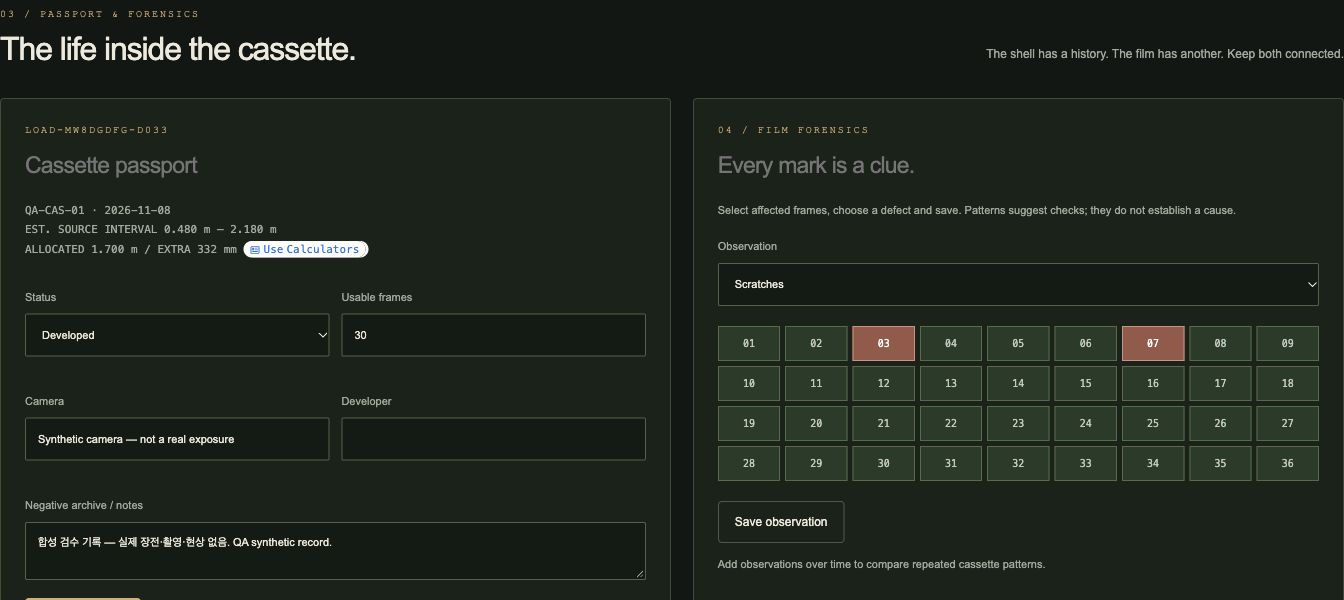
Select a load in the lineage view. Set its lifecycle status and enter camera, developer, usable frames and a negative-location note, then Save passport. We marked the synthetic load Developed with 30 usable frames. Separately we selected Scratches, pressed frames 3 and 7 and saved the observation. The load acquired a flag. A selected defect does not perform image inspection, and marking Developed does not establish that a real development process took place.
7. Retrieve the record and check a backup before relying on it
Search a stable cassette or load identifier and combine it with the status filter. QA-CAS-01 plus Stored returned no match for our developed load; switching to Developed returned it. List view also changed the presentation. Check the selected passport as well as the count when a filter gives zero results. Then use the offered JSON backup route, verify that a file really arrived and test restoration on non-critical records before entrusting an important archive to it. Our export-file and restore checks remain incomplete.
Actual bulk film loading calculator results
| Software test | Observed result | Meaning |
|---|---|---|
| 30.480m source; 0.480m setup loss | 30.000m available | Initial loss is separate from per-load allowance. |
| 36 frames; 280mm extra | 1.648m preview | 38 × 36 + 280 = 1648mm. |
| 36 test frames; 1700mm measured input | 332mm allowance | Synthetic calibration input, not a measured strip. |
| 24 frames; 332mm extra | 1.244m preview | No stock deducted until a load is recorded. |
| Record 36 frames; 332mm extra | 28.300m remaining; interval 0.480–2.180m | One 1.700m allocation from 30.000m. |
| Developed; 30 usable frames | ₩185.91 per usable developed frame | Film allocation only; no actual development. |
| Reload and Korean navigation | Passport and frames 3/7 retained; next allowance 280mm | Record persistence and workbench persistence differ. |
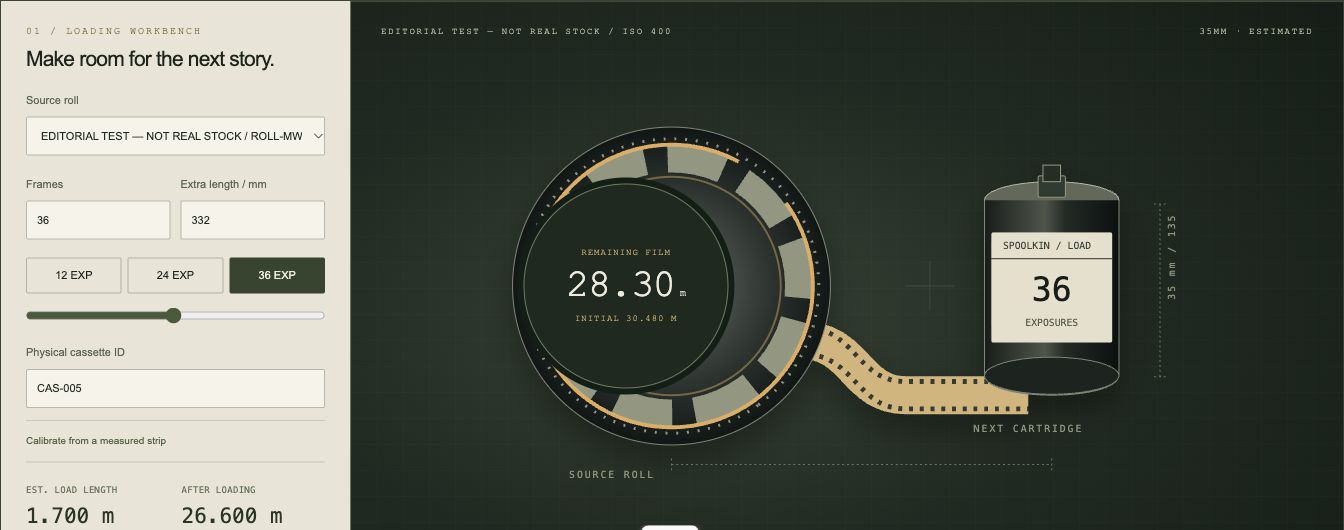
The 38mm pitch and allowance explain the visible results, but agreement with the formula does not prove how many usable photographs your equipment will produce. Leader handling, loading technique and the camera remain outside this software check. The review date is 9 November in Seoul; the source-generated record dates visible in our captures are 8 November. They are the test record’s displayed dates, not a claim of a different physical shooting session.
Read material cost without hiding setup loss
At the 332mm allowance, the synthetic source showed ₩2,585.30 for a 12-frame load, ₩4,081.36 for 24 and ₩5,577.43 for 36. The length model repeats the allowance for every cassette, so shorter loads devote a larger share to non-image length: 42.1%, 26.7% and 19.5% respectively. Short loads may still be appropriate for a quick test. The comparison describes the model’s material use rather than a universal recommendation to shoot longer rolls.
The displayed 36-frame cost matches 100000 × 1.700 / 30.480, rounded to ₩5,577.43. Dividing that allocation by our entered 30 usable frames gives ₩185.91. The denominator matters: this distributes purchase cost over the original source length. It does not redistribute the initial setup loss across only the finished photographs. Nor does it include processing, scanning, cassettes, transport, labor or unusable frames outside the entered developed records. “True cost” in the interface is therefore narrower than an all-in project budget.
Before committing our load at 332mm, the last-metre plan showed 17 complete 36-frame loads plus one 18-frame load and 0.084m left. After recording one, it showed 16 plus the same short load. This plan is a candidate allocation under the current allowance. Changing the allowance can change the short remainder, and a residual length is not proof that it is practical to load or expose. Check the settings and the real material before turning that suggestion into a batch plan.
Keep cassette history separate from film observations
A source roll ID answers where the material came from. A load ID identifies one portion of film. A physical cassette ID identifies a shell that may be reused. Keeping the load ID stable in your later shooting and storage notes makes it possible to follow a single film without pretending the shell is new every time. Conversely, reusing the physical ID is what makes repeated shell-related observations visible. We verified a single-load history display; repeated loads across several real source rolls were not tested.
Record observations as observations. “Scratches on frames 3 and 7” is a clearer entry than “bad cassette” when the cause has not been established. Keep camera, handling and development context alongside it. The page says patterns suggest checks, not causes. Comparing several independently documented loads can help you decide what to inspect, but selecting a frame number does not locate a microscopic defect on the physical source roll.
Backup, local storage and privacy limits
The publisher states that personal records use local storage on this domain, with no account sync; demo records are separate and temporary. We verified a narrower fact: our synthetic passport and observation survived reload and were visible on the Korean page in the same browser. That does not establish persistence after clearing site data, private browsing, a browser change or use on another device. Local saving is a convenience, not an independently tested recovery plan.
The field manual describes JSON as the restore format and CSV as an inspection format. It says Restore merges valid records and skips IDs already present. We activated JSON and CSV controls; JSON showed “JSON exported.” However, the browser did not expose a completed downloadable file for our inspection, and we did not complete a valid restore. The merge and duplicate rules remain publisher descriptions, not successful round-trip test results. Do not treat CSV as a substitute for the stated JSON recovery route.
A label preview and Print label / Save PDF control are present, with a stated minimum 70 × 35mm and a 100% print-scale instruction. We did not verify PDF output, physical dimensions or a printed label. Inspect a real output and a paper test before adopting a label format. No account, online tracking service or automatic archive transport was established by the label preview.
The source also acknowledges Google/Blogger services and advertising cookies. Ads and an interstitial appeared during our visit. We did not independently audit network traffic or the storage implementation. Describing records as locally saved should not be expanded into a promise of offline operation, zero tracking or no third-party requests. Keep unnecessary personal or client details out of notes unless you have assessed your own workflow.
English, Korean and narrow-screen use
The dedicated Korean page translated the workbench, passport, observations and manual, while some visual labels and frame-button accessible names remained in English. In a freshly loaded 390px view, document width was 390px with no horizontal page overflow. We changed the Korean preview to 24 frames and 332mm, saw 1.244m, edited a Korean synthetic note and saved it. The same stored load was available across language pages on this site origin.
This was browser viewport testing, not a physical phone, touchscreen or mobile printing test. Download handling may differ by browser and device. When a language change reloads the workbench, check the allowance and cassette ID again. A translated screen can display the same archive without preserving every unsaved calculator input.
Alternatives and related tools for the next stage
A calculator or spreadsheet can reproduce the length equation and gives you flexible budgeting columns. SPOOLKIN adds the visual connection between source, load, shell and later observations without building that structure yourself. A paper notebook remains usable where a screen must be kept away from film. These methods can complement each other: write protected handling notes first, then reconcile the digital ledger when the material is sealed.
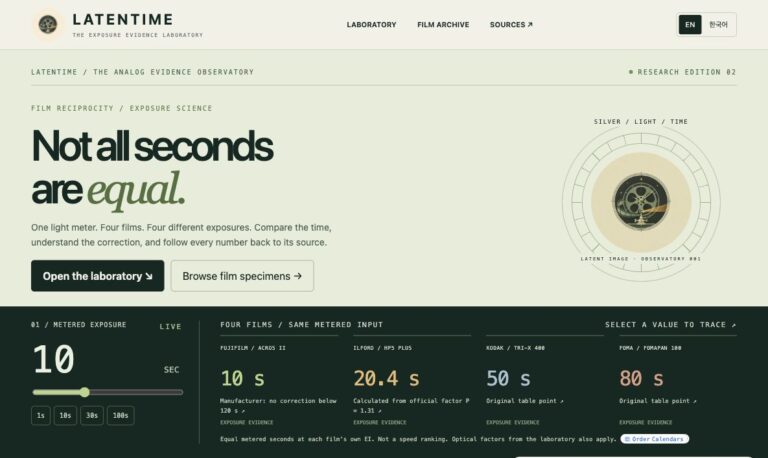
For shooting notes after loading, the published LATENTIME film exposure guide covers a separate reciprocity calculation and field log. For locating developed negatives, NEGATLAS negative archive connects film records to physical sleeve locations. Carry a consistent load identifier manually between those stages. We have not verified direct import, shared storage or automatic integration among the tools.
Bulk film loading calculator FAQ
How much film does the calculator allow for 36 exposures?
With its 38mm-per-frame model and 280mm extra allowance, the preview is 1.648m. Our synthetic 332mm allowance gave 1.700m. Those are planning lengths, not guaranteed usable-frame counts. Calibrate to your own supported equipment and recheck the allowance after reload.
Why did changing 24 to 36 EXP not reduce my remaining film?
Preview is separate from a completed-load record. Only record the real completion after the film is protected. The source map and current balance changed when we recorded the synthetic load, while earlier preview changes left current stock unchanged.
Does SPOOLKIN support half-frame or panoramic loading?
The visible manual limits the 38mm pitch model to conventional 35mm full frame and says other formats need another model. No universal crank-turn conversion or support for those other formats was verified.
Is ₩185.91 a real cost per photograph?
It was the result for our invented purchase amount and 30 entered usable frames. No photographs were made. It includes the allocated film length and excludes development and other project costs; it is not a current price quote.
Can I rely on the JSON notice as proof of backup?
No. We saw a notice but did not inspect the received file or restore it. Confirm the file on your device and run a small recovery test before relying on it. The stated merge behavior does not replace that check.
Is the dark interface safe beside unexposed film?
A dark theme is not a safelight specification. The source warns against screen light reaching unexposed film. Plan with the material protected and follow the film and loader instructions for physical work.
Start with one traceable cassette
Create one accurately named source, distinguish setup loss from repeated allowance and give the shell a stable physical ID. Preview first, record completion once, then keep factual observations with the individual load. Recheck the allowance after navigation and verify a real backup before expanding the archive. That routine makes the bulk film loading calculator useful as a traceable ledger, with its estimates and recovery limits visible.
A RELEVANT NEXT STEP
Tools with a useful connection
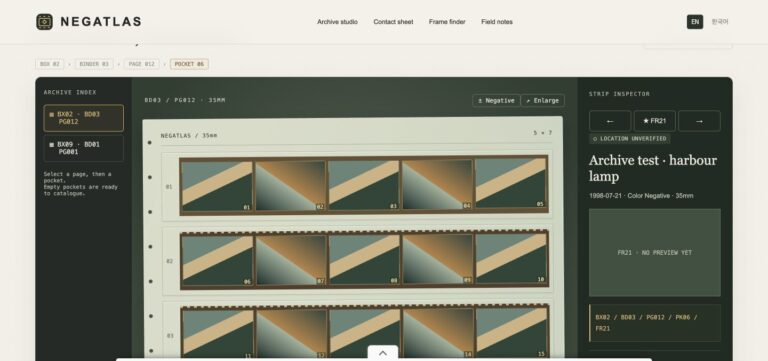
NEGATLAS
NEGATLAS: 7 Essential Negative Archive Checks
Connect film scans to physical negative locations with sleeve maps, frame records and move history. Read real retrieval tests, gap-report interpretation and backup limits.
LATENTIME
Film Exposure: 7 Essential LATENTIME Reciprocity Failure Checks
LATENTIME compares film reciprocity corrections after ND, aperture and bellows factors. Read our source checks, calculated examples, timer and saved-log tests, plus clear estimate and export limits.
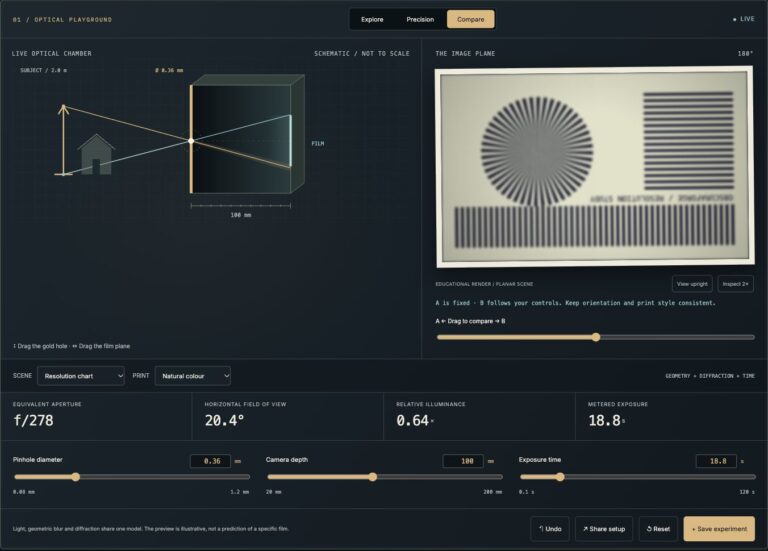
OBSCURAFORGE
Pinhole Camera: 7 Essential Checks for Better Builds
Use OBSCURAFORGE to compare pinhole camera geometry, exposure and blur. Seven tested checks explain manual-time limits, saved setups and blueprint preparation.