Betta bubble nest photos need dates and context. Betta Bubble Nest Journal (The Floating Archive) keeps local observations, manual outlines and two-photo comparisons in English and Korean. Our tests also found a water-change checkbox defect.
Verified 10 November 2026 in Chrome, including a fresh 390 × 844 Korean viewport. All review records are synthetic interface tests using built-in illustrations; no live fish was observed. We found a water-change checkbox persistence problem. Downloaded card files and a JSON restoration round trip remain unverified.
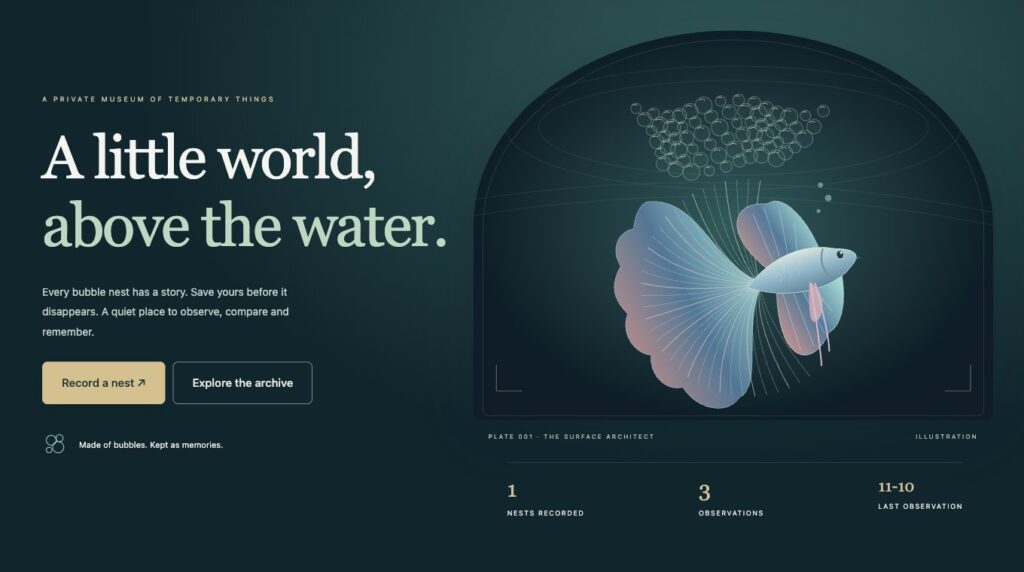
Keep dated betta bubble nest photos, manual outlines and missing-nest observations in a local journal. Actual synthetic tests explain image comparison, a water-change checkbox defect, privacy and unverified export limits.
- Brand
- Betta Bubble Nest Journal / The Floating Archive
- Tool languages
- en, ko
- Verified date
- 2026-11-10
Table of Contents
Key takeaways
- Keep multiple dated observations under one nest. Starting another observation and starting another nest are different actions.
- Manual outlines report a fraction of the image frame. They do not count bubbles, measure square centimetres or assess health.
- A photo-free No nest seen record can remain in the timeline without becoming a comparable photograph. An unobserved day should remain unknown.
- Our three test records survived reload and appeared in both language pages in the same browser. That is local continuity, not device synchronisation.
- The Water changed today checkbox did not restore its checked state after a confirmed save and reload. Put important maintenance facts in a separate written log.
What the betta bubble nest journal does
This journal addresses an everyday record-keeping problem: a temporary cluster on the water surface may change before you remember to write anything down. A phone album preserves pictures, but usually separates them from the nest identity, observation status and short explanation that make a later comparison understandable. Here those details sit together in a local collection called the Bubble Museum.
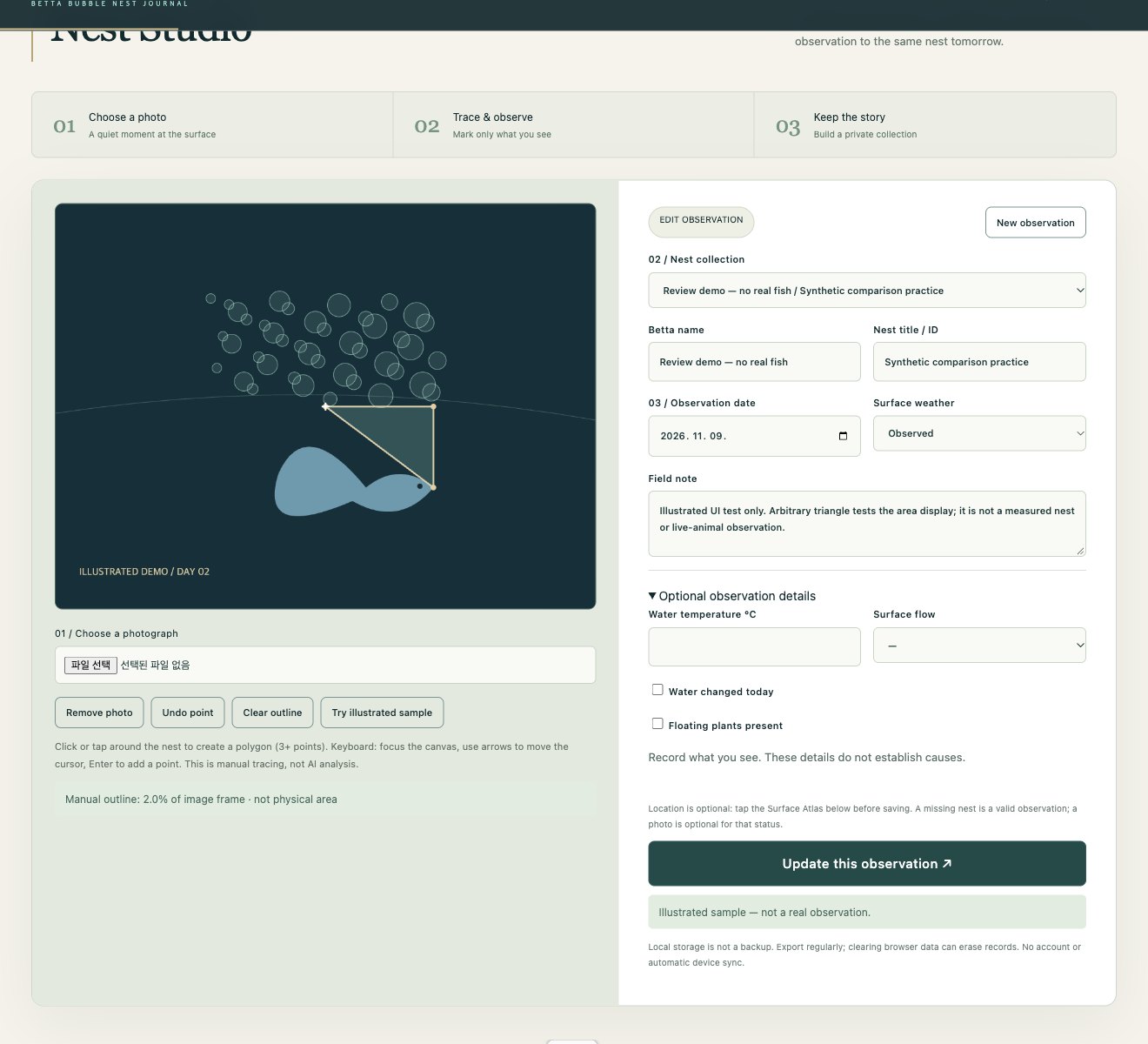
Nest Studio accepts a photograph, a betta name, a nest title, a date, a status and a field note. Optional controls cover water temperature, surface flow, a water-change checkbox and floating plants. A Surface Atlas accepts a manually chosen location on a top-down diagram. Bubble Time Machine displays two photo-bearing records from a selected nest, with a divider and an overlay mode. Search, status filtering and museum-card styles help revisit or prepare records.
The useful audience is someone who wants a visual observation history, not a breeding-success calculator. A nest, an observation and a photograph are separate things: one nest can have several observations, and an observation can describe absence without a photo. That distinction is the strongest reason to use a purpose-built journal instead of naming every picture as if it were a new nest.
For biological background, Kang and Lee’s 2010 study on mucus and bubble-nest construction describes male Betta splendens building surface nests during reproduction and offspring care. We read the abstract. That research does not validate this website, turn nest size into a welfare score or establish that spawning has occurred in a user’s aquarium.
Prepare a repeatable observation
Choose a stable nest label before the first entry. For example, a keeper might use “B1 — floating-leaf corner” for a particular observation episode, provided that description is accurate. Keep the fish identity separate from the nest title so a later nest can receive its own collection. Avoid exact home addresses or unnecessary personal details in names that might appear on a shared card.
Keep the original photograph outside the journal. The site says it resizes photographs in the browser before storing them, so a journal copy should not be your only master. The file picker states JPG, PNG and WebP with a 15 MB limit; we did not test every format or the size boundary. Phone formats outside that list need a suitable copy, with its appearance checked before import.
Choose a repeatable, safe viewpoint. Keep a recognisable reference within the frame and avoid changing zoom between observations intended for comparison. Reflections, a tilted camera or a different crop can change the apparent share of the image occupied by the nest. Write those limitations into the note instead of trying to correct them later by drawing a more convincing polygon.
Use the real observation date when importing an older photo. The date field opened with the current day during our review. Keep “I did not look today” separate from “I looked and did not see a nest.” Only the second statement supports a No nest seen observation. Neither statement tells you the precise moment at which a previous cluster disappeared.
7 checks from photograph to saved record
1. Choose a language and practise with the labelled illustration
The root page is English; the header also links to dedicated English and Korean pages. Try illustrated sample loads a practice image and states that saving it will label the record DEMO. This lets you learn the controls before importing a personal photograph. The artwork is clearly identified as an illustration. It should never be presented as a photograph of your own aquarium.
2. Select the correct nest collection
Use Start a new nest for a genuinely new collection. For another dated view of the same nest, choose its existing entry in Nest collection. New observation clears the observation editor while retaining the selected nest in our test. After saving, the button changes to Update this observation. Check that wording before pressing it: updating an existing record and adding a new one have different effects on your history.
3. Add the photograph and trace only what you intend to describe
The outline editor accepts clicks or taps around a polygon of at least three points. The keyboard route is also described on the page: focus the canvas, move with arrows and press Enter to add points. Undo point removes the last point; Clear outline is a separate control for starting again. Trace the visible boundary consistently rather than chasing every bright reflection.
Our keyboard test deliberately drew an arbitrary triangle on the illustration. The display reported 2.0% of the image frame; Undo left two points and removed the completed-area readout. This demonstrates the interface response, not an accurate nest boundary. The inspected canvas buffer was 960 × 720, which says nothing by itself about a downloaded card’s dimensions or physical measurement accuracy.
4. Enter the date, status and a useful note
Surface weather is an observation-status list, not a weather forecast. It offers Observed, Growing, Fragmented, No nest seen and Observation ended / archive. These are user-supplied labels. Choosing Growing does not make the software calculate a growth rate. Explain what you saw, what obstructed the view and whether the image is suitable for comparison.
For a missing nest, select No nest seen and write what was actually checked. In our synthetic test this status saved without a photo. Do not attach an old image as if it proved the later surface state. If visibility was poor, say so rather than upgrading “not clearly visible” into a confident disappearance time.
5. Record optional context and verify it after reopening
Optional observation details can record temperature and surface flow, alongside floating plants and a water-change checkbox. We entered a synthetic temperature value, committed the number field and confirmed that it reappeared after reload. The chosen number was a form test, not a care recommendation. Optional details describe context; they do not establish why a nest changed.
Important tested limitation: Water changed today did not retain its checked state after a confirmed save and reload. Do not rely on that checkbox as the only maintenance record. Put the event and date in a plain-language note and in your normal care log, then inspect saved fields when editing. The full reproduction is described below.
6. Add an optional surface-map location, then save
The Surface Atlas is a relative top-down diagram. We used its keyboard control to select 55%, 50%, then saw a dated pin associated with the saved nest. Those percentages describe a position on a diagram, not GPS, centimetres or a model of the fish’s preferred location. Use a consistent interpretation of the diagram’s back edge across your own records.
Press Save observation and wait for the saved-on-this-browser status. Check that the museum card appears with the intended date and note. Reopen it to verify the fields rather than assuming that every visible form control was successfully stored. This step matters particularly when switching from one edited record to another.
7. Compare the right pair and keep a separate backup
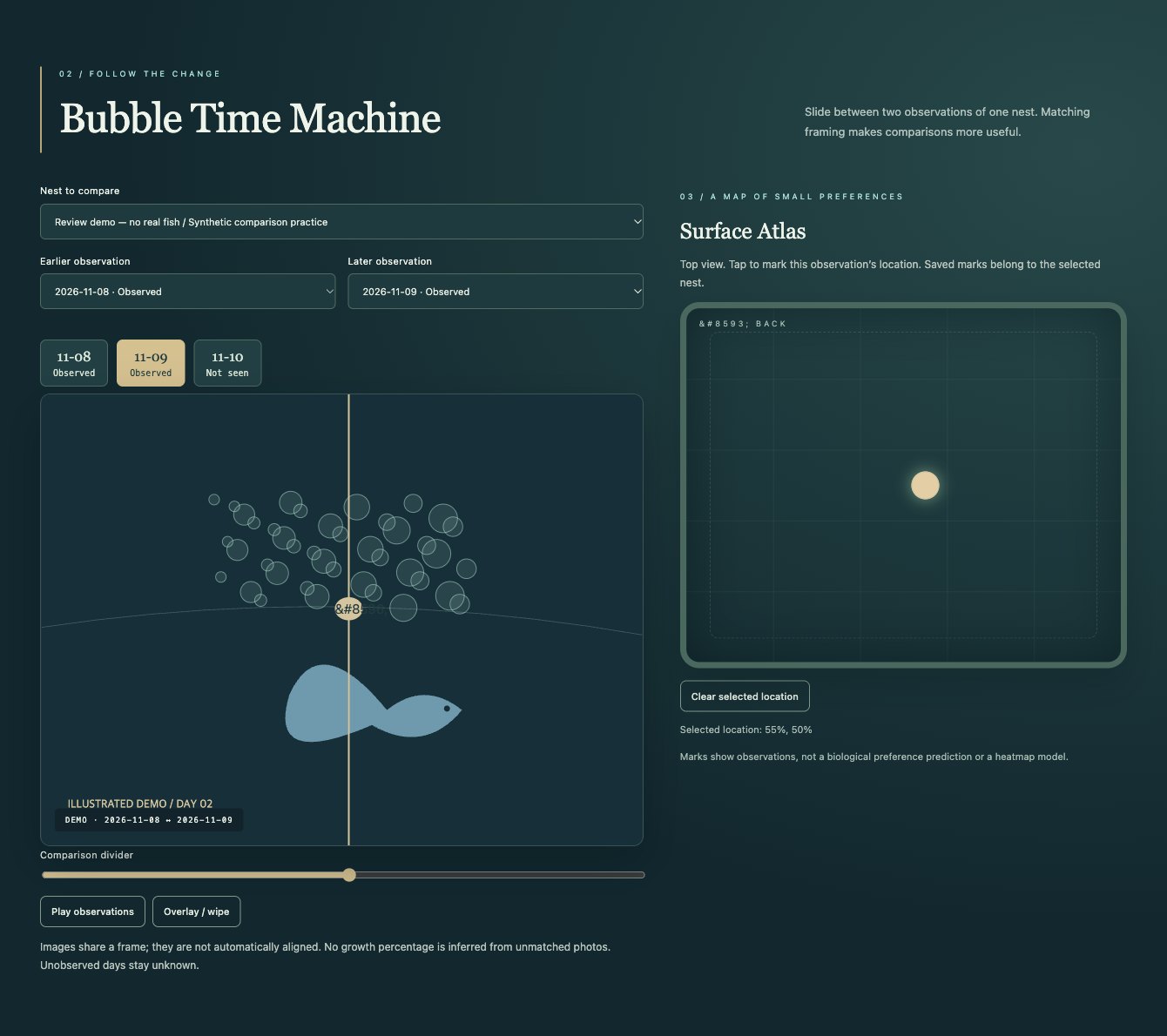
Choose one nest in Bubble Time Machine, then select earlier and later photo records. Move Comparison divider to inspect the shared frame, or toggle Overlay / wipe. The images are not automatically aligned. Open the museum’s status filter or search when you need one subset of records. Use the backup control, but verify a downloaded file and a successful restore before treating it as protection against data loss.
Actual betta bubble nest test results
We created one nest titled “Synthetic comparison practice” under “Review demo — no real fish.” The dates below are test inputs, not dates of aquarium observations. Two entries used the same built-in illustration; one described a synthetic missing-nest state without a photo. We added the earlier date after the other entries to inspect the resulting timeline.
- 9 November: saved the illustrated triangle test, a note and a surface-map pin. Reopening restored the 2.0% frame-area outline.
- 10 November: added No nest seen with no photo. The museum displayed a labelled illustration placeholder rather than claiming there was a new photograph.
- 8 November: added another illustrated entry under the same nest. The timeline then listed 8, 9 and 10 November in date order.
- The header reported one nest and three observations; the museum reported one profile, three observed dates and zero archived nests. These are synthetic collection counts, not biological findings.
- The comparison selectors offered the two photo dates. The photo-free 10 November entry stayed on the timeline but was absent from the photo-pair menus.
- The divider changed from 50 to 51, and toggling overlay changed the control to Switch to wipe. The two images were the same illustration, so this did not demonstrate real growth.
- No nest seen filtering returned one observation. All three records remained after reloading and appeared on the Korean page in the same browser.
Export full backup displayed a message reporting a download with three observations. Our review could not retrieve the downloaded file, so its JSON contents, compressed images and restoration behaviour remain unverified. Museum Card, Field Note and Minimal Print are visible card-style choices, but we did not independently inspect the resulting exported cards.
Compare images without inventing growth
The comparison is most useful as a question-generating view. If one edge looks different, first ask whether the camera angle, crop, light or water-surface reflection changed. A divider can expose a discrepancy, but it does not determine its cause. The lab does not register two photographs automatically or infer growth from unmatched images.
A polygon fraction has a denominator: the entire displayed frame. If the same nest fills more of a tightly cropped photo, its fraction can increase even when nothing biological changed. The number also depends on where you place the points. Consistent framing and a fixed visual reference improve interpretation, but they do not convert this interface into a calibrated physical-area instrument.
Use dates as observations rather than a continuous surveillance record. If a nest was seen on Monday and not seen on Thursday, the intervening days are unknown unless you actually checked them. The tool’s timeline makes room for absence, which is valuable precisely because it does not need to invent evidence for every day between two entries.
The map deserves the same caution. Several pins near one corner describe where you marked those observations. They do not establish a biological preference, a statistically meaningful heatmap or the reason the structure appeared there. If you moved a floating object or changed your viewpoint, make that context explicit in the written record.
The water-change checkbox limitation
We checked Water changed today on the synthetic 8 November record and pressed Update this observation. The page reported that the record was saved on the browser. We then reloaded, opened the same dated record and expanded Optional observation details. The checkbox appeared unchecked. We also saw a prior checkbox state linger while switching records before a reload.
This is a specific field-persistence failure in the reviewed interface. It does not mean that every saved field failed: dates, names, notes, the outline and a committed temperature value were restored in our tests. It does mean that a water-change history cannot be validated from this checkbox alone. We have not changed the original tool or independently tested a repaired version.
Until you have verified the field in your own current version, write an explicit dated maintenance note elsewhere. When revisiting an old record, review all optional fields before updating it so a leftover selection is not mistaken for historical evidence. A filterable photo journal and a dependable husbandry log have different verification requirements.
Build a useful observation history
Separate capture, interpretation and sharing. First keep an unedited image and a factual note. Then decide whether two images deserve comparison. Finally choose a card or screenshot for sharing, after checking its date, name and explanation. A polished museum card should not hide that a record was a demo, that visibility was poor or that a care field was not reliably retained.
A practical folder scheme can pair a fish code, nest code and observation date. Reuse the same nest code for another view of the same episode, then start a fresh collection when your own observation rules call for it. The tool does not establish whether a newly visible cluster is biologically the same nest. Keep that uncertainty in the note when necessary.
For a review session, ask three questions in order: what is visible, what changed in the capture conditions, and what still needs checking? That order helps avoid treating a selected status as a conclusion. An entry labelled Growing is still your statement. No automatic health score, breeding confirmation or causal model was found in the inspected interface.
Do not alter temperature, flow or necessary maintenance merely to produce a more dramatic sequence. This journal’s purpose is to preserve observations. It offers no verified basis for optimising bubble production, deciding treatment or delaying routine care. If a maintenance event matters, your separate written log remains especially important because of the checkbox issue.
Privacy, backups and mobile limits
The site says photographs are resized inside the browser and stored with records in IndexedDB on its origin. It states that the journal does not upload them to an archive server and has no account or automatic device sync. Our reload and language-page tests are consistent with same-browser continuity. We did not audit network traffic or independently inspect the storage implementation.
A browser collection can disappear when site data is cleared or a different browser profile is used. The source says full backups include compressed photos and observations, merge by record ID and preserve conflicts under new IDs. We did not validate those import rules in a real restoration. Keep downloaded backups private because they may include personal photographs and notes, and retain originals outside the app.
The page distinguishes local journal processing from ordinary website usage by hosting, Google and existing advertising services. Do not read “private on this browser” as proof that visiting the website generates no usage data. Nor did we verify EXIF removal or certify an exported card as safe for publishing private information. Review the actual file before sharing it.
In a fresh 390 × 844 Korean viewport, the document width was 390 pixels with no horizontal overflow. A saved test record reopened with its date and note, and the outline editor fitted a 314-pixel area. This is a responsive Chrome check, not a benchmark on physical phones or a test of very large photos, storage quotas and all touch interactions. Some arrow symbols appeared as literal entity text in the desktop comparison view; this is a minor display issue rather than a measured alignment capability.
Related tools and practical alternatives
For a suitably sized import copy, the published WebP Studio guide explains batch resizing and quality choices. Preserve original photos and inspect the converted copy; excessive compression may make small boundaries harder to read. There is no verified automatic transfer into this journal.
For explaining a captured comparison, FrameMint Studio supports framed screenshots, manual annotations, masks and captions. Use it to explain what a journal screenshot shows, not to make an illustration look like a real observation. Inspect the final exported image separately from the editable project.
For a public summary after the record has been reviewed, PostPack Studio arranges a title, short description and optional image into publishing layouts. It is a manual presentation step, not an archive backup. A folder plus a spreadsheet remains a practical alternative when portable, independently checked dates and care notes matter more than museum styling.
Frequently asked questions
Does a bubble nest prove that my betta is healthy or has spawned?
This tool does not make either determination. Nest-building background research does not validate a general welfare score, and the journal explicitly avoids one. Keep a visual record without turning its presence, size or absence into a diagnosis.
What does 2.0% mean in the review screenshot?
It is the interface’s frame-area result for an arbitrary three-point triangle on a built-in illustration. It is not two percent growth, a counted bubble total or a real nest area. We used it only to test outline creation, Undo and saved-record restoration.
Why is a No nest seen date missing from the photo menus?
Our photo-free entry appeared on the timeline and in the museum, while the earlier/later selectors contained only the two photo dates. Absence can be a valid observation without being a comparable image. Do not supply an older photo just to fill the menu.
Can I trust the water-change checkbox?
Not as a sole historical record in the version reviewed. A checked value was absent after a confirmed save, reload and reopening. Use an explicit note and a separate maintenance log, then check the current behaviour before relying on it.
Will English and Korean show the same records?
They showed our three saved entries in the same browser on the same origin. Another browser, device or domain has separate storage according to the site. Use a verified backup-and-restore process for transfer; this review did not complete that round trip.
Is the download message enough to prove my backup is safe?
No. The site reported a three-observation backup download, but we did not inspect the file or restore it. Open the file in an appropriate safe workflow, retain a known-good copy and test recovery before clearing browser data.
Start with one honest observation
Begin with one betta bubble nest observation and a clear date. Keep the original photo, distinguish a new observation from a new nest, and reopen the saved entry to check it. Use the comparison to notice questions, preserve missing information honestly and keep maintenance facts outside the unreliable checkbox.
Review and actual interface captures: 10 November 2026. All illustrated examples and dates are synthetic tests, not live-animal observations. Biological reference: Kang & Lee, 2010, PMID 21039125. Background research does not validate the journal’s measurements. Source-field limitation and unverified export scope are reported above.
A RELEVANT NEXT STEP
Tools with a useful connection
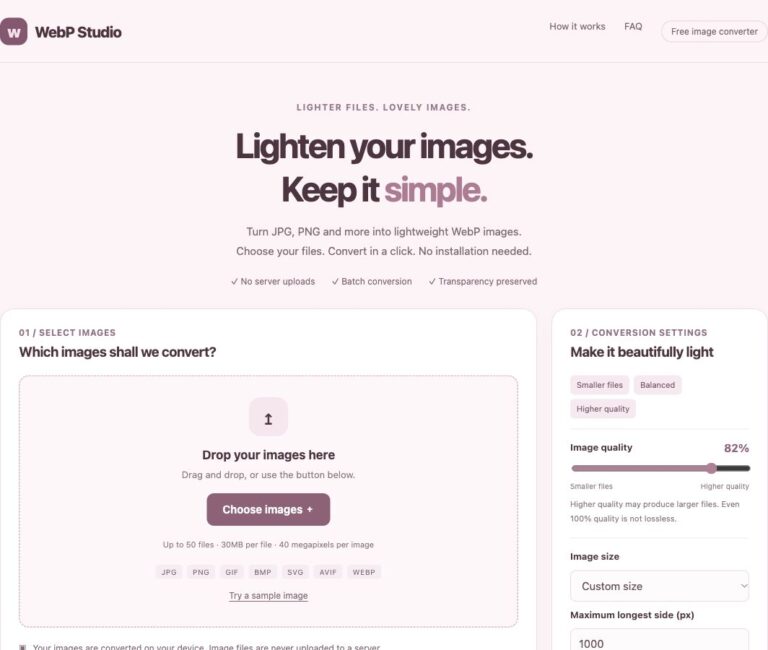
WebP Studio
WebP Studio: 7 Essential Checks for Better Batch Images
Use WebP Studio’s English interface to compare image quality, keep dimensions or resize a batch. Actual tests reveal smaller JPGs, larger outputs and a rounded zero-saving total.

FrameMint Studio
Screenshot Editor: 7 Smart FrameMint Studio Checks
Frame screenshots, add manual masks and build captioned stories in FrameMint Studio. Real import, order, recovery and size tests explain what to check before sharing.
PostPack Studio
Image Pack Maker: 7 Smart Checks in PostPack Studio
Create four template-based blog and social layouts from shared text and an optional image. Our guide checks platform copy, CSV generation, brand persistence and metadata while separating editor results from unverified downloaded files.