Make a personal pet postcard with Sleeping Pose Museum. Explore eight illustrated naps, compare editorial pose scores and frame a selected image with a name and title. The browser-local passport records discovery; your photograph needs separate care. These playful labels do not diagnose an animal.
Hands-on review: 8 November 2026, Chrome. We opened artwork details, collected a stamp, reloaded, changed comparison selections, tested an empty search, imported an image, edited a title and activated PNG download. We inspected the Korean page at a fresh 390px width and switched its night appearance. Our import was a public Size Lab interface screenshot, not a pet photograph or an image-recognition experiment. Download reported that it started; we did not retrieve or inspect the PNG file. All screenshots below are actual tool captures. This library and the original project share a creator; observed results are separated from site statements.
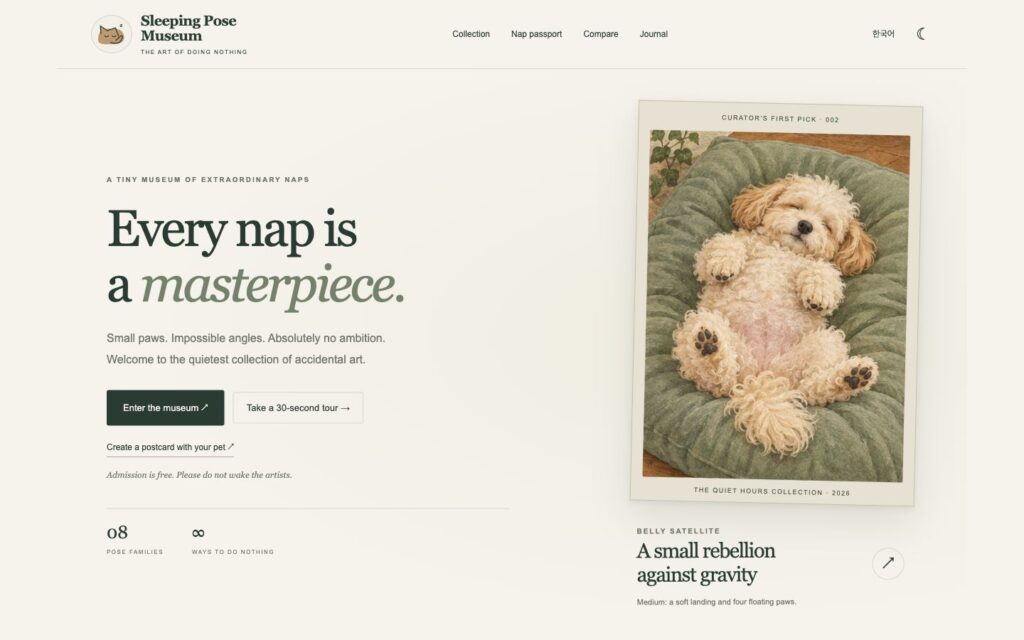
Explore illustrated naps and make a personal pet postcard. Real stamp, comparison, image-import and reload tests explain the museum’s creative value and its file-preservation limits.
- Brand
- Sleeping Pose Museum
- Tool languages
- en, ko
- Verified date
- 2026-11-08
Table of Contents
Key takeaways before making a pet postcard
- The official name is Sleeping Pose Museum. It is a creative observation and postcard tool, not a sleep tracker or diagnostic service.
- The founding collection consists of eight AI-assisted painted studies. They are not submitted pet photographs.
- Pose DNA values describe the illustrations using four editorial scores. They do not measure the health, trust, personality or emotions of your animal.
- One collected stamp survived reload and appeared in the Korean page on the same browser. The selected photo and edited studio text did not return after reload.
- The studio lists JPEG, PNG and WebP up to 10 MB. Its preview canvas was 1000×1120 in our test; that does not independently verify the encoded download dimensions.
What the museum helps you create
A camera roll records many naps but rarely gives one a title or an explanation. This museum provides a small visual vocabulary: a curled outline, an upward-facing belly, a stretched body, a face resting against a surface, overlapping limbs, or contact with furniture and pillows. Those labels can help you choose what to notice before you make a card. They are curatorial names, not mutually exclusive scientific categories.
The most useful workflow has three separate outputs. The collection offers examples to look at. The passport records which illustrated poses you have discovered. The studio presents a selected image with an artist name, pose family and exhibition title. A stamp is not a saved photograph, and a studio preview is not evidence that an exported file has been successfully stored.
For a pet owner, the result can be a birthday memory, a quiet family album entry or a simple image to send privately after reviewing it. For a teacher or art activity leader, the collection supports describing outlines and points of contact. Neither use requires a claim that one sleeping position proves happiness or another reveals a problem.
Prepare the image and the story first
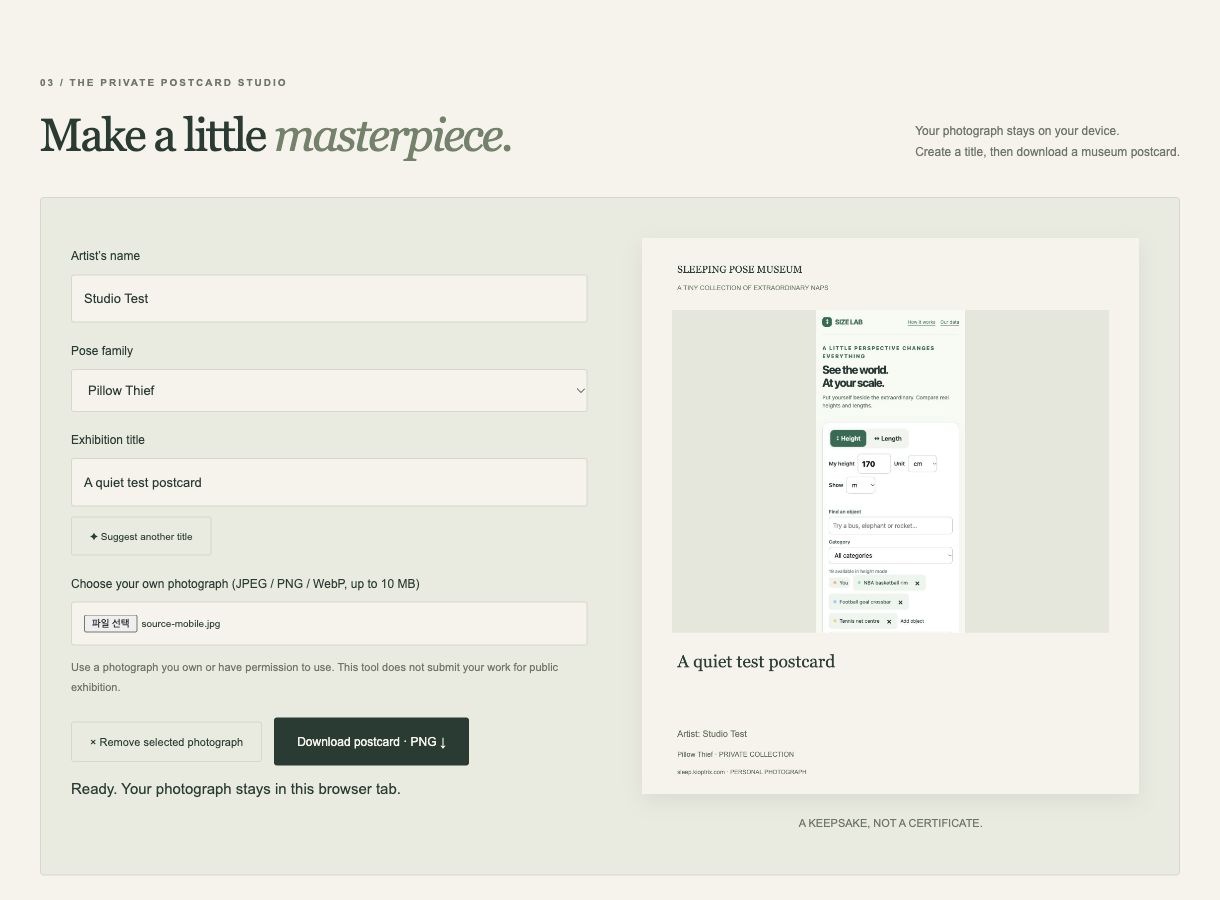
Choose a photograph you own or have permission to use, in one of the listed formats and below the stated size limit. That limit is a published interface requirement; we did not stress-test a 10 MB boundary or every supported format. Our successful import used a JPEG screenshot to verify the mechanics without supplying a personal pet image. The screenshot shows exactly that test, not a fabricated animal result.
Prepare a short artist name and a title that refers to a visible detail. “Afternoon at the green armchair” is easier to understand later than an unexplained joke. Keep the original photo in your own storage. Do not rely on the browser passport as a backup, and do not reload an unfinished card expecting a recovery feature that we did not observe.
Before using a photograph publicly, review the whole frame: faces, address labels, screens and reflected details can be part of the picture. The site itself advises respecting the sleeper and not moving an animal for a better composition. You can also begin with the existing illustrations if you only want to explore the museum; importing your own image is optional.
How to use the museum: 7 essential postcard checks
1. Browse the collection before choosing a label
Open Collection or Enter the museum. The eight families are Cinnamon Roll, Belly Satellite, Liquid Sleeper, Faceplant, Baguette Mode, Furniture Fusion, Impossible Knot and Pillow Thief. Use the search field, Cats/Dogs selector and pose buttons together. Our Dogs selection plus Cinnamon search returned 0 of 8 with guidance to clear the search or choose All works and All artists. An empty result is not a failure to load a photo.
2. Open a study and read its evidence level
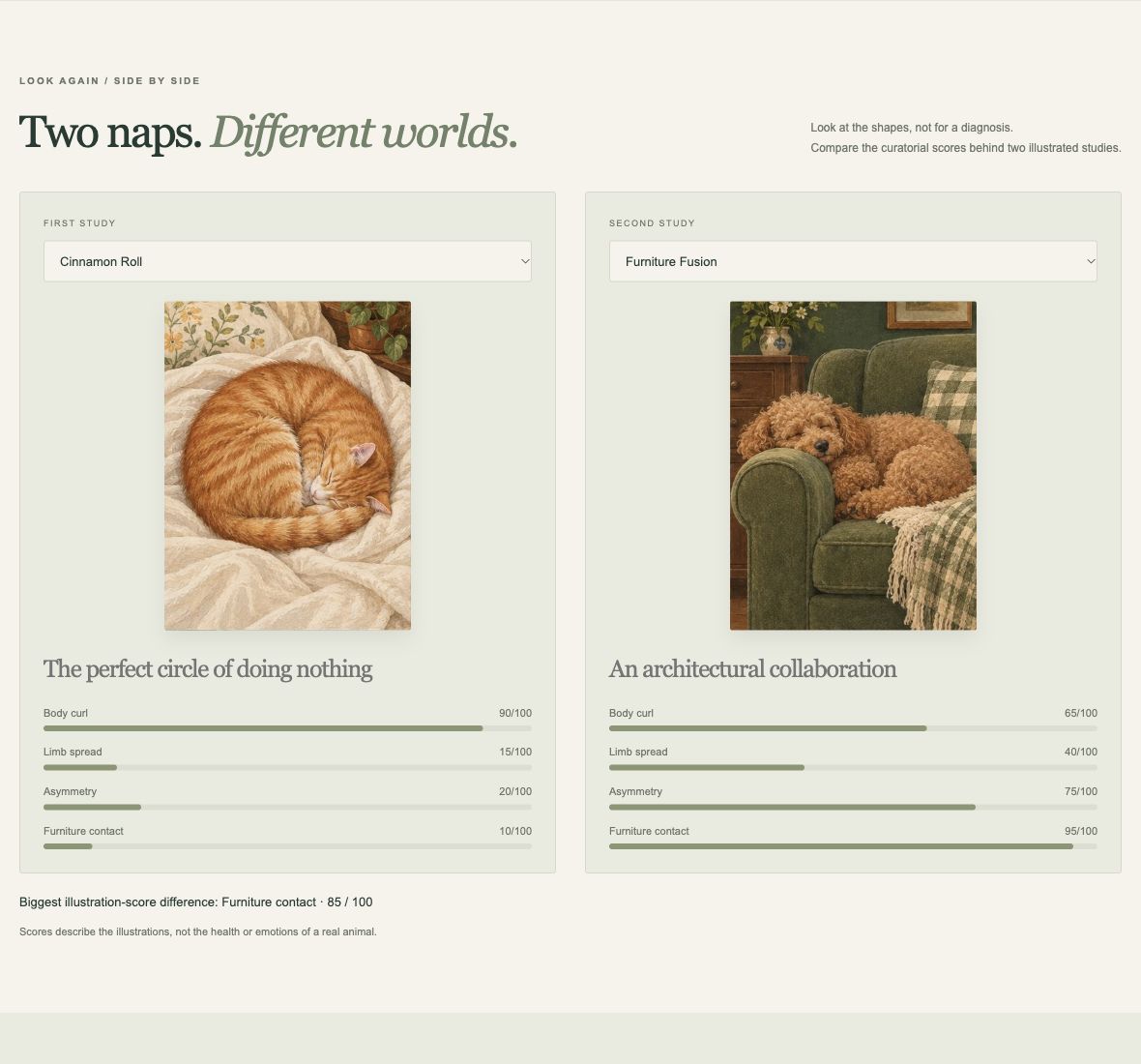
Choose Explore on a card. The detail dialog shows its illustration, exhibition title, descriptive paragraph and Pose DNA. Cinnamon Roll displayed body curl 90, limb spread 15, asymmetry 20 and furniture contact 10, each out of 100. Read the “editorial illustration scores” qualification with those values. The Find a pose twin control moved between illustrated works and explicitly said the match used illustration scores, not image recognition.
3. Compare one feature rather than seeking a winner
Use Compare and choose a first and second study. The default Cinnamon Roll/Belly Satellite pairing reported its biggest difference as limb spread, 80/100. Changing the second study to Furniture Fusion changed that summary to furniture contact, 85/100. The feature that differs most is a prompt to inspect the artwork. It is not a better-sleep ranking or a score for an uploaded pet.
4. Collect a stamp and understand what is saved
Collect this pose added Cinnamon Roll to the passport and showed a confirmation. After reload, Discovered remained 1/8. The Korean page also showed that same discovered stamp in this browser. This establishes persistence for our test, not cloud synchronization. The site says stamps are stored locally and other devices do not share the record. Reset my passport is for clearing the record; we did not use it to erase the collected stamp.
5. Build the card in the private studio
Go to Create a postcard with your pet. Enter Artist’s name, choose Pose family and edit Exhibition title. Select your permitted image and wait for the preview. We used Studio Test, Pillow Thief and A quiet test postcard with the non-pet JPEG. The status said Ready and the picture appeared in the card. There was no automatic classification claim; selecting a family is a creative choice you make.
6. Review the title and visible composition
Suggest another title changed our custom title to A borrowed place to dream. Treat the suggestion as a replacement and read it before exporting. Check that the name, image and title still tell the intended story, including any unusual crop or blank space. We observed a 1000×1120 preview canvas through its rendered element, not through an inspected downloaded image. A portrait composition may suit an album card but is not automatically a square social tile.
7. Download, open the file and keep a separate original
Activate Download postcard · PNG. Our interface said Postcard download started, but the browser automation did not return a retrievable file. We therefore cannot certify the PNG bytes, metadata, final dimensions, print quality or successful reopening. In your own workflow, check Downloads, open the file and review the text and image before sharing or printing. Keep that finished file and the original photo separately; reload did not restore our image, artist name or edited title.
Actual test results and what they establish
| Action | Observed | Scope |
|---|---|---|
| Collect Cinnamon Roll | 1/8; survives reload | Stamp persistence in this browser |
| Switch to Korean | Same 1/8 stamp | Same-browser language path |
| Dogs + Cinnamon | 0/8; clear-filter advice | Combined filters can exclude all |
| Change comparison | Furniture contact 85 | Editorial difference summary |
| Import test JPEG | Ready; image in card | Preview input succeeded |
| Suggest title | A borrowed place to dream | Replaced edited title |
| PNG button | Download started message | File itself uninspected |
| Reload studio | Image/text not restored | Passport is not a draft backup |
We also started the control labelled a 30-second tour. It opened an artwork dialog at 1/5 and later reached 5/5 with Pause / resume tour available. We did not time an uninterrupted 30-second run or test background-tab timing. That limited observation supports a guided artwork sequence, not an exact duration promise. Night mode changed the Korean page’s appearance; we did not conduct an audio playback test.
Read Pose DNA as a visual description
| Feature | Roll | Furniture |
|---|---|---|
| Body curl | 90 | 65 |
| Limb spread | 15 | 40 |
| Asymmetry | 20 | 75 |
| Furniture contact | 10 | 95 |
All values in this table are the site’s editorial illustration scores out of 100. The furniture-contact gap is 95−10=85 points, matching the displayed largest difference. The asymmetry gap is 75−20=55 points. Subtracting these values explains the comparison interface; it does not convert subjective artwork labels into measurements of a living animal.
A useful sentence is “The Furniture Fusion illustration is assigned more furniture contact than the Cinnamon Roll illustration.” An unsupported sentence is “My dog’s pose has an 85-point comfort advantage.” The latter changes the subject from two curated pictures to a real pet and changes a visual attribute into a health or emotion claim. The studio does not supply evidence for that leap.
Practical uses: an album, an activity and a gift
Build a small album with consistent context
Choose one ordinary image each month and record a date, setting and visible detail in your own album notes. A card might read “Cookie — Afternoon by the armchair,” while the private note explains that a cushion supports the head. You are building a memory archive, not a chart of sleep quality. Consistency makes the cards easier to compare as a collection without requiring every change to have a hidden meaning.
Use the illustrations for a description exercise
Ask participants to name three visible features before they choose a pose family: outline, limb direction and contact with a surface. Let two people choose different families for the same picture and explain their choices. The useful outcome is a better description, not agreement with a supposed scientific classifier. This is a suggested activity; we did not test learning outcomes with participants.
Prepare a personal keepsake with a clear permission boundary
For a small gift, select an image the recipient is comfortable receiving, choose a title grounded in a shared memory and open the exported file before sending it. The site says downloaded postcards are intended for personal use. It does not offer public exhibition submission in the current interface. Creating a card is not an agreement to place the photo in the founding collection, and the collection itself is not a source of submitted real-pet portraits.
Advanced practice: separate four kinds of record
Keep the source photograph, the studio session, the passport and the finished card conceptually separate. The source is the image you control outside the site. The session contains temporary input and a preview. The passport remembers discovered illustration families. The finished card is a file you must actually obtain and review. Confusing these layers is the easiest way to believe a photo has been backed up when only a stamp has been saved.
| Record | Useful for | Do not assume |
|---|---|---|
| Original image | Future re-editing | Stored by passport |
| Studio session | Current composition | Restored after reload |
| Passport stamps | Discovery progress | Cross-device photo archive |
| Downloaded card | A reviewed keepsake | Editable project or verified backup |
For a reproducible note, write the interface language, selected family, artist text, exact title, input filename and date. Add whether you saw Ready, whether the download appeared and whether you opened it successfully. These are three different checks. Our test passed the first, reported the second at the interface level and could not complete the third. Recording the distinction is more useful than a single ambiguous “saved” label.
If you later want a new title, start from the original rather than relying on text embedded in a finished image. The inspected interface had no project export, version history or account-based recovery. A folder with the original, a text note and the verified card is a simple alternative. That is an organizational suggestion, not a claim that the tool automatically creates that folder or preserves the note.
Privacy, limits and respectful observation
The privacy section states that the postcard maker reads the selected image locally in the browser and does not send it to a server. We verified that a chosen image rendered without an account or exhibition-submission step; we did not inspect network traffic or source code. Describe local image handling as the publisher’s statement rather than a completed security audit. Blogger hosting and advertising can still involve Google or partner cookies and device information; ads were visible during our visit.
A browser-local workflow and a safe-to-share image are also different questions. Review the visible content yourself before sharing. We did not inspect a downloaded file for metadata removal and do not claim the tool strips EXIF, anonymizes a photograph or detects private information. A decorative border cannot substitute for reviewing what is inside the frame.
- Eight families provide playful labels; one photo can plausibly fit more than one. There is no tested automatic pet-pose classifier.
- The founding pictures are AI-assisted illustrations. A real image imported into the studio remains a separate personal input.
- Local stamps can be lost when site data is cleared and are not described as a multi-device service.
- The photo and edited studio values did not survive our reload. Preserve your original and review the finished file.
- The source worked in English and Korean. At 390px the Korean comparison and night toggle worked with no page-level horizontal overflow. This was one Chrome viewport test.
Use the original privacy explanation and museum journal when checking the publisher’s intended scope. Both were reviewed on 8 November 2026. We make no medical inference from the artwork or the imported test image.
Troubleshooting without losing the session
If the collection is empty, clear the search and restore All artists and All works. Filters combine, so a valid search can still conflict with a species selection. If a title changes unexpectedly, check whether Suggest another title was activated. If a stamp seems missing, confirm the browser and site-data context before assuming it has synchronized elsewhere. Avoid clearing site data as your first troubleshooting step when you want to keep that passport.
If the card is not ready, check the listed file type and size, then wait for the image preview. We tested one JPEG, not every corrupt or unsupported file condition. If the download button reports a start but you cannot find a file, look in the browser’s download interface and open the actual output before repeating work. Reloading too early can discard the current image and text, as our test demonstrated.
For a custom layout, many photos or a print specification, a general image editor may be a better choice. A regular album is simpler for a chronological archive. Sleeping Pose Museum adds a coherent exhibition frame and a small visual observation exercise; it does not replace a full photo library, production design package or pet-care record.
Related tools for the next step
- Try Pawprint Constellation for a different decorative keepsake based on an existing impression or sample. Its artwork and project records have their own preservation rules.
- Use FrameMint Studio to annotate a captured interface or present the steps of your card-making workflow. This is a manual image workflow, not a direct connection.
- For notes about a different everyday moment, Dog Sniff Diary records walk observations. It has a recording purpose distinct from the museum’s illustration passport; neither should be treated as a diagnosis.
Pet postcard and museum FAQ
Does the museum analyze my pet’s sleeping position?
We found manually chosen families and comparisons of fixed illustration scores. The twin control explicitly described score-based illustration matching. Our image import was not an animal-recognition test, and there is no evidence here of a diagnostic or emotional classifier.
Are the paintings real submitted photographs?
No. The founding collection is labelled AI-assisted painted studies. Your own selected image is used separately in the studio, and the current tool says it does not submit work for public exhibition.
Does a discovered stamp save my photo?
No. Our stamp persisted while the selected image and edited studio fields disappeared after reload. Keep your original image and confirm that you have a finished file.
Was the downloaded PNG verified?
No. We saw Postcard download started but could not retrieve and open the file. Preview dimensions are reported separately from encoded-file inspection, print quality and metadata handling.
Make one carefully described keepsake
Start with an illustrated pose, describe what is visible and then choose an image you may use. Give the card a title that belongs to the moment. Before sharing, open the actual downloaded file and review the frame. The value is a small, honest memory rather than a conclusion about the sleeper.
A RELEVANT NEXT STEP
Tools with a useful connection
Pawprint Constellation
Pawprint Constellation: 7 Smart Keepsake Checks
Create decorative constellation keepsakes from an impression or sample. Our hands-on guide checks star memories, density regeneration, device recovery and the different jobs of artwork PNG and project JSON.

FrameMint Studio
Screenshot Editor: 7 Smart FrameMint Studio Checks
Frame screenshots, add manual masks and build captioned stories in FrameMint Studio. Real import, order, recovery and size tests explain what to check before sharing.
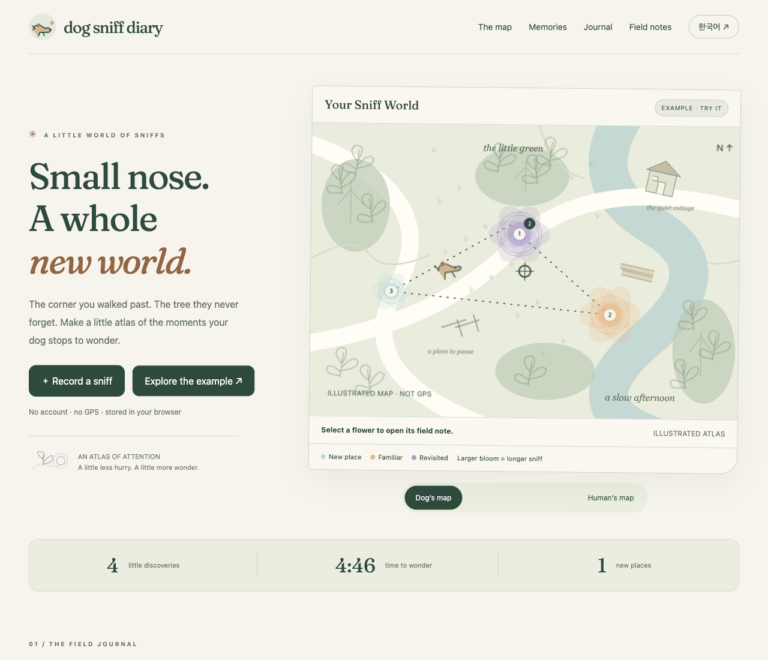
Dog Sniff Diary
Dog Sniff Diary: A Dog Sniffing Journal in 7 Steps
Keep timed sniff observations, place nicknames and an illustrated diary. Our hands-on tests cover local records, filters, JSON recovery and abstract SVG postcards without treating them as GPS or health data.