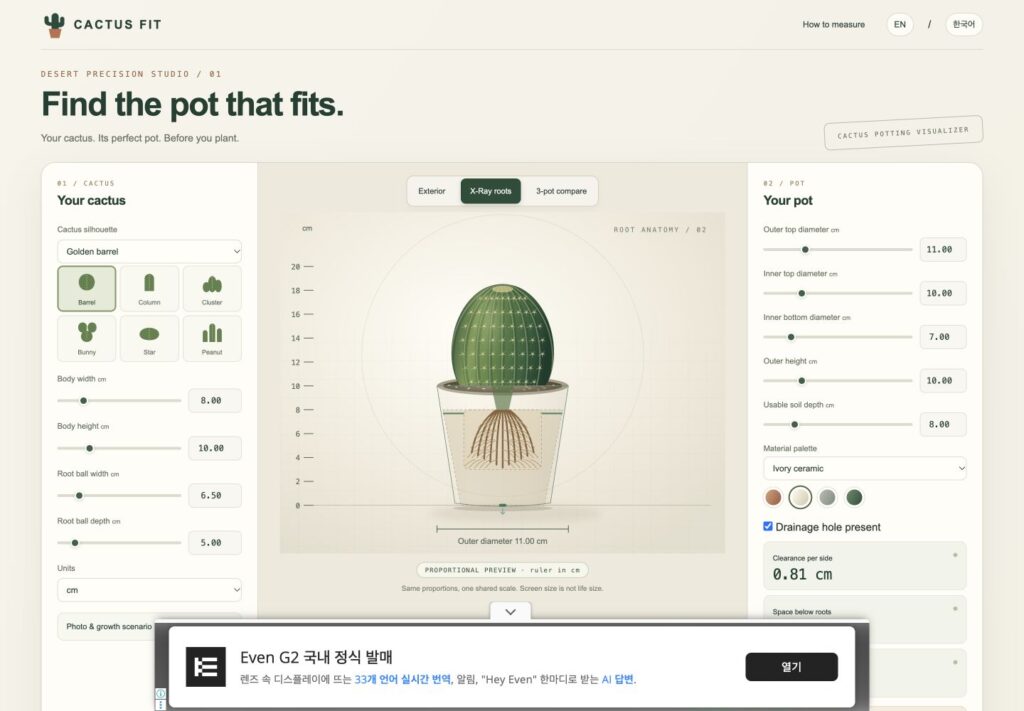
Measure cactus roots and tapered pot interiors before choosing a container. Our tests explain clearance,293mL soil geometry, warning states, three-pot studies and local setup sharing.
- Brand
- CACTUS FIT
- Tool languages
- en, ko
- Verified date
- 2026-11-08
CACTUS FIT is a cactus pot size visualizer for a practical question: will a measured root ball fit inside a particular tapered container? Enter body, root and pot dimensions, inspect the proportions, then read side clearance, space below the roots and an estimate of new soil. It is most useful before comparing shop listings or committing to a repot.
Checked 8 November 2026. We tested measurements, invalid dimensions, drainage warnings, centimetre/inch conversion, three-pot comparison, local saving and a copied setup link in Chrome. We also selected a local test image, changed the height scenario and checked the Korean interface at a fresh 390-pixel viewport. Screenshots show the actual tool, not a physical planting experiment.
On this page
Key takeaways for a better pot comparison
- Measure the root ball separately from the visible cactus. A body silhouette cannot tell the calculator how wide the roots are.
- Use inner top diameter, inner bottom diameter and usable soil depth. The advertised outside diameter alone cannot establish root clearance.
- A positive fit message describes geometry, not plant health. Drainage, stability, substrate and growing conditions remain separate checks.
- The three-pot view is a scaled study around your current dimensions, not three verified products or a shopping recommendation.
- Save measured values, not just a picture. Local storage and a shareable setup link serve different purposes; selected photos are excluded from the link.
What CACTUS FIT does and when to use it
The official brand is CACTUS FIT; the page describes itself as a Cactus Potting Visualizer. Its English main page and Korean page offer six shape presets, numeric fields and sliders, three preview modes, material colors and a Pot Passport area. No account or payment was required for the controls we tested. The visible update date is 26 October 2026.
Imagine finding two planters with the same outside width. One has a thick rim and a strongly tapered interior; the other has thinner walls and a broader base. Their appearance may be similar, but the available space around a root ball can differ. This tool helps expose that distinction before the word “fits” becomes a conclusion based only on the plant’s body width.
It also helps if you are comparing a cactus with several existing pots, estimating a small batch of additional substrate or discussing dimensions with another person. It does not scan a plant, identify a species, measure an uploaded photograph or determine the healthiest pot size. The useful output is a documented geometric comparison that you can check against the physical objects.
Measure these inputs before opening the tool
| Measurement | What to record |
|---|---|
| Body width and height | The visible plant dimensions; include spines in width when shelf clearance matters. |
| Root-ball width and depth | The existing root mass as a separate measurement, not an estimate inferred from the body. |
| Outer top diameter | The outside width across the pot opening, used for the visible proportions. |
| Inner top diameter | The inside width at the top of the usable soil space. |
| Inner bottom diameter | The internal base width, which describes taper together with the top. |
| Outer height | The external height used for the container drawing. |
| Usable soil depth | The depth available for soil after allowing headspace, rather than the full outside height. |
Keep a ruler and a small dimension sheet beside you. If a seller lists only “11 cm pot,” ask whether that means outside diameter, inside diameter or a nominal product size. Do not silently reuse the advertised number for all three. Unknown inner measurements should remain unknown in your decision notes, even if you enter a provisional value to explore a scenario.
Use the same measuring convention for competing containers. A root mass with an irregular outline is only approximated by the width and depth fields, so do not claim precision beyond what you actually measured. Avoid disturbing roots merely to obtain a tidy calculator value. You can use an existing measurement or a clearly labeled hypothetical example until the plant is already being assessed for repotting.
How to use the cactus pot tool: 7 essential checks
1. Choose a silhouette without treating it as a diagnosis
Choose Golden barrel, Columnar, Cluster, Bunny ears, Astrophytum or Peanut to approximate the outline. These are illustration presets, not validated species dimensions or root profiles. Enter body width and height yourself. The default 8 × 10 cm body is an example; it is not a recommendation for a particular cactus or evidence that its roots should have a certain shape.
2. Enter root dimensions independently
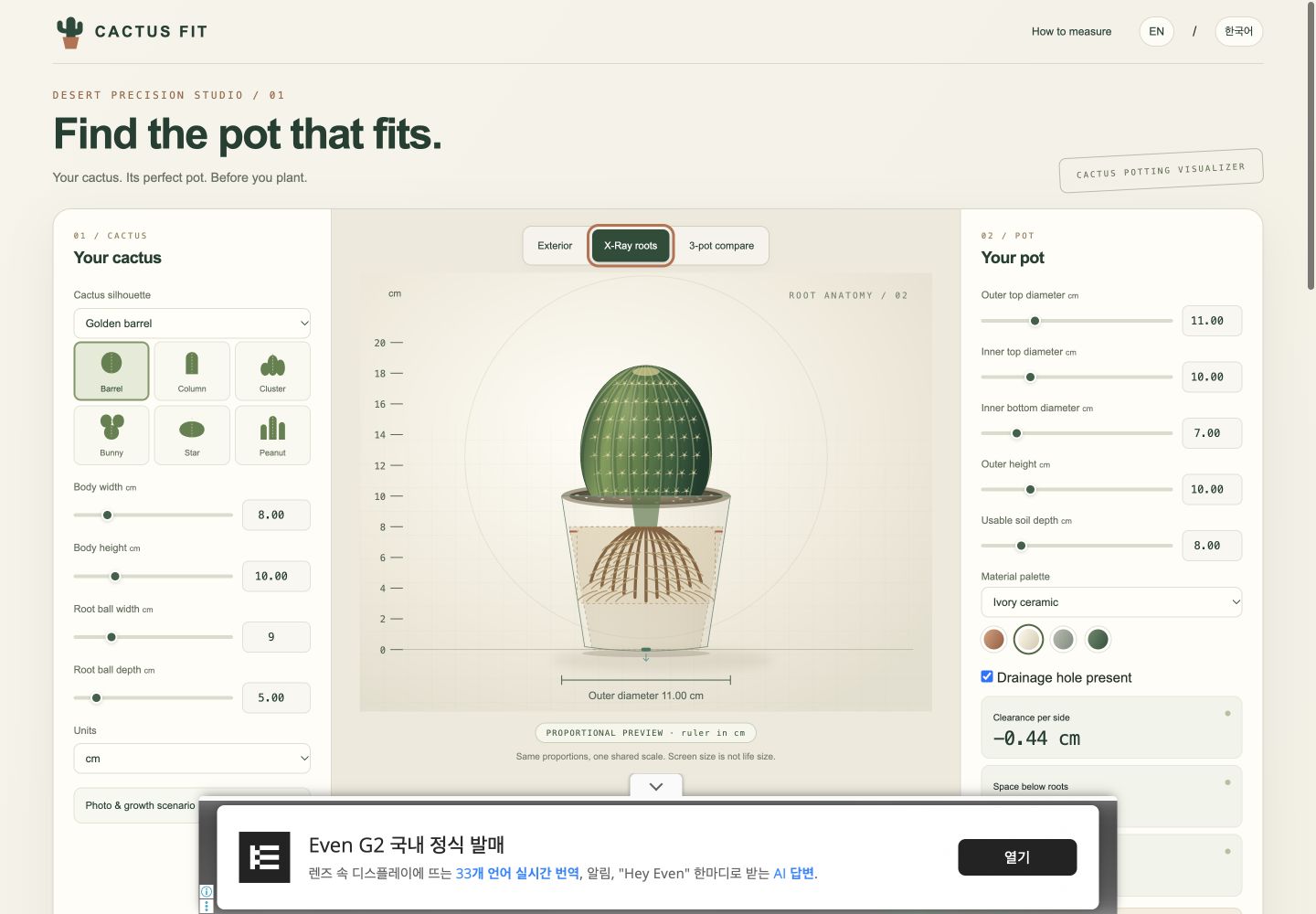
For our baseline we used root width 6.5 cm and depth 5 cm. Entering those values separately matters: increasing body height visually and increasing root-ball depth are different operations. If the roots are wide and shallow, a tall-looking pot may still be too narrow where they sit. X-Ray roots makes the relationship easier to inspect, but the drawing remains a simplified diagram.
3. Describe both the outside and the tapered interior
Our baseline container had an outer top diameter of 11 cm, inner top diameter 10 cm, inner bottom diameter 7 cm, outer height 10 cm and usable soil depth 8 cm. Enter each field explicitly. The tool checks basic inconsistencies: when we set the inner top to 12 cm while the outside remained 11 cm, it displayed a dimensions warning and withheld the soil estimate.
4. Read clearance and below-root space together
The baseline returned 0.81 cm per side, 3.00 cm below the roots and 293 mL of new soil. A positive side value alone does not establish a full fit. Changing only root depth to 9 cm produced −1.00 cm below the roots and a non-fit warning. Negative space means the entered shape exceeds available depth; it is not a suggestion to compress or cut roots.
5. Compare size studies on the shared scale
Switch from Exterior to X-Ray roots or 3-pot compare. The comparison showed 8.80 × 8.00, 11.00 × 10.00 and 13.75 × 12.50 cm outer dimensions for our baseline. Their displayed side clearances were −0.19, 0.81 and 2.06 cm. The small version failed geometrically. The largest having more space did not make it the best horticultural choice.
6. Check drainage and avoid reading colors as physics
Unticking Drainage hole present produced a warning to check a draining inner pot, while the geometric fit confirmation remained. That combination is useful: root clearance and drainage answer separate questions. Changing the palette from Terracotta to Ivory ceramic kept the same numerical outputs. The colors do not calculate evaporation, drying time or watering frequency.
7. Save a reproducible setup before leaving
Use Save locally, then verify your values after a reload. Our dimensions and Ivory ceramic choice returned. We also copied the setup link and opened it in another tab, where the same measurements and material were restored. The link encodes a configuration in its #fit fragment; it is a convenient way to communicate assumptions, not a permanent public record or a guarantee that a future tool version will reproduce every display identically.
Actual test results and the warning that matters
| Single change from baseline | Observed result |
|---|---|
| Root width 6.5 → 9 cm | Side clearance −0.44 cm; non-fit warning; soil estimate replaced by a dash. |
| Root depth 5 → 9 cm | Below-root space −1.00 cm; non-fit warning; no soil volume. |
| Inner top 10 → 12 cm | Invalid dimensions because outside remained11cm; no soil volume. |
| Drainage checked → unchecked | Drainage warning appeared alongside the unchanged geometric fit message. |
| cm → inch | Clearance0.32in, below-root1.18in; soil remained293mL. |
| Terracotta → Ivory ceramic | Appearance changed; baseline numerical outputs remained unchanged. |
| Future height +0.5 cm | Scenario label changed; root clearance and soil outputs stayed at baseline values. |
These are interface checks using entered numbers, not trials in which we planted a cactus or observed growth. Each change was made separately and the relevant inputs were restored before the next test. The Korean 390-pixel test also reproduced the 9 cm root-width warning and the three-pot view. We did not exhaust every preset, boundary value or physical device.
Why an 11 cm pot gives only 0.81 cm per side
Subtracting 6.5 cm roots from an 11 cm outer diameter and dividing by two would suggest 2.25 cm of space. Even using the 10 cm inner top gives 1.75 cm. Neither accounts for the narrowing interior at the lower part of the root ball. This is the most useful distinction the tool adds to a simple outside-width comparison.
For the baseline, the root bottom sits 8 − 5 = 3 cm above the internal base. A straight taper from 7 cm at the base to 10 cm across an 8 cm soil depth gives an inner width there of 7 + (10 − 7) × 3/8 = 8.125 cm. Half of 8.125 − 6.5 is 0.8125 cm, matching the displayed 0.81 cm. This is a hand calculation consistent with the observed output, not a source-code audit.
The published soil method approximates the inside as a truncated cone and the root ball as a cylinder. With D=10, d=7 and h=8 cm, interior volume is π × 8 × (10² + 10×7 + 7²)/12, about 458.67 mL. The cylindrical root ball occupies π × (6.5/2)² × 5, about 165.92 mL. The difference is about292.76mL, which rounds to293mL as displayed.
Treat that as a planning estimate for added soil around the modeled root ball. It is not the total pot volume, an exact amount to buy or a prediction of the final settled fill. Irregular roots, rounded corners, wall thickness changes, headspace, stones and settling can change the real quantity. Keep the measured inputs with any quoted estimate so another person can understand what the number assumes.
Three-pot comparison without an automatic purchase verdict
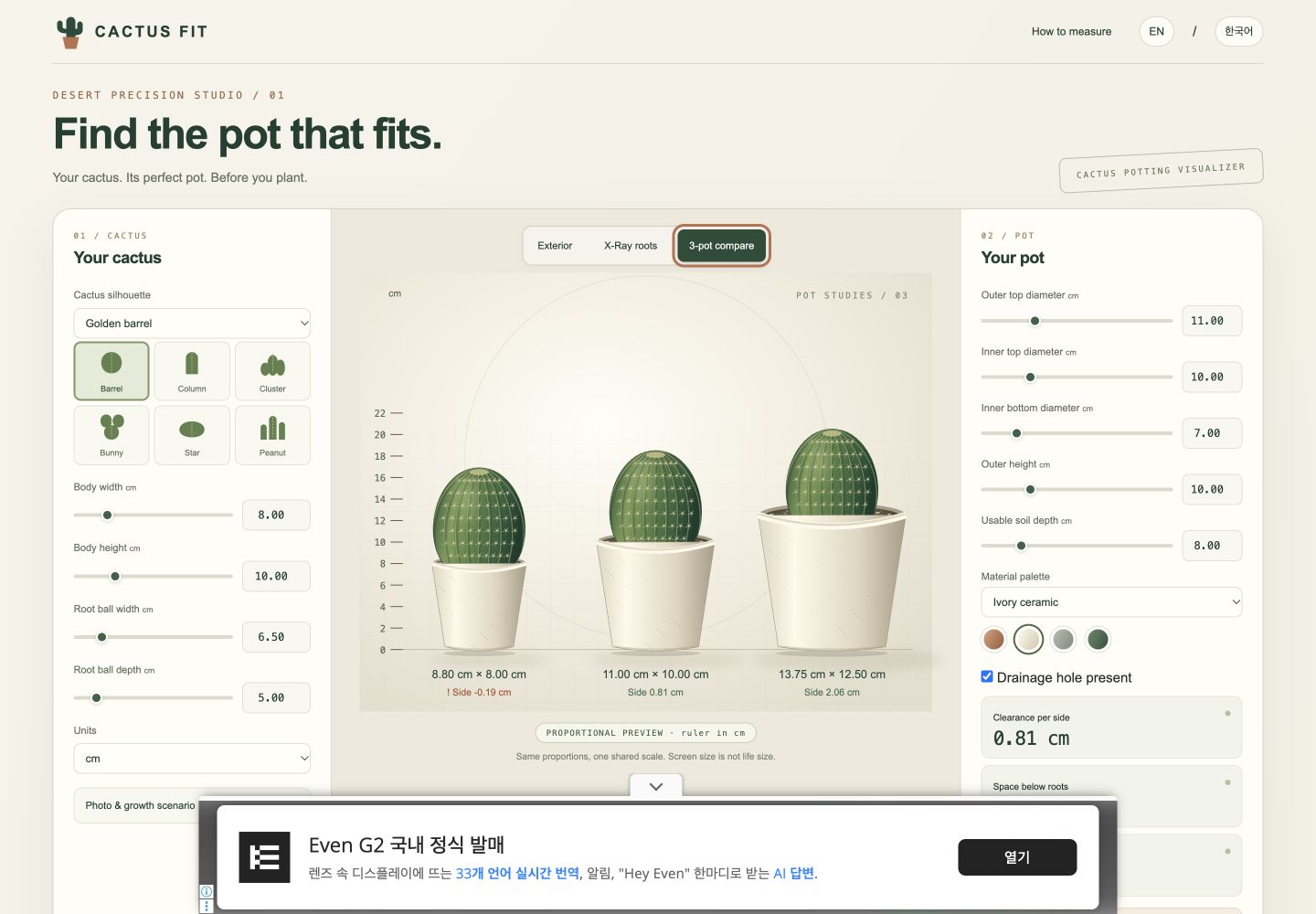
A good workflow is to use the three-pot view to see the direction of a change, then enter the actual dimensions of each candidate separately. Real commercial pots rarely scale their inside widths, wall thickness and depth by exactly the same factor. A scaled large study therefore cannot stand in for a seller’s larger model unless its measurements match.
Build a short comparison sheet with candidate name, inner top, inner bottom, usable depth, drainage and the three outputs. Keep visual preference in another column. This separates “I like the silhouette” from “the entered roots fit” and from “this container suits my growing conditions.” A slightly positive clearance deserves a physical check, especially if the measurements were approximate.
For plant-care context, Iowa State University Extension’s succulent guide recommends containers that accommodate the roots and provide drainage, and cautions against unnecessarily large containers that dry slowly. That supports checking more than appearance; it does not validate CACTUS FIT’s geometry or establish a universal clearance target. We do not turn a green fit message into a species-specific prescription.
Photo, growth scenario and screen calibration limits
The photo control accepts a local image for the body illustration. We selected a screenshot we had just made as a non-sensitive test image and saw it placed in the preview without changing the entered body or root measurements. This was a rendering test, not a claim that the screenshot depicts a real cactus. The tool does not infer dimensions or remove a background; the visible instructions recommend a tightly cropped transparent PNG.
Because the image is stretched to the entered body dimensions, generous blank margins can make the visible plant look deceptively small. Crop and prepare your own picture before using it, then verify the numeric width and height independently. Do not assume an attractive overlay establishes a measurable scale. The shared configuration we inspected contained the measurement fields but no selected photo data.
The future-height control is explicitly a scenario, with its increment labeled in centimetres even when the main unit selector is in inches. We tested a +0.5 cm scenario; it did not enlarge the root fields or alter the baseline soil estimate. It is not a growth-rate forecast, and there is no time, light or watering schedule attached to the extra height. A taller illustration also cannot establish resistance to tipping.
Default preview means proportional, not life size. The optional calibration asks you to match an on-screen bar to an85.6mm-wide card before enabling Life size. We confirmed that the mode switches to a calibrated-life-size label, but did not validate physical on-screen dimensions against a card. Recalibrate after zoom, display or orientation changes, and return to Fit preview if an object exceeds the screen. Use a blank card edge rather than exposing card details.
Saving, sharing and privacy: what we verified
Local saving uses browser storage according to the visible notice, and our reload test confirmed practical restoration of the measurement setup. A selected image is described as remaining in the browser and being excluded from shared links. We checked a link’s visible configuration and did not see photo data. We did not independently audit all network traffic or establish that the entire page operates without third-party connections.
Google/Blogger and existing advertising services have separate cookie and usage-data practices. During investigation a full-screen advertisement obscured the controls; closing the advertisement restored access. This matters for usability as well as transparency. Avoid describing local image handling as proof that the whole site is tracker-free, and share only a setup you intend other people to see.
Save PNG passport displayed “PNG passport downloaded” when activated. Our browser inspection did not expose a downloadable file for content verification, so we cannot confirm its dimensions, completeness or photo handling in the resulting file. Open and inspect your own saved card before treating it as a backup. For important measurements, keep a separate text copy and test a copied setup link while you still have the original values available.
Related tools for visual plant projects
- Cactus Spine Studio: cactus generator is a creative follow-up if you want fictional cactus artwork after exploring proportions. Its generated forms are not measurements to import as evidence about a living plant.
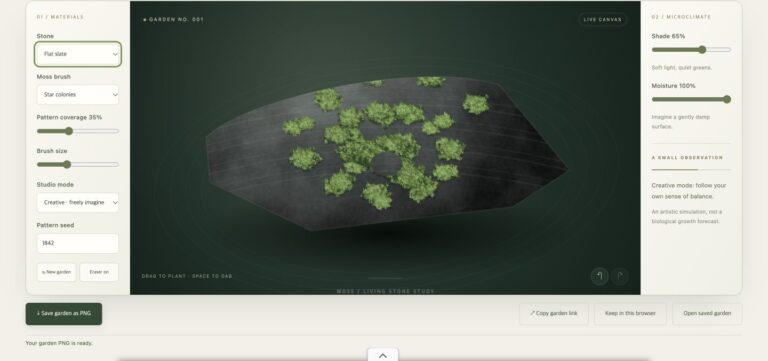
- Moss Carpet Planner moves from container fit to miniature natural composition and pattern design. Use it for an illustrated arrangement, while keeping its imagined growth separate from physical planting requirements.
Frequently asked questions
Can CACTUS FIT choose the healthiest pot automatically?
No. It reports geometric fit and flags some input problems. It does not model species-specific health, root condition, moisture movement, substrate drying or structural stability. Verify the real pot and consult appropriate care information before planting.
Why is new soil shown as a dash?
In our tests, an oversized root ball, excessive root depth or inconsistent container dimensions caused the numeric estimate to be withheld. Check the warning and correct the measurement issue; a dash does not mean zero soil is needed.
Does switching to inches change the soil estimate?
Our baseline changed to0.32in side clearance and1.18in below-root space while the volume stayed293mL. The length labels and ruler converted. The scenario-height field still stated centimetres, so read its own label before interpreting a change.
Will my photograph travel in the setup link?
The tool says it does not include selected photos, and the copied configuration we inspected had no photo data. The receiving person may need their own image. This is a check of that sharing mechanism, not an all-traffic privacy guarantee.
Does the Korean tool work on a narrow screen?
We reloaded it at390px, changed root width and opened three-pot comparison without horizontal overflow. This was browser emulation, not a test of every phone, touch interaction or advertisement layout.
Start with measured roots and a real interior
Collect the root-ball dimensions and the candidate pot’s inside measurements, enter them consistently and inspect the warning before the silhouette. Save the assumptions behind the comparison, then check drainage and the actual physical fit. That is how CACTUS FIT can turn a vague “this looks about right” into a clearer, reviewable pot-selection decision.
A RELEVANT NEXT STEP
Tools with a useful connection
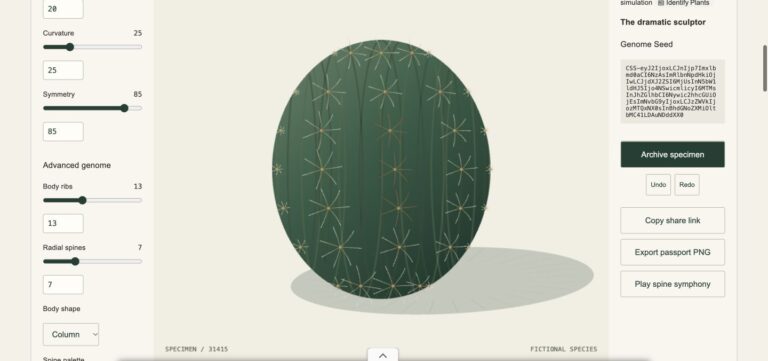
Cactus Spine Studio
Cactus Generator: 7 Creative Steps for Beautiful Forms
Create fictional cactus artwork with spine, body and painting controls. Compare descendants and restore a shareable recipe, with real tests and clear botanical limits.
Moss Carpet Planner
Moss Carpet Planner: 7 Smart Design Checks
Design miniature moss-on-stone artwork with patterns and brushwork. Follow real tests of sharing, local restoration and imagined conditions, with clear botanical limits.
Succulent Stretch Tracker
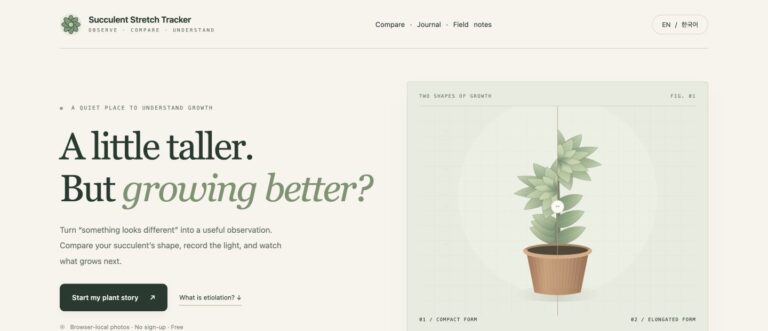
Photo Comparison: 7 Smart Checks for Better Plant Records
Compare succulent photos with manual references, a local journal and light-observation plans. Actual synthetic +50% measurements, alignment and reload tests explain the numbers, storage and export limits.