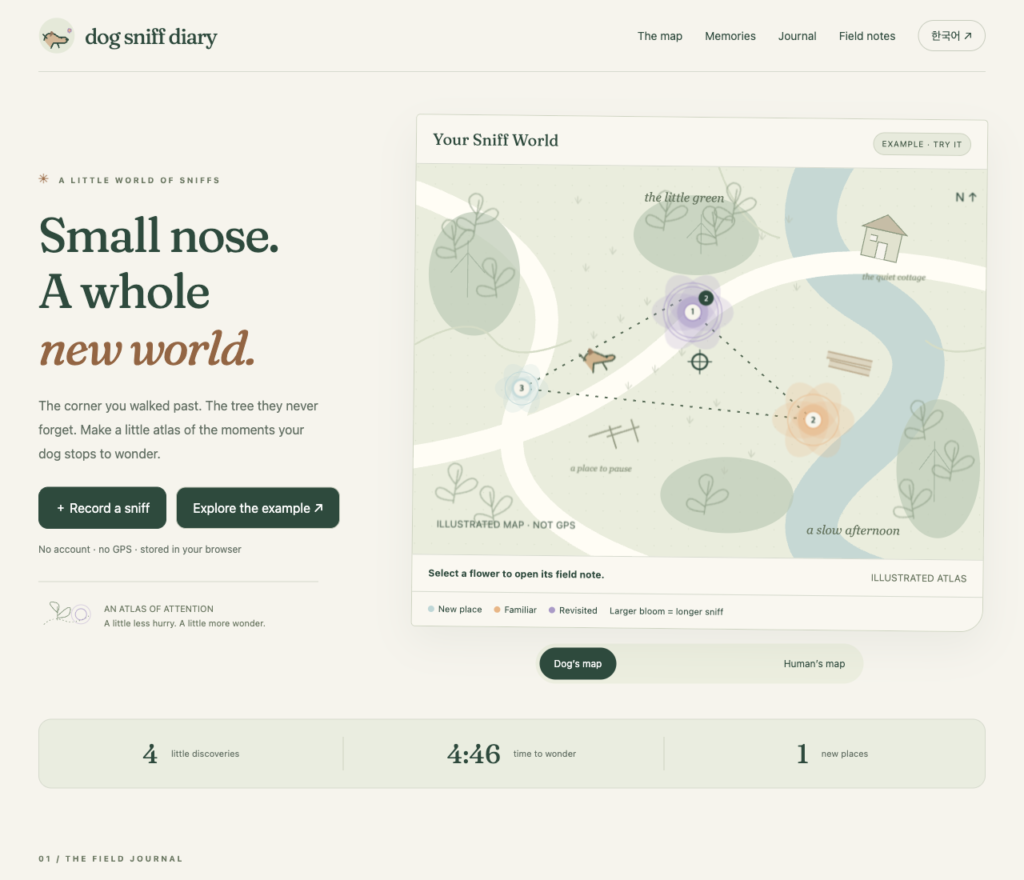
Keep timed sniff observations, place nicknames and an illustrated diary. Our hands-on tests cover local records, filters, JSON recovery and abstract SVG postcards without treating them as GPS or health data.
- Brand
- Dog Sniff Diary
- Tool languages
- en, ko
- Verified date
- 2026-11-05
Dog Sniff Diary is a dog sniffing journal for recording timed pauses, place nicknames and observations, then turning selected entries into an illustrated atlas and abstract keepsakes. It is a small memory tool, not a GPS route tracker, scent analyzer or diagnostic service.
Open the dog sniffing journal ↗ · Open the Korean diary ↗
Hands-on check: November 6, 2026 (Korea Standard Time; November 5 UTC). We used synthetic browser fixtures only, downloaded JSON and SVG files and checked both language pages. This library and the original site share a creator; observations and untested limits are documented rather than presented as an independent endorsement.
On this page
Key takeaways
- Dog Sniff Diary is a dog sniffing journal for timed pauses, place nicknames and observations—not GPS navigation or behavior diagnosis.
- The opening atlas contains an example diary. Choose My diary before assuming those entries are your own.
- Our browser-only test used a 9-second timer record and a manually entered 30-second fixture: two entries, one nickname, 39 seconds. No dog or real walk was observed.
- Filters change the selected view. Searching one note reduced its displayed visit count, so keep the selection consistent when comparing visits.
- JSON is the detailed backup; SVG is an abstract keepsake. We downloaded both and found no test nickname or observation text in the SVG.
What this dog sniffing journal records
A walk often leaves small details that a distance total cannot describe: the pause by a tree, a second visit to a corner, or a moment you want to remember. Dog Sniff Diary gives those observations a lightweight structure. You start and stop a timer, add a place nickname, choose a place type and illustrated position, and optionally write what you noticed. The saved record becomes a card and a bloom on a stylized map.
The dog sniffing journal also turns the selected diary and date into abstract artwork: a nose fingerprint and a scent constellation. These names describe a visual treatment of recorded entries. The tool does not read scent molecules, identify an animal’s thoughts or create a biological noseprint. A longer entry may change the picture without establishing that the dog enjoyed the moment more.
The tested workflow required no account and made no GPS permission request. It suits people who want a small personal observation diary or a printable-style memory image. It is not a replacement for a route tracker, a shared household account or a veterinary record system. If accurate route distance or automatic location history is the task, this deliberately illustrated atlas answers a different question.
Before recording: separate the example from your diary
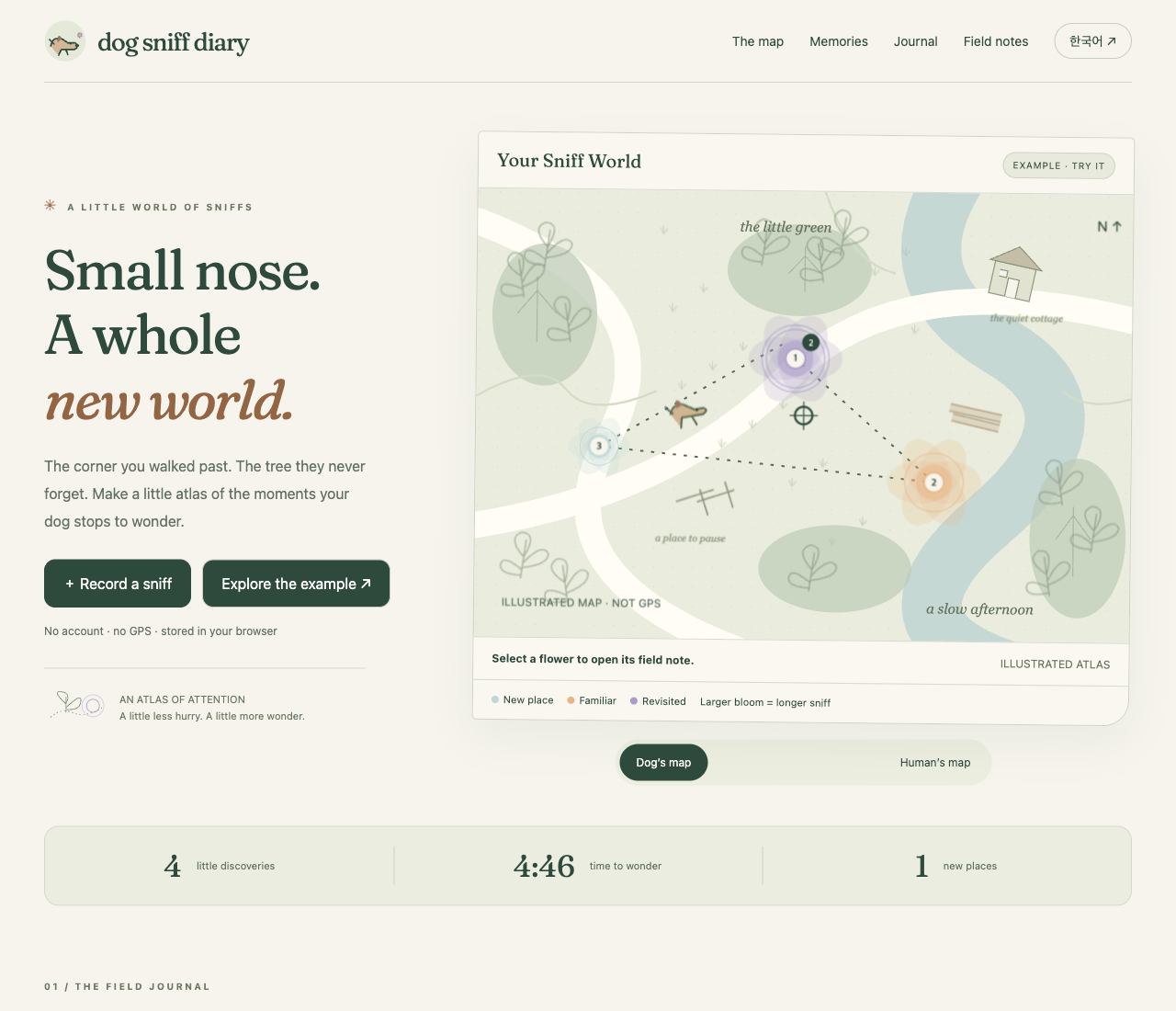
On opening the English and Korean pages, we saw the example view with four records, three place nicknames and 4:46 total. An example badge labels that state. In our session, starting a recording switched to My diary, which was initially empty. Check that view label before reading totals, exporting files or concluding that entries appeared unexpectedly.
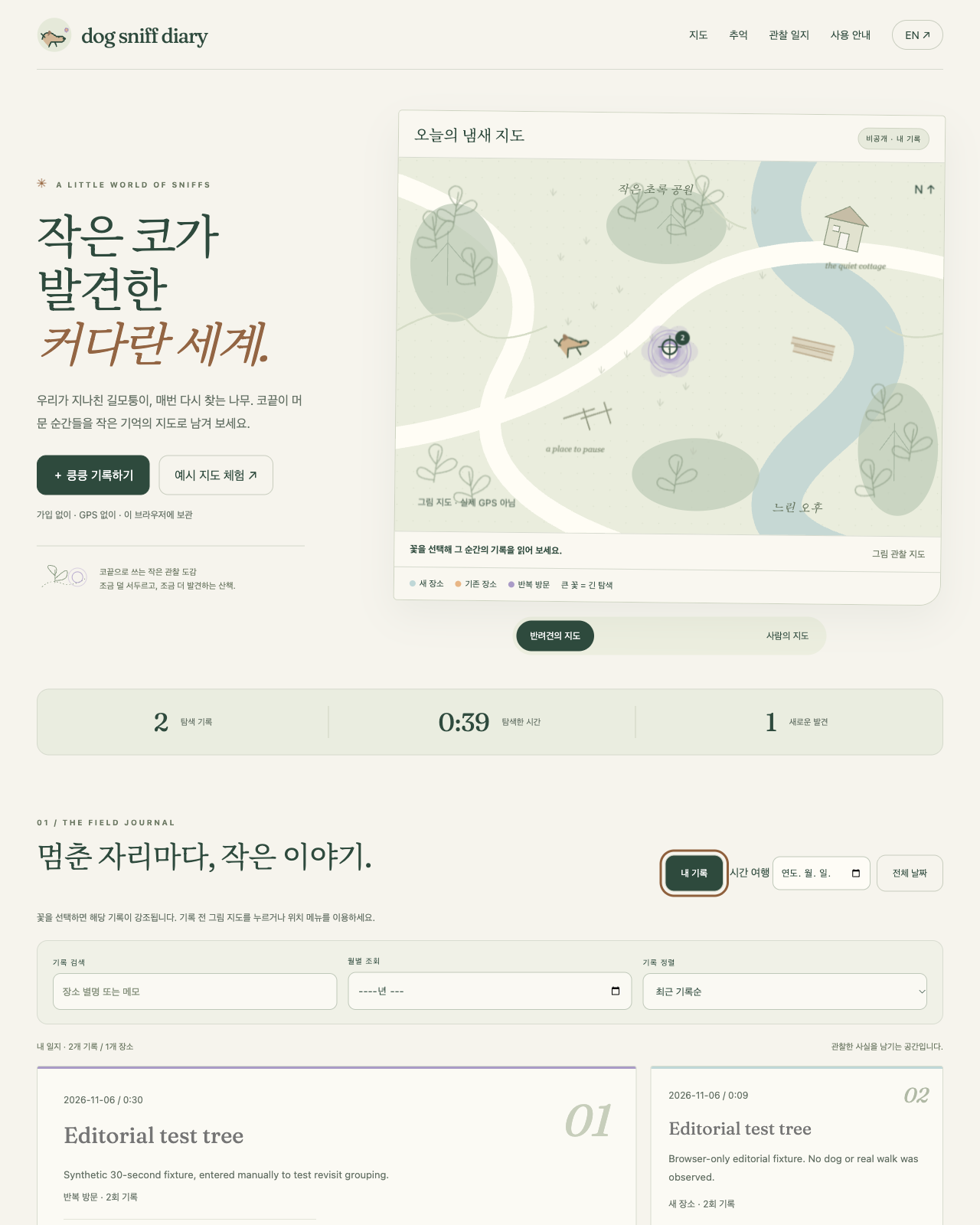
Pick the language before a recording session: English is at the root URL and Korean has its own page. Opening the other language returned us to its example view. Selecting My diary then revealed the same two test records in the same browser. That demonstrated local continuity across those two pages; it did not demonstrate cloud synchronization or access from another phone.
Choose a short, repeatable nickname such as “large tree,” not a home address. Consistent nicknames matter because matching names support visit grouping. You can use the location menu rather than trying to tap a tiny point on the drawing. Set up the phone only when it is safe to do so; the diary is an optional record, and attention to the dog and surroundings comes first.
Dog sniffing journal workflow in 7 clear steps
- 1. Open My diary. Confirm that you are recording your own entry rather than browsing the example atlas.
- 2. Choose an illustrated location. Use the map or the position menu. Locations such as Tree / middle are parts of a drawing, not geographic coordinates.
- 3. Start Record a sniff. A timer dialog appears. Keep the tab available; the interface warns that browser suspension can interrupt timing.
- 4. Stop and review the duration. The stopped timer exposes a recorded-seconds field. If you adjust it manually, preserve that distinction in your own notes.
- 5. Add the nickname, place type and observation. Use New place, Familiar place or Revisited deliberately. These are selected labels, not classifications inferred from the dog.
- 6. Save and inspect the card. Check the duration and selected view. Search, date, month and sorting controls help retrieve an entry later.
- 7. Back up and optionally export artwork. Keep the JSON private. Save an SVG if you want the abstract keepsake; it is not a substitute for the full diary backup.
For a first session, one useful observation is enough. An entry such as “paused beside the tree roots, then moved on” separates a visible event from interpretation. “Was happier than yesterday” would require a judgment the timer cannot establish. The aim is a retrievable note, not a target number of minutes to impose on an animal.
Our actual browser tests: 9 seconds plus a manual 30
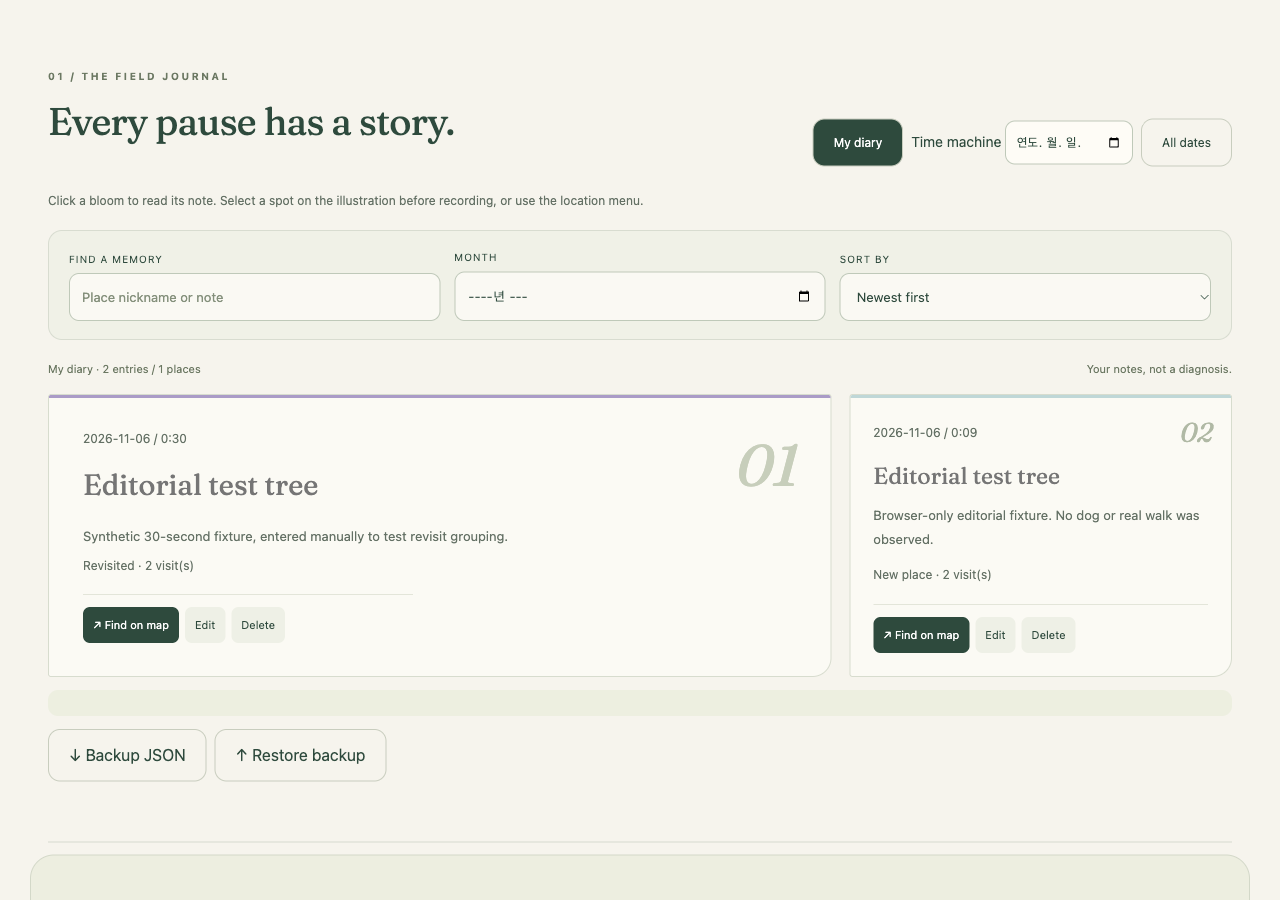
We tested the dog sniffing journal with clearly labeled editorial fixtures, not a real outing. The first timer stopped at nine seconds. We saved it as Editorial test tree, New place, Tree / middle, with a note saying that no dog or real walk had been observed. A second entry used the same nickname and a manually entered 30-second value, explicitly labeled as synthetic.
| Action | Observed result | What it proves |
|---|---|---|
| Save 9s + manual 30s | 2 entries / 1 place; total 0:39; both cards showed 2 visits | Arithmetic and same-nickname grouping for this fixture |
| Search 30-second | Only the 30s card remained; displayed visits became 1 | Matching observation text and selection-dependent count |
| Search zzzxxyy / October filter | No matching notes; prompt to clear filters or record | Empty-state handling, not loss of the underlying diary |
| Longest-sniff sorting | 30s card before 9s card | Duration sorting for the two records |
| Delete then Undo deletion | Selected fixture disappeared and returned | Undo worked during the current page session |
| JSON backup and restore | Actual download; restore reported a merge; still 2 records | Same-backup merge did not duplicate these entries |
| Korean My diary | The same 2 entries and 39s appeared | Local language-page continuity in this browser |
| SVG postcard | Actual file downloaded; test nickname and note text absent | Those fixture strings were omitted from that export |
After documenting the results, we removed the two fixtures and returned My diary to its initially empty state. No invented field observations were added to the public library. We did not test every data size, malformed backup, storage failure or suspended-timer scenario. The results describe this specific browser session, not a guarantee across all devices.
Read the atlas as an illustration, not a route
The drawing is a way to organize observations. Blooms show selected records, and their visual size relates to recorded duration. A repeated nickname can produce a visit ring. The map also offers Dog’s map and Human’s map controls, but these labels do not turn the drawing into a measured path or a geolocation service. The interface explicitly marks the atlas as not GPS.
Treat the drawing’s Tree / middle or River / right as a mnemonic. If two actual places need separate histories, give them distinct nicknames even if they share the same illustrated position. If you change a nickname casually, you may split a history you meant to keep together. The dog sniffing journal cannot know whether “big tree” and “large tree” mean the same real location.
There is a useful distinction between counting places and describing them. In our fixture, two entries shared one nickname, while the place-type labels remained the ones we selected. A New place label did not become an automatic behavioral assessment on the second visit. Read the cards and selection context instead of treating every headline statistic as an independently verified fact.
Search and date filters: keep the comparison fair
Find a memory matches nicknames or observation text. Searching 30-second showed only our manual-duration fixture; a nonsense query produced a clear empty state. When we filtered to October, there were no entries; selecting the test date and clearing the month filter restored the November records. These checks help distinguish “nothing matches this view” from “my saved diary has vanished.”
Visit counts reflect the selected period and view. Both fixture cards initially displayed two visits, but the single-card search displayed one. Therefore do not compare an unfiltered month’s visit count with a narrowly searched day and call the difference a change in the dog. First align the diary mode, dates, month and search terms, then compare the observations.
Sorting is a retrieval choice, not a ranking of importance. Longest sniff put our 30-second fixture before the nine-second entry. Newest first and Place nickname are also available. A long duration might be a useful memory, a manual correction or a timer left running; the app cannot decide which interpretation is true. Read the note before drawing a conclusion from order.
Make a memory postcard without confusing art with data
The Memory Atelier uses the selected diary and date to create two abstract pictures. A spread slider and rotation control offer layout adjustments, with Reset artwork available. We changed the spread control during testing and confirmed that an SVG postcard could be downloaded. We did not validate every visual setting, printer or PDF workflow.
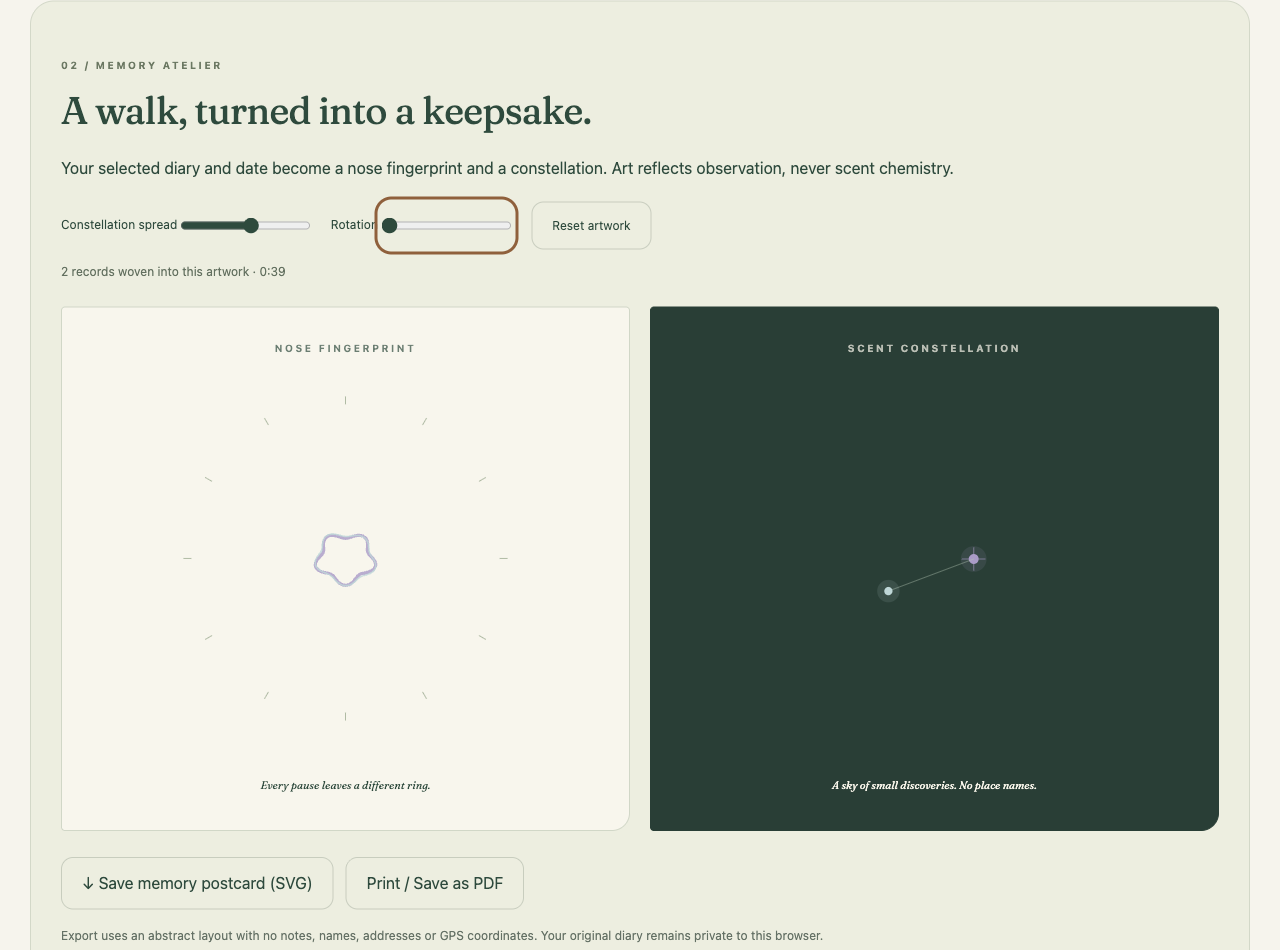
We inspected the downloaded SVG text and found neither Editorial test tree nor the observation phrase Browser-only in that file. That is a precise check on these strings, not a blanket privacy certification for all possible content. The site describes the postcard as omitting names, notes, addresses and GPS coordinates. Review any file yourself before sharing it, especially if you later add other information.
An SVG is a vector graphic format, as explained in MDN’s SVG reference. It serves a different purpose from the JSON diary backup. Keep the SVG for the abstract memory, and the JSON for records you may want to restore. A picture of two points cannot recover the full observation notes.
Back up your dog sniffing journal before relying on local storage
Backup JSON completed a real download in our session. Restore backup opened a file selector through its visible label, and importing our own backup reported that it merged without replacing existing entries. The diary still contained two records afterward. We also removed the fixtures, imported that backup into the now-empty diary and saw both records return, then cleared the fixtures again. This tested recovery for this backup as well as its duplicate-free merge, not every conflict or corrupted-file case.
The privacy notice says the JSON includes the place names and notes you enter. Keep it in a private folder, particularly if other people use the device. A nickname is safer than an address, but a detailed routine can still reveal information you did not mean to share. Sending an abstract postcard and sending the full backup are different disclosure decisions.
Local browser storage is not a synchronized account. MDN’s Web Storage documentation explains that localStorage is scoped to an origin. Our English/Korean continuity test is consistent with that model. It does not mean the same diary will appear on a different device, browser profile or private-browsing session. Export a backup before clearing site data or changing how you access the diary.
Privacy, timing and accessibility limits
The source says the diary does not request GPS or send notes to a dedicated diary server, and that records and an active timer are stored in the browser. We were not asked for location permission or an account while testing. We did not perform an independent audit of every network request. Phrase the privacy advantage narrowly: local diary storage, with the source’s stated behavior, rather than “no data ever leaves this website.”
The page is hosted on Blogger and displays Google advertising. The source acknowledges cookies and technical-data processing by hosting and advertising providers. An interstitial interrupted some of our interactions; we closed it and did not change ad settings. Do not mistake an advertisement’s Open control for the diary’s save or backup action.
The timer measures the interval you record, not an automatically detected sniff. We verified start, stop, saving and a manual duration entry; browser-suspension recovery and extended timing accuracy were not tested. The recorded-seconds field makes correction possible, but it also means totals are entered observations rather than a tamper-proof measurement.
At a simulated 390px width the original page had no document-wide horizontal overflow. We operated controls by keyboard and used the location menu as an alternative to map placement, but did not complete a screen-reader, every-focus-state or multi-phone audit. If a tiny map target is difficult, use the record list and location choices. Keeping a simple note elsewhere is a valid alternative if the interface does not fit your needs.
A useful observation habit and related reading
For a hypothetical future walk, choose one question: which nicknamed places did you record today? Save a short note after pausing safely, then review the same date range later. This is a suggested routine, not a field trial we conducted. You do not need to force another pause, extend a walk or compare your dog with somebody else’s totals to make the diary worthwhile.
A practical note has three parts: what you could see, the duration you recorded and enough context to recognize the event later. If you adjusted the seconds after stopping, say so. If you missed an event, leave the gap visible. A small honest record is easier to interpret than a complete-looking timeline assembled from guesses.
A general notes app is simpler for free text; a route tracker serves geographic history; Dog Sniff Diary adds a dedicated pause timer, nickname grouping and abstract memory images. We do not recommend an unrelated public tool as a substitute for a dog observation task. See how this library verifies tools, our editorial standards and the published tool library for context.
Dog sniffing journal FAQ and final checklist
Is this a GPS dog-walking tracker? No. The source labels the map as illustrated, not GPS. Place selection is a visual mnemonic.
Were the 39 seconds a real dog observation? No. Nine seconds came from a browser timer test and 30 seconds were entered manually. Both were explicitly synthetic, and the entries were removed after testing.
Why did the diary look different after switching language? The other page opened in the example view in our test. Selecting My diary showed the saved local fixtures. Personal notes retained the text we entered.
Can an SVG restore my diary? No. Use the JSON backup for records. The postcard is a separate abstract image with less information.
Does a longer sniff establish a feeling or health result? No. This dog sniffing journal records your timing and notes. Its graphics and totals do not diagnose behavior or health.
What should I try first? Explore the labeled example, switch to My diary and record one clearly described observation only when it is safe. Make a private backup before relying on the diary.
Open Dog Sniff Diary and explore the example ↗
A RELEVANT NEXT STEP
Tools with a useful connection
Betta Bubble Nest Journal / The Floating Archive
Betta Bubble Nest: 7 Essential Journal Checks
Keep dated betta bubble nest photos, manual outlines and missing-nest observations in a local journal. Actual synthetic tests explain image comparison, a water-change checkbox defect, privacy and unverified export limits.
Hamster Night Shift
Hamster Activity Tracker: 7 Essential Night Journal Checks
Keep manual hamster observations across midnight with Hamster Night Shift. Synthetic interface tests explain merged minutes, environment notes, local reload and Korean mobile use without inventing animal data.
CombAtlas
Beehive Frame Tracker: 7 Essential Checks for Better Records
Keep frame IDs, comb and wood dates, inspection snapshots and annual targets distinct in CombAtlas. Actual sample tests explain movement counts, search, local storage and JSON/CSV backup limits.