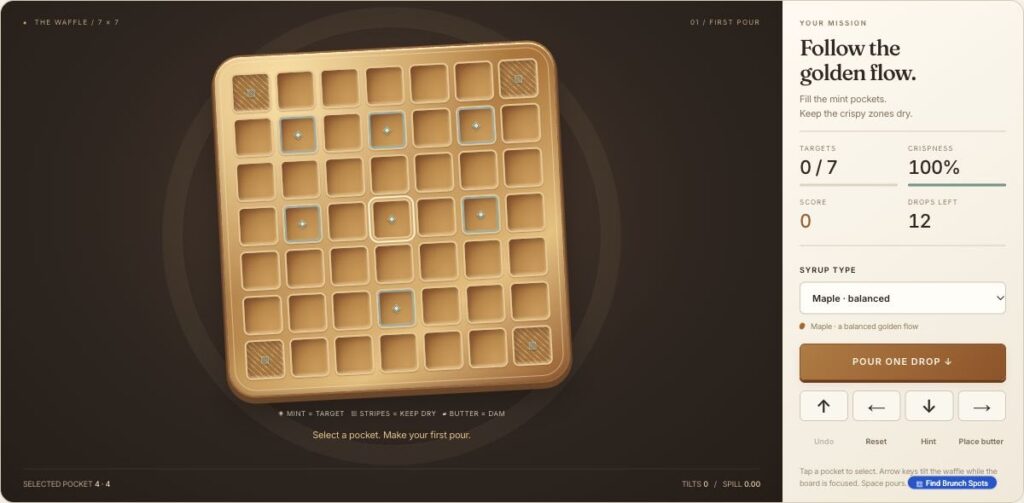
Guide syrup across a 7×7 waffle. Tested pours, butter barriers, an 85-point baseline, daily storage and model limits.
- Brand
- SYRUPTOPIA
- Tool languages
- English, 한국어
- Verified date
- 2026-11-15
Waffle syrup maze SYRUPTOPIA turns a 7×7 waffle into a small strategy game. Select a pocket, pour a measured game drop and tilt the board to guide overflow toward mint targets while keeping striped corners dry. It suits a short puzzle break or an informal lesson about changing one variable at a time.
Verified 15 November 2026, KST. Our Chrome tests covered pouring, tilts, Undo, butter barriers, all four modes, keyboard input, a completed first puzzle, Replay and daily-record persistence. Korean pocket selection and pouring worked at 390×844. Screenshots below are actual interface captures. PNG produced a ready message, but we did not receive a completed file to inspect. The source displayed 14 November UTC during testing.
On this page
Key takeaways
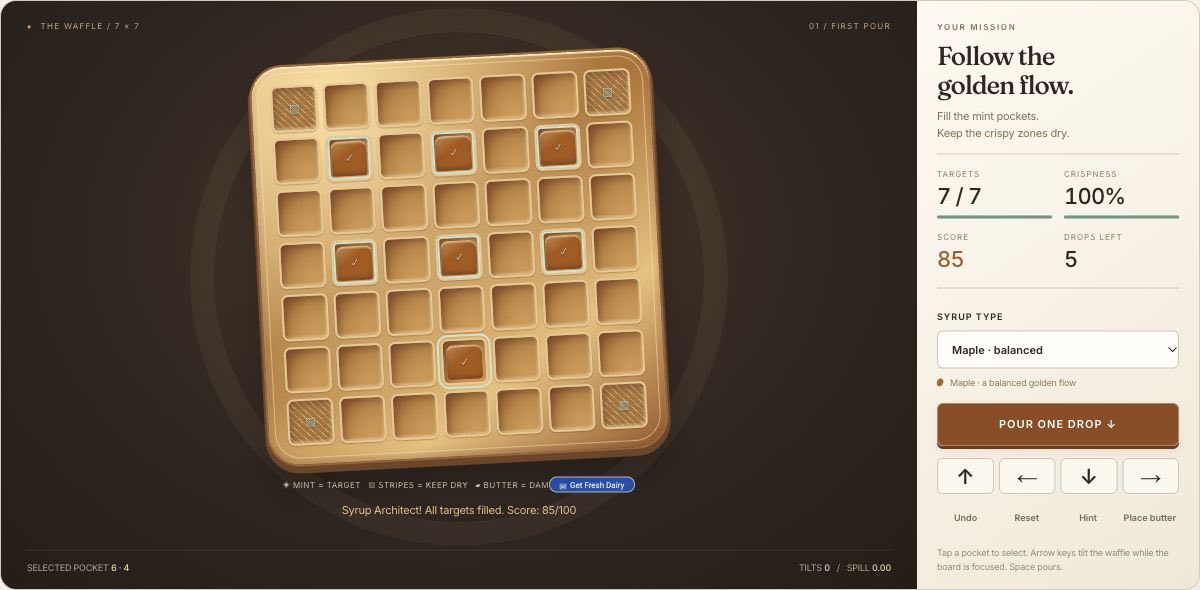
The clearest starting objective is seven targets with twelve available drops. We filled each target directly once and completed the first puzzle with 85/100, five drops left, 100% crispness and zero tilts. That is a reproducible baseline, not an optimal solution. A higher-scoring experiment should compare syrup use as well as whether the targets are filled.
Butter placement is a tool mode: turn it on, then tap an empty non-target pocket. Turn it off to return to ordinary selection. Reset cleared our board but left that mode active. This explained an initially confusing attempt in which repeated pours kept landing in the same selected pocket despite taps elsewhere.
What the waffle syrup maze does
The official branding is SYRUPTOPIA — The Dessert Arcade. The root is English and provides a separate Korean page. Its purpose is a playful grid-based flow puzzle, with a lower laboratory for model temperature and tilt strength. Inputs are pocket selection, a pour button, four direction buttons, a syrup selector and range sliders. The output is a changing board, per-pocket syrup values, targets filled, crispness, score, remaining drops and spill.
The four modes are Puzzle, Free pour, Daily and Syrup art. Free pour showed unlimited drops. Syrup art opened a heart arrangement with eight targets. Daily opened a layout labeled by UTC date. The interface also includes Hint, Reset, Undo, Replay, PNG and sharing controls. We did not test native sharing, every possible layout or an entire progression of levels. The 49 pockets are a 7×7 grid; the page’s 01/49 graphic is not evidence of 49 playable levels.
Prepare a fair first attempt
For a comparable trial, record mode, syrup, temperature, tilt strength and starting pocket before making a move. Our initial reference was Puzzle, Maple, 25°C and 50%. Changing mode retained some laboratory choices during our session, whereas reloading returned to Maple and default sliders. A fresh-looking board alone does not establish that the experimental inputs match.
Read the symbols before pouring. Mint diamonds mark targets; striped pockets should stay dry; a butter icon marks a barrier. Coordinates in this guide mean row then column, counted from the top left. The board is drawn with perspective, so its semantic button label is a more reliable way to identify a test pocket than its apparent position in a screenshot.
Waffle syrup maze: 7 essential steps
1. Choose Puzzle for a baseline
Open the English root or Korean language link and select Puzzle / 목표 채우기. Check seven targets and twelve drops. Use How to play for the short instructions. Confirm that Place butter is off before trying to select a target. You can also choose a mode in the game-mode list.
2. Select the center and pour once
Select row 4, column 4, then press POUR ONE DROP. Our center label became 1.10 syrup units, targets 1/7, score 59 and drops left 11. These are game units. They are not milliliters, grams or a recommended dessert serving.
3. Tilt and wait for the flow to settle
Press Tilt right once. The pour control temporarily reads FLOWING. After settlement our row 4 columns 4–7 displayed 0.41, 0.33, 0.23 and 0.13 units. Targets rose to 2/7 and score to 66, with no spill. Do not read an intermediate animation frame as the final distribution.
4. Use Undo to compare the previous state
One Undo restored the center to 1.10 units and cleared the downstream pockets in our test. This lets you compare one action rather than rebuild a whole run. It verifies the tested recovery sequence, not an unlimited history, and it does not substitute for checking the current settings.
5. Try a butter barrier deliberately
From that restored position, enable Place butter and tap the empty non-target at row 4, column 5. Its accessible label adds butter dam. Tilt right again: the center retained 1.10 and the neighboring dam stayed empty. Toggle the tool off afterward. Clicking a target while this tool is on does not behave like normal pocket selection.
6. Finish the straightforward reference run
Reset with butter mode off. Pour once into each of (2,2), (2,4), (2,6), (4,2), (4,4), (4,6) and (6,4). Our result was seven targets, score 85, five drops left, no tilts and full crispness. Use it as a benchmark before attempting to route fewer drops between targets.
7. Review the result and preserve context
Replay animated our actions and returned the completed result unchanged. Capture the mode and laboratory settings with any score you keep. The daily best survived reload, but the active board did not. Inspect any exported PNG before treating it as your final record; our download verification stopped at the page’s ready message.
Actual browser test results
| Test | Observed result |
|---|---|
| Maple, 25°C, 50%: center pour | 1.10 units; 1/7 targets; score 59; 11 drops. |
| One right tilt, settled | Row 4 c4–7: 0.41 / 0.33 / 0.23 / 0.13; 2/7; score 66; spill 0. |
| Undo then butter at (4,5) | Center restored to 1.10; right tilt into dam left it there. |
| Direct fill of seven targets | 85/100; 7/7; 100% crispness; 5 drops; 0 tilts. |
| Replay | Completed result returned; page said result preserved. |
| Free pour / Syrup art | Unlimited drops / heart layout with 8 targets. |
| Keyboard in Free pour | Space poured and Right Arrow recorded a tilt, with the pocket focused. |
| Daily completion and reload | 85 best remained; current board reset to Puzzle defaults. |
| Korean page in same browser | Daily best 85 visible; mobile select/pour worked. |
| Save waffle PNG | Ready message; no completed download file inspected. |
Understand the 85-point baseline
The lower score panel breaks the result into Targets /45, Syrup saved /25, Crispness /20 and Move efficiency /10. Our completed baseline showed 45.0 + 10.4 + 20.0 + 10.0, while the main display rounded the total to 85. Completion and numerical score answer different questions: every target can be filled without earning every available point.
A particularly useful caution is that the first pour already gave 59 points with only one of seven targets filled. A score well above zero therefore does not certify success. Read the target fraction and the explicit completion message, not the score alone. Likewise, crispness is the game’s dry-zone metric, not measured moisture or a prediction of how long real waffles remain crisp.
The first right-tilt distribution sums to the original 1.10 when using its two-decimal displayed values. That is one observed case with zero spill. It does not prove perfect conservation for every combination or expose the internal calculation precision. Use displayed numbers to compare a local action; do not infer a calibrated physical law from this one result.
Why butter mode can stop pocket selection
We initially reset after experimenting with a dam, then tapped targets and poured. The board still had Place butter pressed. Those taps did not move ordinary selection to the target, so seven drops accumulated in the old pocket: 7.70 units, one target and score 47. Switching the tool off and starting again produced the intended seven-target completion. This is a practical recovery tip, not an invented feature.
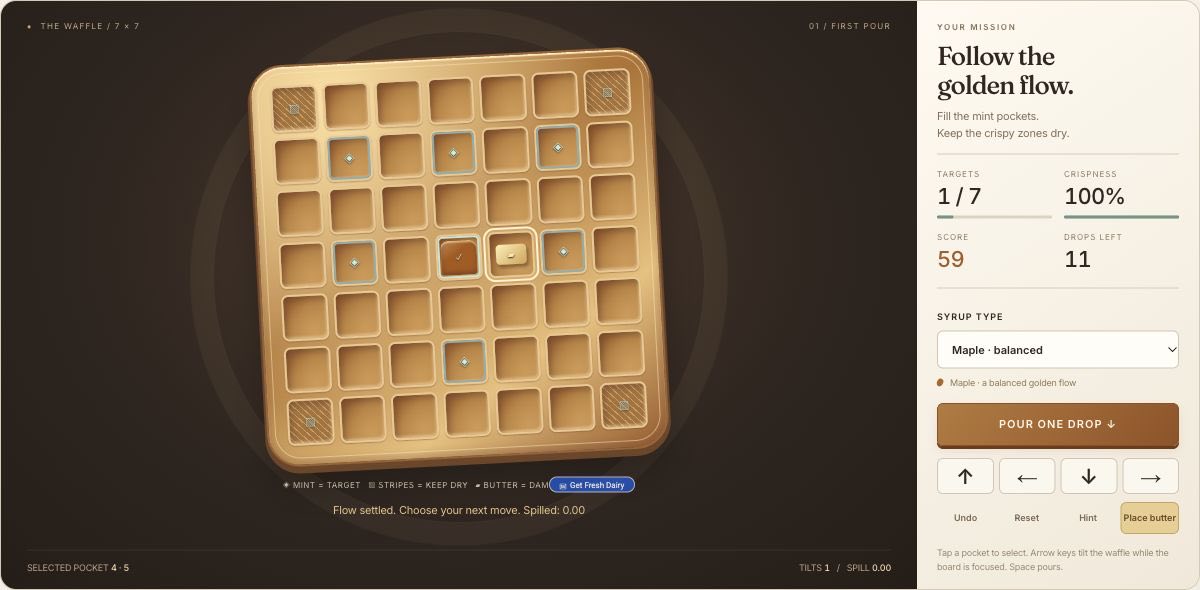
Think of the butter button as changing what the next pocket tap means. In selection mode the tap chooses where to pour; in butter mode it tries to add or remove a barrier on a permitted pocket. Check the button state whenever selection seems unresponsive. Resetting numerical progress and leaving an editing tool are separate actions in the tested interface.
Design a controlled flow experiment
The lab ranges are 5–65°C for model temperature and 10–100% for tilt strength. Syrup choices are Maple, Honey, Chocolate and Berry. The page explains that temperature changes transfer pace rather than creating more syrup, and that its syrup ordering is an illustrative game choice. We selected Honey and used the slider endpoints 65°C and 10%; the visible controls and subsequent keyboard actions responded. We did not measure a transfer-rate curve across all combinations.
For your own comparison, use Free pour, the same starting pocket and the same number of drops. Choose Maple at 25°C and 50%, pour once, tilt once and record the settled destination labels. Reset, recheck butter mode and change only the syrup. A second comparison can hold syrup fixed while changing temperature. Write down actual observed values rather than guessing from animation speed. This protocol is a suggested experiment; only the specific results in the table were measured for this review.
This makes a useful pair activity: one person predicts the route and another records the settled values. Explain what the result supports within this grid and what it leaves unanswered about a real sauce. For a classroom demonstration, compare qualitative direction and blockage first. Avoid converting game units into kitchen quantities or using the slider as an instruction to heat a real ingredient.
Daily records, reloads and UTC
The source says Daily uses one shared layout per UTC date and saves the personal best locally. Our Daily session displayed 2026-11-14 UTC, reached 85 and retained that best after a full reload. The Korean page in the same Chrome browser also showed 85. Reload opened an empty Puzzle board with default Maple, 25°C and 50%, so a stored best is distinct from a saved in-progress session.
Korean readers should use the displayed UTC label when comparing daily attempts. UTC midnight corresponds to 09:00 in Korea; a new Korean calendar day can initially share the preceding UTC date. We verified the visible date label and record persistence, not the midnight rollover or cross-device synchronization. There is no evidence here of an account-backed leaderboard or portable save link.
Replay, PNG and mobile use
Replay temporarily disabled the board and pour controls while showing the recorded sequence. It ended with the same seven-target, 85-point result and a result-preserved message. Temporary zero values at the start of playback are part of the animation; wait for Replay complete before comparing the recovered result. We did not test replay after every mode switch or every possible history length.
Save waffle PNG reported that the PNG was ready. The documented download event did not return a completed file, so image dimensions, encoding and included annotations remain unverified. Share result was present but not exercised. If a final image matters, confirm the file actually arrives and opens; a success-style page message alone is weaker evidence than an inspected artifact.
At 390×844 the Korean source had a 390px document width, and selecting the center followed by the pour button worked. The board and controls stack for a small screen. This was responsive Chrome testing, not a physical-phone sensor test. The explicit direction buttons provide tilting; we did not verify tilting by rotating a device. Keyboard Space and Right Arrow worked when an English pocket was focused, so focus matters on desktop.
Model limits and privacy
This is an illustrative pocket-transfer game, not a measured food-viscosity tool or a full fluid solver. Its own science section names composition, concentration, wetting and surface tension as real-world factors it does not fully model. Treat the syrup choices and temperature as internal experiment controls. The game cannot tell you how a particular brand will spread on a specific waffle, calculate nutrition or prescribe a recipe.
The FAQ states that daily best scores use localStorage and are removed when browser storage is cleared. We observed persistence in the same browser, not a network audit. The Blogger page displayed advertising, and its FAQ describes Google AdSense cookies subject to settings and consent. Local score storage does not mean the entire website is offline or has no third-party data processing. See the source’s Google privacy link for that service’s policy.
The pocket labels expose row, column, role and syrup value; targets and dry zones have symbols in addition to color. Those are useful affordances observed in the DOM and screenshots. We did not perform a complete screen-reader or motor-accessibility audit. Reduced-motion behavior, browser storage denial, private-mode retention and other browser engines were outside this test. Keep these limits separate from the basic functions that worked.
Related tools for the next step
To compare a different food-themed conceptual model, read Pizza Stretch Geometry Lab. It explores dough geometry rather than syrup routing. Comparing the two can help explain why an interactive model’s attractive appearance is different from a calibrated cooking prediction.
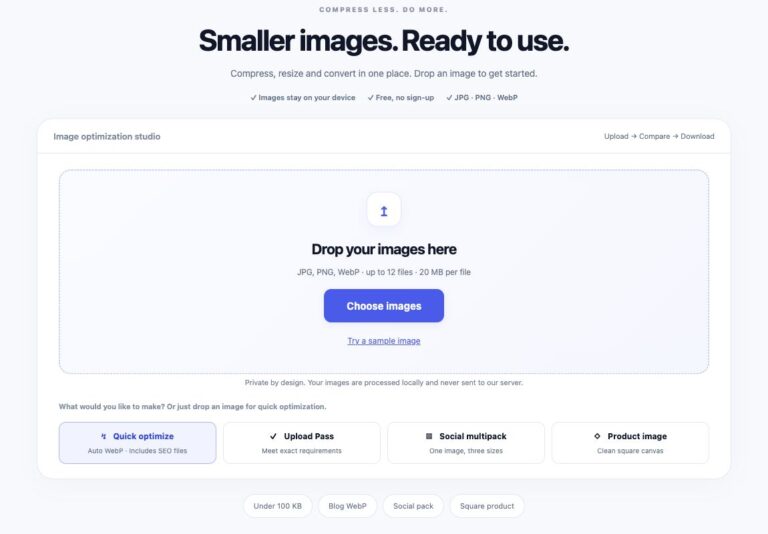
Use FrameMint Studio to annotate a result capture, then PixelFit Studio to prepare its upload size. Keep the target count, score and mode visible when cropping. A flattened screenshot records a result; those presentation tools do not turn it back into a replayable waffle session.
Frequently asked questions
Is the waffle syrup maze a recipe calculator?
No. It is a browser puzzle and illustrative flow model. Its units, temperature choices and crispness score are not measured cooking guidance.
Can I finish without tilting?
Yes in our first Puzzle layout: one drop on each of the seven listed targets produced 85 points with no tilts. We did not claim this is optimal or works for every Daily layout.
Why does tapping a target fail?
Check whether Place butter is active. It changes the meaning of pocket taps, and it remained active after Reset in our test. Switch it off before ordinary selection.
Does it save my current board?
Our daily best survived reload, but the active board returned to Puzzle defaults. We did not verify a general project save or cross-device sync.
Are Honey and Chocolate realistic viscosity presets?
They are game presets. The source explicitly describes their ordering as illustrative, not a measured ranking of all actual sauces.
Does a ready PNG message prove the file was saved?
No. We saw that message but did not inspect a completed file. Check your own delivered image before relying on it.
Start with one reproducible pour
Begin with Maple, 25°C, 50% and one center drop. Watch one settled tilt, use Undo, then compare a deliberate butter barrier. Once that behavior is clear, use the seven-target direct-fill run as your reference and explore whether a different route saves drops. Record the settings alongside the score so the next attempt answers a useful question.
A RELEVANT NEXT STEP
Tools with a useful connection
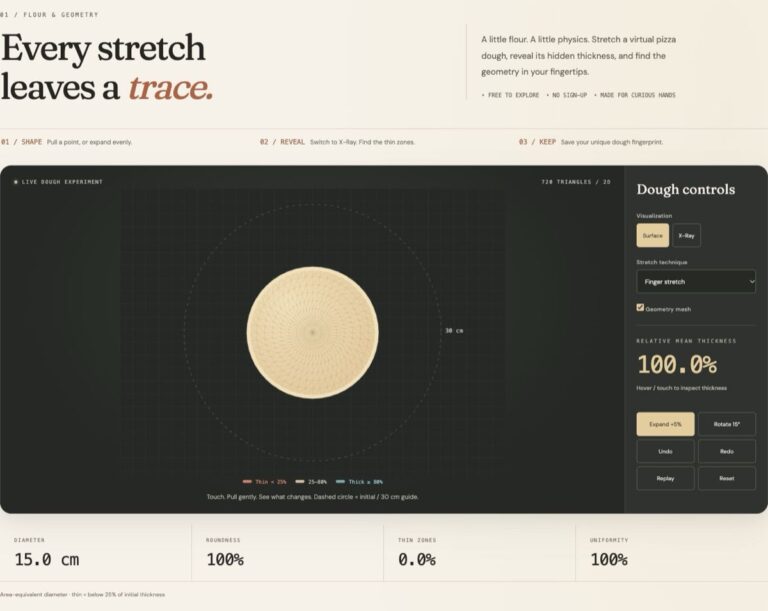
Pizza Stretch Geometry Lab
Pizza Dough Simulator: 7 Essential Geometry Lab Checks
Explore virtual pizza dough geometry, compare X-Ray thickness maps, and calculate raw dough mass with seven tested checks.

FrameMint Studio
Screenshot Editor: 7 Smart FrameMint Studio Checks
Frame screenshots, add manual masks and build captioned stories in FrameMint Studio. Real import, order, recovery and size tests explain what to check before sharing.
PixelFit Studio
Image Upload Optimizer: 7 Essential PixelFit Checks
Prepare exact upload dimensions and file-size conditions with PixelFit Studio. Actual sample and JPEG tests explain PASS/CHECK, crop versus contain, social totals, copied HTML and the limits of unverified file receipt.