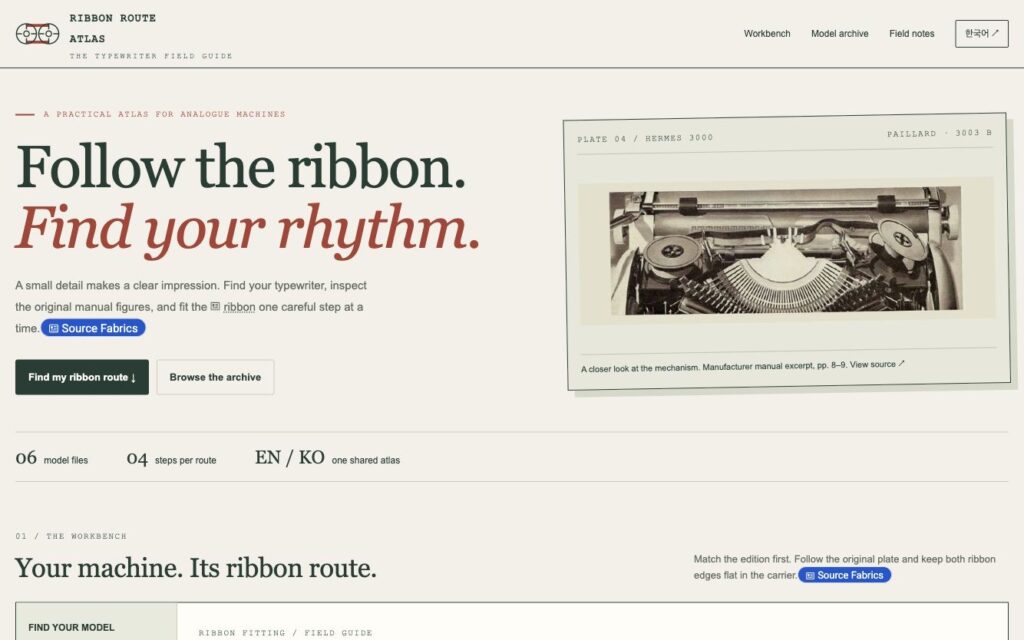
Read typewriter ribbon routes for six documented model families with four-step guides, plate zoom, comparison and shareable state. Tested temporary review checks and Korean mobile use; no physical fitting or print-quality test.
- Brand
- Ribbon Route Atlas
- Tool languages
- en, ko
- Verified date
- 2026-11-14
Typewriter ribbon fitting is a model-and-edition question, not just a spool-shape question. Ribbon Route Atlas organizes original manual plates into four-step reading guides for six typewriter families. You can inspect a carrier detail, compare model notes and share a precise place in a route before working beside the machine.
Verified 14 November 2026 (KST). We tested search, route selection, step navigation, review checks, zoom, comparison and shared links, including Korean mobile use. These were browser tests. We did not replace a physical ribbon, operate a typewriter or test automatic reversal or print quality.
On this page
Key takeaways
The atlas has English and Korean interfaces and six model files: Olympia SM8, Olympia SM9, Royal Quiet De Luxe, Hermes 3000, Smith-Corona Silent and Olivetti Lettera 32. Each file states an edition or hardware scope. Matching the name alone is insufficient when the mechanism in front of you differs.
The review checkbox is a temporary reading checklist. In our test, a fresh shared link restored the model, step and image view but began at 0/4 reviewed. The four checks never certified a machine, a successful installation or a completed paper test.
The most useful workflow is edition → original plate → selected step → hardware comparison → separate physical verification. Treat the symptom selector as a shortcut to a relevant section, not a diagnosis from sensor data or a guarantee that a fault has been resolved.
What Ribbon Route Atlas does
The official name is Ribbon Route Atlas, presented as a typewriter field guide. Its workbench combines model search with a selected route, a reference plate or carrier detail, numbered steps and a review counter. The hardware passport summarizes selected-model information and explains where a photograph is only an exterior reference.
The source plates are credited manual excerpts, not generated pictures of imaginary mechanisms. The English home screen features a Hermes 3000 manual photograph; this is a source illustration on the website, not a typewriter we handled. Plate captions identify the document and page location so readers can follow the evidence outward.
A second area compares two model records. The archive offers full-step reading disclosures and buttons that open individual guides. Field notes explain universal-spool limits, edition differences and the meaning of review checks. We opened the review explanation and privacy disclosure with the keyboard.
The visible input is a model query, model and symptom selections, step and view controls, a zoom slider and review checkboxes. There is no camera upload, image recognition, serial-number identification or mechanical measurement result. Its output is organized reference information and a shareable navigation state.
Why the edition matters before the ribbon
Two machines can carry similar spools while using different retainers, carrier openings or reversing systems. A broadly named replacement may therefore answer only part of the question. The atlas is useful because it places the edition warning beside the route instead of assuming one brand-wide path.
Before following an instruction, distinguish three claims: the selected manual describes this mechanism; the machine in front of you matches that scope; and the ribbon has actually been fitted and tested. A browser can help with the first claim and organize evidence for the second. A checked box cannot establish the third.
This also changes how you ask for help. A shared SM9 step-three carrier detail is more precise than “my ribbon does not work.” Add the actual model, edition clues and a photograph of the unresolved feature outside the atlas. The link communicates what reference you were reading, while your evidence communicates what your own machine shows.
Actual browser test results
| Test | Observed result | What the result supports |
|---|---|---|
| Search | Hermes left the Hermes model button; an unmatched query showed a no-match message | Search narrows the menu. It does not identify a machine. |
| SM9 step controls | Step-one review became 1/4; Next and direct step selection worked; carrier detail changed the image | The reading workflow and two image views responded. |
| Symptom shortcut | English spool-slip selection returned SM9 to step one/reference plate; Korean snag selection led to step two | The selector points to a relevant route step. |
| Hermes checklist | All four reading checks reached 4/4; returning to SM9 retained its earlier 1/4 in the same page | Progress was tracked per model during that visit. |
| Shared route | Hermes step four/detail link reopened the same location in a fresh tab at 0/4 reviewed | Route state transfers; completion checks do not. |
| Zoom | 100–300%, 25-point increments; End reached 300%, Reset returned to 100%, Escape closed | Magnification and dialog controls worked in both languages. |
| Model comparison | Changing the comparison to SM9 and Lettera 32 updated the table | Comparison is separately selectable from the workbench model. |
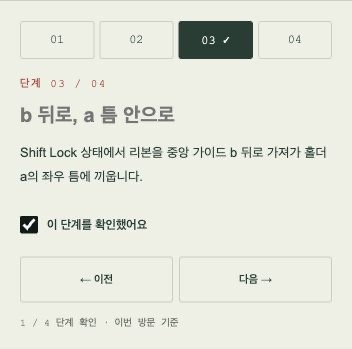
| Korean reload | SM9 step two/reference view remained, while review count returned to 0/4 | URL state persisted; the reading checklist reset. |
| Print layout | Browser print-media rendering showed the selected Hermes model, all four steps, plate and source URL | Print layout was inspected; no paper output or saved PDF was verified. |
At a fresh 390 × 844 Korean viewport, document width remained 390px. The selected-model hardware table and comparison table also fitted their observed widths. We encountered a Google advertising interstitial and closed it through its close control; promotional text and overlays were not treated as route instructions.
Prepare a useful reading session
Start with the exact machine and enough information to judge its edition. Keep a separate note for the model name, visible retention hardware and the manual record you intend to use. The atlas does not inspect those details for you. A mismatch is a reason to pause the route selection and seek the correct documentation.
Have the original manual link available alongside the atlas. Printed page numbers and PDF page positions can differ, so keep both when the caption supplies them. A link that opens a scanned spread is not necessarily pointing to the same number printed on the paper page.
If you are documenting a real machine, preserve your own photographs separately. An exterior photograph can help with model recognition without showing the hidden side guides. The atlas itself makes this distinction for some references; do not let an exterior match become proof of the internal route.
Set a reading goal before a physical task. For example, locate the carrier view and explain the relevant labels back to yourself. Then use the exact source and matching hardware for any installation. This review evaluates the guide’s interface, not the condition or behavior of your machine.
Typewriter ribbon: 7 practical checks
1. Match a documented model and scope
Search the model menu, select the appropriate file and read its edition statement before looking at the steps. The supported names refer to defined model families or documents, not every machine that ever used a similar badge. A later revision may need a different record.
An unmatched search did not invent a new route. It displayed a no-match message while the previously selected guide remained visible. Clear the query and check the selected model heading; do not mistake an old visible route for a match to your new search.
2. Inspect the original plate and the detail view
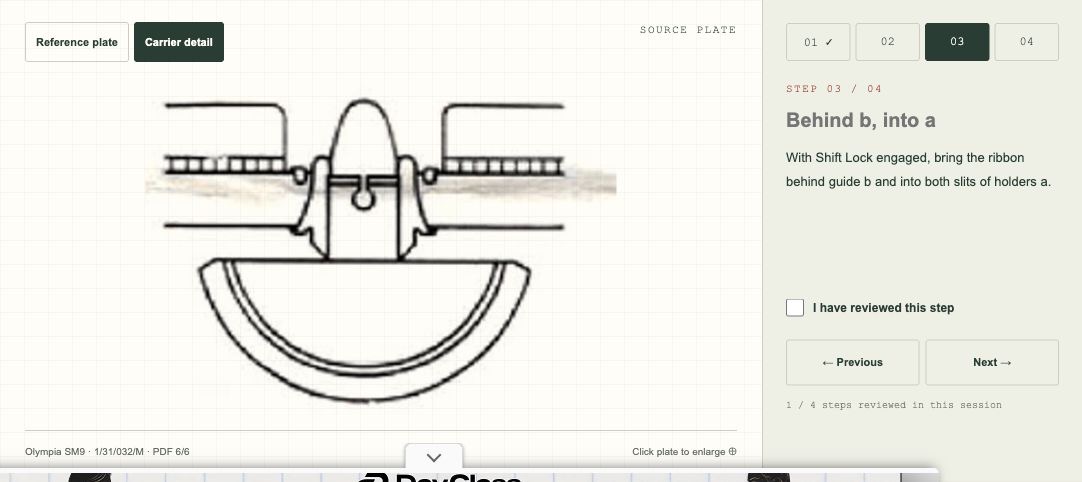
Switch between Reference plate and Carrier detail. The overview gives context; the detail can make a small opening easier to inspect. Open the enlargement dialog when necessary, adjust magnification and use Reset or Escape to return. Zoom makes the scan larger; it does not improve the underlying document’s resolution.
Keep the caption with the picture. A cropped carrier drawing without its model and document reference is easier to misapply. If you share a screenshot externally, include enough context to identify the record and keep the unedited version for reference.
3. Read the route in its own order
Use Next and Previous or the numbered step buttons. The selected step changes both the instruction and navigation state. Do not combine the beginning of one model’s route with the middle of another because the spool shape looks similar.
For an independent spot check, we opened the Olympia SM9 original manual, PDF page six in Chrome. Its front and side drawings and text distinguish guide b from holders a and discuss full-width seating in the holder slits. That supports the atlas’s SM9 reference context, not a physical installation result or validation of every other route.
4. Use review checks as reading markers
Mark a step after reviewing it, not as a substitute for examining the machine. Our Hermes reading exercise reached 4/4. That number records four user actions in a temporary checklist. It does not observe ribbon tension, spool take-up, reversal or a typed sample.
The model-specific counts survived switching models within the same open page in our test. They did not travel with a shared link, and reload cleared them. If you need a durable workshop record, write it separately with actual observations and dates.
5. Compare the right records without merging their rules
Select First model and Second model independently. We changed the table to SM9 and Lettera 32 while another route had been selected in the workbench. The comparison updated, showing that these controls are a separate reading tool rather than an automatic statement about one machine.
Read the row labels carefully. A numbered comparison row can show different types of information in the two columns, such as retention in one record and width in another. This is not a normalized specification database. Compare the actual named attributes and their documentary scope, not the row number alone.
6. Let the symptom selector guide the next inspection question
Choose a symptom and use Inspect the relevant step. The SM9 spool-slip path led back to spool seating; the Korean snag/reversal selection led to the side-path step. The selected image view could also change, so verify which plate is now active.
No physical observation is supplied to this selector. It cannot distinguish every mechanical cause of a faint character or a stalled spool. Use it to locate an initial check in the selected guide, then assess whether the actual evidence supports that question. It is not a repair diagnosis or a successful fault-resolution test.
7. Share the reference state and record the real outcome separately
Copy route link and open the result once before sending it to someone. The tested English link encoded Hermes, step four and the detail view. A Korean keyboard copy produced its Korean-page SM9 step-two/reference link. The selection can be precise even though the checklist is intentionally absent.
If you later work on the machine, record what was actually fitted and observed in a separate note. Keep that physical result distinct from “reviewed.” A paper test, real feed behavior and the source you followed are different evidence from the web page’s temporary progress count.
Our SM9 and Hermes reading exercise
Our first SM9 test marked step one, moved forward and selected step three with the carrier detail. Choosing the spool-slip symptom then returned the guide to its initial seating step and reference plate. This showed why a diagnostic jump should be followed by checking both the step heading and active image view.
We then selected Hermes 3000 and reviewed the four on-screen steps. The counter reached 4/4. Copying the step-four/detail link and opening it in a new tab restored that model and view, with the counter at 0/4. Returning to SM9 in the original page retained its 1/4 count until the page was reloaded.
These are measured interface behaviors, not a story about replacing ribbons on two machines. No spools were removed, eyelets measured or characters typed. The practical lesson is to keep a temporary reading session, a shared reference and a physical maintenance record as three separate things.
Compare scope before comparing parts
| Model file | Scope shown by the atlas | Question to resolve before applying it |
|---|---|---|
| Olympia SM8 | Manual 1/31/031/B | Does the actual retention and guide hardware match that document? |
| Olympia SM9 | 1960s manual 1/31/032/M | Is this the documented version rather than a later revision? |
| Royal Quiet De Luxe | Mid-1950s push-button-hood family in the cited manual | Does the machine belong to that scope, rather than a prewar or later body? |
| Hermes 3000 | Early 3000, manual 3003 B | Do its reversing and retention details match the cited early mechanism? |
| Smith-Corona Silent | May 1951 booklet family | Do the cup openings and carrier-loop arrangement match? |
| Olivetti Lettera 32 | British March 1965 leaflet context | Does the actual spool retention match the record’s hardware caution? |
This table describes the atlas’s stated coverage. It is not our certification of six physical variants or six independently verified installations. We independently read the SM9 scan; the Hermes full-PDF access did not complete in our review, although the atlas’s excerpt was visible. We therefore avoid presenting its numerical requirements as measurements we confirmed.
An omitted requirement is also different from a negative requirement. The SM9 passport said that its cited section did not state an eyelet requirement. That does not logically mean “eyelets are forbidden” or “every related machine works without them.” Preserve the scope of the statement instead of filling a gap with a universal rule.
What sharing and printing preserve
The URL fragment carries the selected route, step and plate/detail view. Our tested example was #route=hermes&step=4&view=micro. A new tab restored the reference position without importing the original page’s four review checks. The model search query, comparison choices and symptom selection should not be assumed to form a shared service record.
The site also offers Print full guide. We inspected its print-media layout in the browser and saw a complete four-step Hermes card with a reference plate, document citation and source URL. This verifies the layout’s content under print styling. We did not verify a completed print dialog, paper output, pagination in a saved PDF or receipt of a downloaded file.
Before relying on a printout, preview the selected model and confirm that the scope statement and source remain visible. A full guide is more useful than a cropped current step when you need the sequence, but it still describes a document. It does not contain evidence that your own machine has been inspected.
Advanced evidence and troubleshooting habits
Record the source page system. A printed page label and a PDF position are different references. Keep both where available and note the manual identifier. This makes a question about a small carrier slot easier to check than a screenshot with no document context.
Separate scan limitations from mechanism differences. At 300%, a low-resolution line may still be unclear. Do not interpret a blurred or cropped feature as proof that a part is absent. Return to the full plate or the original source and keep uncertainty in your note.
Compare one attribute at a time. Retention, width, eyelets and center-carrier path answer different questions. A similar width does not establish a matching hub or reversing arrangement. The table is best used to identify the attribute requiring confirmation, not to accumulate superficial similarities.
Preserve your own evidence outside the atlas. The guide has no personal photo archive or maintenance-log form. Keep dated photographs and actual observations separately. If you ask for help, pair the shared route with the specific part you cannot reconcile rather than treating the route link alone as proof of a correct fit.
Limits, privacy and mobile behavior
The atlas covers six defined records, not every typewriter or every revision of those names. It does not recognize an uploaded machine, measure ribbon dimensions, test the mechanism or certify successful fitting. We exercised SM9, Hermes and a Lettera selection plus comparison controls; we did not physically validate the six routes.
The source says checklist data stays only in the current page and is not sent to a server. Our reload and new-tab tests confirmed temporary behavior. We did not audit scripts, network traffic, storage implementation or advertising data handling, so this is not a whole-site privacy guarantee. Blogger/Google advertising was visible and could interrupt navigation or obscure controls.
At 390px, Korean step buttons, review checks, symptom navigation, sharing by keyboard and the enlargement controls worked. Document and observed table widths stayed within the viewport. Some clicks were interrupted by advertising; closing the interstitial restored access. This was one browser viewport test, not an assessment of every phone or of actual fitting beside a machine.
The atlas footer displayed its own review date of 11 November 2026. Our interface review was on 14 November 2026. Those dates describe different review activities. The original manual access and physical-work limits above remain part of the evidence rather than being hidden behind the page’s manual-based label.
Alternatives and related tools
Choose the atlas to navigate a documented route, enlarge a plate and share a specific reading position. Choose the exact original manual for the complete source context. Use a separate notebook for a lasting maintenance history and actual results; the temporary checklist is not designed to supply that record.
For evidence images prepared outside the guide, FrameMint Studio helps add presentation context, WebP Studio explains conversion and resizing copies, and PixelFit Studio addresses destination dimensions and file-size conditions. Preserve originals and keep small guide labels legible.
These related tools help communicate a question; they do not diagnose a typewriter or verify its route. We did not perform a new physical-machine photograph test in them. Their published guides are linked only as the image-preparation stage of a separate evidence workflow.
Frequently asked questions
Does 4/4 reviewed mean the typewriter ribbon is fitted correctly?
No. It means four steps were marked as read in that visit. Our Hermes counter reached 4/4 without any physical machine present. The source explicitly separates reading checks from mechanical verification and a paper test.
What does the shared route link restore?
The tested link restored model, step and image view. It did not transfer the checked steps. Open a copied link yourself to verify its destination before relying on it as a precise reference for someone else.
Does no matching model mean the visible route is a match?
No. The unmatched-query test showed a no-match message while the previous route stayed visible. Read the selected model heading and edition statement instead of assuming the last visible instructions answer a new query.
Is the symptom selector a fault diagnosis?
It is a navigation aid to a relevant step in the selected record. It receives no physical measurements or observations. A suggested check is not evidence that a fault has been found or fixed.
Was the print feature verified as a downloaded PDF?
No. We verified the complete four-step content under browser print styling. Completed print output, saved-PDF pagination and file receipt were not checked. Preview the chosen model and citation before using a printout.
Open one route and verify its scope
Select one documented model, confirm its scope and inspect the relevant plate before marking a step reviewed. Copy the route when you need to communicate that exact reference. Typewriter ribbon research is clearer when the manual, the reading state and the real machine’s outcome stay distinct.
Evidence record: browser interactions and actual screenshots checked 14 November 2026 (KST). The seven-check workflow and comparison questions are editorial additions. Source excerpts remain credited to their manufacturers and archives; this review makes no claim of physical installation testing.
A RELEVANT NEXT STEP
Tools with a useful connection

FrameMint Studio
Screenshot Editor: 7 Smart FrameMint Studio Checks
Frame screenshots, add manual masks and build captioned stories in FrameMint Studio. Real import, order, recovery and size tests explain what to check before sharing.
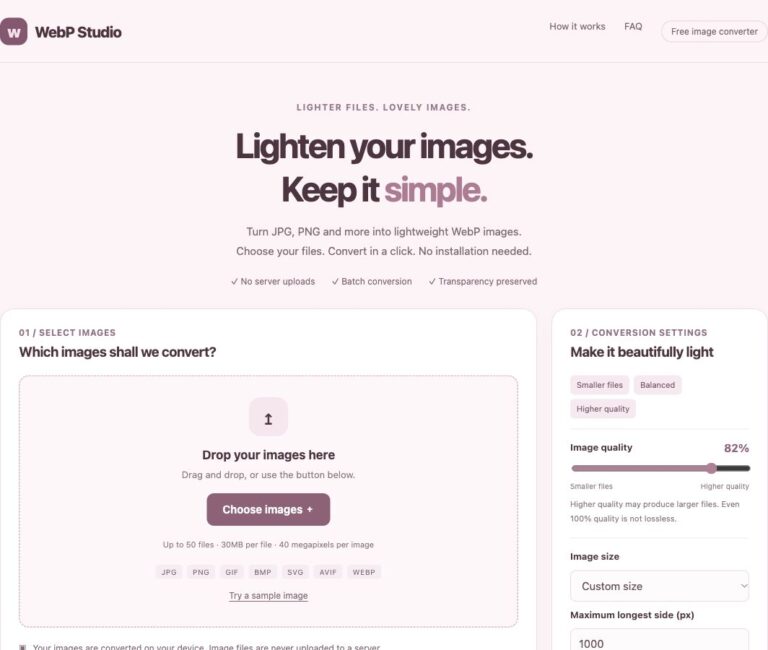
WebP Studio
WebP Studio: 7 Essential Checks for Better Batch Images
Use WebP Studio’s English interface to compare image quality, keep dimensions or resize a batch. Actual tests reveal smaller JPGs, larger outputs and a rounded zero-saving total.
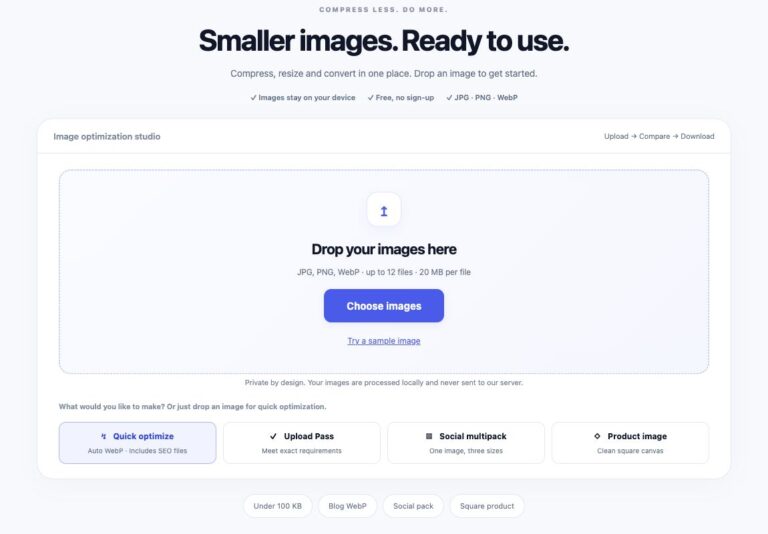
PixelFit Studio
Image Upload Optimizer: 7 Essential PixelFit Checks
Prepare exact upload dimensions and file-size conditions with PixelFit Studio. Actual sample and JPEG tests explain PASS/CHECK, crop versus contain, social totals, copied HTML and the limits of unverified file receipt.