Plan miniature basing from a visual composition to a practical build note. Miniature Base Garden lets you arrange ground materials, compare an imagined passage of time and generate five related miniature bases. Use it to decide where a figure, focal rock and open ground belong before making terrain by hand.
Verified 13 November 2026. We operated the English and Korean interfaces in Chrome, including a fresh 390 px mobile viewport. The counts and settings below are actual browser observations. We did not build a physical base, test craft products or verify a downloaded image, JSON or PDF artifact.
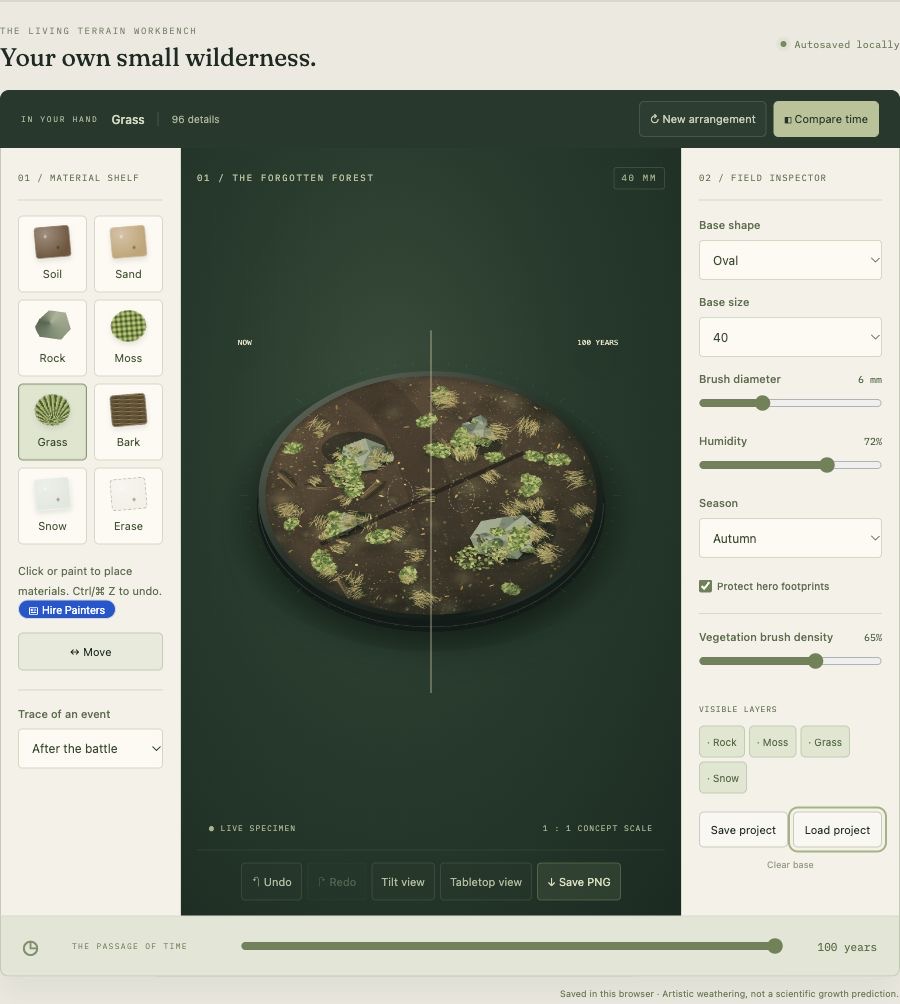
Compose a miniature basing plan with material marks, scene presets, artistic aging and five related variants. Actual tests explain undo, local restoration, recipe counts and scale limits.
- Brand
- Miniature Base Garden
- Tool languages
- en, ko
- Verified date
- 2026-11-13
On this page
Key takeaways for miniature basing
The official tool is a 2.5D visual basing planner. It does not create an STL or a printable three-dimensional mesh. Its tabletop preview is also not a calibrated, physically life-size display, even when the composition carries a nominal millimeter size.
Material counts describe scene marks. Our added Grass mark changed the recipe from 45 to 46, Undo returned it to 45 and Redo restored 46. Hiding the Grass layer did not remove those marks from the inventory. A visible layer and a stored material list answer different questions.
Treat time, humidity and season as art-direction controls. Our recipe stayed the same when the timeline changed from 100 to 0 years. The source labels this artistic weathering rather than growth prediction. Keep physical size, material quantities and drying instructions in a separate build note.
What Miniature Base Garden does
The official name is Miniature Base Garden. It provides a canvas for planning the ground beneath tabletop figures and small dioramas. Eight scene seeds, material brushes, environmental settings, history controls, a five-base generator and a recipe card turn a rough basing idea into a more specific visual brief.
The material choices we saw were Soil, Sand, Rock, Moss, Grass, Bark, Snow and Erase. A Move control was present. Separate visibility controls covered Rock, Moss, Grass and Snow. Our direct placement test used the canvas keyboard route; we did not exhaustively test every brush, drag gesture or move interaction.
English and Korean pages displayed the same saved composition in our Chrome session. No account or community-gallery submission was required for the tested workflow. There was advertising around the page, so local project storage should not be described as an entirely isolated or network-free application.
Prepare a basing brief
Begin with the physical base required for your figure or game, not the default 32 mm circle. Record its actual shape and dimensions independently. The tool offered round and oval settings and nominal 25,32,40,50 and 60 mm choices. We selected 40 mm and Oval; we did not verify the exact physical axes of an oval product or compatibility with a particular game system.
Next, write a short basing story that affects placement: an abandoned path, a recently disturbed patch or a surviving fragment of a ruin. Choose what should remain visible near the feet. This brief is more actionable than adding every material simply because its button is available.
Decide what you will compare. For example, keep shape, material palette and main rock consistent, then vary only the amount of visual aging. If you also change the scene seed, season and arrangement at once, you cannot attribute the difference to the timeline alone. That is a basing comparison, not an experiment about natural growth.
Inputs, materials and views
| Area | Observed inputs or controls | How to read them |
|---|---|---|
| Base | Round/oval; nominal 25–60 mm size choices | A planning reference, not a verified physical template |
| Brushes | Eight material/erase choices; brush diameter 2–14 mm | Screen marks rather than measured glue or flock coverage |
| Environment | Event, humidity 0–100, season, timeline 0–100 years | Art direction; no climate or growth calibration was tested |
| Vegetation | Density 0–100 and a footprint-protection checkbox | Controls and assumptions; protection enforcement was not exhaustively tested |
| Views and history | Tilt, tabletop, time comparison, Undo and Redo | Different ways to inspect and revisit a visual composition |
| Outputs | Recipe, five-base previews and file/print controls | On-screen results verified; exported artifacts were not confirmed |
The scene library contained Forgotten Forest, Silent Dunes, Last Winter, Fallen Kingdom, Rainwashed Trail, Wild Meadow, Ashen Border and Autumn Grove. We directly changed to Last Winter and undid it. Their presence is verified; a complete test of every preset with every material is outside this review.
7 checks for a useful basing plan
1. Establish the basing shape and brief
Choose the shape and nominal size, then keep your real dimensions in a separate note. Start with one scene seed and a sentence about what happened there. The Forgotten Forest was our starting point. A consistent starting state makes later comparisons easier to understand.
2. Reserve space for the figure
The footprint-protection option was enabled in our inspected state. Keep it on when planning around a figure, but still dry-fit the actual miniature independently. We did not prove that the protected screen region corresponds to a particular model’s stance, peg, overhang or contact area.
3. Add one deliberate mark
Select a material and use the canvas controls. Its accessible description supports arrow keys to move the cursor and Space to place a mark. In our starting scene, Space added a Grass mark and the recipe changed from 45 to 46. The overall detail count subsequently read 96 instead of the starting 95.
4. Test history before making a large revision
Undo and Redo restored the expected Grass counts in our test. Clearing the base left the soil entry, and Undo restored the previous detailed scene. Changing to the winter preset produced a different recipe, then Undo brought back our earlier one. Those are the history operations we directly confirmed.
5. Inspect style with a controlled comparison
Set an event and season, then use the timeline and time comparison. We selected After the battle, Autumn, Oval and 40 mm, and compared the scene at 100 years. The display split the reference and aged treatment. Read this as an imagined style difference; it is not a measured forecast of moss, decay or moisture.
6. Generate a small family of variants
Generate 5 bases produced five distinct on-screen canvas previews using the same visual family. Review the group for coherence: repeated ground color, a compatible rock treatment and a similar degree of vegetation. Then look for enough empty-ground variation that the figures can occupy different places.
7. Write a physical basing note
Use the recipe to remember materials and a broad assembly sequence, then add your own measured footprint, actual materials and product-label requirements. Verify any file you intend to keep. We could inspect the recipe and five previews, but a PNG download was not confirmed in our environment.
Our actual browser tests
The observations below belong to Chrome on 13 November 2026. We did not simulate a real ecological process or test adhesive curing. A restored recipe demonstrates state handling in this browser, not a guarantee that a physical basing project can be reproduced from the screen alone.
| Action | Observed result | What it establishes |
|---|---|---|
| Space on the starting Grass canvas | Recipe Grass 45 →46; detail summary reached 96 | A direct keyboard mark affected the stored composition |
| Undo, then Redo | Grass 46 →45 →46 | That placement could be reversed and reinstated |
| Hide Grass layer | Layer unpressed; recipe still Grass 46 | Visibility did not delete the marks |
| Clear base; Undo | Recipe temporarily soil-only; earlier marks returned | Clearing was reversible in this test |
| Last Winter preset; Undo | Rock 29/Snow 53, then Rock 16/Moss 26/Grass 46/Bark 8 | Preset history restored the earlier scene |
| Set Oval 40/Autumn/After battle/100 years; reload | Settings and Grass 46 returned | Local scene persistence worked in the tested session |
| Generate five variants | Five labeled previews appeared; main recipe unchanged | A related set was generated without replacing our recipe |
| Korean 390 px tabletop view and timeline Home | No horizontal overflow;0 years; recipe remained 16/26/46/8 | A narrow-screen control path worked |
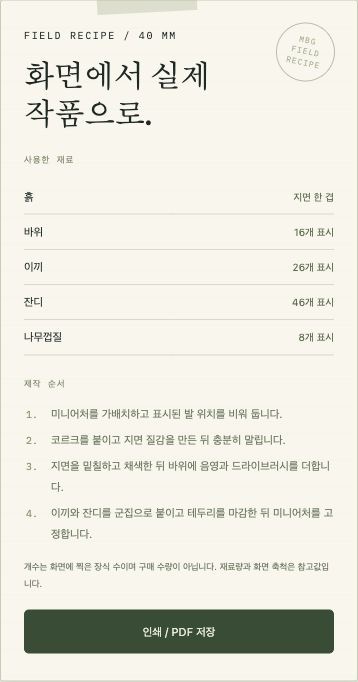
The original Forest recipe contained 16 Rock,26 Moss,45 Grass and 8 Bark marks, plus a soil layer. Our added Grass mark brought that counted set to 96. These are records of visual elements. They are not sixteen retail rocks, square millimeters of flock, milliliters of adhesive or a bill of materials.
Artistic time and material counts
At 100 years the narrative described an imagined older scene. On the Korean page we moved the timeline to 0; the recipe still listed Rock 16, Moss 26, Grass 46 and Bark 8. That distinction matters for basing: a styled rendering can look more weathered without its stored mark inventory becoming a forecast of how much vegetation will actually grow.
Humidity was initially 72%, vegetation density 65% and brush diameter 6 mm. We read the ranges and current values, but did not calibrate them against physical moisture, flock density or real brush loading. A percentage label can be useful for repeating a screen setting without representing a measured physical percentage.
The time-comparison view is useful for asking which visual story reads better. Compare an open area with its aged treatment, and note whether your focal rock or figure position remains clear. Freeze the rest of the basing brief during that comparison. If you later choose another seed, treat it as another design option rather than evidence about the same ground over time.
Five related bases without five identical stories
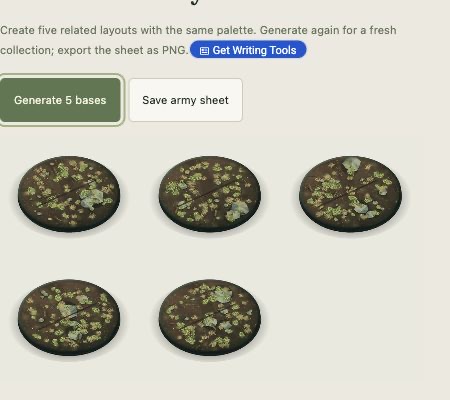
For a cohesive squad, choose a few invariants before generating: ground palette, broad terrain type and the degree of weathering. Let a few other features vary, such as the location of an open patch or the distribution of small vegetation clusters. This creates a practical brief for related basing without assuming the previews are exact construction templates.
| Keep consistent | Allow to vary | Check on the real miniature |
|---|---|---|
| Ground and rim color plan | Location of bare ground | Figure contact and overhang |
| Rock and vegetation palette | Cluster spacing and small details | Clearance for weapons, capes or flight supports |
| Broad weathering story | Which edge carries a path or trace | Whether the figure remains the focal point |
| Recorded nominal size | Individual composition | Actual base dimensions and rules requirements |
The five previews did not replace our main recipe, which remained the 96-mark scene. Do not multiply that recipe by five and call it a shopping list for the generated set. We did not inspect a separate material inventory for each preview or verify that every variant preserves a specific miniature’s footprint.
A practical basing worksheet
| Basing worksheet field | Example from our screen test | Add before building |
|---|---|---|
| Purpose | A Forest-family scene after a battle | Your figure, setting and intended viewing distance |
| Shape and reference size | Oval; nominal 40 mm | Actual width/length and required base specification |
| Style controls | Autumn, humidity 72, time 100 | These are screen settings, not physical conditions |
| Material memory | Rock 16, Moss 26, Grass 46, Bark 8 marks | Chosen real products and a small physical sample |
| Record to keep | A screenshot and written settings | A verified file or independent copy, if needed |
A useful basing decision is often what to leave out. If the figure’s silhouette is busy, an unfilled patch can keep the ground readable. If the story needs a prominent ruin fragment, reduce competing decoration elsewhere. These are composition choices for you to judge, not quantities calculated by the tool.
Separate the reference image from the build instruction. On the image, mark the intended feet, main terrain feature and open route. In a written note, list the real materials you will test and their label-based handling or drying instructions. We did not test any glue, primer, paint or vegetation product, so this review supplies no product-specific compatibility or curing claims.
Autosave, files and restoration
Our modified scene survived an English reload with Oval,40 mm,Autumn,After the battle,100 years and Grass 46. The Korean page in the same Chrome origin also restored those settings before we moved its timeline to 0. This verifies same-browser continuity, not cloud synchronization or recovery after clearing site data.
Save project and Load project controls were present and invoked, and the page provided a file-input route. The source describes JSON as a backup format. We did not retrieve a JSON artifact or complete a validated import, so we cannot claim a successful file round trip.
We attempted the main Save PNG control and waited up to eight seconds without obtaining a retrievable file in this environment. Army-sheet saving and Print/Save PDF were not verified. This is a limit of the confirmed workflow, not a claim that downloads fail in every browser. Check an output file before relying on it.
Restoring a basing scene does not establish that every history step is saved. On the fresh Korean page the scene returned while Undo and Redo were disabled. Keep a separate reference before a major revision if you need a reliable return point after reloading.
Scale, privacy and mobile limits
The source FAQ says the tabletop preview is reduced for readability and depends on display and browser zoom. The chosen millimeter size is therefore a planning reference. The “1:1 concept” label on the canvas should not be read as a calibrated ruler or a guarantee that printing a screenshot at default size yields the correct physical base.
No STL, printable mesh, collision-safe figure model or product quantity calculator was verified. We tested visual planning and state handling. We did not audit footprint protection, every material combination, full touch behavior, offline operation or assistive technologies.
The source describes browser-local storage and no community-gallery upload. We observed local restoration without an account, but did not audit network traffic. Blogger and Google advertising processing are disclosed. Local project storage does not imply that the whole page has no external connections or cookies.
MDN’s localStorage documentation explains origin-based storage that can persist across browser sessions. Browser policies and cleanup can affect retention. Keep an independent note when losing a basing plan would matter; a successful reload is not a backup strategy.
Related tools for painting and notes
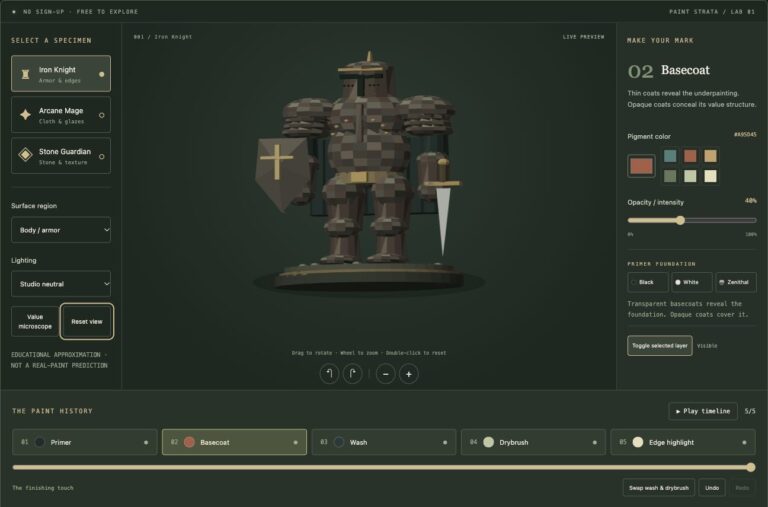
For planning the paint layers on a miniature, the PAINT STRATA guide explores coating order and digital recipe changes. It is a separate visual learning model, not a real-pigment test or automatic transfer of this basing scene.
If you capture a reference and want to annotate the intended figure position or build notes, the FrameMint Studio screenshot guide covers manual framing, captions and masks. Keep the unedited reference too. An annotation does not turn a concept drawing into measured geometry.
Frequently asked questions
Is this a miniature basing tool or a 3D printer tool?
It is a 2.5D composition planner for handcrafted basing. The source explicitly distinguishes it from STL or printable mesh generation. We did not obtain a 3D file or fabricate a base.
Can I undo clearing or a preset change?
Both were reversible in our test. Clearing left the soil entry before Undo restored the earlier scene; the winter preset’s recipe also returned to the previous Forest recipe after Undo. We did not test unlimited history or recovery after deleting browser storage.
Does hiding a layer remove its material count?
Our Grass layer became hidden while its recipe count stayed 46. Use visibility to inspect the composition; use deliberate editing when you actually intend to change the stored marks.
Are 100 years and humidity 72% scientific predictions?
No physical calibration was verified. The site describes artistic aging, and the recipe did not gain material counts when the timeline changed in our comparison. Use those values to record a visual treatment.
Can I use the preview as a life-size cutting template?
The source says the tabletop view is reduced for readability and depends on your display. Measure the actual base and footprint separately. We did not validate a print scale, oval dimensions or a particular game system’s base requirement.
Turn one scene into a build decision
Use Miniature Base Garden to answer one basing question at a time: where should the figure stand, what should remain bare, and which terrain feature tells the story? Keep the scene as a visual brief, preserve a record you can actually open, and test the real materials independently.
A RELEVANT NEXT STEP
Tools with a useful connection
PAINT STRATA
Miniature Painting: 7 Smart PAINT STRATA Checks
Explore miniature painting layers in PAINT STRATA. Tested order swaps, wash overload, saved recipes, sharing and mobile controls show what this 3D learning model can do.

FrameMint Studio
Screenshot Editor: 7 Smart FrameMint Studio Checks
Frame screenshots, add manual masks and build captioned stories in FrameMint Studio. Real import, order, recovery and size tests explain what to check before sharing.
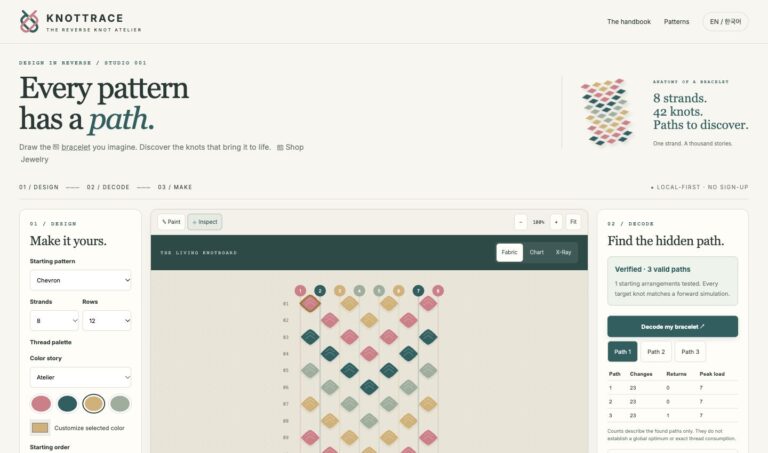
KNOTTRACE — The Reverse Knot Atelier
Friendship Bracelet Decoder: 7 Essential KNOTTRACE Checks
Turn a painted normal bracelet pattern into checked knot paths. Our 8-strand, 12-row tests cover 42 knots, 3 paths, strand tracing, F-to-FB changes, row marks and calibrated thread estimates.